display MITSUBISHI LANCER SPORTBACK 2014 8.G User Guide
[x] Cancel search | Manufacturer: MITSUBISHI, Model Year: 2014, Model line: LANCER SPORTBACK, Model: MITSUBISHI LANCER SPORTBACK 2014 8.GPages: 422, PDF Size: 55.11 MB
Page 68 of 422
5
Features and controlsBreak-in recommendation
s ...............................................................5-3
Keys .....................................................
.............................................5-3
Electronic immobilizer (Anti-theft starting system) .........................5-4 Keyless entry system (if so equipped) ..............................................5-7Free-hand Advanced Security Transmitter (F.A.S.T.-key) (if so equipped)................................
..................................................... 5-11
Door locks........................
...............................................................5-36
Power door locks .............
...............................................................5-38
“Child safety locks” for
rear door...................................................5-39
Rear hatch ........................
...............................................................5-40
Inside rear hatch rel
ease................................
..................................5-41
Theft-alarm system ..........
...............................................................5-41
Power windows................
...............................................................5-44
Sunroof (if so equipped
) .........................................
........................5-46
Parking brake ...................
...............................................................5-49
Steering wheel tilt lock lever ..........................................................5-50Inside day/night rearview
mirror ....................................................5-50
Outside rearview mirr
ors ................................................................5-52
Ignition switch .................
...............................................................5-53
Steering wheel lock..........
...............................................................5-55
Starting and stopping the e
ngine ....................................................5-55
Turbocharger operation (if so equipped) ........................................5-59Manual transaxle (if so equipped) ..................................................5-59Continuously variable transmissi
on (CVT) (if so equipped)..........5-61
Twin Clutch SST (Sportronic Shif
t Transmission) (if so equipped)
...................................................................
..................................5-70
All-wheel drive system (if
so equipped).........................................5-82
Cautions on handling of all-wheel drive vehicles ..........................5-82
ACD (Active center differential system) (if so equipped) ............. 5-83 Limited-slip differential (i
f so equipped) ....................................... 5-85
Service brake ..................
.................................................
............... 5-85
Hill start assist (for vehicles equipped with Twin Clutch SST) ..... 5-86Brake assist system
................................................
......................... 5-87
Anti-lock braking syst
em ......................................
......................... 5-88
Power steering system
...........................................
......................... 5-90
Active stability control
(ASC) .....................
................................... 5-91
Cruise control .................
.................................................
............... 5-94
Tire pressure monitoring
system .................................................. 5-100
Rear-view camera (if so
equipped)..............
................................. 5-104
Instrument cluster .
.................................................
....................... 5-106
Multi-information disp
lay .....................................
....................... 5-108
Indicator light, warning light, and information screen display list
.................................................................
................................. 5-129
Indicators ..................................
.................................................... 5-141
Warning lights.................
.................................................
............. 5-142
Information screen disp
lay ....................................
....................... 5-143
Combination headlights and dimmer switch ................................ 5-145Headlight leveling switch (if
so equipped)................................... 5-150
Turn signal lever ...
.................................................
....................... 5-150
Hazard warning flasher
switch ..................................................... 5-151
Front fog light switch (if so
equipped) ......................................... 5-151
Wiper and washer swit
ch ......................................
....................... 5-152
Electric rear window def
ogger switch .......................................... 5-157
Horn switch ..............................
.................................................... 5-157
Link System (if so equi
pped) ....................................................... 5-158
Bluetooth
® 2.0 interface (if so
equipped)..................................... 5-158
BK0200700US.bo
ok 1 ページ 2013年2月15日 金曜日 午後12時17分
Page 73 of 422
Electronic immobilizer (Anti-theft starting system) 5-6 Features and controls
5
N00562200067
You can program new keys to the system if you have two valid (already registered) keys and blank (not registered) immobilizer key(specially cut for your vehicle at your Mit- subishi Motors dealer) by doing the follow- ing: 1. Insert the first valid key into the ignition switch and turn the key to the “ON” posi-tion for 5 seconds. 2. Turn the key to the “LOCK” position and remove the first key.3. Within 30 seconds of turning the first key to the “LOCK” position, insert the second valid key into the ignition and turn it tothe “ON” position. About 10 seconds later, the immobilizer display will start to blink.
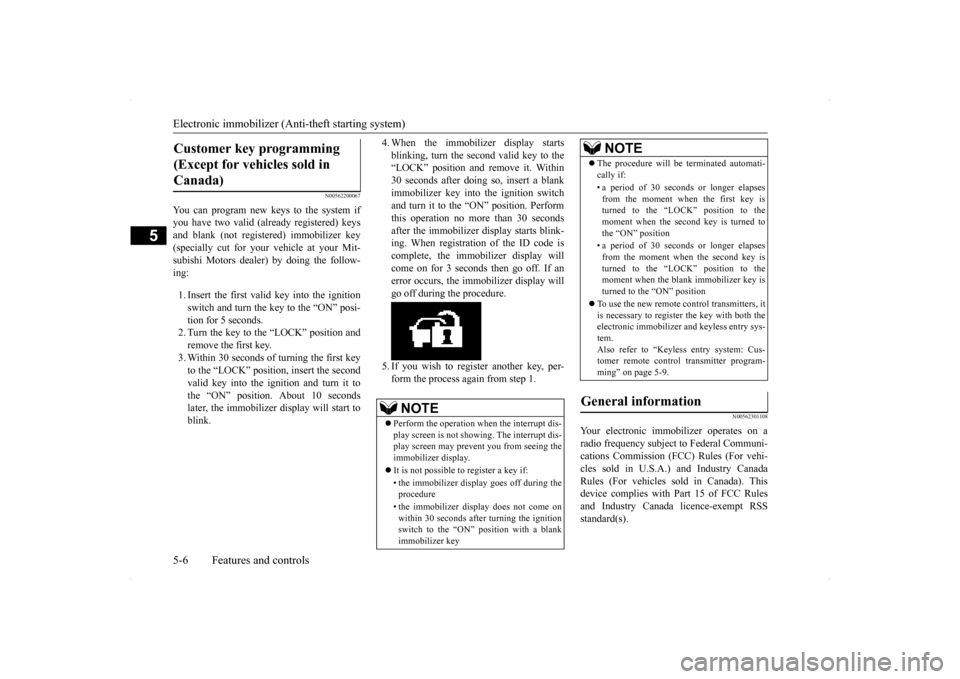
4. When the immobilizer display starts blinking, turn the second valid key to the “LOCK” position and remove it. Within 30 seconds after doing so, insert a blankimmobilizer key into the ignition switch and turn it to the “ON” position. Perform this operation no more than 30 secondsafter the immobilizer display starts blink- ing. When registration of the ID code is complete, the immobilizer display willcome on for 3 seconds then go off. If anerror occurs, the immobilizer display will go off during the procedure. 5. If you wish to register another key, per- form the process again from step 1.
N00562301108
Your electronic immobilizer operates on a radio frequency subject to Federal Communi- cations Commission (FCC) Rules (For vehi- cles sold in U.S.A.) and Industry CanadaRules (For vehicles sold in Canada). This device complies with Part 15 of FCC Rules and Industry Canada licence-exempt RSSstandard(s).
Customer key programming (Except for vehicles sold in Canada)
NOTE
Perform the operation when the interrupt dis- play screen is not showing. The interrupt dis- play screen may prevent you from seeing the immobilizer display. It is not possible to register a key if: • the immobilizer display goes off during the procedure • the immobilizer display does not come on within 30 seconds after turning the ignition switch to the “ON” position with a blankimmobilizer key
The procedure will be terminated automati- cally if: • a period of 30 seconds or longer elapses from the moment when the first key isturned to the “LOCK” position to the moment when the second key is turned to the “ON” position • a period of 30 seconds or longer elapses from the moment when the second key isturned to the “LOCK” position to the moment when the blank immobilizer key is turned to the “ON” position
To use the new remote control transmitters, it is necessary to register the key with both theelectronic immobilizer and keyless entry sys- tem. Also refer to “Keyless entry system: Cus-tomer remote control transmitter program- ming” on page 5-9.
General information
NOTE
BK0200700US.bo
ok 6 ページ 2013年2月15日 金曜日 午後12時17分
Page 84 of 422
Free-hand Advanced Security Transmit
ter (F.A.S.T.-key) (if so equipped)
Features and controls 5-17
5
N00513701090
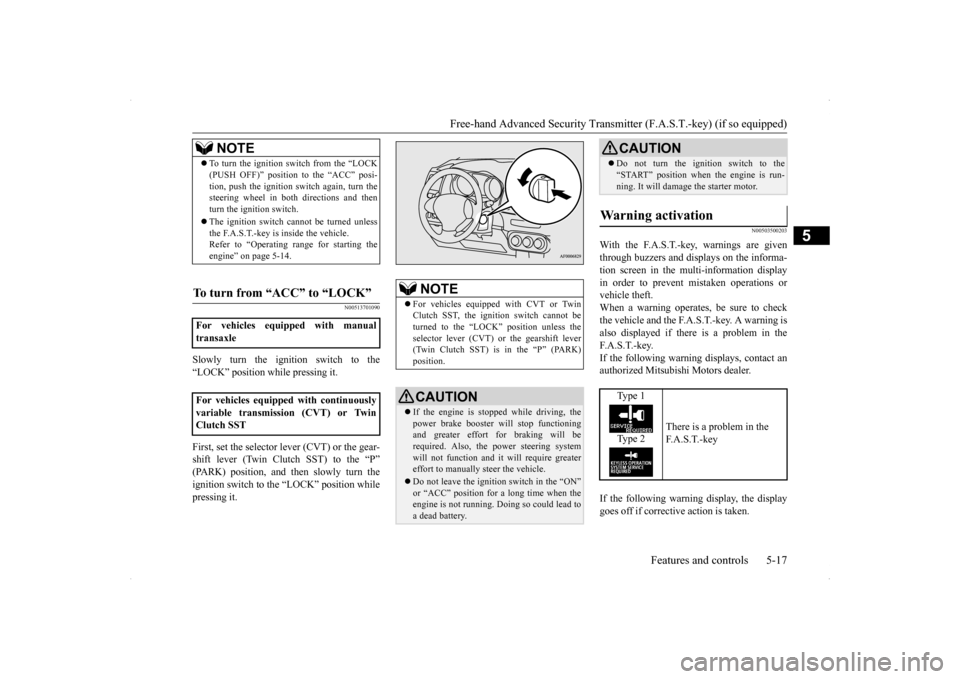
Slowly turn the ignition switch to the “LOCK” position while pressing it. First, set the selector lever (CVT) or the gear- shift lever (Twin Clutch SST) to the “P” (PARK) position, and then slowly turn theignition switch to the “LOCK” position while pressing it.
N00503500203
With the F.A.S.T.-key, warnings are given through buzzers and displays on the informa-tion screen in the multi-information displayin order to prevent mistaken operations or vehicle theft. When a warning operates, be sure to checkthe vehicle and the F.A.S.T.-key. A warning is also displayed if there is a problem in the F. A . S . T. - k e y.If the following warning displays, contact an authorized Mitsubishi Motors dealer. If the following warning display, the display goes off if corrective action is taken.
NOTE
To turn the ignition switch from the “LOCK (PUSH OFF)” position to the “ACC” posi- tion, push the ignition switch again, turn the steering wheel in both directions and then turn the ignition switch. The ignition switch cannot be turned unless the F.A.S.T.-key is inside the vehicle.Refer to “Operating range for starting the engine” on page 5-14.
To turn from “ACC” to “LOCK”
For vehicles equipped with manual transaxle For vehicles equipped with continuously variable transmission (CVT) or Twin Clutch SST
NOTE
For vehicles equipped with CVT or Twin Clutch SST, the ignition switch cannot be turned to the “LOCK” position unless the selector lever (CVT) or the gearshift lever(Twin Clutch SST) is in the “P” (PARK) position.CAUTION If the engine is stopped while driving, the power brake booster will stop functioning and greater effort for braking will be required. Also, the power steering systemwill not function and it will require greater effort to manually steer the vehicle. Do not leave the ignition switch in the “ON” or “ACC” position for a long time when the engine is not running. Doing so could lead toa dead battery.
Do not turn the ignition switch to the “START” position when the engine is run- ning. It will damage the starter motor.
Warning activation
Type 1 Type 2
There is a problem in the F. A . S . T. - k e y
CAUTION
BK0200700US.bo
ok 17 ページ 2013年2月15日 金曜日 午後12時17分
Page 85 of 422
Free-hand Advanced Security Transmitter (F.A.S.T.-key) (if so equipped) 5-18 Features and controls
5
The ID codes of the F.A.S.T.-key and the vehicle cannot be verified A door or the rear hatch cannot be locked even when the driver’s or front passen-ger’s door lock/unlock switch or the rear hatch LOCK switch is pressed.
N00559801170
Ty p e 1
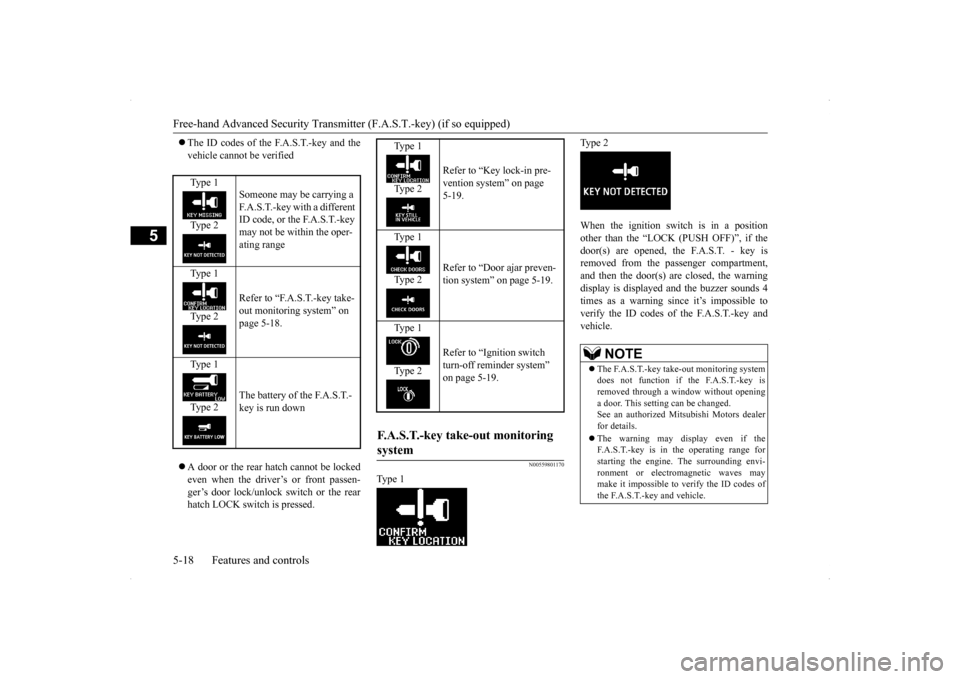
Ty p e 2 When the ignition switch is in a position other than the “LOCK (PUSH OFF)”, if the door(s) are opened, the F.A.S.T. - key isremoved from the passenger compartment, and then the door(s) are closed, the warning display is displayed and the buzzer sounds 4times as a warning since it’s impossible to verify the ID codes of the F.A.S.T.-key and vehicle.
Type 1 Type 2
Someone may be carrying a F.A.S.T.-key with a different ID code, or the F.A.S.T.-key may not be within the oper- ating range
Type 1 Type 2
Refer to “F.A.S.T.-key take- out monitoring system” on page 5-18.
Type 1 Type 2
The battery of the F.A.S.T.- key is run down
Type 1 Type 2
Refer to “Key lock-in pre- vention system” on page 5-19.
Type 1 Type 2
Refer to “Door ajar preven- tion system” on page 5-19.
Type 1 Type 2
Refer to “Ignition switch turn-off reminder system” on page 5-19.
F.A.S.T.-key take-out monitoring system
NOTE
The F.A.S.T.-key take-out monitoring system does not function if the F.A.S.T.-key isremoved through a window without opening a door. This setting can be changed. See an authorized Mitsubishi Motors dealerfor details. The warning may display even if the F.A.S.T.-key is in the operating range for starting the engine. The surrounding envi- ronment or electromagnetic waves maymake it impossible to verify the ID codes of the F.A.S.T.-key and vehicle.
BK0200700US.bo
ok 18 ページ 2013年2月15日 金曜日 午後12時17分
Page 86 of 422
Free-hand Advanced Security Transmit
ter (F.A.S.T.-key) (if so equipped)
Features and controls 5-19
5
N00559900145
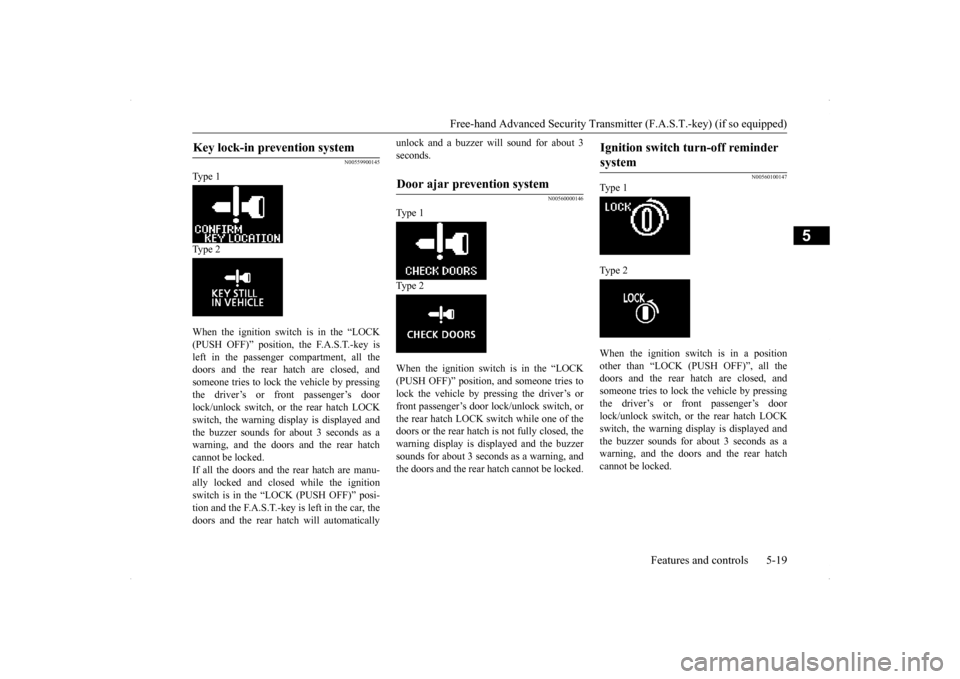
Type 1 Type 2 When the ignition switch is in the “LOCK (PUSH OFF)” position, the F.A.S.T.-key isleft in the passenger compartment, all the doors and the rear hatch are closed, and someone tries to lock the vehicle by pressingthe driver’s or front passenger’s door lock/unlock switch, or the rear hatch LOCK switch, the warning display is displayed andthe buzzer sounds for about 3 seconds as a warning, and the doors and the rear hatch cannot be locked.If all the doors and the rear hatch are manu-ally locked and closed while the ignition switch is in the “L
OCK (PUSH OFF)” posi-
tion and the F.A.S.T.-key is left in the car, thedoors and the rear hatch will automatically
unlock and a buzzer will sound for about 3 seconds.
N00560000146
Type 1 Type 2 When the ignition switch is in the “LOCK (PUSH OFF)” position, and someone tries to lock the vehicle by pressing the driver’s or front passenger’s door lock/unlock switch, orthe rear hatch LOCK switch while one of the doors or the rear hatch is not fully closed, the warning display is displayed and the buzzersounds for about 3 seconds as a warning, andthe doors and the rear hatch cannot be locked.
N00560100147
Type 1 Type 2 When the ignition switch is in a position other than “LOCK (PUSH OFF)”, all the doors and the rear hatch are closed, and someone tries to lock the vehicle by pressingthe driver’s or front passenger’s door lock/unlock switch, or the rear hatch LOCK switch, the warning display is displayed andthe buzzer sounds for about 3 seconds as a warning, and the doors and the rear hatch cannot be locked.
Key lock-in prevention system
Door ajar prevention system
Ignition switch turn-off reminder system
BK0200700US.bo
ok 19 ページ 2013年2月15日 金曜日 午後12時17分
Page 87 of 422
Free-hand Advanced Security Transmitter (F.A.S.T.-key) (if so equipped) 5-20 Features and controls
5
N00514300025
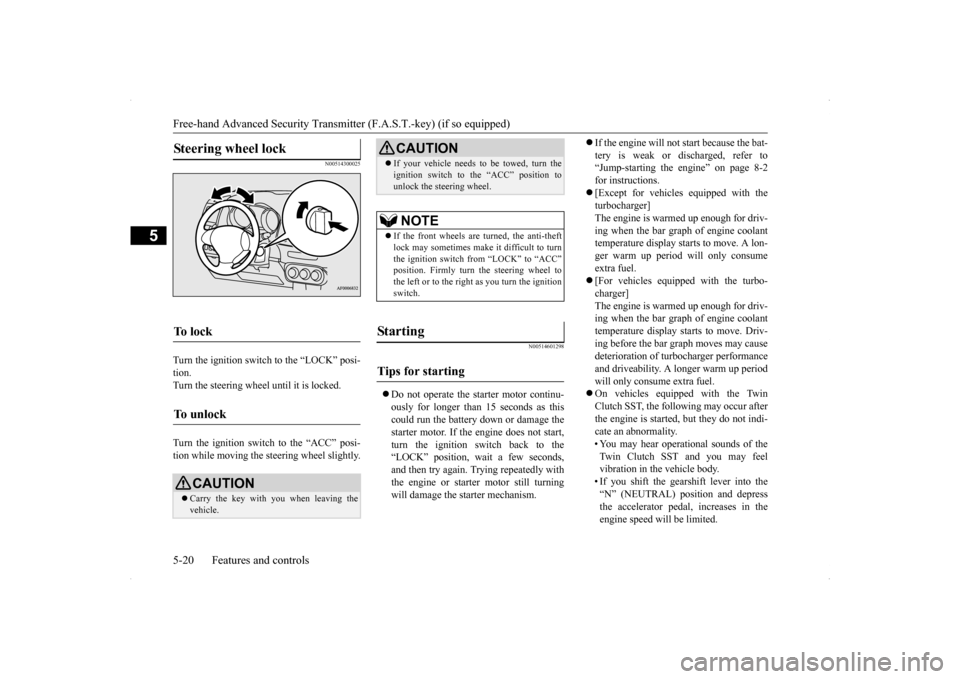
Turn the ignition switch to the “LOCK” posi- tion.Turn the steering wheel until it is locked. Turn the ignition switch to the “ACC” posi- tion while moving the steering wheel slightly.
N00514601298
Do not operate the starter motor continu- ously for longer than 15 seconds as thiscould run the battery down or damage the starter motor. If the engine does not start, turn the ignition switch back to the“LOCK” position, wait a few seconds, and then try again. Trying repeatedly with the engine or starter motor still turningwill damage the starter mechanism.
If the engine will not start because the bat- tery is weak or discharged, refer to “Jump-starting the engine” on page 8-2 for instructions. [Except for vehicles equipped with the turbocharger] The engine is warmed up enough for driv-ing when the bar graph of engine coolant temperature display starts to move. A lon- ger warm up period will only consumeextra fuel. [For vehicles equipped with the turbo- charger] The engine is warmed up enough for driv-ing when the bar graph of engine coolant temperature display starts to move. Driv- ing before the bar graph moves may causedeterioration of turbocharger performance and driveability. A longer warm up period will only consume extra fuel. On vehicles equipped with the Twin Clutch SST, the following may occur after the engine is started, but they do not indi-cate an abnormality. • You may hear operational sounds of the Twin Clutch SST and you may feelvibration in the vehicle body. • If you shift the gearshift lever into the “N” (NEUTRAL) position and depressthe accelerator pedal, increases in the engine speed will be limited.
Steering wheel lock
To l o c k
To u n l o c k
CAUTION Carry the key with you when leaving the vehicle.
If your vehicle needs to be towed, turn the ignition switch to the “ACC” position to unlock the steering wheel.NOTE
If the front wheels are turned, the anti-theft lock may sometimes make it difficult to turn the ignition switch from “LOCK” to “ACC”position. Firmly turn the steering wheel to the left or to the right as you turn the ignition switch.
St arting
Tips for starting
CAUTION
BK0200700US.bo
ok 20 ページ 2013年2月15日 金曜日 午後12時17分
Page 88 of 422
Free-hand Advanced Security Transmit
ter (F.A.S.T.-key) (if so equipped)
Features and controls 5-21
5
Your vehicle is equipped with an electroni- cally controlled fuel injection system. This isa system that automatically controls fuel injection. There is no need to depress the accelerator pedal when starting the engine.The starter motor should not be run for more than 15 seconds at a time. To prevent battery drain, wait a few secondsbetween attempts to restart the engine.
1. Make sure all occupants are properly seated with seat belts fastened. 2. Make sure the parking brake is applied. 3. Press and hold the brake pedal down withyour right foot. 4. Press and hold the clutch pedal all the way down (manual transaxle).
5. On vehicles equipped with manual trans- axle, place the gearshift lever in the “N” (Neutral) position. On vehicles equipped with continuouslyvariable transmission (CVT) or Twin Clutch SST, make sure the selector lever (CVT) or the gearshift lever (Twin ClutchSST) is in the “P” (PARK) position. 6. While pushing the ignition switch from “LOCK” (PUSH OFF) to “LOCK” (PUSH ON), set the ignition switch to the “ON” position and confirm that all warn-ing lights and warning displays are oper- ating properly.
WA R N I N G Never run the engine in a closed or poorly ventilated area any longer than is needed to move your vehicle out of the area. Car- bon monoxide gas, which is odorless and extremely poisonous, could build up andcause serious injury or death.CAUTION Do not push-start the vehicle.Do not run the engine at high rpms or drive at high speeds until the engine has had a chance to warm up. Release the ignition switch as soon as the engine starts. Otherwise, the starter motorwill be damaged.
Starting the engine
NOTE
For models equipped with a manual trans- axle, the starter will not operate unless theclutch pedal is fully depressed (Clutch inter- lock). This is a safety feature.
NOTE
On vehicles equipped with CVT, the starter will not operate unless the selector lever is inthe “P” (PARK) or “N” (NEUTRAL) posi- tion. On vehicles equipped with Twin Clutch SST,the starter will not operate unless the gear- shift lever is in the “P” (PARK) position or the gearshift lever is in the “N” (NEUTRAL)position with the brake pedal depressed. For safety reasons, start the engine in the “P” (PARK) position so that the wheels arelocked.
BK0200700US.bo
ok 21 ページ 2013年2月15日 金曜日 午後12時17分
Page 93 of 422
![MITSUBISHI LANCER SPORTBACK 2014 8.G User Guide Free-hand Advanced Security Transmitter (F.A.S.T.-key) (if so equipped) 5-26 Features and controls
5
[Except for vehicles equipped with the turbocharger] The engine is warmed up enough for driv- i](/img/19/7508/w960_7508-92.png "MITSUBISHI LANCER SPORTBACK 2014 8.G User Guide Free-hand Advanced Security Transmitter (F.A.S.T.-key) (if so equipped) 5-26 Features and controls
5
[Except for vehicles equipped with the turbocharger] The engine is warmed up enough for driv- i")
Free-hand Advanced Security Transmitter (F.A.S.T.-key) (if so equipped) 5-26 Features and controls
5
[Except for vehicles equipped with the turbocharger] The engine is warmed up enough for driv- ing when the bar graph of engine coolanttemperature display starts to move. A lon- ger warm up period will only consume extra fuel. [For vehicles equipped with the turbo- charger] The engine is warmed up enough for driv-ing when the bar graph of engine coolanttemperature display starts to move. Driv- ing before the bar graph moves may cause deterioration of turbocharger performanceand driveability. A longer warm up period will only consume extra fuel. On vehicles equipped with the Twin Clutch SST, the following may occur after the engine is started, but they do not indi- cate an abnormality.• You may hear operational sounds of the Twin Clutch SST and you may feel vibration in the vehicle body.• If you shift the gearshift lever into the “N” (NEUTRAL) position and depress the accelerator pedal, increases in theengine speed will be limited.
Starting the engine The vehicle is equipped with an electronically controlled fuel injection system. This is a sys-tem that automatically controls the fuel injec- tion. There is no need to depress the accelerator pedal when starting the engine.The starter motor should not be run for more than 15 seconds at a time. To prevent battery drain, wait a few secondsbetween attempts to restart the engine. 1. Make sure all occupants are properly seated with seat belts fastened. 2. Make sure the parking brake is applied.
3. While pushing the lock release buttons (A), remove the cover of the ignition switch. 4. Insert the emergency key into the ignition switch.
WA R N I N G Never run the engine in a closed or poorly ventilated area any longer than is needed to move your vehicle out of the area. Car- bon monoxide gas, which is odorless and extremely poisonous, could build up andcause serious injury or death.CAUTION Do not push-start the vehicle.Do not run the engine
at high rpms or drive
at high speeds until the engine has had a chance to warm up. Release the emergency key as soon as the engine starts. It will damage the startermotor.
BK0200700US.bo
ok 26 ページ 2013年2月15日 金曜日 午後12時17分
Page 94 of 422
Free-hand Advanced Security Transmit
ter (F.A.S.T.-key) (if so equipped)
Features and controls 5-27
5
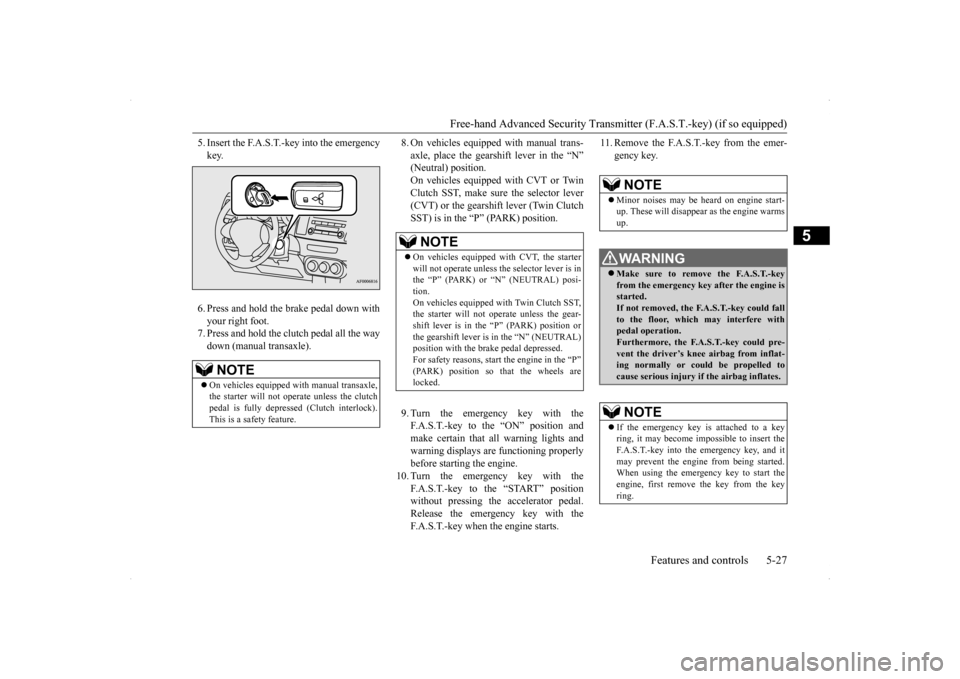
5. Insert the F.A.S.T.-key into the emergency key. 6. Press and hold the brake pedal down with your right foot. 7. Press and hold the clutch pedal all the waydown (manual transaxle).
8. On vehicles equipped with manual trans- axle, place the gearshift lever in the “N” (Neutral) position. On vehicles equipped with CVT or TwinClutch SST, make sure the selector lever (CVT) or the gearshift lever (Twin Clutch SST) is in the “P” (PARK) position. 9. Turn the emergency key with the F.A.S.T.-key to the “ON” position andmake certain that all warning lights and warning displays are functioning properly before starting the engine.
10. Turn the emergency key with the
F.A.S.T.-key to the “START” position without pressing the accelerator pedal.Release the emergency key with the F.A.S.T.-key when the engine starts.
11. Remove the F.A.S.T.-key from the emer-
gency key.
NOTE
On vehicles equipped with manual transaxle, the starter will not operate unless the clutchpedal is fully depressed (Clutch interlock). This is a safety feature.
NOTE
On vehicles equipped with CVT, the starter will not operate unless the selector lever is in the “P” (PARK) or “N” (NEUTRAL) posi- tion.On vehicles equipped with Twin Clutch SST, the starter will not operate unless the gear- shift lever is in the “P” (PARK) position orthe gearshift lever is in the “N” (NEUTRAL) position with the brake pedal depressed. For safety reasons, start the engine in the “P”(PARK) position so that the wheels are locked.
NOTE
Minor noises may be heard on engine start- up. These will disappear as the engine warms up. WA R N I N G Make sure to remove the F.A.S.T.-key from the emergency key after the engine is started.If not removed, the F.A.S.T.-key could fall to the floor, which may interfere with pedal operation.Furthermore, the F.A.S.T.-key could pre- vent the driver’s knee airbag from inflat- ing normally or could be propelled tocause serious injury if the airbag inflates.NOTE
If the emergency key is attached to a key ring, it may become impossible to insert the F.A.S.T.-key into the emergency key, and it may prevent the engine from being started.When using the emergency key to start the engine, first remove the key from the key ring.
BK0200700US.bo
ok 27 ページ 2013年2月15日 金曜日 午後12時17分
Page 97 of 422
Free-hand Advanced Security Transmitter (F.A.S.T.-key) (if so equipped) 5-30 Features and controls
5
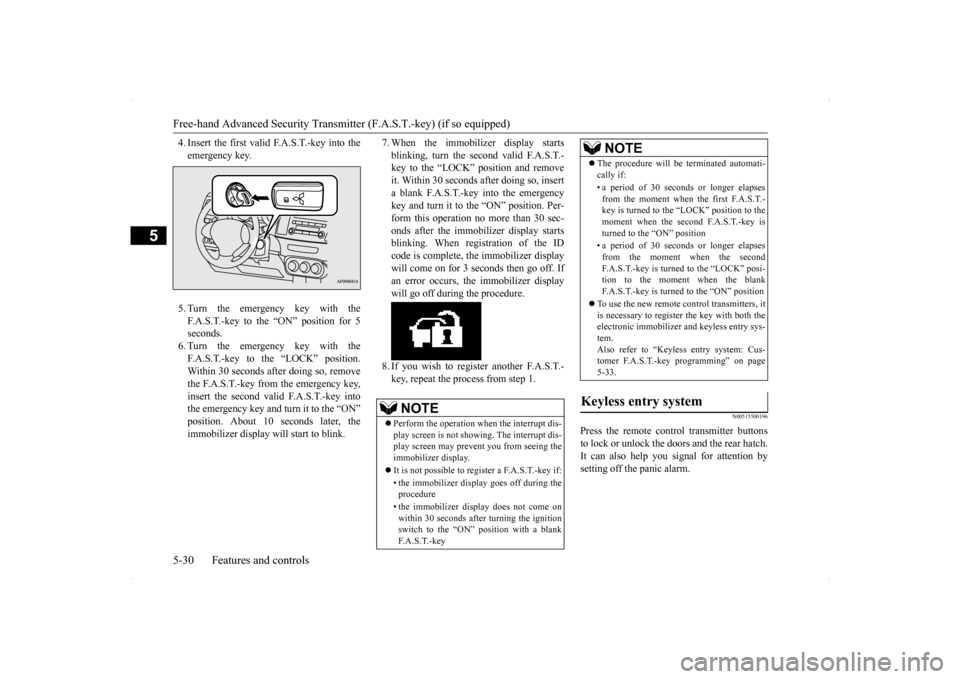
4. Insert the first valid F.A.S.T.-key into the emergency key. 5. Turn the emergency key with the F.A.S.T.-key to the “ON” position for 5 seconds.6. Turn the emergency key with the F.A.S.T.-key to the “LOCK” position. Within 30 seconds after doing so, removethe F.A.S.T.-key from the emergency key,insert the second valid F.A.S.T.-key into the emergency key and turn it to the “ON” position. About 10
seconds later, the
immobilizer display will start to blink.
7. When the immobilizer display starts blinking, turn the second valid F.A.S.T.- key to the “LOCK” position and remove it. Within 30 seconds after doing so, inserta blank F.A.S.T.-key into the emergency key and turn it to the “ON” position. Per- form this operation no more than 30 sec-onds after the immobilizer display starts blinking. When registration of the ID code is complete, the immobilizer displaywill come on for 3 seconds then go off. Ifan error occurs, the immobilizer display will go off during the procedure. 8. If you wish to register another F.A.S.T.- key, repeat the process from step 1.
N00515500196
Press the remote control transmitter buttons to lock or unlock the doors and the rear hatch. It can also help you signal for attention by setting off the panic alarm.
NOTE
Perform the operation when the interrupt dis- play screen is not showing. The interrupt dis- play screen may prevent you from seeing the immobilizer display. It is not possible to regi
ster a F.A.S.T.-key if:
• the immobilizer display goes off during the procedure • the immobilizer display does not come on within 30 seconds after turning the ignition switch to the “ON” position with a blankF. A . S . T. - k e y
The procedure will be terminated automati- cally if: • a period of 30 seconds or longer elapses from the moment when the first F.A.S.T.-key is turned to the “LOCK” position to the moment when the second F.A.S.T.-key is turned to the “ON” position • a period of 30 seconds or longer elapses from the moment when the secondF.A.S.T.-key is turned to the “LOCK” posi- tion to the moment when the blank F.A.S.T.-key is turned to the “ON” position
To use the new remote control transmitters, it is necessary to register the key with both theelectronic immobilizer and keyless entry sys- tem. Also refer to “Keyless entry system: Cus-tomer F.A.S.T.-key programming” on page 5-33.
Keyless entry system
NOTE
BK0200700US.bo
ok 30 ページ 2013年2月15日 金曜日 午後12時17分