ignition MITSUBISHI LANCER SPORTBACK 2014 8.G Repair Manual
[x] Cancel search | Manufacturer: MITSUBISHI, Model Year: 2014, Model line: LANCER SPORTBACK, Model: MITSUBISHI LANCER SPORTBACK 2014 8.GPages: 422, PDF Size: 55.11 MB
Page 143 of 422
Twin Clutch SST (Sportronic Shif
t Transmission) (if so equipped)
5-76 Features and controls
5
N00540300055
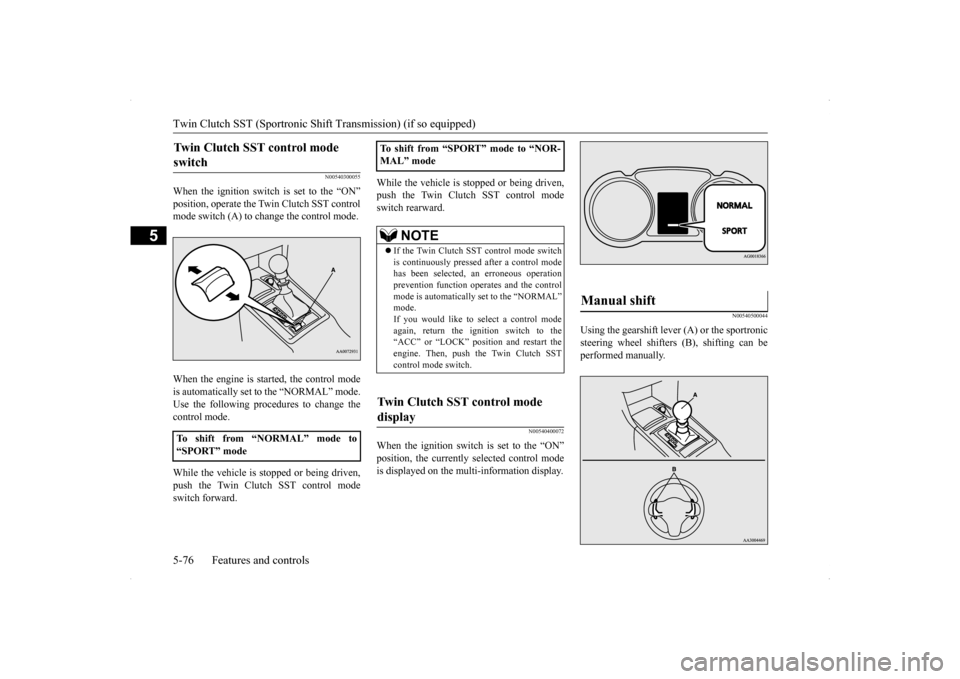
When the ignition switch is set to the “ON” position, operate the Twin Clutch SST control mode switch (A) to change the control mode. When the engine is started, the control mode is automatically set to the “NORMAL” mode. Use the following procedures to change the control mode. While the vehicle is stopped or being driven, push the Twin Clutch SST control modeswitch forward.
While the vehicle is stopped or being driven, push the Twin Clutch SST control mode switch rearward.
N00540400072
When the ignition switch is set to the “ON”position, the currently selected control modeis displayed on the multi-information display.
N00540500044
Using the gearshift lever (A) or the sportronicsteering wheel shifters (B), shifting can beperformed manually.
Twin Clutch SST control mode switch
To shift from “NORMAL” mode to “SPORT” mode
To shift from “SPORT” mode to “NOR- MAL” mode
NOTE
If the Twin Clutch SST control mode switch is continuously pressed after a control modehas been selected, an erroneous operation prevention function operates and the control mode is automatically set to the “NORMAL”mode. If you would like to select a control mode again, return the ignition switch to the“ACC” or “LOCK” position and restart the engine. Then, push the Twin Clutch SST control mode switch.
Twin Clutch SST control mode display
Manual shift
BK0200700US.bo
ok 76 ページ 2013年2月15日 金曜日 午後12時17分
Page 151 of 422
ACD (Active center differential system) (if so equipped) 5-84 Features and controls
5
N00545500036
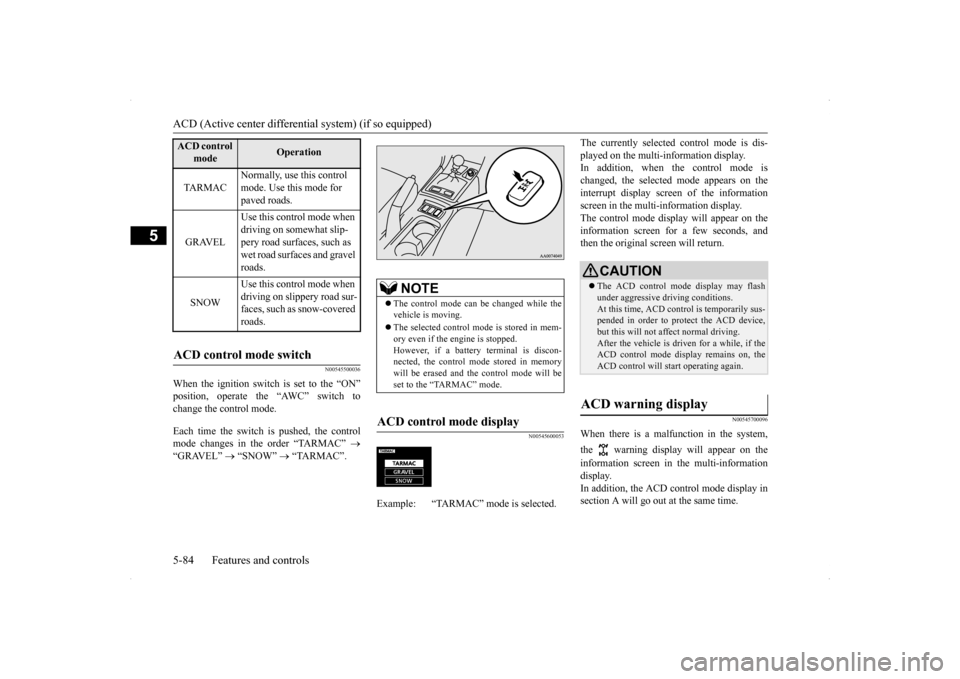
When the ignition switch is set to the “ON” position, operate the “AWC” switch to change the control mode. Each time the switch is pushed, the control mode changes in the order “TARMAC”
“GRAVEL”
“SNOW”
“TARMAC”.
N00545600053
The currently selected control mode is dis- played on the multi-information display. In addition, when the control mode is changed, the selected mode appears on theinterrupt display screen of the information screen in the multi-information display. The control mode display will appear on theinformation screen for a few seconds, and then the original screen will return.
N00545700096
When there is a malfunction in the system, the warning display will appear on the information screen in the multi-information display. In addition, the ACD control mode display in section A will go out at the same time.
ACD control
mode
Operation
TA R M A C
Normally, use this control mode. Use this mode for paved roads.
GRAVEL
Use this control mode when driving on somewhat slip- pery road surfaces, such as wet road surfaces and gravel roads.
SNOW
Use this control mode when driving on slippery road sur-faces, such as snow-covered roads.
ACD control mode switch
NOTE
The control mode can be changed while the vehicle is moving. The selected control mode is stored in mem- ory even if the engine is stopped. However, if a battery terminal is discon-nected, the control mode stored in memory will be erased and the control mode will be set to the “TARMAC” mode.
ACD control mode display
Example: “TARMAC” mode is selected.ç
CAUTION The ACD control mode display may flash under aggressive driving conditions. At this time, ACD control is temporarily sus- pended in order to protect the ACD device,but this will not affect normal driving. After the vehicle is driven for a while, if the ACD control mode display remains on, theACD control will start operating again.
ACD warning display
BK0200700US.bo
ok 84 ページ 2013年2月15日 金曜日 午後12時17分
Page 154 of 422
Brake assist system
Features and controls 5-87
5
N00562700088
1. Stop the vehicle completely using the brake pedal.2. Release the brake pedal and the hill start assist will maintain the braking force applied while stopping for approximately2 seconds. 3. Depress the accelerator pedal and the hill start assist gradually will decrease thebraking force as the vehicle starts mov- ing.
N00562800089
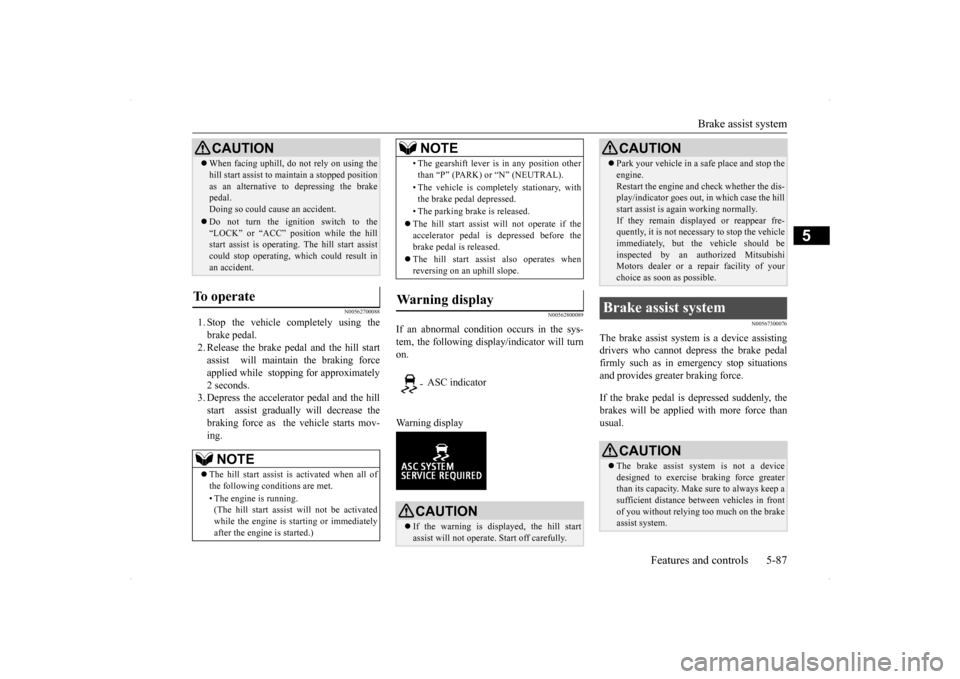
If an abnormal condition occurs in the sys- tem, the following display/indicator will turnon. Warning display
N00567300076
The brake assist system is a device assisting drivers who cannot depress the brake pedalfirmly such as in emergency stop situations and provides greater braking force. If the brake pedal is depressed suddenly, the brakes will be applied with more force thanusual.
When facing uphill, do
not rely on using the
hill start assist to maintain a stopped position as an alternative to depressing the brake pedal. Doing so could cause an accident. Do not turn the ignition switch to the “LOCK” or “ACC” position while the hillstart assist is operating. The hill start assist could stop operating, which could result in an accident.
To operate
NOTE
The hill start assist is activated when all of the following conditions are met. • The engine is running. (The hill start assist will not be activated while the engine is starting or immediatelyafter the engine is started.)CAUTION
• The gearshift lever is in any position other than “P” (PARK) or “N” (NEUTRAL). • The vehicle is completely stationary, with the brake pedal depressed. • The parking brake is released. The hill start assist w
ill not operate if the
accelerator pedal is depressed before the brake pedal is released. The hill start assist also operates when reversing on an uphill slope.
Warning display
- ASC indicator
CAUTION If the warning is displayed, the hill start assist will not operate. Start off carefully.NOTE
Park your vehicle in a safe place and stop the engine. Restart the engine and check whether the dis- play/indicator goes out, in which case the hill start assist is again working normally.If they remain displayed or reappear fre- quently, it is not necessary to stop the vehicle immediately, but the vehicle should beinspected by an authorized Mitsubishi Motors dealer or a repair facility of your choice as soon as possible.
Brake assist system
CAUTION The brake assist system is not a device designed to exercise braking force greater than its capacity. Make sure to always keep asufficient distance between vehicles in front of you without relying too much on the brake assist system.CAUTION
BK0200700US.bo
ok 87 ページ 2013年2月15日 金曜日 午後12時17分
Page 156 of 422
Anti-lock braking system
Features and controls 5-89
5
N00531600616
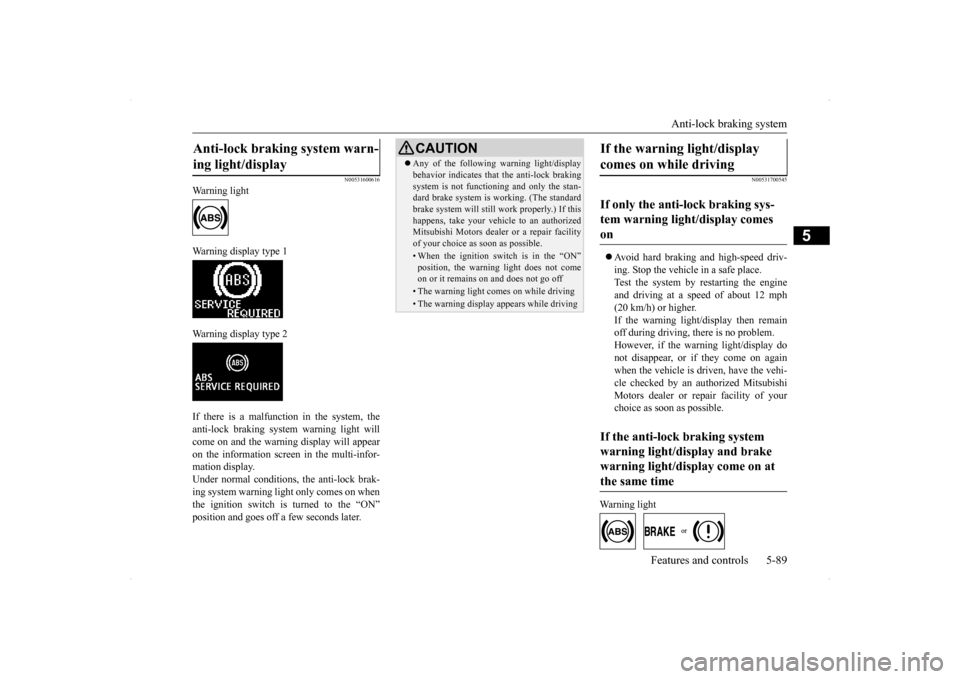
Warning light Warning display type 1 Warning display type 2 If there is a malfunction in the system, the anti-lock braking system warning light willcome on and the warning display will appearon the information screen in the multi-infor- mation display. Under normal conditions
, the anti-lock brak-
ing system warning light only comes on when the ignition switch is turned to the “ON” position and goes off a few seconds later.
N00531700545
Avoid hard braking and high-speed driv- ing. Stop the vehicle in a safe place.Test the system by restarting the engine and driving at a speed of about 12 mph (20 km/h) or higher.If the warning light/display then remain off during driving, there is no problem. However, if the warning light/display donot disappear, or if they come on again when the vehicle is driven, have the vehi- cle checked by an authorized MitsubishiMotors dealer or repair facility of your choice as soon as possible.
Warning light
Anti-lock braking system warn- ing light/display
CAUTION Any of the following warning light/display behavior indicates that the anti-lock braking system is not functioning and only the stan- dard brake system is working. (The standard brake system will still work properly.) If thishappens, take your vehicle to an authorized Mitsubishi Motors dealer or a repair facility of your choice as soon as possible.• When the ignition switch is in the “ON”position, the warning light does not comeon or it remains on and does not go off• The warning light comes on while driving• The warning display appears while driving
If the warning light/display comes on while driving If only the anti-lock braking sys- tem warning light/display comes on If the anti-lock braking system warning light/display and brake warning light/display come on at the same time
BK0200700US.bo
ok 89 ページ 2013年2月15日 金曜日 午後12時17分
Page 159 of 422
Active stability control (ASC) 5-92 Features and controls
5
Anti-lock braking system
P.5-88
Traction control function
P.5-92
Skid control function
P.5-92
N00559200047
On slippery surfaces, the traction control function prevents the drive wheels from spin-ning excessive, thus helping the vehicle to start moving from a stop
ped condition. It also
provides sufficient driving force and steeringperformance as the vehicle turns while press- ing the acceleration pedal.
N00546800023
The skid control function is designed to help the driver maintain control of the vehicle on
slippery roads or during rapid steering maneuvers. It works by controlling the engine output and the brake on each wheel.
N00559400212
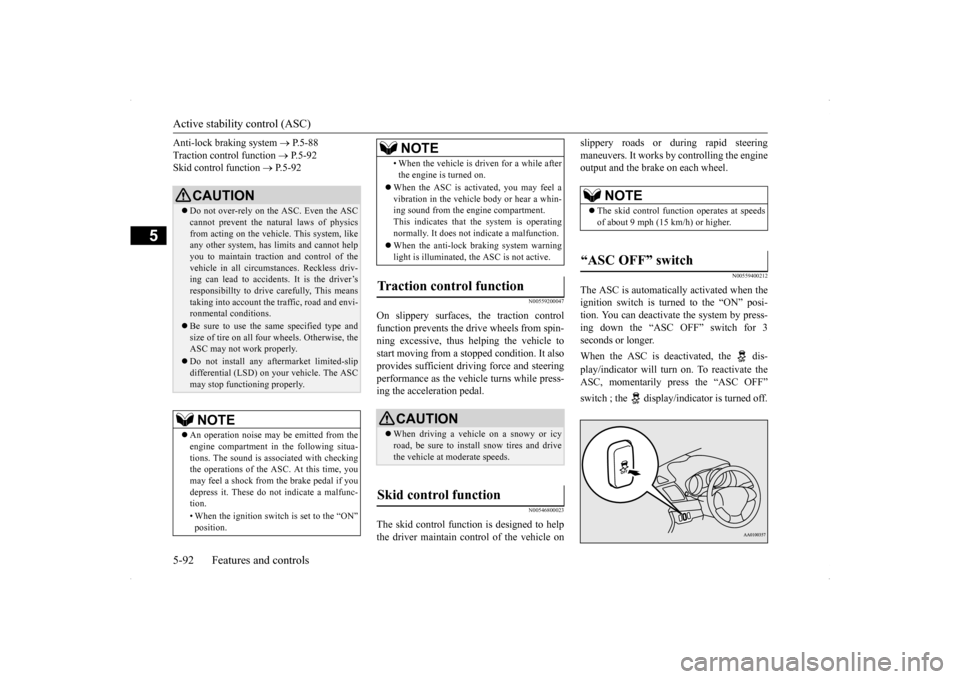
The ASC is automatically activated when the ignition switch is turned to the “ON” posi-tion. You can deactivate the system by press- ing down the “ASC OFF” switch for 3 seconds or longer. When the ASC is deactivated, the dis- play/indicator will turn on. To reactivate the ASC, momentarily press the “ASC OFF” switch ; the display/indicator is turned off.
CAUTION Do not over-rely on the ASC. Even the ASC cannot prevent the natural laws of physics from acting on the vehicl
e. This system, like
any other system, has limits and cannot helpyou to maintain traction and control of the vehicle in all circumstances. Reckless driv- ing can lead to accidents. It is the driver’sresponsibillty to drive carefully, This means taking into account the traffic, road and envi- ronmental conditions. Be sure to use the same specified type and size of tire on all four wheels. Otherwise, theASC may not work properly. Do not install any aftermarket limited-slip differential (LSD) on your vehicle. The ASC may stop functioning properly.NOTE
An operation noise may be emitted from the engine compartment in the following situa- tions. The sound is associated with checking the operations of the ASC. At this time, you may feel a shock from the brake pedal if you depress it. These do not indicate a malfunc-tion. • When the ignition switch is set to the “ON” position.
• When the vehicle is driven for a while after the engine is turned on.
When the ASC is activated, you may feel a vibration in the vehicle body or hear a whin-ing sound from the engine compartment. This indicates that the system is operating normally. It does not indicate a malfunction. When the anti-lock braking system warning light is illuminated, the ASC is not active.
Traction control function
CAUTION When driving a vehicle on a snowy or icy road, be sure to install snow tires and drive the vehicle at moderate speeds.
Skid control function
NOTE
NOTE
The skid control function operates at speeds of about 9 mph (15 km/h) or higher.
“ASC OFF” switch
BK0200700US.bo
ok 92 ページ 2013年2月15日 金曜日 午後12時17分
Page 161 of 422
Cruise control 5-94 Features and controls
5
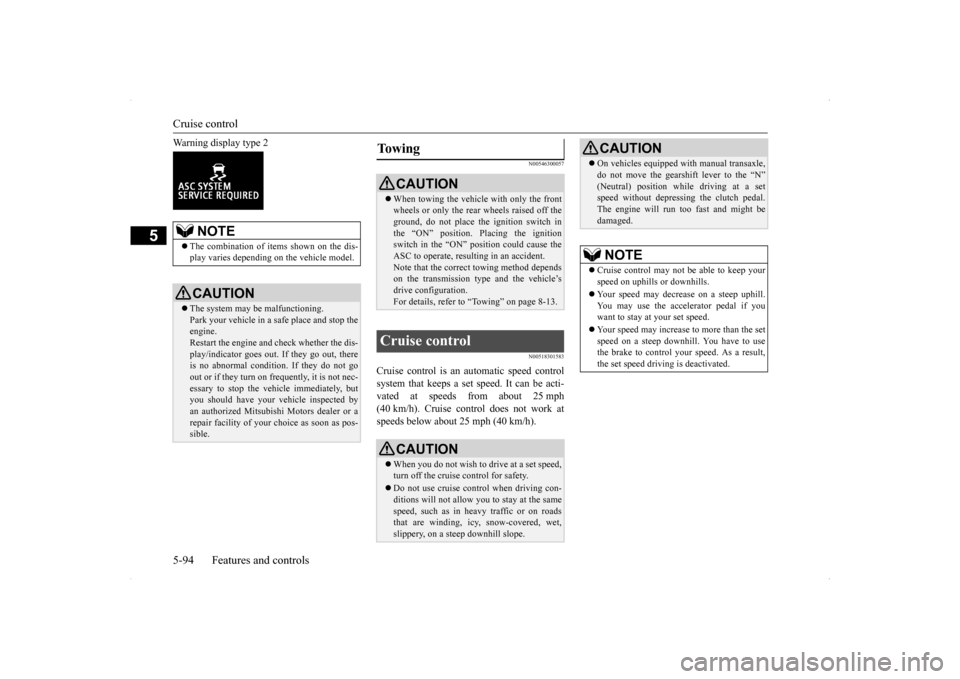
Warning display type 2
N00546300057 N00518301583
Cruise control is an automatic speed control system that keeps a set speed. It can be acti- vated at speeds from about 25 mph (40 km/h). Cruise control does not work atspeeds below about 25 mph (40 km/h).
NOTE
The combination of items shown on the dis- play varies depending on the vehicle model.CAUTION The system may be malfunctioning. Park your vehicle in a safe place and stop theengine. Restart the engine and check whether the dis- play/indicator goes out. If they go out, there is no abnormal condition. If they do not go out or if they turn on frequently, it is not nec-essary to stop the vehicle immediately, but you should have your vehicle inspected by an authorized Mitsubishi Motors dealer or arepair facility of your choice as soon as pos- sible.
To w i n g
CAUTION When towing the vehicle with only the front wheels or only the rear wheels raised off the ground, do not place the ignition switch in the “ON” position. Placing the ignitionswitch in the “ON” position could cause the ASC to operate, resulting in an accident. Note that the correct towing method dependson the transmission type and the vehicle’s drive configuration. For details, refer to
“Towing” on page 8-13.
Cruise control
CAUTIONWhen you do not wish to drive at a set speed, turn off the cruise control for safety. Do not use cruise control when driving con- ditions will not allow you to stay at the same speed, such as in heavy traffic or on roadsthat are winding, icy, snow-covered, wet, slippery, on a steep downhill slope.
On vehicles equipped with manual transaxle, do not move the gearshift lever to the “N” (Neutral) position while driving at a set speed without depressing the clutch pedal. The engine will run too fast and might bedamaged.NOTE
Cruise control may not be able to keep your speed on uphills or downhills. Your speed may decrease on a steep uphill. You may use the accelerator pedal if you want to stay at your set speed. Your speed may increase to more than the set speed on a steep downhill. You have to usethe brake to control your speed. As a result, the set speed driving is deactivated.CAUTION
BK0200700US.bo
ok 94 ページ 2013年2月15日 金曜日 午後12時17分
Page 162 of 422
Cruise control
Features and controls 5-95
5
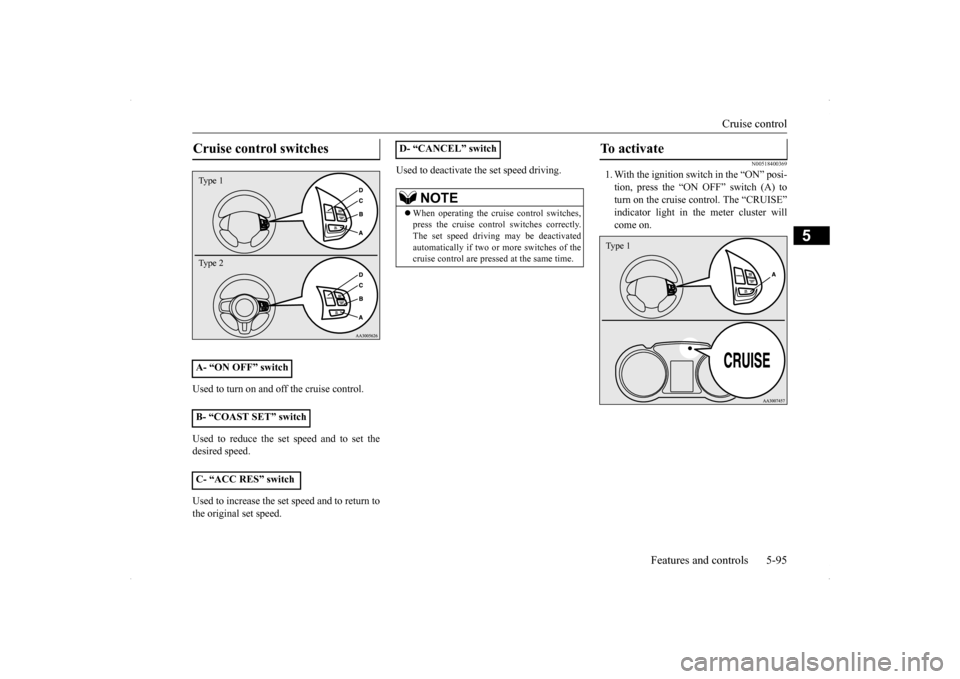
Used to turn on and off the cruise control. Used to reduce the set speed and to set the desired speed. Used to increase the set speed and to return to the original set speed.
Used to deactivate the set speed driving.
N00518400369
1. With the ignition switch in the “ON” posi- tion, press the “ON OFF” switch (A) toturn on the cruise control. The “CRUISE” indicator light in the meter cluster will come on.
Cruise control switches A- “ON OFF” switch B- “COAST SET” switch C- “ACC RES” switch Type 1 Type 2
D- “CANCEL” switch
NOTE
When operating the cruise control switches, press the cruise control switches correctly.The set speed driving may be deactivated automatically if two or more switches of the cruise control are pressed at the same time.
To activate Type 1
BK0200700US.bo
ok 95 ページ 2013年2月15日 金曜日 午後12時17分
Page 163 of 422
Cruise control 5-96 Features and controls
5
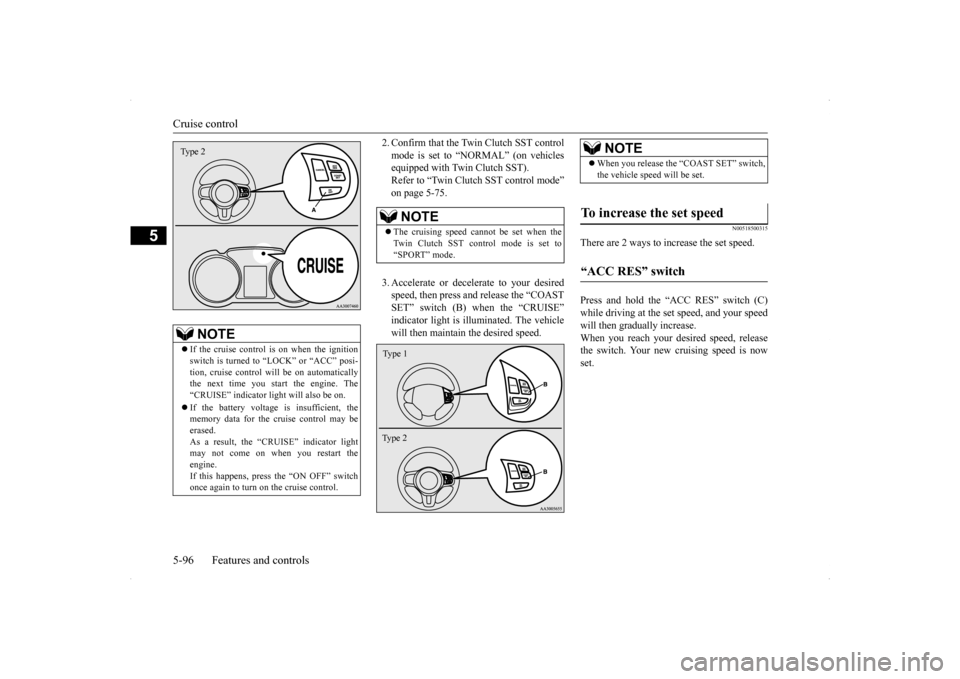
2. Confirm that the Twin Clutch SST control mode is set to “NORMAL” (on vehicles equipped with Twin Clutch SST). Refer to “Twin Clutch SST control mode”on page 5-75. 3. Accelerate or decelerate to your desired speed, then press and release the “COAST SET” switch (B) when the “CRUISE”indicator light is illuminated. The vehicle will then maintain the desired speed.
N00518500315
There are 2 ways to increase the set speed. Press and hold the “ACC RES” switch (C) while driving at the set speed, and your speedwill then gradually increase. When you reach your desired speed, release the switch. Your new cruising speed is nowset.
NOTE
If the cruise control is on when the ignition switch is turned to “LOCK” or “ACC” posi- tion, cruise control will be on automatically the next time you start the engine. The“CRUISE” indicator light will also be on. If the battery voltage is insufficient, the memory data for the cruise control may be erased. As a result, the “CRUISE” indicator light may not come on when you restart the engine.If this happens, press the “ON OFF” switch once again to turn on the cruise control.Type 2
NOTE
The cruising speed cannot be set when the Twin Clutch SST control mode is set to“SPORT” mode.Type 1 Ty p e 2
NOTE
When you release the “COAST SET” switch, the vehicle speed will be set.
To increase the set speed “ACC RES” switch
BK0200700US.bo
ok 96 ページ 2013年2月15日 金曜日 午後12時17分
Page 167 of 422
Tire pressure monitoring system 5-100 Features and controls
5
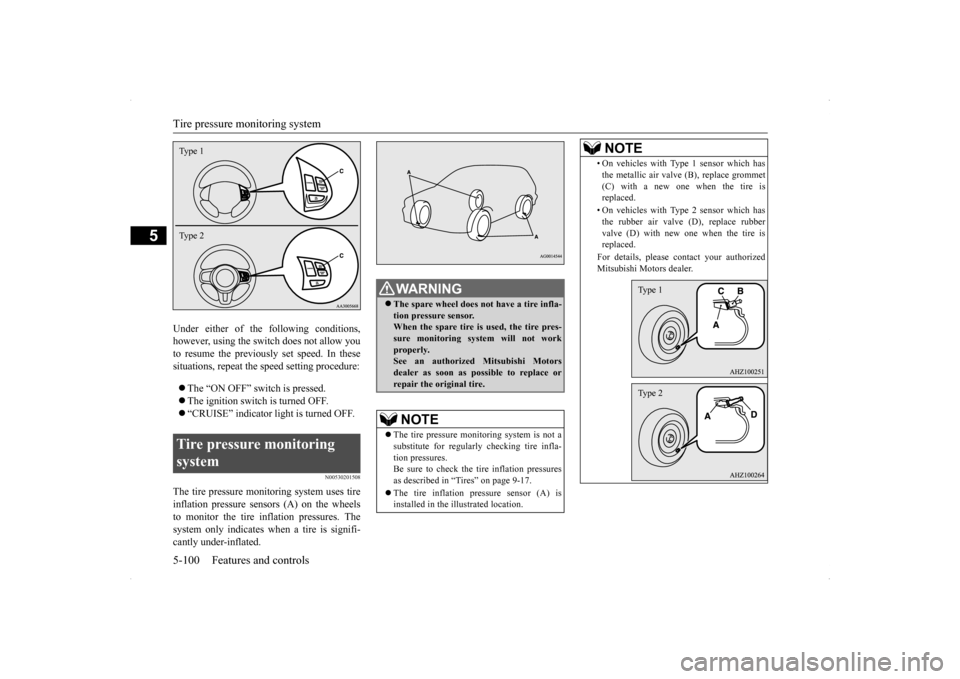
Under either of the following conditions, however, using the switch does not allow you to resume the previously set speed. In thesesituations, repeat the speed setting procedure: The “ON OFF” switch is pressed. The ignition switch is turned OFF. “CRUISE” indicator light is turned OFF.
N00530201508
The tire pressure monitoring system uses tire inflation pressure sensors (A) on the wheelsto monitor the tire inflation pressures. Thesystem only indicates when a tire is signifi- cantly under-inflated.Tire pressure monitoring system Type 1 Type 2
WA R N I N G The spare wheel does not have a tire infla- tion pressure sensor. When the spare tire is used, the tire pres-sure monitoring system will not work properly. See an authorized Mitsubishi Motorsdealer as soon as possible to replace or repair the original tire.NOTE
The tire pressure monitoring system is not a substitute for regularly checking tire infla- tion pressures. Be sure to check the tire inflation pressuresas described in “Tires” on page 9-17. The tire inflation pressure sensor (A) is installed in the illustrated location.
• On vehicles with Type 1 sensor which has the metallic air valve (B), replace grommet (C) with a new one when the tire is replaced. • On vehicles with Type 2 sensor which has the rubber air valve (D), replace rubber valve (D) with new one when the tire isreplaced. For details, please contact your authorized Mitsubishi Motors dealer.NOTE
Type 1Type 2
SC00000600-3.f
m 100 ページ 2013年2月15日 金曜日 午後2時31分
Page 168 of 422
Tire pressure monitoring system
Features and controls 5-101
5
N00532700122
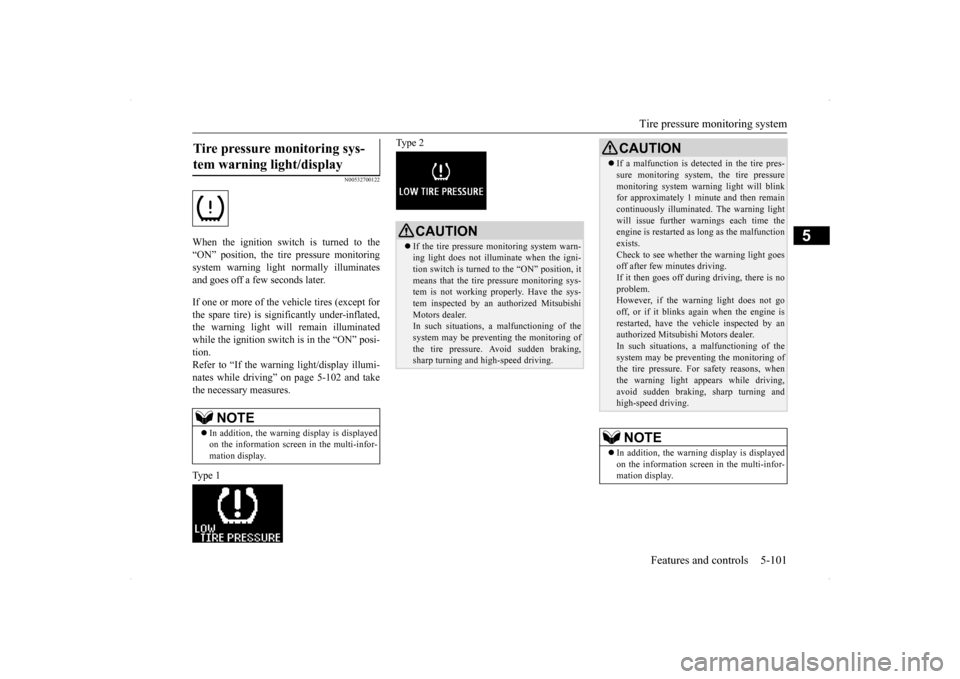
When the ignition switch is turned to the “ON” position, the tire pressure monitoringsystem warning light normally illuminatesand goes off a few seconds later. If one or more of the vehicle tires (except for the spare tire) is significantly under-inflated, the warning light will remain illuminatedwhile the ignition switch is in the “ON” posi- tion. Refer to “If the warning light/display illumi-nates while driving” on page 5-102 and take the necessary measures. Type 1
Type 2
Tire pressure monitoring sys- tem warning light/display
NOTE
In addition, the warning display is displayed on the information screen in the multi-infor- mation display.
CAUTION If the tire pressure monitoring system warn- ing light does not illuminate when the igni- tion switch is turned to the “ON” position, it means that the tire pressure monitoring sys-tem is not working properly. Have the sys- tem inspected by an authorized Mitsubishi Motors dealer.In such situations,
a malfunctioning of the
system may be preventing the monitoring of the tire pressure. Avoid sudden braking, sharp turning and high-speed driving.
If a malfunction is detected in the tire pres- sure monitoring system, the tire pressure monitoring system warning light will blink for approximately 1 minute and then remain continuously illuminated. The warning lightwill issue further warn
ings each time the
engine is restarted as long as the malfunction exists.Check to see whether the warning light goes off after few minutes driving. If it then goes off during driving, there is noproblem. However, if the warning light does not go off, or if it blinks again when the engine isrestarted, have the vehicle inspected by an authorized Mitsubishi Motors dealer. In such situations,
a malfunctioning of the
system may be preventing the monitoring of the tire pressure. For safety reasons, when the warning light appears while driving,avoid sudden braking, sharp turning and high-speed driving.NOTE
In addition, the warning display is displayed on the information screen in the multi-infor- mation display.CAUTION
BK0200700US.book
101 ページ 2013年2月15日 金曜日 午後12時17分