light MITSUBISHI LANCER SPORTBACK 2014 8.G Repair Manual
[x] Cancel search | Manufacturer: MITSUBISHI, Model Year: 2014, Model line: LANCER SPORTBACK, Model: MITSUBISHI LANCER SPORTBACK 2014 8.GPages: 422, PDF Size: 55.11 MB
Page 163 of 422
Cruise control 5-96 Features and controls
5
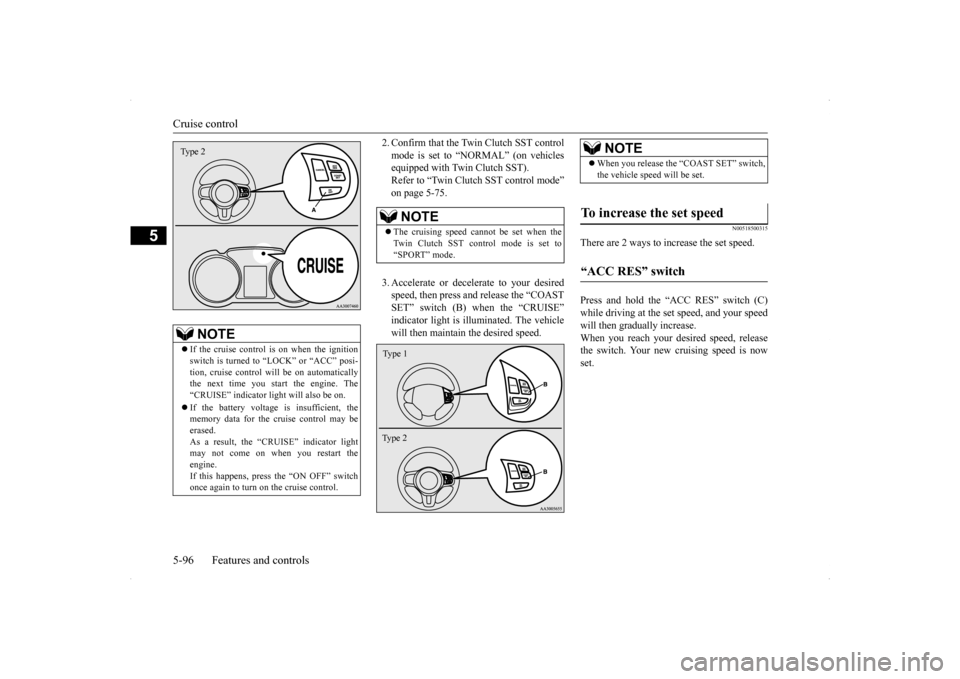
2. Confirm that the Twin Clutch SST control mode is set to “NORMAL” (on vehicles equipped with Twin Clutch SST). Refer to “Twin Clutch SST control mode”on page 5-75. 3. Accelerate or decelerate to your desired speed, then press and release the “COAST SET” switch (B) when the “CRUISE”indicator light is illuminated. The vehicle will then maintain the desired speed.
N00518500315
There are 2 ways to increase the set speed. Press and hold the “ACC RES” switch (C) while driving at the set speed, and your speedwill then gradually increase. When you reach your desired speed, release the switch. Your new cruising speed is nowset.
NOTE
If the cruise control is on when the ignition switch is turned to “LOCK” or “ACC” posi- tion, cruise control will be on automatically the next time you start the engine. The“CRUISE” indicator light will also be on. If the battery voltage is insufficient, the memory data for the cruise control may be erased. As a result, the “CRUISE” indicator light may not come on when you restart the engine.If this happens, press the “ON OFF” switch once again to turn on the cruise control.Type 2
NOTE
The cruising speed cannot be set when the Twin Clutch SST control mode is set to“SPORT” mode.Type 1 Ty p e 2
NOTE
When you release the “COAST SET” switch, the vehicle speed will be set.
To increase the set speed “ACC RES” switch
BK0200700US.bo
ok 96 ページ 2013年2月15日 金曜日 午後12時17分
Page 167 of 422
Tire pressure monitoring system 5-100 Features and controls
5
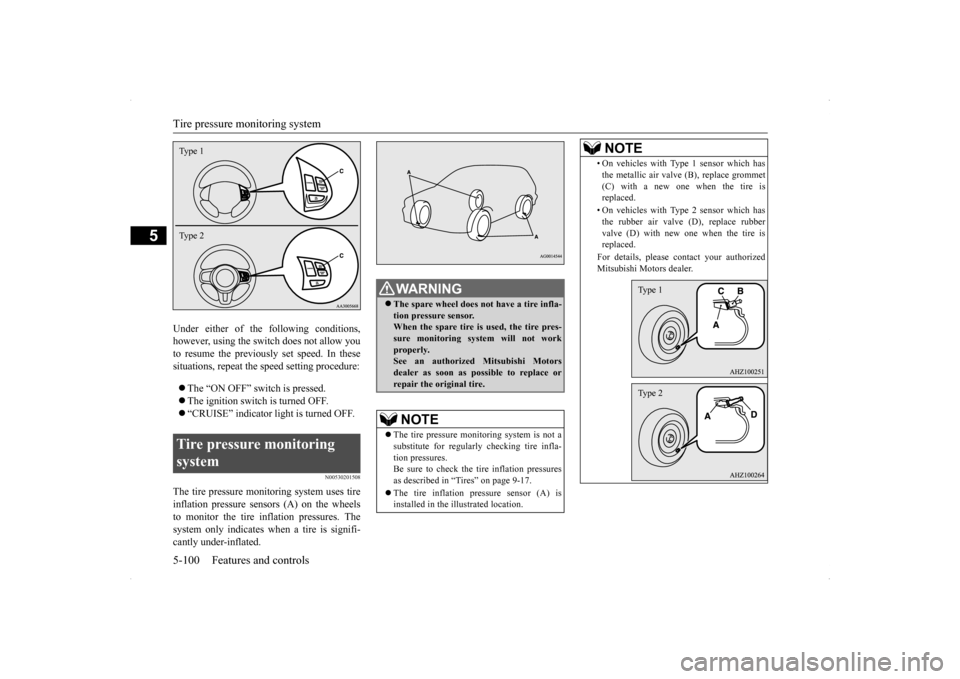
Under either of the following conditions, however, using the switch does not allow you to resume the previously set speed. In thesesituations, repeat the speed setting procedure: The “ON OFF” switch is pressed. The ignition switch is turned OFF. “CRUISE” indicator light is turned OFF.
N00530201508
The tire pressure monitoring system uses tire inflation pressure sensors (A) on the wheelsto monitor the tire inflation pressures. Thesystem only indicates when a tire is signifi- cantly under-inflated.Tire pressure monitoring system Type 1 Type 2
WA R N I N G The spare wheel does not have a tire infla- tion pressure sensor. When the spare tire is used, the tire pres-sure monitoring system will not work properly. See an authorized Mitsubishi Motorsdealer as soon as possible to replace or repair the original tire.NOTE
The tire pressure monitoring system is not a substitute for regularly checking tire infla- tion pressures. Be sure to check the tire inflation pressuresas described in “Tires” on page 9-17. The tire inflation pressure sensor (A) is installed in the illustrated location.
• On vehicles with Type 1 sensor which has the metallic air valve (B), replace grommet (C) with a new one when the tire is replaced. • On vehicles with Type 2 sensor which has the rubber air valve (D), replace rubber valve (D) with new one when the tire isreplaced. For details, please contact your authorized Mitsubishi Motors dealer.NOTE
Type 1Type 2
SC00000600-3.f
m 100 ページ 2013年2月15日 金曜日 午後2時31分
Page 168 of 422
Tire pressure monitoring system
Features and controls 5-101
5
N00532700122
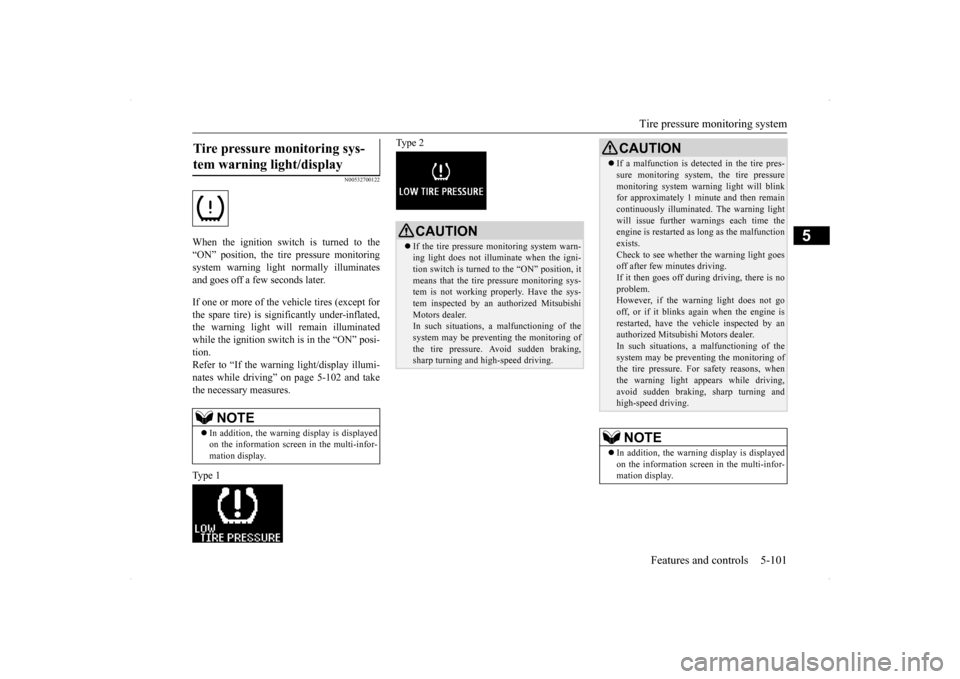
When the ignition switch is turned to the “ON” position, the tire pressure monitoringsystem warning light normally illuminatesand goes off a few seconds later. If one or more of the vehicle tires (except for the spare tire) is significantly under-inflated, the warning light will remain illuminatedwhile the ignition switch is in the “ON” posi- tion. Refer to “If the warning light/display illumi-nates while driving” on page 5-102 and take the necessary measures. Type 1
Type 2
Tire pressure monitoring sys- tem warning light/display
NOTE
In addition, the warning display is displayed on the information screen in the multi-infor- mation display.
CAUTION If the tire pressure monitoring system warn- ing light does not illuminate when the igni- tion switch is turned to the “ON” position, it means that the tire pressure monitoring sys-tem is not working properly. Have the sys- tem inspected by an authorized Mitsubishi Motors dealer.In such situations,
a malfunctioning of the
system may be preventing the monitoring of the tire pressure. Avoid sudden braking, sharp turning and high-speed driving.
If a malfunction is detected in the tire pres- sure monitoring system, the tire pressure monitoring system warning light will blink for approximately 1 minute and then remain continuously illuminated. The warning lightwill issue further warn
ings each time the
engine is restarted as long as the malfunction exists.Check to see whether the warning light goes off after few minutes driving. If it then goes off during driving, there is noproblem. However, if the warning light does not go off, or if it blinks again when the engine isrestarted, have the vehicle inspected by an authorized Mitsubishi Motors dealer. In such situations,
a malfunctioning of the
system may be preventing the monitoring of the tire pressure. For safety reasons, when the warning light appears while driving,avoid sudden braking, sharp turning and high-speed driving.NOTE
In addition, the warning display is displayed on the information screen in the multi-infor- mation display.CAUTION
BK0200700US.book
101 ページ 2013年2月15日 金曜日 午後12時17分
Page 169 of 422
Tire pressure monitoring system 5-102 Features and controls
5
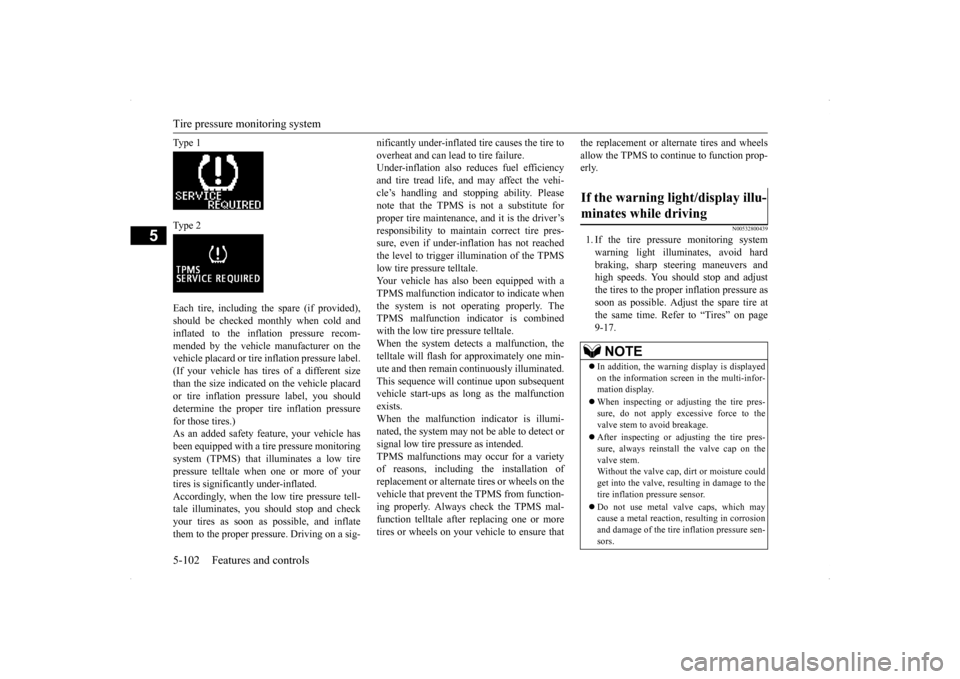
Ty p e 1 Ty p e 2 Each tire, including the spare (if provided), should be checked monthly when cold and inflated to the inflation pressure recom- mended by the vehicle manufacturer on thevehicle placard or tire inflation pressure label. (If your vehicle has tires of a different size than the size indicated on the vehicle placardor tire inflation pressure label, you shoulddetermine the proper tire inflation pressure for those tires.) As an added safety feature, your vehicle hasbeen equipped with a tire pressure monitoring system (TPMS) that illuminates a low tire pressure telltale when one or more of yourtires is significantly under-inflated. Accordingly, when the low tire pressure tell- tale illuminates, you should stop and checkyour tires as soon as possible, and inflate them to the proper pressure. Driving on a sig-
nificantly under-inflated tire causes the tire to overheat and can lead to tire failure. Under-inflation also reduces fuel efficiency and tire tread life, and may affect the vehi-cle’s handling and stopping ability. Please note that the TPMS is not a substitute for proper tire maintenance, and it is the driver’sresponsibility to maintain correct tire pres- sure, even if under-inflation has not reached the level to trigger illumination of the TPMSlow tire pressure telltale.Your vehicle has also been equipped with a TPMS malfunction indicator to indicate when the system is not operating properly. TheTPMS malfunction indicator is combined with the low tire pressure telltale. When the system detects a malfunction, thetelltale will flash for approximately one min- ute and then remain continuously illuminated. This sequence will continue upon subsequentvehicle start-ups as long as the malfunction exists. When the malfunction indicator is illumi-nated, the system may not be able to detect or signal low tire pressure as intended. TPMS malfunctions may occur for a varietyof reasons, including the installation of replacement or alternate tires or wheels on the vehicle that prevent the TPMS from function-ing properly. Always check the TPMS mal- function telltale after replacing one or more tires or wheels on your vehicle to ensure that
the replacement or alternate tires and wheels allow the TPMS to continue to function prop- erly.
N00532800439
1. If the tire pressure monitoring system warning light illuminates, avoid hardbraking, sharp steering maneuvers andhigh speeds. You should stop and adjust the tires to the proper inflation pressure as soon as possible. Adjust the spare tire atthe same time. Refer to “Tires” on page 9-17.
If the warning light/display illu- minates while driving
NOTE
In addition, the warning display is displayed on the information screen in the multi-infor- mation display. When inspecting or adjusting the tire pres- sure, do not apply excessive force to the valve stem to avoid breakage. After inspecting or adjusting the tire pres- sure, always reinstall the valve cap on the valve stem. Without the valve cap, dirt or moisture couldget into the valve, resulting in damage to the tire inflation pressure sensor. Do not use metal valve caps, which may cause a metal reaction, resulting in corrosion and damage of the tire inflation pressure sen-sors.
BK0200700US.book
102 ページ 2013年2月15日 金曜日 午後12時17分
Page 170 of 422
Tire pressure monitoring system
Features and controls 5-103
5
2. If the tire pressure monitoring system warning light remains illuminated after you have been driving for about 20 min- utes after you adjust the tire inflation pres-sure, one or more of the tires may have apuncture. Inspect the tire and if it has a puncture, have it repaired by an autho- rized Mitsubishi Motors dealer as soon aspossible.
The tire pressure monitoring system may not work normally in the following circum- stances: A wireless facility or device using the same frequency is near the vehicle. Snow or ice is stuck inside the fenders and/or on the wheels. The tire inflation pressure sensor’s battery is dead. Wheels other than Mitsubishi genuine wheels are being used. Wheels that are not fitted with tire infla- tion pressure sensors are being used. Wheels whose ID co
des are not memo-
rized by the vehicle are used. Compact spare tire is fitted on a road wheel.
A window tint that affects the radio wave signals is installed.
N00532900179
If new wheels with new tire inflation pressuresensors are installed, their ID codes must beprogrammed into the tire pressure monitoring system. Have tire and wheel replacement per- formed by an authorized Mitsubishi Motorsdealer to avoid the risk of damaging the tire inflation pressure sensors. If the wheel replacement is not done by an authorizedMitsubishi Motors dealer, it is not covered by your warranty.
Once adjustments have been made, the warn- ing light will go off after a few minutes of driving.WA R N I N G If the warning light/display illuminates while you are driving, avoid hard braking, sharp steering maneuvers and high speeds. Driving with an under-inflated tireadversely affects vehicle performance and can result in an accident.CAUTION If a tire has a puncture, replace that tire with the spare tire. Driving on a punctured tire could lead to an accident. The warning light/display may not illuminate immediately in the event of a tire blowout orrapid leak.NOTE
NOTE
To avoid the risk of damage to the tire infla- tion pressure sensors, have any punctured tire repaired by an authorized Mitsubishi Motors dealer. If the tire repair is not done by an authorized Mitsubishi Motors dealer, it isnot covered by your warranty. Do not use an aerosol puncture-repair prod- uct on any tire. Such a spray could damage the tire inflation pressure sensors. Have any puncture repaired by an authorized Mitsubi-shi Motors dealer.
NOTE
Tire inflation pressures vary with the ambi- ent temperature. If the vehicle is subjected to large variations in ambient temperature, thetire inflation pressures may be under-inflated (causing the warning light/display to come on) when the ambient temperature is rela-tively low. If the warning light/display comes on, adjust the tire inflation pressure.
Whenever the tires and wheels are replaced with new ones
BK0200700US.book
103 ページ 2013年2月15日 金曜日 午後12時17分
Page 173 of 422
Instrument cluster 5-106 Features and controls
5
N00519000362 N00519100233
The speedometer shows the vehicle speed in miles per hour (mph) or kilometers per hour (km/h).
N00519200247
The tachometer shows engine revolutions perminute. This allows the driver to determinethe most efficient shift position (manual transaxle), selector position {continuously variable transmission (CVT)} or shift posi-
NOTE
Monitor brightness is adjusted automatically by sensors. On vehicles equipped with Mitsubishi Multi- Communication System, it is possible to change the display language of the screen.For details, please refer to the separate owner’s manual. Under certain circumstances, it may become difficult to see an image on the screen, even when the system is functioning correctly. • In a dark area, such as at night. • When water drops or condensation are on the lens. • When sun light or headlights shine directly into the lens.
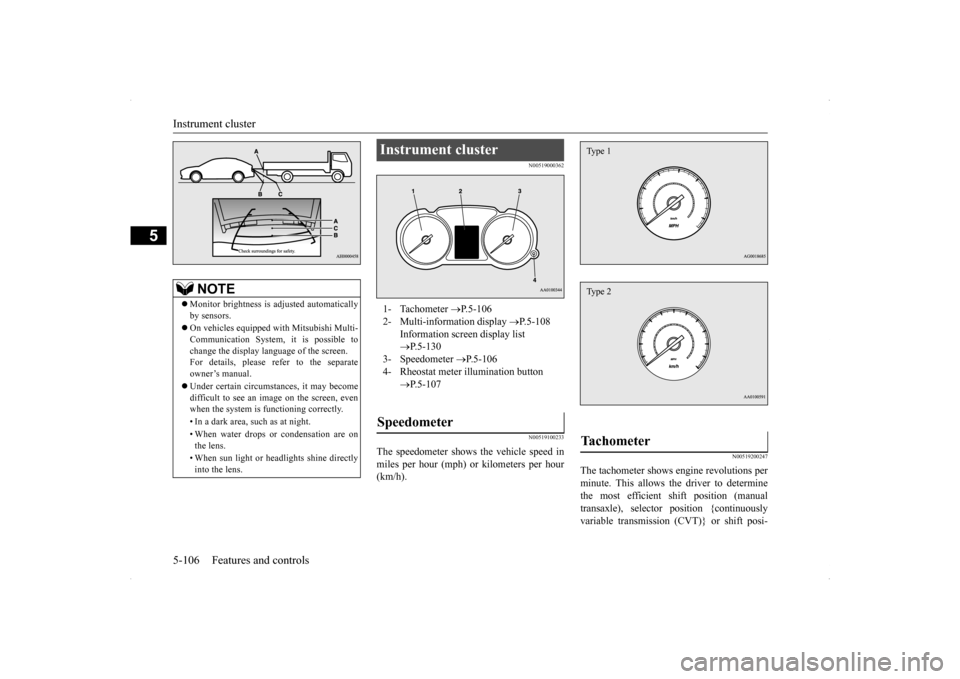
Instrument cluster 1- Tachometer
P.5-106
2- Multi-information display
P.5-108
Information screen display list P.5-130
3- Speedometer
P.5-106
4- Rheostat meter illumination button
P.5-107
Speedometer
Tachometer Type 1Type 2
BK0200700US.book
106 ページ 2013年2月15日 金曜日 午後12時17分
Page 174 of 422
Instrument cluster
Features and controls 5-107
5
tion (Twin Clutch SST) and engine speed combinations. This gauge also assists in evaluating engine performance.
N00554900179
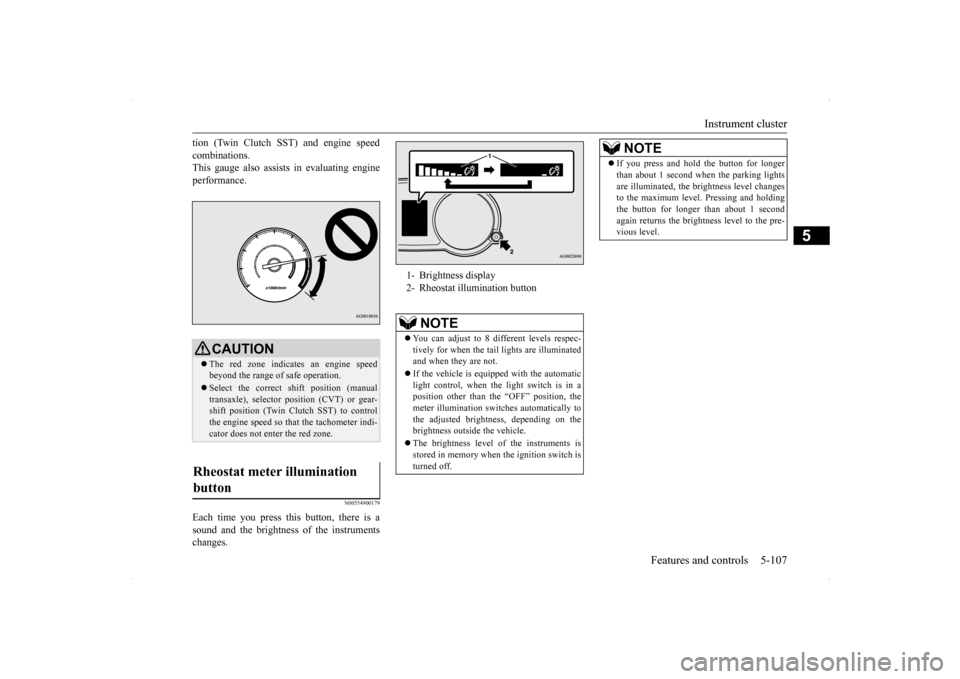
Each time you press this button, there is asound and the brightness of the instrumentschanges.
CAUTION The red zone indicates an engine speed beyond the range of safe operation. Select the correct shift position (manual transaxle), selector position (CVT) or gear- shift position (Twin Clutch SST) to controlthe engine speed so that the tachometer indi- cator does not enter the red zone.
Rheostat meter illumination button
1- Brightness display 2- Rheostat illumination button
NOTE
You can adjust to 8 different levels respec- tively for when the tail
lights are illuminated
and when they are not. If the vehicle is equipped with the automatic light control, when the light switch is in aposition other than the “OFF” position, the meter illumination switches automatically to the adjusted brightness, depending on thebrightness outside the vehicle. The brightness level of the instruments is stored in memory when the ignition switch is turned off.
If you press and hold the button for longer than about 1 second when the parking lights are illuminated, the brightness level changes to the maximum level. Pressing and holding the button for longer than about 1 secondagain returns the brightness level to the pre- vious level.NOTE
BK0200700US.book
107 ページ 2013年2月15日 金曜日 午後12時17分
Page 177 of 422
Multi-information display 5-110 Features and controls
5
N00555300154
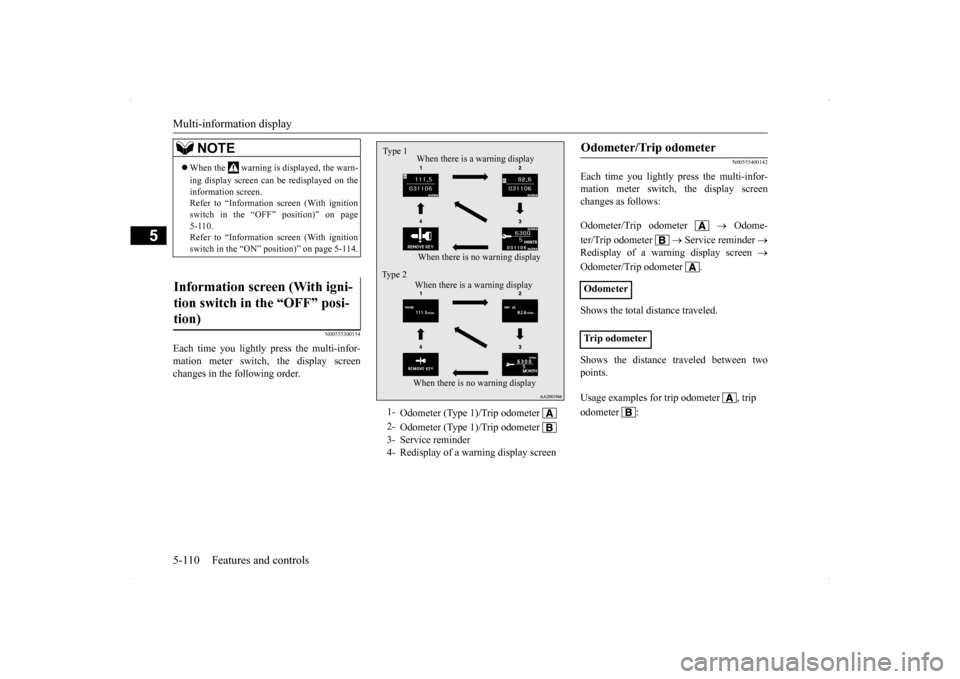
Each time you lightly press the multi-infor- mation meter switch, the display screen changes in the following order.
N00555400142
Each time you lightly press the multi-infor-mation meter switch, the display screenchanges as follows: Odometer/Trip odometer
Odome-
ter/Trip odometer
Service reminder
Redisplay of a warning display screen
Odometer/Trip odometer . Shows the total distance traveled. Shows the distance traveled between two points.
NOTE
When the warning is displayed, the warn- ing display screen can be redisplayed on the information screen. Refer to “Information screen (With ignitionswitch in the “OFF” position)” on page 5-110. Refer to “Information screen (With ignitionswitch in the “ON” position)” on page 5-114.
Information screen (With igni- tion switch in the “OFF” posi- tion)
1-
Odometer (Type 1)/Trip odometer
2-
Odometer (Type 1)/Trip odometer
3- Service reminder4- Redisplay of a warning display screenType 1
When there is no warning display When there is a warning display
Type 2
When there is no warning display When there is a warning display
Odometer/Trip odometer Odometer Trip odometer Usage examples for trip odometer , trip odometer :
BK0200700US.book
110 ページ 2013年2月15日 金曜日 午後12時17分
Page 179 of 422
Multi-information display 5-112 Features and controls
5
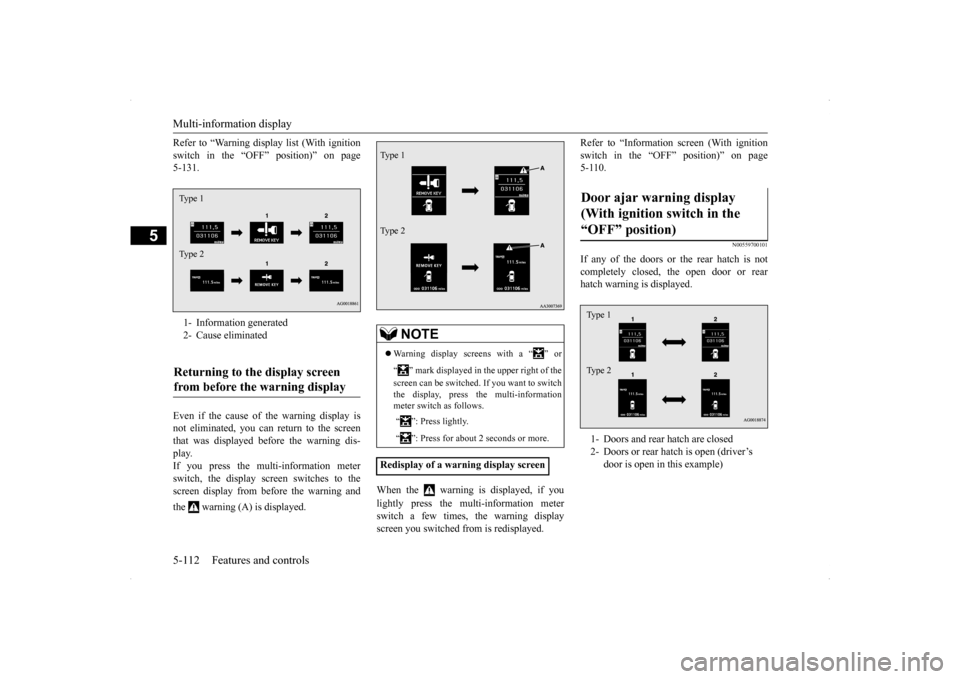
Refer to “Warning display list (With ignition switch in the “OFF” position)” on page 5-131. Even if the cause of the warning display is not eliminated, you can return to the screen that was displayed before the warning dis-play. If you press the multi-information meter switch, the display screen switches to thescreen display from before the warning and the warning (A) is displayed.
When the warning is displayed, if you lightly press the multi-information meter switch a few times, the warning displayscreen you switched from is redisplayed.
Refer to “Information screen (With ignition switch in the “OFF” position)” on page 5-110.
N00559700101
If any of the doors or the rear hatch is not completely closed, the open door or rearhatch warning is displayed.
1- Information generated 2- Cause eliminatedReturning to the display screen from before the warning display Type 1 Type 2
NOTE
Warning display screens with a “ ” or “ ” mark displayed in the upper right of the screen can be switched. If you want to switch the display, press the multi-information meter switch as follows. “ ”: Press lightly. “ ”: Press for about 2 seconds or more.
Redisplay of a warning display screenType 1 Type 2
Door ajar warning display (With ignition switch in the “OFF” position) 1- Doors and rear hatch are closed 2- Doors or rear hatch is open (driver’s
door is open in this example)
Type 1 Type 2
BK0200700US.book
112 ページ 2013年2月15日 金曜日 午後12時17分
Page 181 of 422
Multi-information display 5-114 Features and controls
5
N00555200124
This is displayed when you press the multi- information meter switch and switch the warning display screen.This mark is also displayed if there is another warning other than the one displayed. When the cause of the warning display is eliminated, the warning goes out automat- ically.
N00556100058
This is displayed when the Active stability control (ASC) is turned off with the “ASCOFF” switch.
If there is a fault in the ASC, the “ASC OFF” display illuminates. Refer to “ASC OFF switch” on page 5-92.
N00556200219
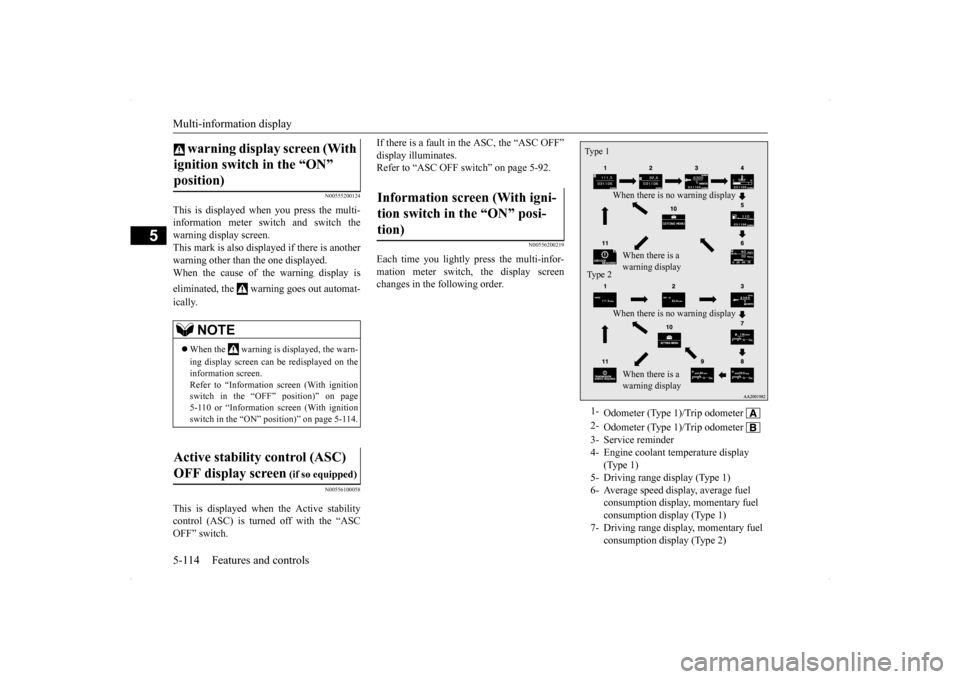
Each time you lightly press the multi-infor- mation meter switch, the display screenchanges in the following order.
warning display screen (With ignition switch in the “ON” position)
NOTE
When the warning is displayed, the warn- ing display screen can be redisplayed on the information screen. Refer to “Information screen (With ignition switch in the “OFF” position)” on page5-110 or “Information screen (With ignition switch in the “ON” position)” on page 5-114.
Active stability control (ASC) OFF display screen
(if so equipped)
Information screen (With igni-tion switch in the “ON” posi-tion)
1-
Odometer (Type 1)/Trip odometer
2-
Odometer (Type 1)/Trip odometer
3- Service reminder4- Engine coolant temperature display
(Type 1)
5- Driving range display (Type 1)6- Average speed display, average fuel
consumption display, momentary fuel consumption display (Type 1)
7- Driving range display, momentary fuel
consumption display (Type 2)
Type 1
When there is no warning display When there is a warning display
Type 2
When there is no warning display When there is a warning display
BK0200700US.book
114 ページ 2013年2月15日 金曜日 午後12時17分