length MITSUBISHI MIRAGE 2014 6.G MMCS Manual
[x] Cancel search | Manufacturer: MITSUBISHI, Model Year: 2014, Model line: MIRAGE, Model: MITSUBISHI MIRAGE 2014 6.GPages: 135, PDF Size: 26.9 MB
Page 52 of 135
52
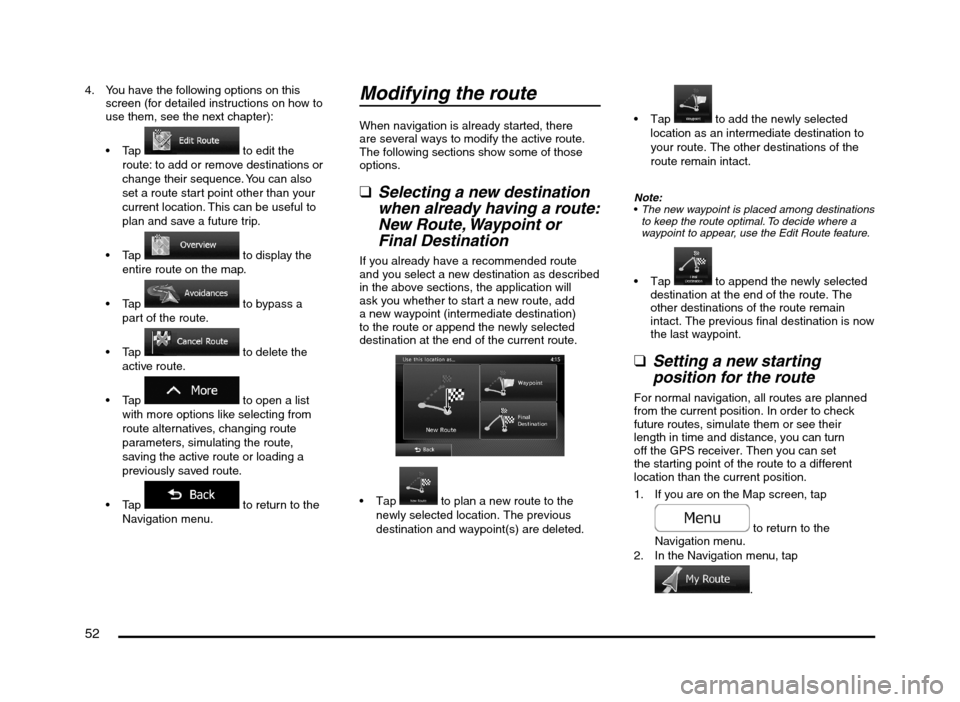
4. You have the following options on this
screen (for detailed instructions on how to
use them, see the next chapter):
to edit the
route: to add or remove destinations or
change their sequence. You can also
set a route start point other than your
current location. This can be useful to
plan and save a future trip.
to display the
entire route on the map.
to bypass a
part of the route.
to delete the
active route.
to open a list
with more options like selecting from
route alternatives, changing route
parameters, simulating the route,
saving the active route or loading a
previously saved route.
to return to the
Navigation menu.
Modifying the route
When navigation is already started, there
are several ways to modify the active route.
The following sections show some of those
options.
qSelecting a new destination
when already having a route:
New Route, Waypoint or
Final Destination
If you already have a recommended route
and you select a new destination as described
in the above sections, the application will
ask you whether to start a new route, add
a new waypoint (intermediate destination)
to the route or append the newly selected
destination at the end of the current route.
to plan a new route to the
newly selected location. The previous
destination and waypoint(s) are deleted.
to add the newly selected
location as an intermediate destination to
your route. The other destinations of the
route remain intact.
Note:
The new waypoint is placed among destinations
to keep the route optimal. To decide where a
waypoint to appear, use the Edit Route feature.
to append the newly selected
destination at the end of the route. The
other destinations of the route remain
intact. The previous final destination is now
the last waypoint.
qSetting a new starting
position for the route
For normal navigation, all routes are planned
from the current position. In order to check
future routes, simulate them or see their
length in time and distance, you can turn
off the GPS receiver. Then you can set
the starting point of the route to a different
location than the current position.
1. If you are on the Map screen, tap
to return to the
Navigation menu.
2. In the Navigation menu, tap
.
205-0010-00_QY-7375M-A_EN.indb 52205-0010-00_QY-7375M-A_EN.indb 523/12/2013 9:57:22 AM3/12/2013 9:57:22 AM
Page 68 of 135
68
q
Route settings
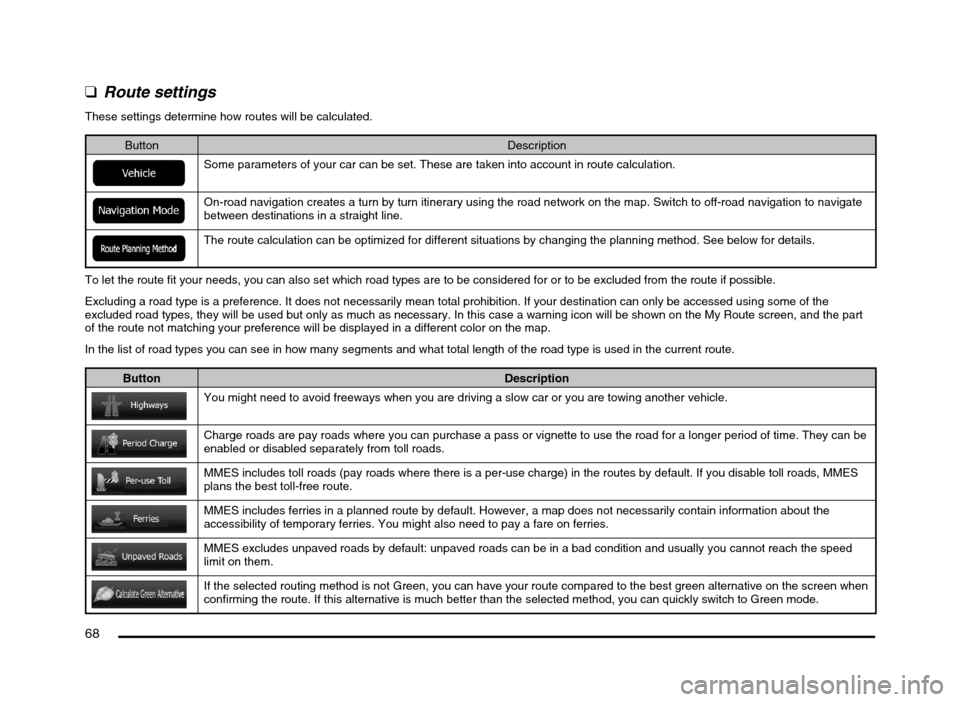
These settings determine how routes will be calculated.
Button Description
Some parameters of your car can be set. These are taken into account in route calculation.
On-road navigation creates a turn by turn itinerary using the road network on the map. Switch to off-road navigation to navigate
between destinations in a straight line.
The route calculation can be optimized for different situations by changing the planning method. See below for details.
To let the route fit your needs, you can also set which road types are to be considered for or to be excluded from the route if possible.
Excluding a road type is a preference. It does not necessarily mean total prohibition. If your destination can only be accessed using some of the
excluded road types, they will be used but only as much as necessary. In this case a warning icon will be shown on the My Route screen, and the part
of the route not matching your preference will be displayed in a different color on the map.
In the list of road types you can see in how many segments and what total length of the road type is used in the current route.
Button Description
You might need to avoid freeways when you are driving a slow car or you are towing another vehicle.
Charge roads are pay roads where you can purchase a pass or vignette to use the road for a longer period of time. They can be
enabled or disabled separately from toll roads.
MMES includes toll roads (pay roads where there is a per-use charge) in the routes by default. If you disable toll roads, MMES
plans the best toll-free route.
MMES includes ferries in a planned route by default. However, a map does not necessarily contain information about the
accessibility of temporary ferries. You might also need to pay a fare on ferries.
MMES excludes unpaved roads by default: unpaved roads can be in a bad condition and usually you cannot reach the speed
limit on them.
If the selected routing method is not Green, you can have your route compared to the best green alternative on the screen when
confirming the route. If this alternative is much better than the selected method, you can quickly switch to Green mode.
205-0010-00_QY-7375M-A_EN.indb 68205-0010-00_QY-7375M-A_EN.indb 683/12/2013 9:57:24 AM3/12/2013 9:57:24 AM
Page 109 of 135
![MITSUBISHI MIRAGE 2014 6.G MMCS Manual 109
2. Specify the title number by touching the
corresponding number keys, or specify
a chapter within the current title by
touching [Chapter], and then touching the
corresponding number keys.
3.](/img/19/7509/w960_7509-108.png "MITSUBISHI MIRAGE 2014 6.G MMCS Manual 109
2. Specify the title number by touching the
corresponding number keys, or specify
a chapter within the current title by
touching [Chapter], and then touching the
corresponding number keys.
3.")
109
2. Specify the title number by touching the
corresponding number keys, or specify
a chapter within the current title by
touching [Chapter], and then touching the
corresponding number keys.
3. Touch the [OK] key to go to the specified
title/chapter.
If you make a mistake, touch the [Delete]
key to delete an input number.
Playback starts from the specified scene
once you exit the menu.
Setting the DVD Audio/Subtitle/
Angle
You can specify the audio track, subtitle, or
angle of the DVD if multiple audio tracks,
subtitles, or angles are available.
1. From the DVD Setup screen, touch the
[Audio/Subtitle/Angle] key to display the
Audio/Subtitle/Angle screen.
2. To set the audio track, touch the [Audio]
key.
To set the subtitles, touch the [Subtitle]
key.
To set the angle, touch the [Angle] key.
Adjusting the Brightness/Color/
Black Level
You can adjust display settings.Note:
The unit has its own display adjustment setting
independent of the DVD display adjustment
settings.
É “Display Adjustment” (page 126)
1. From the DVD Setup screen, touch the
[Display Adj.] key to display the Display
Adj. screen.
2. Touch the key for the item you want to
adjust. To adjust the brightness, touch the
[Brightness] key.
To adjust the color, touch the [Color] key.
To adjust the black level, touch the
[Black Level] key.
3. To increase the setting, touch the [+] key.
To decrease the setting, touch the [–] key.
Selecting the screen sizeYou can change the display mode to suit to
the video you are watching.
The factory setting is [Full].
1. From the DVD Setup screen, touch the
[Disp. Mode] key to display the Disp. Mode
screen.
2. Touch the [Normal], [Full], or [Cinema] key
to select a display mode.
[Normal]:
The image is displayed in the center of the
screen with the aspect ratio unchanged.
When the video and screen size differ,
unused parts of the screen are darkened.
[Full]:
The image is displayed using the entire
screen. If the image and screen size do
not match, the image is stretched to fit the
screen.[Cinema]:
If the image and screen size do not match,
the horizontal length of the image is
stretched to match length of the screen.
When there are unused parts of the screen
at the top and bottom, they are darkened.
Setting up the screen sizeSet up the screen size.
The factory setting is [WIDE].
1. From the DVD Setup screen, touch the
[Default] key to display the Default screen.
2. Touch the [Sizing Monitor] key to display
the Sizing Monitor screen.
3. Touch the [WIDE], [Pan Scan], or [Letter
Box] key to change the screen size to
“WIDE”, “Pan Scan” or “Letter Box”.
[WIDE]:
Video is displayed using the entire screen.
When the video and screen size differ, the
image is altered to fit the screen. No part of
the video is cut off.
205-0010-00_QY-7375M-A_EN.indb 109205-0010-00_QY-7375M-A_EN.indb 1093/12/2013 9:57:28 AM3/12/2013 9:57:28 AM
Page 116 of 135
116
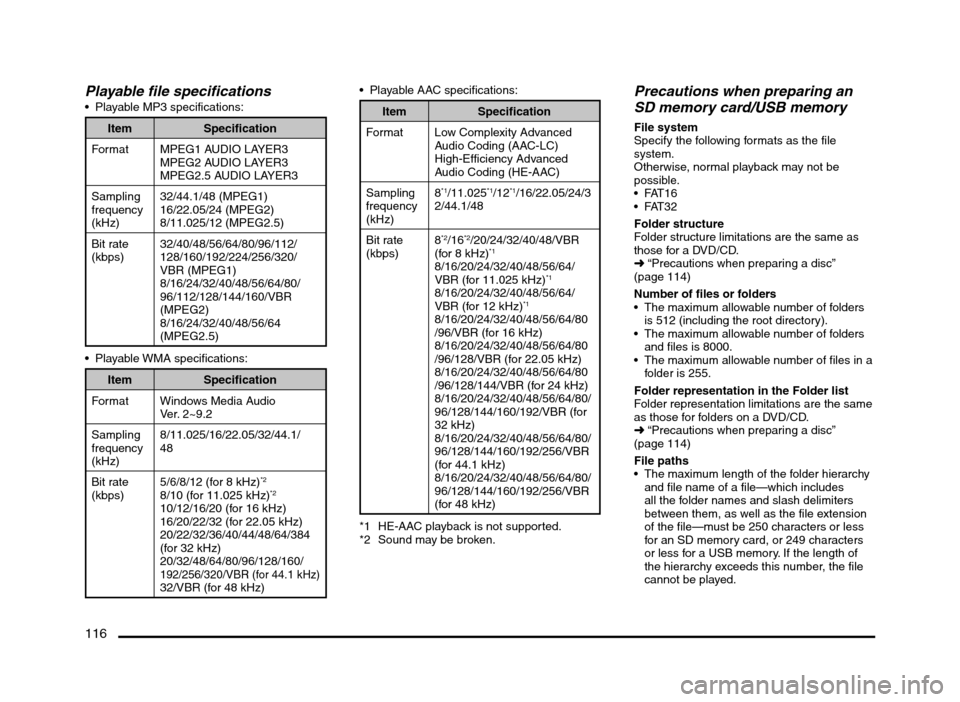
Playable file specifications Playable MP3 specifications:
Item Specification
Format MPEG1 AUDIO LAYER3
MPEG2 AUDIO LAYER3
MPEG2.5 AUDIO LAYER3
Sampling
frequency
(kHz)32/44.1/48 (MPEG1)
16/22.05/24 (MPEG2)
8/11.025/12 (MPEG2.5)
Bit rate
(kbps)32/40/48/56/64/80/96/112/
128/160/192/224/256/320/
VBR (MPEG1)
8/16/24/32/40/48/56/64/80/
96/112/128/144/160/VBR
(MPEG2)
8/16/24/32/40/48/56/64
(MPEG2.5)
Item Specification
Format Windows Media Audio
Ver. 2~9.2
Sampling
frequency
(kHz)8/11.025/16/22.05/32/44.1/
48
Bit rate
(kbps)5/6/8/12 (for 8 kHz)
*2
8/10 (for 11.025 kHz)*2
10/12/16/20 (for 16 kHz)
16/20/22/32 (for 22.05 kHz)
20/22/32/36/40/44/48/64/384
(for 32 kHz)
20/32/48/64/80/96/128/160/
192/256/320/VBR (for 44.1 kHz)32/VBR (for 48 kHz) Playable AAC specifications:
Item Specification
Format Low Complexity Advanced
Audio Coding (AAC-LC)
High-Efficiency Advanced
Audio Coding (HE-AAC)
Sampling
frequency
(kHz)8
*1/11.025*1/12*1/16/22.05/24/3
2/44.1/48
Bit rate
(kbps)8
*2/16*2/20/24/32/40/48/VBR
(for 8 kHz)*1
8/16/20/24/32/40/48/56/64/
VBR (for 11.025 kHz)*1
8/16/20/24/32/40/48/56/64/
VBR (for 12 kHz)*1
8/16/20/24/32/40/48/56/64/80
/96/VBR (for 16 kHz)
8/16/20/24/32/40/48/56/64/80
/96/128/VBR (for 22.05 kHz)
8/16/20/24/32/40/48/56/64/80
/96/128/144/VBR (for 24 kHz)
8/16/20/24/32/40/48/56/64/80/
96/128/144/160/192/VBR (for
32 kHz)
8/16/20/24/32/40/48/56/64/80/
96/128/144/160/192/256/VBR
(for 44.1 kHz)
8/16/20/24/32/40/48/56/64/80/
96/128/144/160/192/256/VBR
(for 48 kHz)
*1 HE-AAC playback is not supported.
*2 Sound may be broken.
Precautions when preparing an
SD memory card/USB memory
File system
Specify the following formats as the file
system.
Otherwise, normal playback may not be
possible.
Folder structure
Folder structure limitations are the same as
those for a DVD/CD.
É “Precautions when preparing a disc”
(page 114)
Number of files or folders
The maximum allowable number of folders
is 512 (including the root directory).
The maximum allowable number of folders
and files is 8000.
The maximum allowable number of files in a
folder is 255.
Folder representation in the Folder list
Folder representation limitations are the same
as those for folders on a DVD/CD.
É “Precautions when preparing a disc”
(page 114)
File paths
The maximum length of the folder hierarchy
and file name of a file—which includes
all the folder names and slash delimiters
between them, as well as the file extension
of the file—must be 250 characters or less
for an SD memory card, or 249 characters
or less for a USB memory. If the length of
the hierarchy exceeds this number, the file
cannot be played.
205-0010-00_QY-7375M-A_EN.indb 116205-0010-00_QY-7375M-A_EN.indb 1163/12/2013 9:57:28 AM3/12/2013 9:57:28 AM