service MITSUBISHI MIRAGE 2014 6.G MMCS Manual
[x] Cancel search | Manufacturer: MITSUBISHI, Model Year: 2014, Model line: MIRAGE, Model: MITSUBISHI MIRAGE 2014 6.GPages: 135, PDF Size: 26.9 MB
Page 83 of 135
83
The User hereby acknowledges that (i) inaccurate or incomplete information due to the passage of time, changing circumstances, sources
used and the nature of collecting comprehensive geographic data, may each lead to incorrect results; and (ii) that the Database, contents and
services provided by third parties may only be used at the risk of the User and for the personal or internal business benefit of the User. User
acknowledges that the Databases, content and services are the confidential information of Database Owners and disclosure of the Databases
to third parties is prohibited.
USE OF THE SOFTWARE PRODUCT’S REAL TIME ROUTE GUIDANCE FUNCTION IS AT USER’S SOLE RISK AS LOCATION DATA MAY
NOT BE ACCURATE.
9.4 Content and services provided by the Licensor or an agent of the Licensor. For certain Software Products the Licensor or a contractual partner
may offer various products and services to the User through clarion.naviextras.com. The User may only use these services when the User has
read and understood the relevant end user license agreement(s) at clarion.naviextras.com and the User is obliged to use the services in line
with the terms and conditions thereof.
9.5 Purchase and acquisition of activation license for the use of certain functions, Databases, content or services may require Internet connection
with no alternative way of acquisition offered by Licensor.
10 Anonymous data collection
10.1 The User hereby acknowledges that the Software Product may collect, transmit to Licensor or third parties, and in some cases store data
connected to the usage of the Software Product by the User (e.g. movement/route data, user interaction data). Such data collection functions
may be disabled or enabled by User any time from within the corresponding menu. The collected data is always anonymous, not associated in
any way with any personal information of the User or with the User itself.
10.2 The collected data may be uploaded to Licensor’s database or transmitted periodically or in real time to a third party partner and used
exclusively for the purpose of enhancing and improving the precision and reliability of features and services of the Software Product and the
Databases. Uploading is executed through Licensor’s special software or by the User navigation device, and the upload may be enabled or
disabled by User. After successful data upload, the collected data is deleted from the Software Product storage media.
10.3 Collected data is transmitted, stored and handled anonymously and no connection of the data with the User shall be established by Licensor or
any third party.
10.4 Licensor hereby informs the User, that if it accesses the Internet through mobile data service while abroad or otherwise roaming another mobile
network the transmission of such data may result in special roaming charges. To avoid such charges it is the responsibility of the User to
disable mobile data services while roaming or to turn off the data collection functions of the Software Product.
11 Online Content Service Auxiliary Terms
11.1 For online content services the following auxiliary terms shall also apply. Database content (e.g. weather-, location based info) may be supplied
by Licensor to the User’s Device through an Internet connection (hereinafter: “Online Content Services”). Such Content may be granted for a
fee or free of charge subject to Licensor’s decision. Ensuring access to the Internet is the responsibility of the User.
11.2 Online Content Services in general are not available in all countries, furthermore different conditions and Service characteristics may apply in
different countries. Use of certain Online Services may be prohibited in various countries. It is the User’s responsibility to comply with country
specific regulation. Licensor excludes its liability for the consequences of illegal use of such functions and User shall indemnify and hold
Licensor harmless from all claims against Licensor from authorities or third parties due to the illegal use.
205-0010-00_QY-7375M-A_EN.indb 83205-0010-00_QY-7375M-A_EN.indb 833/12/2013 9:57:25 AM3/12/2013 9:57:25 AM
Page 84 of 135
84
11.3 Online Content is downloaded by the Software Product from Service Provider’s Online content servers. The Licensor hereby excludes any
liability of its own for the Online content. The Licensor does not warrant the quality, suitability, accuracy, fitness for a specific purpose or
territorial coverage of the Online content, furthermore no warranty is offered regarding the availability (e.g. uptime) of Online content servers.
User acknowledges that in any territory or time, slow- or non-connectivity may be experienced due to capacity limitations of Licensor’s servers.
The Software Product may allow the User to access and communicate third party servers directly. In such cases use of such servers is for
User’s own risk entirely. Licensor shall not undertake any liability whatsoever for such servers and services accessed and received directly form
third parties.
11.4 User acknowledges that the data or information provided through Online Content Services is not updated in real-time and may not accurately
reflect the real life situation or events.
11.5 The User hereby acknowledges that the Online Content Services may only be used at the risk of the User and for the personal benefit of the
User. It is the sole responsibility of the User to provide and maintain a connection to the public Internet network. User accepts that the usage of
the Online Content Services generates data traffic (up- and downstream) and may result in increased data service fees payable by User.
11.6 Online Content Services may provide data, information or materials supplied and/or licensed by third parties to Licensor. For such materials
different terms and conditions imposed by such third parties may apply. Applicable third party terms shall be referred in the “About” section of
the Software Product or as part of this Agreement. When first using / enabling Online Content, User accepts compliance with those third party
terms and conditions.
11.7 Discontinuation. Licensor reserves the right to discontinue provision or access to any Online Content Service with or without prior notice to the
User. Such discontinuation shall not entail any consequences other than here stated. In case of discontinued Online Content Services that
were (i) provided for a pre-paid fee, AND (ii) such fee covers the use of the Online Content Service for a definite term (i.e. pre-paid subscription
service), User shall be entitled to a refund proportionate to the term remaining from such definite term from the time of the discontinuation.
11.8. Community Services. Some Online Content Services may be based on data and information uploaded by participating individuals (Users or
other persons) or a Database created and maintained by a group of such individuals. Such data may not come from a trusted source and may
also be intentionally false or misleading, as Licensor does not have any means to control or verify the credibility or accuracy of such data or the
individuals providing the data. Therefore User accepts that community type Online Content Services must be used with extreme care.
By participating in the community by providing data or any information via the Software Product or other means offered by Licensor (e.g.
through a website or other software), User shall accept the following:
(a) Licensor is granted a royalty free right to use the data uploaded, in particular, to modify, display, make available to the public, distribute,
copy the data for any purpose;
(b) User warrants that not third party has any rights that would hinder or render impossible the use of the data as set out in (a) above, and that
no third party rights are infringed by uploading the data on those conditions;
(c) User indemnifies and holds harmless Licensor from any claim from a third party against Licensor due to violation of its rights regarding the
uploaded data.
205-0010-00_QY-7375M-A_EN.indb 84205-0010-00_QY-7375M-A_EN.indb 843/12/2013 9:57:25 AM3/12/2013 9:57:25 AM
Page 89 of 135
89
9. PRECAUTIONS
WARNING
For your safety, the driver should not
watch the DVD video/movie data or
operate the controls while driving.
Please note that watching and operating
the DVD video/movie data while driving
are prohibited by law in some countries.
Also, while driving, keep the volume to
a level at which external sounds can be
heard.
1. When the inside of the vehicle is very cold
and the player is used soon after switching
on the heater, moisture may form on the
disc (DVD/CD) or the optical parts of the
player and proper playback may not be
possible. If moisture forms on the disc
(DVD/CD), wipe it off with a soft cloth. If
moisture forms on the optical parts of the
player, do not use the player for about one
hour. The condensation will disappear
naturally allowing normal operation.
2. Driving on extremely bumpy roads which
cause severe vibration may cause the
sound to skip.
3. This unit uses a precision mechanism.
Even in the event that trouble arises, never
open the case, disassemble the unit, or
lubricate the rotating parts.
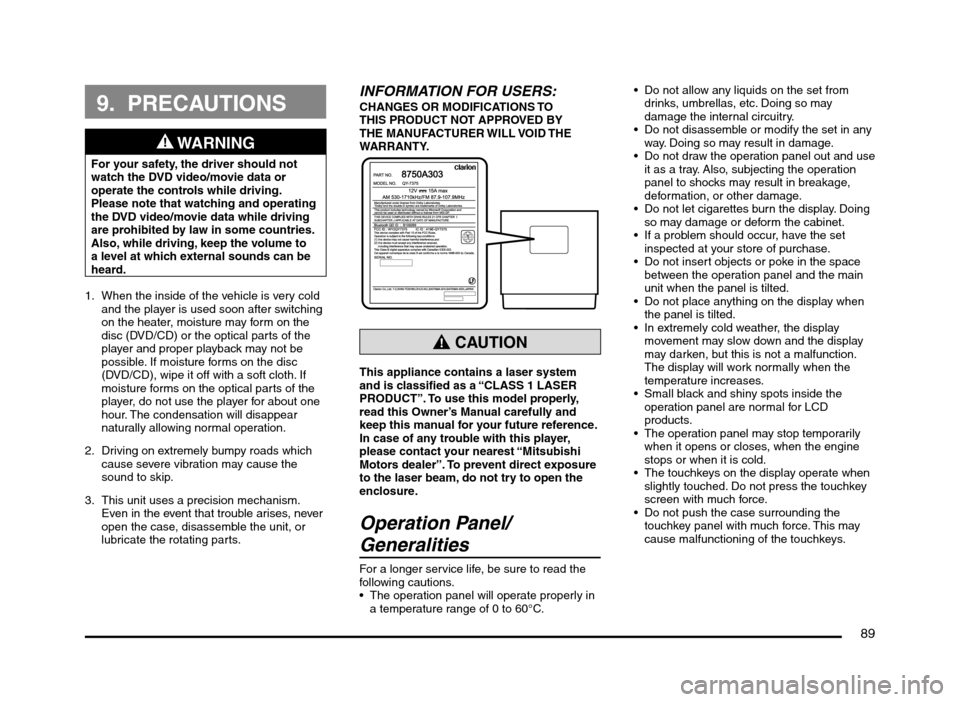
INFORMATION FOR USERS:CHANGES OR MODIFICATIONS TO
THIS PRODUCT NOT APPROVED BY
THE MANUFACTURER WILL VOID THE
WARRANTY.
CAUTION
This appliance contains a laser system
and is classified as a “CLASS 1 LASER
PRODUCT”. To use this model properly,
read this Owner’s Manual carefully and
keep this manual for your future reference.
In case of any trouble with this player,
please contact your nearest “Mitsubishi
Motors dealer”. To prevent direct exposure
to the laser beam, do not try to open the
enclosure.
Operation Panel/
Generalities
For a longer service life, be sure to read the
following cautions.
The operation panel will operate properly in
a temperature range of 0 to 60°C. Do not allow any liquids on the set from
drinks, umbrellas, etc. Doing so may
damage the internal circuitry.
Do not disassemble or modify the set in any
way. Doing so may result in damage.
Do not draw the operation panel out and use
it as a tray. Also, subjecting the operation
panel to shocks may result in breakage,
deformation, or other damage.
Do not let cigarettes burn the display. Doing
so may damage or deform the cabinet.
If a problem should occur, have the set
inspected at your store of purchase.
Do not insert objects or poke in the space
between the operation panel and the main
unit when the panel is tilted.
Do not place anything on the display when
the panel is tilted.
In extremely cold weather, the display
movement may slow down and the display
may darken, but this is not a malfunction.
The display will work normally when the
temperature increases.
Small black and shiny spots inside the
operation panel are normal for LCD
products.
The operation panel may stop temporarily
when it opens or closes, when the engine
stops or when it is cold.
The touchkeys on the display operate when
slightly touched. Do not press the touchkey
screen with much force.
Do not push the case surrounding the
touchkey panel with much force. This may
cause malfunctioning of the touchkeys.
205-0010-00_QY-7375M-A_EN.indb 89205-0010-00_QY-7375M-A_EN.indb 893/12/2013 9:57:26 AM3/12/2013 9:57:26 AM
Page 92 of 135
92
Outline of Button and
Touchkey Operation
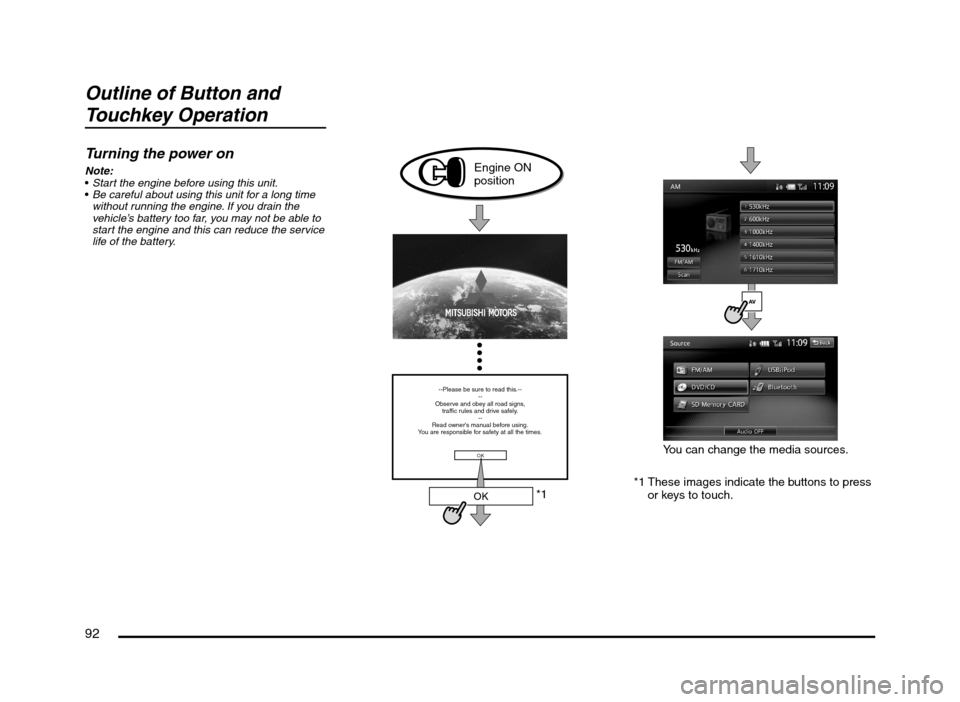
Turning the power on
Note:
Start the engine before using this unit.
Be careful about using this unit for a long time
without running the engine. If you drain the
vehicle’s battery too far, you may not be able to
start the engine and this can reduce the service
life of the battery.
*1
--Please be sure to read this.--
--
Observe and obey all road signs,
traffic rules and drive safely.
--
Read owner's manual before using.
You are responsible for safety at all the times.
OK
OK
Engine ON
position
*1 These images indicate the buttons to press
or keys to touch.You can change the media sources.
205-0010-00_QY-7375M-A_EN.indb 92205-0010-00_QY-7375M-A_EN.indb 923/12/2013 9:57:26 AM3/12/2013 9:57:26 AM
Page 98 of 135
98
11. BASIC
OPERATIONS
Note:
Be sure to read this chapter while referring to
“Controls” (page 91).
Turning the Power On/Off
Note:
Start the engine before using this unit.
Be careful about using this unit for a long time
without running the engine. If you drain the
vehicle’s battery too far, you may not be able to
start the engine and this can reduce the service
life of the battery.
qTurning the power on
1. Start the engine. The power is
automatically turned on and the startup
screen is displayed.
Note:
The power is turned on even when the ignition
switch is set to the ACC ON position.
2. The startup screen automatically changes
to the caution screen. Touch the [OK] key.
The system resumes from its status when
the power was turned off.
The navigation system does not operate until
the [OK] key is touched.
Some audio features are available even if
the [OK] key is not touched.
qTurning the power off
1. Turn the ignition switch to the OFF position.
Opening the Operation
Panel and Adjusting the
Angle
The operation panel can be opened/closed to
insert/eject a disc or memory card. The angle
of the operation panel can be adjusted to suit
the mounting angle of the unit or light coming
into the vehicle.
WARNING
To prevent the battery from going
dead, operate this unit with the engine
running if possible.
When the operation panel is operating,
be careful not to get your hand or
finger caught between the panel and
main unit or the instrument panel of
the vehicle.
Do not move the operation panel by
hand.
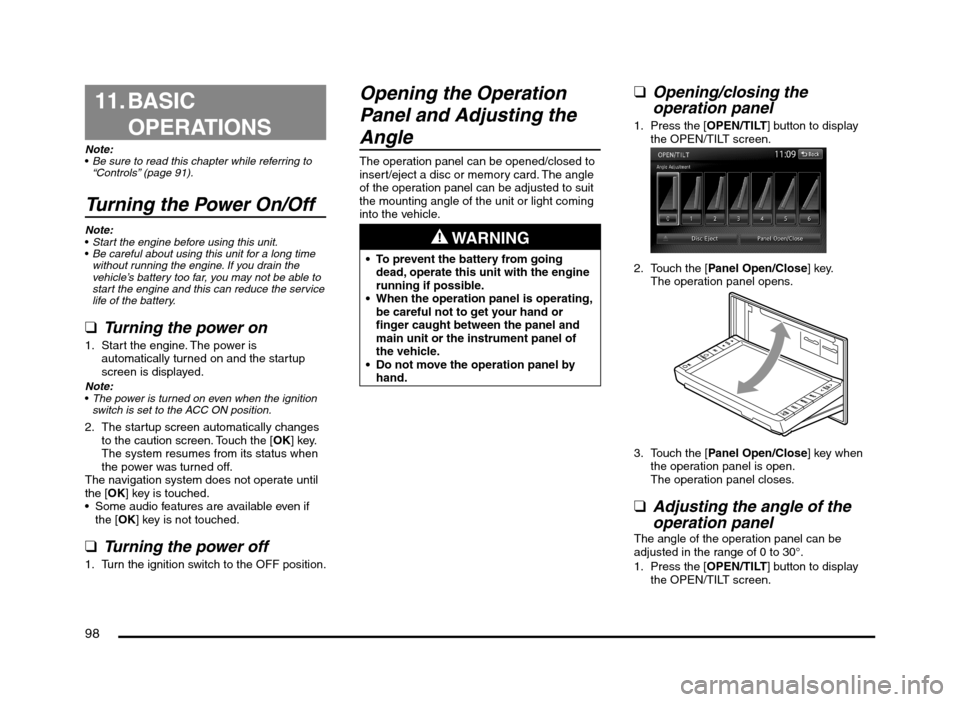
qOpening/closing the
operation panel
1. Press the [OPEN/TILT] button to display
the OPEN/TILT screen.
2. Touch the [Panel Open/Close] key.
The operation panel opens.
3. Touch the [Panel Open/Close] key when
the operation panel is open.
The operation panel closes.
qAdjusting the angle of the
operation panel
The angle of the operation panel can be
adjusted in the range of 0 to 30°.
1. Press the [OPEN/TILT] button to display
the OPEN/TILT screen.
205-0010-00_QY-7375M-A_EN.indb 98205-0010-00_QY-7375M-A_EN.indb 983/12/2013 9:57:27 AM3/12/2013 9:57:27 AM