audio MITSUBISHI MIRAGE 2015 6.G Owner's Manual
[x] Cancel search | Manufacturer: MITSUBISHI, Model Year: 2015, Model line: MIRAGE, Model: MITSUBISHI MIRAGE 2015 6.GPages: 300, PDF Size: 43.44 MB
Page 217 of 300

To play tracks from a Bluetooth® device
(vehicles with Blue
tooth® 2.0 interface)
7-36 Comfort controls
7
N00765500089
1. Press the PWR switch to turn on the audio system. The system turns on in the last mode used.2. Press the CD button several times to switch to the BT-A (Bluetooth
®) mode.
The input mode change
s as follows every
time the CD button is
pressed: CD mode
iPod mode
Bluetooth
® mode (if so
equipped)
AUX mode
CD mode.
The BT indicator are
illuminated and then
the BT-A mode will be activated. 3. Connect your Bluetooth
® device.
Refer to “Connecting the Bluetooth
® 2.0
interface and Bluetooth
® device” on page
5-87.4. Playback starts automatically.
N00765600035
To stop the playback, press the Stop button.To restart the playback, press the Play/Pausebutton.
N00765700036
To pause the playback, press and hold thePlay/Pause button until you hear a beep.To restart the playback, press the Play/Pause button.
N00703200013
To fast-forward/revers
e the current track,
press the button or button.
To fast-forward the current track, press the
button. While the button is kept pressed,
the track will be fast-forwarded. To fast-reverse the current track, press the button. While the button is kept pressed, the track will be fast-reversed.
N00765800037
Press the button repeatedly until thedesired file number a
ppears on the display.
Press the button repeatedly until the desired file number a
ppears on the display.
4- TRACK indicator 5- Display 6- PAGE (Title scroll) button7-
(Fast-reverse/Track down) button
8-
(Fast-forward/Track up) button
9- DISP (Title display) button 10- Play/Pause button 11- Stop button 12- RPT (Repeat) button 13- RDM (Random) buttonTo l i s t e n t o t r a c
ks from a device
connected via Bluetooth
®
NOTE
Depending on the connected device, the playback may not start automatically.In this case, operate
the connected device to
start the playback.
To stop the playback (if supported by the device) To pause the playback (if sup- ported by the device) To fast-forward/reverse the track (if supported by the device)
Fast-forward Fast-reverseTo select a track (if supported by the device) Track up Track down
NOTE
Pressing the button once during the song will cause the audio system to restart play- back from the beginning of the file.
BK0212400US.book 36 ページ 2014年4月1日 火曜日 午後2時21分
Page 218 of 300
Steering wheel audio remote control switches (if so equipped)
Comfort controls 7-37
7
N00765900038
Press the RPT button several times to switch to show “RPT” in the display. The mode changes as follows every time the RPT button is pressed:No display (not repeat)
RPT (repeat same
track)
F-RPT (repeat all tracks)
No dis-
play To exit this mode, press the button again.
N00703300014
Press the RPT button several times to switch to show “F-RPT” in the display. The mode changes as follows every time the RPT button is pressed:No display (not repeat)
RPT (repeat same
track)
F-RPT (repeat all tracks)
No dis-
play All tracks in the Bluetooth
® device are played
repeatedly. To exit this mode, press the button again.
N00766000023
Press the RDM button to show “RDM” in thedisplay. The system randomly selects and plays tracks from all tracks in the Bluetooth
® device.
To exit this mode, press the button again.
N00766200041
The system can display tag information. 1. Press the DISP button. 2. The display changes
as follows every time
the DISP button is pressed: Album title
Title name
Artist name
Genre
Normal display
N00714800484
The remote control switches are located on the left side of
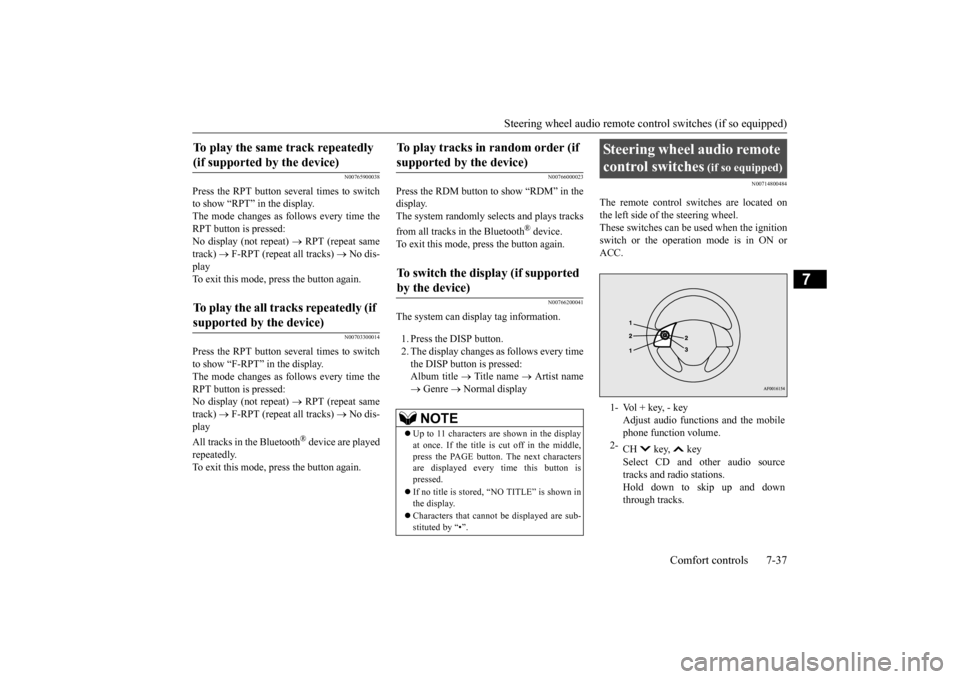
the steering wheel.
These switches can be us
ed when the ignition
switch or the operation mode is in ON or ACC.
To play the same track repeatedly (if supported by the device) To play the all tracks repeatedly (if supported by the device)
To play tracks in
random order (if
supported by the device) To switch the display (if supported by the device)
NOTE
Up to 11 characters are shown in the display at once. If the title is cut off in the middle, press the PAGE button. The next characters are displayed every time this button ispressed. If no title is stored, “NO TITLE” is shown in the display. Characters that cannot
be displayed are sub-
stituted by “•”.
Steering wheel audio remote control switches
(if so equipped)
1- Vol + key, - key
Adjust audio functions and the mobile phone function volume.
2-
CH key, key Select CD and ot
her audio source
tracks and radio stations. Hold down to skip up and downthrough tracks.
BK0212400US.book 37 ページ 2014年4月1日 火曜日 午後2時21分
Page 219 of 300
Error codes 7-38 Comfort controls
7
N00736100780
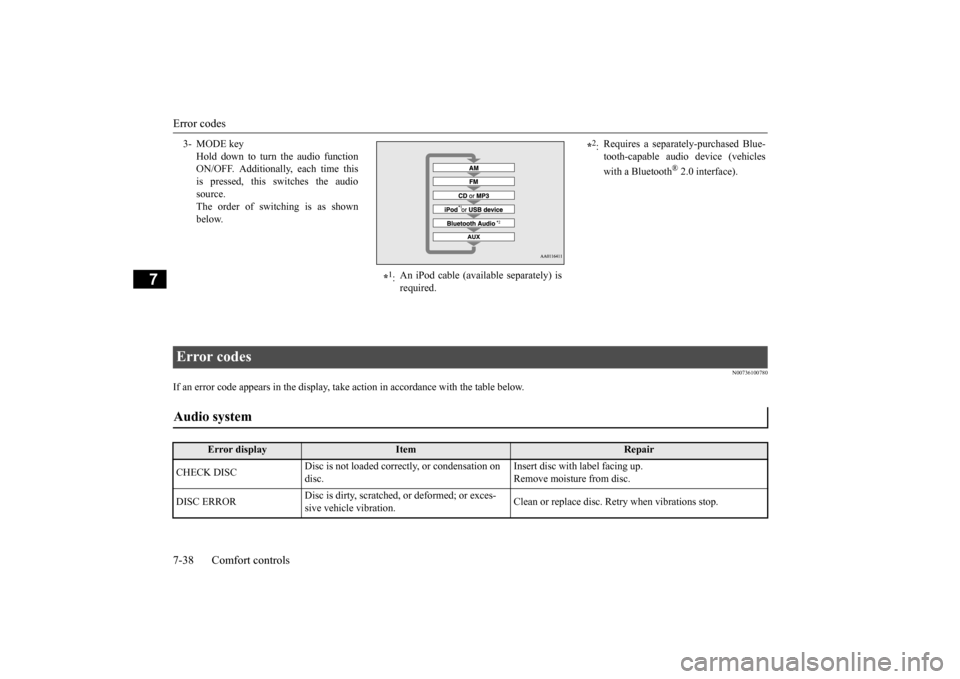
If an error code appears in the display, take action in accordance with the table below. 3- MODE key
Hold down to turn the audio function ON/OFF. Additionally, each time thisis pressed, this
switches the audio
source. The order of switching is as shownbelow.
*1: An iPod cable (avail
able separately) is
required.
*2: Requires a separately-purchased Blue- tooth-capable audio
device (vehicles
with a Bluetooth
® 2.0 interface).
Error codes Audio system
Error display
Item
Repair
CHECK DISC
Disc is not loaded correctly, or condensation on disc.
Insert disc with label facing up. Remove moisture from disc.
DISC ERROR
Disc is dirty, scratched,
or deformed; or exces-
sive vehicle vibration.
Clean or replace disc. Re
try when vibrations stop.
BK0212400US.book 38 ページ 2014年4月1日 火曜日 午後2時21分
Page 221 of 300
Handling of compact discs 7-40 Comfort controls
7
N00734100340
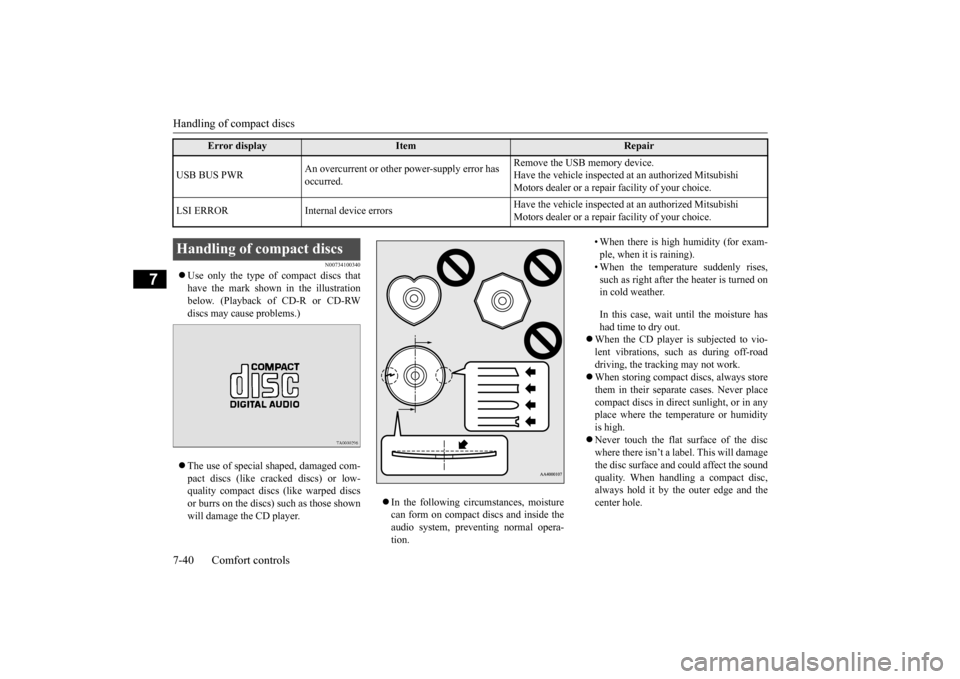
Use only the type of compact discs that have the mark shown in the illustrationbelow. (Playback of CD-R or CD-RW discs may cause problems.) The use of special shaped, damaged com- pact discs (like crac
ked discs) or low-
quality compact discs (like warped discsor burrs on the discs) such as those shown will damage the CD player.
In the following circumstances, moisture can form on compact discs and inside the audio system, preventing normal opera- tion.
• When there is high humidity (for exam- ple, when it is raining). • When the temperature suddenly rises, such as right after the heater is turned onin cold weather. In this case, wait until the moisture has had time to dry out.
When the CD player is subjected to vio- lent vibrations, such as during off-road driving, the tracking may not work. When storing compact discs, always store them in their separate
cases. Never place
compact discs in direct sunlight, or in any place where the temperature or humidityis high. Never touch the flat
surface of the disc
where there isn’t a label. This will damagethe disc surface and
could affect the sound
quality. When handli
ng a compact disc,
always hold it by the outer edge and thecenter hole.
USB BUS PWR
An overcurrent or other power-supply error has occurred.
Remove the USB memory device. Have the vehicle inspected at an authorized Mitsubishi Motors dealer or a repair
facility of your choice.
LSI ERROR Internal
device errors
Have the vehicle inspected at an authorized Mitsubishi Motors dealer or a repair
facility of your choice.
Error display
Item
Repair
Handling of compact discs BK0212400US.book 40 ページ 2014年4月1日 火曜日 午後2時21分
Page 269 of 300
Fuses 9-24 Vehicle care and maintenance
9
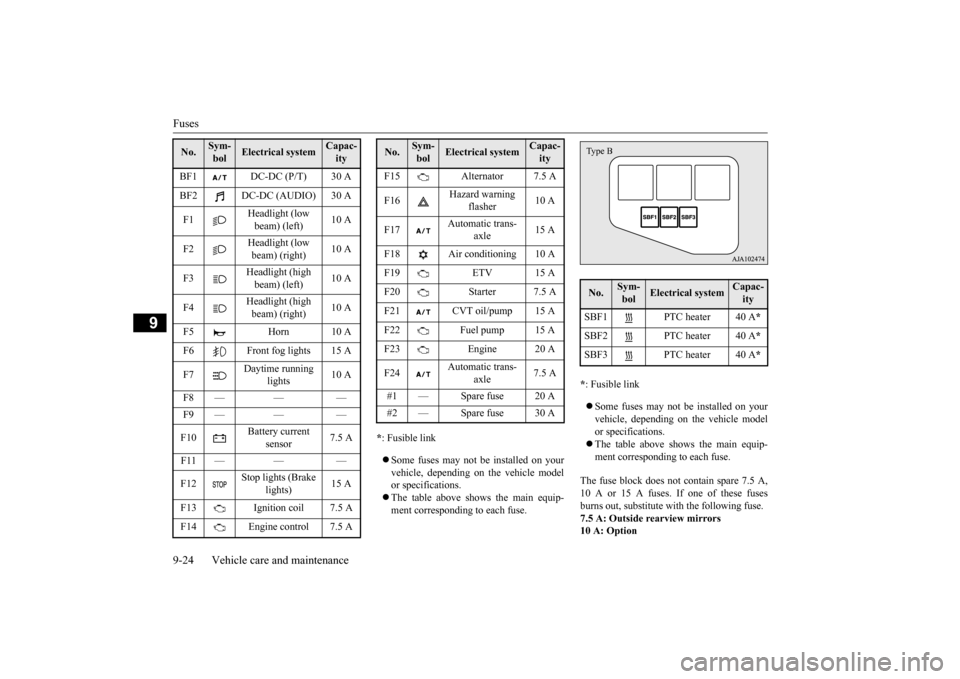
* : Fusible link Some fuses may not be installed on your vehicle, depending on
the vehicle model
or specifications. The table above show
s the main equip-
ment corresponding to each fuse.
* : Fusible link Some fuses may not be installed on your vehicle, depending on the vehicle modelor specifications. The table above shows the main equip- ment corresponding to each fuse.
The fuse block does not contain spare 7.5 A, 10 A or 15 A fuses. If one of these fuses burns out, substitute wi
th the following fuse.
7.5 A: Outside rearview mirrors10 A: Option
BF1 DC-DC (P/T) 30 A BF2 DC-DC (AUDIO) 30 A F1
Headlight (low beam) (left)
10 A
F2
Headlight (low beam) (right)
10 A
F3
Headlight (high beam) (left)
10 A
F4
Headlight (high beam) (right)
10 A
F5 Horn 10 A F6 Front fog lights 15 A F7
Daytime running
lights
10 A
F8 — — — F9 — — — F10
Battery current
sensor
7.5 A
F11 — — —F12
Stop lights (Brake
lights)
15 A
F13 Ignition coil 7.5 A F14 Engine control 7.5 ANo.
Sym- bol
Electrical system
Capac-ity
F15 Alternator 7.5 A F16
Hazard warning
flasher
10 A
F17
Automatic trans-
axle
15 A
F18 Air conditioning 10 A F19 ETV 15 AF20 Starter 7.5 A F21 CVT oil/pump 15 A F22 Fuel pump 15 A F23 Engine 20 A F24
Automatic trans-
axle
7.5 A
#1 — Spare fuse 20 A #2 — Spare fuse 30 ANo.
Sym- bol
Electrical system
Capac-ity
No.
Sym-bol
Electrical system
Capac-ity
SBF1 PTC heater 40 A
*
SBF2 PTC heater 40 A
*
SBF3 PTC heater 40 A
*
Type B
BK0212400US.book 24 ページ 2014年4月1日 火曜日 午後2時21分
Page 294 of 300

Alphabetical index
12-1
12
A
Accessory (installation)
.........................
3-5
Active stability control (ASC)
..............
5-49
Air bag
..............................................
4-21
Air cleaner filter
...................................
9-8
Air conditioning
Automatic air conditioning
..............
7-11
Important air condi
tioning operating tips
..
7-17 Manual air conditioning
....................
7-7
Air purifier
.........................................
7-18
Aluminum wheels
...............................
9-35
Antenna
Roof antenna
..................................
7-41
Anti-lock braking system
.....................
5-46
Assist grip
........................................
5-110
Audio
AM/FM electronically
tuned radio with
CD player
....................................
7-18
Error codes
.....................................
7-38
Handling of compact discs
...............
7-40
Automatic air conditioning
..................
7-11
B
Back-up light
Bulb capacity
.................................
9-26
Ball joint, steering li
nkage seals and drive
shaft boots
.......................................
9-21
Battery
..............................................
9-10
Charging system warning light
........
5-73
Checking battery
electrolyte level
....
9-10
Disconnection and connection
.........
9-11
During cold weather
.......................
9-11
Specification
..................................
11-4
Bluetooth® 2.0 interface
.....................
5-81
Bottle holders
....................................
5-108
Brake
Fluid
.............................................
11-5
Brake assist system
.............................
5-46
Braking
...............................................
6-5
Anti-lock braking system
................
5-46
Hose
.............................................
9-20
Pad wear alarm
..............................
5-45
Parking brake
.................................
5-31
Pedal
.............................................
5-44
Pedal free play
...............................
9-18
Power brakes
.................................
5-44
Service brake
.................................
5-44
Warning lights
...............................
5-72
Break-in recommendations
....................
5-2
Bulb capacity
.....................................
9-26
C
California Perchl
orate Materials
Requirements
.....................................
3-7
Capacities
..........................................
11-5
Card holder
......................................
5-105
Cargo loads
........................................
6-10
Cargo room light
Bulb capacity
.................................
9-27
Catalytic converter
................................
9-3
Certification label
...............................
11-3
Charging system warning light
.............
5-73
Child restraint systems
........................
4-14
Child safety locks for rear door
............
5-27
Cleaning
Inside of your vehicle
......................
9-32
Outside of your vehicle
...................
9-33
Clutch
Pedal free play
................................
9-18
Consumer information
.........................
10-2
Continuously variable transmission (CVT)
...
5-39 Fluid
.......................................
9-9
, 11-5
Selector lever operation
...................
5-40
Selector lever positions
....................
5-41
Convenience hook
.............................
5-109
Coolant (engine)
..........................
9-7
, 11-5
Cruise control
.....................................
5-52
Cup holders
......................................
5-108
BK0212400US.book 1 ページ 2014年4月1日 火曜日 午後2時21分