USB MITSUBISHI MIRAGE 2017 6.G User Guide
[x] Cancel search | Manufacturer: MITSUBISHI, Model Year: 2017, Model line: MIRAGE, Model: MITSUBISHI MIRAGE 2017 6.GPages: 305, PDF Size: 8.67 MB
Page 216 of 305
To play tracks from USB device (if so equipped)
Comfort controls 7-29
7
N00762200056
You can connect your
iPod or USB memory
device to the USB input terminal and play music files stored in the iPod or USB mem- ory device.See the following section for the types of connectable devices
and supported files.
Refer to “Types of c
onnectable devices and
supported file specific
ations” on page 5-104.
See the following sections for the connecting methods, “How to connect an iPod” on page5-103 and “How to connect a USB memory device” on page 5-102. If your vehicle is equipped with a Bluetooth
®
2.0 interface, you can play music files in your iPod or USB memory de
vice via voice opera-
tion.Refer to “To play iPod tracks via voice opera- tion” on page 7-31 and “To play USB mem- ory device tracks via voice operation” onpage 7-37.
N00762301070
Use the connected a
udio equipment’s own
power source, such as its battery.Noise may be produced from the speakers ifthe connected audio equipment is used while charging it using the accessory socket of the vehicle. Do not activate the
external audio input
mode when no audio equipment is con-nected. Otherwise, noise may be produced from the speakers. Connect audio equipmen
t when the external
audio input mode is de
activated or lower the
vehicle’s speaker volum
e before connecting
it. Noise may be produced from the speakers ifaudio equipment is conne
cted after the exter-
nal audio input m
ode is activated.
Compared to the CD player mode and radio mode, the vehicle’s speaker volume will be lower in the external audio input mode.Therefore, be careful when switching from the external audio input mode to the CD player mode or radio mode since the speakervolume will be higher. Do not use excessive
force on the connection
cord. Otherwise, the cord and connectors may be damaged. If the connection cord
alone is left connected
to the auxiliary audi
o connector, noise may
be produced from the speakers.NOTE
For information on how to connect and oper- ate the commercially av
ailable audio equip-
ment, refer to the owner’s manual for thecommercially availabl
e audio equipment.
To play tracks from USB device
(if so equipped)
NOTE
NOTE
A file protected by c
opyright might not be
able to playback. It is recommended to adjust the equalizer of the connected device to 0 db or neutral.
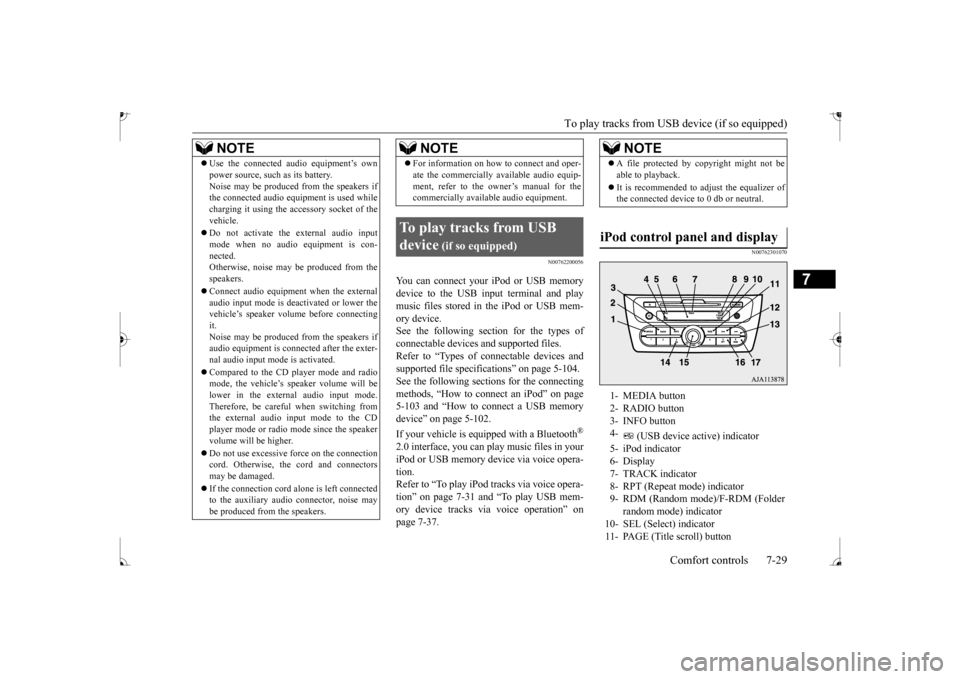
iPod control panel and display
1- MEDIA button 2- RADIO button 3- INFO button 4-
(USB device ac
tive) indicator
5- iPod indicator6- Display 7- TRACK indicator 8- RPT (Repeat mode) indicator9- RDM (Random mode)/F-RDM (Folder
random mode) indicator
10- SEL (Select)
indicator
11- PAGE (Title scroll) button
BK0235100US.book 29 ページ 2015年11月20日 金曜日 午後3時12分
Page 217 of 305
To play tracks from USB device (if so equipped)
7
N00762401097
1. Press the PWR switch to turn on the audio system. The system turns on in the last mode used.2. Connect your iPod to the USB input ter- minal. Refer to “How to connect an iPod” onpage 5-103. 3. Press the MEDIA button several times to switch to the iPod mode. The input modechanges as follows every time the MEDIA button is pressed: CD mode
iPod mode
Bluetooth
® mode (if so
equipped)
AUX mode
CD mode.
The iPod indicator are illuminated and then the iPod mode will be activated.4. Once the device is
selected, playback
starts and indicator appears on the dis- play.
5. To stop the playback, press the RADIO button or MEDIA button to switch to adifferent mode.
N00762500033
To fast-forward/revers
e the current track,
press the button or button. To fast-forward the current track, press the
button. While the button is kept pressed,
the track will be fast-forwarded.
To fast-reverse the current track, press the button. While the button is kept pressed, the track will be fast-reversed.
N00762600034
Press the button repeatedly until the desired track number appears on the display. Press the button repeatedly until the desired track number appears on the display.
N00762701087
You can select desired
tracks from the “Playl-
ists”, “Artists”,
“Albums”, “Songs” or
12-
(Fast-reverse/Track down) button
13-
(Fast-forward/Track up) button
14-
(Return) button
15- PWR (On-Off)/SE
L (Select) switch
16- RPT (Repeat) button17- RDM (Random) buttonTo play from an iPod
NOTE
Depending on the conditi
on of your iPod, it
may take a longer time
before the playback
starts.NOTE
Buttons on the iPod are disabled while the iPod is connected to
the audio system.
To adjust the volume and tone, refer to “To adjust the volume” on page 7-20 and “To adjust the tone” on page 7-20.
To fast-forward/reverse the track
Fast-forward
Fast-reverseTo select a desired track
Track up Track down
NOTE
Pressing the button once during the song will cause the audio system to restart play- back from the beginning of the song.
To find a track from the iPod menu
BK0235100US.book 30 ページ 2015年11月20日 金曜日 午後3時12分
Page 218 of 305
To play tracks from USB device (if so equipped)
Comfort controls 7-31
7
“Genre” (vehicles with Bluetooth
® 2.0 inter-
face) menus on your iPod. Operate the SEL switch to select desired tracks. The selected menu or category or track is shown in the display.When this mode is activated by pressing the SEL switch, the SEL indicator will be appear on the display.
N00762800023
Press the RPT button during playback to show “RPT” in the display. To exit this mode, press the button again.
N00762900024
Press the RDM button to show “RDM” in thedisplay. The iPod randomly selects tracks from the current category and plays the selected tracks.To exit this mode, press the button again.
N00763000035
Press and hold the RDM button until you heara beep to show “F-RDM” in the display.The iPod randomly selects tracks in the album from the current
category and play the
selected tracks.To exit this mode, press the button again.
N00763101059
You can display the track titles, artist names,genre and album titles recorded in the iPod. The display changes as follows every time the INFO button is pressed during playback:
Album title
Track name
Artist name
Genre (vehicles with Bluetooth
® 2.0 inter-
face)
Normal display.
N00763200040
Desired tracks can be
selected and played
from your iPod by “Artist”, “Album”, “Playl-ist” and “Genre” us
ing voice commands.
For information concerning the voice recog- nition function or spea
ker registration func-
tion, refer to “Bluetooth
® 2.0 interface” on
page 5-81. The following explains how to prepare forvoice operation and play the tracks.
Press the SEL switch :To start this mode or
to select the menu or category or track.
Turn the SEL switch :To show the menu or
category or track.
NOTE
To cancel the selecti
on, press the button
to return to the previous step. If no operation is performed for 10 seconds or more or other button is operated after the SEL switch has been
pressed, searching of
the desired tracks is canceled. If no operation is perf
ormed for 5 seconds or
more after the track is displayed, playbackstarts. When the SEL indicator
is not appear on the
display and the SEL swit
ch is operated, the
volume adjustment
is activated.
To play the same track repeatedly
To play tracks in random order
To play tracks in each album in random order
To switch the display
NOTE
Up to 11 characters are shown in the display at once. If the title is cut off in the middle,press the PAGE button.
The next characters
are displayed every
time this button is
pressed. If no title is stored, “NO TITLE” is shown in the display. Characters that cannot
be displayed are sub-
stituted by “•”.
To play iPod tracks via voice operation (vehicles with Blue- tooth
® 2.0 interface)
BK0235100US.book 31 ページ 2015年11月20日 金曜日 午後3時12分
Page 219 of 305
To play tracks from USB device (if so equipped)
7
N00763300067
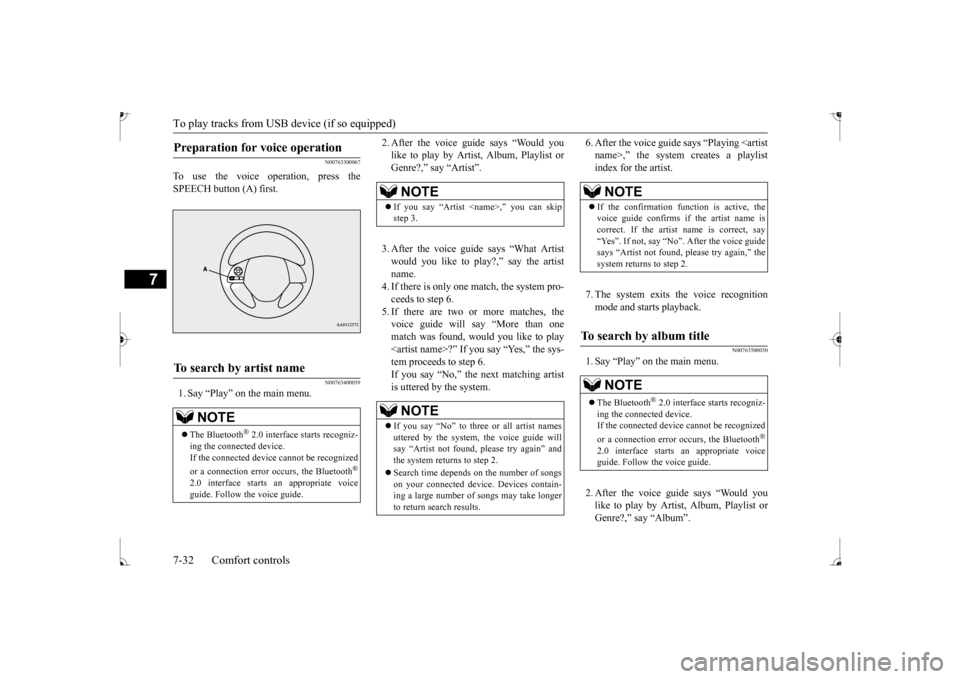
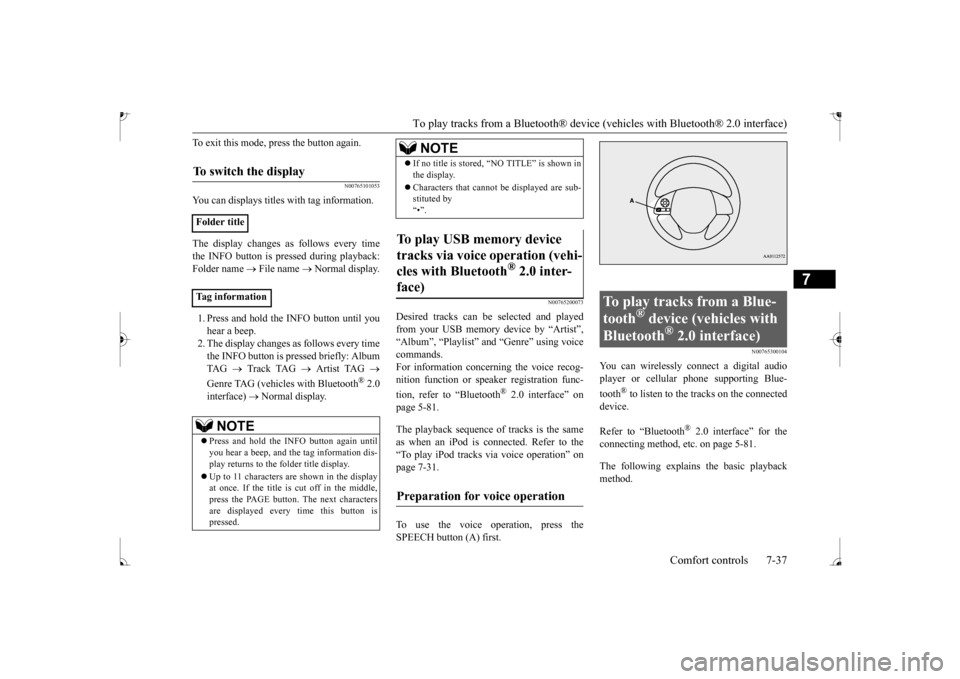
To use the voice operation, press the SPEECH button (A) first.
N00763400039
1. Say “Play” on the main menu.
2. After the voice guide says “Would you like to play by Artist, Album, Playlist orGenre?,” say “Artist”. 3. After the voice guide says “What Artist would you like to play?,” say the artist name.4. If there is only one match, the system pro- ceeds to step 6. 5. If there are two or more matches, thevoice guide will say “More than one match was found, would you like to play
6. After the voice guide
says “Playing
N00763500030
1. Say “Play” on the main menu. 2. After the voice guide says “Would you like to play by Artist, Album, Playlist orGenre?,” say “Album”.
Preparation for voice operation
To search by artist name
NOTE
The Bluetooth
® 2.0 interface starts recogniz-
ing the connected device. If the connected device
cannot be recognized
or a connection error
occurs, the Bluetooth
®
2.0 interface starts
an appropriate voice
guide. Follow the voice guide.
NOTE
If you say “Artist
If you say “No” to three or all artist names uttered by the system, the voice guide willsay “Artist not found, pl
ease try again” and
the system returns to step 2. Search time depends on the number of songs on your connected devi
ce. Devices contain-
ing a large number of
songs may take longer
to return search results.
NOTE
If the confirmation function is active, the voice guide confirms if the artist name is correct. If the artist name is correct, say “Yes”. If not, say “No”. After the voice guidesays “Artist not found, please try again,” the system returns to step 2.
To search by album title
NOTE
The Bluetooth
® 2.0 interface starts recogniz-
ing the connect
ed device.
If the connected device
cannot be recognized
or a connection error occurs, the Bluetooth
®
2.0 interface starts
an appropriate voice
guide. Follow the voice guide.
BK0235100US.book 32 ページ 2015年11月20日 金曜日 午後3時12分
Page 220 of 305
To play tracks from USB device (if so equipped)
Comfort controls 7-33
7
3. After the voice guide says “What Album would you like to play?” say the album title. 4. If there is only one match, the system pro-ceeds to step 6. 5. If there are two or more matches, the voice guide will say “More than onematch was found, would you like to play
de says “Playing
7. The system exits the voice recognition mode and starts playback.
N00763600031
1. Say “Play” on the main menu. 2. After the voice guide says “Would you like to play by Artist, Album, Playlist or Genre?,” say
“Playlist”.
3. After the voice guide says “What Playlist would you like to play?,” say the playlist name. 4. If there is only one match, the system pro-ceeds to step 6. 5. If there are two or more matches, the voice guide will say “More than onematch was found, would you like to play
NOTE
If you say “Album <
title>,” you can skip
step 3.NOTE
If you say “No” to thre
e or all album titles
uttered by the system, the voice guide will say “Album not found, please try again” and the system returns to step 2.
NOTE
If the confirmation function is active, the voice guide confirms if
the album title is cor-
rect. If the album title is correct, say “Yes”.
the voice guide says
“Album not found, please try again,” the sys- tem returns to step 2.
To search by playlist
NOTE
The Bluetooth
® 2.0 interface starts recogniz-
ing the connect
ed device.
If the connected device
cannot be recognized
or a connection error occurs, the Bluetooth
®
2.0 interface starts
an appropriate voice
guide. Follow the voice guide.
NOTE
If you say “Playlist
step 3.If the device has no playlist, the voice guidewill say “There are no
playlists stored on
device” and the system returns to step 2.NOTE
If you say “No” to three or all playlist names uttered by the system, the voice guide will say “Playlist not found,
please try again” and
the system returns to step 2.
BK0235100US.book 33 ページ 2015年11月20日 金曜日 午後3時12分
Page 221 of 305
To play tracks from USB device (if so equipped)
7
7. The system exits the voice recognition mode and starts playback.
N00763700032
1. Say “Play” on the main menu. 2. After the voice guide says “Would you like to play by Artist, Album, Playlist or Genre?,” say “Genre”.
would you like to play?,” say the musictype. 4. If there is only one match, the system pro- ceeds to step 6.5. If there are two or more matches, the voice guide will say “More than one match was found, would you like to play
de says “Playing
7. The system exits the voice recognition mode and starts playback.
N00763901073
NOTE
If the confirmation function is active, the voice guide confirms if
the playlist name is
correct. If the playlist name is correct, say“Yes”. If not, say “No”. After the voice guide says “Playlist not foun
d, please try again,”
the system returns to step 2. Refer to “Con-firmation function se
tting” on page 5-84.
To search by genre
NOTE
The Bluetooth
® 2.0 interface starts recogniz-
ing the connected device.If the connected device
cannot be recognized
or a connection error
occurs, the Bluetooth
®
2.0 interface starts
an appropriate voice
guide. Follow the voice guide.NOTE
If you say “Genre
NOTE
If you say “No” to three
or all genres uttered
by the system, the voi
ce guide will say
“Genre not found, please try again” and the system returns to step 2.NOTE
If the confirmation function is active, the voice guide confirms if
the genre is correct.
If the genre is correct, say “Yes”. If not, say “No”. After the voice
guide says “Genre not
found, please try again,” the system returnsto step 2. Refer to “Confirmation function setting” on page 5-84.
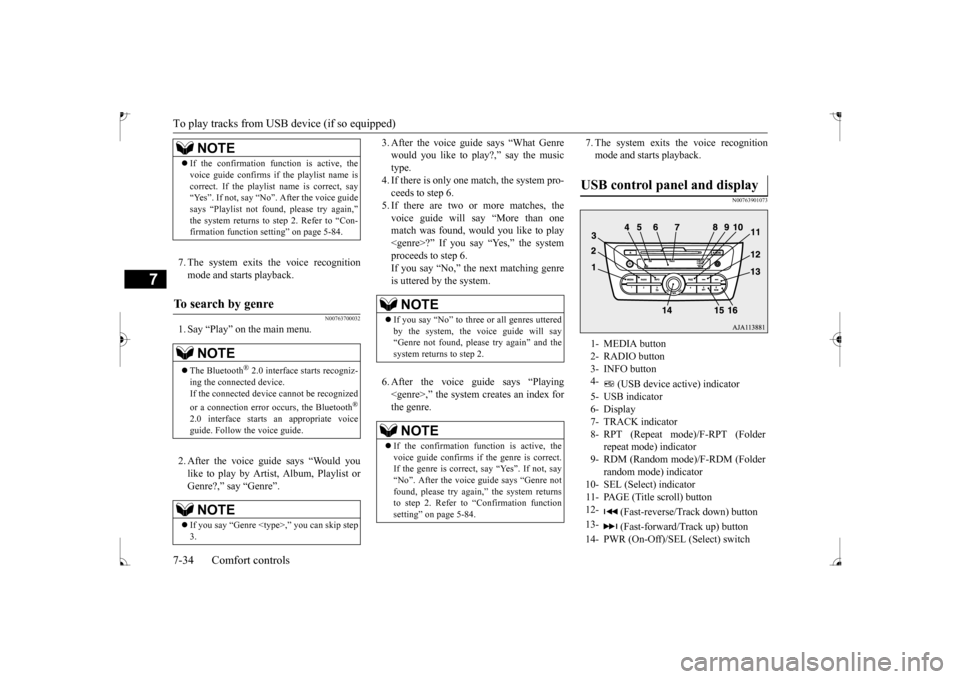
USB control panel and display
1- MEDIA button 2- RADIO button 3- INFO button 4-
(USB device active) indicator
5- USB indicator6- Display 7- TRACK indicator 8- RPT (Repeat mode)/F-RPT (Folder
repeat mode) indicator
9- RDM (Random mode)/F-RDM (Folder
random mode) indicator
10- SEL (Select) indicator 11- PAGE (Title scroll) button12-
(Fast-reverse/Tr
ack down) button
13-
(Fast-forward/Track up) button
14- PWR (On-Off)/SEL
(Select) switch
BK0235100US.book 34 ページ 2015年11月20日 金曜日 午後3時12分
Page 222 of 305
To play tracks from USB device (if so equipped)
Comfort controls 7-35
7
N00764001097
1. Press the PWR switch to turn on the audio system. The system turns on in the last mode used. 2. Connect your USB memory device to the USB input terminal. Refer to “How to connect a USB memorydevice” on page 5-102. 3. Press the MEDIA button several times to switch to the USB mode. The input modechanges as follow
s every time the
MEDIA button is pressed: CD mode
USB mode
Bluetooth
® mode (if so
equipped)
AUX mode
CD mode.
The USB indicator are illuminated and then the USB mode will be activated. 4. Once the device is selected, playback starts and indicator appears on the dis- play.
5. To stop the playback, press the RADIO button or MEDIA button to switch to adifferent mode.
N00764100105
This audio can play
MP3, WMA and AAC
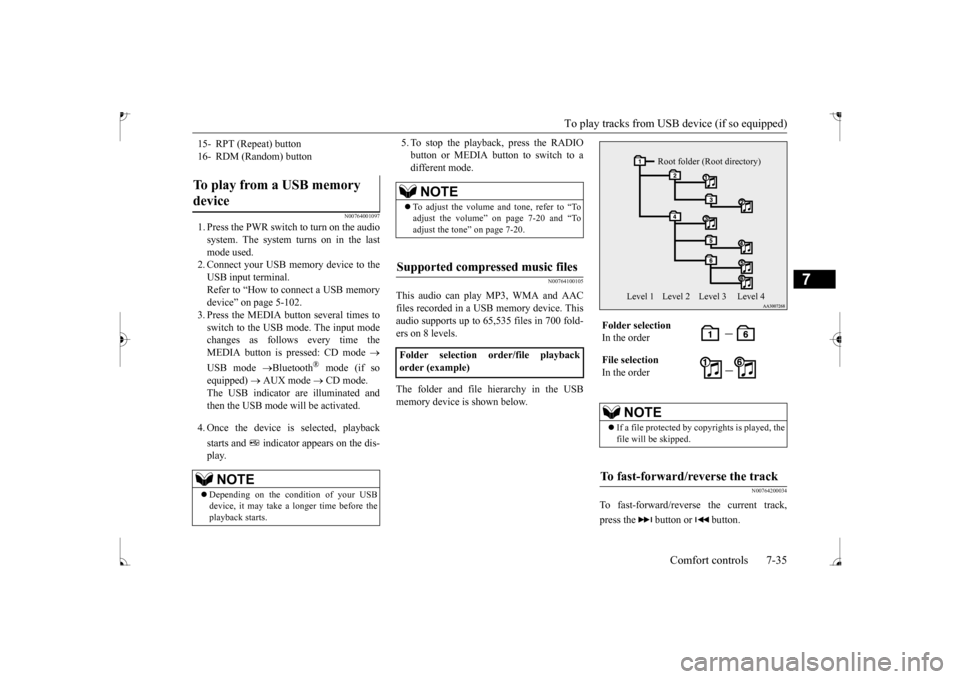
files recorded in a USB memory device. Thisaudio supports up to 65,535 files in 700 fold- ers on 8 levels. The folder and file hierarchy in the USB memory device is shown below.
N00764200034
To fast-forward/revers
e the current track,
press the button or button.
15- RPT (Repeat) button 16- RDM (Random) buttonTo play from a USB memory device
NOTE
Depending on the condition of your USB device, it may take a longer time before the playback starts.
NOTE
To adjust the volume and tone, refer to “To adjust the volume” on page 7-20 and “To adjust the tone” on page 7-20.
Supported compressed music files
Folder selection order/file playback order (example)
Folder selection In the order File selection In the order
NOTE
If a file protected by c
opyrights is played, the
file will be skipped.
To fast-forward/reverse the track
Root folder (Root directory)
Level 1 Level 2 Level 3 Level 4
BK0235100US.book 35 ページ 2015年11月20日 金曜日 午後3時12分
Page 223 of 305
To play tracks from USB device (if so equipped)
7
To fast-forward the current track, press the
button. While the button is kept pressed,
the track will be fast-forwarded. To fast-reverse the current track, press the button. While the button
is kept pressed, the
track will be fast-reversed.
N00764300035
Press the button repeatedly until the desired file number appears on the display. Press the button repeatedly until the desired file number appears on the display.
N00703101022
Operate the SEL switch to select desired file. When this mode is activated by pressing the SEL switch, the SEL indicator will be appearon the display.
N00764500024
Press the RPT button to show “RPT” in the display. To cancel this mode, press the button again.
N00764600038
Press and hold the RPT button until you hear a beep to show “F-RPT” in the display. All tracks in the current folder are played repeatedly. To exit this mode, press the button again.
N00764700039
Press the RDM button to show “F-RDM” inthe display.The audio randomly selects tracks from the current folder and plays the selected tracks. To exit this mode, press the button again.
N00764800030
Press and hold the RDM button until you hear a beep to show “RDM” in the display. The audio randomly sele
cts tracks from all
folders and plays the selected tracks.
Fast-forward Fast-reverseTo select a file
Track up Track down
NOTE
Pressing the button once during the song will cause the audio system to restart play- back from the beginning of the file.
To find a file
Press the SEL switch :To start this mode or
to select the folder or file.
Turn the SEL switch :To show the folder or
file.
NOTE
To cancel the selecti
on, press the button
to return to th
e previous step.
If no operation is performed for 10 seconds or more or other button is operated after the SEL switch has been turned, searching of the desired file is canceled. If no operation is perf
ormed for 5 seconds or
more after the file is displayed, playback starts. When the SEL indicator is not appear on the display and the SEL swit
ch is operated, the
volume adjustment is activated.
To play the same file repeatedly
To play the files in the same folder repeatedly
To play a folder in random order
To play all folders in random order
BK0235100US.book 36 ページ 2015年11月20日 金曜日 午後3時12分
Page 224 of 305
To play tracks from a Bluetooth® device (vehicles with Bluetooth® 2.0 interface)
Comfort controls 7-37
7
To exit this mode, press the button again.
N00765101053
You can displays titles with tag information. The display changes as follows every time the INFO button is pressed during playback:Folder name
File name
Normal display.
1. Press and hold the INFO button until you hear a beep.2. The display changes as follows every time the INFO button is pressed briefly: Album TAG
Track TAG
Artist TAG
Genre TAG (vehicles with Bluetooth
® 2.0
interface)
Normal display.
N00765200073
Desired tracks can be
selected and played
from your USB memory device by “Artist”, “Album”, “Playlist”
and “Genre” using voice
commands.For information concerning the voice recog- nition function or spea
ker registration func-
tion, refer to “Bluetooth
® 2.0 interface” on
page 5-81. The playback sequence of tracks is the same as when an iPod is connected. Refer to the “To play iPod tracks via voice operation” onpage 7-31. To use the voice operation, press the SPEECH button (A) first.
N00765300104
You can wirelessly connect a digital audioplayer or cellular phone supporting Blue- tooth
® to listen to the tracks on the connected
device. Refer to “Bluetooth
® 2.0 interface” for the
connecting method, et
c. on page 5-81.
The following explains the basic playback method.
To switch the display
Folder title Tag information
NOTE
Press and hold the INFO button again until you hear a beep, and the tag information dis-play returns to the folder title display. Up to 11 characters are shown in the display at once. If the title is cut off in the middle, press the PAGE button. The next characters are displayed every
time this button is
pressed.
If no title is stored, “NO TITLE” is shown in the display. Characters that cannot
be displayed are sub-
stituted by “•”.
To play USB memory device tracks via voice operation (vehi- cles with Bluetooth
® 2.0 inter-
face)
Preparation for voice operation
NOTE
To play tracks from a Blue- tooth
® device (vehicles with
Bluetooth
® 2.0 interface)
BK0235100US.book 37 ページ 2015年11月20日 金曜日 午後3時12分
Page 229 of 305
Handling of compact discs 7-42 Comfort controls
7
N00734100340
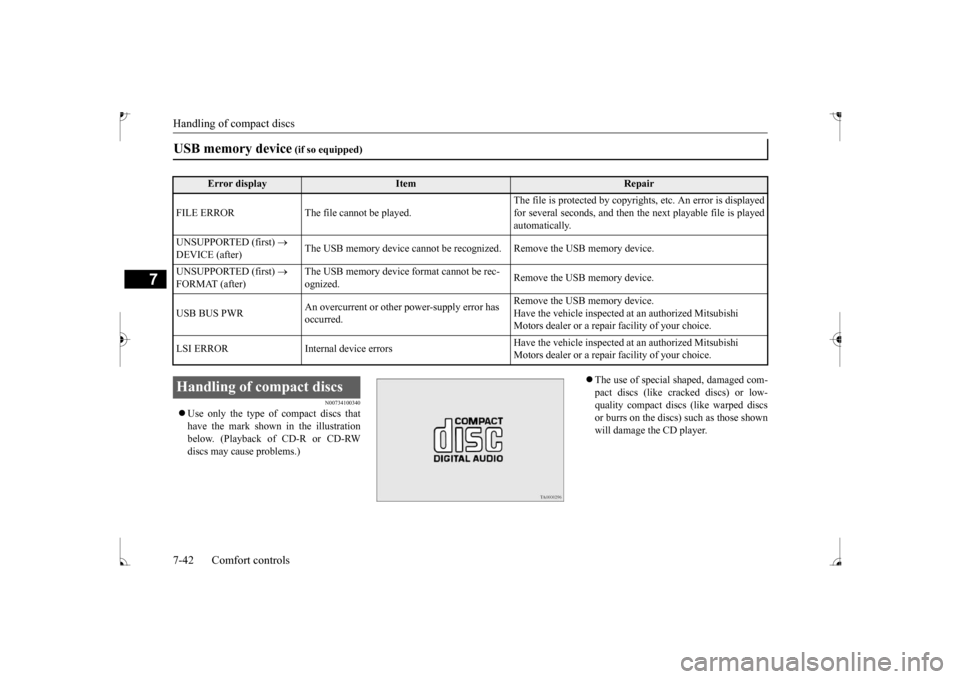
Use only the type of compact discs that have the mark shown in the illustrationbelow. (Playback of CD-R or CD-RW discs may cause problems.)
The use of special shaped, damaged com- pact discs (like crac
ked discs) or low-
quality compact discs (like warped discs or burrs on the discs) such as those shownwill damage the CD player.
USB memory device
(if so equipped)
Error display
Item
Repair
FILE ERROR The file cannot be played.
The file is protected by copyright
s, etc. An error is displayed
for several seconds, and then the next playable file is playedautomatically.
UNSUPPORTED (first)
DEVICE (after)
The USB memory device cannot be recogn
ized. Remove the USB memory device.
UNSUPPORTED (first)
FORMAT (after)
The USB memory device
format cannot be rec-
ognized.
Remove the USB memory device.
USB BUS PWR
An overcurrent or other power-supply error has occurred.
Remove the USB memory device. Have the vehicle inspected at an authorized Mitsubishi Motors dealer or a repair
facility of your choice.
LSI ERROR Internal
device errors
Have the vehicle inspected at an authorized Mitsubishi Motors dealer or a repair
facility of your choice.
Handling of compact discs BK0235100US.book 42 ページ 2015年11月20日 金曜日 午後3時12分