lights MITSUBISHI MIRAGE 2017 6.G User Guide
[x] Cancel search | Manufacturer: MITSUBISHI, Model Year: 2017, Model line: MIRAGE, Model: MITSUBISHI MIRAGE 2017 6.GPages: 307, PDF Size: 9.02 MB
Page 73 of 307

Free-hand Advanced
Security Transmitter (F.A.S
.T.-key) (if so equipped)
5
While carrying the F.A.S.T.-key within the operating range, you can unlock the doors by using the F.A.S.T.-key.The dome light will turn on for 30 seconds. The turn signal lights will blink twice and the buzzer will
sound twice.
Also refer to “Door locks”, “Power door locks” on pages 5-24 and 5-25 respectively. Press the driver’s door switch (A) to unlock only the driver’s door.Within about 2 seconds, press the driver’s door switch one more time to unlock all the doors.
N00590900027
Press the trunk lid switch (B) to open thetrunk lid.
NOTE
In cases such as the following, the F.A.S.T.- key does not operate. • There is a F.A.S.T.-key in the passenger compartment • A door is open or ajar • The operation mode
is not in OFF.
The time within which locking confirmation is possible can be adjusted. See an autho- rized Mitsubishi Motors
dealer for details.
Driver’s doorTrunk lid switch
To u n l o c k
Driver’s switch
NOTE
Settings can be changed so that all the doors are unlocked automati
cally by pressing the
driver’s door switch once.See an authorized Mi
tsubishi Motors dealer
for details.
To open the trunk lid
NOTE
If the doors are unlocked using the driver’s door switch when all
doors are locked and no
doors are opened within about 30 seconds,the doors will automatically re-lock.Trunk lid switch
BK0236100US.book 12 ページ 2016年2月1日 月曜日 午前10時15分
Page 74 of 307

Free-hand Advanced Securi
ty Transmitter (F.A.S.T.-key) (if so equipped)
Features and controls 5-13
5
N00513500088
To prevent vehicle theft, no F.A.S.T.-keys other than those regist
ered in advance can be
used to start the engi
ne. (Electronic immobi-
lizer function)
While carrying the F.A.S.T.-key, the engine switch can be used
to start the engine.
The indicator light on the engine switch turns off.On vehicles equipped w
ith continuously vari-
able transmission (CVT), the operation mode cannot be put in OFF when the selector leveris in any position other than the “P” (PARK) position. Allows operation of some
electrical accesso-
ries.The indicator light on th
e engine switch illu-
minates orange. All electrical accessories can be used.
The amount of time after unlocking until the vehicle relocks automatically can beadjusted. See an authorized MitsubishiMotors dealer for details. In cases such as the following, the F.A.S.T.- key does not operate. • A door is open or ajar• The operation mode is not in OFF. Functions settings can
be modified as stated
below. See an authorized Mitsubishi Motors dealerfor details. • Activating the operation confirmation func- tion (blinking of the turn signal lights) only during locking, or only during unlocking. • Deactivating the operation confirmation function (blinking of the turn signal lights) and buzzer. • Modifying the number of blinks in the operation confirmati
on function (blinking
of the turn signal lights). • Making the buzzer sound when the F.A.S.T.-key is removed from the passenger compartment when all
the doors are closed.
Engine switch
NOTE
CAUTIONThe indicator light (A) will flash orange when there is a problem or malfunction in Free-hand Advanced Se
curity Transmitter.
Never drive if the i
ndicator light on the
engine switch is fl
ashing orange. Immedi-
ately contact your authorized MitsubishiMotors dealer. If the engine switch
operation is not smooth
and feels like it is stic
king, do not operate the
switch. Immediately contac
t an authorized
Mitsubishi Motors dealer.
NOTE
When operating the engi
ne switch, press the
switch all the way in. If the switch is notfully pressed, the engine may not start or theoperation mode may
not change. If the
engine switch is presse
d correctly, there is no
need to hold the e
ngine switch down.
Operation mode of the engine switch and its function
OFF ACC ON
BK0236100US.book 13 ページ 2016年2月1日 月曜日 午前10時15分
Page 78 of 307
Free-hand Advanced Securi
ty Transmitter (F.A.S.T.-key) (if so equipped)
Features and controls 5-17
5
1. Make sure all occupants are properly seated with seat belts fastened.2. Make sure the parking brake is applied. 3. Press and hold the brake pedal down firmly with your right foot. 4. Press and hold the clut
ch pedal all the way
down (manual transaxle). 5. On vehicles equipped with manual trans- axle, place the gearshift lever in the “N”On vehicles equippe
d with continuously
variable transmission (CVT), make sure the selector lever is in the “P” (PARK)position.
6. Press the engine switch. 7. Confirm that all warning lights and warn-ing displays are functioning properly.
After several attempts
, you may experience
that the engine still does not start. 1. Make sure that all electric devices, such as lights, air conditi
oning blower and rear
window defogger, are turned off.
2. While depressing the brake pedal {contin- uously variable transmission (CVT)} orthe clutch pedal (manual transaxle), press the accelerator peda
l halfway and hold it
there, then crank the engine. Release theaccelerator pedal, immediately after the engine starts. 3. If the engine still wi
ll not start, the engine
could be flooded with too much gasoline. While depressing the brake pedal (CVT) or the clutch pedal (manual transaxle), push the accelerator pedal all the way down and hold it there, then press theengine switch to crank the engine. If the engine does not start after 5 to 6 seconds, push the engine switch to stop crankingthe engine, and release the accelerator pedal. Put the operation mode in OFF. Wait a few seconds, and then press theengine switch to cr
ank the engine again
while depressing the brake pedal (CVT) or the clutch pedal (manual transaxle), butdo not push the accelerator pedal. If the engine fails to start, repeat these proce- dures. If the engine sti
ll will not start, con-
tact your local Mitsubishi Motors dealer or a repair facility of your choice for assistance.
Startability of conti
nuously variable trans-
mission (CVT) vehicles with an ambient temperature of -4 °F (-20 °C) or lower
NOTE
After the engine has not started for a while, the brake pedal effort needed to start the engine may become grea
ter. If this occurs,
depress the brake pedal more firmly than usual.NOTE
For vehicles equipped with a manual trans- axle, the engine will not start unless the clutch pedal is fully depressed (Clutch inter- lock). This is a safety feature.
NOTE
On vehicles equippe
d with continuously
variable transmission (C
VT), the engine can
only be started when th
e selector lever is in
the
Page 82 of 307
Free-hand Advanced Securi
ty Transmitter (F.A.S.T.-key) (if so equipped)
Features and controls 5-21
5
When registration of ID code is complete, the buzzer will s
ound 3 times and the
immobilizer indicator will come on for 30seconds. If an error occurs, F.A.S.T.-key program- ming will be terminated and the buzzerwill sound for 3 seconds. 8. If you wish to register another F.A.S.T.- key, repeat the proc
ess from step 1 after
the operation mode is put in OFF.
N00515501278
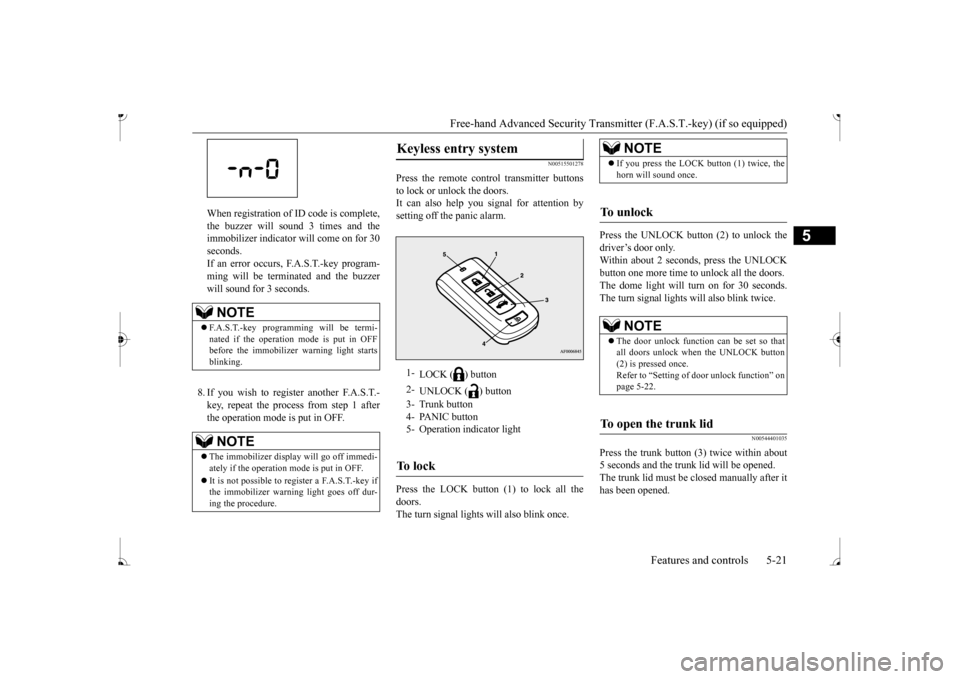
Press the remote control transmitter buttons to lock or unlock the doors. It can also help you signal for attention bysetting off the panic alarm. Press the LOCK button (1) to lock all the doors. The turn signal lights will also blink once.
Press the UNLOCK button (2) to unlock the driver’s door only. Within about 2 seconds, press the UNLOCKbutton one more time to
unlock all the doors.
The dome light will turn on for 30 seconds. The turn signal lights will also blink twice.
N00544401035
Press the trunk button (3) twice within about5 seconds and the trunk
lid will be opened.
The trunk lid must be closed manually after it has been opened.
NOTE
F.A.S.T.-key programming will be termi- nated if the operation mode is put in OFF before the immobilizer warning light startsblinking.NOTE
The immobilizer displa
y will go off immedi-
ately if the operation mode is put in OFF. It is not possible to re
gister a F.A.S.T.-key if
the immobilizer warni
ng light goes off dur-
ing the procedure.
Keyless entry system
1-
LOCK ( ) button
2-
UNLOCK ( ) button
3- Trunk button 4- PANIC button5- Operation indicator lightTo l o c k
NOTE
If you press the LOCK button (1) twice, the horn will sound once.
To u n l o c k
NOTE
The door unlock function can be set so that all doors unlock when the UNLOCK button (2) is pressed once.Refer to “Setting of
door unlock function” on
page 5-22.
To open the trunk lid
BK0236100US.book 21 ページ 2016年2月1日 月曜日 午前10時15分
Page 83 of 307
Free-hand Advanced
Security Transmitter (F.A.S
.T.-key) (if so equipped)
5
N00544501094
The horn of the keyless entry system answer- back function can be changed as required. The answerback function can be set in the following three ways. 1. Put the operation mode in OFF. 2. Open the driver’s door and turn the com-bination headlights and dimmer switch to the “OFF” position. 3. Press the LOCK button (1) for 4 to 10 sec-onds and press the UNLOCK button (2) during this time. 4. Release in sequence the UNLOCK andLOCK buttons within 10 seconds of pressing the UNLOCK button in step 3.
The turn signal lights answerback function can be changes. If you want to change the answerback func- tion, please contact an
authorized Mitsubishi
Motors dealer. The buzzer answerback function can be turned ON or OFF as required.
N00544601138
The door unlock function can be set to thefollowing two conditions.Each time the door unloc
k function is set, a
chime will sound to tell you the condition of the door unlock function. 1. Put the operation mode in OFF. 2. Open the driver’s door and turn the com- bination headlights and dimmer switch tothe “OFF” position.
3. Press the LOCK button (1) for 4 to 10 sec- onds and press the UNLOCK button (2)during this time. 4. Release in sequence the LOCK and UNLOCK buttons within 10 seconds ofpressing the LOCK button in step 3.
N00544701100
If you are near your vehicle and feel threat- ened, you can acti-vate the alarm to call atten- tion as follows: 1. Press the PANIC button (3) for more than 1 second. 2. The headlights will blink on and off and the horn will sound intermittently forabout 3 minutes. 3. To turn off the alarm, press any button on the remote control transmitter.
Answerback function
Horn deactivation/reactivation One chime: The horn will not sound. Two chimes: The horn will sound. Four chimes: The hor
n will sound if the
LOCK button is pressed twice within 1 second.
Turn signal light deactivation/reactiva- tion Buzzer deactivation/reactivationSetting of door unlock function
Number of chimes
Condition
One chime All doors unlock Two chimes Driver’s door unlock only
Using the panic alarm
NOTE
The indicator light (4) comes on each time a button is pressed. The F.A.S.T.-key can be used from about 40 feet (12 m) away. However, this distance may change if your vehicle is near a TVtransmitting tower, a power station, or a radio station.
BK0236100US.book 22 ページ 2016年2月1日 月曜日 午前10時15分
Page 96 of 307
Inside rearview mirror
Features and controls 5-35
5
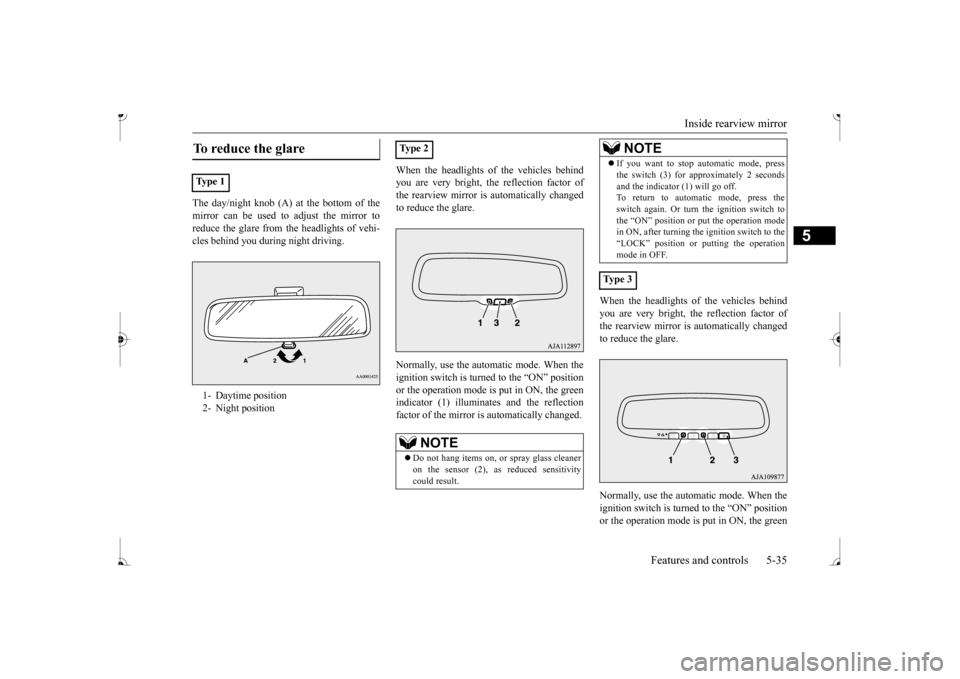
The day/night knob (A) at
the bottom of the
mirror can be used to adjust the mirror to reduce the glare from the headlights of vehi- cles behind you during night driving.
When the headlights of the vehicles behind you are very bright, the reflection factor ofthe rearview mirror is automatically changed to reduce the glare. Normally, use the automatic mode. When the ignition switch is turned to the “ON” position or the operation mode is put in ON, the greenindicator (1) illuminates and the reflection factor of the mirror is automatically changed.
When the headlights of the vehicles behind you are very bright, th
e reflection factor of
the rearview mirror is automatically changed to reduce the glare. Normally, use the automatic mode. When the ignition switch is turned to the “ON” position or the operation mode is put in ON, the green
To reduce the glare Ty p e 1 1- Daytime position 2- Night position
Ty p e 2
NOTE
Do not hang items on, or spray glass cleaner on the sensor (2), as reduced sensitivitycould result.
If you want to stop automatic mode, press the switch (3) for approximately 2 secondsand the indicator (1) will go off.To return to automatic mode, press the switch again. Or turn the ignition switch to the “ON” position or put the operation modein ON, after turning the ignition switch to the “LOCK” position or
putting the operation
mode in OFF.
Ty p e 3
NOTE
BK0236100US.book 35 ページ 2016年2月1日 月曜日 午前10時15分
Page 100 of 307
Starting the engine
Features and controls 5-39
5
There is usually no need to depress the accel- erator pedal when starting the engine.The starter should not be run for more than 15 seconds at a time. To prevent battery drai
n, wait a few seconds
between attempts to restart the engine. 1. Make sure all occupants are properly seated with seat belts fastened. 2. Insert the ignition key.3. Make sure the parking brake is applied. 4. Press and hold the
brake pedal down with
your right foot. 5. Press and hold the clut
ch pedal all the way
down (manual transaxle). 6. On vehicles equipped with manual trans- axle, place the gearshift lever in the “N” On vehicles equippe
d with continuously
variable transmission (CVT), make surethe selector lever is in the “P” (PARK) position.
7. Turn the ignition switch to the “ON” posi- tion and make certain that all warning lights are functioning properly beforestarting the engine. 8. Turn the ignition switch to the “START”
ssing the accelerator
pedal. Release the key when the engine starts.
After several attempts
, you may experience
that the engine still does not start. 1. Make sure that all electric devices, such as lights, air conditi
oning blower and rear
window defogger, are turned off.
2. While depressing the brake pedal {contin- uously variable transmission (CVT)} orthe clutch pedal (manual transaxle), press the accelerator peda
l halfway and hold it
there, then crank the engine. Release theaccelerator pedal, immediately after the engine starts. 3. If the engine still wi
ll not start, the engine
could be flooded with too much gasoline. While depressing the brake pedal (CVT) or the clutch pedal (manual transaxle), push the accelerator pedal all the way down and hold it there, then crank theengine for 5 to 6 seconds. Return the igni- tion switch to the “OFF” position and release the accelerator pedal. Wait a fewseconds, and then crank the engine again for 5 to 6 seconds while depressing the brake pedal (CVT) or the clutch pedal(manual transaxle), but do not push the accelerator pedal. Release the ignition key if the engine starts.
If the engine fails to
start, repeat these procedures. If the engine still will not
start, contact your
local Mitsubishi Motors dealer or a repairfacility of your choi
ce for assistance.
NOTE
On vehicles equipped
with manual transaxle,
the starter will not ope
rate unless the clutch
pedal is fully depresse
d (Clutch interlock).
NOTE
On vehicles equipped
with CVT, the starter
will not operate unless the selector lever is inthe
Page 107 of 307
Service brake 5-46 Features and controls
5
To gain extra acceleration in “D” (DRIVE) position (when passing an
other vehicle) push
the accelerator to the floor. The CVT will automatically downshift.
For short waiting periods, such as at traffic lights, the vehicle can be
left in selector lever
position and held stationary with the servicebrake. For longer waiting periods with the engine running, place th
e selector lever in the “N”
brake, while holding the vehicle stationary with the service brake. Prior to moving off after having stopped the vehicle, make sure that the selector lever is in“D” (DRIVE) position. To park the vehicle, fi
rst bring it to a com-
plete stop, fully engage the parking brake,
and then move the selector lever to the “P” (PARK) position. If the CVT does not shift while driving, or your vehicle does not pick up enough speed when starting on an uphill slope, it may bethat there is something unusual happening in the transmission. Have your vehicle checked at an authorized Mitsubishi Motors dealer or a repair facility of your choice as soon as pos- sible.
N00517501328
Overuse of the brake can cause weakening,resulting in poor brake response and prema-ture wear of the brake pads. When driving down a long or steep hill, use engine braking by moving
the selector lever
to “Ds” (DOWNSHIFT & SPORTY DRIV- ING) or “L” (LOW) position.
Use the selector lever in the correct shift position in accordance
with driving condi-
tions.Never coast downhill backward in the driv- ing shift position “D” (DRIVE), “Ds” Engine stopping and in
creased brake pedal
and steering effort could
lead to an accident.
Do not rev the engine
with the brake pedal
pressed when the vehi
cle is stationary.
This can damage the CVT. Also, when you depress
the accelera
tor pedal
while holding down the brake pedal with the selector lever in the
Page 112 of 307
Electric power steering system (EPS)
Features and controls 5-51
5
The anti-lock braking system and brake force distribution function ma
y not work, so hard
braking could make the vehicle unstable. Avoid hard braking and high-speed driving.Stop the vehicle in a safe place and contact an authorized MITSUBISHI MOTORS dealer or repair facility
of your choice.
N00529200080
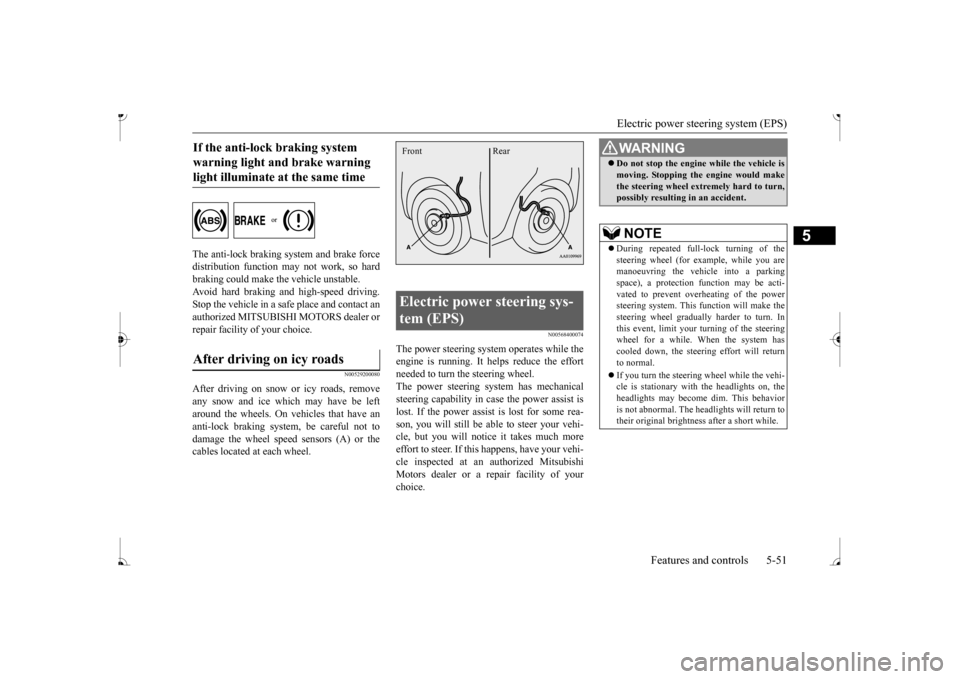
After driving on snow or icy roads, remove any snow and ice which may have be leftaround the wheels. On vehicles that have an anti-lock braking syst
em, be careful not to
damage the wheel spee
d sensors (A) or the
cables located at each wheel.
N00568400074
The power steering system operates while theengine is running. It helps reduce the effort needed to turn the steering wheel. The power steering sy
stem has mechanical
steering capability in case the power assist is lost. If the power assist is lost for some rea- son, you will still be able to steer your vehi-cle, but you will notice it takes much more effort to steer. If this happens, have your vehi- cle inspected at an authorized MitsubishiMotors dealer or a repair facility of your choice.
If the anti-lock braking system warning light and brake warning light illuminate at the same time After driving on icy roads
Electric power steering sys- tem (EPS) Front Rear
WA R N I N G Do not stop the engine while the vehicle is moving. Stopping the engine would makethe steering wheel extremely hard to turn,possibly resulting
in an accident.
NOTE
During repeated full-lock turning of the steering wheel (for example, while you are manoeuvring the vehicle into a parkingspace), a protection f
unction may be acti-
vated to prevent overheating of the power steering system. This f
unction will make the
steering wheel graduall
y harder to turn. In
this event, limit your turning of the steering wheel for a while. When the system hascooled down, the steering effort will return to normal. If you turn the steering wheel while the vehi- cle is stationary with the headlights on, the headlights may become
dim. This behavior
is not abnormal. The he
adlights will return to
their original brightness after a short while.
BK0236100US.book 51 ページ 2016年2月1日 月曜日 午前10時15分
Page 125 of 307
Instrument cluster 5-64 Features and controls
5
N00591000025
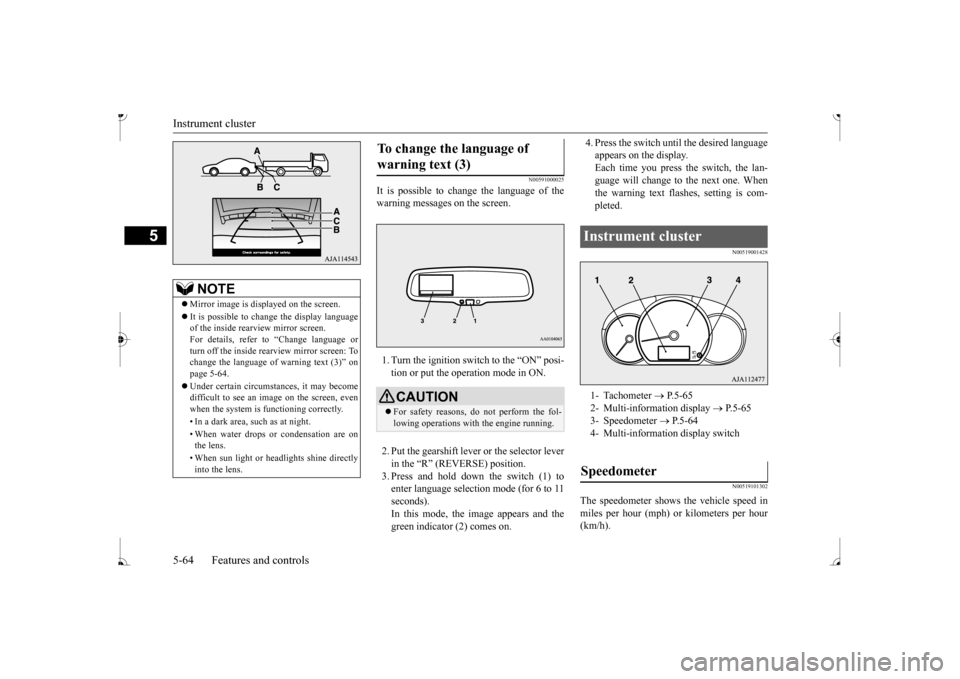
It is possible to cha
nge the language of the
warning messages on the screen. 1. Turn the ignition switch to the “ON” posi- tion or put the operation mode in ON. 2. Put the gearshift lever or the selector lever in the “R” (REVERSE) position. 3. Press and hold down the switch (1) toenter language selection mode (for 6 to 11 seconds). In this mode, the image appears and thegreen indicator (2) comes on.
4. Press the switch unt
il the desired language
appears on the display.Each time you press
the switch, the lan-
guage will change to the next one. When the warning text flas
hes, setting is com-
pleted.
N00519001428 N00519101302
The speedometer shows
the vehicle speed in
miles per hour (mph) or kilometers per hour(km/h).
NOTE
Mirror image is displayed on the screen. It is possible to change the display language of the inside rearview mirror screen. For details, refer to
“Change language or
turn off the inside rearview mirror screen: To change the language of
warning text (3)” on
page 5-64. Under certain circumst
ances, it may become
difficult to see an image on the screen, evenwhen the system is functioning correctly. • In a dark area, such as at night. • When water drops or condensation are on the lens. • When sun light or he
adlights shine directly
into the lens.
To change the language of warning text (3)
CAUTION For safety reasons, do not perform the fol- lowing operations with the engine running.
Instrument cluster 1- Tachometer
P.5-65
2- Multi-information display
P. 5 - 6 5
3- Speedometer
P.5-64
4- Multi-informati
on display switch
Speedometer
BK0236100US.book 64 ページ 2016年2月1日 月曜日 午前10時15分