change time MITSUBISHI MIRAGE 2017 6.G Owner's Manual
[x] Cancel search | Manufacturer: MITSUBISHI, Model Year: 2017, Model line: MIRAGE, Model: MITSUBISHI MIRAGE 2017 6.GPages: 307, PDF Size: 9.02 MB
Page 174 of 307
HomeLink® Wireless Control System (if so equipped)
Features and controls 5-113
5
N00584800021
Canadian radio-frequency laws require trans- mitter signals to “time-out” (or quit) afterseveral seconds of tr
ansmission - which may
not be long enough for HomeLink
® to pick
up the signal during pr
ogramming. Similar to
this Canadian law, some
U.S. gate operators
are designed to “time-out” in the same man-ner. The indicator LED on the hand-held transmit- ter will go off when the device times out indi-cating that it has finished transmitting. If you live in Canada or you are having diffi- culties programming a gate operator orgarage door opener by using the “Program- ming” procedures, replace “Programming a new HomeLink
®” step 3 with the following:
3. Press and release - every 2 seconds (“cycle”) your hand-held
transmitter until the
HomeLink
® indicator light changes from
slowly flashing orange to
either rapidly flash-
ing green (rolling code) or continuously litgreen (fixed code). Now you may release the hand-held transmitter button. Proceed with “Programming a new Home- Link
®” step 4 to complete.
N00584900022
The HomeLink
® has the capability of receiv-
ing garage door status from compatiblegarage door opener systems. Check your garage door opener manual for the available feature and HomeLink
® compatibility. Also
for a listing of compatible systems contact HomeLink
® at: www.homelink.com
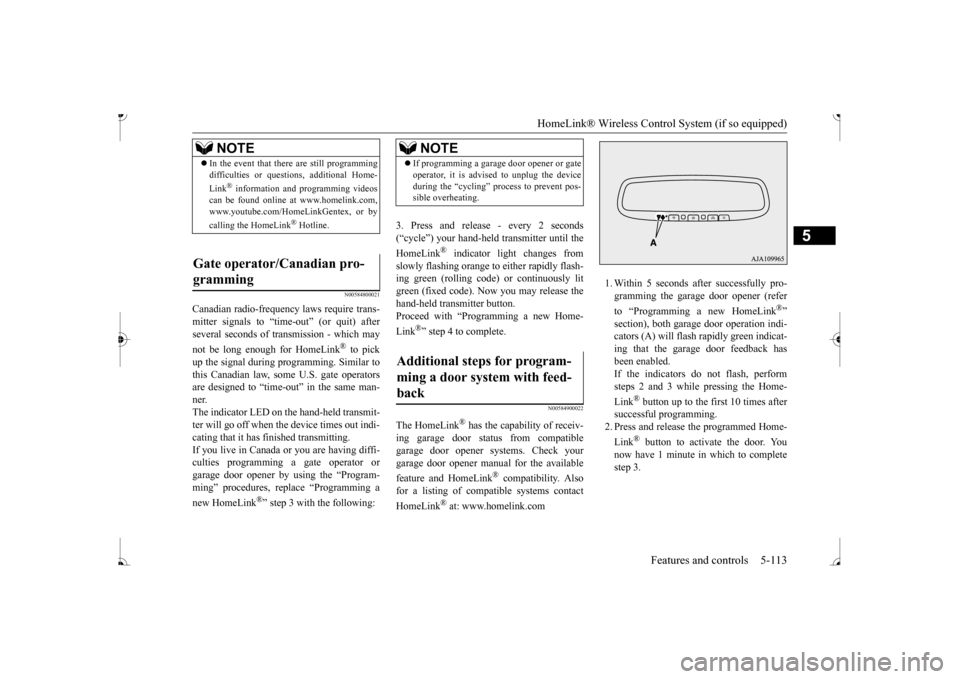
1. Within 5 seconds after successfully pro- gramming the garage
door opener (refer
to “Programming a new HomeLink
®”
section), both garage door operation indi- cators (A) will flash
rapidly green indicat-
ing that the garage
door feedback has
been enabled. If the indicators do not flash, performsteps 2 and 3 while pressing the Home- Link
® button up to the first 10 times after
successful programming.2. Press and release
the programmed Home-
Link
® button to activate the door. You
now have 1 minute in which to completestep 3.
NOTE
In the event that there are still programming difficulties or quest
ions, additional Home-
Link
® information and programming videos
can be found online at www.homelink.com,www.youtube.com/HomeLinkGentex, or by calling the HomeLink
® Hotline.
Gate operator/Canadian pro- gramming
NOTE
If programming a garage
door opener or gate
operator, it is advised to unplug the deviceduring the “cycling” process to prevent pos-sible overheating.
Additional steps for program- ming a door system with feed- back
BK0236100US.book 113 ページ 2016年2月1日 月曜日 午前10時15分
Page 176 of 307
Interior lights
Features and controls 5-115
5
1. Press and hold the 2 outer HomeLink
®
buttons for at least
10 seconds. The indi-
cator will change from continuous yellow to rapidly flashing green. 2. Release both buttons. 3. HomeLink
® is now in the train (or learn-
ing) mode and can be programmed at anytime beginning with
“Programming a new
HomeLink
®” step 1.
N00585400024
To reprogram a HomeLink
® button, complete
the following. 1. Press and hold the desired HomeLink
®
button. Do not release the button. 2. The indicator light
will begin to slowly
flash orange after 20 seconds. The Home- Link
® button can be released at this point.
Proceed with “Programming a new HomeLink
®” step 2.
N00585600026
Your HomeLink
® system operates on a radio
frequency subject to
Federal Communica-
tions Commission (FCC)
Rules (For vehicles
sold in U.S.A.) and Industry Canada Rules (For vehicles sold in
Canada). This device
complies with Part 15 of the FCC Rules and RSS- 210 of the Industry Canada Rules. Operation is subject to
the following two con-
ditions. This device may not
cause harmful inter-
ference. This device must ac
cept any interference
that may be received, including interfer- ence that may caus
e undesired operation.
This equipment complies with FCC radiation exposure limits set fo
rth for an uncontrolled
environment. End Users must follow the spe- cific operating instruct
ions for satisfying RF
exposure compliance. This transmitter must be at least 12 inches (20 cm) from the user and must not be co-loc
ated or operating in
conjunction with any other antenna or trans- mitter. The term “IC:” before
the certification/regis-
tration number only si
gnifies that Industry
Canada technical specifications were met.
N00525301644
NOTE
Do not hold for longer than 20 seconds.
Reprogramming a single HomeLink
® button
NOTE
If you do not complete the programming of a new device to the button, it will revert to thepreviously stored programming.For questions or comments, visit www.homelink.com, www.youtube.com/HomeLinkGentex, or by calling the HomeLink
® Hotline.
General information
CAUTION The transmitter has been tested and complies with FCC and IC rules.Changes or modifica
tions not expressly
approved by the party responsible for com- pliance could void the user’s authority to operate the device.
Interior lights
NOTE
Be aware that leaving the light illuminated with the engine off may run the batterydown. Never leave the vehi
cle without checking
that the light is off.
BK0236100US.book 115 ページ 2016年2月1日 月曜日 午前10時15分
Page 198 of 307
Heater without air conditioning function (if so equipped)
Comfort controls 7-5
7
N00738001067
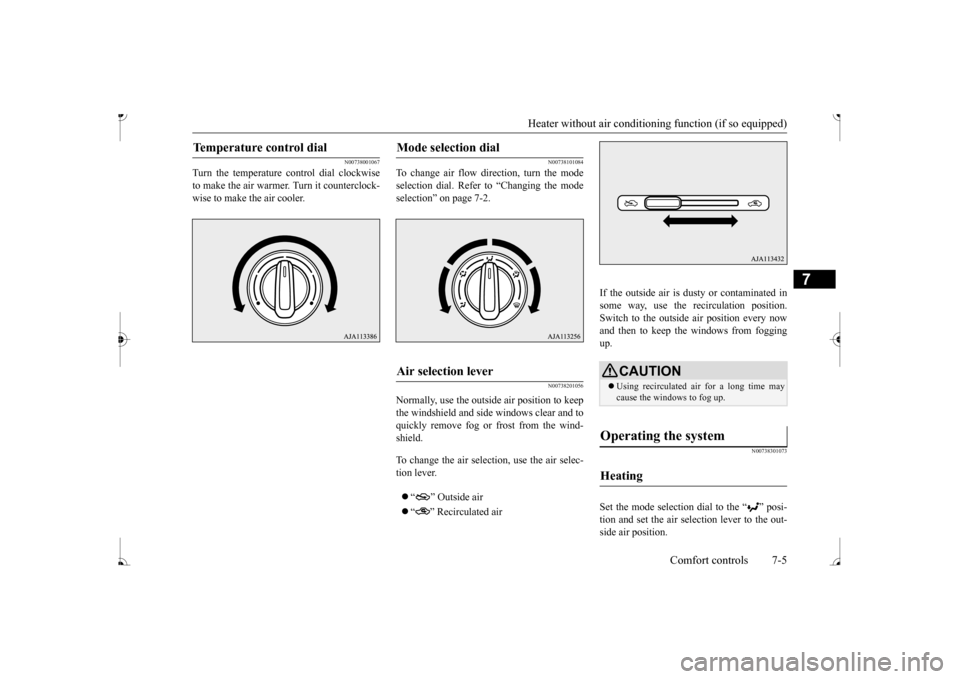
Turn the temperature c
ontrol dial clockwise
to make the air warmer
. Turn it counterclock-
wise to make the air cooler.
N00738101084
To change air flow di
rection, turn the mode
selection dial. Refer
to “Changing the mode
selection” on page 7-2.
N00738201056
Normally, use the outside air position to keepthe windshield and side
windows clear and to
quickly remove fog or frost from the wind- shield. To change the air selection, use the air selec- tion lever. “ ” Outside air “ ” Recirculated air
If the outside air is dusty or contaminated in some way, use the recirculation position. Switch to the outside
air position every now
and then to keep the windows from fogging up.
N00738301073
Set the mode selection
dial to the “ ” posi-
tion and set the air selection lever to the out- side air position.
Temperature control dial
Mode selection dial
Air selection lever
CAUTION Using recirculated ai
r for a long time may
cause the windows to fog up.
Operating the system
Heating
BK0236100US.book 5 ページ 2016年2月1日 月曜日 午前10時15分
Page 202 of 307
Manual air conditioning (if so equipped)
Comfort controls 7-9
7
N00731001488
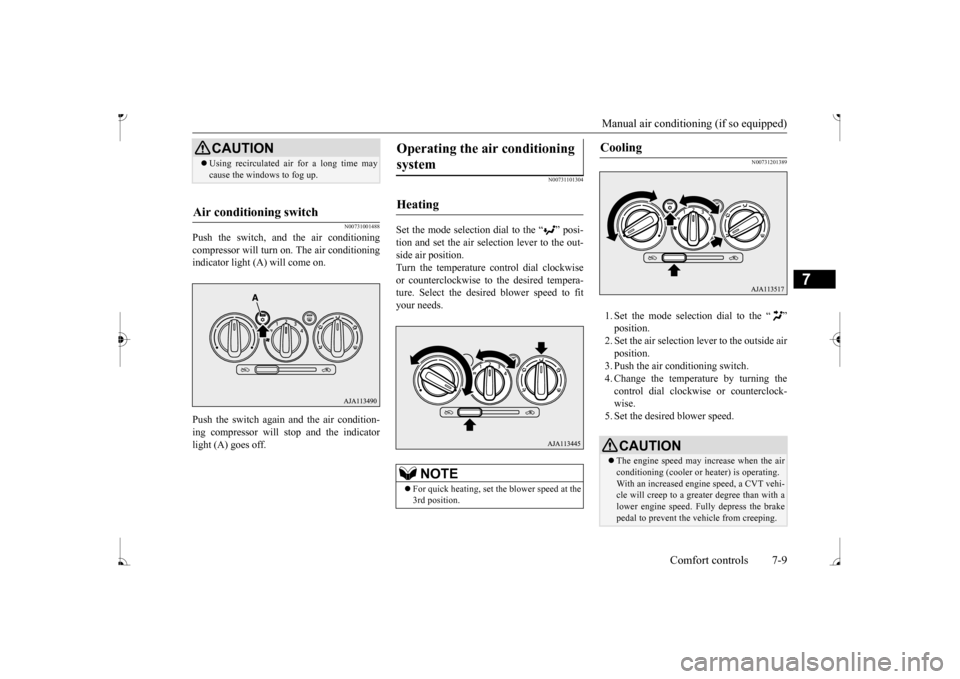
Push the switch, and the air conditioning compressor will turn on. The air conditioningindicator light (A) will come on. Push the switch again and the air condition- ing compressor will stop and the indicator light (A) goes off.
N00731101304
Set the mode selection dial to the “ ” posi- tion and set the air sele
ction lever to the out-
side air position. Turn the temperature control dial clockwise or counterclockwise to
the desired tempera-
ture. Select the desire
d blower speed to fit
your needs.
N00731201389
1. Set the mode selection dial to the “ ” 2. Set the air selection le
ver to the outside air
position.3. Push the air conditioning switch. 4. Change the temperature by turning the control dial clockwise or counterclock-wise. 5. Set the desired blower speed.
CAUTION Using recirculated ai
r for a long time may
cause the windows to fog up.
Air conditioning switch
Operating the ai
r conditioning
system
Heating
NOTE
For quick heating, set th
e blower speed at the
3rd position.
Cooling
CAUTION The engine speed may increase when the air conditioning (cooler or
heater) is operating.
With an increased engi
ne speed, a CVT vehi-
cle will creep to a greater degree than with a lower engine speed. Fully depress the brakepedal to prevent the vehicle from creeping.
BK0236100US.book 9 ページ 2016年2月1日 月曜日 午前10時15分
Page 206 of 307
Automatic air conditioning (if so equipped)
Comfort controls 7-13
7
N00736900179
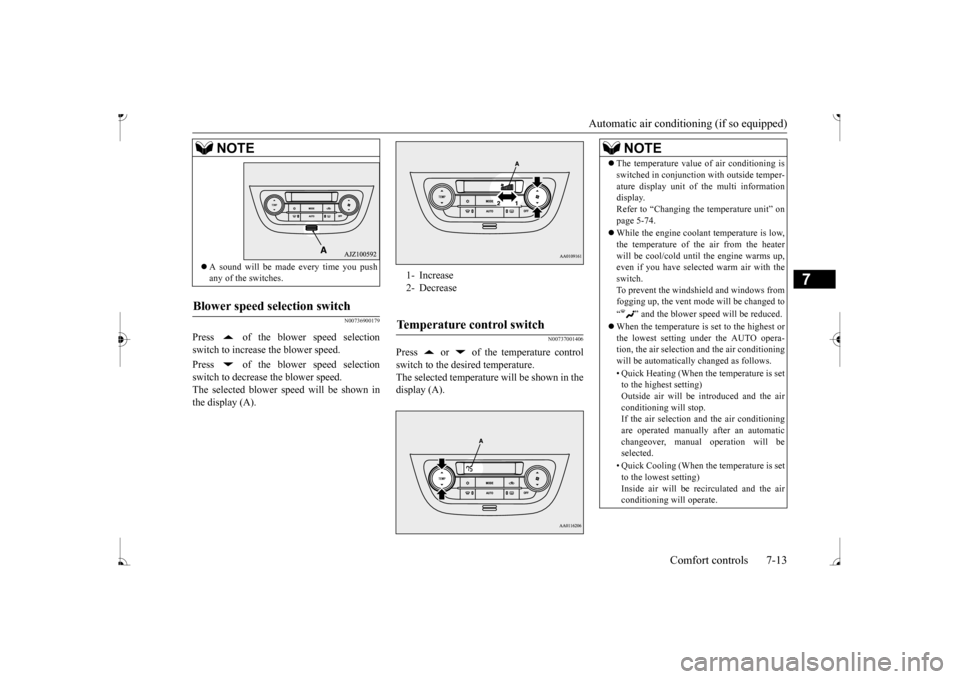
Press of the blower speed selection switch to increase the blower speed. Press of the blower speed selection switch to decrease the blower speed.The selected blower speed will be shown in the display (A).
N00737001406
Press or of the temperature controlswitch to the desired temperature. The selected temperature will be shown in thedisplay (A).
A sound will be made every time you push any of the switches.
Blower speed selection switch
NOTE
1- Increase 2- DecreaseTemperature control switch
NOTE
The temperature value
of air conditioning is
switched in conjunction
with outside temper-
ature display unit of the multi informationdisplay. Refer to “Changing the
temperature unit” on
page 5-74. While the engine coolant temperature is low, the temperature of the air from the heaterwill be cool/cold unti
l the engine warms up,
even if you have selected warm air with the switch.To prevent the windshield and windows from fogging up, the vent mode
will be changed to
“ ” and the blower speed will be reduced. When the temperature is set to the highest or the lowest setting under the AUTO opera-tion, the air selection
and the air conditioning
will be automatically changed as follows. • Quick Heating (When the temperature is set to the highest setting) Outside air will be introduced and the airconditioning will stop. If the air selection
and the air conditioning
are operated manually after an automaticchangeover, manual
operation will be
selected. • Quick Cooling (When th
e temperature is set
to the lowest setting) Inside air will be re
circulated and the air
conditioning will operate.
BK0236100US.book 13 ページ 2016年2月1日 月曜日 午前10時15分
Page 207 of 307
Automatic air conditioning (if so equipped)
7
The above indicates the
factory settings. You
can personalize the air
selection switch and
air conditioning switch to match your per- sonal preferences. Contact your Mitsubishi
Motors dealer or a
repair facility of your choice for assistance. Refer to “Personalizi
ng the air conditioning
switch (Changing the function setting)” onpage7-16. Refer to “Personalizing the air selection (Changing the function setting)” on page7-15.
N00737101247
To change air flow
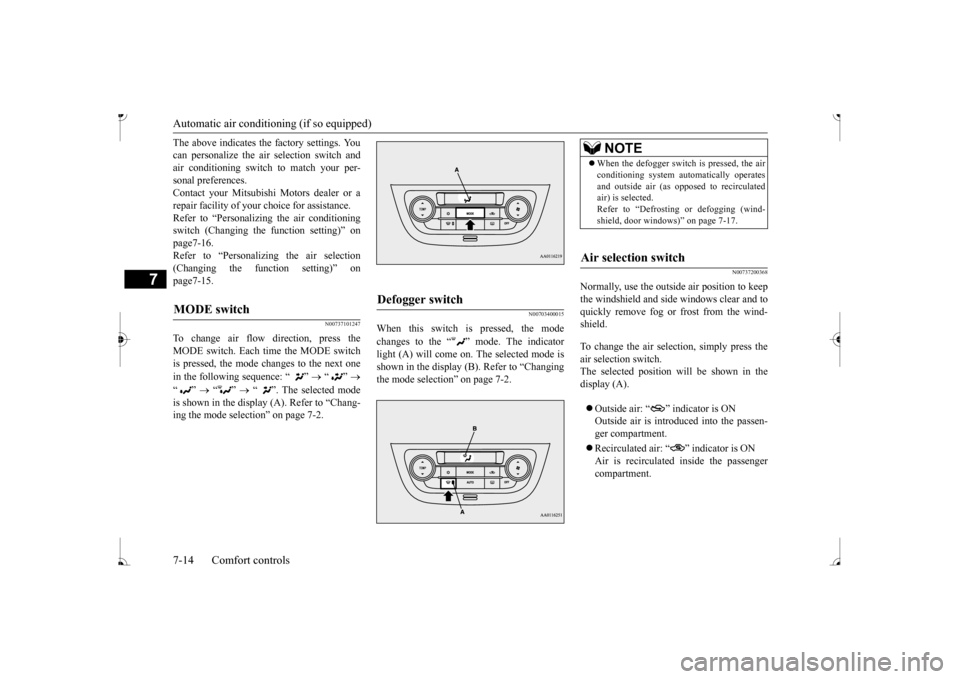
direction, press the
MODE switch. Each time the MODE switch is pressed, the mode changes to the next one in the following sequence: “ ”
“”
“”
“”
“ ”. The selected mode
is shown in the display (A). Refer to “Chang- ing the mode selection” on page 7-2.
N00703400015
When this switch is pressed, the mode changes to the “ ” mode. The indicator light (A) will come on.
The selected mode is
shown in the display (B). Refer to “Changing the mode selection” on page 7-2.
N00737200368
Normally, use the outside air position to keepthe windshield and side windows clear and to quickly remove fog or frost from the wind-shield. To change the air selection, simply press the air selection switch. The selected position wi
ll be shown in the
display (A). Outside air: “ ” indicator is ON Outside air is introduced into the passen- ger compartment. Recirculated air: “ ” indicator is ON Air is recirculated inside the passengercompartment.
MODE switch
Defogger switch
NOTE
When the defogger switch is pressed, the air conditioning system au
tomatically operates
and outside air (as oppos
ed to recirculated
air) is selected. Refer to “Defrosting or defogging (wind- shield, door windows)
Page 208 of 307
Automatic air conditioning (if so equipped)
Comfort controls 7-15
7
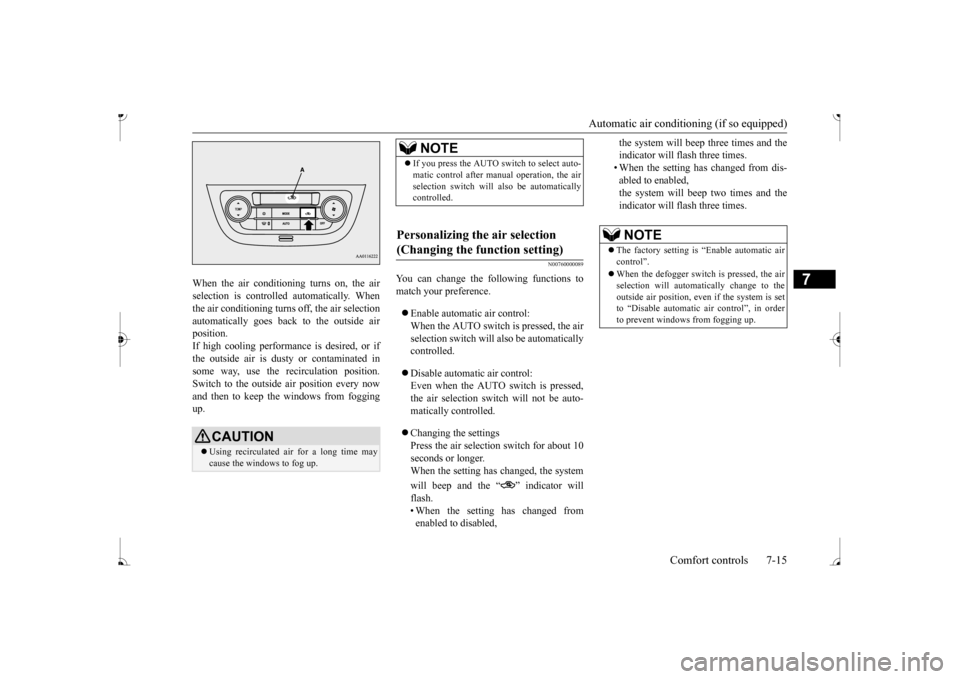
When the air conditioning turns on, the air selection is controlled automatically. Whenthe air conditioning turns off, the air selection automatically goes back to the outside air position.If high cooling performan
ce is desired, or if
the outside air is dusty or contaminated in some way, use the recirculation position.Switch to the outside
air position every now
and then to keep the windows from fogging up.
N00760000089
You can change the following functions tomatch your preference. Enable automatic air control: When the AUTO switch is pressed, the air selection switch will also be automatically controlled. Disable automatic air control: Even when the AUTO switch is pressed, the air selection switch will not be auto- matically controlled. Changing the settings Press the air selection switch for about 10 seconds or longer. When the setting has changed, the system will beep and the “ ” indicator will flash. • When the setting has changed from enabled to disabled,
the system will beep three times and the indicator will flash three times.• When the setting has changed from dis- abled to enabled, the system will beep two times and theindicator will flash three times.
CAUTION Using recirculated ai
r for a long time may
cause the windows to fog up.
NOTE
If you press the AUTO switch to select auto- matic control after ma
nual operation, the air
selection switch will also be automaticallycontrolled.
Personalizing the air selection (Changing the function setting)
NOTE
The factory setting is
“Enable automatic air
control”. When the defogger switch
is pressed, the air
selection will automatically change to theoutside air position, even if the system is set to “Disable automatic air control”, in order to prevent windows from fogging up.
BK0236100US.book 15 ページ 2016年2月1日 月曜日 午前10時15分
Page 209 of 307
Automatic air conditioning (if so equipped)
7
N00737301409
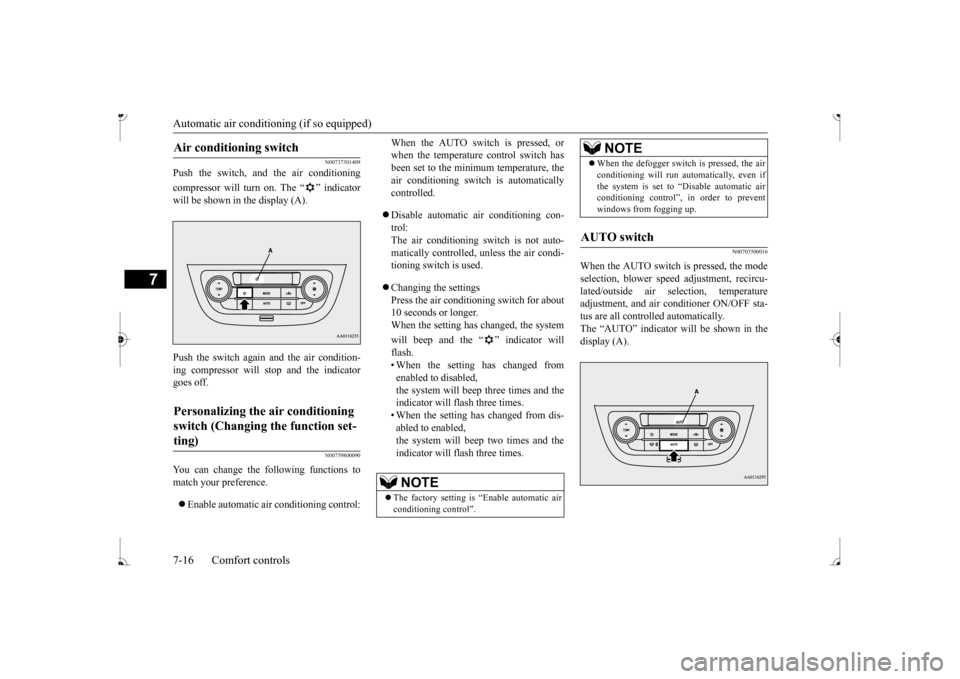
Push the switch, and the air conditioning compressor will turn on. The “ ” indicator will be shown in the display (A). Push the switch again and the air condition- ing compressor will stop and the indicator goes off.
N00759800090
You can change the following functions tomatch your preference. Enable automatic air conditioning control:
When the AUTO switch is pressed, or when the temperature control switch hasbeen set to the minimum temperature, the air conditioning switch
is automatically
controlled. Disable automatic air conditioning con- trol: The air conditioning switch is not auto- matically controlled, unless the air condi-tioning switch is used. Changing the settings Press the air conditi
oning switch for about
10 seconds or longer. When the setting has changed, the system will beep and the “ ” indicator will flash.• When the setting has changed from enabled to disabled, the system will beep three times and theindicator will flash three times. • When the setting has changed from dis- abled to enabled,the system will beep two times and the indicator will flash three times.
N00703500016
When the AUTO switch is pressed, the modeselection, blower spee
d adjustment, recircu-
lated/outside air sele
ction, temperature
adjustment, and air conditioner ON/OFF sta- tus are all controlled automatically. The “AUTO” indicator
will be shown in the
display (A).
Air conditioning switch
Personalizing the air conditioning switch (Changing the function set- ting)
NOTE
The factory setting is
“Enable automatic air
conditioning control”.
When the defogger switch is pressed, the air conditioning will run au
tomatically, even if
the system is set to “Disable automatic airconditioning control”, in order to prevent windows from fogging up.
AUTO switch
NOTE
BK0236100US.book 16 ページ 2016年2月1日 月曜日 午前10時15分
Page 211 of 307
Important air condit
ioning operating tips
7-18 Comfort controls
7
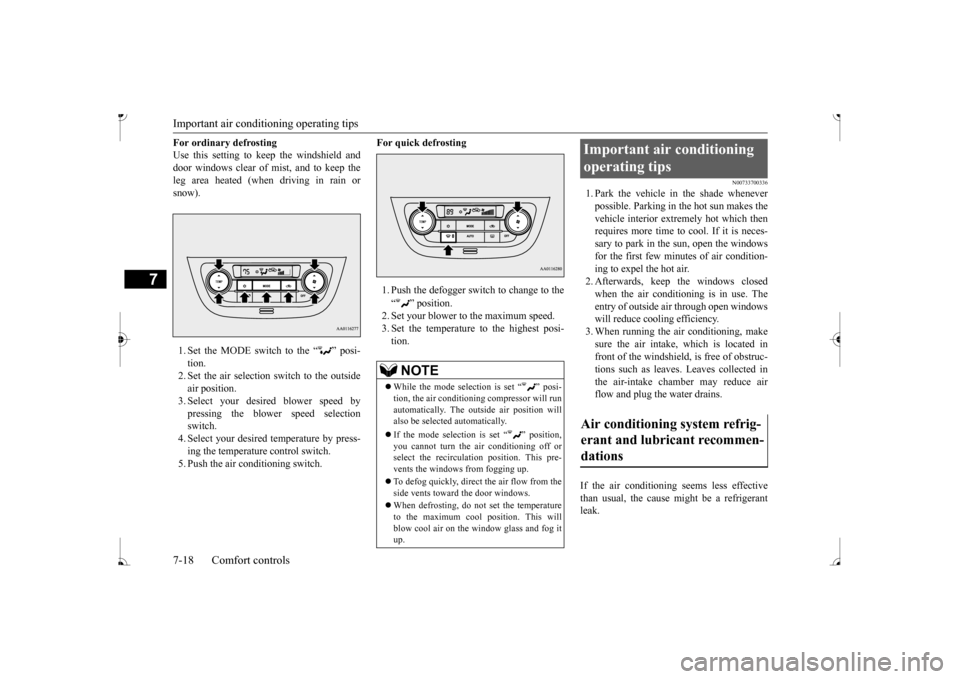
For ordinary defrosting Use this setting to ke
ep the windshield and
door windows clear of mist, and to keep the leg area heated (when driving in rain or snow). 1. Set the MODE switch to the “ ” posi- tion. 2. Set the air selection switch to the outside air position.3. Select your desired blower speed by pressing the blower speed selection switch.4. Select your desired temperature by press- ing the temperature control switch. 5. Push the air conditioning switch.
For quick defrosting 1. Push the defogger switch to change to the “ ” position. 2. Set your blower to the maximum speed. 3. Set the temperature to the highest posi-tion.
N00733700336
1. Park the vehicle in the shade whenever possible. Parking in the hot sun makes the vehicle interior extremely hot which thenrequires more time to
cool. If it is neces-
sary to park in the sun, open the windows for the first few minut
es of air condition-
ing to expel the hot air. 2. Afterwards, keep the windows closed when the air conditioning is in use. The entry of outside air through open windows will reduce cooling efficiency.3. When running the air conditioning, make sure the air intake, which is located in front of the windshield, is free of obstruc-tions such as leaves. Leaves collected in the air-intake chamber may reduce air flow and plug the water drains.
If the air conditioning seems less effective than usual, the cause might be a refrigerant leak.
NOTE
While the mode selection is set “ ” posi- tion, the air conditioni
ng compressor will run
automatically. The out
side air position will
also be selected automatically. If the mode selection is set “ ” position, you cannot turn the air conditioning off or select the recirculati
on position. This pre-
vents the windows from fogging up. To defog quickly, direct the air flow from the side vents toward the door windows. When defrosting, do not set the temperature to the maximum cool position. This will blow cool air on the window glass and fog it up.
Important air conditioning operating tips Air conditioning system refrig- erant and lubricant recommen- dations
BK0236100US.book 18 ページ 2016年2月1日 月曜日 午前10時15分
Page 214 of 307
AM/FM electronically tuned radio with CD player (if so equipped)
Comfort controls 7-21
7
N00735001936
1. Press the PWR switch or the RADIO but- ton to turn on the radio. Press and hold the PWR switch for 2 sec- onds or longer to turn off the radio. 2. Press the RADIO but
ton to select the
desired band (AM/FM1/FM2). 3. Press the seek button to tune to a station, or press one of the memory select buttonsto tune in to a station memorized for that button. Refer to “Automatic
tuning”, “Manual
tuning” or “To enter frequencies into the memory”.
The frequency changes every time the seek button is pressed. Pre
ss the button to select
the desired station.
After keeping the seek button depressed until it beeps, release the button, and the selectedstation reception will start. As many as 6 AM and
12 FM stations can be
entered into the memory. To store a frequency in the memory, follow these steps: 1. Press the seek button to tune to the fre- quency you wish to keep in the memory.2. Press and hold one of the memory select buttons until it beeps. The sound will be momentarily inter-rupted while the frequency is being entered into the memory. The number of the button matching the entry in memoryas well as the frequency is displayed. 3. The preset memory setting is retrieved by pressing the button and then releasing itwithin 1 second.
N00735301766
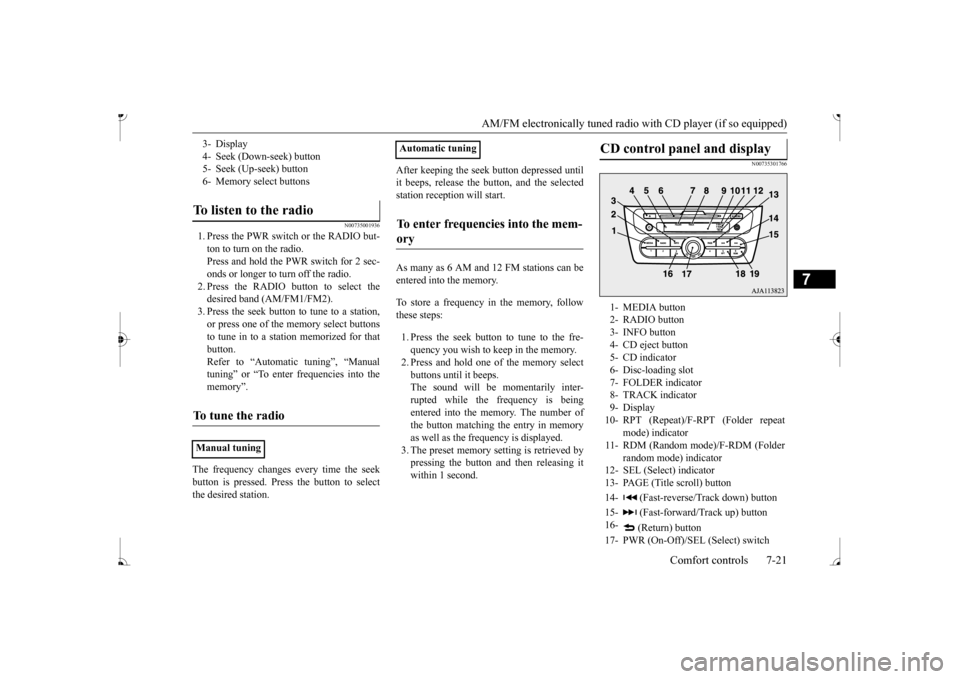
3- Display 4- Seek (Down-seek) button 5- Seek (Up-seek) button6- Memory select buttonsTo listen to the radio
To tune the radio
Manual tuning
Automatic tuningTo enter frequencies into the mem- ory
CD control panel and display
1- MEDIA button 2- RADIO button3- INFO button 4- CD eject button 5- CD indicator6- Disc-loading slot 7- FOLDER indicator 8- TRACK indicator9- Display 10- RPT (Repeat)/F-RPT (Folder repeat
mode) indicator
11- RDM (Random mode)/F-RDM (Folder
random mode) indicator
12- SEL (Select)
indicator
13- PAGE (Title scroll) button 14- (Fast-reverse/Track down) button15- (Fast-forward/Track up) button 16-
(Return) button
17- PWR (On-Off)/SEL (Select) switch
BK0236100US.book 21 ページ 2016年2月1日 月曜日 午前10時15分