eco MITSUBISHI OUTLANDER 2015 3.G Owners Manual
[x] Cancel search | Manufacturer: MITSUBISHI, Model Year: 2015, Model line: OUTLANDER, Model: MITSUBISHI OUTLANDER 2015 3.GPages: 446, PDF Size: 59.52 MB
Page 313 of 446
Trailer towing 6-14 Driving safety
6
cle’s electrical system
and affect your vehicle
warranty. Many states and Canadi
an provinces require
special outside mirrors when towing a trailer.Even if not required,
you should install spe-
cial mirrors if you ca
nnot clearly see behind
you, or if the trailer
creates a blind spot.
Ask your trailer sales or
rental agency if any
other items are recomm
ended or required for
your towing situation.
Towing a trailer requires a certain amount of experience. Before setting out for the open road, you’ll want to get to know your trailer. Acquaintyourself with the feel of handling and braking with the added weight of the trailer. Always keep in mind that the vehicle you are drivingis now a good deal longer and not nearly as responsive as your vehicle is without a trailer. Before you start, check the trailer hitch, safety chains, tires and mirror adjustment.
Be sure your vehicle’s ti
res are inflated to the
cold inflation pressure listed in the manual. You’ll find these numbe
rs on the tire and
loading information placard at the sill of the driver’s door. Refer to “Tire inflati
on pressures” on page
9-18. Stay at least twice as far behind the vehicle ahead as you would when driving your vehi-cle without a trailer.
This can help you avoid
situations that require
heavy braking and sud-
den turns. You’ll need more passing distance up ahead when you’re towing a trailer. And, becauseyou’re a good deal longer, you’ll need to go much farther beyond the passed vehicle before you can return to your lane.
Additional trailer equipment Operating hints
WA R N I N G If you have a rear
window open and you
tow a trailer with yo
ur vehicle, carbon
monoxide gas which
you cannot see or
smell could come into your vehicle. It can cause unconsciousness or death. Refer to“Exhaust system” on page 9-24. To maximize your safety when towing a trailer: Have your exhaust system inspected for leaks, and make necessary repairs beforestarting on your trip. Keep the rear
windows closed.
If exhaust does come into your vehicle through a window or
another opening,
drive with your front, main heating orcooling system on an
d with the blower on
any speed. This will
bring fresh, outside
air into your vehicle. Do not use recircula-tion because it only recirculates the air inside your vehicle. Refer to “Air selection switch” on page 7-9.
Driver preparation Vehicle preparation
WA R N I N G
Tire Following distance Passing
BK0211800US.book 14 ページ 2014年3月12日 水曜日 午後2時42分
Page 318 of 446
Vents
Comfort controls 7-3
7
N00736401605
To change the position and amount of air flowing from the vents, press the MODE switch or defogger sw
itch. Refer to “MODE
switch” on page 7-9, “Defogger switch” on page 7-9. These symbols are used in the next severalillustrations to demonstr
ate the quantity of air
coming from the vents. : Small amount of air from the vents : Medium amount of air from the vents : Large amount of air from the vents Air flows only to the upper part of the passen- ger compartment.
Air flows to the upper part of the passenger compartment, and flows to the leg area.
Air flows mainly to the leg area.
Changing the mode selection Face position
Foot/Face position
NOTE
The foot/face air flow ratio can be adjusted with the mode selection in the “ ” posi- tion.For further information, we recommend you to consult an authorized Mitsubishi Motors dealer or a repair fa
cility of your choice.
On vehicles equipped
with Mitsubishi Multi-
Communication System, screen operations can be used to make
the adjustment. Refer to
the separate owner’s manual for details.
Foot position
BK0211800US.book 3 ページ 2014年3月12日 水曜日 午後2時42分
Page 319 of 446
Vents 7-4 Comfort controls
7
Air flows to the leg area, the windshield and the door windows.
Air flows mainly to the windshield and the door windows.
Foot/Defroster position
NOTE
The foot/defroster air flow ratio can be adjusted with the mode selection in the “ ” position. For further information, we recommend you to consult an authorized Mitsubishi Motors dealer or a repair fa
cility of your choice.
On vehicles e
quipped with Mitsubishi Multi-
Communication System, screen operations can be used to make the adjustment. Refer tothe separate owner’s manual for details.
Defroster position
BK0211800US.book 4 ページ 2014年3月12日 水曜日 午後2時42分
Page 322 of 446
Automatic climate cont
rol air conditioner
Comfort controls 7-7
7
N00736901189
Press of the blower speed selection switch to increase the blower speed. Press of the blower speed selection switch to decrease the blower speed. The selected blower sp
eed will be shown in
the display (A).
N00737001334
Press or of the temperature controlswitch to the desired temperature. The selected temperature will be shown in the display (A).
NOTE
Since the air conditi
oning operation is con-
trolled while the ECO mode is operating,you may feel that effectiveness of the airconditioner is insufficient. ECO mode switch P.5-177
Even during ECO mode operation, you can select normal operati
on of the air condi-
tioner.On vehicles equipped
with Mitsubishi Multi-
Communication System,
screen operations
can be used to change the setting. Refer tothe separate owner’
s manual for details.
In extreme cold, the air conditioning control panel screen may operate sluggishly. This does not indicate a problem. It will disappear when
the vehicle interior
temperature rises to a normal temperature. A sound will be made every time you push all the switches.
Blower speed selection switch 1- Increase 2- DecreaseType 1 Type 2
Temperature control switch
NOTE
The temperature value of air conditioner is switched in conjunction
with outside temper-
ature display unit of the multi informationdisplay. On vehicles equipped with multi information display - Type 1, refer to “Changing the tem-perature unit” on page 5-136. On vehicles equipped with multi information display - Type 2, refer to “Changing the tem-perature unit” on page 5-147.
BK0211800US.book 7 ページ 2014年3月12日 水曜日 午後2時42分
Page 323 of 446
Automatic climate cont
rol air conditioner
7-8 Comfort controls
7
The above indicates the
factory settings. You
can personalize the air
selection switch and
air conditioning switch to match your per- sonal preferences.Contact your Mitsubishi
Motors dealer or a
repair facility of your
choice for assistance.
Refer to “Personalizi
ng the air conditioning
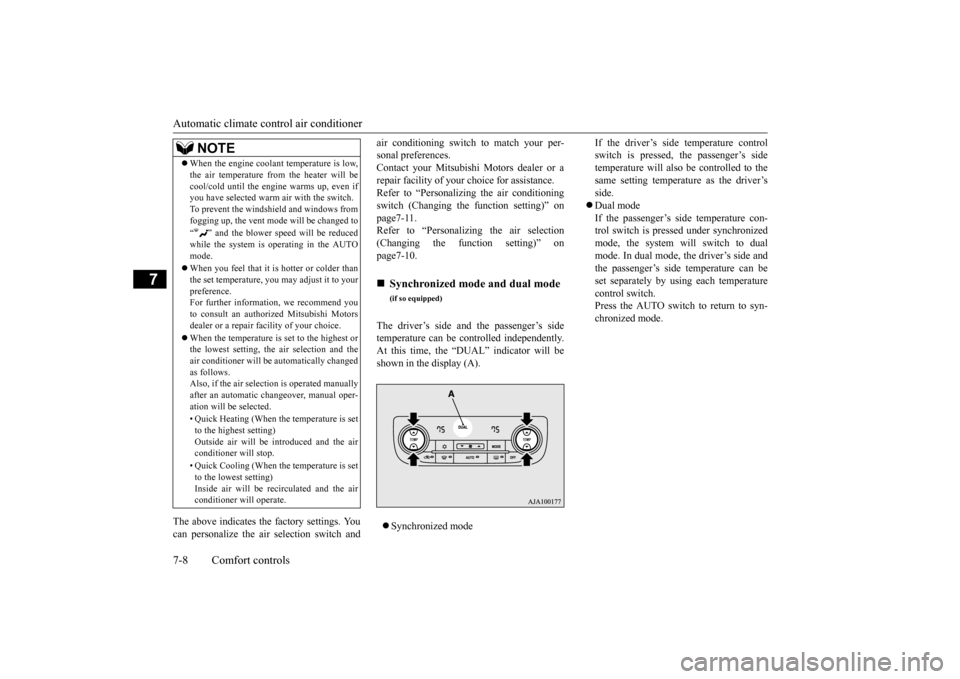
switch (Changing the function setting)” on page7-11. Refer to “Personalizing the air selection(Changing the function setting)” on page7-10. The driver’s side and the passenger’s side temperature can be controlled independently.At this time, the “
DUAL” indicator will be
shown in the display (A). Synchronized mode
If the driver’s side temperature control switch is pressed, the passenger’s sidetemperature will also be controlled to the same setting temperat
ure as the driver’s
side. Dual mode If the passenger’s side temperature con- trol switch is pressed under synchronizedmode, the system will switch to dual mode. In dual mode, the driver’s side and the passenger’s side
temperature can be
set separately by usi
ng each temperature
control switch.Press the AUTO switch to return to syn- chronized mode.
When the engine coolan
t temperature is low,
the air temperature from the heater will becool/cold until the engi
ne warms up, even if
you have selected warm
air with the switch.
To prevent the windshield and windows from fogging up, the vent mode
will be changed to
“ ” and the blower speed will be reduced while the system is operating in the AUTO mode. When you feel that it is hotter or colder than the set temperature, you may adjust it to yourpreference. For further information, we recommend you to consult an authorized Mitsubishi Motorsdealer or a repair fa
cility of your choice.
When the temperature is set to the highest or the lowest setting, the air selection and the air conditioner will be
automatically changed
as follows.Also, if the air selection is operated manually after an automatic ch
angeover, manual oper-
ation will be selected. • Quick Heating (When th
e temperature is set
to the highest setting)Outside air will be introduced and the air conditioner will stop. • Quick Cooling (When th
e temperature is set
to the lowest setting) Inside air will be recirculated and the airconditioner wi
ll operate.
NOTE
Synchronized mode and dual mode
(if so equipped)
BK0211800US.book 8 ページ 2014年3月12日 水曜日 午後2時42分
Page 325 of 446
Automatic climate cont
rol air conditioner
7-10 Comfort controls
7
automatically goes back
to the outside posi-
tion.If high cooling performanc
e is desired, or if
the outside air is dusty
or contaminated in
some way, use the
recirculat
ion position.
Switch to the outside position every now and then to keep the windows from fogging up.
N00712300023
You can change the following functions to match your preference.
Enable automatic air control: When the AUTO switch is pressed, the airselection switch will also be automatically controlled. Disable automatic air control: Even when the AUTO switch is pressed,the air selection switch will not be auto- matically controlled. Changing the settings Press the air selection switch for approxi- mately 10 seconds or longer. When the setting has changed, the systemwill beep and the indi
cator light will flash.
• When the setting has changed from enabled to disabled,
the system will beep
three times and the indicator light will flash three times. • When the setting has changed from dis-abled to enabled, the system will beep two times and the indicator light will flash three times.On vehicles equippe
d with Mitsubishi
Multi-Communication System, screen operations can also be
used to change the
setting. Refer to the separate owner’s manual for details.
N00737301353
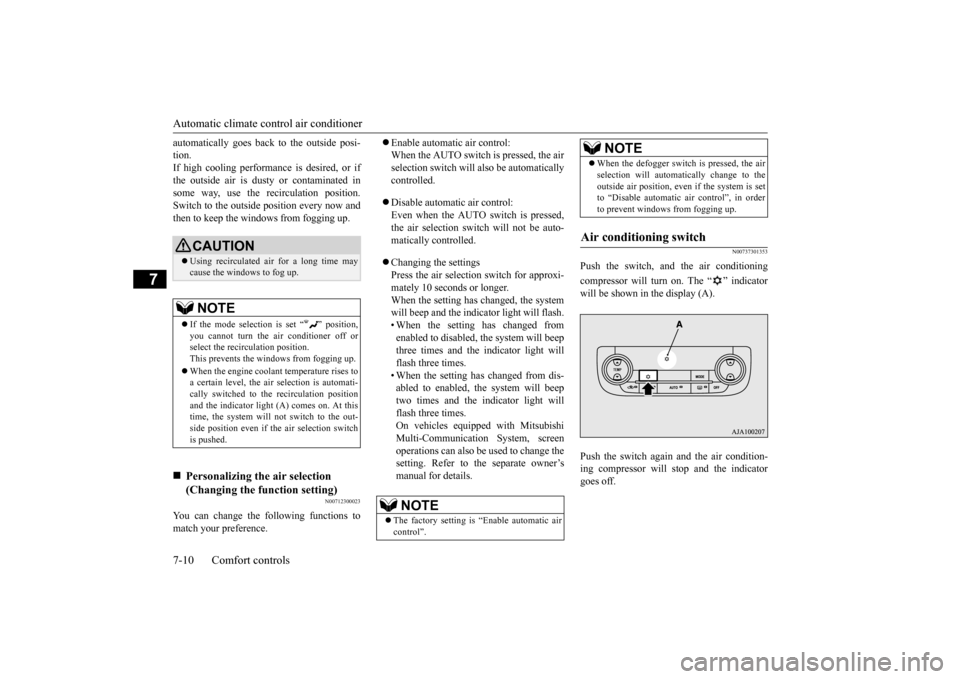
Push the switch, and the air conditioning compressor will turn on. The “ ” indicator will be shown in the display (A). Push the switch again and the air condition- ing compressor will stop and the indicatorgoes off.
CAUTION Using recirculated air for a long time may cause the windows to fog up.NOTE
If the mode selection
is set “ ” position,
you cannot turn the ai
r conditioner off or
select the recirc
ulation position.
This prevents the windows from fogging up. When the engine coolan
t temperature rises to
a certain level, the air selection is automati- cally switched to the
recirculation position
and the indicator light
(A) comes on. At this
time, the system will not switch to the out- side position even if
the air selection switch
is pushed.
Personalizing the air selection (Changing the function setting)
NOTE
The factory setting is
“Enable automatic air
control”.
When the defogger switch is pressed, the air selection will automati
cally change to the
outside air position, even if the system is setto “Disable automatic air control”, in order to prevent windows from fogging up.
Air conditioning switch
NOTE
BK0211800US.book 10 ページ 2014年3月12日 水曜日 午後2時42分
Page 326 of 446
Automatic climate cont
rol air conditioner
Comfort controls 7-11
7
N00712200022
You can change the following functions to match your preference. Enable automatic ai
r conditioning control:
When the AUTO switch is pressed, or when the temperature control switch hasbeen set to the minimum temperature, the air conditioning switch is automatically controlled. Disable automatic air conditioning con- trol: The air conditioning switch is not auto- matically controlled,
unless the air condi-
tioning switch is used. Changing the settings Press the air conditioning switch for about10 seconds or longer. When the setting has changed, the system will beep and the indi
cator light will flash.
• When the setting has changed from enabled to disabled, the system will beep three times and the indicator light willflash three times. • When the setting has changed from dis- abled to enabled, the system will beeptwo times and the i
ndicator light will
flash three times. On vehicles equippe
d with Mitsubishi
Multi-Communication System, screen operations can also be used to change the setting. Refer to th
e separate owner’s
manual for details.
N00703501039
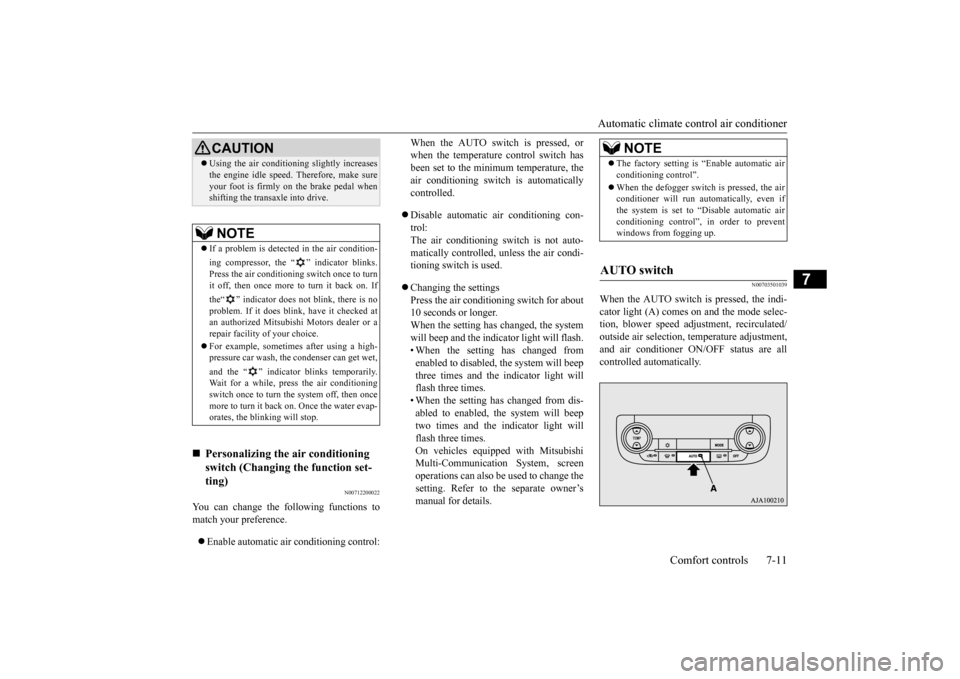
When the AUTO switch is pressed, the indi-cator light (A) comes on and the mode selec-tion, blower speed adju
stment, reci
rculated/
outside air selection, temperature adjustment, and air conditioner ON/
OFF status are all
controlled automatically.
CAUTION Using the air conditioni
ng slightly increases
the engine idle speed. Therefore, make sureyour foot is firmly on the brake pedal whenshifting the transaxle into drive.NOTE
If a problem is detect
ed in the air condition-
ing compressor, the “ ” indicator blinks. Press the air conditioning
switch once to turn
it off, then once more to turn it back on. If the“ ” indicator does not blink, there is no problem. If it does blink,
have it checked at
an authorized Mitsubish
i Motors dealer or a
repair facility of your choice. For example, sometimes after using a high- pressure car wash, the
condenser can get wet,
and the “ ” indicator blinks temporarily. Wait for a while, pres
s the air conditioning
switch once to turn the system off, then oncemore to turn it back on. Once the water evap-orates, the blinking will stop.
Personalizing the
air conditioning
switch (Changing the function set-ting)
NOTE
The factory setting is
“Enable automatic air
conditioning control”. When the defogger switch
is pressed, the air
conditioner will run au
tomatically, even if
the system is set to “Disable automatic airconditioning control”, in order to prevent windows from fogging up.
AUTO switch
BK0211800US.book 11 ページ 2014年3月12日 水曜日 午後2時42分
Page 327 of 446
Automatic climate cont
rol air conditioner
7-12 Comfort controls
7
N00703601027
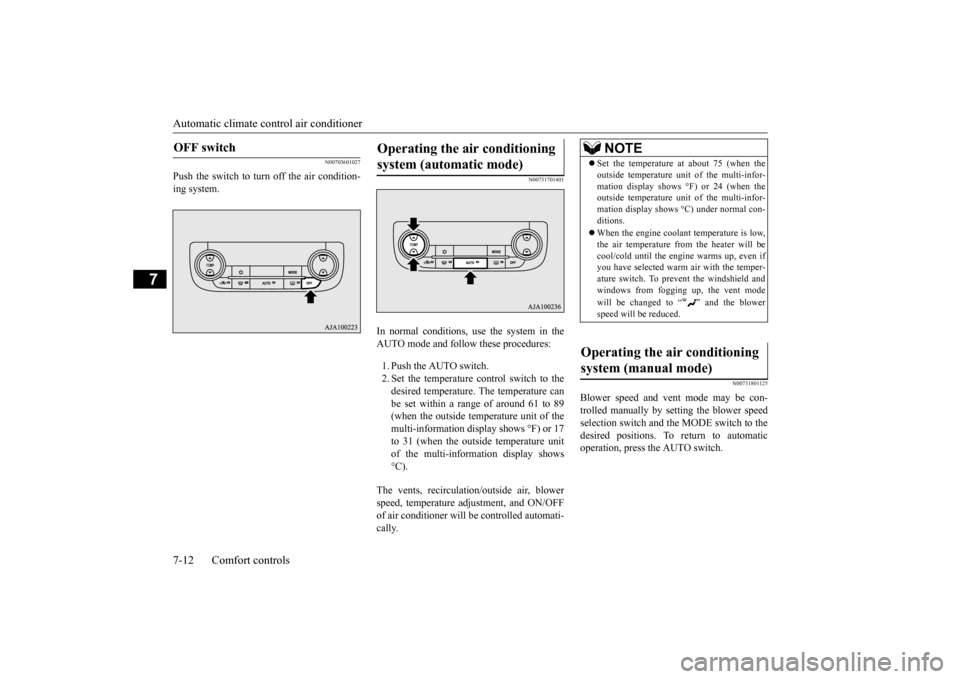
Push the switch to turn off the air condition- ing system.
N00731701401
In normal conditions, use the system in the AUTO mode and follow these procedures: 1. Push the AUTO switch. 2. Set the temperature control switch to the desired temperature. The temperature can be set within a range of around 61 to 89(when the outside temperature unit of the multi-information disp
lay shows °F) or 17
to 31 (when the outside temperature unitof the multi-information display shows °C).
The vents, recirculati
on/outside air, blower
speed, temperature ad
justment, and ON/OFF
of air conditioner will be
controlled automati-
cally.
N00731801125
Blower speed and vent mode may be con- trolled manually by setting the blower speedselection switch and the MODE switch to the desired positions. To
return to automatic
operation, press the AUTO switch.
OFF switch
Operating the air conditioning system (automatic mode)
NOTE
Set the temperature at
about 75 (when the
outside temperature uni
t of the multi-infor-
mation display shows
°F) or 24 (when the
outside temperature uni
t of the multi-infor-
mation display shows °C) under normal con- ditions. When the engine coolan
t temperature is low,
the air temperature from the heater will becool/cold until the engi
ne warms up, even if
you have selected warm
air with th
e temper-
ature switch. To prevent the windshield andwindows from fogging up, the vent mode will be changed to “ ” and the blower speed will be reduced.
Operating the air conditioning system (manual mode)
BK0211800US.book 12 ページ 2014年3月12日 水曜日 午後2時42分
Page 329 of 446
Important air condit
ioning operating tips
7-14 Comfort controls
7
N00733701346
1. Park the vehicle in the shade whenever possible. Parking in the hot sun makes thevehicle interior extremely hot which then requires more time to
cool. If it is neces-
sary to park in the sun, open the windowsfor the first few minutes of air condition- ing to expel the hot air. 2. Afterwards, keep the windows closedwhen the air conditioner is in use. The entry of outside air through open windows will reduce cooling efficiency.3. When running the air conditioner, make sure the air intake, which is located in front of the windshield, is free of obstruc-tions such as leaves. Leaves collected in the air-intake chamber may reduce air flow and plug the water drains.
If the air conditioner seems less effective than usual, the cause might
be a refrigerant leak.
Have the system inspected by your authorized Mitsubishi Motors dealer or a repair facilityof your choice.
The air conditioner shoul
d be operated for at
least five minutes each week, even in cold weather. This includes the quick defrostingmode. Operating the
air condition system
weekly maintains lubrication of the compres- sor internal parts to keep the air conditionerin the best operating condition.
N00733801190
The air conditioning system is equipped with an air filter to re
move pollen
and dust.
The air filter’s ability to collect pollen anddirt is reduced as it be
comes dirty, so replace
it periodically. For the maintenance interval, refer to the “WARRANTY AND MAINTE-NANCE MANUAL”.
To defog quickly, direct the air flow from the side vents toward the door windows. When defrosting, do not set the temperature to the maximum cool position. This will blow cool air on the
window glass and fog it
up.
Important air conditioning operating tips
NOTE
Air conditioning system refrig- erant and lubricant recommen-dations
CAUTION The air conditioning system in your vehicle must be charged with the refrigerant HFC-134a and the lubricant SUN-PAG56. Use of any other refrigerant or lubricant will cause severe damage a
nd may require replac-
ing your vehicle’s en
tire air conditioning
system. The release of refrigerant into the atmo-sphere is not recommended. The new refrigerant HFC-134a in your vehi- cle is designed not to harm the earth’s ozonelayer. However, it may contribute slightly to global warming. It is recommended that the old refrigerant besaved and recycled for future use.
During a long period of disuse Air purifier
NOTE
Operation in certain conditions such as driv- ing on a dusty road and frequent use of the air conditioner ca
n lead to reduction of ser-
vice life of the filter. When you feel that theair flow is lower than normal or when the windshield or windows st
art to fog up easily,
replace the air filter.Contact your Mitsubishi
Motors dealer or a
repair facility of your
choice for assistance.
BK0211800US.book 14 ページ 2014年3月12日 水曜日 午後2時42分
Page 330 of 446
AM/FM radio/CD player (if so equipped)
Comfort controls 7-15
7
N00734302102
The audio system can only be used when the ignition switch or the
operation mode is in
ON or ACC.
N00715000021
This product supports audio playback from iPod/iPhone devices, however dif- fering versions mean
that playback cannot
be guaranteed. Please be aware that depending on the iPod/iPhone model or
version, operation
may differ.
N00715200023
If the product becomes dirty, wipe with a soft cloth. If very dirty, use a soft cloth dipped in neutral detergent diluted in water, and then wrung out. Do not use benzene, thin- ners, or other chemic
al wipes. This may
harm the surface.
N00715300053
Product names and other proper names are the trademarks or registered trade- marks of their respective owners. Furthermore, even if there is no specific denotation of trademarks or registered trademarks, these are to be observed intheir entirety. “Made for iPod”, “Made for iPhone” mean that an electronic accessory has been designed to conne
ct specifically to
iPod or iPhone, respectively, and has beencertified by the deve
loper to meet Apple
performance standards. iPhone, iPod, iPod cla
ssic, iPod nano, and
iPod touch are trademarks of Apple Inc., registered in the U.S.
and other countries.
AM/FM radio/CD player
(if
so equipped)
NOTE
To listen to the audio system while the engine is not running, turn the ignitionswitch to the “ACC” position or put the oper- ation mode in ACC. If the ignition switch
or the operation mode
is left in ACC, the accessory power will automatically turn off after a certain period of time and you will no longer be able to usethe audio system. The accessory power comes on again if the ignition switch or the engine switch is operated with it in the“ACC” position. Refer
to “ACC power auto-
cutout function” on page 5-18 and 5-56. If a cellular phone is
used inside the vehicle,
it may create noise in the audio equipment. This does not mean that anything is wrongwith your audio equipment. In such a case, use the cellular phone at
a place as far away
as possible from the audio equipment.
If foreign objects or water get into the audio equipment, or if smoke or a strange odorcomes from it, immediately turn off theaudio system and have it checked at an authorized Mitsubishi
Motors dealer or a
repair facility of your
choice. Never try to
repair it yourself. Avoid using the audio sys- tem until it is insp
ected by a qualified per-
son. If the audio system is damaged by foreign objects, water, or fi
re, have the system
checked by a qualified Mitsubishi Motors technician.
Important Points on Usage
iPod/iPhone Playback Function
(if
so equipped)
NOTE
How to Clean
Trademarks
BK0211800US.book 15 ページ 2014年3月12日 水曜日 午後2時42分