tow MITSUBISHI OUTLANDER 2015 3.G Owner's Manual
[x] Cancel search | Manufacturer: MITSUBISHI, Model Year: 2015, Model line: OUTLANDER, Model: MITSUBISHI OUTLANDER 2015 3.GPages: 446, PDF Size: 59.52 MB
Page 185 of 446
Forward Collision Mitigation System (FCM) (if so equipped) 5-108 Features and controls
5
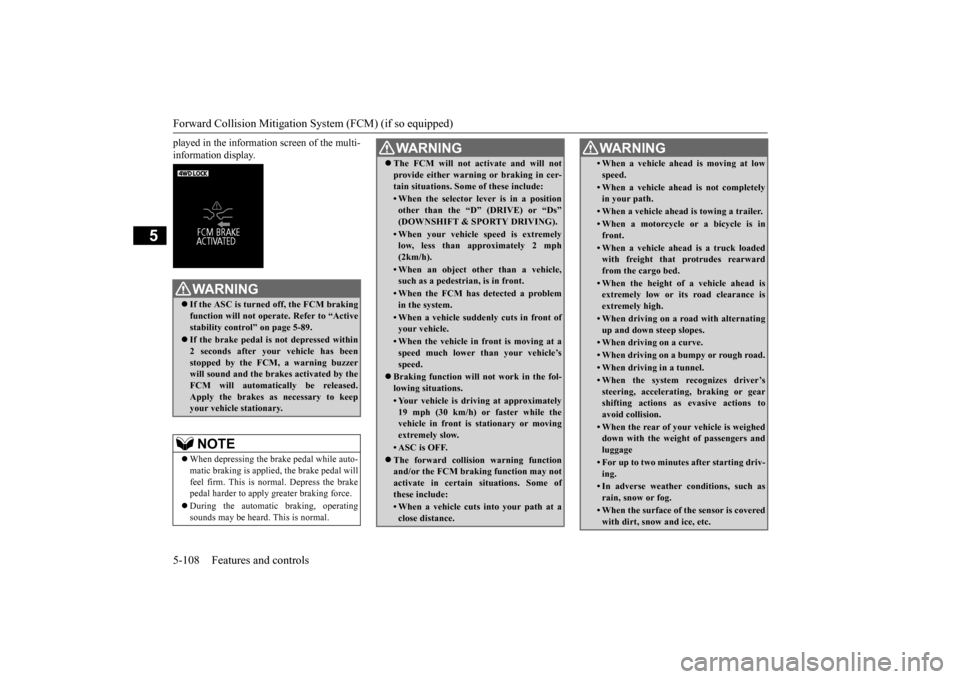
played in the information screen of the multi- information display.
WA R N I N G If the ASC is turned off, the FCM braking function will not operate. Refer to “Activestability control” on page 5-89. If the brake pedal is not depressed within 2 seconds after your vehicle has been stopped by the FCM,
a warning buzzer
will sound and the brakes activated by theFCM will automatically be released. Apply the brakes as necessary to keep your vehicle stationary.NOTE
When depressing the brake pedal while auto- matic braking is applied, the brake pedal willfeel firm. This is normal. Depress the brake pedal harder to apply
greater braking force.
During the automatic
braking, operating
sounds may be heard. This is normal.
WA R N I N G The FCM will not ac
tivate and will not
provide either warnin
g or braking in cer-
tain situations. Some of these include:• When the selector le
ver is in a position
other than the “D
” (DRIVE) or “Ds”
(DOWNSHIFT & SPORTY DRIVING).• When your vehicle speed is extremelylow, less than approximately 2 mph (2km/h).• When an object other than a vehicle,such as a pedestri
an, is in front.
• When the FCM has detected a problem in the system.• When a vehicle sudden
ly cuts in front of
your vehicle.• When the vehicle in front is moving at aspeed much lower than your vehicle’s speed.
Braking function will not work in the fol- lowing situations.• Your vehicle is driv
ing at approximately
19 mph (30 km/h) or faster while thevehicle in front is stationary or moving extremely slow.•ASC is OFF. The forward collision warning function and/or the FCM brakin
g function may not
activate in certain
situations. Some of
these include:• When a vehicle cuts
into your path at a
close distance.
• When a vehicle ahead is moving at lowspeed.• When a vehicle ahead is not completely in your path.• When a vehicle ahead
is towing a trailer.
• When a motorcycle or a bicycle is in front.• When a vehicle ahead is a truck loadedwith freight that protrudes rearward from the cargo bed.• When the height of a vehicle ahead isextremely low or its road clearance is extremely high.• When driving on a r
oad with alternating
up and down steep slopes.• When driving on a curve.• When driving on a bumpy or rough road.• When driving in a tunnel.• When the system recognizes driver’ssteering, accelerati
ng, braking or gear
shifting actions as evasive actions to avoid collision.• When the rear of your vehicle is weigheddown with the weight of passengers and luggage• For up to two minutes after starting driv-ing.• In adverse weather
conditions, such as
rain, snow or fog.• When the surface of th
e sensor is covered
with dirt, snow
and ice, etc.
WA R N I N G
BK0211800US.book 108 ページ 2014年3月12日 水曜日 午後2時42分
Page 186 of 446
Forward Collision Mitigation System (FCM) (if so equipped)
Features and controls 5-109
5
N00577800032
This switch is used to turn on or off the FCM and also to select the distance which will trig-ger the forward collision warning function.
• When a vehicle ahea
d or an oncoming
vehicle is splashing wa
ter, snow or dirt.
When the system recognizes driver’s steering or accelerati
ng actions as evasive
actions to avoid collision, FCM controland alarm functions
may be canceled.
In certain situations,
though there is little
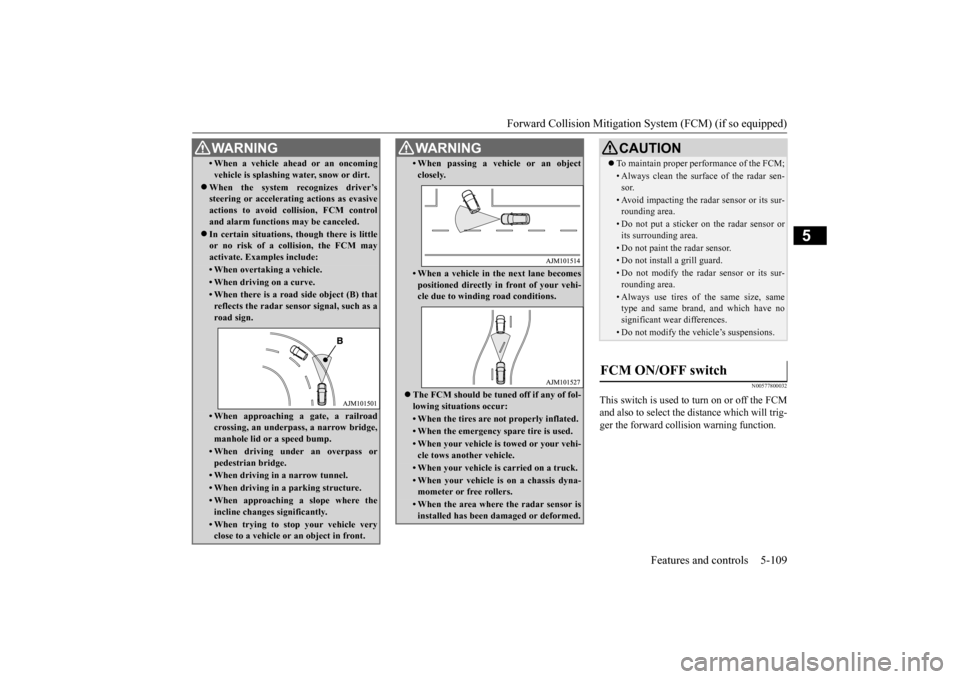
or no risk of a collision, the FCM may activate. Examples include: • When overtaking a vehicle.• When driving on a curve.• When there is a road
side object (B) that
reflects the radar sensor signal, such as aroad sign.• When approaching a gate, a railroadcrossing, an underpa
ss, a narrow bridge,
manhole lid or
a speed bump.
• When driving unde
r an overpass or
pedestrian bridge.• When driving in
a narrow tunnel.
• When driving in a parking structure.• When approaching a slope where the incline changes
significantly.
• When trying to stop your vehicle very close to a vehicle or
an object in front.
WA R N I N G
• When passing a vehicle or an object closely.• When a vehicle in the next lane becomespositioned directly in
front of your vehi-
cle due to winding road conditions.
The FCM should be tuned off if any of fol- lowing situations occur:• When the tires are not properly inflated. • When the emergency spare tire is used.• When your vehicle is
towed or your vehi-
cle tows another vehicle.• When your vehicle is carried on a truck.• When your vehicle is on a chassis dyna- mometer or free rollers.• When the area where the radar sensor isinstalled has been damaged or deformed.WA R N I N G
CAUTION To maintain proper performance of the FCM;• Always clean the surface of the radar sen- sor.• Avoid impacting the radar sensor or its sur-rounding area.• Do not put a sticker on the radar sensor orits surrounding area.• Do not paint the radar sensor.• Do not install a grill guard.• Do not modify the radar sensor or its sur- rounding area.• Always use tires of the same size, sametype and same brand,
and which have no
significant wear differences.• Do not modify the vehicle’s suspensions.
FCM ON/OFF switch
BK0211800US.book 109 ページ 2014年3月12日 水曜日 午後2時42分
Page 251 of 446
Combination headlights and dimmer switch 5-174 Features and controls
5
If the combination headlights and dimmer switch is turned to the “ ” or “ ” posi- tion again after the engine is turned off, the about 3-minute auto-cutout function described above will not
work. The lights (the
parking lights, tail li
ghts and license plate
lights) will stay on and will not turn off auto- matically.
N00549801236
[When using a key to start the engine]If the driver’s door is opened with the key inthe “OFF” or “LOCK” or “ACC” position or removed from the ignition switch while the
lights are on, the tone will sound to remind you to turn off the lights. [When using the F.A.S.T.-key to start the engine] If the driver’s door is opened with the opera- tion mode is put in OFF or ACC, or if theoperation mode is changed to OFF while the lights are on, the tone will sound to remind you to turn off the lights. In either case, the lights will turn off automat- ically and so will the tone. Or you can turn the light switch to the “OFF” position to stopthe tone.
N00549901178
To change the headlights from high beam to low beam and vice vers
a, pull the turn signal
lever to (1). Switch the headlights to lowbeam as a courtesy whenever there are oncoming vehicles, or when there is traffic moving ahead of you. An illuminated bluelight in the instrument
cluster indicates when
the headlights are on high beam.
N00550001209
You can flash the high beams by pulling the lever gently toward you (2). The lights will go back to normal when you let go. While the high beam is on, you will
see a blue light on
the instrument panel.
NOTE
The light auto-cutout
function can be deacti-
vated.See your authorized Mitsubishi Motorsdealer for details. For vehicles equipped
with the Mitsubishi
Multi-Communication System, adjustmentscan be made using sc
reen operations. For
further details, refer to the separate owner’s manual.
When you want to keep the lights on: Headlight reminder buzzer
Dimmer (high/low beam change)
Headlight flasher
NOTE
You can flash the high beams by pulling the lever toward you, even if the light switch is off. If you turn the lights off with the head lights set to high-beam illumin
ation, the headlights
are automatically returned to their low-beamsetting when the light
switch is next turned
to the “ ” position.
BK0211800US.book 174 ページ 2014年3月12日 水曜日 午後2時42分
Page 252 of 446
Combination headlights and dimmer switch
Features and controls 5-175
5
N00563201117
This function turns on
the front side-marker
and parking lights for
about 30 seconds after
the UNLOCK button on the remote controltransmitter is pressed when the combination headlights and dimmer switch is in the “OFF” or “AUTO” position (f
or vehicles equipped
with the automatic light control). On vehicles equipped with the automatic light control (except for vehicles e
quipped with LDW), the
welcome light functi
on will operate only
when it is dark outside the vehicle.
N00547301110
This function turns on the headlights in thelow beam setting for a
bout 30 seconds after
the ignition switch is turned to the “OFF” or “LOCK” position or the operation mode is put in OFF. 1. Turn the combination headlights and dim- mer switch to the “OFF” or “AUTO” position (for vehicles
equipped with the
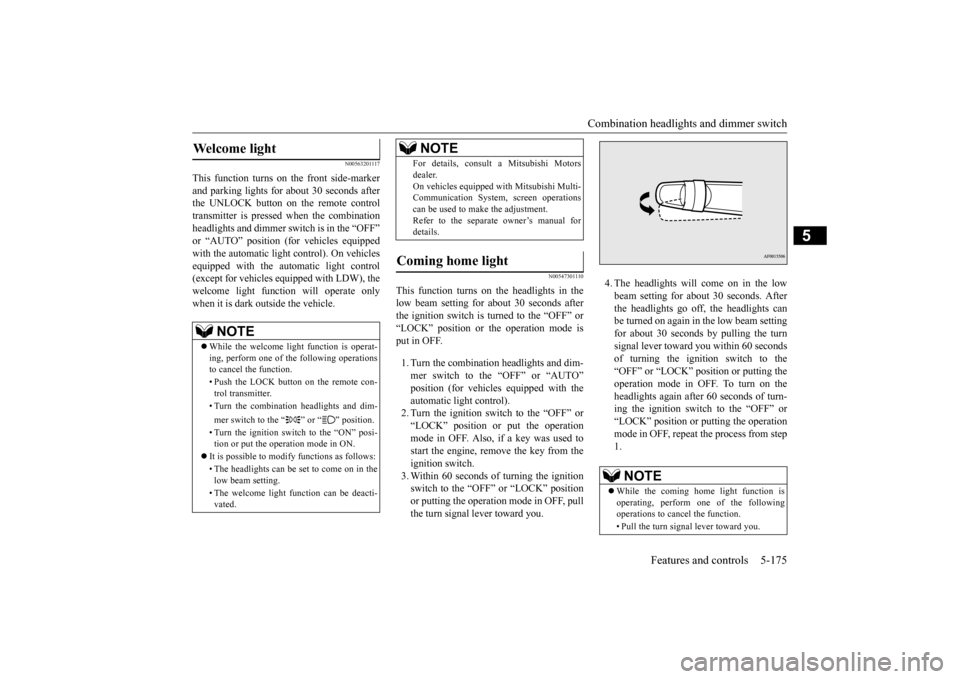
automatic light control).2. Turn the ignition switch to the “OFF” or “LOCK” position or put the operation mode in OFF. Also, if a key was used tostart the engine, remove the key from the ignition switch. 3. Within 60 seconds of turning the ignitionswitch to the “OFF” or “LOCK” position or putting the operation mode in OFF, pull the turn signal lever toward you.
4. The headlights will come on in the low beam setting for about 30 seconds. After the headlights go off, the headlights canbe turned on again in
the low beam setting
for about 30 seconds by pulling the turn signal lever toward you within 60 secondsof turning the ignition switch to the “OFF” or “LOCK” position or putting the operation mode in OFF. To turn on the headlights again after 60 seconds of turn- ing the ignition switch to the “OFF” or“LOCK” position or putting the operation mode in OFF, repeat
the process from step
1.
Welcome light
NOTE
While the welcome light
function is operat-
ing, perform one of the following operations to cancel the function. • Push the LOCK button on the remote con- trol transmitter. • Turn the combination headlights and dim- mer switch to the “ ” or “ ” position. • Turn the ignition switch to the “ON” posi- tion or put the opera
tion mode in ON.
It is possible to modify functions as follows: • The headlights can be set to come on in the low beam setting. • The welcome light fu
nction can be deacti-
vated.
For details, consult a Mitsubishi Motorsdealer.On vehicles equipped
with Mitsubishi Multi-
Communication System, screen operations can be used to ma
ke the adjustment.
Refer to the separate
owner’s manual for
details.
Coming home light
NOTE
NOTE
While the coming home light function is operating, perform one of the following operations to canc
el the function.
• Pull the turn signal lever toward you.
BK0211800US.book 175 ページ 2014年3月12日 水曜日 午後2時42分
Page 259 of 446
Wiper and washer switch 5-182 Features and controls
5
N00504601309
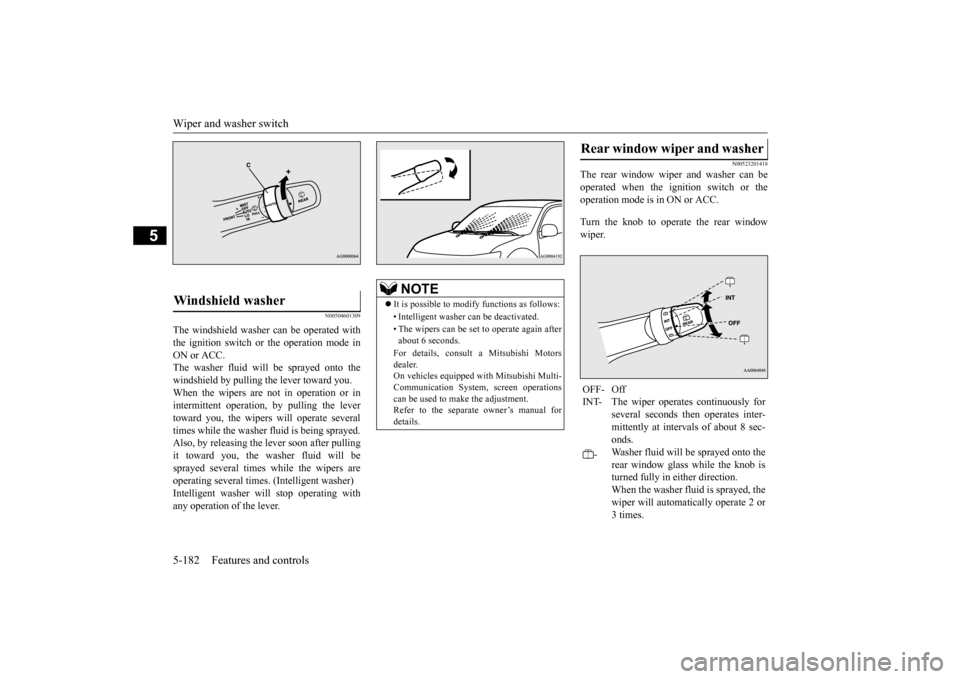
The windshield washer can be operated with the ignition switch or the operation mode in ON or ACC. The washer fluid will be sprayed onto thewindshield by pulling th
e lever toward you.
When the wipers are not in operation or in intermittent operation,
by pulling the lever
toward you, the wipers
will operate
several
times while the washer fluid is being sprayed. Also, by releasing the lever soon after pullingit toward you, the washer fluid will be sprayed several times
while the wipers are
operating several
times. (Intelligent washer)
Intelligent washer will stop operating with any operation of the lever.
N00523201418
The rear window wiper and washer can beoperated when the ignition switch or the operation mode is in ON or ACC. Turn the knob to operate the rear window wiper.
Windshield washer
NOTE
It is possible to modify functions as follows: • Intelligent washer
can be deactivated.
• The wipers can be set
to operate again after
about 6 seconds. For details, consult a Mitsubishi Motors dealer. On vehicles equipped
with Mitsubishi Multi-
Communication System,
screen operations
can be used to make the adjustment. Refer to the separate owner’s manual for details.
Rear window wiper and washer OFF- Off INT- The wiper operates continuously for
several seconds then operates inter- mittently at interv
als of about 8 sec-
onds.
-
Washer fluid will be
sprayed onto the
rear window glass while the knob is turned fully in either direction.When the washer fluid is sprayed, the wiper will automati
cally operate 2 or
3 times.
BK0211800US.book 182 ページ 2014年3月12日 水曜日 午後2時42分
Page 296 of 446
Cargo area cover (if so equipped)
Features and controls 5-219
5
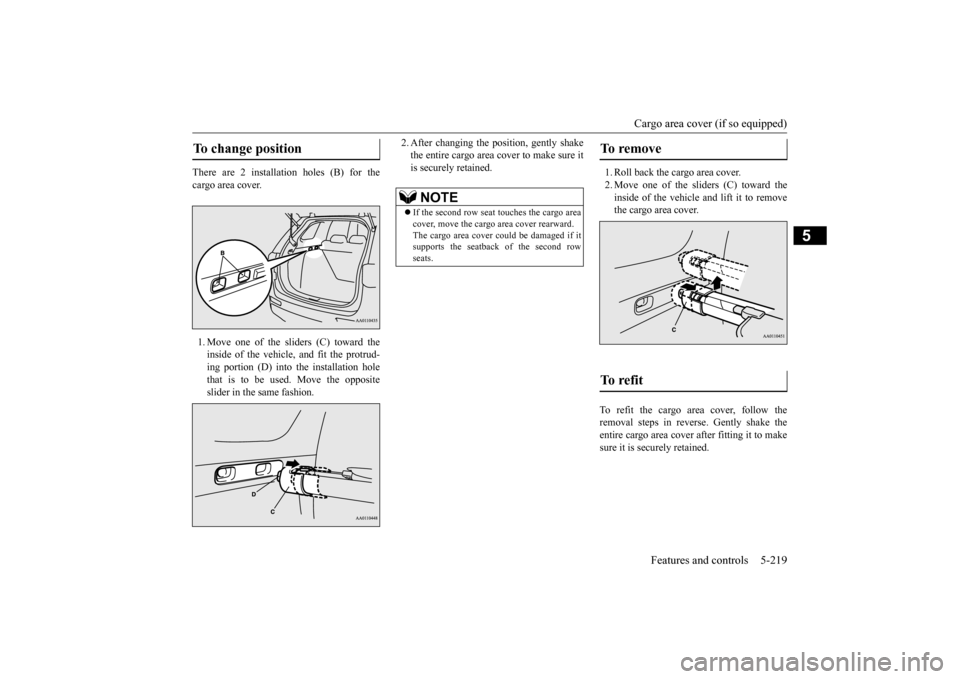
There are 2 installation holes (B) for the cargo area cover. 1. Move one of the sliders (C) toward the inside of the vehicle, and fit the protrud- ing portion (D) into the installation hole that is to be used. Move the oppositeslider in the same fashion.
2. After changing the position, gently shake the entire cargo area cover to make sure itis securely retained.
1. Roll back the cargo area cover. 2. Move one of the sliders (C) toward the inside of the vehicle and lift it to remove the cargo area cover.
To refit the cargo area cover, follow the removal steps in reverse. Gently shake theentire cargo area cover after fitting it to make sure it is securely retained.
To change position
NOTE
If the second row seat
touches the cargo area
cover, move the cargo
area cover rearward.
The cargo area cover co
uld be damaged if it
supports the seatback of the second row seats.
To remove To refit
BK0211800US.book 219 ページ 2014年3月12日 水曜日 午後2時42分
Page 300 of 446
6
Driving safetyDriving precaution ...........................................................................6-2 Fuel economy .......
...........
...........
............
...........
.........
........
.........
.....6-2
Driving, alcohol and drugs ..
...........
...........
...........
...........
...........
.....6-2
Floor mat ..........................................................................................6-3 Vehicle preparation before driving ..................................................6-4 Safe driving techniques ....................................................................6-4Driving during cold weather ............................................................6-5 Braking ............................................................................................6-5 Parking .............................................................................................6-6Loading information ........................................................................6-6 Cargo loads ....................................................................................6-10 Trailer towing ................................................................................ 6-11
BK0211800US.book 1 ページ 2014年3月12日 水曜日 午後2時42分
Page 305 of 446
Parking 6-6 Driving safety
6
N00629601330
When parking on a hill, set the parking brake, and turn the front wheels toward the curb on a downhill, or away from
the curb on an uphill.
If necessary, apply chocks to the wheels. Be sure that the parki
ng brake is firmly set
when parked and that the selector lever is in the “P” (PARK) position. When parking on a hill, it
is important to set
the parking brake before moving the selector lever to the “P” (PARK) position. This pre- vents loading the parking brake against thetransaxle. When this ha
ppens, it is difficult to
move the selector lever out of the “P” (PARK) position. Never leave the engine running while you take a short nap or rest. Also, never leave the engine running in a closed or poorly venti- lated place.
Your front bumper can be damaged if you scrape it over curbs or parking stop blocks.Be careful when traveling up or down steep slopes where your bumper can scrape the road. Always remove the key from the ignition switch and lock all doors and the liftgate when leaving the
vehicle unattended.
Always try to park your vehicle in a well lit area.
Move effort could be required to turn the steering wheel.Refer to “Electric power steering system (EPS)” on page 5-88.
N00629900352
It is very important to know how much weight your vehicle can carry. This weight iscalled the vehicle ca
pacity weight and
includes the weight of
all occupants, cargo
(including the roof load), non-factory-installed options, and the tongue weight of the trailer, if any, being towed. The tire and loading information placard located on thedriver’s door sill of
your vehicle will show
how much weight it may properly carry. It is important to familiarize yourself with the following terms before
loading your vehicle:
Parking Parking on a hill Parking with the engine run- ning
WA R N I N G Leaving the engine ru
nning risks injury or
death from accidentally moving the selec-tor lever or the accumulation of toxicexhaust fumes in the passenger compart- ment.
Where you park
WA R N I N G Do not park your vehicle in areas where combustible materials
such as dry grass or
leaves can come in contact with a hotexhaust, since a fire could occur.
When leaving the vehicle
Do not keep the steering wheel fully turned for a long time Loading information
WA R N I N G Never overload your ve
hicle. Overloading
can damage your vehicle, adversely affectvehicle performance, including handling and braking, cause tire failure, and result in an accident.
BK0211800US.book 6 ページ 2014年3月12日 水曜日 午後2時42分
Page 306 of 446
Loading information Driving safety 6-7
6
Vehicle maximum load on the tire: load on an individual tire that is determined bydistributing to each axle its share of the maximum loaded vehicle weight and dividing by two. Vehicle normal load on the tire: load on an individual tire that is determined by dis- tributing to each axle its share of the curbweight, accessory weight, and normal occupant weight and dividing by two. Maximum loaded vehicle weight: the sum of - (a) Curb weight;(b) Accessory weight; (c) Vehicle capacity weight; and (d) Production options weight. Curb weight: the weight of a motor vehi- cle with standard e
quipment including the
maximum capacity of fuel, oil, and cool-ant. Accessory weight: the combined weight (in excess of those
standard items which
may be replaced) of automatic transmis- sion, power steering, power brakes, power windows, power seats, radio, and heater,to the extent that these items are available as factory- installed equipment (whether installed or not). Vehicle capacity weight: the rated cargo and luggage load plus 150 lbs (68 kg) * times the vehicle’s
designated seating
capacity.
Production options weight: the combined weight of those installed regular produc-tion options weighing over 5 lbs (2.3 kg) in excess of those standard items which they replace, not prev
iously considered in
curb weight or accessory weight, includ- ing heavy duty brakes,
ride levelers, roof
rack, heavy duty battery, and special trim. Normal occupant weight: 150 lbs (68 kg) * times the number of
specified occupants
(3 in the case of your vehicle) Occupant distribution:
Occupant distribu-
tion within the passenger compartment (Inyour vehicle the distribution is 2 in front, 1 in second row seat)
N00630101407
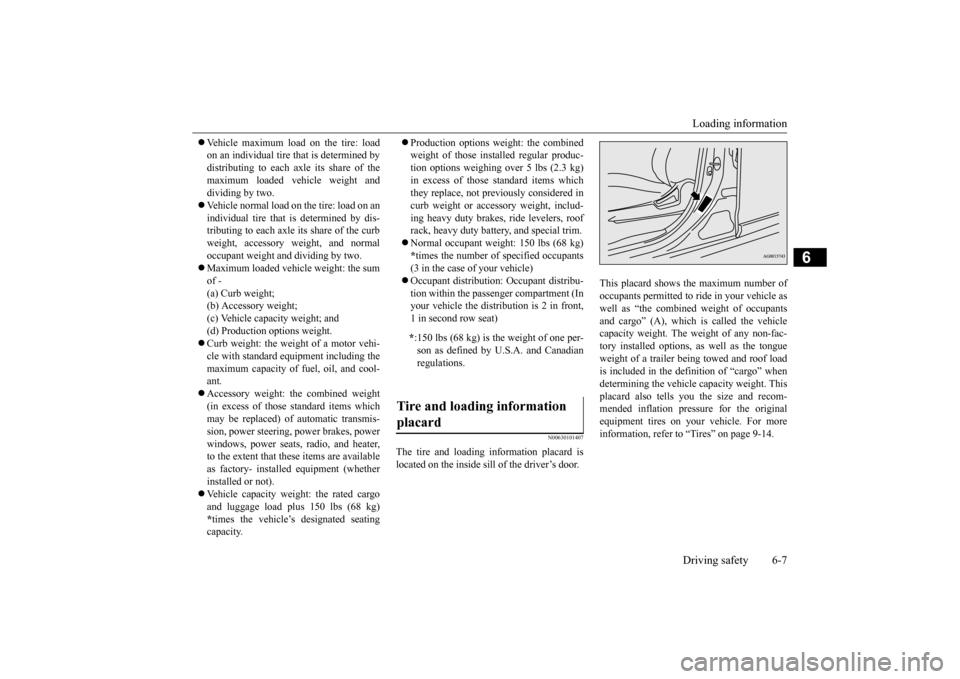
The tire and loading information placard is located on the inside sill of the driver’s door.
This placard shows the maximum number of occupants permitted to
ride in your vehicle as
well as “the combined
weight of occupants
and cargo” (A), which
is called the vehicle
capacity weight. The weight of any non-fac-tory installed options, as well as the tongue weight of a trailer being towed and roof load is included in the defi
nition of “cargo” when
determining the vehicle
capacity weight. This
placard also tells you the size and recom- mended inflation pressure for the originalequipment tires on your vehicle. For more information, refer to
“Tires” on page 9-14.
* :150 lbs (68 kg) is th
e weight of one per-
son as defined by U.S.A. and Canadian regulations.
Tire and loading information placard
BK0211800US.book 7 ページ 2014年3月12日 水曜日 午後2時42分
Page 307 of 446
Loading information 6-8 Driving safety
6
Ty p e 1 Ty p e 2
N00630201222
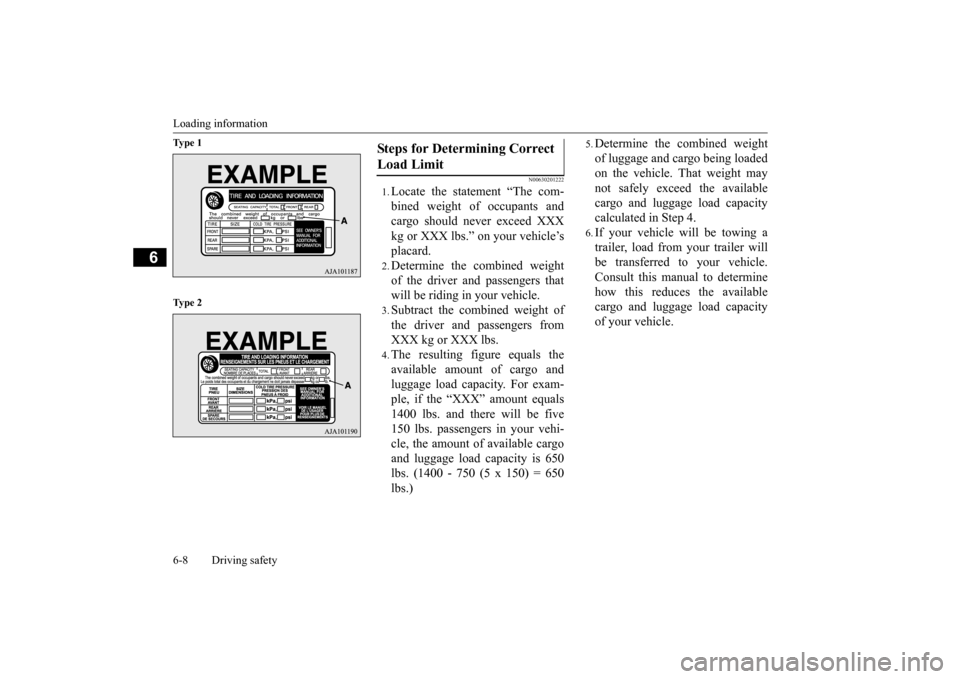
1.Locate the statement “The com- bined weight of occupants and cargo should never exceed XXX kg or XXX lbs.” on your vehicle’splacard.2.Determine the combined weightof the driver and passengers thatwill be riding in your vehicle.3.Subtract the combined weight ofthe driver and passengers fromXXX kg or XXX lbs.4.The resulting figure equals theavailable amount of cargo andluggage load capacity. For exam- ple, if the “XXX” amount equals 1400 lbs. and there will be five150 lbs. passengers in your vehi- cle, the amount of available cargo and luggage load
capacity is 650
lbs. (1400 - 750 (5 x 150) = 650lbs.)
5.Determine the combined weightof luggage and cargo being loaded on the vehicle. That weight may not safely exceed the availablecargo and luggage load capacity calculated in Step 4.6.If your vehicle will be towing a trailer, load from your trailer will be transferred to your vehicle. Consult this manual to determinehow this reduces the available cargo and luggage load capacity of your vehicle.
Steps for Determining Correct Load Limit
BK0211800US.book 8 ページ 2014年3月12日 水曜日 午後2時42分