Drive mode MITSUBISHI OUTLANDER 2017 3.G Repair Manual
[x] Cancel search | Manufacturer: MITSUBISHI, Model Year: 2017, Model line: OUTLANDER, Model: MITSUBISHI OUTLANDER 2017 3.GPages: 521, PDF Size: 14.91 MB
Page 231 of 521
Parking sensors (Front/Rear) (if so equipped) 5-150 Features and controls
5
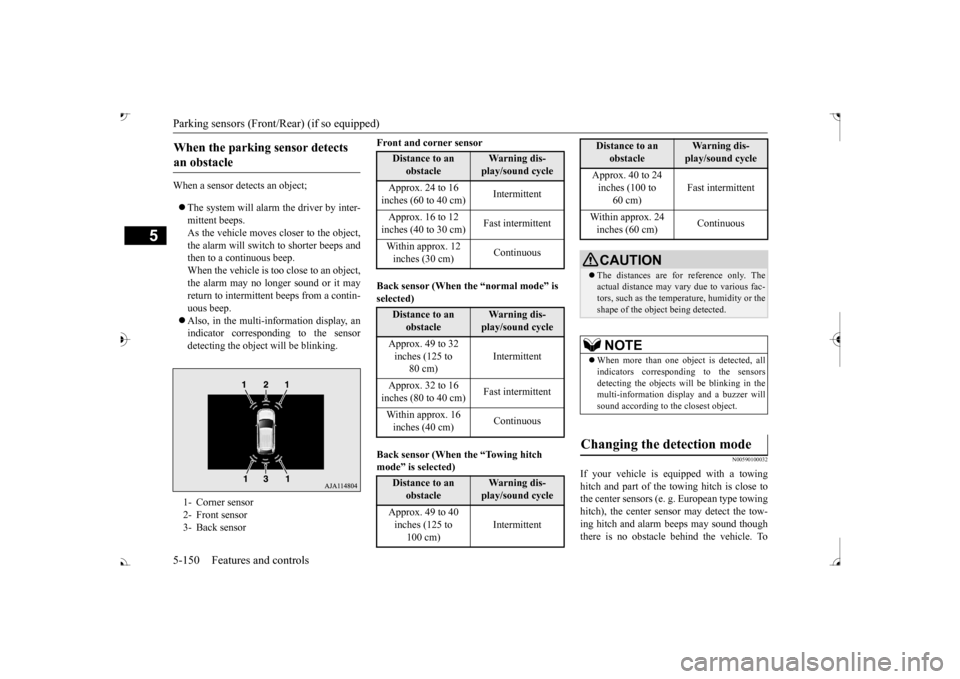
When a sensor detects an object; The system will alarm the driver by inter- mittent beeps.As the vehicle moves
closer to the object,
the alarm will switch to shorter beeps and then to a continuous beep.When the vehicle is too close to an object, the alarm may no longer sound or it may return to intermittent beeps from a contin- uous beep. Also, in the multi-information display, an indicator corresponding to the sensor detecting the objec
t will be blinking.
Front and corner sensor Back sensor (When the “normal mode” is selected) mode
Page 247 of 521
![MITSUBISHI OUTLANDER 2017 3.G Repair Manual Multi Information display - Type 1 5-166 Features and controls
5
[With ignition switch or operation mode in ON] 1- Drive mode indicator display screen (if
so equipped)
P.5-84
2- S-AWC drive mo](/img/19/7536/w960_7536-246.png "MITSUBISHI OUTLANDER 2017 3.G Repair Manual Multi Information display - Type 1 5-166 Features and controls
5
[With ignition switch or operation mode in ON] 1- Drive mode indicator display screen (if
so equipped)
P.5-84
2- S-AWC drive mo")
Multi Information display - Type 1 5-166 Features and controls
5
[With ignition switch or operation mode in ON] 1- Drive mode indicator display screen (if
so equipped)
P.5-84
2- S-AWC drive mode display screen (if
so equipped)
P.5-87
3-
Warning display screen
P.5-171
4- Forward Collision Mitigation System
(FCM) OFF display screen (if so equipped)
P.5-117
Ultrasonic misacceleration MitigationSystem OFF display screen (if so equipped)
P.5-127
5- Lane Departure Warning (LDW) sys-
tem display screen (if so equipped) P.5-139
6- ECO mode indicator display screen
P.5-231
7- Information screen
P.5-167
8- Selector lever
position display
P.5-70, 5-77
9- Engine coolant temperature display
P.5-171
10- Odometer
P.5-172
11- Cruise control display screen (if so
equipped)
P.5-102
12- Adaptive Cruise Control System (ACC)
display screen (if so equipped) P.5-106
13- ECO indicator
P.5-176
14-
“ ” or “ ” mark indicator
P.5-170
15- Fuel remaining display screen
P.5-172
16- Outside temperature display screen
P.5-172NOTE
The fuel units, outside temperature units, display language, and ot
her settings can be
changed. Refer to “Changing th
e function settings” on
page 5-177.
BK0239700US.book 166 ページ 2016年6月16日 木曜日 午前10時58分
Page 250 of 521
Multi Information display - Type 1
Features and controls 5-169
5
N00556201232
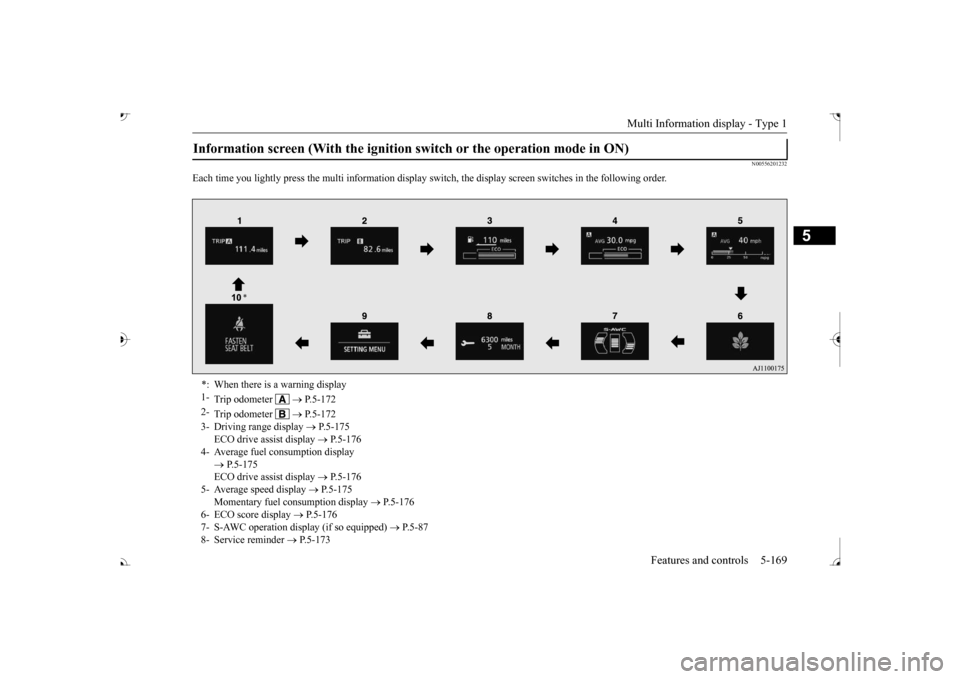
Each time you lightly press the multi in
formation display switch, th
e display screen switches
in the following order.
Information screen (With the ignition
switch or the operation mode in ON)
*: When there is a warning display 1-
Trip odometer
P.5-172
2-
Trip odometer
P.5-172
3- Driving range display
P.5-175
ECO drive assist display
P.5-176
4- Average fuel consumption display
P.5-175 ECO drive assist display
P.5-176
5- Average speed display
P.5-175
Momentary fuel consumption display
P.5-176
6- ECO score display
P.5-176
7- S-AWC operation displa
y (if so equipped)
P.5-87
8- Service reminder
P.5-173
BK0239700US.book 169 ページ 2016年6月16日 木曜日 午前10時58分
Page 252 of 521
Multi Information display - Type 1
Features and controls 5-171
5
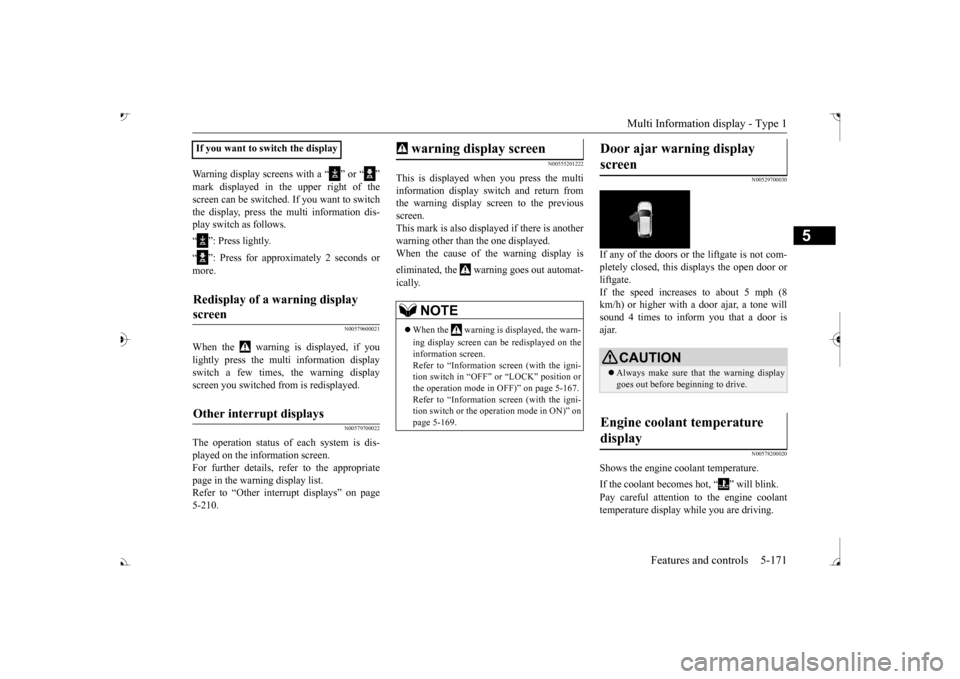
Warning display screens with a “ ” or “ ” screen can be switched. If you want to switch the display, press the multi information dis- play switch as follows. “ ”: Press lightly. “ ”: Press for approximately 2 seconds or more.
N00579600021
When the warning is displayed, if youlightly press the multi information display switch a few times, the warning display screen you switched
from is redisplayed.
N00579700022
The operation status of each system is dis- played on the information screen. For further details, re
fer to the appropriate
page in the warn
ing display list.
Refer to “Other interrupt displays” on page 5-210.
N00555201222
This is displayed when you press the multiinformation display switch and return from the warning display screen to the previousscreen. This mark is also displa
yed if there is another
warning other than the one displayed.When the cause of the warning display is eliminated, the warning goes out automat- ically.
N00529700030
If any of the doors or the liftgate is not com- pletely closed, this displays the open door orliftgate. If the speed increases to about 5 mph (8 km/h) or higher with a door ajar, a tone willsound 4 times to inform you that a door is ajar.
N00578200020
Shows the engine coolant temperature. If the coolant becomes hot, “ ” will blink. Pay careful attention to the engine coolant temperature display while you are driving.
If you want to switch the displayRedisplay of a warning display screen Other interrupt displays
warning display screen
NOTE
When the warning is displayed, the warn- ing display screen can be redisplayed on the information screen.Refer to “Information sc
reen (with the igni-
tion switch in “OFF” or
“LOCK” position or
the operation mode in
OFF)” on page 5-167.
Refer to “Information sc
reen (with the igni-
tion switch or the operation mode in ON)” on page 5-169.
Door ajar warning display screen
CAUTION Always make sure that
the warning display
goes out before beginning to drive.
Engine coolant temperature display
BK0239700US.book 171 ページ 2016年6月16日 木曜日 午前10時58分
Page 256 of 521

Multi Information display - Type 1
Features and controls 5-175
5
N00575201026
Shows the approximate driving range (how many more miles or
kilometers you can
drive). When this driving range falls below30 miles (50 km),
“---” is displayed.
Refuel as soon as possible.
N00575301027
This displays the average fuel consumption from the last reset to the present.There are 2 types of mode settings of manual reset and automatic reset. Refer to “Changing the reset mode for aver-age fuel consumption and average speed” on page 5-178. For information on how to change the aver- age fuel consumption di
splay setting, refer to
“Changing the function settings” on page5-177.
N00578500023
This displays the average speed from the lastreset to the present.There are 2 types of mode setting of manual reset and automatic reset. Refer to “Changing the
reset mode for aver-
age fuel consumption
and average speed” on
page 5-178. For the method for changing the averagespeed display setting, refer to “Changing the function settings
” on page 5-177.
Driving range display
NOTE
The driving range is determined based on the fuel consumption da
ta. This may vary
depending on the drivi
ng conditions and hab-
its. Treat the distance displayed as just a rough guideline. When you refuel, the driving range display is updated. However, if you only add a small amount offuel, the correct value
will not be displayed.
Fill to a full tank whenever possible. When your vehicle is stopped on an extremely steep hill, the driving range value may, change. This is due to the movement offuel in the tank and does not indicate any breakdown. The display setting ca
n be changed to the
preferred units (miles or km). Refer to “Changing the
function settings” on
page 5-177.
Average fuel consumption dis- play
NOTE
The average fuel cons
umption display can be
reset separately in both auto reset mode and manual reset mode. “---” is displayed when the average fuel con- sumption cannot be measured. The initial (default) setting is “Auto reset mode”. Average fuel consumption may vary depend- ing on the driving conditions (road condi- tions, how you drive, etc.) The actual fuelconsumption may differ from the fuel con- sumption displayed, so
treat the fuel con-
sumption displayed as
just a rough guideline.
Disconnecting the batter
y cable wi
ll erase
from memory the manual reset mode or autoreset mode setting for the average fuel con-sumption display. The display setting ca
n be changed to the
preferred units {mpg (US), mpg (UK), L/100km or km/L}. Refer to “Changing the function settings” onpage 5-177.
Average speed display
NOTE
The average speed display can be reset sepa- rately in both auto reset mode and manual reset mode. “---” is displayed when the average speed cannot be measured. The initial (default) setting is “Auto reset mode”.NOTE
BK0239700US.book 175 ページ 2016年6月16日 木曜日 午前10時58分
Page 257 of 521
Multi Information display - Type 1 5-176 Features and controls
5
N00578600024
While driving, the momentary fuel consump- tion is shown with a bar graph. The “ ” mark in the momentary fuel gauge shows the average fuel consumption. When the momentary fuel consumption sur- passes the average fuel consumption, themomentary fuel consumption is displayed with a green bar graph. Be conscious of maintaining the momentaryfuel consumption above the average fuel con- sumption, it can help you drive with the better fuel consumption.
N00568701032
This indicator will be displayed when fuel-efficient driving is achieved.
N00578700038
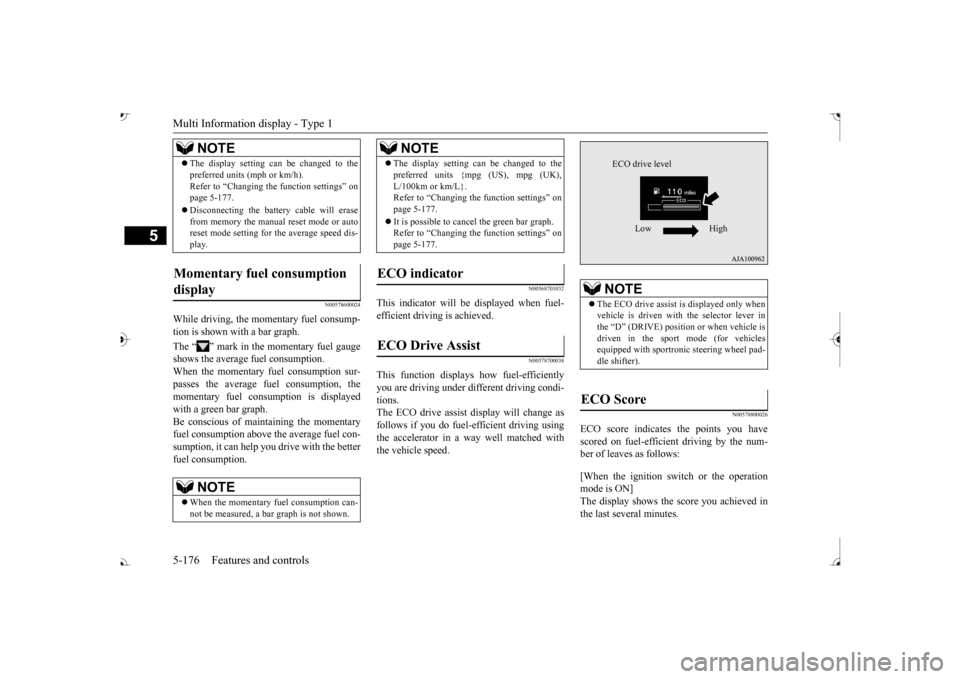
This function displays
how fuel-efficiently
you are driving under different driving condi- tions. The ECO drive assist display will change asfollows if you do fuel-efficient driving using the accelerator in a way well matched with the vehicle speed.
N00578800026
ECO score indicates the points you have scored on fuel-efficient driving by the num- ber of leaves as follows: [When the ignition switch or the operation mode is ON] The display shows the score you achieved in the last several minutes.
The display setting can be changed to the preferred units (mph or km/h).Refer to “Changing th
e function settings” on
page 5-177. Disconnecting the batt
ery cable will erase
from memory the manual reset mode or auto reset mode setting for the average speed dis- play.
Momentary fuel consumption display
NOTE
When the momentary fuel consumption can- not be measured, a ba
r graph is not shown.
NOTE
The display setting can be changed to the preferred units {mpg (US), mpg (UK),L/100km or km/L}.Refer to “Changing the
function settings” on
page 5-177. It is possible to cancel the green bar graph. Refer to “Changing the
function settings” on
page 5-177.
ECO indicator ECO Drive Assist
NOTE
NOTE
The ECO drive assist is displayed only when vehicle is driven with
the selector lever in
the “D” (DRIVE) positi
on or when vehicle is
driven in the sport mode (for vehicles equipped with sportroni
c steering wheel pad-
dle shifter).
ECO Score
ECO drive level
Low High
BK0239700US.book 176 ページ 2016年6月16日 木曜日 午前10時58分
Page 258 of 521
![MITSUBISHI OUTLANDER 2017 3.G Repair Manual Multi Information display - Type 1
Features and controls 5-177
5
[When the ignition switch is turned to the “OFF” or “LOCK” position or the operationmode is put in OFF] The display shows the](/img/19/7536/w960_7536-257.png "MITSUBISHI OUTLANDER 2017 3.G Repair Manual Multi Information display - Type 1
Features and controls 5-177
5
[When the ignition switch is turned to the “OFF” or “LOCK” position or the operationmode is put in OFF] The display shows the")
Multi Information display - Type 1
Features and controls 5-177
5
[When the ignition switch is turned to the “OFF” or “LOCK” position or the operationmode is put in OFF] The display shows the overall ECO score the function has counted from the time when theignition switch is turn
ed to the “ON” position
to the time when it is turned to the “OFF” or “LOCK” or “ACC” position, or from the timewhen the operation mode is set to “ON” to the time when it is set to “OFF”.
N00556801270
1. Park your vehicle in a safe place.Firmly apply the parking brake and move the selector lever into the “P” (PARK)position.
2. When you lightly press the multi informa- tion meter switch, the information screenswitches to the function setting screen. Refer to “Information screen” on page 5-169. 3. Press and hold the multi information dis- play switch (for about 2 seconds or more) to switch from the setting mode screen to the menu screen.
4. Select the item to change on the menu screen and change to
the desired setting.
For further details on the operation meth- ods, refer to the following sections. Refer to “Changing the reset mode for average fuel consumption and average speed” on page 5-178.Refer to “Changing the fuel consumption display unit” on page 5-179. Refer to “Changing the temperature unit”on page 5-180. Refer to “Changing the display language” on page 5-180.Refer to “Changing the language on other system to match the multi information display” on page 5-181.Refer to “Operation
sound setting” on
page 5-181.
Changing the function settings
ECO drive level
Low High
CAUTION For safety, stop the vehicle before operating. While driving, even if you operate the multi information display switch, the function set- ting screen is not displayed.
NOTE
To return the menu screen to the function set- ting screen, press and hold the multi infor-mation display switch
(for about 2 seconds
or more). If no operations are made within about 30 seconds of the menu screen being displayed, the display returns to the function setting screen.
BK0239700US.book 177 ページ 2016年6月16日 木曜日 午前10時58分
Page 263 of 521
Multi Information display - Type 1 5-182 Features and controls
5
N00557501160
The time until the di
splay appears can be
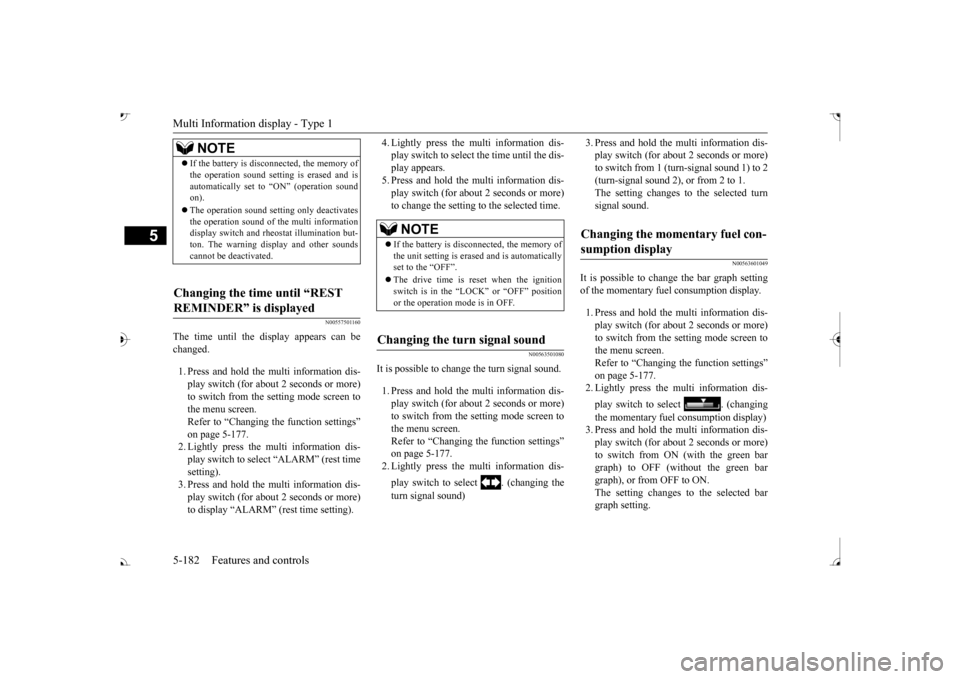
changed. 1. Press and hold the multi information dis- play switch (for about 2 seconds or more) to switch from the setting mode screen to the menu screen.Refer to “Changing the function settings” on page 5-177. 2. Lightly press the multi information dis-play switch to select “ALARM” (rest time setting). 3. Press and hold the multi information dis-play switch (for about 2 seconds or more) to display “ALARM” (rest time setting).
4. Lightly press the multi information dis- play switch to select the time until the dis-play appears. 5. Press and hold the mu
lti information dis-
play switch (for about 2 seconds or more)to change the setting to the selected time.
N00563501080
It is possible to cha
nge the turn signal sound.
1. Press and hold the mu
lti information dis-
play switch (for about 2 seconds or more) to switch from the setting mode screen tothe menu screen. Refer to “Changing th
e function settings”
on page 5-177.2. Lightly press the multi information dis- play switch to select . (changing the turn signal sound)
3. Press and hold the multi information dis- play switch (for about 2 seconds or more)to switch from 1 (turn-signal sound 1) to 2 (turn-signal sound 2), or from 2 to 1. The setting changes to the selected turnsignal sound.
N00563601049
It is possible to change the bar graph settingof the momentary fuel consumption display. 1. Press and hold the multi information dis- play switch (for about 2 seconds or more) to switch from the setting mode screen tothe menu screen. Refer to “Changing the function settings” on page 5-177.2. Lightly press the multi information dis- play switch to
select . (changing
the momentary fuel consumption display) 3. Press and hold the multi information dis- play switch (for about 2 seconds or more) to switch from ON (with the green bargraph) to OFF (without the green bar graph), or from OFF to ON. The setting changes to the selected bargraph setting.
NOTE
If the battery is disconnected, the memory of the operation sound setting is erased and isautomatically set to
“ON” (operation sound
on). The operation sound sett
ing only deactivates
the operation sound of the multi information display switch and rheostat illumination but- ton. The warning di
splay and other sounds
cannot be deactivated.
Changing the time until “REST REMINDER” is displayed
NOTE
If the battery is disconnected, the memory of the unit setting is erased and is automatically set to the “OFF”. The drive time is reset when the ignition switch is in the “LOCK” or “OFF” position or the operation mode is in OFF.
Changing the turn signal sound
Changing the momentary fuel con- sumption display
BK0239700US.book 182 ページ 2016年6月16日 木曜日 午前10時58分
Page 267 of 521
Multi Information display - Type 2 5-186 Features and controls
5
N00575301030
This displays the average fuel consumption from the last reset to the present. The reset mode conditions for the average fuel consumption disp
lay can be switched
between “Auto reset”
and “Manual reset”.
For information on how to change the aver- age fuel consumption display setting, refer to“Changing the function settings” on page 5-189.
N00556501121
Shows the temperature
outside the vehicle.
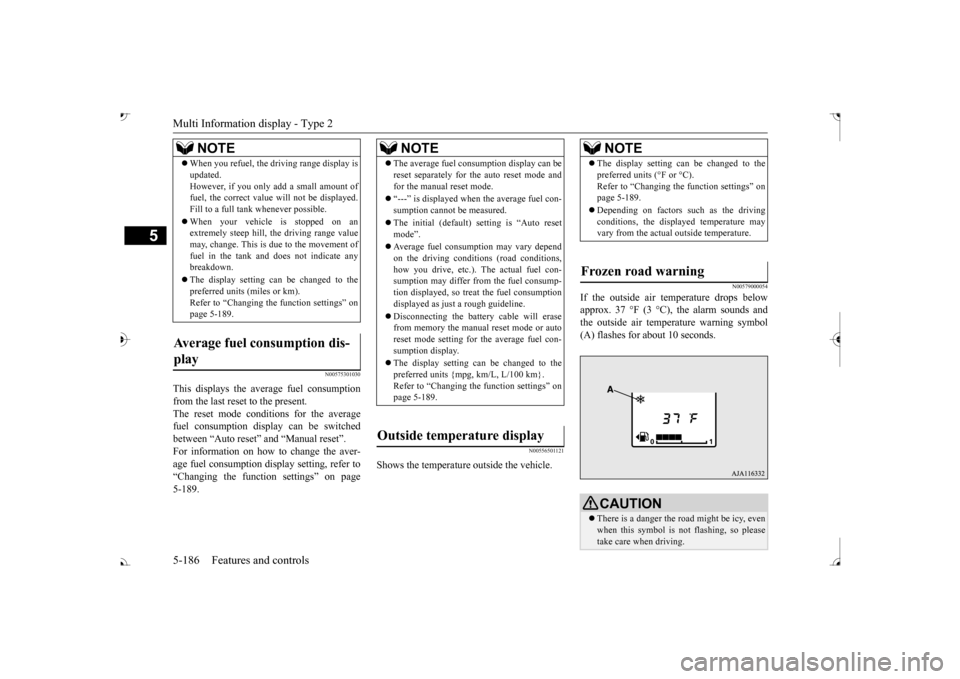
N00579000054
If the outside air temperature drops below approx. 37 °F (3 °C), the alarm sounds andthe outside air temperature warning symbol (A) flashes for about 10 seconds.
When you refuel, the driving range display is updated.However, if you only add a small amount offuel, the correct value
will not be displayed.
Fill to a full tank whenever possible. When your vehicle is stopped on an extremely steep hill, th
e driving range value
may, change. This is due to the movement offuel in the tank and does not indicate any breakdown. The display setting can be changed to the preferred units (miles or km). Refer to “Changing th
e function settings” on
page 5-189.
Average fuel consumption dis- play
NOTE
NOTE
The average fuel cons
umption display can be
reset separately for the auto reset mode andfor the manual reset mode. “---” is displayed when the average fuel con- sumption cannot be measured. The initial (default) setting is “Auto reset mode”. Average fuel consumption may vary depend on the driving conditi
ons (road conditions,
how you drive, etc.). The actual fuel con- sumption may differ from the fuel consump- tion displayed, so treat the fuel consumptiondisplayed as just
a rough guideline.
Disconnecting th
e battery cable will erase
from memory the manual reset mode or auto reset mode setting for the average fuel con- sumption display. The display setting can be changed to the preferred units {mpg, km/L, L/100 km}.Refer to “Changing the
function settings” on
page 5-189.
Outside temperature display
NOTE
The display setting ca
n be changed to the
preferred units (°F or °C).
e function settings” on
page 5-189. Depending on factors such as the driving conditions, the displa
yed temperature may
vary from the actual outside temperature.
Frozen road warning
CAUTION There is a danger the ro
ad might be icy, even
when this symbol is not flashing, so pleasetake care when driving.
BK0239700US.book 186 ページ 2016年6月16日 木曜日 午前10時58分
Page 270 of 521
Multi Information display - Type 2
Features and controls 5-189
5
N00556801209
The “Average fuel consumption reset mode”,
it” and “Temperature
unit” setting can be
modified as desired,
when the ignition switch is in the “ON” posi- tion.
N00575501029
You can change the mode condition for theaverage fuel consumption display to “Auto reset” or “Manual reset”.
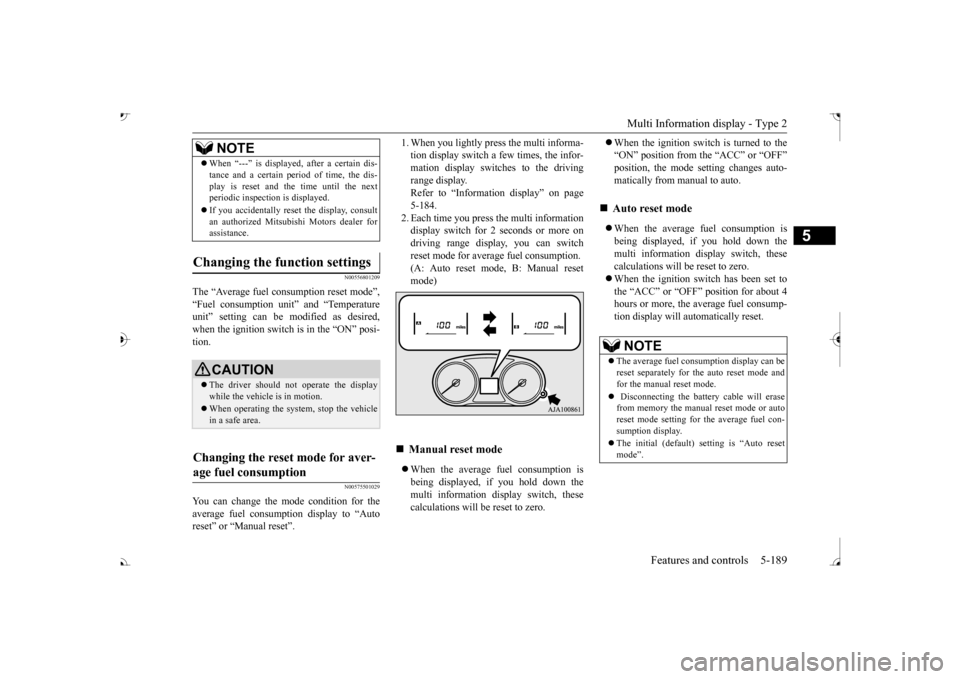
tion display switch a few times, the infor-mation display switches to the driving range display. Refer to “Information display” on page5-184. 2. Each time you press the multi information display switch for 2 seconds or more ondriving range display, you can switch reset mode for average fuel consumption. (A: Auto reset mode, B: Manual reset mode) When the average fuel consumption is being displayed, if you hold down the multi information display switch, thesecalculations will
be reset to zero.
When the ignition switch is turned to the “ON” position from the “ACC” or “OFF”position, the mode se
tting changes auto-
matically from manual to auto. When the average fuel consumption is being displayed, if you hold down themulti information display switch, these calculations will be reset to zero. When the ignition switch has been set to the “ACC” or “OFF” position for about 4 hours or more, the average fuel consump-tion display will automatically reset.
When “---” is displaye
d, after a certain dis-
tance and a certain pe
riod of time, the dis-
play is reset and the time until the nextperiodic inspecti
on is displayed.
If you accidentally rese
t the display, consult
an authorized Mitsubishi Motors dealer for assistance.
Changing the function settings
CAUTION The driver should not operate the display while the vehicle is in motion. When operating the system, stop the vehicle in a safe area.
Changing the reset mode for aver- age fuel consumption
NOTE
Manual reset mode
Auto reset mode NOTE
The average fuel cons
umption display can be
reset separately for the auto reset mode and for the manual reset mode. Disconnecting the batt
ery cable will erase
from memory the manual reset mode or auto reset mode setting for the average fuel con-sumption display. The initial (default) setting is “Auto reset mode”.
BK0239700US.book 189 ページ 2016年6月16日 木曜日 午前10時58分