Drive mode MITSUBISHI OUTLANDER 2017 3.G Workshop Manual
[x] Cancel search | Manufacturer: MITSUBISHI, Model Year: 2017, Model line: OUTLANDER, Model: MITSUBISHI OUTLANDER 2017 3.GPages: 521, PDF Size: 14.91 MB
Page 181 of 521
Active stability control (ASC)
5
If there is a malfunction in the system, the warning light will come on and the warningdisplay will appear on the information screen in the multi information display. Under normal conditions, the warning lightcome on when the ignition switch is turned to the “ON” position or the operation mode is put in ON, and goes off after the engine hasstarted.
N00559100147
The Active stability
control (ASC) takes
overall control of the
anti-lock braking sys-
tem, traction control function and skid control function to help maintain the vehicle’s controland traction. Please read
this section in con-
junction with the page on the anti-lock brak- ing system, traction control function and skidcontrol function. Anti-lock braking system
P.5-97
Traction control function
P.5-100
Skid control function
P.5-100
N00559200021
On slippery surfaces, the traction control function prevents the drive wheels from spin- ning excessive, thus helping the vehicle tostart moving from a stopp
ed condition.
It also
provides sufficient driv
ing force and steering
performance as the vehicle turns while press-ing the acceleration pedal.
N00559300019
The skid control function is designed to helpthe driver maintain control of the vehicle on slippery roads or during rapid steering
CAUTION If the warning display appears while the engine is running, have
the vehicle inspected
by an authorized Mitsubishi Motors dealer or a repair facility of
your choice as soon as
possible. It may become harder to turn thesteering wheel.
Active stability control (ASC)
CAUTION Do not over-rely on the ASC. Even the ASC cannot prevent the natural laws of physics from acting on the vehicle. This system, like any other system, has
limits and cannot help
you to maintain traction and control of the vehicle in all circumstances. Reckless driv- ing can lead to accident
s. It is the driver’s
responsibillty to drive carefully, This means taking into account the traffic, road and envi- ronmental conditions. Be sure to use the same specified type and size of tire on all four
wheels. Otherwise, the
ASC may not work properly. Do not install any aftermarket limited slip differential (LSD) on your vehicle. The ASC may stop functioning properly.NOTE
An operation noise may be emitted from the engine compartment in the following situa-tions. The sound is associated with checkingthe operations of the ASC. At this time, you may feel a shock from the brake pedal if you depress it. These do not
indicate a malfunc-
tion. • When the ignition switch is set to the “ON” position. • When the vehicle is driven for a while after the engine is turned on.
When the ASC is acti
vated, you may feel a
vibration in the vehicl
e body or hear a whin-
ing sound from the engine compartment.This indicates that th
e system is operating
normally. It does not i
ndicate a malfunction.
When the anti-lock braking system warning light is illuminated, the ASC is not active.
Traction control function
CAUTION When driving a vehicle on a snowy or icy road, be sure to install snow tires and drive the vehicle at moderate speeds.
Skid control function
NOTE
BK0239700US.book 100 ページ 2016年6月16日 木曜日 午前10時58分
Page 183 of 521
Cruise control (if so equipped)
5
N00546601129
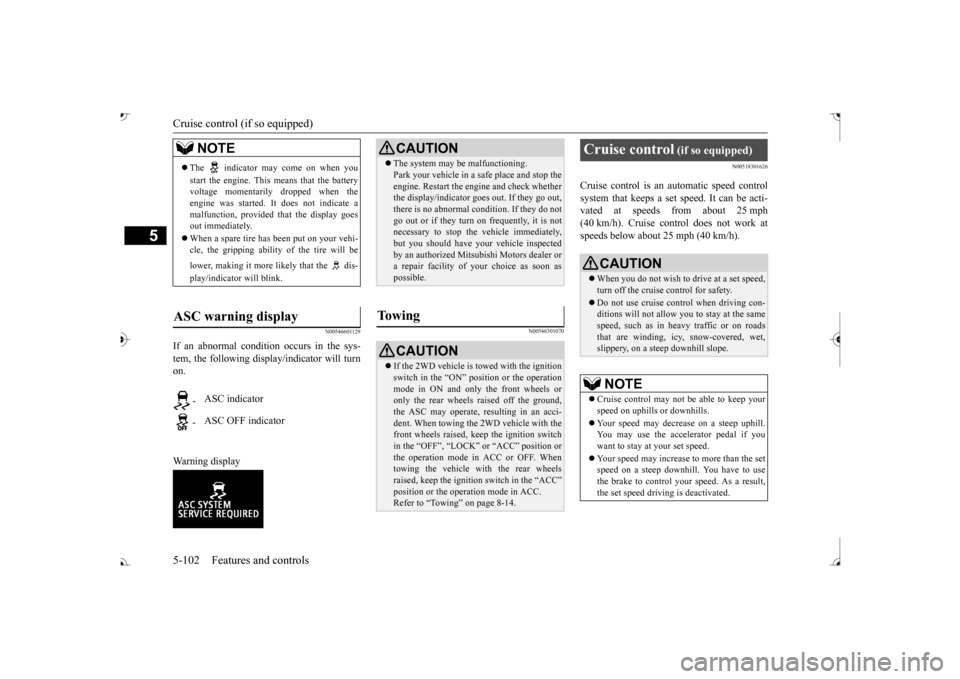
If an abnormal condition occurs in the sys- tem, the following display/indicator will turn on. Warning display
N00546301070
N00518301626
Cruise control is an automatic speed control system that keeps a set speed. It can be acti-vated at speeds from about 25 mph (40 km/h). Cruise cont
rol does not work at
speeds below about 25 mph (40 km/h).
NOTE
The indicator may come on when you start the engine. This means that the battery voltage momentarily dropped when theengine was started. It
does not indicate a
malfunction, provided th
at the display goes
out immediately. When a spare tire has been put on your vehi- cle, the gripping ability of the tire will be lower, making it more
likely that the dis-
play/indicator will blink.
ASC warning display
-
ASC indicator
-
ASC OFF indicator
CAUTION The system may be malfunctioning. Park your vehicle in a
safe place and stop the
engine. Restart the engi
ne and check whether
the display/indicator goes out. If they go out, there is no abnormal condition. If they do not go out or if they turn on frequently, it is notnecessary to stop the
vehicle immediately,
but you should have your
vehicle inspected
by an authorized Mitsubishi Motors dealer ora repair facility of
your choice as soon as
possible.
To w i n g
CAUTION If the 2WD vehicle is
towed with the ignition
switch in the “ON” pos
ition or the operation
mode in ON and only the front wheels or only the rear wheels raised off the ground, the ASC may operate, resulting in an acci-dent. When towing the 2WD vehicle with the front wheels raised, ke
ep the ignition switch
in the “OFF”, “LOCK” the operation mode in ACC or OFF. Whentowing the vehicle with the rear wheels raised, keep the ignition switch in the “ACC”Refer to “Towing” on page 8-14.
Cruise control
(if so equipped)
When you do not wish to drive at a set speed, turn off the cruise control for safety. Do not use cruise control when driving con- ditions will not allow
you to stay at the same
speed, such as in heavy traffic or on roads that are winding, icy, snow-covered, wet,slippery, on a steep downhill slope.NOTE
Cruise control may not
be able to keep your
speed on uphills or downhills. Your speed may decr
ease on a steep uphill.
You may use the accelerator pedal if you want to stay at your set speed. Your speed may increase to more than the set speed on a steep downhill. You have to use the brake to control your speed. As a result,the set speed driving is deactivated.
BK0239700US.book 102 ページ 2016年6月16日 木曜日 午前10時58分
Page 190 of 521
Adaptive Cruise Control System (ACC) (if so equipped)
Features and controls 5-109
5
Press the “ACC ON/OFF” switch to turn off the ACC.
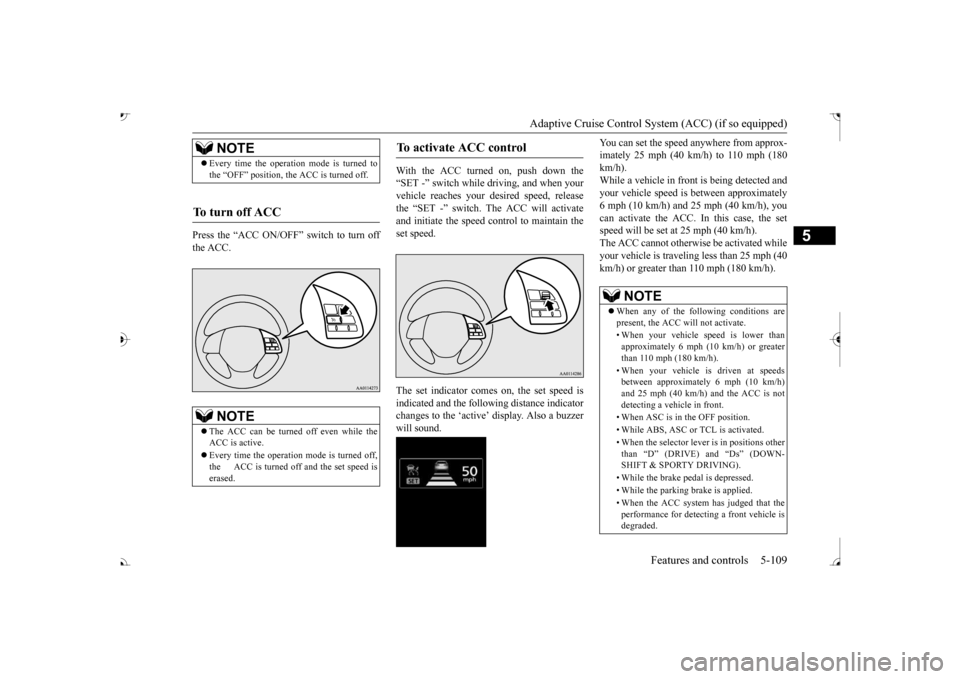
With the ACC turned on, push down the “SET -” switch while
driving, and when your
vehicle reaches your de
sired speed, release
the “SET -” switch. The ACC will activateand initiate the speed control to maintain the set speed. The set indicator comes on, the set speed is indicated and the follow
ing distance indicator
changes to the ‘active’ will sound.
You can set the speed anywhere from approx- imately 25 mph (40 km/h) to 110 mph (180km/h). While a vehicle in front
is being detected and
your vehicle speed is
between a
pproximately
6 mph (10 km/h) and 25 mph (40 km/h), you can activate the ACC. In this case, the set speed will be set at 25 mph (40 km/h).The ACC cannot otherwis
e be activated while
your vehicle is traveling less than 25 mph (40 km/h) or greater than 110 mph (180 km/h).
NOTE
Every time the operation mode is turned to the “OFF” position, the ACC is turned off.
To turn off ACC
NOTE
The ACC can be turned off even while the ACC is active. Every time the operation mode is turned off, the ACC is turned off and the set speed iserased.
To activate ACC control
NOTE
When any of the following conditions are present, the ACC will not activate. • When your vehicle speed is lower than approximately 6 mph (10 km/h) or greater than 110 mph (180 km/h). • When your vehicle is driven at speeds between approximately 6 mph (10 km/h) and 25 mph (40 km/h) and the ACC is notdetecting a vehi
cle in front.
• When ASC is in the OFF position.• While ABS, ASC or TCL is activated. • When the selector lever
is in positions other
than
Page 197 of 521
Adaptive Cruise Control System (ACC) (if so equipped) 5-116 Features and controls
5
If the display keeps showing the message, there is a possibility that the ACC has a mal-function. Contact your authorized Mitsubishi Motors dealer. When the ACC system
detects an abnormal-
ity in the system, the ACC system will beturned off, a buzzer will sound and a message will be displayed in the multi information dis- play. If the message remains after the opera-tion mode has been turned to the “OFF” position and then turned back to the “ON” position, contact your au
thorized Mitsubishi
Motors dealer.
N00581800059
After the ACC control has been canceled with the ACC turned on, the ACC control can beresumed by pushing up
and releasing the
“RES +” switch.
N00581900021
With the ACC turned on, the distance between your vehicle an
d a vehicle ahead can
be selected from thre
e levels by pushing the
ACC distance switch. Each time the ACC distance switch is pus
hed, the following dis-
tance will change fro
m “Long” to “Middle”,
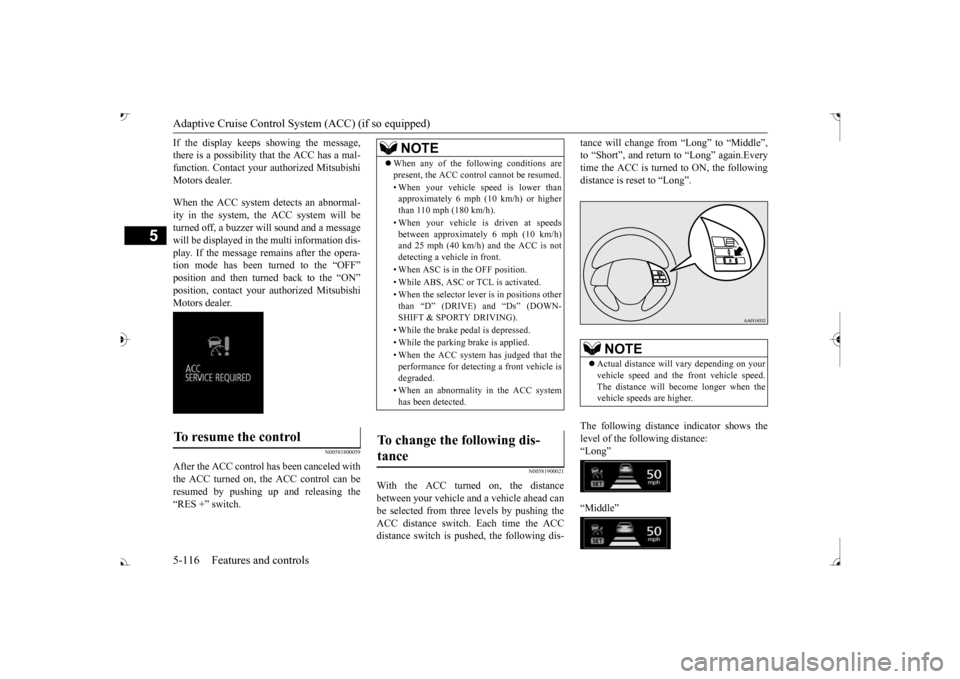
to “Short”, and return to “Long” again.Everytime the ACC is turned to ON, the following distance is re
set to “Long”.
The following distance indicator shows the level of the following distance:“Long” “Middle”
To resume the control
NOTE
When any of the following conditions are present, the ACC cont
rol cannot be resumed.
• When your vehicle speed is lower than approximately 6 mph (10 km/h) or higher than 110 mph (180 km/h). • When your vehicle is driven at speeds between approximately 6 mph (10 km/h)and 25 mph (40 km/h) and the ACC is not detecting a vehi
cle in front.
• When ASC is in the OFF position. • While ABS, ASC or TCL is activated.• When the selector lever
is in positions other
than
Page 200 of 521
Forward Collision Mitigation System (FCM) (if so equipped)
Features and controls 5-119
5
N00577400041
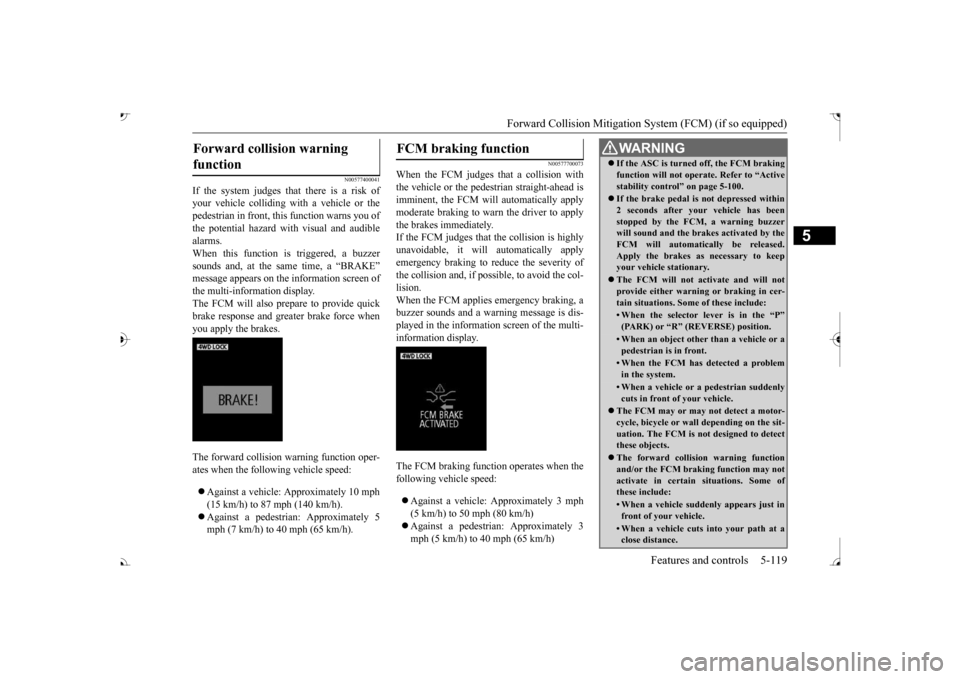
If the system judges that there is a risk of your vehicle colliding wi
th a vehicle or the
pedestrian in front, this function warns you of the potential hazard with
visual and audible
alarms.When this function is triggered, a buzzer sounds and, at the sa
me time, a “BRAKE”
message appears on the information screen of the multi-information display. The FCM will also prepare to provide quickbrake response and greater brake force when you apply the brakes. The forward collision
warning function oper-
ates when the following vehicle speed: Against a vehicle: Approximately 10 mph (15 km/h) to 87 mph (140 km/h). Against a pedestrian: Approximately 5 mph (7 km/h) to 40 mph (65 km/h).
N00577700073
When the FCM judges th
at a collision with
the vehicle or the pedest
rian straight-ahead is
imminent, the FCM will automatically applymoderate braking to warn the driver to apply the brakes immediately. If the FCM judges that the collision is highlyunavoidable, it will
automatically apply
emergency braking to reduce the severity of the collision and, if possible, to avoid the col- lision. When the FCM applies emergency braking, abuzzer sounds and a warn
ing message is dis-
played in the information screen of the multi- information display. The FCM braking function operates when the following vehicle speed: Against a vehicle:
Approximately 3 mph
(5 km/h) to 50 mph (80 km/h) mph (5 km/h) to 40 mph (65 km/h)
Forward collision warning function
FCM braking function
WA R N I N G If the ASC is turned off, the FCM braking function will not operate. Refer to “Activestability control” on page 5-100. If the brake pedal is not depressed within 2 seconds after your vehicle has beenstopped by the FCM,
a warning buzzer
will sound and the brakes activated by the FCM will automatically be released.Apply the brakes as
necessary to keep
your vehicle stationary. The FCM will not activate and will not provide either warnin
g or braking in cer-
tain situations. Some of these include:• When the selector lever is in the “P”(PARK) or “R” (R
EVERSE) position.
• When an object other
than a vehicle or a
pedestrian is in front.• When the FCM has detected a problemin the system.• When a vehicle or a
pedestrian suddenly
cuts in front of your vehicle.
The FCM may or may not detect a motor- cycle, bicycle or wall depending on the sit-uation. The FCM is not designed to detect these objects. The forward collision warning function and/or the FCM brakin
g function may not
activate in certain
situations. Some of
these include:• When a vehicle sudden
ly appears just in
front of your vehicle.• When a vehicle cuts
into your path at a
close distance.
BK0239700US.book 119 ページ 2016年6月16日 木曜日 午前10時58分
Page 204 of 521
Forward Collision Mitigation System (FCM) (if so equipped)
Features and controls 5-123
5
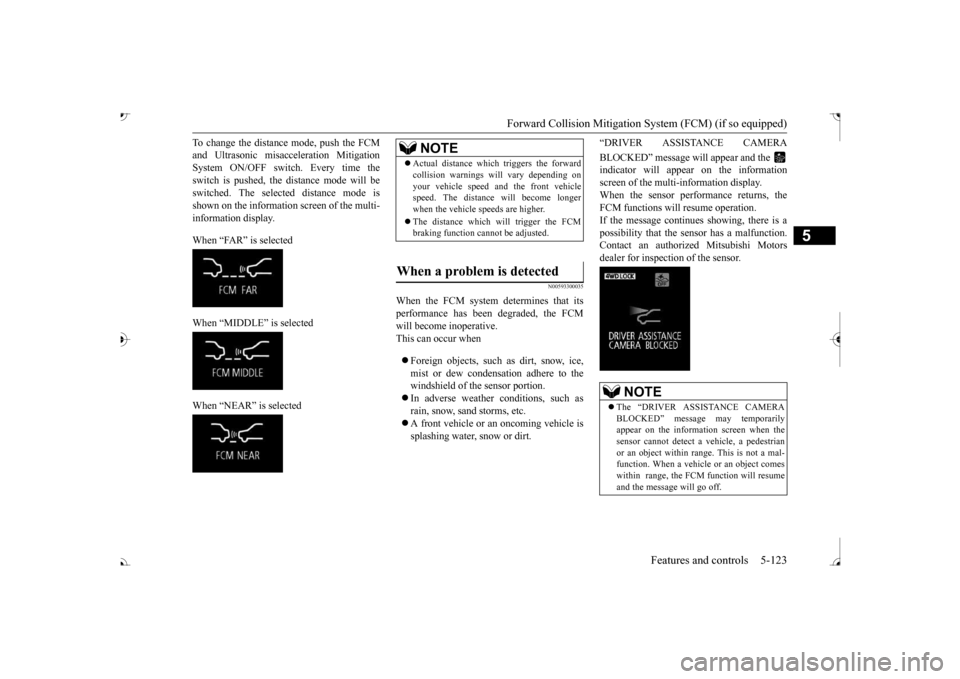
To change the distan
ce mode, push the FCM
and Ultrasonic misacc
eleration
Mitigation
System ON/OFF switch. Every time the switch is pushed, the
distance mode will be
switched. The selected distance mode isshown on the information screen of the multi- information display. When “FAR” is selected When “MIDDLE” is selected When “NEAR” is selected
N00593300035
When the FCM system determines that its performance has been degraded, the FCMwill become inoperative. This can occur when Foreign objects, such as dirt, snow, ice, mist or dew condensation adhere to thewindshield of the sensor portion. In adverse weather
conditions, such as
rain, snow, sand storms, etc. A front vehicle or an oncoming vehicle is splashing water, snow or dirt.
“DRIVER ASSISTANCE CAMERA BLOCKED” message will appear and the indicator will appear
on the information
screen of the multi-information display. When the sensor performance returns, the FCM functions will resume operation.If the message continue
s showing, there is a
possibility that the sensor has a malfunction. Contact an authorized Mitsubishi Motorsdealer for inspection of the sensor.
NOTE
Actual distance which
triggers the forward
collision warnings will vary depending onyour vehicle speed a
nd the front vehicle
speed. The distance
will become longer
when the vehicle speeds are higher. The distance which will trigger the FCM braking function cannot be adjusted.
When a problem is detected
NOTE
The “DRIVER ASSISTANCE CAMERA BLOCKED” message
may temporarily
appear on the information screen when the sensor cannot detect a
vehicle, a pedestrian
or an object within range. This is not a mal- function. When a vehicle or an object comes within range, the FCM function will resumeand the message will go off.
BK0239700US.book 123 ページ 2016年6月16日 木曜日 午前10時58分
Page 205 of 521
Forward Collision Mitigation System (FCM) (if so equipped) 5-124 Features and controls
5
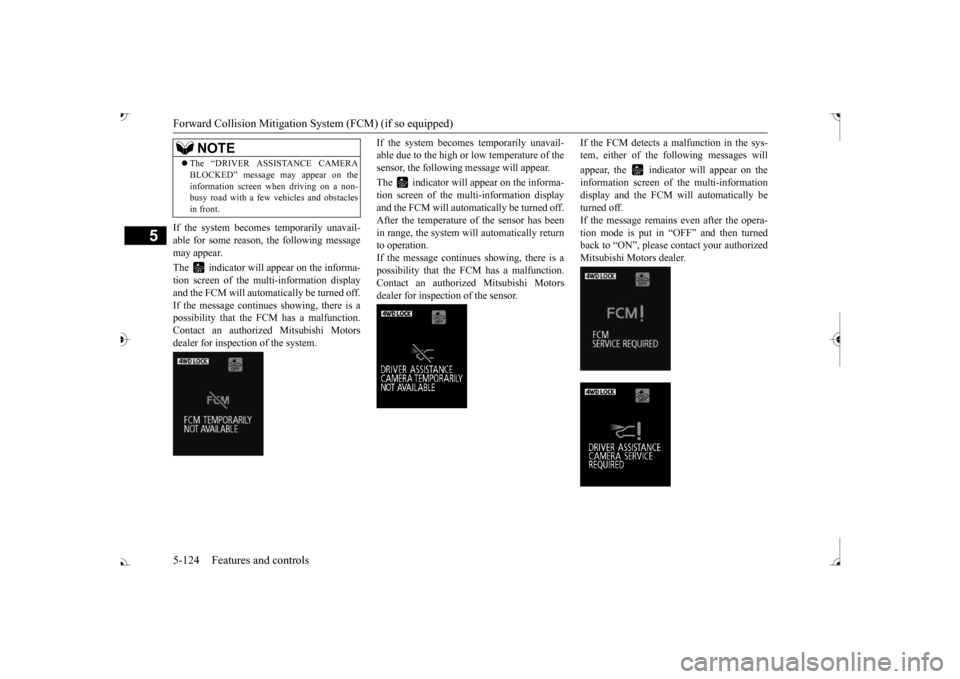
If the system becomes temporarily unavail- able for some reason, the following message may appear. The indicator will appear on the informa- tion screen of the mu
lti-information display
and the FCM will automa
tically be turned off.
If the message continues
showing, there is a
possibility that the FCM has a malfunction.Contact an authoriz
ed Mitsubishi Motors
dealer for inspection of the system.
If the system becomes temporarily unavail- able due to the high or low temperature of thesensor, the following
message will appear.
The indicator will appear on the informa- tion screen of the multi-information display and the FCM will automatically be turned off.After the temperature of
the sensor has been
in range, the system will automatically return to operation.If the message continues showing, there is a possibility that the
FCM has a malfunction.
Contact an authorized Mitsubishi Motors dealer for inspection of the sensor.
If the FCM detects a malfunction in the sys- tem, either of the following messages will appear, the indicator will appear on the information screen of the multi-information display and the FCM will automatically be turned off.If the message remains even after the opera- tion mode is put in “OFF” and then turned back to “ON”, please
contact your authorized
Mitsubishi Motors dealer.
The “DRIVER ASSI
STANCE CAMERA
BLOCKED” message
may appear on the
information screen when driving on a non-busy road with a few vehicles and obstacles in front.NOTE
BK0239700US.book 124 ページ 2016年6月16日 木曜日 午前10時58分
Page 212 of 521
Blind Spot Warning (BSW) (with Lane Change Assist) (if so equipped)
Features and controls 5-131
5
N00586800038
Every time the operation mode is turned to “ON”, the Ultrasonic misacceleration Mitiga-tion System will automatically be turned on. In addition, on vehicles equipped with the Forward Collision Mitigation System (FCM),the Ultrasonic misacceleration Mitigation System and the FCM are simultaneously turned off and on by operating the FCM andUltrasonic misaccelerat
ion Mitigation System
ON/OFF switch. Refer to “FCM and Ultrasonic misaccelera-tion Mitigation System ON/OFF switch” on page 5-122.
N00586900026 N00587000037
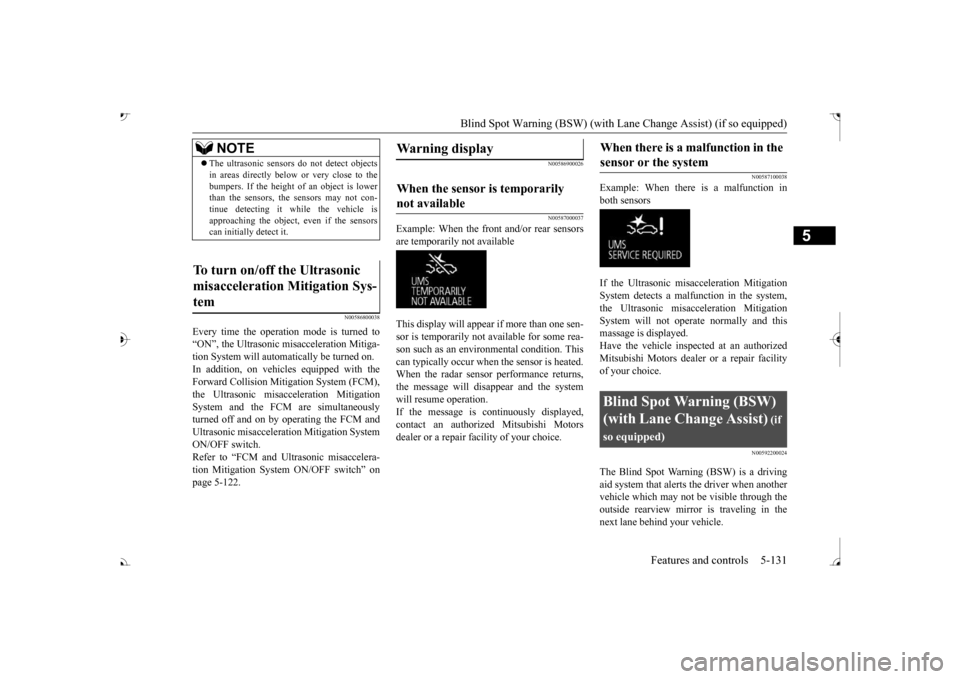
Example: When the front and/or rear sensors are temporarily not available This display will appear if more than one sen- sor is temporarily not available for some rea- son such as an environmental condition. This can typically occur when
the sensor is heated.
When the radar sensor performance returns, the message will disappear and the system will resume operation.If the message is continuously displayed, contact an authorized Mitsubishi Motors dealer or a repair facility of your choice.
N00587100038
Example: When there is a malfunction inboth sensors If the Ultrasonic misacceleration Mitigation System detects a malfun
ction in the system,
the Ultrasonic misacceleration Mitigation System will not operate normally and thismassage is displayed. Have the vehicle inspected at an authorized Mitsubishi Motors dealer or a repair facilityof your choice.
N00592200024
The Blind Spot Warning (BSW) is a driving aid system that alerts the driver when another vehicle which may not be visible through theoutside rearview mirror is traveling in the next lane behind your vehicle.
NOTE
The ultrasonic sensors
do not detect objects
in areas directly below or very close to thebumpers. If the height of
an object is lower
than the sensors, the sensors may not con- tinue detecting it wh
ile the vehicle is
approaching the object,
even if the sensors
can initially detect it.
To turn on/off the Ultrasonic misacceleration Mitigation Sys- tem
Warning display
When the sensor is temporarily not available
When there is a malfunction in the sensor or the system
Blind Spot Warning (BSW) (with Lane Change Assist)
(if
so equipped)
BK0239700US.book 131 ページ 2016年6月16日 木曜日 午前10時58分
Page 215 of 521
Blind Spot Warning (BSW) (with Lane Change Assist) (if so equipped)
5
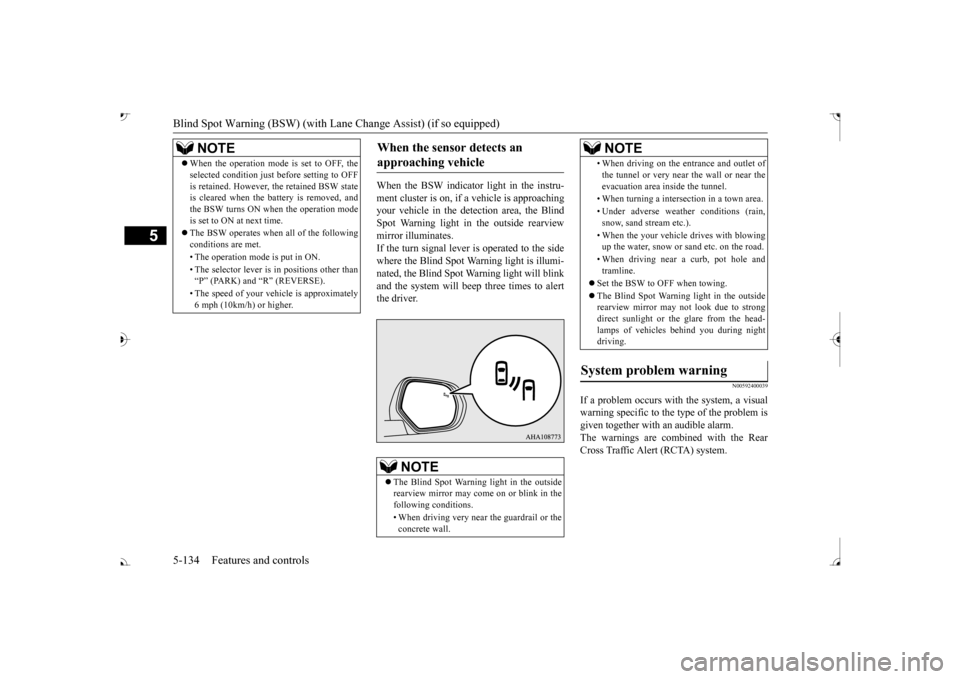
When the BSW indicator light in the instru- ment cluster is on, if
a vehicle is approaching
your vehicle in the detection area, the Blind Spot Warning light in
the outside rearview
mirror illuminates.If the turn signal lever is operated to the side where the Blind Spot Wa
rning light is illumi-
nated, the Blind Spot Wa
rning light will blink
and the system will beep three times to alert the driver.
N00592400039
If a problem occurs with the system, a visualwarning specific to the type of the problem isgiven together with an audible alarm. The warnings are combined with the Rear Cross Traffic Alert (RCTA) system.
NOTE
When the operation mode is set to OFF, the selected condition just before setting to OFFis retained. However, the retained BSW stateis cleared when the battery is removed, and the BSW turns ON when the operation mode is set to ON at next time. The BSW operates when all of the following conditions are met. • The operation mode
is put in ON.
• The selector lever is
in positions other than
Page 229 of 521
Parking sensors (Front/Rear) (if so equipped) 5-148 Features and controls
5
“Normal mode” and “Tow
ing hitch mode” for
a vehicle equipped with a towing hitch can beselected.
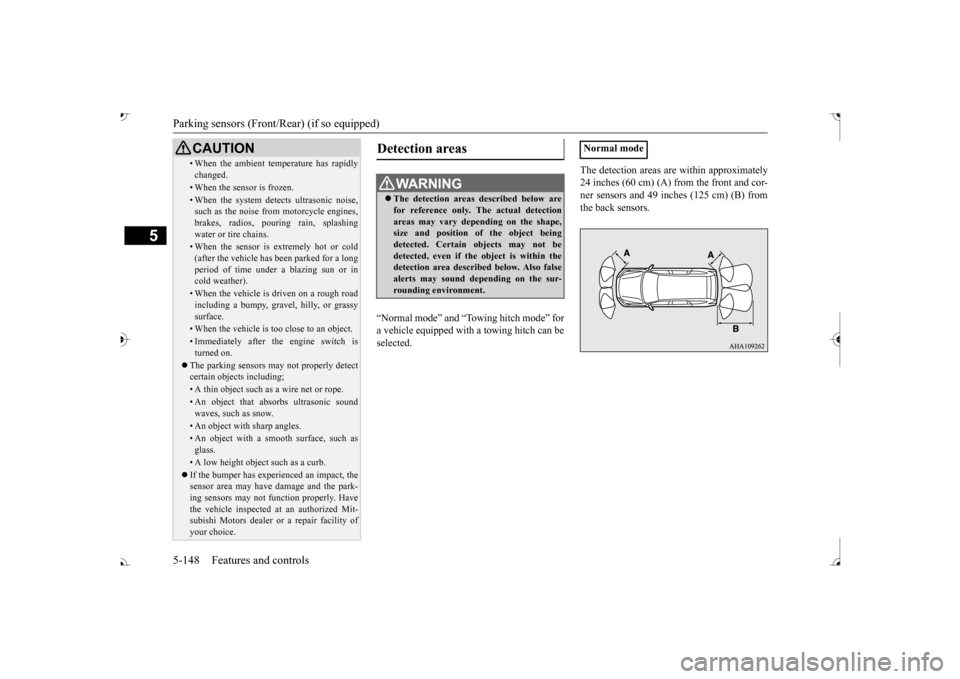
The detection areas are within approximately 24 inches (60 cm) (A) from the front and cor-ner sensors and 49 inches (125 cm) (B) from the back sensors.
• When the ambient temp
erature has rapidly
changed.• When the sensor is frozen.• When the system detects ultrasonic noise,such as the noise from motorcycle engines, brakes, radios, pouring rain, splashing water or tire chains.• When the sensor is extremely hot or cold(after the vehicle has
been parked for a long
period of time under
a blazing sun or in
cold weather).• When the vehicle is driven on a rough roadincluding a bumpy, gravel, hilly, or grassy surface.• When the vehicle is too close to an object.• Immediately after the engine switch is turned on.
The parking sensors may not properly detect certain objects including;• A thin object such as a wire net or rope.• An object that absorbs ultrasonic sound waves, such as snow.• An object with sharp angles.• An object with a sm
ooth surface, such as
glass.• A low height object such as a curb. If the bumper has experienced an impact, the sensor area may have
damage and the park-
ing sensors may not f
unction properly. Have
the vehicle inspected at an authorized Mit- subishi Motors dealer or a repair facility of your choice.CAUTION
Detection areas
WA R N I N G The detection areas described below are for reference only. The actual detectionareas may vary depend
ing on the shape,
size and position of
the object being
detected. Certain objects may not bedetected, even if the object is within the detection area described below. Also false alerts may sound de
pending on the sur-
rounding environment.
Normal mode
BK0239700US.book 148 ページ 2016年6月16日 木曜日 午前10時58分