light MITSUBISHI OUTLANDER III 2016 Owners Manual
[x] Cancel search | Manufacturer: MITSUBISHI, Model Year: 2016, Model line: OUTLANDER III, Model: MITSUBISHI OUTLANDER III 2016Pages: 464, PDF Size: 60.77 MB
Page 260 of 464
Hazard warning flasher switch 5-184 Features and controls
5
N00522701328
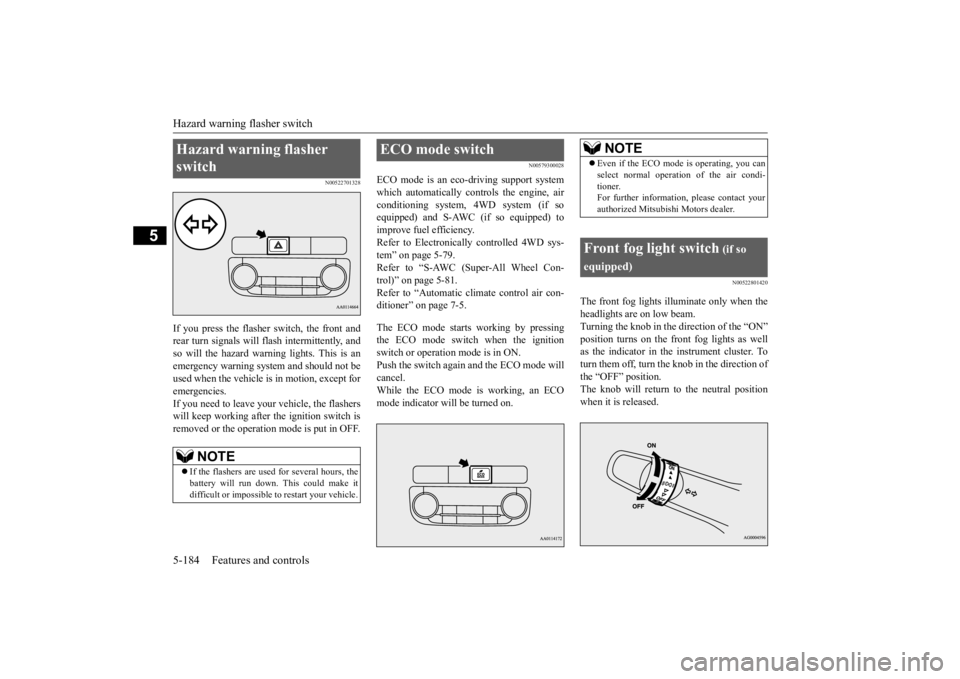
If you press the flasher switch, the front and rear turn signals will flash intermittently, and so will the hazard warn
ing lights. This is an
emergency warning syst
em and should not be
used when the vehicle is in motion, except for emergencies. If you need to leave your vehicle, the flasherswill keep working afte
r the ignition switch is
removed or the operation mode is put in OFF.
N00579300028
ECO mode is an eco-driving support systemwhich automatically cont
rols the engine, air
conditioning system,
4WD system (if so
equipped) and S-AWC (if so equipped) to improve fuel efficiency. Refer to Electronically
controlled 4WD sys-
tem” on page 5-79. Refer to “S-AWC (Super-All Wheel Con- trol)” on page 5-81. Refer to “Automatic cl
imate control air con-
ditioner” on page 7-5. The ECO mode starts
working by pressing
the ECO mode switch when the ignition switch or operation mode is in ON. Push the switch again and the ECO mode willcancel. While the ECO mode is working, an ECO mode indicator will be turned on.
N00522801420
The front fog lights illuminate only when theheadlights are on low beam. Turning the knob in the direction of the “ON” position turns on the front fog lights as wellas the indicator in the instrument cluster. To turn them off, turn the knob in the direction of the “OFF” position.The knob will return to the neutral position when it is released.
Hazard warning flasher switch
NOTE
If the flashers are used for several hours, the battery will run down.
This could make it
difficult or impossible
to restart your vehicle.
ECO mode switch
NOTE
Even if the ECO mode is operating, you can select normal operati
on of the air condi-
tioner.For further information, please contact your authorized Mitsubishi Motors dealer.
Front fog light switch
(if so
equipped)
BK0223400US.book 184 ページ 2015年2月13日 金曜日 午後12時15分
Page 261 of 464
Wiper and washer switch
Features and controls 5-185
5
N00523001722
The windshield wiper and washer can be operated with the ignition switch or the oper-ation mode is in ON or ACC. If the blades are frozen to the windshield, do not operate the wipers
until the ice has melted
and the blades are freed, otherwise the wiper motor may be damaged.
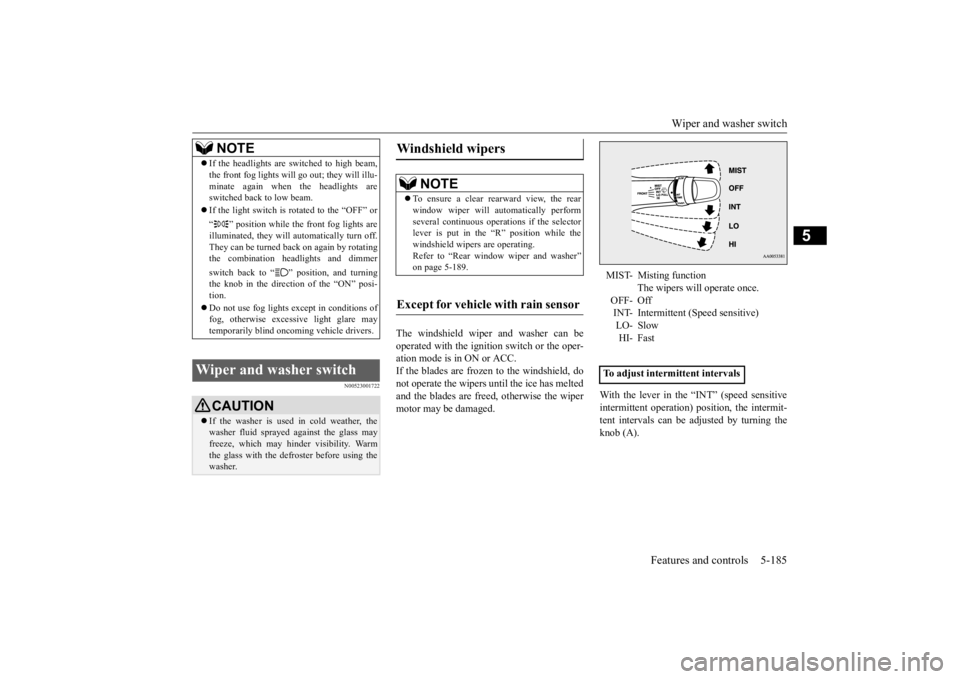
With the lever in the “INT” (speed sensitive intermittent operation)
position, the intermit-
tent intervals can be adjusted by turning the knob (A).
NOTE
If the headlights are sw
itched to high beam,
the front fog lights will go out; they will illu-minate again when the headlights areswitched back to low beam. If the light switch is rotated to the “OFF” or “ ” position while the
front fog lights are
illuminated, they will automatically turn off. They can be turned back on again by rotatingthe combination headlights and dimmer switch back to “ ” position, and turning the knob in the direction of the “ON” posi- tion. Do not use fog lights ex
cept in conditions of
fog, otherwise excessive light glare maytemporarily blind oncoming vehicle drivers.
Wiper and washer switch
CAUTION If the washer is used
in cold weather, the
washer fluid sprayed against the glass may freeze, which may hinder visibility. Warm the glass with the defroster before using thewasher.
Windshield wipers
NOTE
To ensure a clear rearward view, the rear window wiper will au
tomatically perform
several continuous opera
tions if the selector
lever is put in the “R” position while the windshield wipers are operating.Refer to “Rear window wiper and washer” on page 5-189.
Except for vehicle with rain sensor
MIST- Misting function
The wipers will operate once.
OFF- Off INT- Intermittent (Speed sensitive)LO- Slow HI- Fast
To adjust intermittent intervals
BK0223400US.book 185 ページ 2015年2月13日 金曜日 午後12時15分
Page 263 of 464
Wiper and washer switch
Features and controls 5-187
5
Wiper operation under th
ese conditions can
scratch the windshield and damage the wip-ers.
If your hands get trapped, you could suffer injuries or the wipers
could malfunction. Be
sure to turn the ignition switch to the “OFF” or “LOCK” position or put the operation mode in OFF, or move the lever to the “OFF”position to deactivate
the rain sensor.
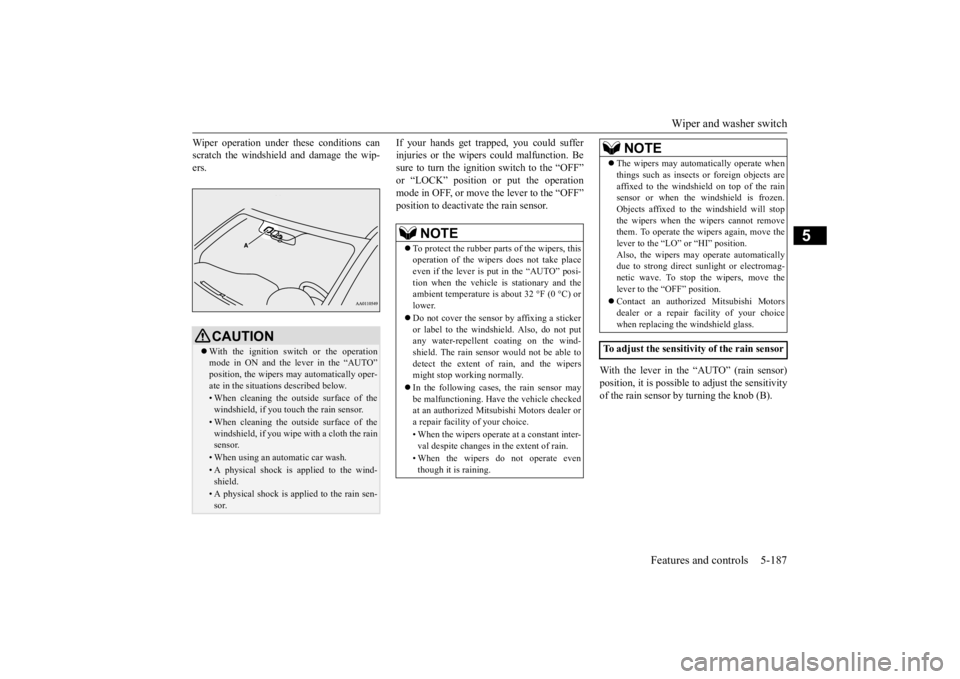
With the lever in the “AUTO” (rain sensor) position, it is possible to adjust the sensitivity of the rain sensor by turning the knob (B).
CAUTION With the ignition switch or the operation mode in ON and the lever in the “AUTO” position, the wipers ma
y automatically oper-
ate in the situati
ons described below.
• When cleaning the outsi
de surface of the
windshield, if you touch the rain sensor.• When cleaning the outsi
de surface of the
windshield, if you wipe with a cloth the rainsensor.• When using an automatic car wash.• A physical shock is
applied to the wind-
shield.• A physical shock is applied to the rain sen-sor.
NOTE
To protect the rubber parts of the wipers, this operation of the wipers
does not take place
even if the lever is put in the “AUTO” posi- tion when the vehicle is
stationary and the
ambient temperature is
about 32 °F (0 °C) or
lower. Do not cover the sensor by affixing a sticker or label to the windshield. Also, do not put any water-repellent
coating on the wind-
shield. The rain sensor would not be able todetect the extent of rain, and the wipers might stop working normally. In the following cases, the rain sensor may be malfunctioning. Have
the vehicle checked
at an authorized Mitsubishi Motors dealer ora repair facility of your choice. • When the wipers operate
at a constant inter-
val despite changes in the extent of rain. • When the wipers do not operate even though it is raining.
The wipers may automatically operate when things such as insects
or foreign objects are
affixed to the windshield on top of the rainsensor or when the windshield is frozen. Objects affixed to th
e windshield
will stop
the wipers when the wipers cannot removethem. To operate the wipers again, move the lever to the “LO”
or “HI” position.
Also, the wipers may operate automaticallydue to strong direct s
unlight or electromag-
netic wave. To stop the wipers, move the lever to the “OFF” position. Contact an authoriz
ed Mitsubishi Motors
dealer or a repair fa
cility of your choice
when replacing th
e windshield glass.
To adjust the sensitivity of the rain sensor
NOTE
BK0223400US.book 187 ページ 2015年2月13日 金曜日 午後12時15分
Page 266 of 464
Wiper deicer switch (if so equipped) 5-190 Features and controls
5
N00523501277
N00584400027
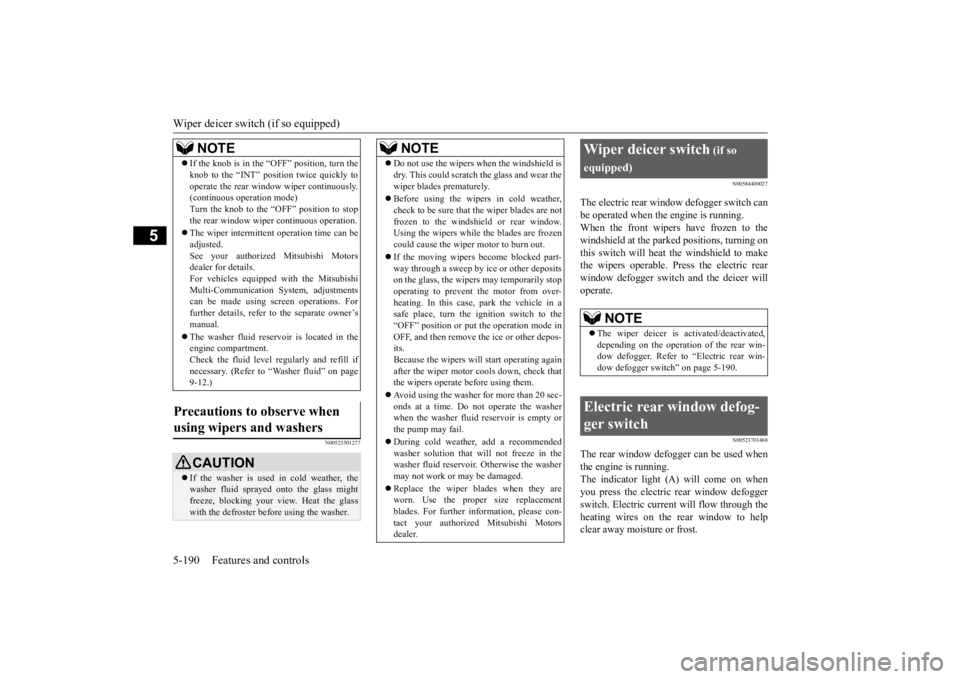
The electric rear window defogger switch can be operated when the engine is running.When the front wipers have frozen to the windshield at the parked
positions, turning on
this switch will heat the windshield to makethe wipers operable. Press the electric rear window defogger switch and the deicer will operate.
N00523701468
The rear window defogger can be used when the engine is running. The indicator light (A) will come on whenyou press the electric rear window defogger switch. Electric current will flow through the heating wires on the rear window to helpclear away moisture or frost.
If the knob is in the “OFF” position, turn the knob to the “INT” position twice quickly tooperate the rear window
wiper continuously.
(continuous ope
ration mode)
Turn the knob to the “OFF” position to stop the rear window wipe
r continuous operation.
The wiper intermittent
operation time can be
adjusted.See your authorized Mitsubishi Motors dealer for details. For vehicles equipped
with the Mitsubishi
Multi-Communication System, adjustments can be made using sc
reen operations. For
further details, refer to the separate owner’smanual. The washer fluid reser
voir is located in the
engine compartment. Check the fluid level regularly and refill if necessary. (Refer to
“Washer fluid” on page
9-12.)
Precautions to observe when using wipers and washers
CAUTION If the washer is used in cold weather, the washer fluid spraye
d onto the glass might
freeze, blocking your view. Heat the glass with the defroster befo
re using the washer.
NOTE
NOTE
Do not use the wipers when the windshield is dry. This could scratch the glass and wear thewiper blades prematurely. Before using the wipe
rs in cold weather,
check to be sure that the wiper blades are notfrozen to the windshield or rear window. Using the wipers while the blades are frozen could cause the wiper motor to burn out. If the moving wipers
become blocked part-
way through a sweep by ice or other depositson the glass, the wipers may temporarily stop operating to prevent the motor from over- heating. In this case, park the vehicle in asafe place, turn the ignition switch to the “OFF” position or put
the operation mode in
OFF, and then remove the ice or other depos-its. Because the wipers will
start operating again
after the wiper motor cools down, check thatthe wipers operate before using them. Avoid using the washer for more than 20 sec- onds at a time. Do not operate the washer when the washer fluid reservoir is empty or the pump may fail. During cold weather, add a recommended washer solution that will not freeze in thewasher fluid reservoir.
Otherwise the washer
may not work or may be damaged. Replace the wiper blades when they are worn. Use the proper size replacement blades. For further information, please con-tact your authorized
Mitsubishi Motors
dealer.
Wiper deicer switch
(if so
equipped)
NOTE
The wiper deicer is
activated/de
activated,
depending on the operation of the rear win- dow defogger. Refer to
“Electric rear win-
dow defogger switch” on page 5-190.
Electric rear window defog- ger switch
BK0223400US.book 190 ページ 2015年2月13日 金曜日 午後12時15分
Page 267 of 464
Horn switch
Features and controls 5-191
5
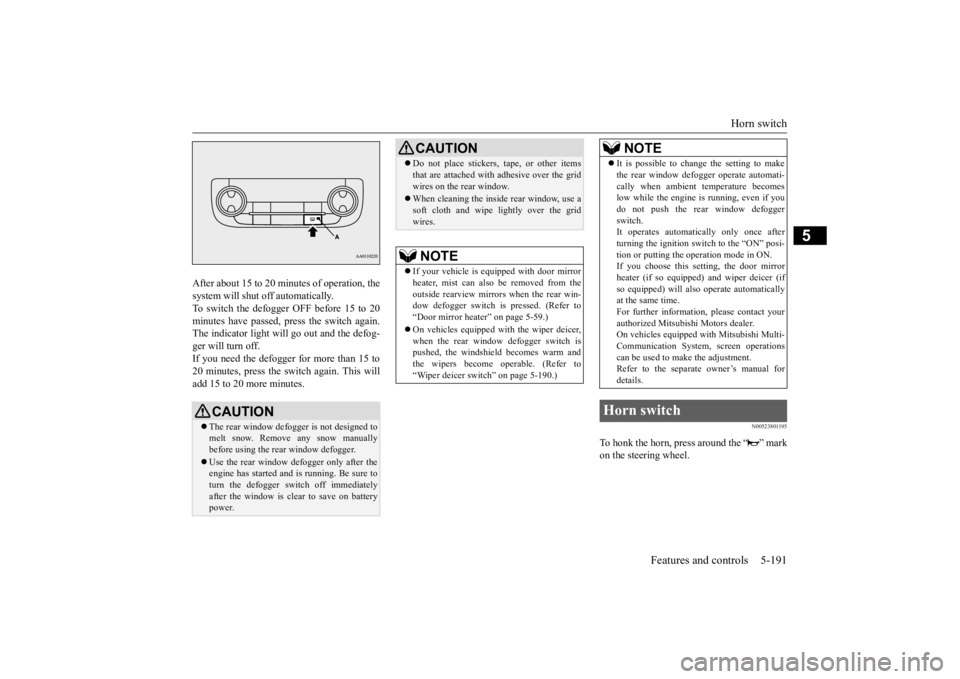
After about 15 to 20 minutes of operation, the system will shut off automatically.To switch the defogger OFF before 15 to 20 minutes have passed, pr
ess the switch again.
The indicator light will go out and the defog-ger will turn off. If you need the defogger for more than 15 to 20 minutes, press the switch again. This willadd 15 to 20 more minutes.
N00523801195
To honk the horn, press around the “ ” markon the steering wheel.
CAUTION The rear window defogge
r is not designed to
melt snow. Remove
any snow manually
before using the rear window defogger. Use the rear window de
fogger only after the
engine has started and
is running. Be sure to
turn the defogger swit
ch off immediately
after the window is cl
ear to save on battery
power.
Do not place stickers
, tape, or other items
that are attached with
adhesive over the grid
wires on the rear window. When cleaning the insi
de rear window, use a
soft cloth and wipe lightly over the gridwires.NOTE
If your vehicle is equi
pped with door mirror
heater, mist can also be removed from the outside rearview mirrors
when the rear win-
dow defogger switch is pressed. (Refer to“Door mirror heater” on page 5-59.) On vehicles equipped wi
th the wiper deicer,
when the rear window defogger switch is pushed, the windshield becomes warm and the wipers become operable. (Refer to“Wiper deicer switch” on page 5-190.)CAUTION
It is possible to change the setting to make the rear window defogger operate automati-cally when ambient temperature becomeslow while the engine is running, even if you do not push the rear window defogger switch.It operates automati
cally only once after
turning the ignition sw
itch to the “ON” posi-
tion or putting the ope
ration mode in ON.
If you choose this setting, the door mirror heater (if so equipped)
and wiper deicer (if
so equipped) will also
operate automatically
at the same time. For further informati
on, please contact your
authorized Mitsubish
i Motors dealer.
On vehicles equipped
with Mitsubishi Multi-
Communication System
, screen operations
can be used to make the adjustment.Refer to the separate owner’s manual for details.
Horn switch
NOTE
BK0223400US.book 191 ページ 2015年2月13日 金曜日 午後12時15分
Page 294 of 464
Sun visors 5-218 Features and controls
5
N00567201056
You can play music files of the following specifications that are saved in a USB mem- ory device or other device supporting mass storage class. When you connect your iPod,playable file specifications depend on the connected iPod.
N00524601363
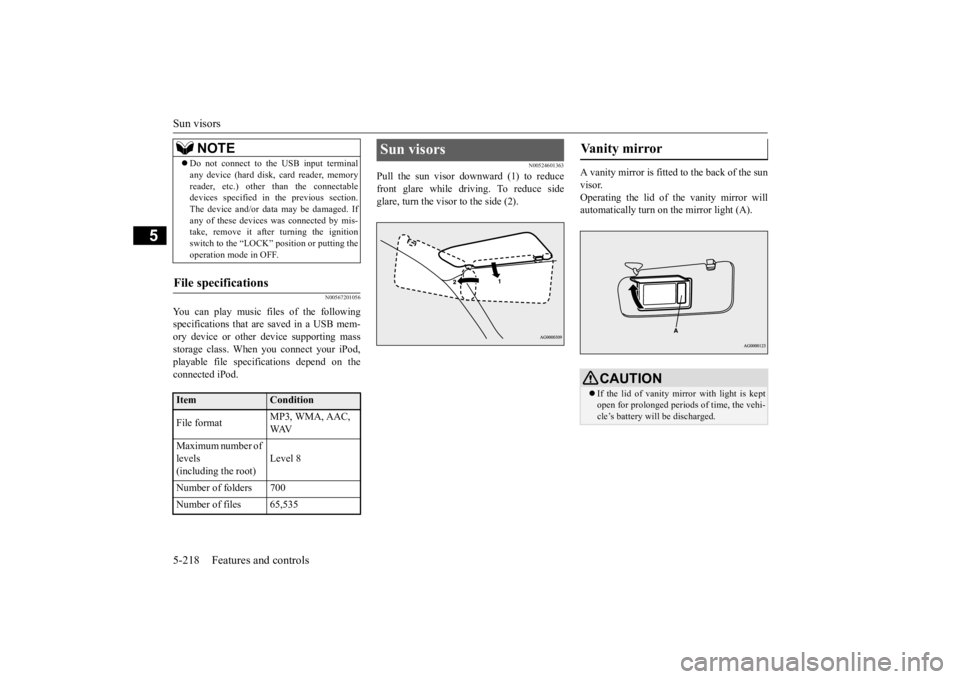
Pull the sun visor downward (1) to reducefront glare while driving. To reduce side glare, turn the visor to the side (2).
A vanity mirror is fitted to the back of the sun visor. Operating the lid of the vanity mirror will automatically turn on the mirror light (A).
Do not connect to the USB input terminal any device (hard disk, card reader, memoryreader, etc.) other than the connectabledevices specified in the previous section. The device and/or data
may be damaged. If
any of these devices
was connected by mis-
take, remove it afte
r turning the ignition
switch to the “LOCK”
position or putting the
operation mode in OFF.
File specifications
Item
Condition
File format
MP3, WMA, AAC, WAV
Maximum number of levels (including the root)
Level 8
Number of folders 700 Number of files 65,535
NOTE
Sun visors
Vanity mirror
CAUTION If the lid of vanity mirror with light is kept open for prolonged periods
of time, the vehi-
cle’s battery will be discharged.
BK0223400US.book 218 ページ 2015年2月13日 金曜日 午後12時15分
Page 296 of 464
HomeLink® Wireless Control System (if so equipped) 5-220 Features and controls
5
N00554301040
HomeLink
® Wireless Contro
l System is a
registered trademark of Gentex Corporation. HomeLink
® provides a convenient way to
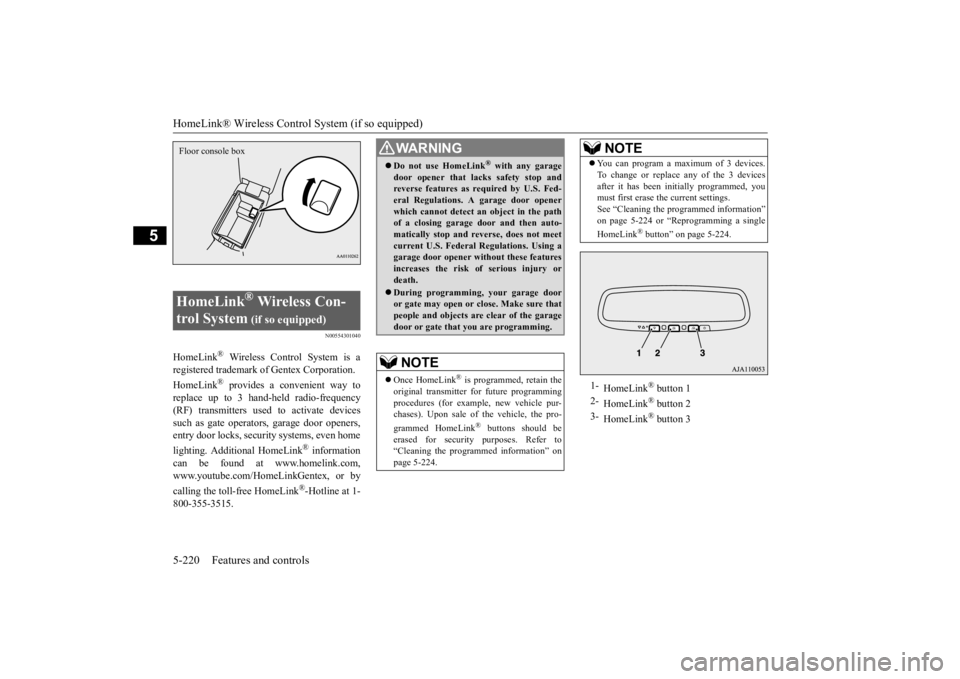
replace up to 3 hand-held radio-frequency (RF) transmitters used to activate devices such as gate operators
, garage door openers,
entry door locks, security systems, even home lighting. Additional HomeLink
® information
can be found at www.homelink.com,www.youtube.com/HomeLinkGentex, or by calling the toll-free HomeLink
®-Hotline at 1-
800-355-3515.HomeLink
® Wireless Con-
trol System
(if so equipped)
Floor console box
WA R N I N G Do not use HomeLink
® with any garage
door opener that lacks safety stop and reverse features as required by U.S. Fed- eral Regulations.
A garage door opener
which cannot detect an object in the path of a closing garage d
oor and then auto-
matically stop and reverse, does not meetcurrent U.S. Federal Regulations. Using a garage door opener wi
thout these features
increases the risk of serious injury ordeath. During programming, your garage door or gate may open or close. Make sure that people and objects are clear of the garage door or gate that
you are programming.
NOTE
Once HomeLink
® is programmed, retain the
original transmitter for future programming procedures (for example, new vehicle pur- chases). Upon sale of the vehicle, the pro- grammed HomeLink
® buttons should be
erased for security purposes. Refer to “Cleaning the progra
mmed information” on
page 5-224.
You can program a maximum of 3 devices. To change or replace
any of the 3 devices
after it has been in
itially programmed, you
must first erase the current settings. See “Cleaning the programmed information” on page 5-224 or “Reprogramming a single HomeLink
® button” on page 5-224.
1-
HomeLink
® button 1
2-
HomeLink
® button 2
3-
HomeLink
® button 3
NOTE
BK0223400US.book 220 ページ 2015年2月13日 金曜日 午後12時15分
Page 297 of 464
HomeLink® Wireless Control System (if so equipped)
Features and controls 5-221
5
N00584600029
Some garage door openers manufactured after 1995 have “rolli
ng code protection”.
To program a garage door opener equipped with “rolli
ng code protection”;
you will need to access the garage dooropener motor to press the motor’s “Learn” or “Smart” buttons. For convenience, use a ladder and another person to assist you. It is recommended that a new battery be placed in the hand-held transmitter of the device being programmed to HomeLink
®
for quicker training and accurate trans- mission of the radio-frequency signal.
N00584700020
To program HomeLink
® to operate a garage
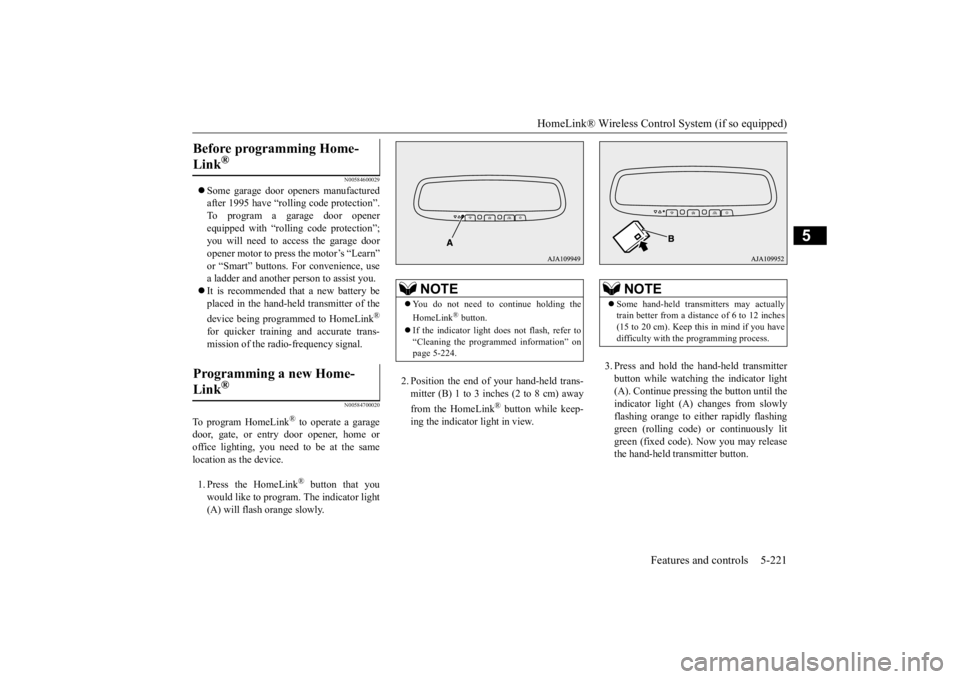
door, gate, or entry door opener, home or office lighting, you need to be at the same location as the device. 1. Press the HomeLink
® button that you
would like to program. The indicator light (A) will flash orange slowly.
2. Position the end of your hand-held trans- mitter (B) 1 to 3 inches (2 to 8 cm) away from the HomeLink
® button while keep-
ing the indicator light in view.
3. Press and hold the hand-held transmitter button while watching
the indicator light
(A). Continue pressing the button until the indicator light (A)
changes from slowly
flashing orange to either rapidly flashinggreen (rolling code) or continuously lit green (fixed code). Now you may release the hand-held transmitter button.
Before programming Home- Link
®
Programming a new Home-Link
®
NOTE
You do not need to continue holding the HomeLink
® button.
If the indicator light doe
s not flash, refer to
“Cleaning the programmed information” on page 5-224.
NOTE
Some hand-held transmitters may actually train better from a distance of 6 to 12 inches(15 to 20 cm). Keep this in mind if you have difficulty with th
e programming process.
BK0223400US.book 221 ページ 2015年2月13日 金曜日 午後12時15分
Page 298 of 464

HomeLink® Wireless Control System (if so equipped) 5-222 Features and controls
5
4. Press the HomeLink
® button that was just
programmed and observe the indicator light.• If the indicator light continuously illumi- nates green, programming is complete and your device shoul
d operate when the
HomeLink
® button is pressed and
released. • If the indicator light rapidly flashes green, firmly press, hold for 2 seconds and release the programmed HomeLink
®
button. Repeat the
“press/hold/release”
sequence a second tim
e, and, depending
on the brand of the garage door opener(or other rolling code equipped device), repeat this sequence a third time to com- plete the programming
process. At this
point if your device operates, program- ming is complete.
• If the device does not operate, continue with “Programming a new HomeLink
®”
steps 5 to 7 to complete the program- ming of a rolling code equipped device.
5. At the garage door opener receiver(motor-head unit) in the garage, locate the “Learn” or “Smart” but
ton. This can usu-
ally be found where the hanging antennawire is attached to the motor-head unit (see the garage
door opener manual to
identify the “Learn” button.) 6. Firmly press and release the “Learn” or “Smart” button. (The name and color ofthe button may vary by manufacturer.) There are typically 30 seconds to initiate step 7.7. Return to the vehicle and firmly press, hold for 2 seconds and release the pro- grammed HomeLink
® button. Repeat the
“press/hold/release”
sequence a second
time, and, depending
on the brand of the
garage door opener (or other rolling codeequipped device), repe
at this sequence a
third time to complete the programming process. HomeLink
® should now activate your
rolling code e
quipped device.
N00584800021
Canadian radio-frequenc
y laws require trans-
mitter signals to “time-out” (or quit) afterseveral seconds of tr
ansmission - which may
not be long enough for HomeLink
® to pick
up the signal during programming. Similar to this Canadian law, some U.S. gate operators are designed to “time-
out” in the same man-
ner. The indicator LED on the hand-held transmit- ter will go off when the device times out indi-cating that it has fi
nished transmitting.
If you live in Canada or you are having diffi- culties programming a gate operator orgarage door opener by using the “Program- ming” procedures, replace “Programming a new HomeLink
®” step 3 with the following:
NOTE
Some devices may requi
re you to replace this
“Programming a new HomeLink
®” step 3
with procedures noted in the “Gate operator / Canadian programming”
section. If the indi-
cator light does not ch
ange to rapidly flash-
ing green or continuously lit green after performing these step
s, contact HomeLink
®
at www.homelink.com
NOTE
In the event that there are still programming difficulties or questi
ons, additional Home-
Link
® information and programming videos
can be found online at www.homelink.com,www.youtube.com/HomeL
inkGentex, or by
calling the HomeLink
® Hotline.
Gate operator/Canadian pro- gramming
BK0223400US.book 222 ページ 2015年2月13日 金曜日 午後12時15分
Page 299 of 464
HomeLink® Wireless Control System (if so equipped)
Features and controls 5-223
5
3. Press and release - every 2 seconds (“cycle”) your hand-held transmitter until the HomeLink
® indicator light changes from
slowly flashing orange to either rapidly flash- ing green (rolling code
) or continuously lit
green (fixed code). Now you may release the hand-held transmitter button. Proceed with “Programming a new Home- Link
®” step 4 to complete.
N00584900022
The HomeLink
® has the capability of receiv-
ing garage door status from compatiblegarage door opener systems. Check your garage door opener manual for the available feature and HomeLink
® compatibility. Also
for a listing of compatible systems contact HomeLink
® at: www.homelink.com
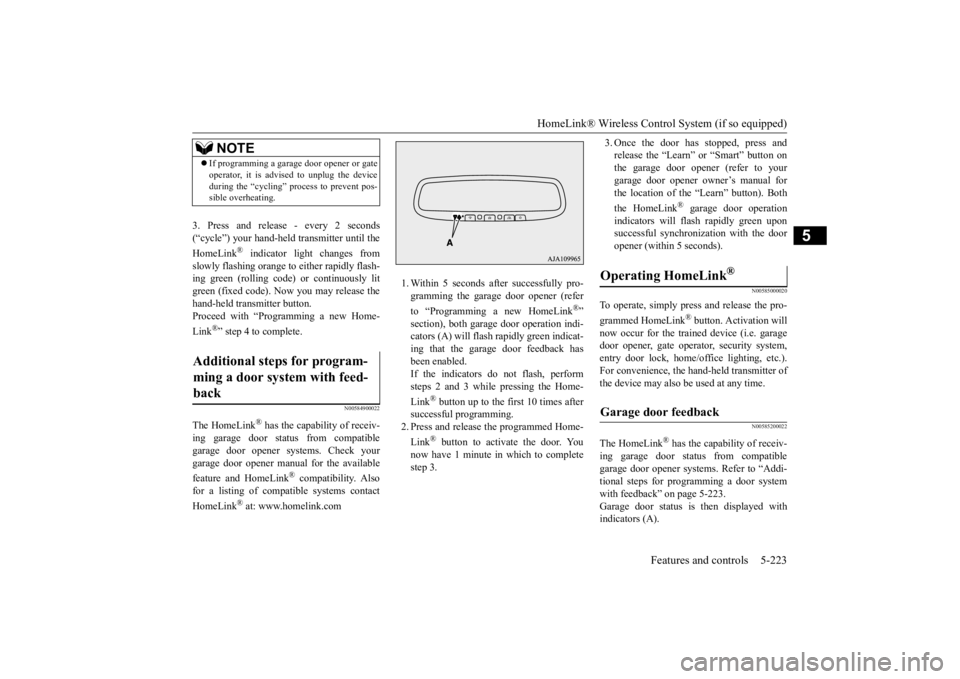
1. Within 5 seconds after successfully pro- gramming the garage door opener (refer to “Programming a new HomeLink
®”
section), both garage door operation indi- cators (A) will flash
rapidly green indicat-
ing that the garage door feedback has been enabled. If the indicators do not flash, performsteps 2 and 3 while pressing the Home- Link
® button up to the first 10 times after
successful programming.2. Press and release
the programmed Home-
Link
® button to activate the door. You
now have 1 minute in which to completestep 3.
3. Once the door has stopped, press and release the “Learn” or “Smart” button onthe garage door opener (refer to your garage door opener owner’s manual for the location of the “Learn” button). Both the HomeLink
® garage door operation
indicators will fl
ash rapidly green upon
successful synchroni
zation with the door
opener (within 5 seconds).
N00585000020
To operate, simply press and release the pro- grammed HomeLink
® button. Activation will
now occur for the trained device (i.e. garagedoor opener, gate opera
tor, security system,
entry door lock, home/office lighting, etc.). For convenience, the ha
nd-held transmitter of
the device may also be used at any time.
N00585200022
The HomeLink
® has the capab
ility of receiv-
ing garage door status from compatible garage door opener systems. Refer to “Addi- tional steps for programming a door systemwith feedback” on page 5-223. Garage door status is
then displayed with
indicators (A).
NOTE
If programming a garage door opener or gate operator, it is advise
d to unplug the device
during the “cycling” pr
ocess to prevent pos-
sible overheating.
Additional steps for program- ming a door system with feed- back
Operating HomeLink
®
Garage door feedback
BK0223400US.book 223 ページ 2015年2月13日 金曜日 午後12時15分