cruise control MITSUBISHI OUTLANDER III 2016 User Guide
[x] Cancel search | Manufacturer: MITSUBISHI, Model Year: 2016, Model line: OUTLANDER III, Model: MITSUBISHI OUTLANDER III 2016Pages: 464, PDF Size: 60.77 MB
Page 180 of 464
Adaptive Cruise Control System (ACC) (if so equipped) 5-104 Features and controls
5
N00581300025
The speed of your vehicle will be maintained at the speed you have set. The speed can be set between approximately 25 mph (40 km/h) and 110 mph (180 km/h).
N00581400039
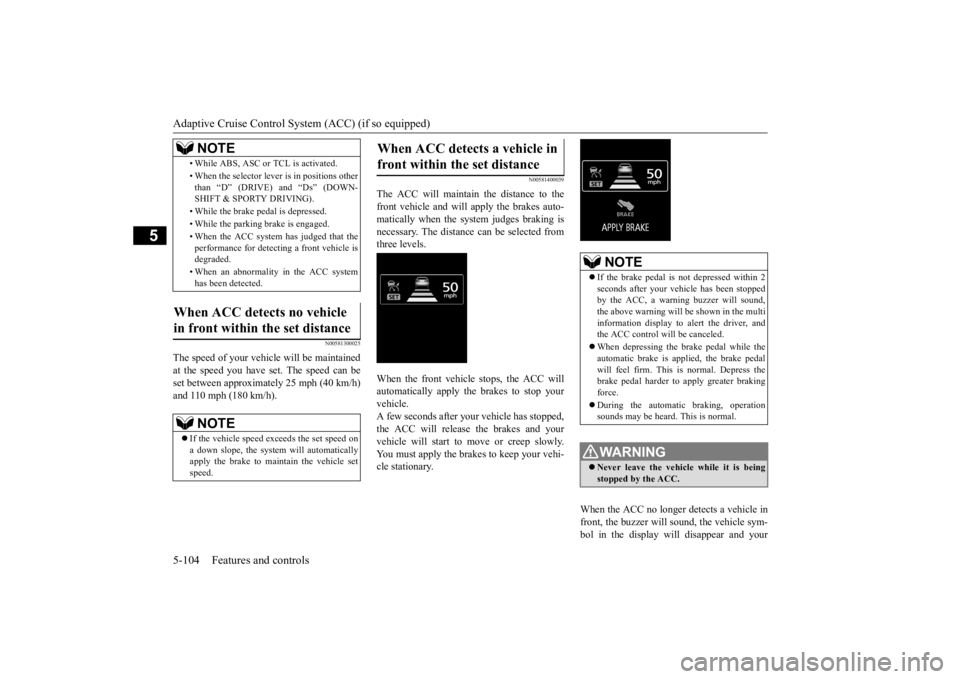
The ACC will maintain the distance to thefront vehicle and will apply the brakes auto-matically when the system judges braking is necessary. The distance
can be selected from
three levels. When the front vehicle stops, the ACC will automatically apply the brakes to stop yourvehicle. A few seconds after your vehicle has stopped, the ACC will release the brakes and yourvehicle will start to move or creep slowly. You must apply the brakes to keep your vehi- cle stationary.
When the ACC no longer detects a vehicle in front, the buzzer will sound, the vehicle sym-bol in the display will disappear and your
• While ABS, ASC or TCL is activated. • When the selector leve
r is in positions other
than “D” (DRIVE) and “Ds” (DOWN- SHIFT & SPORTY DRIVING). • While the brake pedal is depressed. • While the parking brake is engaged.• When the ACC system has judged that the performance for detect
ing a front vehicle is
degraded. • When an abnormality
in the ACC system
has been detected.
When ACC detects no vehicle in front within the set distance
NOTE
If the vehicle speed exceeds the set speed on a down slope, the system will automatically apply the brake to main
tain the vehicle set
speed.NOTE
When ACC detects a vehicle in front within the set distance
NOTE
If the brake pedal is not depressed within 2 seconds after your vehi
cle has been stopped
by the ACC, a warni
ng buzzer will sound,
the above warning will be shown in the multi information display to alert the driver, and the ACC control will be canceled. When depressing the brake pedal while the automatic brake is applied, the brake pedalwill feel firm. This is normal. Depress the brake pedal harder to apply greater braking force. During the automatic
braking, operation
sounds may be heard. This is normal.WA R N I N G Never leave the vehicle while it is being stopped by the ACC.
BK0223400US.book 104 ページ 2015年2月13日 金曜日 午後12時15分
Page 181 of 464
Adaptive Cruise Control System (ACC) (if so equipped)
Features and controls 5-105
5
vehicle will slowly accelerate to the set speed.
N00576900036
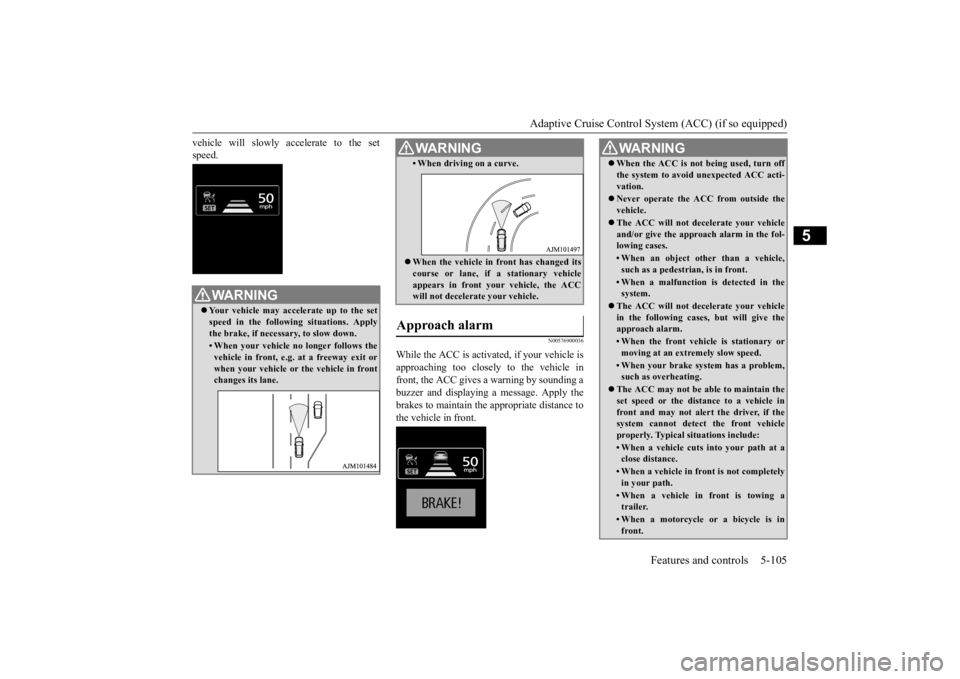
While the ACC is activated, if your vehicle is approaching too closely to the vehicle in front, the ACC gives a warning by sounding abuzzer and displaying
a message. Apply the
brakes to maintain the appropriate distance to the vehicle in front.
WA R N I N G Your vehicle may accelerate up to the set speed in the following situations. Applythe brake, if necessary, to slow down.• When your vehicle no longer follows thevehicle in front, e.g. at a freeway exit or when your vehicle or
the vehicle in front
changes its lane.
• When driving on a curve. When the vehicle in
front has changed its
course or lane, if
a stationary vehicle
appears in front you
r vehicle, the ACC
will not decelerate your vehicle.
Approach alarm
WA R N I N G
WA R N I N G When the ACC is not being used, turn off the system to avoid unexpected ACC acti-vation. Never operate the AC
C from outside the
vehicle. The ACC will not decelerate your vehicle and/or give the approach alarm in the fol-lowing cases.• When an object other than a vehicle,such as a pedestrian, is in front. • When a malfunction is detected in thesystem.
The ACC will not decelerate your vehicle in the following cases, but will give the approach alarm.• When the front vehicle is stationary ormoving at an extremely slow speed.• When your brake system has a problem,such as overheating.
The ACC may not be able to maintain the set speed or the dist
ance to a vehicle in
front and may not alert the driver, if thesystem cannot detect the front vehicle properly. Typical situations include: • When a vehicle cuts
into your path at a
close distance.• When a vehicle in front is not completelyin your path.• When a vehicle in front is towing atrailer.• When a motorcycle or a bicycle is infront.
BK0223400US.book 105 ページ 2015年2月13日 金曜日 午後12時15分
Page 182 of 464
Adaptive Cruise Control System (ACC) (if so equipped) 5-106 Features and controls
5
N00581500027
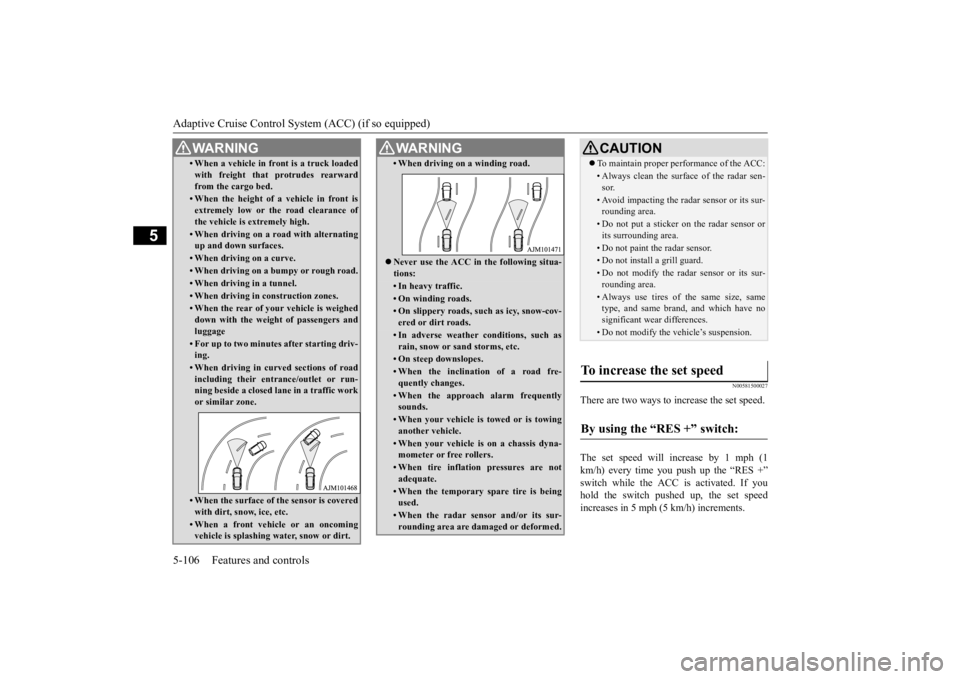
There are two ways to increase the set speed. The set speed will increase by 1 mph (1 km/h) every time you push up the “RES +” switch while the ACC is activated. If youhold the switch pushed up, the set speed increases in 5 mph (5 km/h) increments.
• When a vehicle in front is a truck loaded with freight that protrudes rearwardfrom the cargo bed.• When the height of a vehicle in front isextremely low or the road clearance ofthe vehicle is extremely high.• When driving on a r
oad with alternating
up and down surfaces.• When driving on a curve.• When driving on a bumpy or rough road.• When driving in a tunnel.• When driving in construction zones.• When the rear of your vehicle is weigheddown with the weight of passengers andluggage• For up to two minutes after starting driv-ing.• When driving in curved sections of roadincluding their entrance/outlet or run- ning beside a closed lane in a traffic work or similar zone.• When the surface of th
e sensor is covered
with dirt, snow, ice, etc.• When a front vehicle or an oncomingvehicle is splashing wa
ter, snow or dirt.
WA R N I N G
• When driving on
a winding road.
Never use the ACC in the following situa- tions:• In heavy traffic.• On winding roads.• On slippery roads, such as icy, snow-cov-ered or dirt roads.• In adverse weather conditions, such asrain, snow or sand storms, etc.• On steep downslopes.• When the inclination of a road fre-quently changes.• When the approach alarm frequentlysounds.• When your vehicle is towed or is towinganother vehicle.• When your vehicle is on a chassis dyna-mometer or free rollers.• When tire inflation pressures are notadequate.• When the temporary sp
are tire is being
used.• When the radar sensor and/or its sur-rounding area are damaged or deformed.WA R N I N G
CAUTION To maintain proper performance of the ACC:• Always clean the surface of the radar sen- sor.• Avoid impacting the radar sensor or its sur-rounding area.• Do not put a sticker on the radar sensor orits surrounding area.• Do not paint the radar sensor.• Do not install a grill guard.• Do not modify the radar sensor or its sur- rounding area.• Always use tires of the same size, sametype, and same brand, and which have no significant wear differences.• Do not modify the vehicle’s suspension.
To increase the set speed
By using the “RES +” switch:
BK0223400US.book 106 ページ 2015年2月13日 金曜日 午後12時15分
Page 183 of 464
Adaptive Cruise Control System (ACC) (if so equipped)
Features and controls 5-107
5
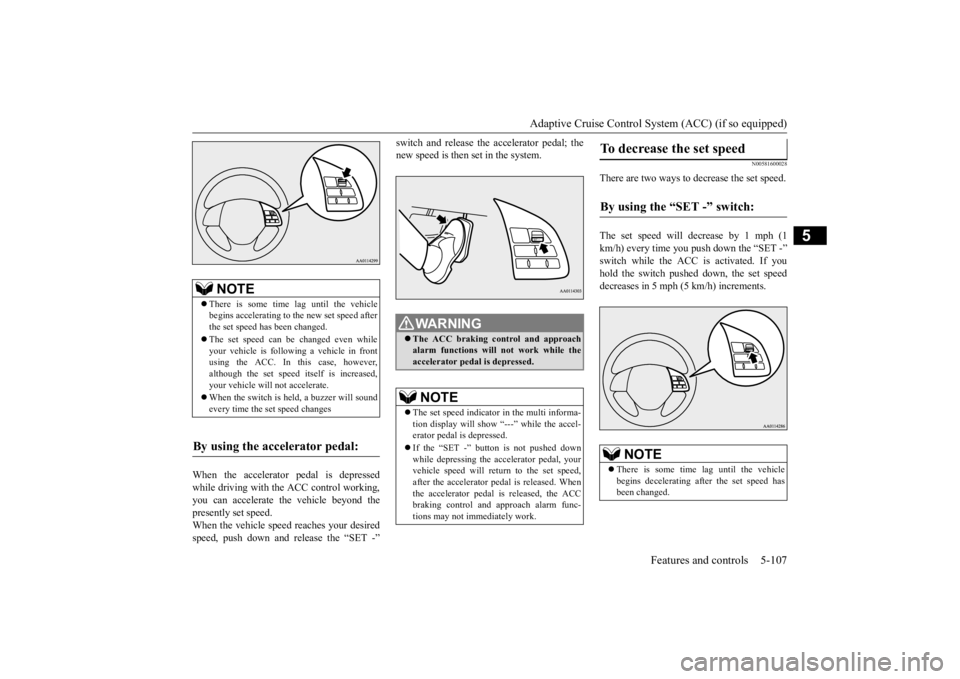
When the accelerator pedal is depressed while driving with the ACC control working, you can accelerate the vehicle beyond thepresently set speed. When the vehicle speed reaches your desired speed, push down and release the “SET -”
switch and release the accelerator pedal; the new speed is then set in the system.
N00581600028
There are two ways to decrease the set speed. The set speed will decrease by 1 mph (1 km/h) every time you push down the “SET -” switch while the ACC is activated. If you hold the switch pushed down, the set speed decreases in 5 mph (5 km/h) increments.
NOTE
There is some time
lag until the vehicle
begins accelerating to
the new set speed after
the set speed has been changed. The set speed can be changed even while your vehicle is followi
ng a vehicle in front
using the ACC. In this case, however, although the set speed itself is increased,your vehicle will
not accelerate.
When the switch is he
ld, a buzzer will sound
every time the set speed changes
By using the accelerator pedal:
WA R N I N G The ACC braking control and approach alarm functions will
not work while the
accelerator pedal is depressed.NOTE
The set speed indicator in the multi informa- tion display will show “---” while the accel-erator pedal is depressed. If the “SET -” button is not pushed down while depressing the ac
celerator pedal, your
vehicle speed will return to the set speed, after the accelerator pedal is released. Whenthe accelerator pedal is released, the ACC braking control and approach alarm func- tions may not immediately work.
To decrease the set speed
By using the “SET -” switch:
NOTE
There is some time
lag until the vehicle
begins decelerating after the set speed has been changed.
BK0223400US.book 107 ページ 2015年2月13日 金曜日 午後12時15分
Page 184 of 464
Adaptive Cruise Control System (ACC) (if so equipped) 5-108 Features and controls
5
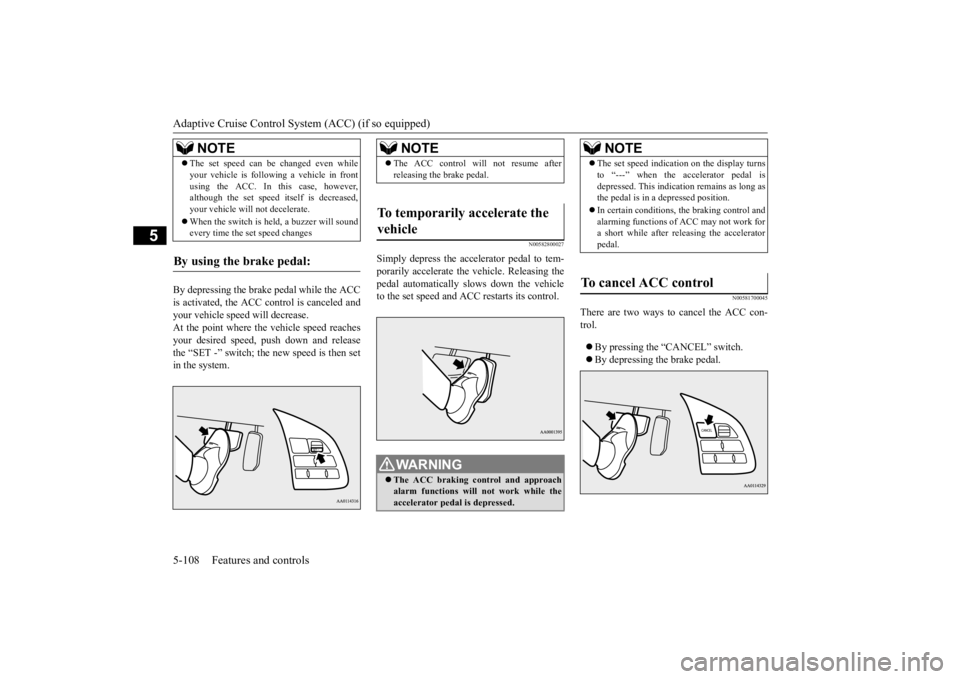
By depressing the brake pedal while the ACC is activated, the ACC c
ontrol is canceled and
your vehicle speed will decrease.At the point where the vehicle speed reaches your desired speed,
push down and release
the “SET -” switch; the new speed is then setin the system.
N00582800027
Simply depress the accelerator pedal to tem-porarily accelerate the
vehicle. Releasing the
pedal automatically sl
ows down the vehicle
to the set speed and ACC restarts its control.
N00581700045
There are two ways to cancel the ACC con- trol. By pressing the “CANCEL” switch. By depressing the brake pedal.
The set speed can be changed even while your vehicle is follow
ing a vehicle in front
using the ACC. In this case, however,although the set speed it
self is decreased,
your vehicle will
not decelerate.
When the switch is held, a buzzer will sound every time the set speed changes
By using the brake pedal:
NOTE
NOTE
The ACC control will
not resume after
releasing the brake pedal.
To temporarily accelerate the vehicle
WA R N I N G The ACC braking control and approach alarm functions will not work while the accelerator pedal is depressed.
NOTE
The set speed indication on the display turns to “---” when the accelerator pedal isdepressed. This indication remains as long asthe pedal is in a depressed position. In certain conditions, th
e braking control and
alarming functions of ACC may not work for a short while after releasing the accelerator pedal.
To cancel ACC control
BK0223400US.book 108 ページ 2015年2月13日 金曜日 午後12時15分
Page 185 of 464
Adaptive Cruise Control System (ACC) (if so equipped)
Features and controls 5-109
5
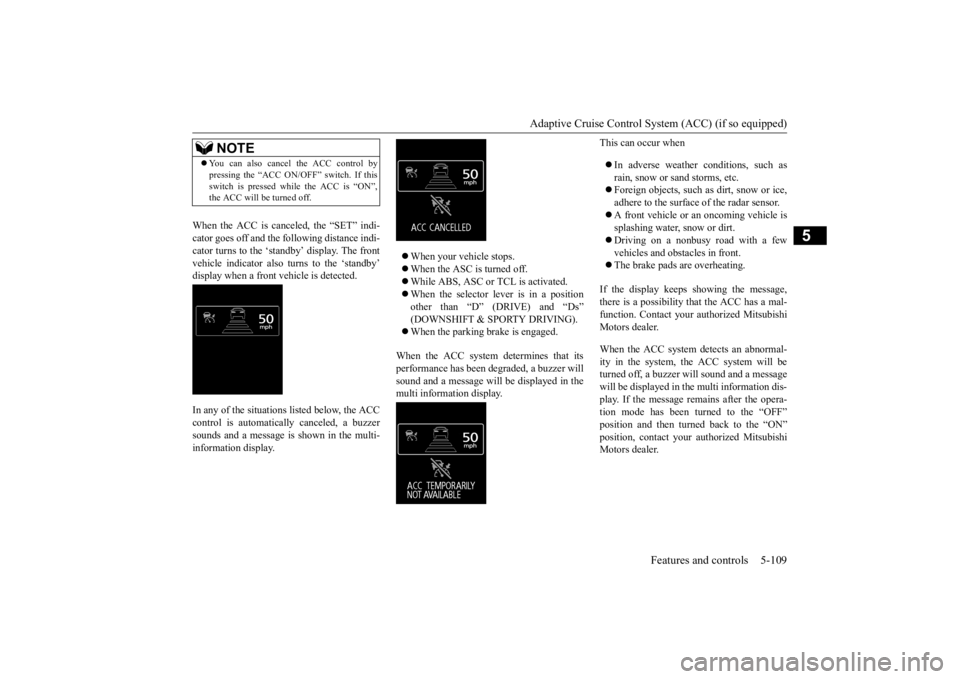
When the ACC is canceled, the “SET” indi- cator goes off and the following distance indi-cator turns to the ‘standby’ display. The front vehicle indicator also turns to the ‘standby’ display when a front vehicle is detected. In any of the situations listed below, the ACC control is automatically canceled, a buzzer sounds and a message is shown in the multi-information display.
When your vehicle stops. When the ASC is turned off. While ABS, ASC or TCL is activated. When the selector lever is in a position other than “D” (DRIVE) and “Ds” (DOWNSHIFT & SPORTY DRIVING). When the parking brake is engaged.
When the ACC system determines that its performance has been degraded, a buzzer will sound and a message will
be displayed in the
multi information display.
This can occur when In adverse weather conditions, such as rain, snow or sand storms, etc. Foreign objects, such as dirt, snow or ice, adhere to the surface
of the radar sensor.
A front vehicle or an oncoming vehicle is splashing water, snow or dirt. Driving on a nonbusy road with a few vehicles and obsta
cles in front.
The brake pads are overheating.
If the display keeps showing the message, there is a possibility that the ACC has a mal-function. Contact your
authorized Mitsubishi
Motors dealer. When the ACC system detects an abnormal- ity in the system, th
e ACC system will be
turned off, a buzzer w
ill sound and a message
will be displayed in the multi information dis- play. If the message remains after the opera-tion mode has been turned to the “OFF” position and then turned back to the “ON” position, contact your
authorized Mitsubishi
Motors dealer.
NOTE
You can also cancel the ACC control by pressing the “ACC ON/OFF” switch. If thisswitch is pressed while the ACC is “ON”,the ACC will be turned off.
BK0223400US.book 109 ページ 2015年2月13日 金曜日 午後12時15分
Page 186 of 464
Adaptive Cruise Control System (ACC) (if so equipped) 5-110 Features and controls
5
N00581800033
After the ACC control has been canceled with the ACC turned on, the ACC control can beresumed by pushing up
and releasing the
“RES +” switch.
N00581900021
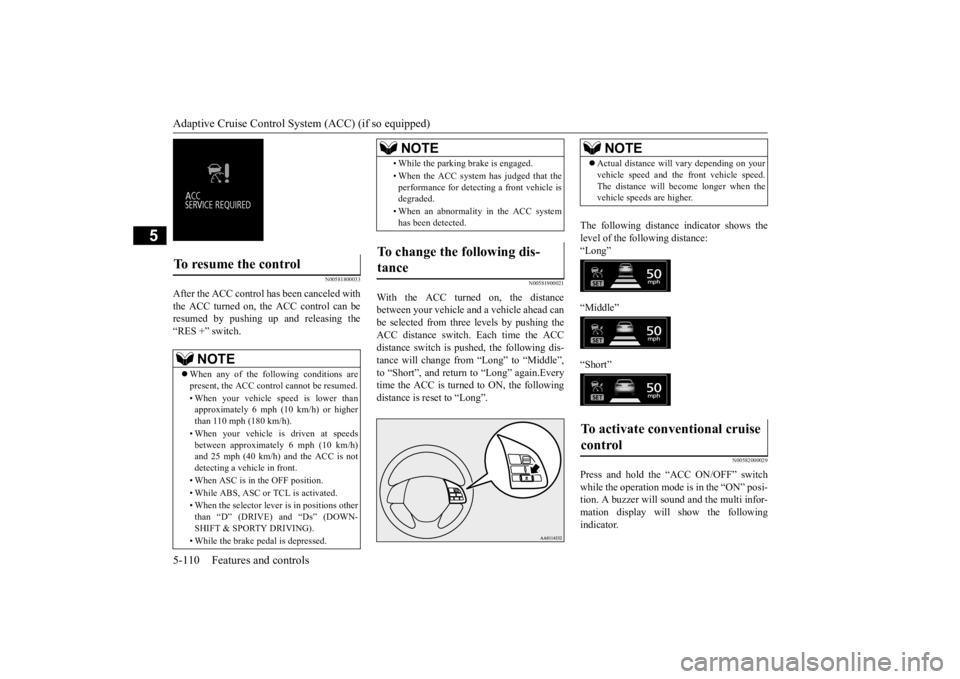
With the ACC turned on, the distance between your vehicle an
d a vehicle ahead can
be selected from thre
e levels by pushing the
ACC distance switch. Each time the ACC distance switch is pus
hed, the following dis-
tance will change from “Long” to “Middle”, to “Short”, and return to “Long” again.Every time the ACC is turned to ON, the followingdistance is reset to “Long”.
The following distance indicator shows the level of the following distance:“Long” “Middle” “Short”
N00582000029
Press and hold the “ACC ON/OFF” switch while the operation mode is in the “ON” posi- tion. A buzzer will s
ound and the multi infor-
mation display will show the following indicator.
To resume the control
NOTE
When any of the following conditions are present, the ACC cont
rol cannot be resumed.
• When your vehicle speed is lower than approximately 6 mph (10 km/h) or higherthan 110 mph (180 km/h). • When your vehicle is driven at speeds between approximately 6 mph (10 km/h) and 25 mph (40 km/h) and the ACC is not detecting a vehi
cle in front.
• When ASC is in the OFF position. • While ABS, ASC or TCL is activated. • When the selector leve
r is in positions other
than “D” (DRIVE) and “Ds” (DOWN- SHIFT & SPORTY DRIVING). • While the brake pedal is depressed.
• While the parking brake is engaged.• When the ACC system has judged that the performance for detec
ting a front vehicle is
degraded. • When an abnormality in the ACC system has been detected.
To change the following dis- tance
NOTE
NOTE
Actual distance will vary depending on your vehicle speed and the front vehicle speed.The distance will become longer when thevehicle speeds are higher.
To activate conventional cruise control
BK0223400US.book 110 ページ 2015年2月13日 金曜日 午後12時15分
Page 187 of 464
Forward Collision Mitigation System (FCM) (if so equipped)
Features and controls 5-111
5
The conventional cruise
control is turned off
when the operation mode is tuned off. For operation of the cruise control, refer to“Cruise control” on page 5-96.
N00582100020
FCC ID:OAYARS3-B (for vehicles sold in the U.S.A) IC: 4135A-ARS3B (for vehicles sold in theCanada) This device complies with Part 15 of FCC Rules and Industry Ca
nada licence-exempt
RSS standard(s).Operation is subject to the following two con- ditions. this device may not
cause harmful inter-
ference.
this device must ac
cept any interference
received, including interference that maycause undesired operation.
N00577300040
The Forward Collision Mitigation System(FCM) is designed to help reduce the risk of acollision with a vehicl
e straight ahead of your
vehicle. The FCM uses a radar sensor (A) to determine the distance to a vehicle in front and relative speed to th
at vehicle. The FCM is
not designed as an automatic driving systemor as a collision
avoidance system.
When your vehicle is approaching a vehicle straight ahead in your path and the FCMjudges that there is the ri
sk of a collision, the
system will give audibl
e and visual warnings.
When the FCM judges that a collision withthe vehicle straight-ahe
ad is imminent, the
system will automati
cally apply moderate
braking to warn you to apply the brakesimmediately. When the FCM judges that a collision with the vehicle straight-ahead is highly unavoid-able, the system will apply emergency brak- ing to reduce the severity of the collision and, if possible, to avoid the collision.Stop lights are illuminated during automatic braking.
NOTE
The conventional crui
se control does not
sound or display the approach alarm, will not adjust your vehicle sp
eed, and does not con-
trol the distance betw
een your vehicle and a
vehicle in front.
General information
CAUTION Changes or modifica
tions not expressly
approved by the manufacturer for compli- ance could void the user’s authority to oper- ate the equipment.
Forward Collision Mitiga- tion System (FCM)
(if so
equipped)
BK0223400US.book 111 ページ 2015年2月13日 金曜日 午後12時15分
Page 205 of 464
![MITSUBISHI OUTLANDER III 2016 User Guide Multi Information display - Type 1
Features and controls 5-129
5
[With ignition switch or operation mode in ON]
N00555101205
Each time the multi information display switch is operated, th
e buzzer s](/img/19/58143/w960_58143-204.png "MITSUBISHI OUTLANDER III 2016 User Guide Multi Information display - Type 1
Features and controls 5-129
5
[With ignition switch or operation mode in ON]
N00555101205
Each time the multi information display switch is operated, th
e buzzer s")
Multi Information display - Type 1
Features and controls 5-129
5
[With ignition switch or operation mode in ON]
N00555101205
Each time the multi information display switch is operated, th
e buzzer sounds and the
multi information disp
lay changes between
information such as warnings, trip odometer,
1- Drive mode indicator display screen (if
so equipped)
P. 5 - 8 0
2- S-AWC drive mode display screen (if
so equipped)
P. 5 - 8 3
3-
Warning display screen
P.5-134
4- Forward Collision Mitigation System
(FCM) OFF displa
y screen (if so
equipped)
P.5-111
5- Lane Departure Warning (LDW) dis-
play screen (if so equipped)
P. 5 - 1 1 6
6- ECO mode indicator display screen
P.5-184
7- Information screen
P.5-130
8- Selector lever
position display
P.5-66, 5-73
9- Engine coolant te
mperature display
P.5-134
10- Odometer
P.5-135
11- Cruise control display screen (if so
equipped)
P.5-96
12- Adaptive Cruise Control System (ACC)
display screen (if so equipped) P.5-100
13- ECO indicator
P.5-139
14- Fuel remaining display screen
P.5-135
15- Outside temperature display screen
P.5-135
NOTE
The fuel units, outside
temperature units,
display language, and
other settings can be
changed. Refer to “Changing the function settings” onpage 5-140.
Multi information display switch
BK0223400US.book 129 ページ 2015年2月13日 金曜日 午後12時15分
Page 239 of 464
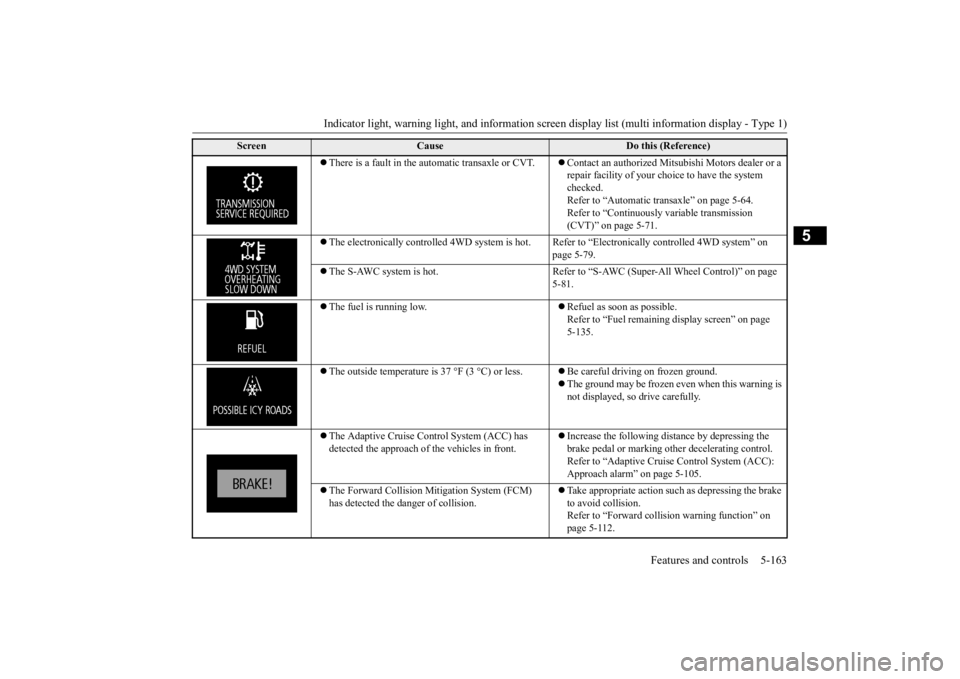
Indicator light, warning light, and information screen display list (multi information display - Type 1)
Features and controls 5-163
5
There is a fault in the automatic transaxle or CVT.
Contact an authorized Mitsubishi Motors dealer or a repair facility of your choi
ce to have the system
checked. Refer to “Automatic tr
ansaxle” on page 5-64.
Refer to “Continuously variable transmission (CVT)” on page 5-71.
The electronically controll
ed 4WD system is hot. Refer to “Elect
ronically controlled 4WD system” on
page 5-79.
The S-AWC system is hot. Refer to “S-AWC (Super-All Wheel Control)” on page
5-81.
The fuel is running low.
Refuel as soon as possible. Refer to “Fuel remaining
display screen” on page
5-135.
The outside temperature is 37 °F (3 °C) or less.
Be careful driving on frozen ground. The ground may be frozen even when this warning is not displayed, so
drive carefully.
The Adaptive Cruise Control System (ACC) has detected the approach of
the vehicles in front.
Increase the following distance by depressing the brake pedal or marking ot
her decelerating control.
Refer to “Adaptive Cruise Control System (ACC): Approach alarm” on page 5-105.
The Forward Collision Mi
tigation System (FCM)
has detected the danger of collision.
Take appropriate action such as depressing the brake to avoid collision.Refer to “Forward collis
ion warning function” on
page 5-112.
Screen
Cause
Do this (Reference)
BK0223400US.book 163 ページ 2015年2月13日 金曜日 午後12時15分