sensor MITSUBISHI OUTLANDER III 2016 User Guide
[x] Cancel search | Manufacturer: MITSUBISHI, Model Year: 2016, Model line: OUTLANDER III, Model: MITSUBISHI OUTLANDER III 2016Pages: 464, PDF Size: 60.77 MB
Page 123 of 464
Theft-alarm system
Features and controls 5-47
5
N00510401214
The alarm will be activated if any of the fol- lowing occur while the ve
hicle is parked and
the system is armed. One of the doors and the liftgate is opened without using the keyless entry system orthe F.A.S.T.-key operation. The engine hood is opened.
Also, for vehicles equipped with the interior alarm sensor, the alarm will be activated ifany of the following occur.
Attempt an unauthorized moving of the vehicle. (the vehicle
inclination detection
function) Detect a motion in the vehicle. (the inte- rior intrusion de
tection function)
Disconnect the battery terminal.
N00582500024
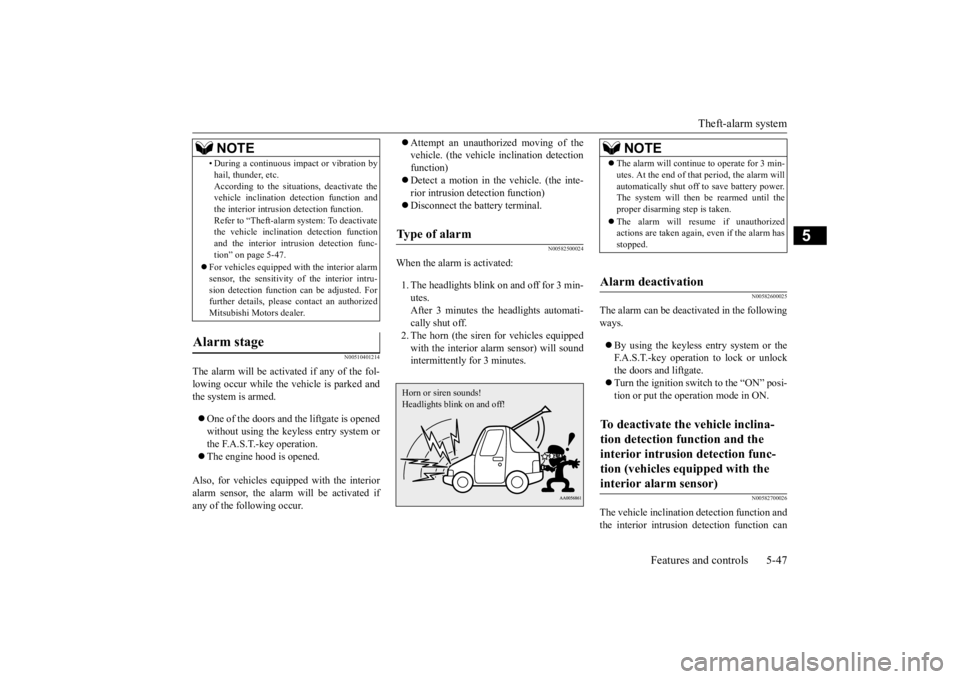
When the alarm is activated: 1. The headlights blink on and off for 3 min- utes. After 3 minutes the headlights automati-cally shut off. 2. The horn (the siren for vehicles equipped with the interior alarm sensor) will soundintermittently for 3 minutes.
N00582600025
The alarm can be deacti
vated in the following
ways. By using the keyless entry system or the F.A.S.T.-key operation to lock or unlockthe doors and liftgate. Turn the ignition switch to the “ON” posi- tion or put the operation mode in ON.
N00582700026
The vehicle inclination detection function and the interior intrusion
detection function can
• During a continuous im
pact or vibration by
hail, thunder, etc.According to the situations, deactivate thevehicle inclination de
tection function and
the interior intrusi
on detection function.
Refer to “Theft-alarm system: To deactivatethe vehicle inclinati
on detection function
and the interior intr
usion detection func-
tion” on page 5-47.
For vehicles equipped wi
th the interior alarm
sensor, the sensitivity of the interior intru-sion detection function can be adjusted. For further details, please
contact an authorized
Mitsubishi Motors dealer.
Alarm stage
NOTE
Type of alarm Horn or siren sounds!Headlights blink on and off!
NOTE
The alarm will continue to operate for 3 min- utes. At the end of that
period, the alarm will
automatically shut off
to save battery power.
The system will then
be rearmed until the
proper disarming step is taken. The alarm will resu
me if unauthorized
actions are taken again, even if the alarm has stopped.
Alarm deactivation To deactivate the vehicle inclina- tion detection function and the interior intrusion detection func-tion (vehicles equipped with the interior alarm sensor)
BK0223400US.book 47 ページ 2015年2月13日 金曜日 午後12時15分
Page 125 of 464
Power window control
Features and controls 5-49
5
N00510601144
Use the following procedure to test the sys- tem: 1. Lower the driver’s window. 2. Arm the system as explained in “Armedstage”. 3. Make sure that the theft-alarm indicator comes on and flashe
s for approximately
20 seconds. 4. Wait a few seconds and then unlock thedriver’s side door by using the inside door lock knob. Open the door. 5. Make sure that the horn (the siren forvehicles equipped with the interior alarm sensor) sounds interm
ittently and the
headlights blink when a door is opened.6. Disarm the system by unlocking all doors and the liftgate by using the keyless entry system or the F.A.S.T.-key operation.
N00510800383
Testing the theft-alarm system
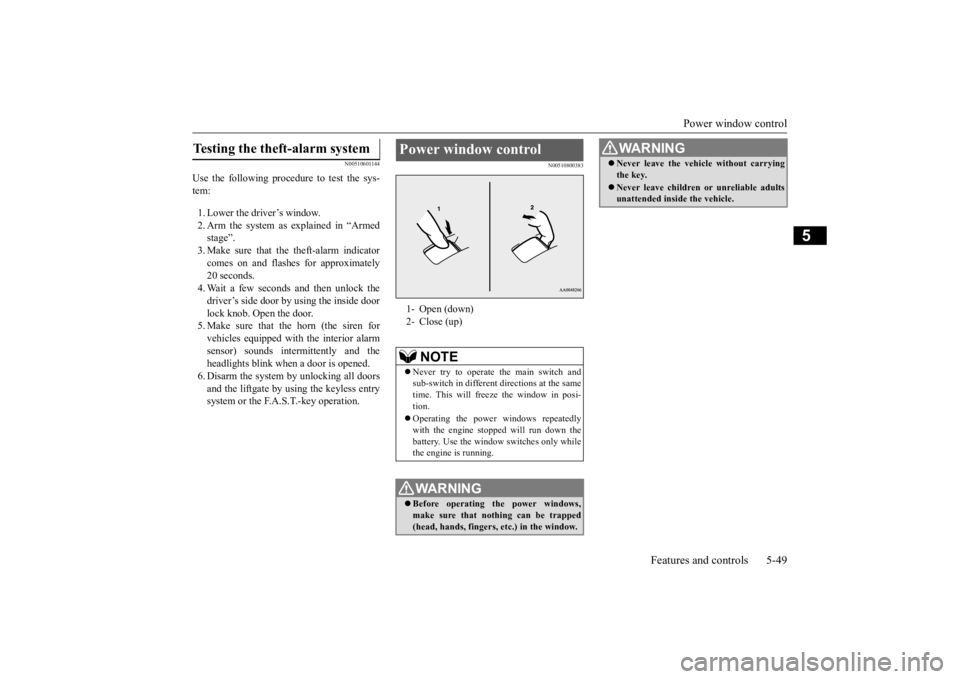
Power window control 1- Open (down)2- Close (up)
NOTE
Never try to operate the main switch and sub-switch in different
directions at the same
time. This will free
ze the window in posi-
tion. Operating the power windows repeatedly with the engine stoppe
d will run down the
battery. Use the window
switches only while
the engine is running.WA R N I N G Before operating the power windows, make sure that nothing can be trapped (head, hands, fingers, etc.) in the window.
Never leave the vehicle without carrying the key. Never leave children
or unreliable adults
unattended inside the vehicle.WA R N I N G
BK0223400US.book 49 ページ 2015年2月13日 金曜日 午後12時15分
Page 132 of 464
Inside rearview mirror 5-56 Features and controls
5
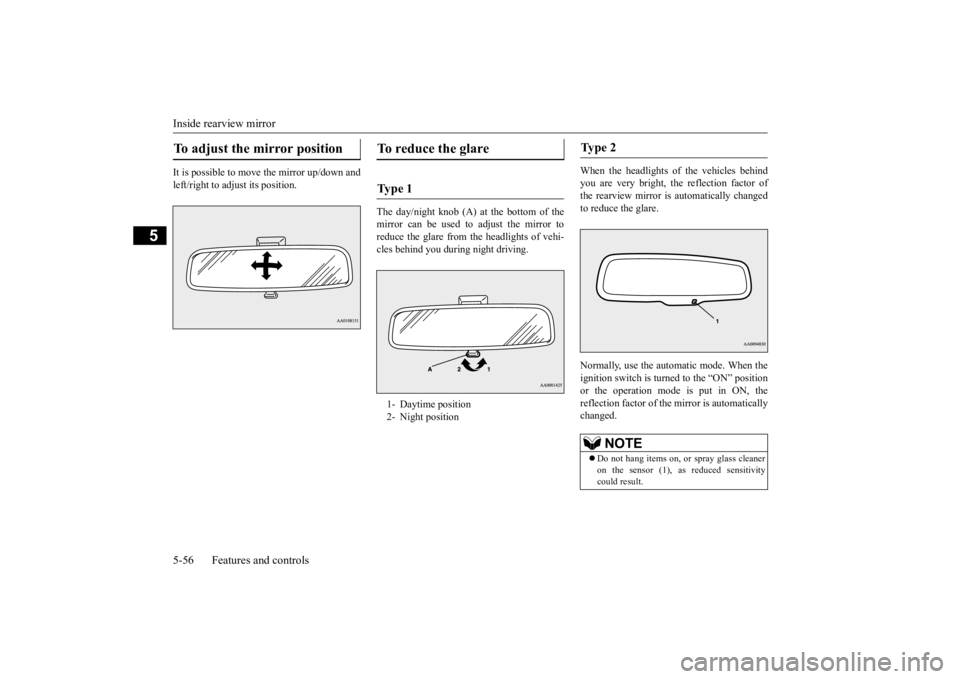
It is possible to move the mirror up/down and left/right to adjust its position.
The day/night knob (A) at
the bottom of the
mirror can be used to adjust the mirror to reduce the glare from the headlights of vehi- cles behind you during night driving.
When the headlights of the vehicles behind you are very bright, the reflection factor of the rearview mirror is automatically changed to reduce the glare. Normally, use the automatic mode. When the ignition switch is turned to the “ON” positionor the operation mode is put in ON, the reflection factor of the mirror is automatically changed.
To adjust the mirror position
To reduce the glare Ty p e 1 1- Daytime position 2- Night position
Ty p e 2
NOTE
Do not hang items on, or
spray glass cleaner
on the sensor (1), as reduced sensitivity could result.
BK0223400US.book 56 ページ 2015年2月13日 金曜日 午後12時15分
Page 133 of 464
Outside rearview mirrors
Features and controls 5-57
5
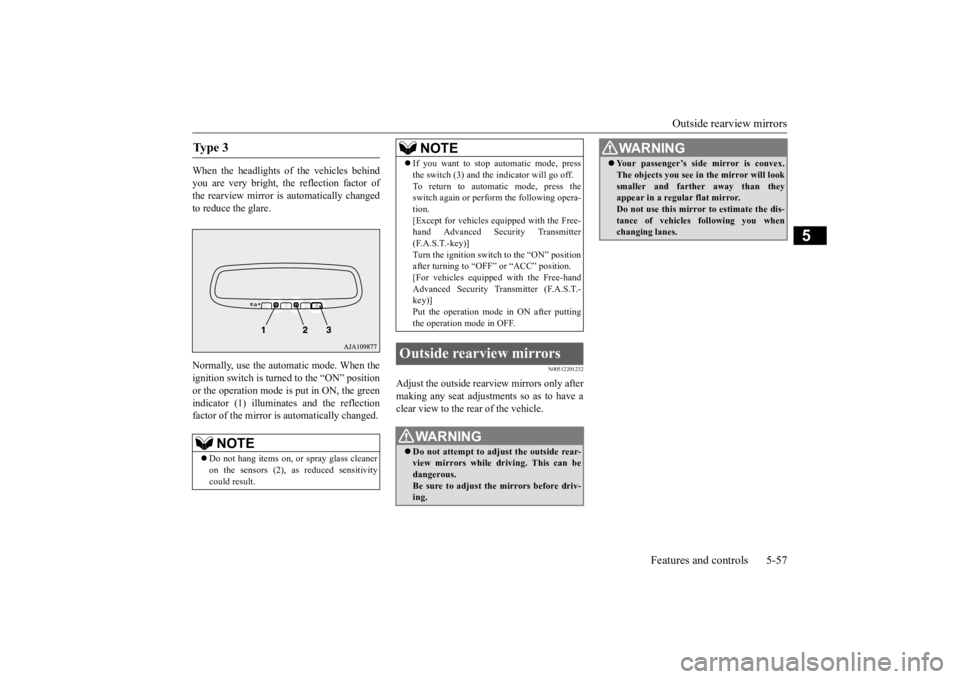
When the headlights of the vehicles behind you are very bright, the reflection factor of the rearview mirror is automatically changed to reduce the glare. Normally, use the automatic mode. When the ignition switch is turn
ed to the “ON” position
or the operation mode is put in ON, the green indicator (1) illuminat
es and the reflection
factor of the mirror is
automatically changed.
N00512201232
Adjust the outside rearview mirrors only after making any seat adjustme
nts so as to have a
clear view to the rear of the vehicle.
Ty p e 3
NOTE
Do not hang items on,
or spray glass cleaner
on the sensors (2), as
reduced sensitivity
could result.
If you want to stop automatic mode, press the switch (3) and the
indicator will go off.
To return to automatic mode, press theswitch again or perfor
m the following opera-
tion. [Except for vehicles e
quipped with the Free-
hand Advanced Security Transmitter (F.A.S.T.-key)] Turn the ignition switch to the “ON” positionafter turning to “OFF” or “ACC” position. [For vehicles equippe
d with the Free-hand
Advanced Security Transmitter (F.A.S.T.-key)] Put the operation mode
in ON after putting
the operation mode in OFF.
Outside rearview mirrors
WA R N I N G Do not attempt to adjust the outside rear- view mirrors while driving. This can be dangerous.Be sure to adjust the mirrors before driv- ing.NOTE
Your passenger’s side mirror is convex. The objects you see in the mirror will looksmaller and farthe
r away than they
appear in a regular flat mirror. Do not use this mirror to estimate the dis- tance of vehicles following you whenchanging lanes.WA R N I N G
BK0223400US.book 57 ページ 2015年2月13日 金曜日 午後12時15分
Page 169 of 464
Electric power steering system (EPS)
Features and controls 5-93
5
Avoid hard braking and high-speed driving. Stop the vehicle in a safe place and contact anauthorized Mitsubishi Mo
tors dealer or repair
facility of your choice.
N00529201090
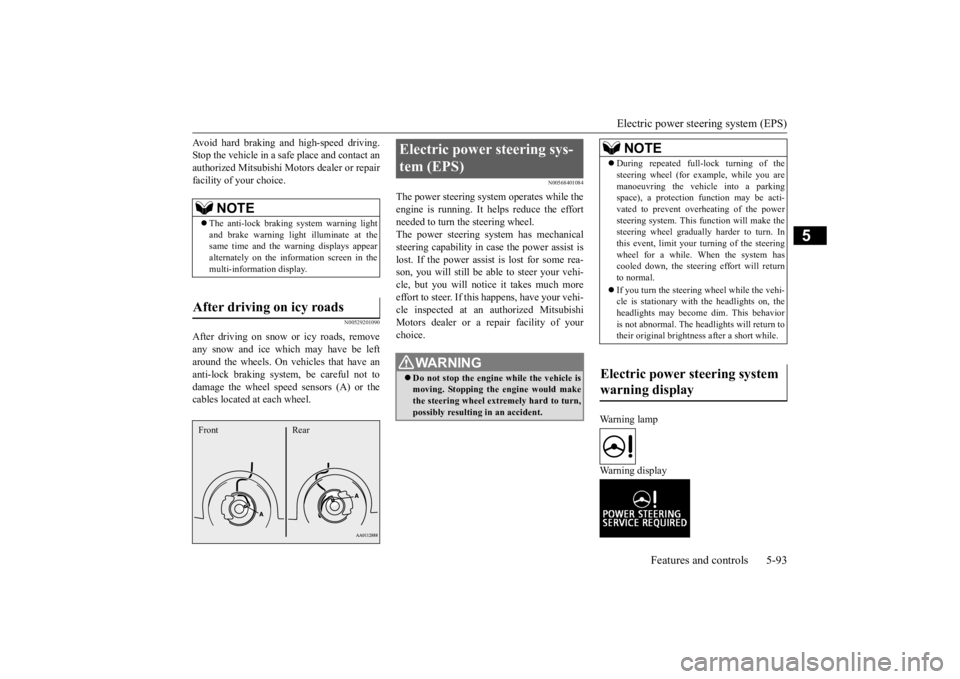
After driving on snow or icy roads, remove any snow and ice which may have be leftaround the wheels. On vehicles that have an anti-lock braking syst
em, be careful not to
damage the wheel spee
d sensors (A) or the
cables located at each wheel.
N00568401084
The power steering system operates while the engine is running. It helps reduce the effort needed to turn the steering wheel.The power steering sy
stem has mechanical
steering capability in case the power assist is lost. If the power assist is lost for some rea-son, you will still be able to steer your vehi- cle, but you will notice it takes much more effort to steer. If this happens, have your vehi- cle inspected at an authorized Mitsubishi Motors dealer or a repair facility of yourchoice.
Warning lamp Warning display
NOTE
The anti-lock braking
system warning light
and brake warning light illuminate at the same time and the wa
rning displays appear
alternately on the information screen in the multi-information display.
After driving on icy roads Front Rear
Electric power steering sys- tem (EPS)
WA R N I N G Do not stop the engine while the vehicle is moving. Stopping the engine would make the steering wheel extremely hard to turn, possibly resulting
in an ac
cident.
NOTE
During repeated full-lock turning of the steering wheel (for example, while you aremanoeuvring the vehicle into a parkingspace), a protection f
unction may be acti-
vated to prevent overheating of the power steering system. This f
unction will make the
steering wheel graduall
y harder to turn. In
this event, limit your turning of the steering wheel for a while. When the system hascooled down, the steering effort will return to normal. If you turn the steering wheel while the vehi- cle is stationary with the headlights on, the headlights may become
dim. This behavior
is not abnormal. The he
adlights will return to
their original brightness after a short while.
Electric power steering system warning display
BK0223400US.book 93 ページ 2015年2月13日 金曜日 午後12時15分
Page 182 of 464
Adaptive Cruise Control System (ACC) (if so equipped) 5-106 Features and controls
5
N00581500027
There are two ways to increase the set speed. The set speed will increase by 1 mph (1 km/h) every time you push up the “RES +” switch while the ACC is activated. If youhold the switch pushed up, the set speed increases in 5 mph (5 km/h) increments.
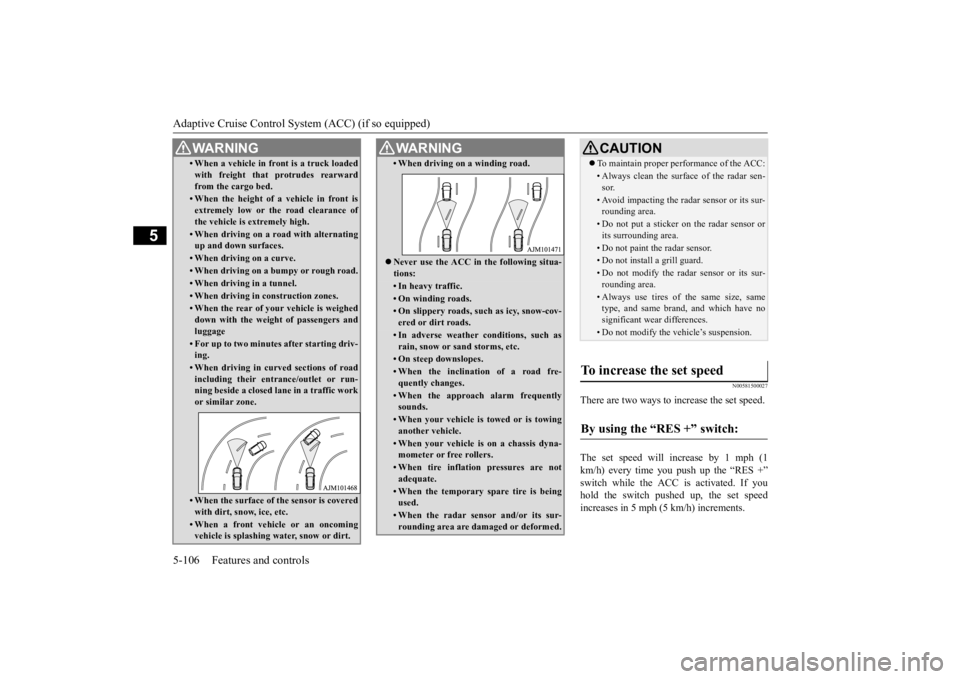
• When a vehicle in front is a truck loaded with freight that protrudes rearwardfrom the cargo bed.• When the height of a vehicle in front isextremely low or the road clearance ofthe vehicle is extremely high.• When driving on a r
oad with alternating
up and down surfaces.• When driving on a curve.• When driving on a bumpy or rough road.• When driving in a tunnel.• When driving in construction zones.• When the rear of your vehicle is weigheddown with the weight of passengers andluggage• For up to two minutes after starting driv-ing.• When driving in curved sections of roadincluding their entrance/outlet or run- ning beside a closed lane in a traffic work or similar zone.• When the surface of th
e sensor is covered
with dirt, snow, ice, etc.• When a front vehicle or an oncomingvehicle is splashing wa
ter, snow or dirt.
WA R N I N G
• When driving on
a winding road.
Never use the ACC in the following situa- tions:• In heavy traffic.• On winding roads.• On slippery roads, such as icy, snow-cov-ered or dirt roads.• In adverse weather conditions, such asrain, snow or sand storms, etc.• On steep downslopes.• When the inclination of a road fre-quently changes.• When the approach alarm frequentlysounds.• When your vehicle is towed or is towinganother vehicle.• When your vehicle is on a chassis dyna-mometer or free rollers.• When tire inflation pressures are notadequate.• When the temporary sp
are tire is being
used.• When the radar sensor and/or its sur-rounding area are damaged or deformed.WA R N I N G
CAUTION To maintain proper performance of the ACC:• Always clean the surface of the radar sen- sor.• Avoid impacting the radar sensor or its sur-rounding area.• Do not put a sticker on the radar sensor orits surrounding area.• Do not paint the radar sensor.• Do not install a grill guard.• Do not modify the radar sensor or its sur- rounding area.• Always use tires of the same size, sametype, and same brand, and which have no significant wear differences.• Do not modify the vehicle’s suspension.
To increase the set speed
By using the “RES +” switch:
BK0223400US.book 106 ページ 2015年2月13日 金曜日 午後12時15分
Page 185 of 464
Adaptive Cruise Control System (ACC) (if so equipped)
Features and controls 5-109
5
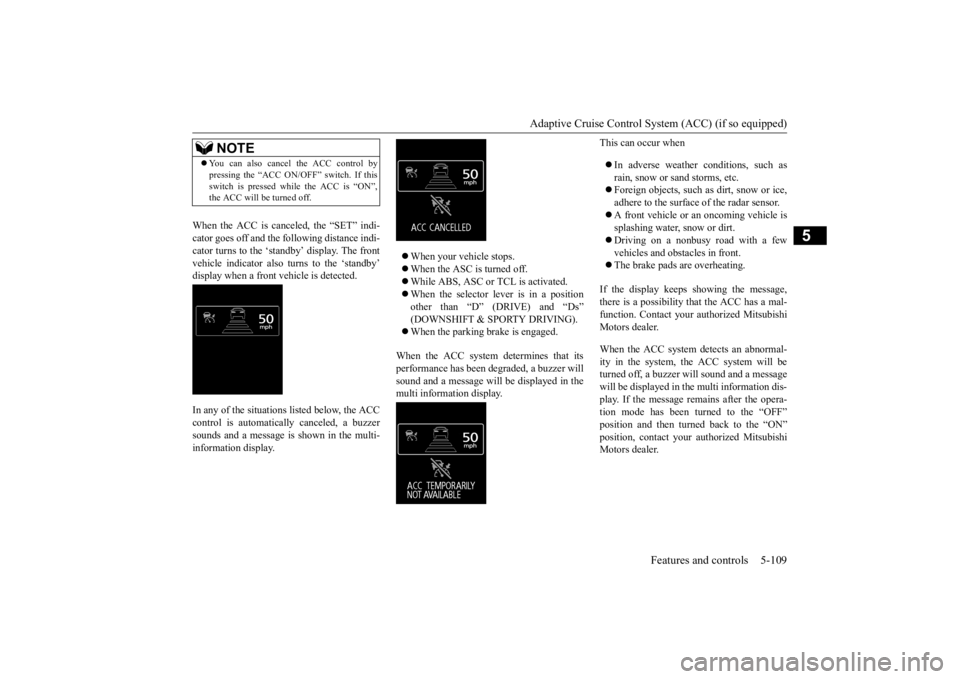
When the ACC is canceled, the “SET” indi- cator goes off and the following distance indi-cator turns to the ‘standby’ display. The front vehicle indicator also turns to the ‘standby’ display when a front vehicle is detected. In any of the situations listed below, the ACC control is automatically canceled, a buzzer sounds and a message is shown in the multi-information display.
When your vehicle stops. When the ASC is turned off. While ABS, ASC or TCL is activated. When the selector lever is in a position other than “D” (DRIVE) and “Ds” (DOWNSHIFT & SPORTY DRIVING). When the parking brake is engaged.
When the ACC system determines that its performance has been degraded, a buzzer will sound and a message will
be displayed in the
multi information display.
This can occur when In adverse weather conditions, such as rain, snow or sand storms, etc. Foreign objects, such as dirt, snow or ice, adhere to the surface
of the radar sensor.
A front vehicle or an oncoming vehicle is splashing water, snow or dirt. Driving on a nonbusy road with a few vehicles and obsta
cles in front.
The brake pads are overheating.
If the display keeps showing the message, there is a possibility that the ACC has a mal-function. Contact your
authorized Mitsubishi
Motors dealer. When the ACC system detects an abnormal- ity in the system, th
e ACC system will be
turned off, a buzzer w
ill sound and a message
will be displayed in the multi information dis- play. If the message remains after the opera-tion mode has been turned to the “OFF” position and then turned back to the “ON” position, contact your
authorized Mitsubishi
Motors dealer.
NOTE
You can also cancel the ACC control by pressing the “ACC ON/OFF” switch. If thisswitch is pressed while the ACC is “ON”,the ACC will be turned off.
BK0223400US.book 109 ページ 2015年2月13日 金曜日 午後12時15分
Page 187 of 464
Forward Collision Mitigation System (FCM) (if so equipped)
Features and controls 5-111
5
The conventional cruise
control is turned off
when the operation mode is tuned off. For operation of the cruise control, refer to“Cruise control” on page 5-96.
N00582100020
FCC ID:OAYARS3-B (for vehicles sold in the U.S.A) IC: 4135A-ARS3B (for vehicles sold in theCanada) This device complies with Part 15 of FCC Rules and Industry Ca
nada licence-exempt
RSS standard(s).Operation is subject to the following two con- ditions. this device may not
cause harmful inter-
ference.
this device must ac
cept any interference
received, including interference that maycause undesired operation.
N00577300040
The Forward Collision Mitigation System(FCM) is designed to help reduce the risk of acollision with a vehicl
e straight ahead of your
vehicle. The FCM uses a radar sensor (A) to determine the distance to a vehicle in front and relative speed to th
at vehicle. The FCM is
not designed as an automatic driving systemor as a collision
avoidance system.
When your vehicle is approaching a vehicle straight ahead in your path and the FCMjudges that there is the ri
sk of a collision, the
system will give audibl
e and visual warnings.
When the FCM judges that a collision withthe vehicle straight-ahe
ad is imminent, the
system will automati
cally apply moderate
braking to warn you to apply the brakesimmediately. When the FCM judges that a collision with the vehicle straight-ahead is highly unavoid-able, the system will apply emergency brak- ing to reduce the severity of the collision and, if possible, to avoid the collision.Stop lights are illuminated during automatic braking.
NOTE
The conventional crui
se control does not
sound or display the approach alarm, will not adjust your vehicle sp
eed, and does not con-
trol the distance betw
een your vehicle and a
vehicle in front.
General information
CAUTION Changes or modifica
tions not expressly
approved by the manufacturer for compli- ance could void the user’s authority to oper- ate the equipment.
Forward Collision Mitiga- tion System (FCM)
(if so
equipped)
BK0223400US.book 111 ページ 2015年2月13日 金曜日 午後12時15分
Page 189 of 464
Forward Collision Mitigation System (FCM) (if so equipped)
Features and controls 5-113
5
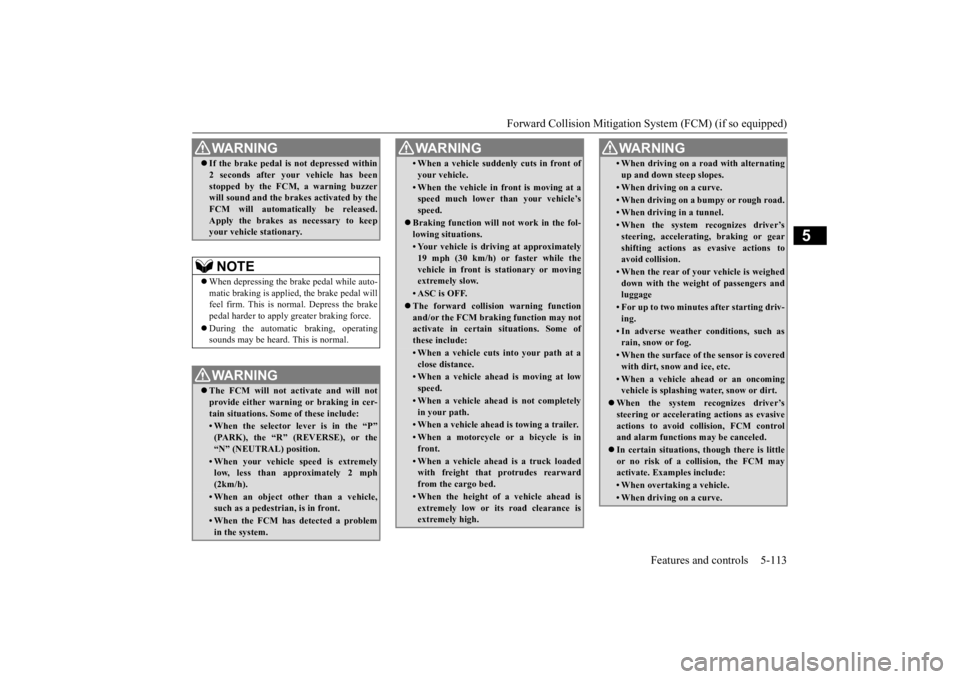
If the brake pedal is not depressed within 2 seconds after your vehicle has beenstopped by the FCM, a warning buzzerwill sound and the brakes activated by the FCM will automatically be released. Apply the brakes as
necessary to keep
your vehicle stationary.NOTE
When depressing the brake pedal while auto- matic braking is applie
d, the brake pedal will
feel firm. This is normal. Depress the brake pedal harder to apply
greater braking force.
During the automatic braking, operating sounds may be heard. This is normal. WA R N I N G The FCM will not activate and will not provide either warnin
g or braking in cer-
tain situations. Some of these include:• When the selector lever is in the “P”(PARK), the “R” (REVERSE), or the “N” (NEUTRAL) position.• When your vehicle speed is extremelylow, less than approximately 2 mph (2km/h).• When an object other than a vehicle,such as a pedestri
an, is in front.
• When the FCM has detected a problem in the system.WA R N I N G
• When a vehicle sudden
ly cuts in front of
your vehicle.• When the vehicle in fr
ont is moving at a
speed much lower than your vehicle’s speed.
Braking function will not work in the fol- lowing situations.• Your vehicle is driving at approximately19 mph (30 km/h) or faster while thevehicle in front is
stationary or moving
extremely slow.•ASC is OFF. The forward collision warning function and/or the FCM brakin
g function may not
activate in certain situations. Some of these include:• When a vehicle cuts
into your path at a
close distance.• When a vehicle ahead is moving at lowspeed.• When a vehicle ahead is not completelyin your path.• When a vehicle ahead
is towing a trailer.
• When a motorcycle or a bicycle is in front.• When a vehicle ahead is a truck loadedwith freight that protrudes rearward from the cargo bed.• When the height of a vehicle ahead isextremely low or its road clearance isextremely high.WA R N I N G
• When driving on a r
oad with alternating
up and down steep slopes.• When driving on a curve.• When driving on a bumpy or rough road.• When driving in a tunnel.• When the system recognizes driver’s steering, accelerati
ng, braking or gear
shifting actions as
evasive actions to
avoid collision.• When the rear of your vehicle is weigheddown with the weight of passengers and luggage• For up to two minute
s after starting driv-
ing.• In adverse weather conditions, such asrain, snow or fog.• When the surface of th
e sensor is covered
with dirt, snow and ice, etc.• When a vehicle ahea
d or an oncoming
vehicle is splashing wa
ter, snow or dirt.
When the system recognizes driver’s steering or accelerating
actions as evasive
actions to avoid collision, FCM controland alarm functions
may be canceled.
In certain situations,
though there is little
or no risk of a collision, the FCM may activate. Examples include: • When overtaking a vehicle.• When driving on a curve.WA R N I N G
BK0223400US.book 113 ページ 2015年2月13日 金曜日 午後12時15分
Page 190 of 464
Forward Collision Mitigation System (FCM) (if so equipped) 5-114 Features and controls
5
N00577800045
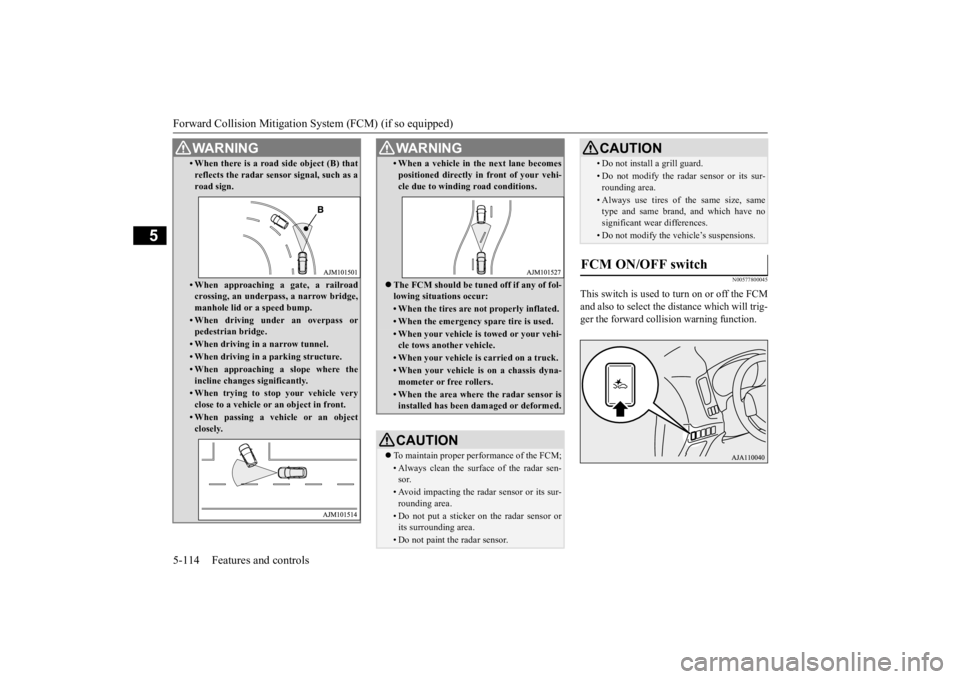
This switch is used to turn on or off the FCM and also to select the distance which will trig-ger the forward colli
sion warning function.
• When there is a road side object (B) that reflects the radar sensor signal, such as aroad sign.• When approaching
a gate, a railroad
crossing, an underpas
s, a narrow bridge,
manhole lid or
a speed bump.
• When driving under an overpass or pedestrian bridge.• When driving in a narrow tunnel.• When driving in a parking structure.• When approaching a slope where theincline changes
significantly.
• When trying to st
op your vehicle very
close to a vehicle or
an object in front.
• When passing a vehicle or an object closely.WA R N I N G
• When a vehicle in the next lane becomespositioned directly in
front of your vehi-
cle due to winding road conditions.
The FCM should be tune
d off if any of fol-
lowing situations occur:• When the tires are not properly inflated. • When the emergency spare tire is used.• When your vehicle is
towed or
your vehi-
cle tows another vehicle.• When your vehicle is
carried on a truck.
• When your vehicle is on a chassis dyna- mometer or free rollers.• When the area where the radar sensor isinstalled has been da
maged or deformed.
CAUTIONTo maintain proper performance of the FCM;• Always clean the surface of the radar sen- sor.• Avoid impacting the radar sensor or its sur-rounding area.• Do not put a sticker on the radar sensor orits surrounding area.• Do not paint the radar sensor.WA R N I N G
• Do not install a grill guard.• Do not modify the radar sensor or its sur-rounding area.• Always use tires of the same size, sametype and same brand,
and which have no
significant wear differences.• Do not modify the vehicle’s suspensions.
FCM ON/OFF switch
CAUTION
BK0223400US.book 114 ページ 2015年2月13日 金曜日 午後12時15分