sensor MITSUBISHI OUTLANDER III 2016 Owner's Manual
[x] Cancel search | Manufacturer: MITSUBISHI, Model Year: 2016, Model line: OUTLANDER III, Model: MITSUBISHI OUTLANDER III 2016Pages: 464, PDF Size: 60.77 MB
Page 191 of 464
Forward Collision Mitigation System (FCM) (if so equipped)
Features and controls 5-115
5
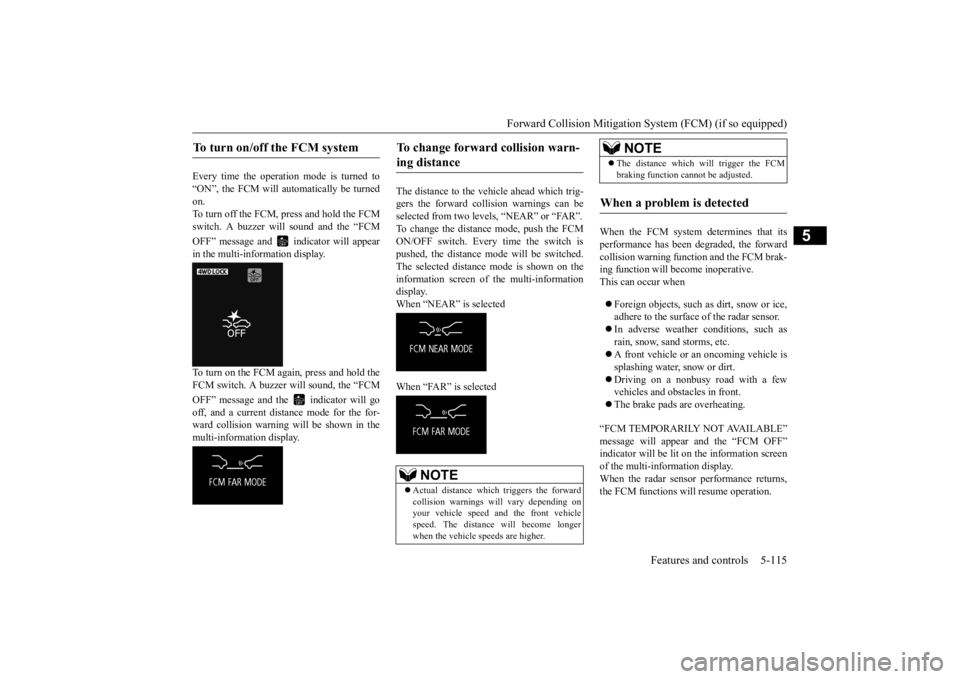
Every time the operation mode is turned to “ON”, the FCM will automatically be turned on.To turn off the FCM, press and hold the FCM switch. A buzzer wi
ll sound and the “FCM
OFF” message and in
dicator will appear
in the multi-information display. To turn on the FCM again, press and hold the FCM switch. A buzzer will sound, the “FCM OFF” message and the indicator will go off, and a current distance mode for the for- ward collision warning will be shown in themulti-information display.
The distance to the vehicle ahead which trig- gers the forward collision warnings can be selected from two levels, “NEAR” or “FAR”. To change the distance mode, push the FCMON/OFF switch. Every time the switch is pushed, the distance mode will be switched. The selected distance mode is shown on the information screen of the multi-information display. When “NEAR” is selected When “FAR” is selected
When the FCM system determines that its performance has been degraded, the forward collision warning function and the FCM brak-ing function will become inoperative. This can occur when Foreign objects, such as dirt, snow or ice, adhere to the surface
of the radar sensor.
In adverse weather conditions, such as rain, snow, sand storms, etc. A front vehicle or an oncoming vehicle is splashing water, snow or dirt. Driving on a nonbusy road with a few vehicles and obsta
cles in front.
The brake pads are overheating.
“FCM TEMPORARILY NOT AVAILABLE” message will appear and the “FCM OFF” indicator will be lit on the information screenof the multi-information display. When the radar sensor performance returns, the FCM functions will resume operation.
To turn on/off the FCM system
To change forward collision warn- ing distance
NOTE
Actual distance which
triggers the forward
collision warnings will vary depending on your vehicle speed a
nd the front vehicle
speed. The distance
will become longer
when the vehicle speeds are higher.
The distance which will trigger the FCM braking function cannot be adjusted.
When a problem is detected
NOTE
BK0223400US.book 115 ページ 2015年2月13日 金曜日 午後12時15分
Page 195 of 464
Tire pressure monitoring system
Features and controls 5-119
5
N00578100029
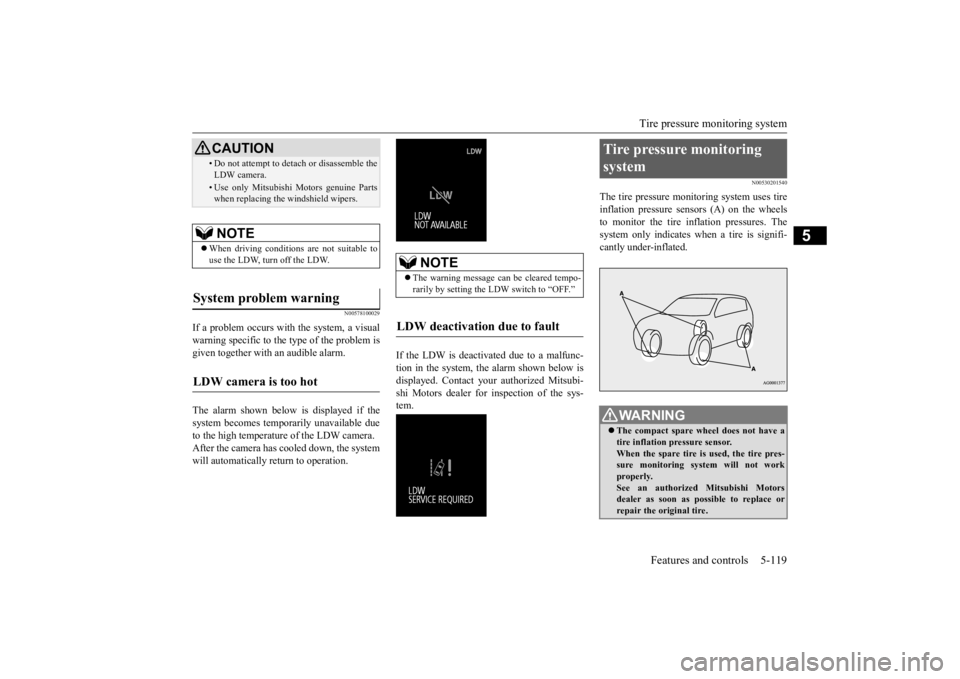
If a problem occurs with the system, a visual warning specific to the type of the problem is given together with an audible alarm. The alarm shown below is displayed if the system becomes temporarily unavailable due to the high temperature of the LDW camera.After the camera has cooled down, the system will automatically return to operation.
If the LDW is deactivated due to a malfunc- tion in the system, the alarm shown below isdisplayed. Contact your
authorized Mitsubi-
shi Motors dealer for inspection of the sys- tem.
N00530201540
The tire pressure monitoring system uses tire inflation pressure sensors (A) on the wheels to monitor the tire inflation pressures. Thesystem only indicates wh
en a tire is signifi-
cantly under-inflated.
• Do not attempt to deta
ch or disassemble the
LDW camera.• Use only Mitsubishi Mo
tors genuine Parts
when replacing the
windshield wipers.
NOTE
When driving conditions are not suitable to use the LDW, turn off the LDW.
System problem warning
LDW camera is too hot
CAUTION
NOTE
The warning message ca
n be cleared tempo-
rarily by setting the
LDW switch to “OFF.”
LDW deactivation due to fault
Tire pressure monitoring system
WA R N I N G The compact spare whee
l does not have a
tire inflation pressure sensor.When the spare tire is used, the tire pres- sure monitoring system will not work properly.See an authorized
Mitsubishi Motors
dealer as soon as possible to replace or repair the original tire.
BK0223400US.book 119 ページ 2015年2月13日 金曜日 午後12時15分
Page 196 of 464
Tire pressure monitoring system 5-120 Features and controls
5
N00532701334
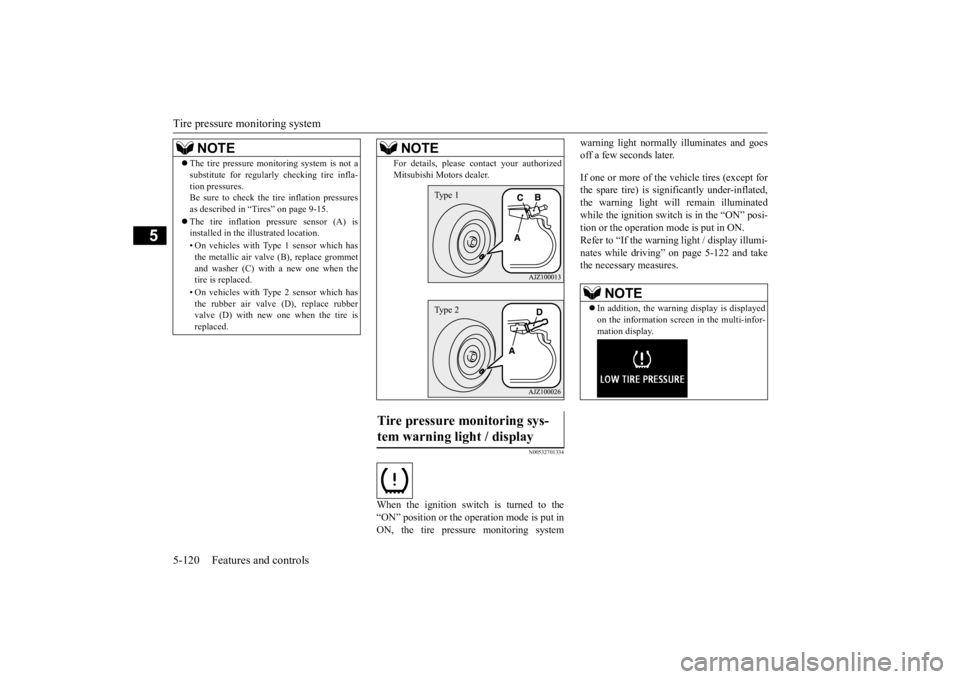
When the ignition switch is turned to the “ON” position or the operation mode is put inON, the tire pressure monitoring system
warning light normally
illuminates and goes
off a few seconds later. If one or more of the vehicle tires (except for the spare tire) is signi
ficantly under-inflated,
the warning light will remain illuminated while the ignition switch is in the “ON” posi-tion or the operation mode is put in ON. Refer to “If the warning light / display illumi- nates while driving” on page 5-122 and takethe necessary measures.
NOTE
The tire pressure monitoring system is not a substitute for regularly
checking tire infla-
tion pressures.Be sure to check the tire inflation pressures as described in “Tires” on page 9-15. The tire inflation pressure sensor (A) is installed in the illustrated location. • On vehicles with Type 1 sensor which has the metallic air valve (B), replace grommet and washer (C) with a new one when thetire is replaced. • On vehicles with Type 2 sensor which has the rubber air valve (D), replace rubber valve (D) with new one when the tire is replaced.
For details, please
contact your authorized
Mitsubishi Motors dealer.
Tire pressure monitoring sys- tem warning light / display
NOTE
Type 1Type 2
NOTE
In addition, the warni
ng display is displayed
on the information screen in the multi-infor-mation display.
BK0223400US.book 120 ページ 2015年2月13日 金曜日 午後12時15分
Page 198 of 464
Tire pressure monitoring system 5-122 Features and controls
5
allow the TPMS to cont
inue to function prop-
erly.
N00532801511
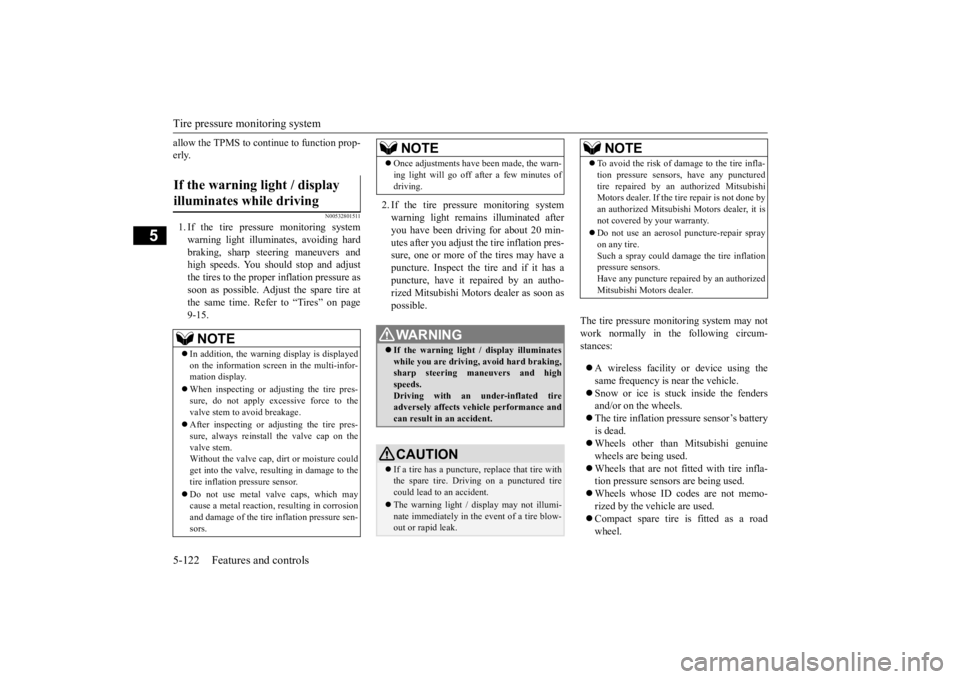
1. If the tire pressure monitoring systemwarning light illuminates, avoiding hard braking, sharp steering maneuvers and high speeds. You should stop and adjust the tires to the proper inflation pressure as soon as possible. Adjust the spare tire atthe same time. Refer to “Tires” on page 9-15.
2. If the tire pressure monitoring system warning light remain
s illuminated after
you have been driving for about 20 min- utes after you adjust the tire inflation pres- sure, one or more of the tires may have apuncture. Inspect the tire and if it has a puncture, have it repaired by an autho- rized Mitsubishi Motors dealer as soon aspossible.
The tire pressure monitoring system may not work normally in the following circum- stances: A wireless facility
or device using the
same frequency is near the vehicle. Snow or ice is stuck inside the fenders and/or on the wheels. The tire inflation pressure sensor’s battery is dead. Wheels other than Mitsubishi genuine wheels are being used. Wheels that are not fitted with tire infla- tion pressure sensors are being used. Wheels whose ID codes are not memo- rized by the vehicle are used. Compact spare tire is fitted as a road wheel.
If the warning light / display illuminates while driving
NOTE
In addition, the warni
ng display is displayed
on the information screen in the multi-infor- mation display. When inspecting or adjusting the tire pres- sure, do not apply excessive force to the valve stem to
avoid breakage.
After inspecting or adjusting the tire pres- sure, always reinstall the valve cap on thevalve stem. Without the valve cap, di
rt or moisture could
get into the valve, resulting in damage to thetire inflation pressure sensor. Do not use metal valve caps, which may cause a metal reaction,
resulting in corrosion
and damage of the tire
inflation pressure sen-
sors.
Once adjustments have
been made, the warn-
ing light will go off after a few minutes ofdriving.WA R N I N G If the warning light
/ display illuminates
while you are driving, avoid hard braking, sharp steering maneuvers and high speeds.Driving with an under-inflated tire adversely affects vehi
cle performance and
can result in an accident.CAUTION If a tire has a puncture, replace that tire with the spare tire. Driving on a punctured tirecould lead to an accident. The warning light / di
splay may not illumi-
nate immediately in the
event of a tire blow-
out or rapid leak.NOTE
NOTE
To avoid the risk of damage to the tire infla- tion pressure sensors, have any puncturedtire repaired by an authorized MitsubishiMotors dealer. If the tire repair is not done by an authorized Mitsubishi Motors dealer, it is not covered by your warranty. Do not use an aerosol puncture-repair spray on any tire.Such a spray could dama
ge the tire inflation
pressure sensors. Have any puncture repa
ired by an authorized
Mitsubishi Motors dealer.
BK0223400US.book 122 ページ 2015年2月13日 金曜日 午後12時15分
Page 199 of 464
Tire pressure monitoring system
Features and controls 5-123
5
A window tint that affects the radio wave signals is installed.
N00532900081
If new wheels with new tire inflation pressure sensors are installed,
their ID codes must be
programmed into the tire pressure monitoringsystem. Have tire and
wheel replacement per-
formed by an authorized Mitsubishi Motors dealer to avoid the ri
sk of damaging the tire
inflation pressure sensors. If the wheel replacement is not done by an authorized Mitsubishi Motors dealer
, it is not covered by
your warranty.
N00584300026
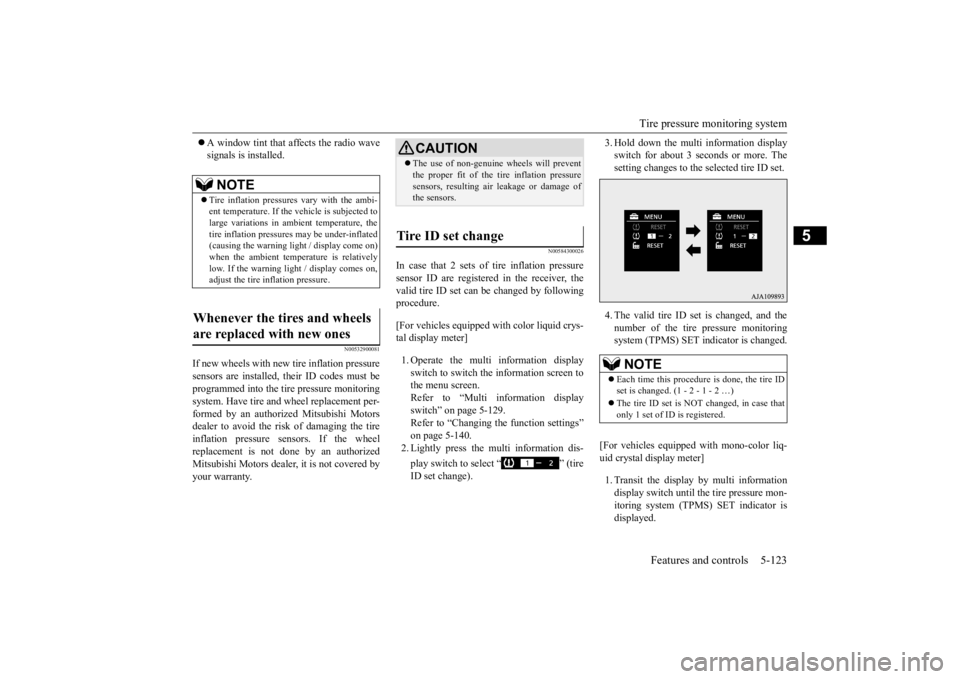
In case that 2 sets of tire inflation pressuresensor ID are registered in the receiver, the valid tire ID set can be changed by following procedure. [For vehicles equipped with color liquid crys- tal display meter] 1. Operate the multi information display switch to switch the information screen to the menu screen.Refer to “Multi information display switch” on page 5-129. Refer to “Changing the function settings”on page 5-140. 2. Lightly press the multi information dis- play switch to select “ ” (tire ID set change).
3. Hold down the multi information display switch for about 3 seconds or more. Thesetting changes to the selected tire ID set. 4. The valid tire ID se
t is changed, and the
number of the tire pressure monitoring system (TPMS) SET indicator is changed.
[For vehicles equipped
with mono-color liq-
uid crystal display meter] 1. Transit the display by multi information display switch until th
e tire pressure mon-
itoring system (TPMS) SET indicator isdisplayed.
NOTE
Tire inflation pressures vary with the ambi- ent temperature. If the
vehicle is subjected to
large variations in ambient temperature, the tire inflation pressures may be under-inflated(causing the warning light / display come on) when the ambient temperature is relatively low. If the warning light / display comes on,adjust the tire inflation pressure.
Whenever the tires and wheels are replaced with new ones
CAUTION The use of non-genuine wheels will prevent the proper fit of the tire inflation pressuresensors, resulting air
leakage or damage of
the sensors.
Tire ID set change
NOTE
Each time this procedure is done, the tire ID set is changed. (1 - 2 - 1 - 2 …) The tire ID set is NOT changed, in case that only 1 set of ID is registered.
BK0223400US.book 123 ページ 2015年2月13日 金曜日 午後12時15分
Page 202 of 464
Instrument cluster 5-126 Features and controls
5
N00519001402
CAUTION The reference lines for
distance and vehicle
width are intended to i
ndicate the distance to
a flat object such as a level, flat road surface. They may not indicate correct distance depending on the shape of an obstacle.For example, when there is an object behind the vehicle that has u
pper sections projecting
in the direction of the
vehicle, the reference
lines on the screen will
indicate that point A
is the farthest point an
d point B is the closest
point to the vehicle. In
reality, point A and B
are actually the same distance from the vehi- cle, and point C is fa
rther off than point A
and B.Case 2 A- Actual objects B- Objects shown on the screen
NOTE
Mirror image is displayed on the screen. Monitor brightness is adjusted automatically by sensors. On vehicles equipped
with Mitsubishi Multi-
Communication System,
it is possible to
change the display language of the screen.For details, please refer to the separated owner’s manual for “Mitsubishi Multi-Com- munication System”. Under certain circumst
ances, it may become
difficult to see an image on the screen, evenwhen the system is functioning correctly. • In a dark area, such as at night. • When water drops or
condensation are on
the lens. • When sun light or he
adlights shine directly
into the lens.
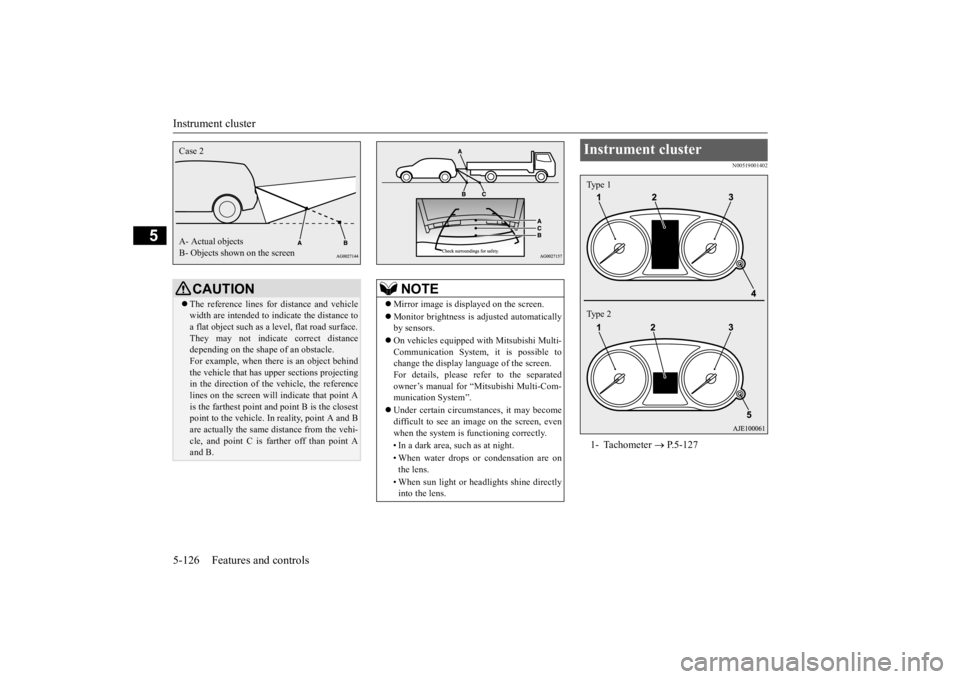
Instrument cluster 1- Tachometer
P.5-127
Type 1 Type 2
BK0223400US.book 126 ページ 2015年2月13日 金曜日 午後12時15分
Page 240 of 464
Indicator light, warning light, and information screen display list (multi information display - Type 1) 5-164 Features and controls
5
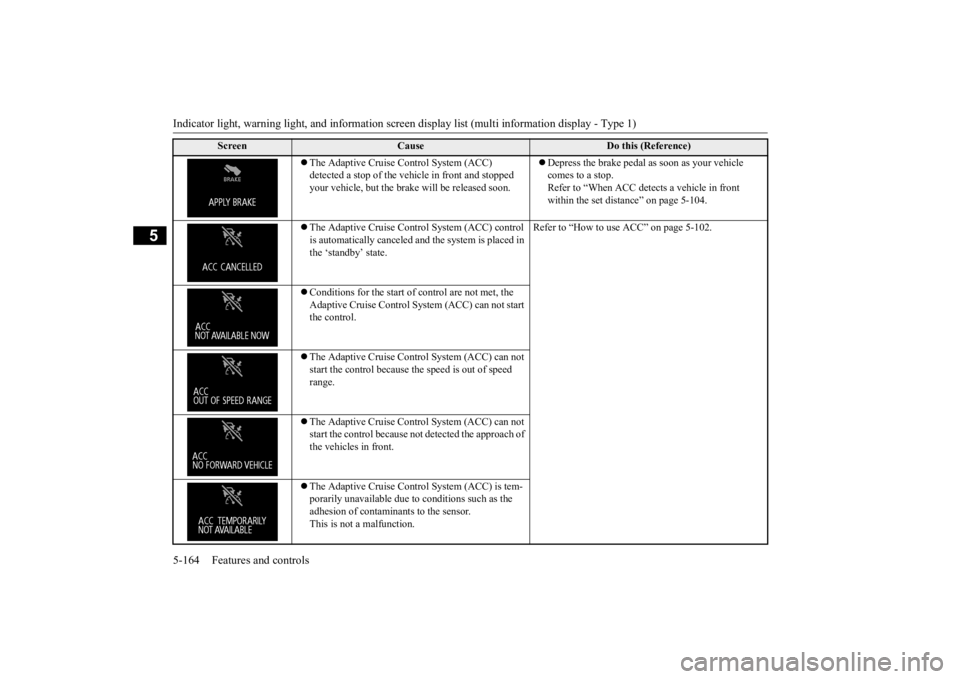
The Adaptive Cruise Control System (ACC) detected a stop of the vehi
cle in front and stopped
your vehicle, but the brake
will be released soon.
Depress the brake pedal as soon as your vehicle comes to a stop.Refer to “When ACC dete
cts a vehicle in front
within the set distance” on page 5-104.
The Adaptive Cruise Control System (ACC) control is automatically canceled and the system is placed in the ‘standby’ state.
Refer to “How to use ACC” on page 5-102.
Conditions for the start of control are not met, the Adaptive Cruise Control Sy
stem (ACC) can not start
the control. The Adaptive Cruise Control System (ACC) can not start the control because th
e speed is out of speed
range. The Adaptive Cruise Control System (ACC) can not start the control because not
detected the approach of
the vehicles in front. The Adaptive Cruise Control System (ACC) is tem- porarily unavailable due to conditions such as the adhesion of contaminants to the sensor. This is not a malfunction.
Screen
Cause
Do this (Reference)
BK0223400US.book 164 ページ 2015年2月13日 金曜日 午後12時15分
Page 241 of 464
Indicator light, warning light, and information screen display list (multi information display - Type 1)
Features and controls 5-165
5
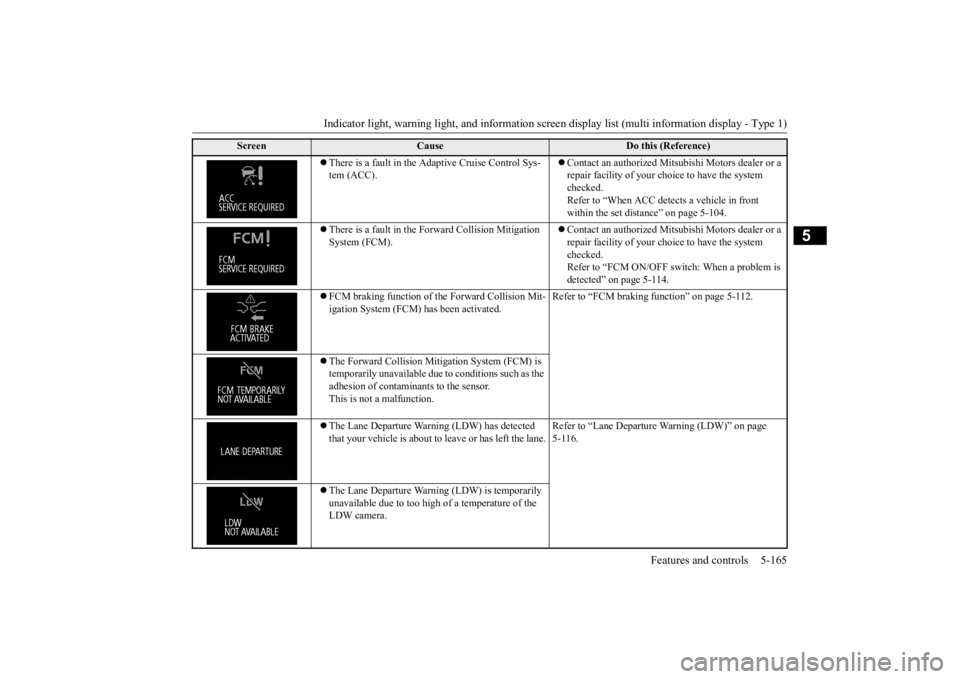
There is a fault in the Adaptive Cruise Control Sys- tem (ACC).
Contact an authorized Mitsubishi Motors dealer or a repair facility of your choi
ce to have the system
checked. Refer to “When ACC dete
cts a vehicle in front
within the set dist
ance” on page 5-104.
There is a fault in the Forward Collision Mitigation System (FCM).
Contact an authorized Mitsubishi Motors dealer or a repair facility of your choi
ce to have the system
checked.Refer to “FCM ON/OFF switch: When a problem is detected” on page 5-114.
FCM braking function of the Forward Collision Mit- igation System (FCM) has been activated.
Refer to “FCM braking
function” on page 5-112.
The Forward Collision Mitig
ation System (FCM) is
temporarily unavailable due
to conditions such as the
adhesion of contaminants to the sensor. This is not a malfunction. The Lane Departure Warn
ing (LDW) has detected
that your vehicle is about to
leave or has left the lane.
Refer to “Lane Departure
Warning (LDW)” on page
5-116.
The Lane Departure Warni
ng (LDW) is temporarily
unavailable due to too high of a temperature of the LDW camera.
Screen
Cause
Do this (Reference)
BK0223400US.book 165 ページ 2015年2月13日 金曜日 午後12時15分
Page 255 of 464
Combination headlights and dimmer switch
Features and controls 5-179
5
N00532601580
If the following operation is performed with the combination headlights and dim- mer switch in the “ ” or “ ” position, the lights automatically turn off. [Except for vehicles
equipped with the
F. A . S . T. - k e y ]
The ignition switch is turned to the “OFF” or “ACC” position or
the key is removed
from the ignition switch and the driver’s door is opened. [For vehicles equipped with the F.A.S.T.- key]The operation mode is changed to OFF or ACC and the driver’s door is opened. If the following operation is performed with the combination headlights and dim- mer switch in the “ ” or “ ” position, the lights automatically turn off after about 3 minutes. [Except for vehicles equipped with the F. A . S . T. - k e y ] The ignition switch is turned to the “OFF” or “ACC” position or
the key is removed
from the ignition switch and the driver’s door is not opened. [For vehicles equipped with the F.A.S.T.- key]The operation mode is changed to OFF or ACC and the driver’s door is not opened.
NOTE
The sensitivity of the automatic on/off con- trol can be adjusted.For further informati
on, please contact your
authorized Mitsubishi Motors dealer or a repair facility of your choice. On vehicles equipped
with Mitsubishi Multi-
Communication System,
screen operations
can be used to make the adjustment. Refer to the separate owner’s manual fordetails. Do not place anything
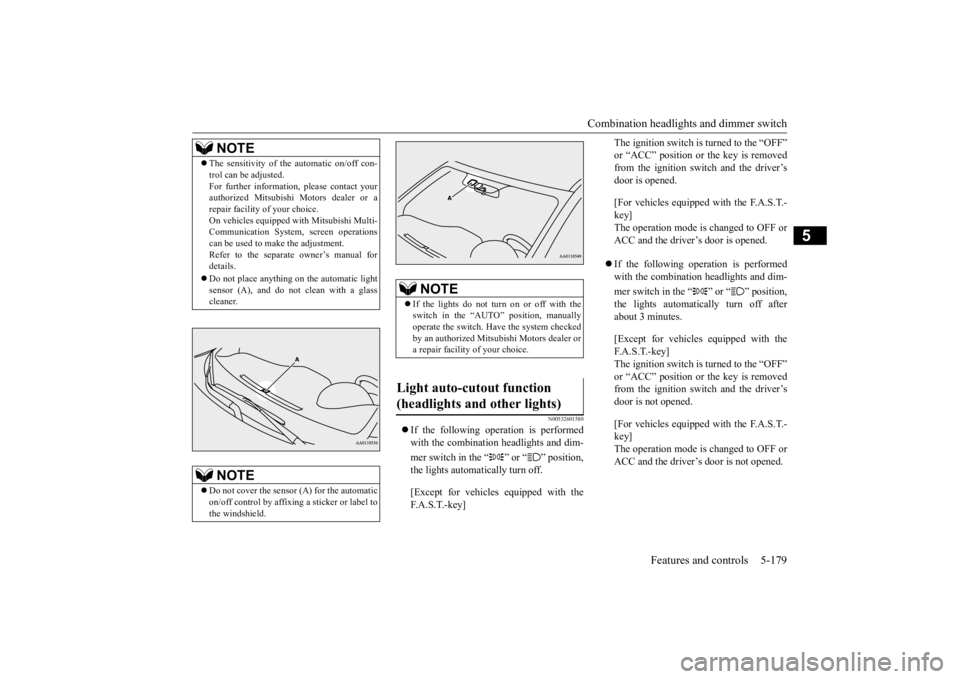
on the automatic light
sensor (A), and do not
clean with a glass
cleaner.NOTE
Do not cover the sensor (A) for the automatic on/off control by affixing a sticker or label to the windshield.
NOTE
If the lights do not turn on or off with the switch in the “AUTO”
position, manually
operate the switch. Have the system checked by an authorized Mitsubishi Motors dealer or a repair facility of your choice.
Light auto-cutout function (headlights and other lights)
BK0223400US.book 179 ページ 2015年2月13日 金曜日 午後12時15分
Page 261 of 464
Wiper and washer switch
Features and controls 5-185
5
N00523001722
The windshield wiper and washer can be operated with the ignition switch or the oper-ation mode is in ON or ACC. If the blades are frozen to the windshield, do not operate the wipers
until the ice has melted
and the blades are freed, otherwise the wiper motor may be damaged.
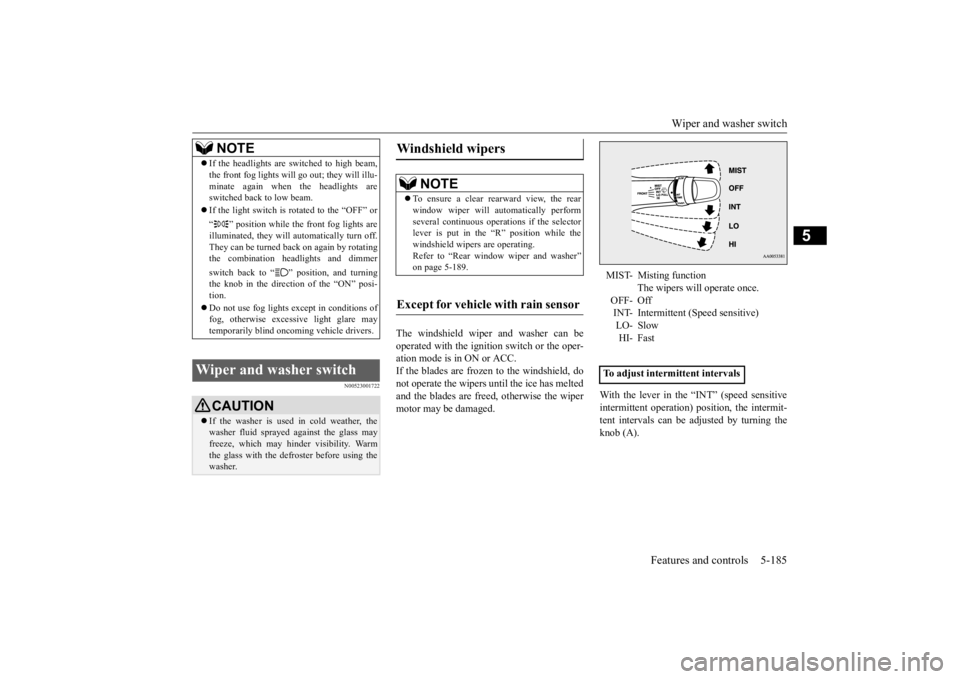
With the lever in the “INT” (speed sensitive intermittent operation)
position, the intermit-
tent intervals can be adjusted by turning the knob (A).
NOTE
If the headlights are sw
itched to high beam,
the front fog lights will go out; they will illu-minate again when the headlights areswitched back to low beam. If the light switch is rotated to the “OFF” or “ ” position while the
front fog lights are
illuminated, they will automatically turn off. They can be turned back on again by rotatingthe combination headlights and dimmer switch back to “ ” position, and turning the knob in the direction of the “ON” posi- tion. Do not use fog lights ex
cept in conditions of
fog, otherwise excessive light glare maytemporarily blind oncoming vehicle drivers.
Wiper and washer switch
CAUTION If the washer is used
in cold weather, the
washer fluid sprayed against the glass may freeze, which may hinder visibility. Warm the glass with the defroster before using thewasher.
Windshield wipers
NOTE
To ensure a clear rearward view, the rear window wiper will au
tomatically perform
several continuous opera
tions if the selector
lever is put in the “R” position while the windshield wipers are operating.Refer to “Rear window wiper and washer” on page 5-189.
Except for vehicle with rain sensor
MIST- Misting function
The wipers will operate once.
OFF- Off INT- Intermittent (Speed sensitive)LO- Slow HI- Fast
To adjust intermittent intervals
BK0223400US.book 185 ページ 2015年2月13日 金曜日 午後12時15分