lights MITSUBISHI OUTLANDER III 2016 Owner's Guide
[x] Cancel search | Manufacturer: MITSUBISHI, Model Year: 2016, Model line: OUTLANDER III, Model: MITSUBISHI OUTLANDER III 2016Pages: 464, PDF Size: 60.77 MB
Page 163 of 464
Inspection and maintenance following rough road operation
Features and controls 5-87
5
Your vehicle may not provide sufficient hill climbing ability and engine braking on steep slope. Avoid driving on steep slopes even though the vehicle is an 4-wheel drive vehi-cle.
N00537800085
If the electrical circuits become wet, furtheroperation of the vehi
cle will be impossible;
therefore, avoid drivi
ng through water unless
absolutely necessary. If driving through wateris unavoidable, use the following procedure:
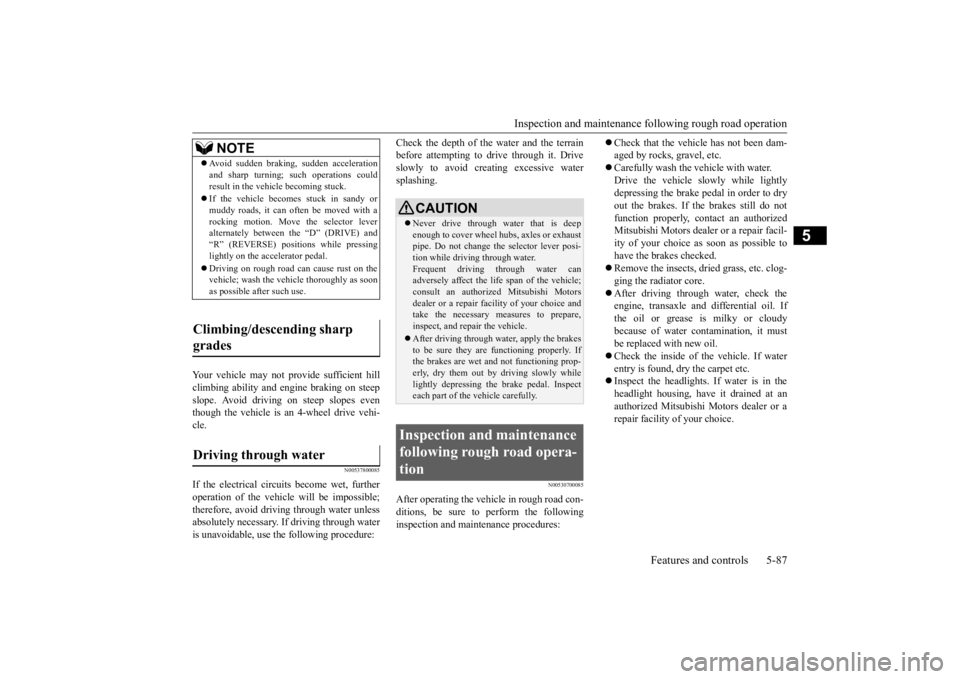
Check the depth of the water and the terrain before attempting to drive through it. Driveslowly to avoid creating excessive water splashing.
N00530700085
After operating the vehicle in rough road con- ditions, be sure to perform the followinginspection and maintenance procedures:
Check that the vehicle has not been dam- aged by rocks, gravel, etc. Carefully wash the
vehicle with water.
Drive the vehicle sl
owly while lightly
depressing the brake pedal in order to dryout the brakes. If the brakes still do not function properly, contact an authorized Mitsubishi Motors dealer or a repair facil-ity of your choice as soon as possible to have the brakes checked. Remove the insects, dr
ied grass, etc. clog-
ging the radiator core. After driving through water, check the engine, transaxle and
differential oil. If
the oil or grease is milky or cloudy because of water cont
amination, it must
be replaced with new oil. Check the inside of the vehicle. If water entry is found, dry the carpet etc. Inspect the headlights. If water is in the headlight housing, have it drained at an authorized Mitsubishi Motors dealer or arepair facility of your choice.
NOTE
Avoid sudden braking,
sudden acceleration
and sharp turning; such operations couldresult in the vehicle becoming stuck. If the vehicle become
s stuck in sandy or
muddy roads, it can often be moved with arocking motion. Move the selector lever alternately between the “D” (DRIVE) and “R” (REVERSE) positi
ons while pressing
lightly on the ac
celerator pedal.
Driving on rough road can cause rust on the vehicle; wash the vehi
cle thoroughly as soon
as possible after such use.
Climbing/descending sharp grades Driving through water
CAUTION Never drive through water that is deep enough to cover wheel hubs, axles or exhaust pipe. Do not change th
e selector lever posi-
tion while driving through water. Frequent driving through water can adversely affect the life
span of the vehicle;
consult an authorized Mitsubishi Motors dealer or a repair facili
ty of your choice and
take the necessary measures to prepare,inspect, and repair the vehicle. After driving through water, apply the brakes to be sure they are
functioning properly. If
the brakes are wet a
nd not functioning prop-
erly, dry them out by driving slowly whilelightly depressing the brake pedal. Inspect each part of the vehicle carefully.
Inspection and maintenance following rough road opera-tion
BK0223400US.book 87 ページ 2015年2月13日 金曜日 午後12時15分
Page 169 of 464
Electric power steering system (EPS)
Features and controls 5-93
5
Avoid hard braking and high-speed driving. Stop the vehicle in a safe place and contact anauthorized Mitsubishi Mo
tors dealer or repair
facility of your choice.
N00529201090
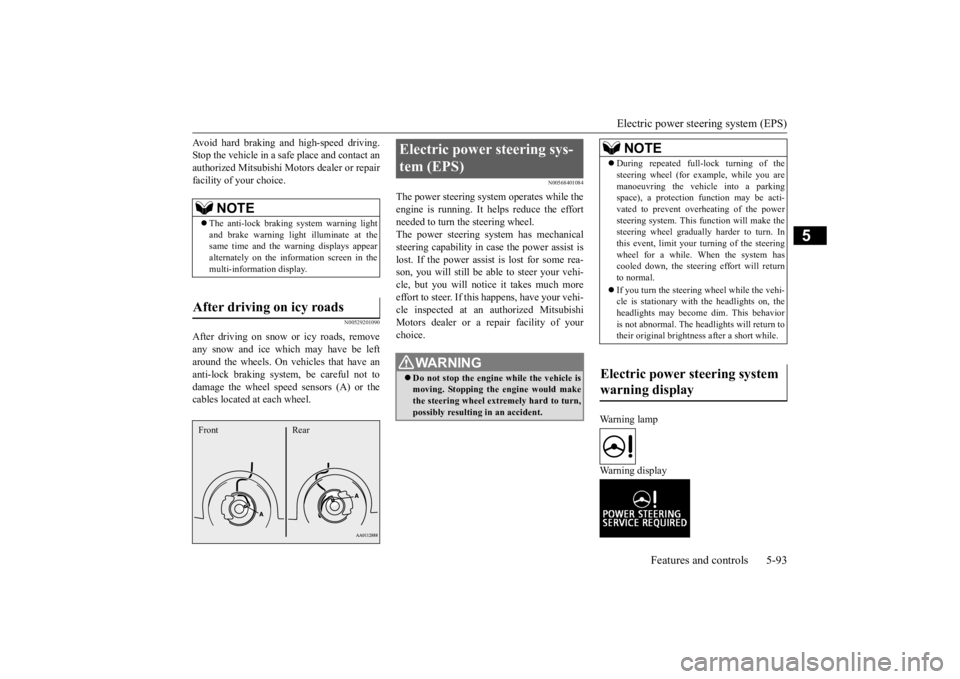
After driving on snow or icy roads, remove any snow and ice which may have be leftaround the wheels. On vehicles that have an anti-lock braking syst
em, be careful not to
damage the wheel spee
d sensors (A) or the
cables located at each wheel.
N00568401084
The power steering system operates while the engine is running. It helps reduce the effort needed to turn the steering wheel.The power steering sy
stem has mechanical
steering capability in case the power assist is lost. If the power assist is lost for some rea-son, you will still be able to steer your vehi- cle, but you will notice it takes much more effort to steer. If this happens, have your vehi- cle inspected at an authorized Mitsubishi Motors dealer or a repair facility of yourchoice.
Warning lamp Warning display
NOTE
The anti-lock braking
system warning light
and brake warning light illuminate at the same time and the wa
rning displays appear
alternately on the information screen in the multi-information display.
After driving on icy roads Front Rear
Electric power steering sys- tem (EPS)
WA R N I N G Do not stop the engine while the vehicle is moving. Stopping the engine would make the steering wheel extremely hard to turn, possibly resulting
in an ac
cident.
NOTE
During repeated full-lock turning of the steering wheel (for example, while you aremanoeuvring the vehicle into a parkingspace), a protection f
unction may be acti-
vated to prevent overheating of the power steering system. This f
unction will make the
steering wheel graduall
y harder to turn. In
this event, limit your turning of the steering wheel for a while. When the system hascooled down, the steering effort will return to normal. If you turn the steering wheel while the vehi- cle is stationary with the headlights on, the headlights may become
dim. This behavior
is not abnormal. The he
adlights will return to
their original brightness after a short while.
Electric power steering system warning display
BK0223400US.book 93 ページ 2015年2月13日 金曜日 午後12時15分
Page 177 of 464
Adaptive Cruise Control System (ACC) (if so equipped)
Features and controls 5-101
5
your vehicle if it becomes too close to the vehicle in front.The cruising set speed can be set from 25 mph (40 km/h) to 110 mph (180 km/h). The distance can be select
ed from three levels.
If the vehicle in front decelerates, the ACC will automatically apply limited braking to maintain the distance, a
nd if the front vehicle
then accelerates, the ACC will automatically accelerate your vehicle up to the set speed. If your vehicle is approa
ching too close to the
front vehicle, a buzzer will sound and a warn- ing is shown in the multi information display.When the ACC detects no vehicle ahead, the set speed will be maintained. Conventional cruise cont
rol mode without the
distance control can
also be selected.
Stop lights are illuminated during automatic braking.
N00577000021
N00577100035
While the ACC is turned on, indicators for the ACC are shown in the multi information display.
WA R N I N G Before using the ACC, read this entire sec- tion to understand th
e limitations of this
system. Failure to follow instructionscould result in an accident. Never rely solely on the ACC. The ACC is not a collision avoidance system or an automatic driving system. It is designed to use only limited brak
ing and is never a
substitute for your safe and careful driv- ing. Always be ready to apply the brakes manually.
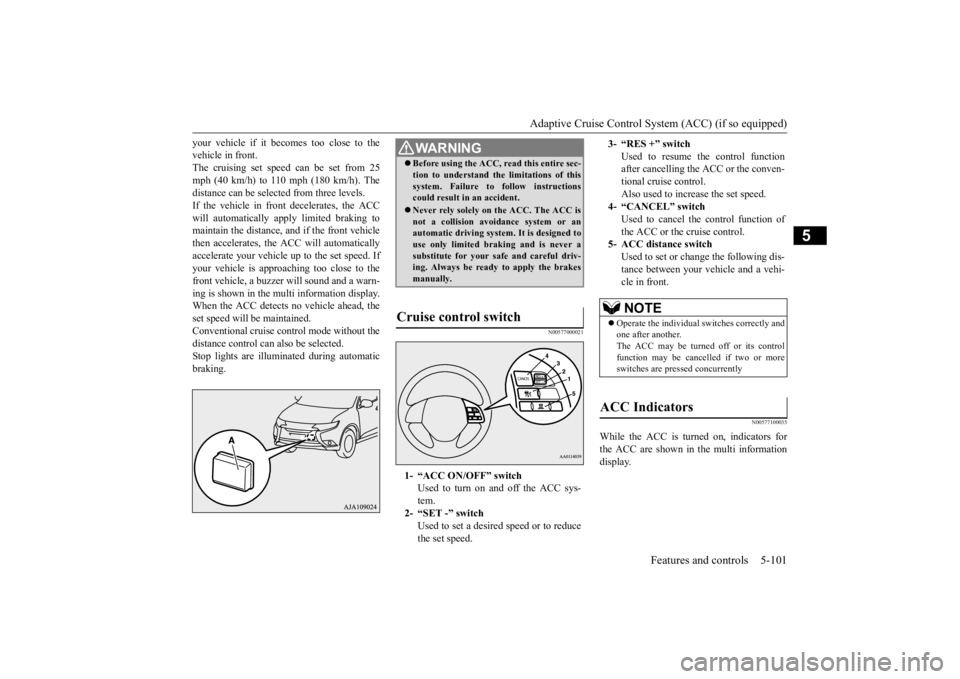
Cruise control switch
1- “ACC ON/OFF” switch
Used to turn on and off the ACC sys-tem.
2- “SET -” switch
Used to set a desired speed or to reducethe set speed.
3- “RES +” switch
Used to resume the control function after cancelling the ACC or the conven-tional cruise control. Also used to increase the set speed.
4- “CANCEL” switch
Used to cancel the control function of the ACC or the cruise control.
5- ACC distance switch
Used to set or change the following dis- tance between your
vehicle and a vehi-
cle in front.NOTE
Operate the individual
switches correctly and
one after another. The ACC may be turned off or its control function may be canc
elled if two or more
switches are pressed concurrently
ACC Indicators
BK0223400US.book 101 ページ 2015年2月13日 金曜日 午後12時15分
Page 187 of 464
Forward Collision Mitigation System (FCM) (if so equipped)
Features and controls 5-111
5
The conventional cruise
control is turned off
when the operation mode is tuned off. For operation of the cruise control, refer to“Cruise control” on page 5-96.
N00582100020
FCC ID:OAYARS3-B (for vehicles sold in the U.S.A) IC: 4135A-ARS3B (for vehicles sold in theCanada) This device complies with Part 15 of FCC Rules and Industry Ca
nada licence-exempt
RSS standard(s).Operation is subject to the following two con- ditions. this device may not
cause harmful inter-
ference.
this device must ac
cept any interference
received, including interference that maycause undesired operation.
N00577300040
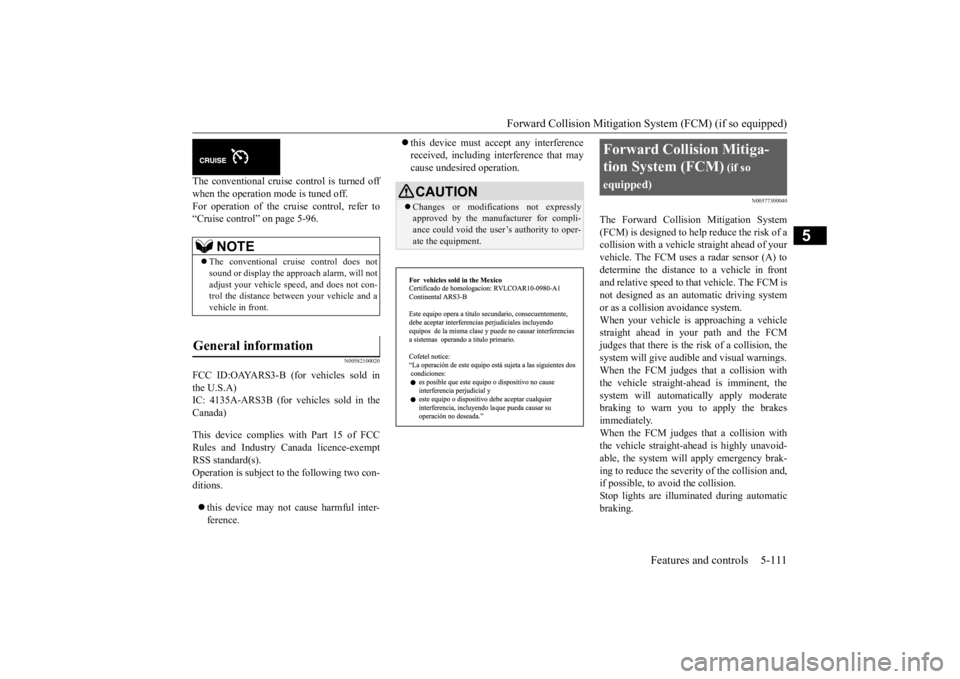
The Forward Collision Mitigation System(FCM) is designed to help reduce the risk of acollision with a vehicl
e straight ahead of your
vehicle. The FCM uses a radar sensor (A) to determine the distance to a vehicle in front and relative speed to th
at vehicle. The FCM is
not designed as an automatic driving systemor as a collision
avoidance system.
When your vehicle is approaching a vehicle straight ahead in your path and the FCMjudges that there is the ri
sk of a collision, the
system will give audibl
e and visual warnings.
When the FCM judges that a collision withthe vehicle straight-ahe
ad is imminent, the
system will automati
cally apply moderate
braking to warn you to apply the brakesimmediately. When the FCM judges that a collision with the vehicle straight-ahead is highly unavoid-able, the system will apply emergency brak- ing to reduce the severity of the collision and, if possible, to avoid the collision.Stop lights are illuminated during automatic braking.
NOTE
The conventional crui
se control does not
sound or display the approach alarm, will not adjust your vehicle sp
eed, and does not con-
trol the distance betw
een your vehicle and a
vehicle in front.
General information
CAUTION Changes or modifica
tions not expressly
approved by the manufacturer for compli- ance could void the user’s authority to oper- ate the equipment.
Forward Collision Mitiga- tion System (FCM)
(if so
equipped)
BK0223400US.book 111 ページ 2015年2月13日 金曜日 午後12時15分
Page 194 of 464
Lane Departure Warning System (LDW) (if so equipped) 5-118 Features and controls
5
N00581100023
The LDW, when turned ON, is capable of recognizing the lane in which your vehicle is travelling and issuing
an audible warning
when your vehicle begins to leave that travel lane. When operating, the “LDW” indicator on the multi-information display will be changed to indicator (green). The LDW will not operate, however, and the “LDW” indicator will be appear
ed if any of following
conditions have occurred: The vehicle speed is less than 38 mph (60 km/h). The turn signal lever is being operated or has been operated in
the past 7 seconds.
The hazard warning light is being oper- ated or has been operated in the past 7 seconds. The brake pedal is being depressed.
N00581200037
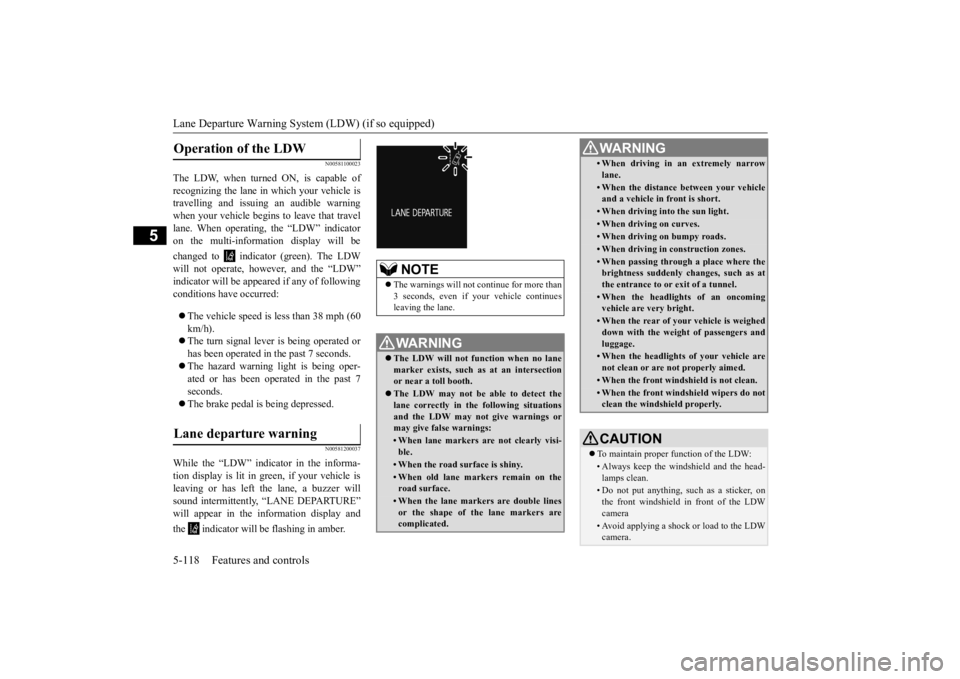
While the “LDW” indicator in the informa- tion display is lit in gr
een, if your vehicle is
leaving or has left
the lane, a buzzer will
sound intermittently, “LANE DEPARTURE” will appear in the in
formation display and
the indicator will
be flashing in amber.
Operation of the LDW
Lane departure warning
NOTE
The warnings will not continue for more than 3 seconds, even if your
vehicle continues
leaving the lane.WA R N I N G The LDW will not function when no lane marker exists, such as at an intersection or near a toll booth. The LDW may not be ab
le to detect the
lane correctly in the following situations and the LDW may not give warnings ormay give false warnings:• When lane markers are not clearly visi-ble.• When the road surface is shiny.• When old lane markers remain on the road surface.• When the lane markers are double linesor the shape of the lane markers are complicated.
• When driving in an extremely narrowlane.• When the distance between your vehicle and a vehicle in
front is short.
• When driving into the sun light.• When driving on curves.• When driving on bumpy roads.• When driving in construction zones.• When passing through a place where the brightness suddenly
changes, such as at
the entrance to or
exit of a tunnel.
• When the headlights
of an oncoming
vehicle are very bright. • When the rear of your vehicle is weigheddown with the weight of passengers and luggage.• When the headlights
of your vehicle are
not clean or are not properly aimed.• When the front windshield is not clean.• When the front windshield wipers do not clean the windshield properly.CAUTION To maintain proper function of the LDW:• Always keep the windshield and the head- lamps clean.• Do not put anything, su
ch as a sticker, on
the front windshield in front of the LDWcamera • Avoid applying a shock or load to the LDWcamera. WA R N I N G
BK0223400US.book 118 ページ 2015年2月13日 金曜日 午後12時15分
Page 202 of 464
Instrument cluster 5-126 Features and controls
5
N00519001402
CAUTION The reference lines for
distance and vehicle
width are intended to i
ndicate the distance to
a flat object such as a level, flat road surface. They may not indicate correct distance depending on the shape of an obstacle.For example, when there is an object behind the vehicle that has u
pper sections projecting
in the direction of the
vehicle, the reference
lines on the screen will
indicate that point A
is the farthest point an
d point B is the closest
point to the vehicle. In
reality, point A and B
are actually the same distance from the vehi- cle, and point C is fa
rther off than point A
and B.Case 2 A- Actual objects B- Objects shown on the screen
NOTE
Mirror image is displayed on the screen. Monitor brightness is adjusted automatically by sensors. On vehicles equipped
with Mitsubishi Multi-
Communication System,
it is possible to
change the display language of the screen.For details, please refer to the separated owner’s manual for “Mitsubishi Multi-Com- munication System”. Under certain circumst
ances, it may become
difficult to see an image on the screen, evenwhen the system is functioning correctly. • In a dark area, such as at night. • When water drops or
condensation are on
the lens. • When sun light or he
adlights shine directly
into the lens.
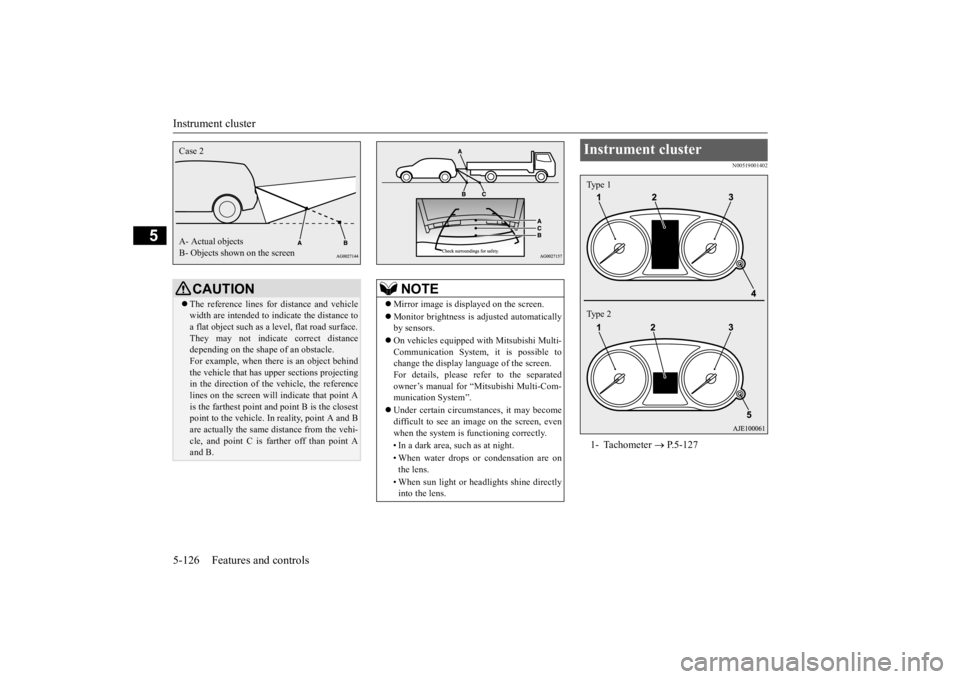
Instrument cluster 1- Tachometer
P.5-127
Type 1 Type 2
BK0223400US.book 126 ページ 2015年2月13日 金曜日 午後12時15分
Page 204 of 464
Multi Information display - Type 1 5-128 Features and controls
5
N00555001347
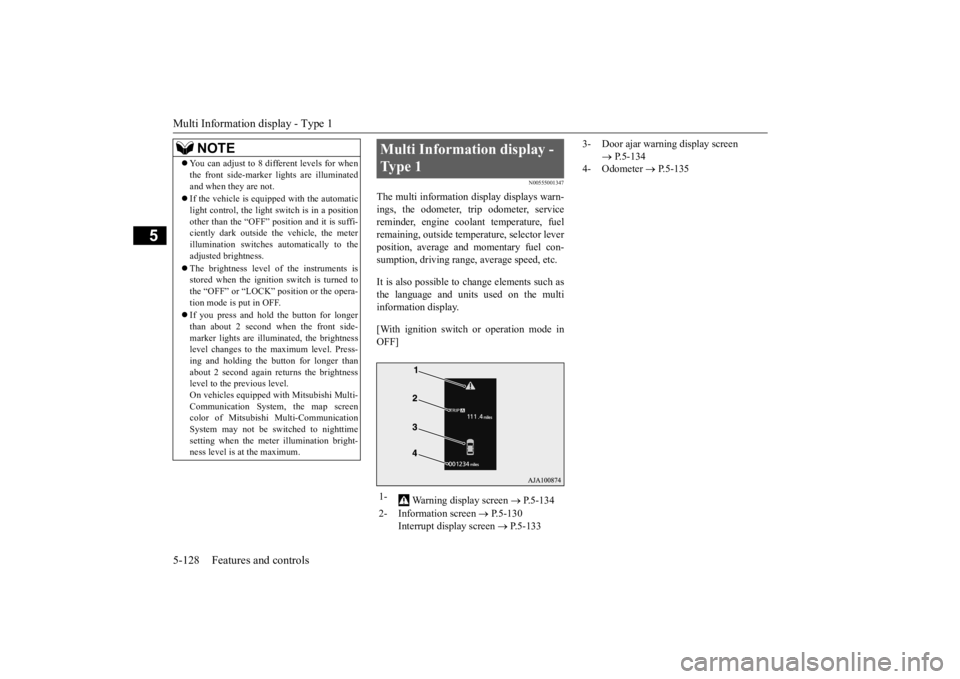
The multi information display displays warn- ings, the odometer, tr
ip odometer, service
reminder, engine cool
ant temperature, fuel
remaining, outside temper
ature, selector lever
position, average and momentary fuel con- sumption, driving range, average speed, etc. It is also possible to change elements such as the language and units used on the multi information display. [With ignition switch
or operation mode in
OFF]
NOTE
You can adjust to 8 different levels for when the front side-marker
lights are illuminated
and when they are not. If the vehicle is equipped with the automatic light control, the light
switch is in a position
other than the “OFF” pos
ition and it is suffi-
ciently dark outside the vehicle, the meter illumination switches automatically to theadjusted brightness. The brightness level
of the instruments is
stored when the ignition switch is turned to the “OFF” or “LOCK”
position or the opera-
tion mode is put in OFF. If you press and hold the button for longer than about 2 second when the front side-marker lights are illum
inated, the brightness
level changes to the
maximum level. Press-
ing and holding the button for longer thanabout 2 second again returns the brightness level to the previous level. On vehicles e
quipped with Mitsubishi Multi-
Communication System
, the map screen
color of Mitsubishi Multi-Communication System may not be sw
itched to nighttime
setting when the mete
r illumination bright-
ness level is at the maximum.
Multi Information display - Type 1 1-
Warning display screen
P.5-134
2- Information screen
P.5-130
Interrupt display screen
P.5-133
3- Door ajar warning display screen
P.5-134
4- Odometer
P.5-135
BK0223400US.book 128 ページ 2015年2月13日 金曜日 午後12時15分
Page 224 of 464
Multi Information display - Type 2 5-148 Features and controls
5
N00574901039
The odometer indicates the total distance the vehicle has traveled.
N00575001037
The trip odometer indicates the distance trav-eled between two points. To return the display to 0, hold down the multi information display switch for about 2 seconds or more. Only the currently dis- played value will be reset. Example If trip odometer is
displayed, only trip
odometer wi
ll be reset.
Both trip odometers and can count up to 9999.9 miles/kilometers. When a trip odometer goes past 9999.9miles/kilometers, it returns to 0.0 miles/ kilometers. When disconnecting the battery terminal, the memories of trip odometer displays
and are cleared, and their displays
return to “0.0 miles/kilometers”.
N00578900030
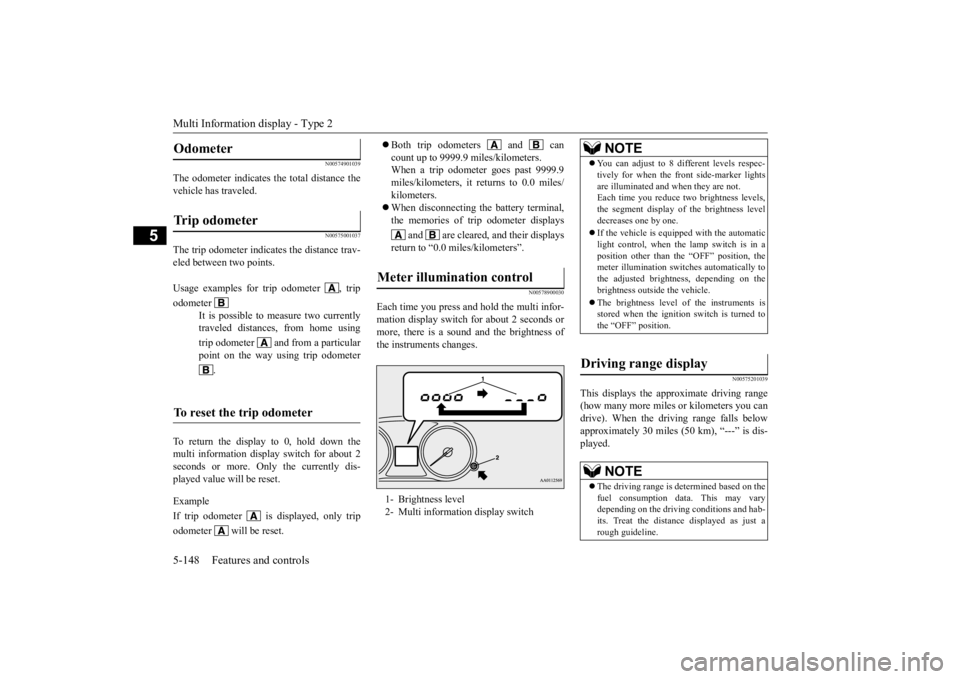
Each time you press and hold the multi infor- mation display switch
for about 2 seconds or
more, there is a sound and the brightness of the instruments changes.
N00575201039
This displays the approximate driving range (how many more miles
or kilometers you can
drive). When the driving range falls below approximately 30 miles
(50 km), “---” is dis-
played.
Odometer Trip odometer Usage examples for trip odometer , trip odometer
It is possible to measure two currently traveled distances, from home using trip odometer and from a particular point on the way using trip odometer
.
To reset the trip odometer
Meter illumination control 1- Brightness level 2- Multi informati
on display switch
NOTE
You can adjust to 8 di
fferent levels respec-
tively for when the fr
ont side-marker lights
are illuminated and when they are not.Each time you reduce tw
o brightness levels,
the segment display of the brightness level decreases one by one. If the vehicle is equipped with the automatic light control, when the lamp switch is in aposition other than th
e “OFF” position, the
meter illumination switches automatically to the adjusted bright
ness, depending on the
brightness outside the vehicle. The brightness level
of the instruments is
stored when the ignition switch is turned to the “OFF” position.
Driving range display
NOTE
The driving range is determined based on the fuel consumption data. This may vary depending on the drivi
ng conditions and hab-
its. Treat the distance
displayed as just a
rough guideline.
BK0223400US.book 148 ページ 2015年2月13日 金曜日 午後12時15分
Page 230 of 464
Indicator light, warning light, and information screen display list (multi information display - Type 1) 5-154 Features and controls
5
N00557701058 N00557801310
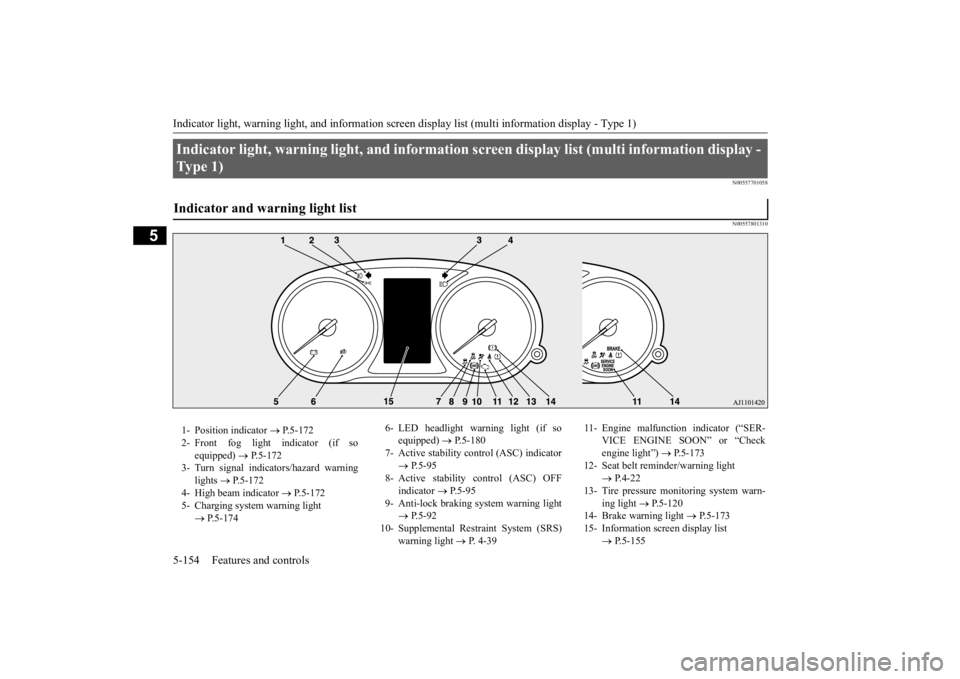
Indicator light, warning light, an
d information screen display list (multi information display -
Ty p e 1 ) Indicator and warning light list 1- Position indicator
P.5-172
2- Front fog light indicator (if so
equipped)
P.5-172
3- Turn signal indicators/hazard warning
lights
P.5-172
4- High beam indicator
P.5-172
5- Charging system warning light
P.5-174
6- LED headlight warning light (if so
equipped)
P.5-180
7- Active stability c
ontrol (ASC) indicator
P.5-95
8- Active stability control (ASC) OFF
indicator
P.5-95
9- Anti-lock braking
system warning light
P.5-92
10- Supplemental Restraint System (SRS)
warning light
P. 4-39
11- Engine malfunction indicator (“SER-
VICE ENGINE SOON” or “Check engine light”)
P.5-173
12- Seat belt remi
nder/warning light
P.4-22
13- Tire pressure monitoring system warn-
ing light
P.5-120
14- Brake warning light
P.5-173
15- Information screen display list
P.5-155
BK0223400US.book 154 ページ 2015年2月13日 金曜日 午後12時15分
Page 232 of 464
Indicator light, warning light, and information screen display list (multi information display - Type 1) 5-156 Features and controls
5
N00558001263
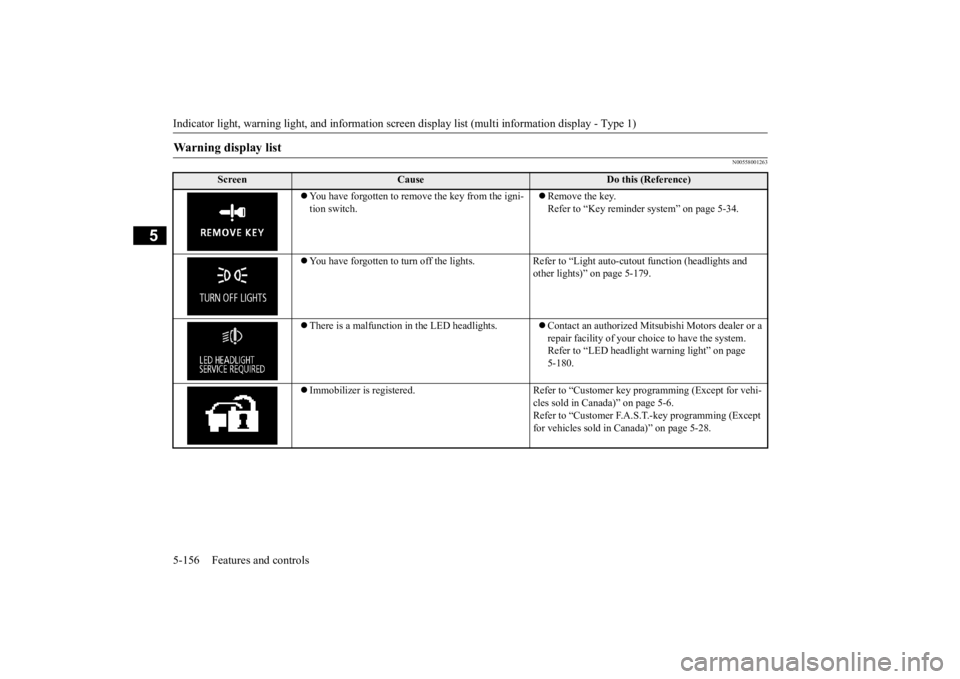
Warning display list
Screen
Cause
Do this (Reference)
You have forgotten to remove the key from the igni- tion switch.
Remove the key. Refer to “Key reminder
system” on page 5-34.
You have forgotten to turn off the lights. Refer
to “Light auto-cutout function (headlights and
other lights)” on page 5-179.
There is a malfunction
in the LED headlights.
Contact an authorized Mits
ubishi Motors dealer or a
repair facility of your c
hoice to have the system.
Refer to “LED headlight
warning light” on page
5-180.
Immobilizer is registered. Refer to “C
ustomer key programming (Except for vehi-
cles sold in Canada)” on page 5-6. Refer to “Customer F.A.S.
T.-key programming (Except
for vehicles sold in Canada)” on page 5-28.
BK0223400US.book 156 ページ 2015年2月13日 金曜日 午後12時15分