lights MITSUBISHI OUTLANDER III 2016 Workshop Manual
[x] Cancel search | Manufacturer: MITSUBISHI, Model Year: 2016, Model line: OUTLANDER III, Model: MITSUBISHI OUTLANDER III 2016Pages: 464, PDF Size: 60.77 MB
Page 257 of 464
Combination headlights and dimmer switch
Features and controls 5-181
5
N00550001209
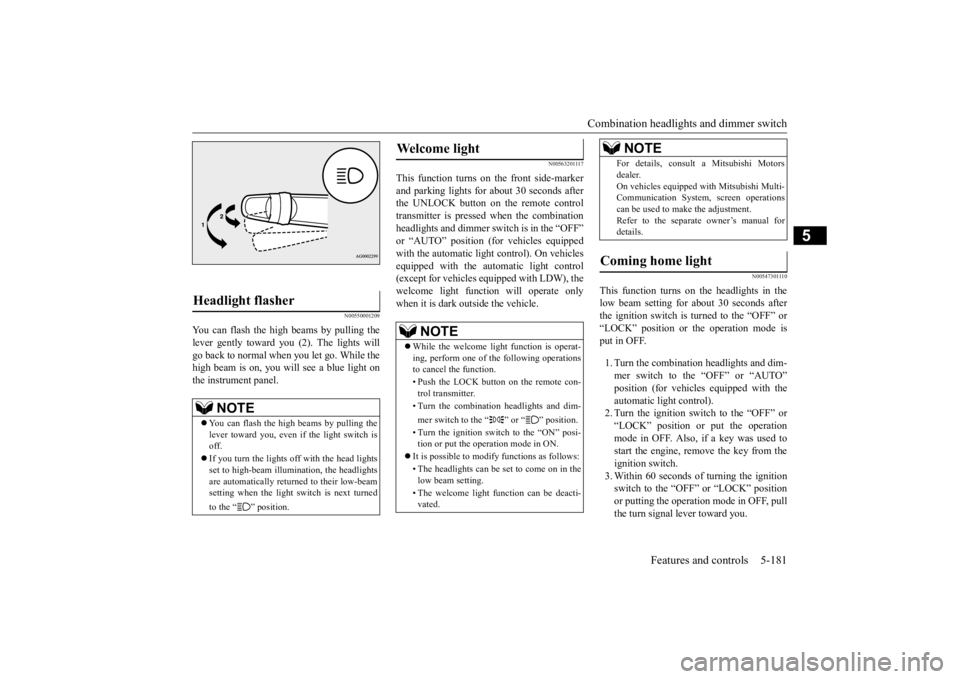
You can flash the high beams by pulling the lever gently toward you (2). The lights will go back to normal when you let go. While the high beam is on, you will see a blue light onthe instrument panel.
N00563201117
This function turns on the front side-marker and parking lights for about 30 seconds after the UNLOCK button on the remote controltransmitter is pressed when the combination headlights and dimmer swit
ch is in the “OFF”
or “AUTO” position (fo
r vehicles equipped
with the automatic light control). On vehicles equipped with the automatic light control (except for vehicles equipped with LDW), the welcome light functi
on will operate only
when it is dark outside the vehicle.
N00547301110
This function turns on the headlights in thelow beam setting for about 30 seconds afterthe ignition switch is turned to the “OFF” or “LOCK” position or the operation mode is put in OFF. 1. Turn the combination headlights and dim- mer switch to the “OFF” or “AUTO” position (for vehicles
equipped with the
automatic light control).2. Turn the ignition switch to the “OFF” or “LOCK” position or put the operation mode in OFF. Also, if a key was used tostart the engine, rem
ove the key from the
ignition switch. 3. Within 60 seconds of turning the ignitionswitch to the “OFF” or “LOCK” position or putting the operation mode in OFF, pull the turn signal lever toward you.
Headlight flasher
NOTE
You can flash the high beams by pulling the lever toward you, even if the light switch is off. If you turn the lights off with the head lights set to high-beam illumi
nation, the headlights
are automatically returned to their low-beamsetting when the light
switch is next turned
to the “ ” position.
Welcome light
NOTE
While the welcome light function is operat- ing, perform one of
the following operations
to cancel the function. • Push the LOCK button on the remote con- trol transmitter. • Turn the combination headlights and dim- mer switch to the “ ” or “ ” position. • Turn the ignition switch to the “ON” posi- tion or put the operation mode in ON.
It is possible to modify functions as follows: • The headlights can be set to come on in the low beam setting. • The welcome light f
unction can be deacti-
vated.
For details, consult a Mitsubishi Motorsdealer.On vehicles equipped
with Mitsubishi Multi-
Communication System
, screen operations
can be used to make the adjustment. Refer to the separate owner’s manual fordetails.
Coming home light
NOTE
BK0223400US.book 181 ページ 2015年2月13日 金曜日 午後12時15分
Page 258 of 464
Headlight leveling swit
ch (if so equipped)
5-182 Features and controls
5
4. The headlights will come on in the low beam setting for about
30 seconds. After
the headlights go off, the headlights canbe turned on again in the low beam setting for about 30 seconds by pulling the turn signal lever toward you within 60 secondsof turning the ignition switch to the “OFF” or “LOCK” pos
ition or putting the
operation mode in OFF. To turn on the headlights again after 60 seconds of turn- ing the ignition switch to the “OFF” or“LOCK” position or putting the operation mode in OFF, repeat the process from step 1.
N00537101115
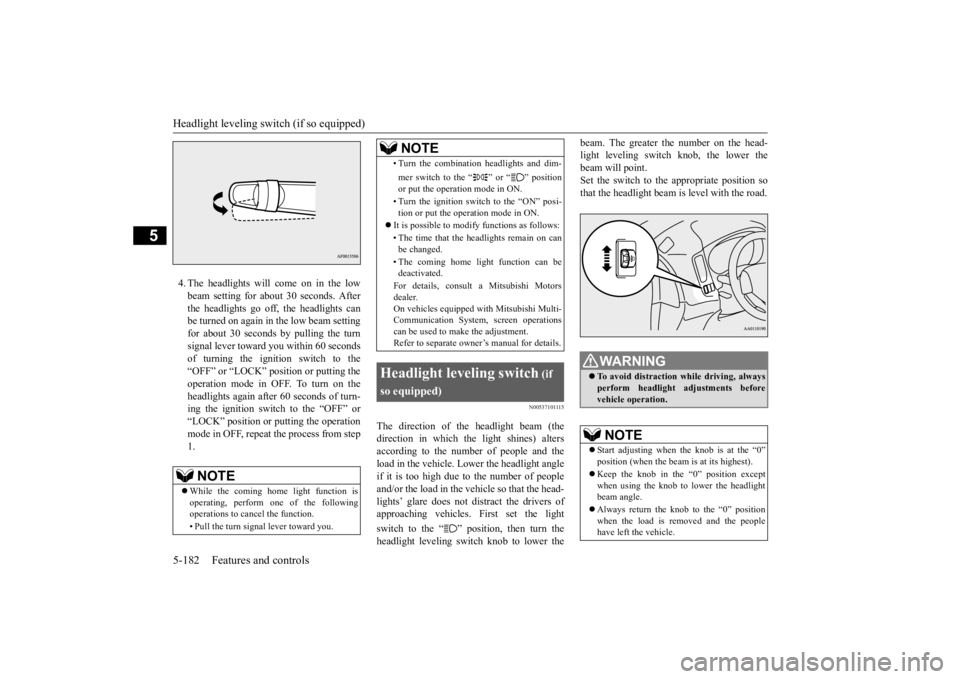
The direction of the headlight beam (thedirection in which th
e light shines) alters
according to the number of people and the load in the vehicle. Lo
wer the headlight angle
if it is too high due to the number of peopleand/or the load in the vehicle so that the head- lights’ glare does not distract the drivers of approaching vehicles
. First set the light
switch to the “ ” position, then turn the headlight leveling switch knob to lower the
beam. The greater the number on the head- light leveling switch knob, the lower thebeam will point. Set the switch to the appropriate position so that the headlight beam is level with the road.
NOTE
While the coming home light function is operating, perform one of the following operations to cancel the function. • Pull the turn signal lever toward you.
• Turn the combination headlights and dim- mer switch to the “ ” or “ ” position or put the operation mode in ON. • Turn the ignition switch to the “ON” posi- tion or put the opera
tion mode in ON.
It is possible to modify functions as follows: • The time that the headlights remain on can be changed. • The coming home light function can be deactivated. For details, consult a Mitsubishi Motors dealer. On vehicles equipped
with Mitsubishi Multi-
Communication System,
screen operations
can be used to make the adjustment. Refer to separate owne
r’s manual for details.
Headlight leveling switch
(if
so equipped)
NOTE
WA R N I N G To avoid distraction wh
ile driving, always
perform headlight adjustments before vehicle operation.NOTE
Start adjusting when the knob is at the “0” position (when the beam
is at its highest).
Keep the knob in the “0” position except when using the knob to lower the headlightbeam angle. Always return the knob to the “0” position when the load is removed and the people have left the vehicle.
BK0223400US.book 182 ページ 2015年2月13日 金曜日 午後12時15分
Page 259 of 464
Turn signal lever
Features and controls 5-183
5
N00522601529
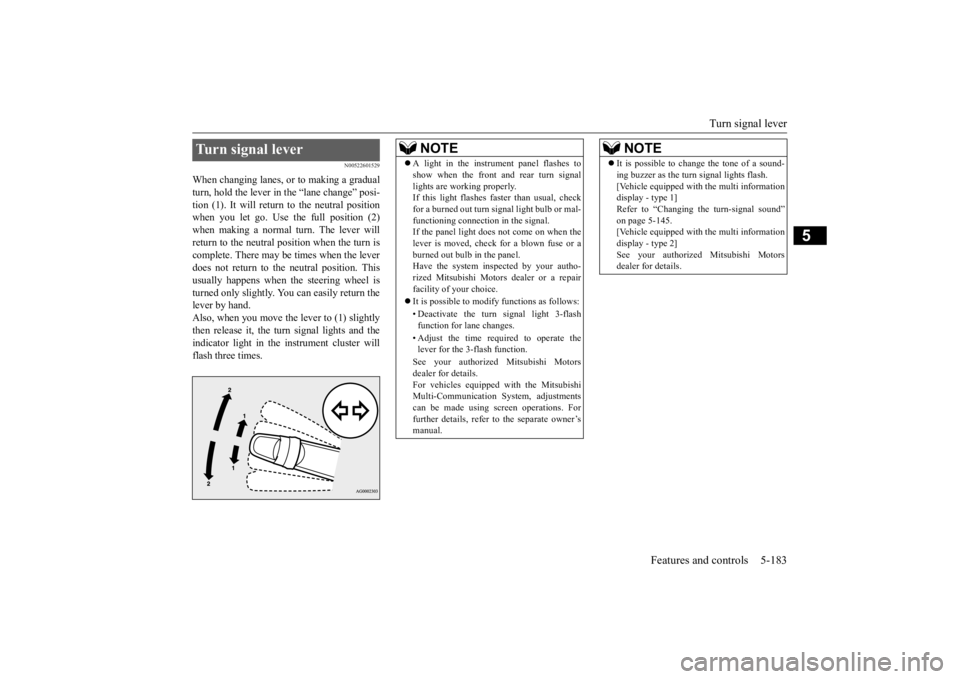
When changing lanes, or to making a gradual turn, hold the lever in the “lane change” posi- tion (1). It will return to the neutral positionwhen you let go. Use the full position (2) when making a normal turn. The lever will return to the neutral position when the turn iscomplete. There may be times when the lever does not return to th
e neutral position. This
usually happens when
the steering wheel is
turned only slightly. You
can easily return the
lever by hand.Also, when you move the lever to (1) slightly then release it, the turn signal lights and the indicator light in the instrument cluster willflash three times.Turn signal lever
NOTE
A light in the instrument panel flashes to show when the front and rear turn signallights are working properly.If this light flashes fast
er than usual, check
for a burned out turn signal light bulb or mal- functioning connecti
on in the signal.
If the panel light does not come on when the lever is moved, check
for a blown fuse or a
burned out bulb in the panel.Have the system inspected by your autho- rized Mitsubishi Motors
dealer or a repair
facility of your choice. It is possible to modify functions as follows: • Deactivate the turn signal light 3-flash function for lane changes. • Adjust the time required to operate the lever for the 3-flash function. See your authorized Mitsubishi Motors dealer for details. For vehicles equipped
with the Mitsubishi
Multi-Communication System, adjustments can be made using sc
reen operations. For
further details, refer to the separate owner’smanual.
It is possible to change the tone of a sound- ing buzzer as the turn signal lights flash.[Vehicle equipped with the multi informationdisplay - type 1] Refer to “Changing the turn-signal sound” on page 5-145.[Vehicle equipped with the multi information display - type 2] See your authorized Mitsubishi Motorsdealer for details.NOTE
BK0223400US.book 183 ページ 2015年2月13日 金曜日 午後12時15分
Page 260 of 464
Hazard warning flasher switch 5-184 Features and controls
5
N00522701328
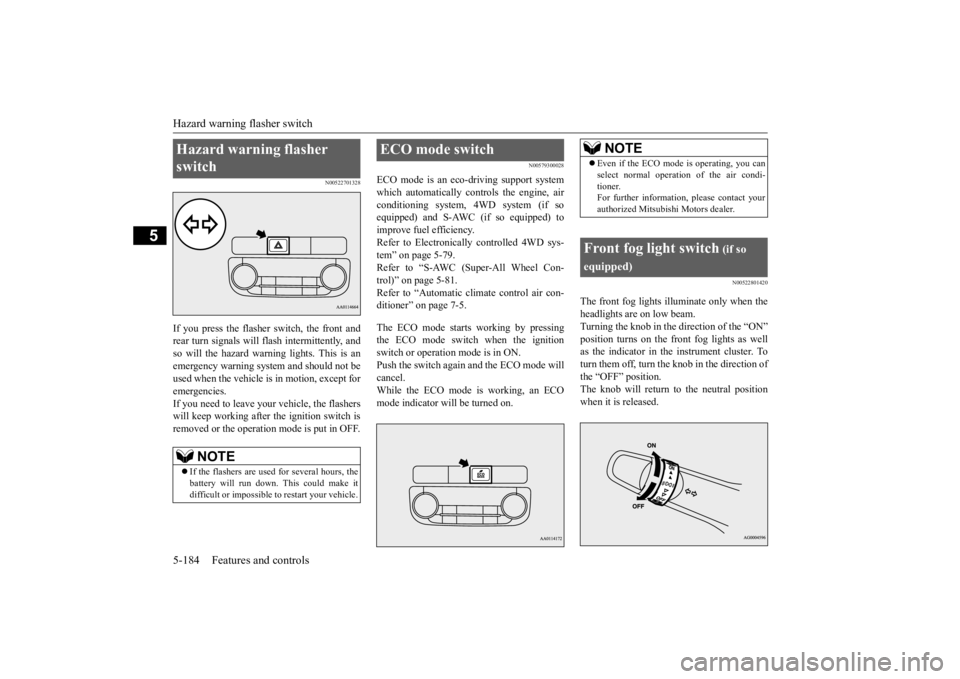
If you press the flasher switch, the front and rear turn signals will flash intermittently, and so will the hazard warn
ing lights. This is an
emergency warning syst
em and should not be
used when the vehicle is in motion, except for emergencies. If you need to leave your vehicle, the flasherswill keep working afte
r the ignition switch is
removed or the operation mode is put in OFF.
N00579300028
ECO mode is an eco-driving support systemwhich automatically cont
rols the engine, air
conditioning system,
4WD system (if so
equipped) and S-AWC (if so equipped) to improve fuel efficiency. Refer to Electronically
controlled 4WD sys-
tem” on page 5-79. Refer to “S-AWC (Super-All Wheel Con- trol)” on page 5-81. Refer to “Automatic cl
imate control air con-
ditioner” on page 7-5. The ECO mode starts
working by pressing
the ECO mode switch when the ignition switch or operation mode is in ON. Push the switch again and the ECO mode willcancel. While the ECO mode is working, an ECO mode indicator will be turned on.
N00522801420
The front fog lights illuminate only when theheadlights are on low beam. Turning the knob in the direction of the “ON” position turns on the front fog lights as wellas the indicator in the instrument cluster. To turn them off, turn the knob in the direction of the “OFF” position.The knob will return to the neutral position when it is released.
Hazard warning flasher switch
NOTE
If the flashers are used for several hours, the battery will run down.
This could make it
difficult or impossible
to restart your vehicle.
ECO mode switch
NOTE
Even if the ECO mode is operating, you can select normal operati
on of the air condi-
tioner.For further information, please contact your authorized Mitsubishi Motors dealer.
Front fog light switch
(if so
equipped)
BK0223400US.book 184 ページ 2015年2月13日 金曜日 午後12時15分
Page 261 of 464
Wiper and washer switch
Features and controls 5-185
5
N00523001722
The windshield wiper and washer can be operated with the ignition switch or the oper-ation mode is in ON or ACC. If the blades are frozen to the windshield, do not operate the wipers
until the ice has melted
and the blades are freed, otherwise the wiper motor may be damaged.
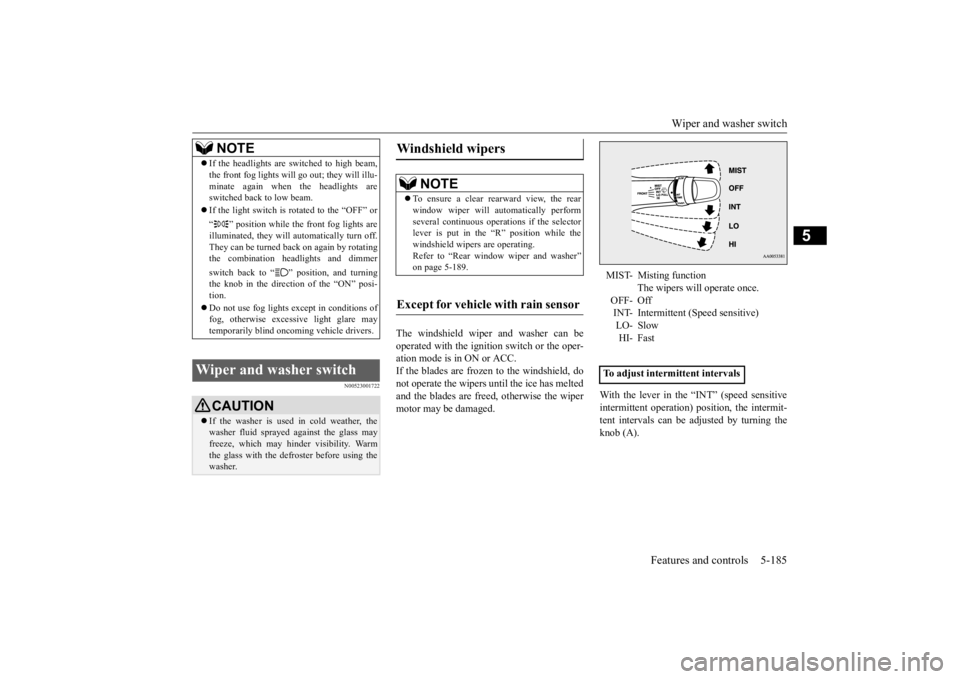
With the lever in the “INT” (speed sensitive intermittent operation)
position, the intermit-
tent intervals can be adjusted by turning the knob (A).
NOTE
If the headlights are sw
itched to high beam,
the front fog lights will go out; they will illu-minate again when the headlights areswitched back to low beam. If the light switch is rotated to the “OFF” or “ ” position while the
front fog lights are
illuminated, they will automatically turn off. They can be turned back on again by rotatingthe combination headlights and dimmer switch back to “ ” position, and turning the knob in the direction of the “ON” posi- tion. Do not use fog lights ex
cept in conditions of
fog, otherwise excessive light glare maytemporarily blind oncoming vehicle drivers.
Wiper and washer switch
CAUTION If the washer is used
in cold weather, the
washer fluid sprayed against the glass may freeze, which may hinder visibility. Warm the glass with the defroster before using thewasher.
Windshield wipers
NOTE
To ensure a clear rearward view, the rear window wiper will au
tomatically perform
several continuous opera
tions if the selector
lever is put in the “R” position while the windshield wipers are operating.Refer to “Rear window wiper and washer” on page 5-189.
Except for vehicle with rain sensor
MIST- Misting function
The wipers will operate once.
OFF- Off INT- Intermittent (Speed sensitive)LO- Slow HI- Fast
To adjust intermittent intervals
BK0223400US.book 185 ページ 2015年2月13日 金曜日 午後12時15分
Page 301 of 464
Interior lights
Features and controls 5-225
5
N00585600026
Your HomeLink
® system operates on a radio
frequency subject to
Federal Communica-
tions Commission (FCC)
Rules (For vehicles
sold in U.S.A.) and Industry Canada Rules (For vehicles sold in Canada). This devicecomplies with Part 15 of the FCC Rules and RSS- 210 of the Industry Canada Rules. Operation is subject to the following two con-ditions. This device may not
cause harmful inter-
ference. This device must ac
cept any interference
that may be received, including interfer- ence that may cause undesired operation.
This equipment complies with FCC radiation exposure limits set forth for an uncontrolled environment. End Users must follow the spe- cific operating instructio
ns for satisfying RF
exposure compliance. This transmitter must be at least 12 inches (20 cm) from the user and must not be co-located or operating inconjunction with any other antenna or trans- mitter. The term “IC:” before
the certification/regis-
tration number only signi
fies that Industry
Canada technical spec
ifications were met.
N00525301602
NOTE
If you do not complete the programming of a new device to the button,
it will revert to the
previously stored programming.For questions or
comments, visit
www.homelink.com, www.youtube.com/HomeLinkGentex, or by calling the HomeLink
® Hotline.
General information
CAUTION The transmitter has been tested and complies with FCC and IC rules.Changes or modifica
tions not expressly
approved by the party responsible for com- pliance could void the user’s authority to operate the device.
Interior lights
NOTE
Be aware that leaving the light illuminated with the engine off may run the batterydown. Never leave the vehi
cle without checking
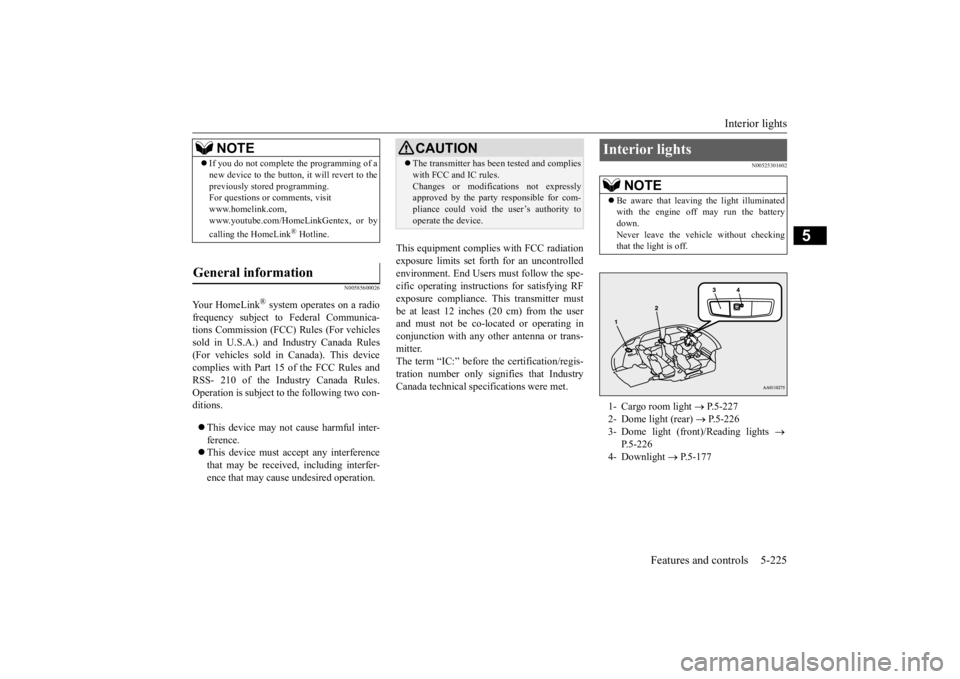
that the light is off.1- Cargo room light
P.5-227
2- Dome light (rear)
P.5-226
3- Dome light (front)/Reading lights
P.5-226
4- Downlight
P.5-177
BK0223400US.book 225 ページ 2015年2月13日 金曜日 午後12時15分
Page 302 of 464
Interior lights 5-226 Features and controls
5
N00525401469
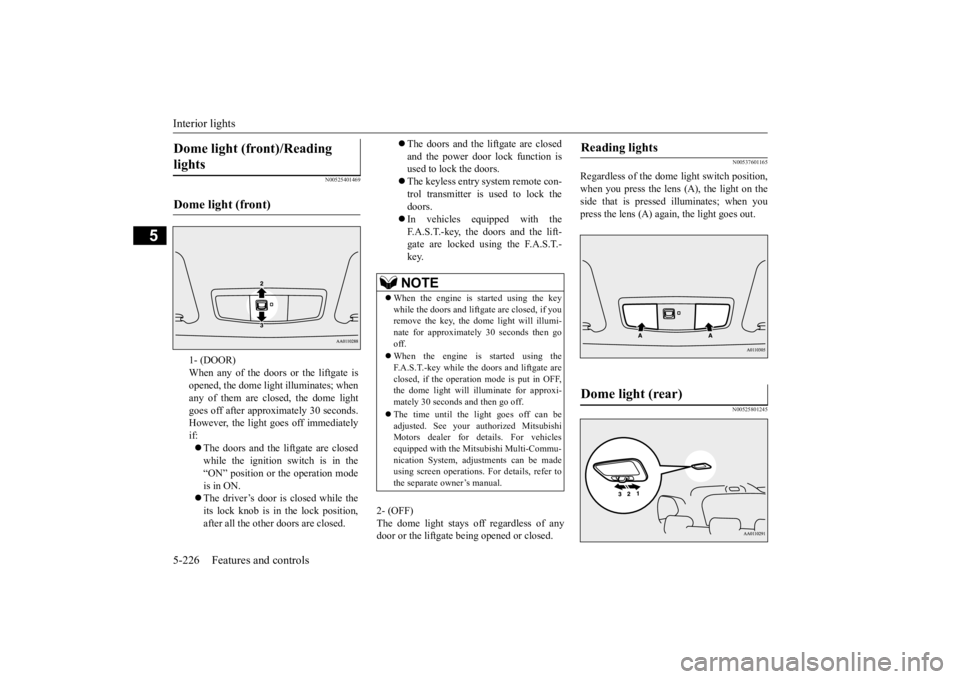
2- (OFF) The dome light stays off regardless of any door or the liftgate being opened or closed.
N00537601165
Regardless of the dome light switch position, when you press the lens (A), the light on the side that is pressed illuminates; when youpress the lens (A) agai
n, the light goes out.
N00525801245
Dome light (front)/Reading lights Dome light (front)
1- (DOOR) When any of the doors or the liftgate isopened, the dome light illuminates; when any of them are closed, the dome light goes off after approx
imately 30 seconds.
However, the light goes off immediately if: The doors and the liftgate are closed while the ignition switch is in the “ON” position or the operation mode is in ON. The driver’s door is closed while the its lock knob is in the lock position, after all the other doors are closed.
The doors and the liftgate are closed and the power door lock function is used to lock the doors. The keyless entry system remote con- trol transmitter is used to lock the doors. In vehicles equipped with the F.A.S.T.-key, the doors and the lift- gate are locked using the F.A.S.T.-key.NOTE
When the engine is
started using the key
while the doors and liftgate are closed, if youremove the key, the dom
e light will illumi-
nate for approximately 30 seconds then go off. When the engine is started using the F.A.S.T.-key while the doors and liftgate areclosed, if the operation mode is put in OFF, the dome light will illuminate for approxi- mately 30 seconds and then go off. The time until the light goes off can be adjusted. See your authorized MitsubishiMotors dealer for details. For vehicles equipped with the Mitsubishi Multi-Commu- nication System, adju
stments can be made
using screen operations.
For details, refer to
the separate owner’s manual.
Reading lights Dome light (rear)
BK0223400US.book 226 ページ 2015年2月13日 金曜日 午後12時15分
Page 303 of 464
Interior lights
Features and controls 5-227
5
3- (OFF) The dome light stays off regardless of anydoor or the liftgate be
ing opened or closed.
N00526101186
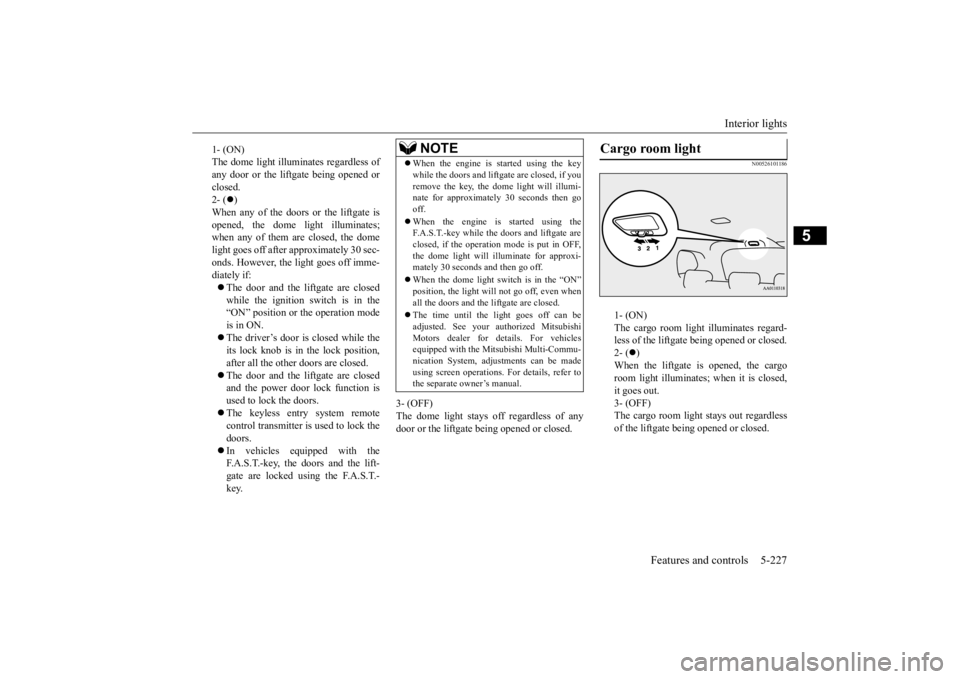
1- (ON) The cargo room light illuminates regard- less of the liftgate being opened or closed.2- (
)
When the liftgate is opened, the cargo room light illuminates;
when it is closed,
it goes out. 3- (OFF) The cargo room light
stays out regardless
of the liftgate being opened or closed.
1- (ON) The dome light illumin
ates regardless of
any door or the liftgate being opened or closed. 2- (
)
When any of the doors or the liftgate is opened, the dome li
ght illuminates;
when any of them are closed, the domelight goes off after approximately 30 sec- onds. However, the li
ght goes off imme-
diately if: The door and the liftgate are closed while the ignition switch is in the“ON” position or the operation mode is in ON. The driver’s door is closed while the its lock knob is in the lock position, after all the other doors are closed. The door and the liftgate are closed and the power door lock function is used to lock the doors. The keyless entry system remote control transmitter is used to lock the doors. In vehicles equipped with the F.A.S.T.-key, the doors and the lift- gate are locked using the F.A.S.T.- key.
NOTE
When the engine is started using the key while the doors and liftgate are closed, if youremove the key, the dome light will illumi-nate for approximately 30 seconds then go off. When the engine is
started using the
F.A.S.T.-key while the doors and liftgate are closed, if the operation mode is put in OFF,the dome light will il
luminate for approxi-
mately 30 seconds and then go off. When the dome light switch is in the “ON” position, the light will not go off, even when all the doors and the liftgate are closed. The time until the light goes off can be adjusted. See your authorized MitsubishiMotors dealer for details. For vehicles equipped with the Mitsubishi Multi-Commu- nication System, adjustments can be madeusing screen operations
. For details, refer to
the separate owner’s manual.
Cargo room light
BK0223400US.book 227 ページ 2015年2月13日 金曜日 午後12時15分
Page 304 of 464
Storage spaces 5-228 Features and controls
5
N00526301449
If interior lights are left on with the igni- tion switch in the “LOCK” position or the operation mode in OFF, the lights go off automatically after
approximately 30 min-
utes. The lights come on again if the ignition switch or the engine
switch is operated, if
any door or liftgate is opened or closed, or if the keyless entry or F.A.S.T.-key isoperated.
N00526401567
Interior light auto-cutout func- tion (dome light and other lights)
NOTE
The interior light auto
-cutout function can be
deactivated. The time until the lights auto- matically go off can be
adjusted. See your
authorized Mitsubishi Motors dealer fordetails. For vehicles equipped
with the Mitsubishi
Multi-Communication System, adjustmentscan be made using sc
reen operations. For
details, refer to the se
parate owner’s manual.
Storage spaces
CAUTIONNever leave lighters,
carbonated drink cans,
or spectacles in the cabin when parking thevehicle in hot suns
hine. The cabin will
become extremely hot,
so lighters and other
flammable items may catch fire andunopened drink cans (including beer cans) may rupture. The heat may also deform or crack plastic spectacle
lenses and other spec-
tacle parts that ar
e made of plastic.
Keep the lids of storage spaces closed while driving the vehicle. A lid or the contents of a storage space could ot
herwise cause injuries
during a sudden stop.NOTE
Do not leave valuables in any storage space when leaving the vehicle.
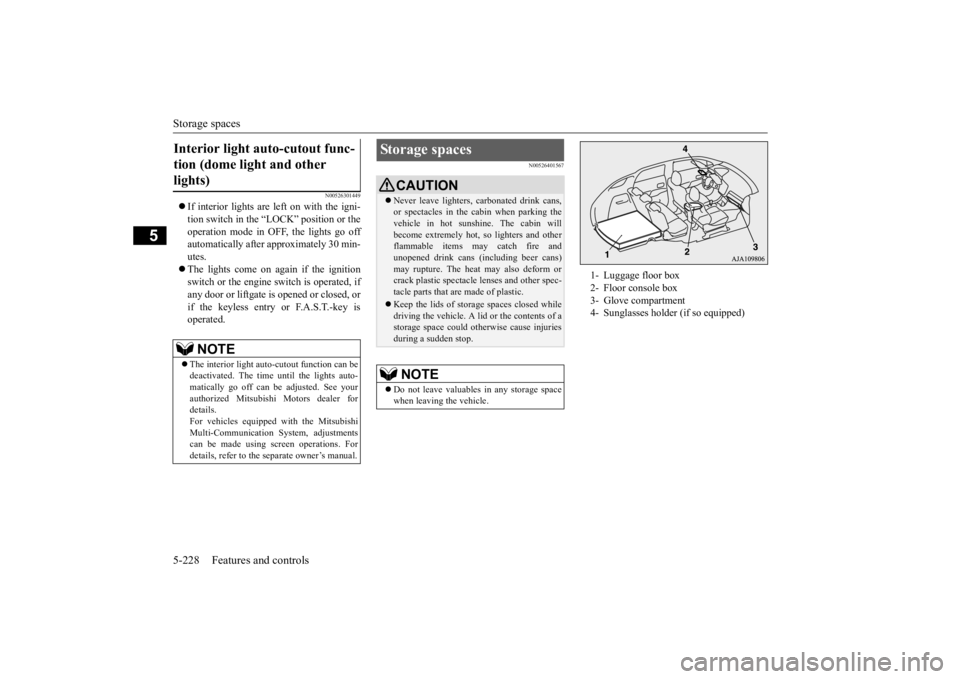
1- Luggage floor box 2- Floor console box 3- Glove compartment 4- Sunglasses holder (if so equipped)
BK0223400US.book 228 ページ 2015年2月13日 金曜日 午後12時15分
Page 305 of 464
Storage spaces
Features and controls 5-229
5
N00551501298
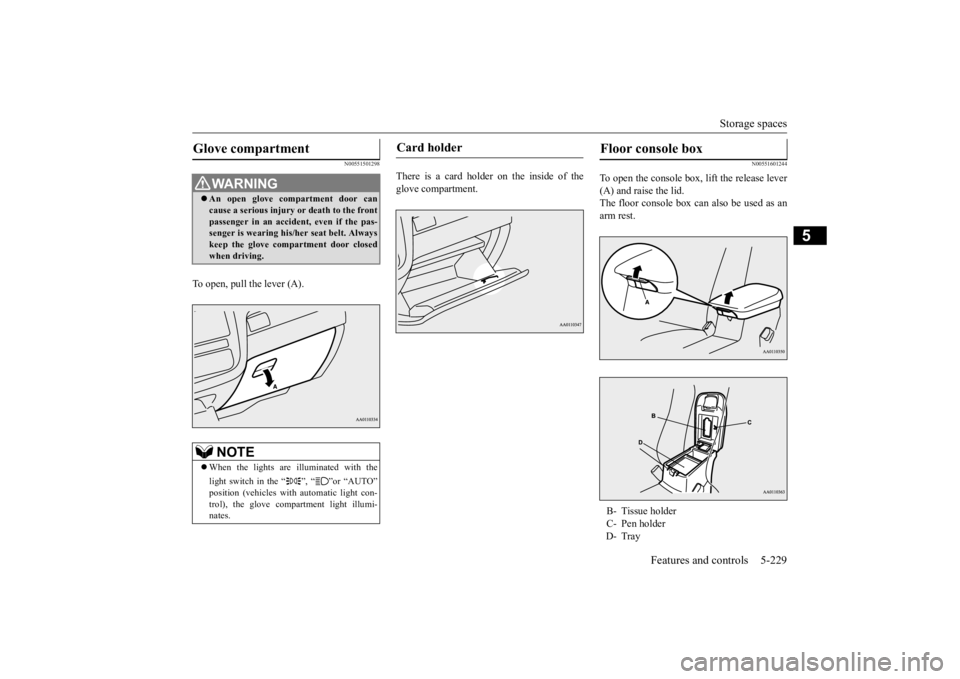
To open, pull the lever (A).
There is a card holder on the inside of the glove compartment.
N00551601244
To open the console box,
lift the release lever
(A) and raise the lid. The floor console box can also be used as anarm rest.
Glove compartment
WA R N I N G An open glove compartment door can cause a serious injury or death to the frontpassenger in an accident, even if the pas- senger is wearing his/her seat belt. Always keep the glove comp
artment door closed
when driving.NOTE
When the lights are illuminated with the light switch in the “ ”, “ ”or “AUTO” position (vehicles with
automatic light con-
trol), the glove compartment light illumi- nates.
Card holder
Floor console box B- Tissue holder C- Pen holderD- Tray
BK0223400US.book 229 ページ 2015年2月13日 金曜日 午後12時15分