change time MITSUBISHI OUTLANDER III 2016 Repair Manual
[x] Cancel search | Manufacturer: MITSUBISHI, Model Year: 2016, Model line: OUTLANDER III, Model: MITSUBISHI OUTLANDER III 2016Pages: 464, PDF Size: 60.77 MB
Page 372 of 464
Audio Quality and Volume Balance Adjustment 7-44 Comfort controls
7
This switches in the order “Channel name”, “Category name”, “A
rtist name”, “Track
name”, and “Composer name”. This switches in the order “Disc title”, “Track title”, and “Ope
rating status”.
This switches in the order “Folder title”, “File title”, and “Ope
rating status”.
Hold down the INFO key. This switches the ID3tag display. Each time INFO key is
pressed, this switches
in the order “Album
name”, “Track name”,
“Artist name”, “Genre name”*, and “Operat- ing status”.
N00718200024
This switches in the order “Albums”, “Track name”, “Artist name”, “Genre name”, and “Operating status”.
N00718300025
Operating details are the same as in “DuringiPod Playback” (P.7-44).
N00718400026
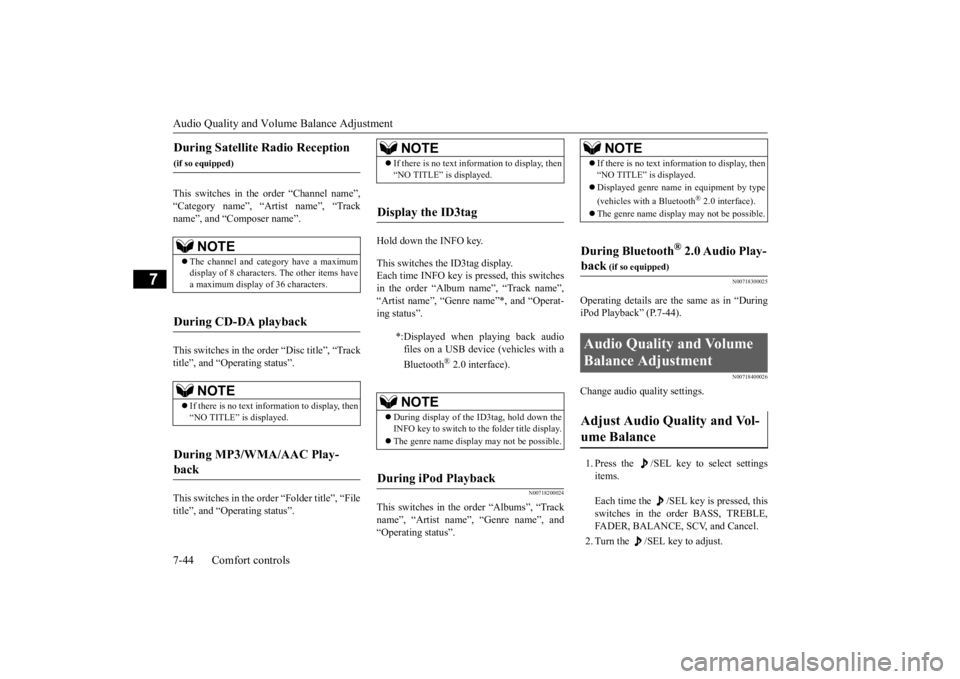
Change audio quality settings. 1. Press the /SEL key to select settings items. Each time the /SEL key is pressed, this switches in the order BASS, TREBLE, FADER, BALANCE, SCV, and Cancel. 2. Turn the /SEL key to adjust.
During Satellite Radio Reception
(if so equipped)
NOTE
The channel and cate
gory have a maximum
display of 8 characters
. The other items have
a maximum display
of 36 characters.
During CD-DA playback
NOTE
If there is no text information to display, then “NO TITLE” is displayed.
During MP3/WMA/AAC Play- back
NOTE
If there is no text information to display, then “NO TITLE” is displayed.
Display the ID3tag
*:Displayed when playing back audio files on a USB device (vehicles with a Bluetooth
® 2.0 interface).
NOTE
During display of the ID3tag, hold down the INFO key to switch to the folder title display. The genre name displa
y may not be possible.
During iPod Playback
NOTE
If there is no text information to display, then “NO TITLE” is displayed. Displayed genre name
in equipment by type
(vehicles with a Bluetooth
® 2.0 interface).
The genre name displa
y may not be possible.
During Bluetooth
® 2.0 Audio Play-
back
(if so equipped)
Audio Quality and Volume Balance Adjustment Adjust Audio Quality and Vol- ume Balance
BK0223400US.book 44 ページ 2015年2月13日 金曜日 午後12時15分
Page 373 of 464
System Settings
Comfort controls 7-45
7
N00718500072
Change system settings
such as product time.
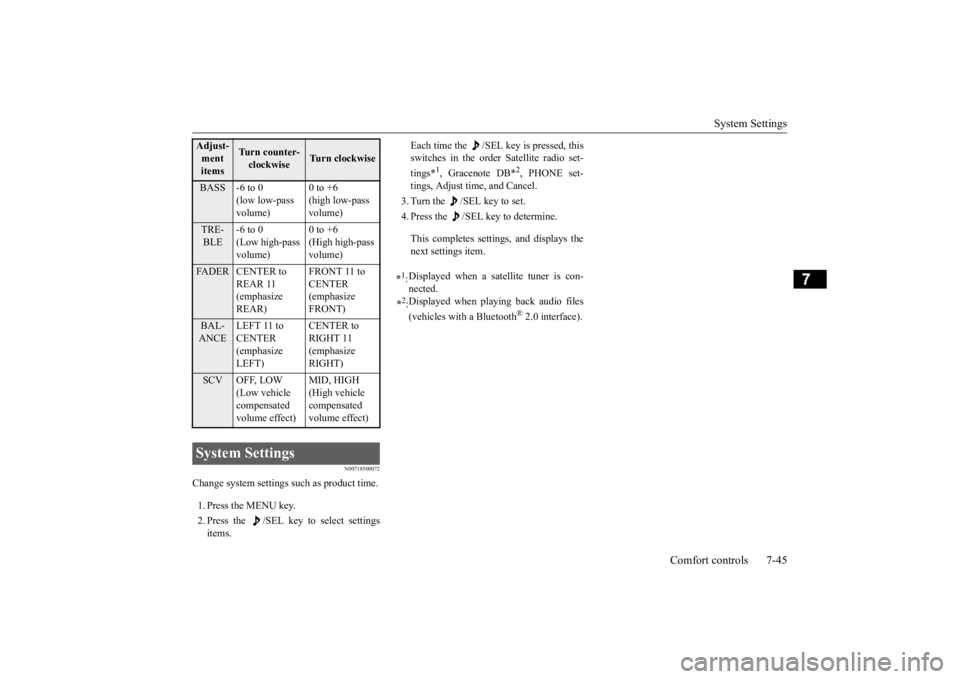
1. Press the MENU key. 2. Press the /SEL key to select settings items.
Each time the /SEL key is pressed, this switches in the order Satellite radio set- tings*
1, Gracenote DB*
2, PHONE set-
tings, Adjust time, and Cancel. 3. Turn the /SEL key to set.4. Press the /SEL key to determine. This completes settings, and displays the next settings item.
Adjust-ment items
Tu r n c o u n t e r - clockwise
Turn clockwise
BASS -6 to 0
(low low-pass volume)
0 to +6 (high low-pass volume)
TRE- BLE
-6 to 0 (Low high-pass volume)
0 to +6 (High high-pass volume)
FADER CENTER to
REAR 11 (emphasize REAR)
FRONT 11 to CENTER (emphasize FRONT)
BAL- ANCE
LEFT 11 to CENTER (emphasize LEFT)
CENTER to RIGHT 11 (emphasize RIGHT)
SCV OFF, LOW
(Low vehicle compensated volume effect)
MID, HIGH (High vehicle compensated volume effect)
System Settings
*1: Displayed when a satellite tuner is con- nected.
*2: Displayed when playing back audio files (vehicles with a Bluetooth
® 2.0 interface).
BK0223400US.book 45 ページ 2015年2月13日 金曜日 午後12時15分
Page 374 of 464
System Settings 7-46 Comfort controls
7
Change each satellite radio setting.Satellite Radio Settings
(if so equipped)
Settings name
Settings item
Settings value
Settings content
SIRIUS ID — — This displays the SIRIUS ID. SKIP SETTING SKIP SETTING
SELECT CH*
1
ON SKIP can be set for each channel. Chan
nels for which SKIP is set are excluded
from the search during up/down ch
annel selecting and scanning.
They can be received when selecting cha
nnels using the preset keys or searching
for a station.
OFF
SKIP SETTING ALL RESET
— When “YES” is selected, the SKIP settings for all channels are turned off.
LOCK SETTING LOCK SETTING
SELECT CH*
2
ON LOCK can be set for each channel. Channels for which LOCK is set are
excluded from the search during up/
down channel select
ing and scanning.
If a channel for which LOCK is set is sele
cted when selecting channels using the
preset keys or searching for a station,
“CH LCKED” is displayed within about 2
seconds after the channel text is
displayed. The sound is muted.
OFF
LOCK SETTING ALL RESET
— When “YES” is select
ed and the CODE for settings
is input, the LOCK settings
for all channels are turned off.
LOCK SETTING EDIT CODE
— The CODE required for the
LOCK settings is changed.
(The factory setting is
“1111”.) If the input code is incorrect, “L
OCK SETTING WRG LC” is displayed.
*1: Each time the /SET key is pressed, this sw
itches in the order Settings channel select
, Change SKIP settings
, and Complete setti
ngs.
To return to “each channel SKIP setting”, press the 6 key.
BK0223400US.book 46 ページ 2015年2月13日 金曜日 午後12時15分
Page 375 of 464
System Settings
Comfort controls 7-47
7
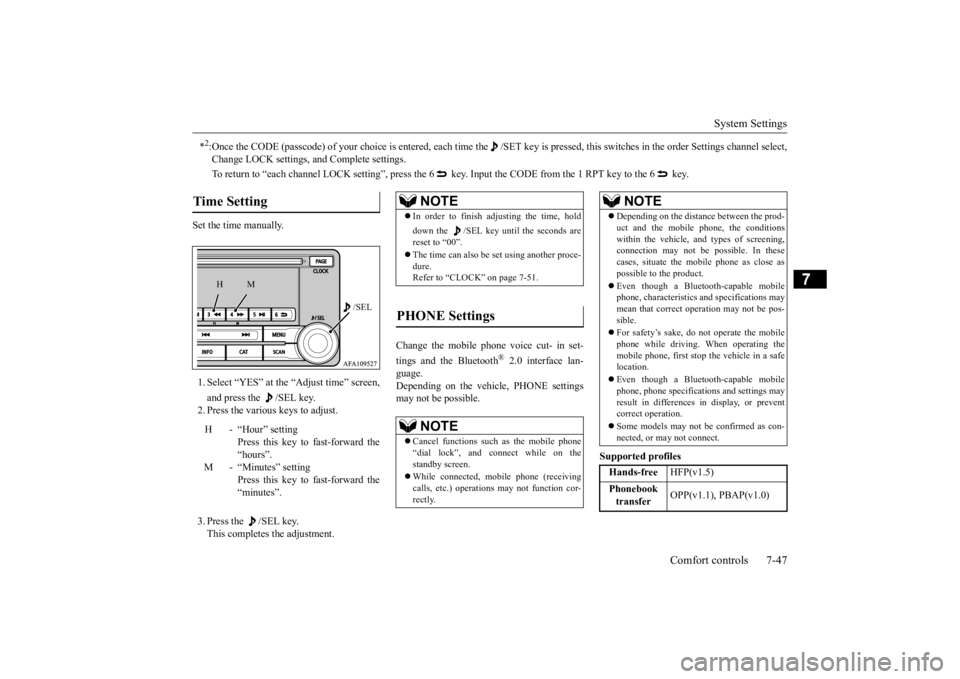
Set the time manually. 1. Select “YES” at the “Adjust time” screen, and press the /SEL key. 2. Press the various keys to adjust. 3. Press the /SEL key. This completes the adjustment.
Change the mobile phone voice cut- in set- tings and the Bluetooth
® 2.0 interface lan-
guage. Depending on the vehi
cle, PHONE settings
may not be possible.
Supported profiles
*2:Once the CODE (passcode) of your choice is
entered, each time the /SET
key is pressed, this switch
es in the order Settings chan
nel select,
Change LOCK settings,
and Complete settings.
To return to “each channel LOCK se
tting”, press the 6 key. Input the CODE from the 1 RPT key to the 6 key.
Time Setting
H - “Hour” setting
Press this key to fast-forward the “hours”.
M - “Minutes” setting
Press this key to fast-forward the “minutes”.
/SEL
M
H
NOTE
In order to finish adjusting the time, hold down the /SEL key unt
il the seconds are
reset to “00”. The time can also be
set using another proce-
dure. Refer to “CLOCK” on page 7-51.
PHONE Settings
NOTE
Cancel functions such as the mobile phone “dial lock”, and connect while on the standby screen. While connected, mobile phone (receiving calls, etc.) operations
may not function cor-
rectly.
Depending on the distan
ce between the prod-
uct and the mobile
phone, the conditions
within the vehicle, and types of screening, connection may not be
possible. In these
cases, situate the mobile phone as close as possible to the product. Even though a Bluet
ooth-capable mobile
phone, characteristics an
d specifications may
mean that correct ope
ration may not be pos-
sible. For safety’s sake, do not operate the mobile phone while driving. When operating the mobile phone, first stop the vehicle in a safe location. Even though a Bluet
ooth-capable mobile
phone, phone specificati
ons and settings may
result in differences in display, or prevent correct operation. Some models may not
be confirmed as con-
nected, or may not connect.Hands-free
HFP(v1.5)
Phonebook transfer
OPP(v1.1), PBAP(v1.0)
NOTE
BK0223400US.book 47 ページ 2015年2月13日 金曜日 午後12時15分
Page 389 of 464
How to change a tire
For emergencies 8-7
8
6. Get the jack, bar and wheel nut wrench ready.(Refer to “Jack and t
ools” on page 8-5.)
N00849600315
The compact spare tire is stowed below the luggage compartment fl
oor. It is designed to
save space in the luggage compartment. Itslighter weight makes it easier to use if a flat tire occurs.
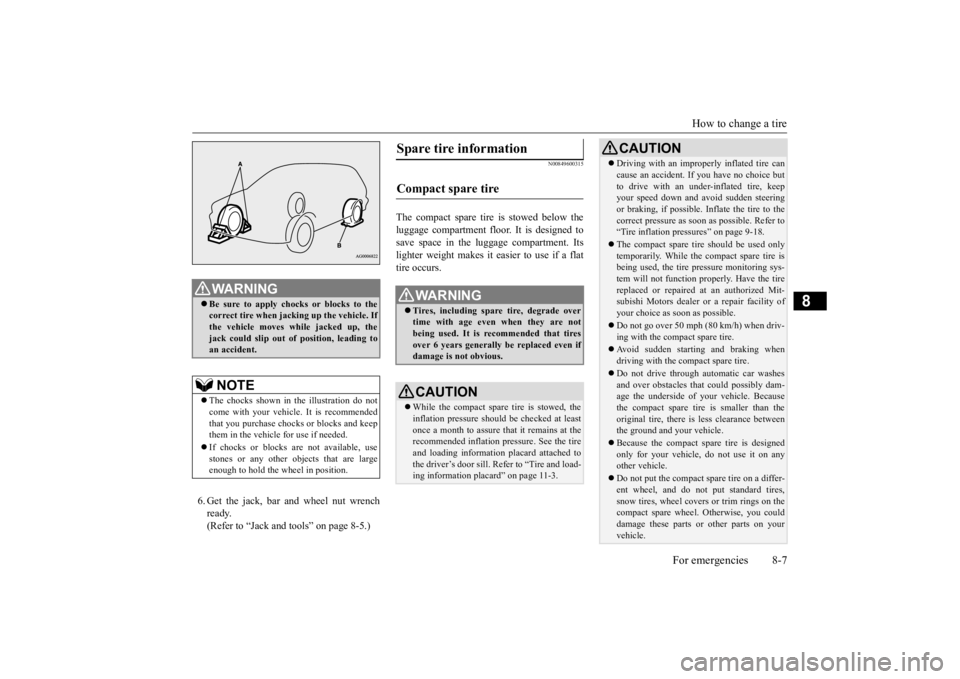
WA R N I N G Be sure to apply choc
ks or blocks to the
correct tire when jacking up the vehicle. Ifthe vehicle moves while jacked up, the jack could slip out of
position, leading to
an accident.NOTE
The chocks shown in the illustration do not come with your vehicl
e. It is recommended
that you purchase chocks or blocks and keep them in the vehicle for use if needed. If chocks or blocks
are not available, use
stones or any other obj
ects that are large
enough to hold the wheel in position.
Spare tire information Compact spare tire
WA R N I N G Tires, including spar
e tire, degrade over
time with age even when they are not being used. It is recommended that tiresover 6 years generally
be replaced even if
damage is not obvious.CAUTION While the compact spare tire is stowed, the inflation pressure shoul
d be checked at least
once a month to assure that it remains at the recommended inflation pressure. See the tire and loading informati
on placard attached to
the driver’s door sill. Refer to “Tire and load-ing information placard” on page 11-3.
Driving with an imprope
rly inflated tire can
cause an accident. If
you have no choice but
to drive with an under-inflated tire, keepyour speed down and avoid sudden steering or braking, if possible. Inflate the tire to the correct pressure as s
oon as possible. Refer to
“Tire inflation pressures” on page 9-18. The compact spare tire should be used only temporarily. While the compact spare tire is being used, the tire pr
essure monitoring sys-
tem will not function pr
operly. Have the tire
replaced or repaired at an authorized Mit- subishi Motors dealer or
a repair facility of
your choice as soon as possible. Do not go over 50 mph (80 km/h) when driv- ing with the compact spare tire. Avoid sudden starting and braking when driving with the compact spare tire. Do not drive through automatic car washes and over obstacles that
could possibly dam-
age the underside of your vehicle. Because the compact spare tire is smaller than the original tire, there is less clearance betweenthe ground and your vehicle. Because the compact spare tire is designed only for your vehicle, do not use it on any other vehicle. Do not put the compact spare tire on a differ- ent wheel, and do not put standard tires, snow tires, wheel covers
or trim rings on the
compact spare wheel. Otherwise, you could damage these parts or other parts on your vehicle.CAUTION
BK0223400US.book 7 ページ 2015年2月13日 金曜日 午後12時15分
Page 391 of 464
How to change a tire
For emergencies 8-9
8
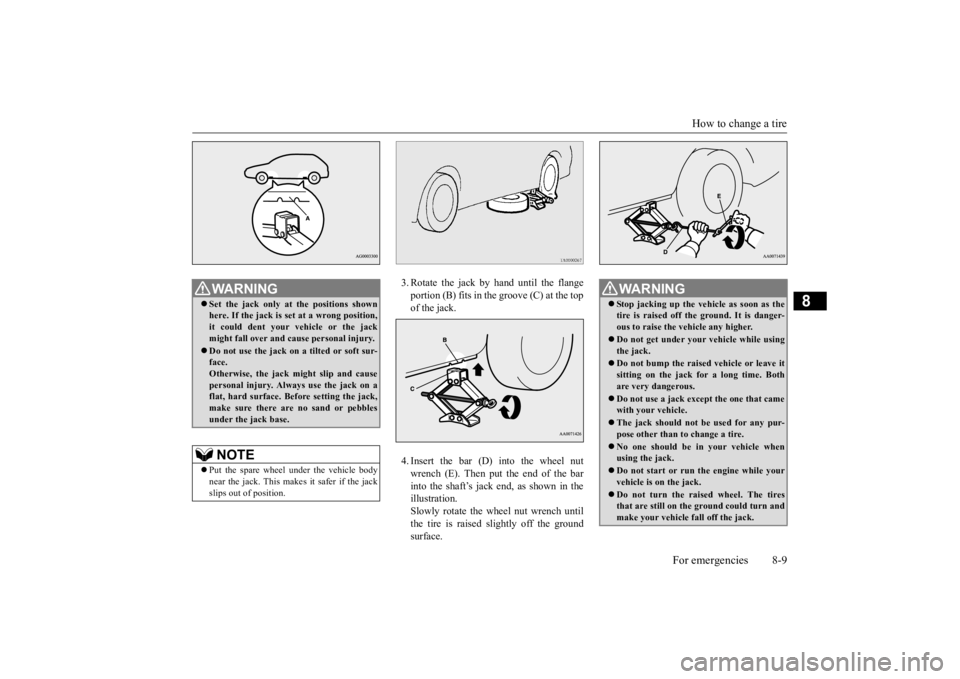
3. Rotate the jack by hand until the flange portion (B) fits in the groove (C) at the top of the jack. 4. Insert the bar (D) into the wheel nut wrench (E). Then put the end of the bar into the shaft’s jack end, as shown in the illustration.Slowly rotate the wheel nut wrench until the tire is raised slightly off the ground surface.
WA R N I N G Set the jack only at
the positions shown
here. If the jack is se
t at a wrong position,
it could dent your vehicle or the jack might fall over and ca
use personal injury.
Do not use the jack on a tilted or soft sur- face. Otherwise, the jack might slip and causepersonal injury. Always
use the jack on a
flat, hard surface. Before setting the jack, make sure there are no sand or pebblesunder the jack base.NOTE
Put the spare wheel under the vehicle body near the jack. This makes it safer if the jack slips out of position.
WA R N I N G Stop jacking up the ve
hicle as soon as the
tire is raised off the ground. It is danger-ous to raise the ve
hicle any higher.
Do not get under your vehicle while using the jack. Do not bump the raised
vehicle or leave it
sitting on the jack for a long time. Both are very dangerous. Do not use a jack except the one that came with your vehicle. The jack should not
be used for any pur-
pose other than to change a tire. No one should be
in your vehicle when
using the jack. Do not start or run
the engine while your
vehicle is on the jack. Do not turn the raised wheel. The tires that are still on the ground could turn and make your vehicle fall off the jack.
BK0223400US.book 9 ページ 2015年2月13日 金曜日 午後12時15分
Page 405 of 464
Engine oil and oil filter
Vehicle care and maintenance 9-7
9
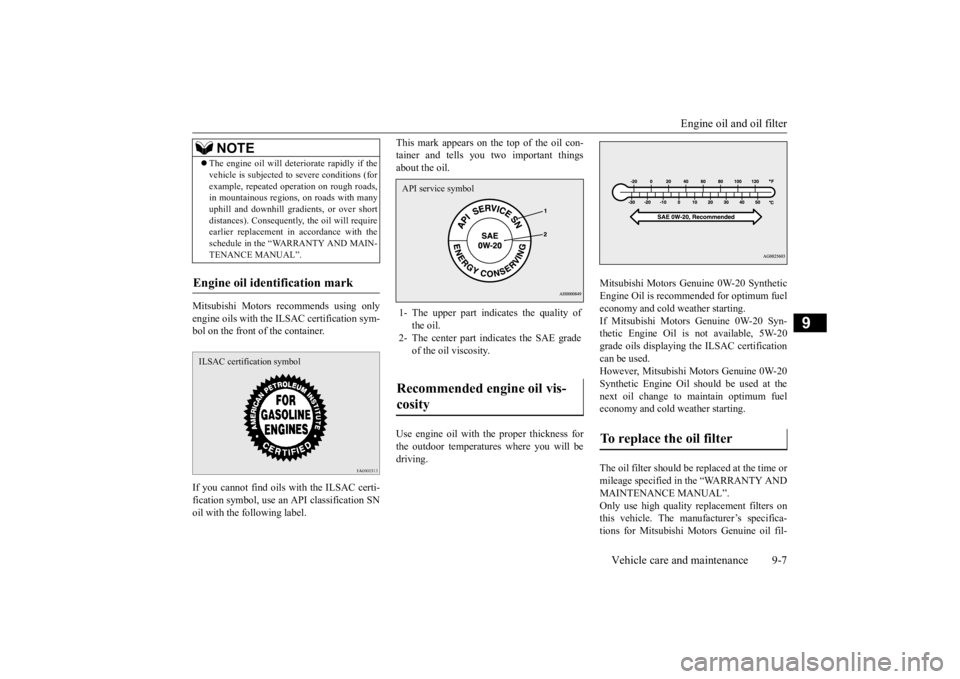
Mitsubishi Motors re
commends using only
engine oils with the ILSAC certification sym-bol on the front of the container. If you cannot find oils
with the ILSAC certi-
fication symbol, use an
API classification SN
oil with the following label.
This mark appears on the top of the oil con- tainer and tells you two important thingsabout the oil. Use engine oil with the proper thickness for the outdoor temperatures where you will bedriving.
Mitsubishi Motors Genui
ne 0W-20 Synthetic
Engine Oil is recommended for optimum fueleconomy and cold weather starting. If Mitsubishi Motors Genuine 0W-20 Syn- thetic Engine Oil is not available, 5W-20grade oils displaying the ILSAC certification can be used. However, Mitsubishi
Motors Genuine 0W-20
Synthetic Engine Oil s
hould be used at the
next oil change to maintain optimum fuel economy and cold weather starting. The oil filter should be replaced at the time or mileage specified in the “WARRANTY ANDMAINTENANCE MANUAL”. Only use high quality replacement filters on this vehicle. The manufacturer’s specifica-tions for Mitsubishi Mo
tors Genuine oil fil-
The engine oil wi
ll deteriorate rapidly if the
vehicle is subj
ected to severe conditions (for
example, repeated operation on rough roads,in mountainous regions, on roads with many uphill and downhill gradients, or over short distances). Consequently
, the oil will require
earlier replacement in accordance with the schedule in the “WARRANTY AND MAIN- TENANCE MANUAL”.
Engine oil identification mark
NOTE
ILSAC certification symbol
1- The upper part indi
cates the quality of
the oil.
2- The center part i
ndicates the SAE grade
of the oil viscosity.
Recommended engine oil vis- cosity API service symbol
To replace the oil filter
BK0223400US.book 7 ページ 2015年2月13日 金曜日 午後12時15分
Page 411 of 464
Battery
Vehicle care and maintenance 9-13
9
The fluid level falls slightly with wear of the brake pads, but this
does not indicate any
abnormality. If the fluid level falls sealed tight in a short length of time, it indi
cates leaks from the
brake system. If this occurs, have the vehicle checked by an authorized Mitsubishi Motors dealer or arepair facility
of your choice.
Use the recommended brake fluid conform- ing to DOT 3 or DOT 4. The reservoir cap must be tightly sealed to keep dirt and water out.
N00939101940
The condition of the battery is very importantfor quick starting and to keep the vehicle’selectrical system work
ing properly. Check the
battery regularly. If battery performance is suspect, have the battery and charging system tested by anauthorized Mitsubishi Motors dealer or a repair facility of your choice.
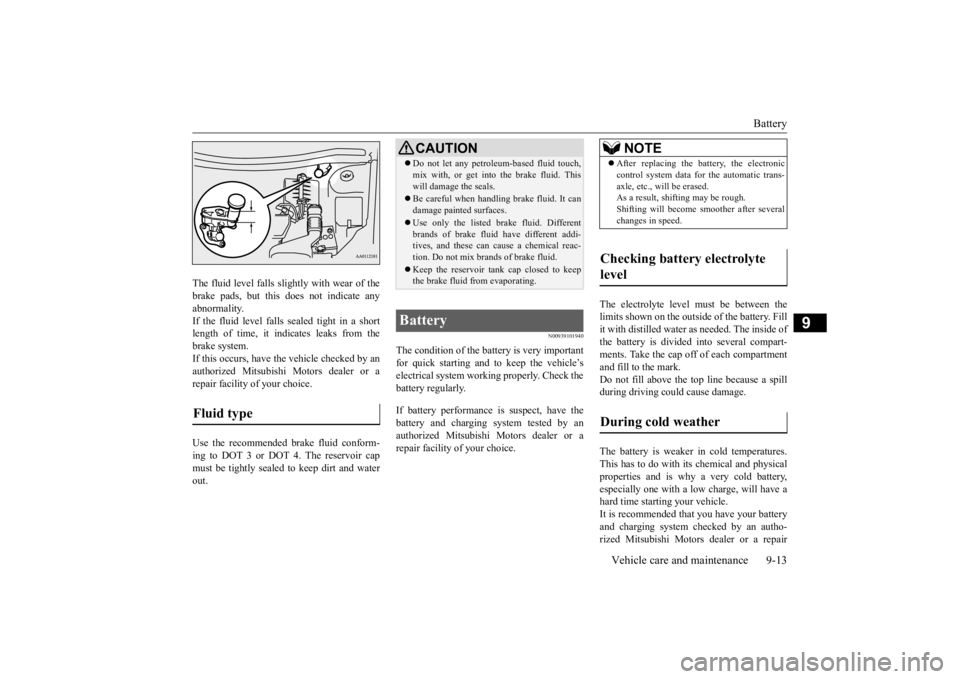
The electrolyte level
must be between the
limits shown on the outside of the battery. Fillit with distilled water as needed. The inside of the battery is divided into several compart- ments. Take the cap off of each compartmentand fill to the mark. Do not fill above the top line because a spill during driving could cause damage. The battery is weaker in cold temperatures. This has to do with it
s chemical and physical
properties and is why a very cold battery, especially one with a low charge, will have a hard time starting your vehicle.It is recommended th
at you have your battery
and charging system checked by an autho- rized Mitsubishi Motors dealer or a repair
Fluid type
CAUTION Do not let any petrol
eum-based fluid touch,
mix with, or get into
the brake fluid. This
will damage the seals. Be careful when handli
ng brake fluid. It can
damage painted surfaces. Use only the listed brak
e fluid. Different
brands of brake fluid
have different addi-
tives, and these can cause a chemical reac- tion. Do not mix brands of brake fluid. Keep the reservoir ta
nk cap closed to keep
the brake fluid from evaporating.
Battery
NOTE
After replacing the battery, the electronic control system data for the automatic trans-axle, etc., will be erased.As a result, shifting may be rough. Shifting will become
smoother after several
changes in speed.
Checking battery electrolyte level During cold weather
BK0223400US.book 13 ページ 2015年2月13日 金曜日 午後12時15分
Page 422 of 464
General maintenance 9-24 Vehicle care and maintenance
9
there are other parts which do not usually need regular maintenance.But, if any of these parts stops working prop- erly, your vehicle performance could suffer. Have these items ch
ecked if you notice a
problem with them. If you have any questions, see your autho- rized Mitsubishi Motors
dealer for assistance.
N00941600059
Good brakes are essential for safe driving. Check the brake pads for wear. For goodbraking performance, re
place the brake pads
with the same type pads as the originals.
N00941700076
Brake hoses and tubing should be checkedfor: Severe surface cracking, scuffing or worn spots. If the fabric casing of the hose isshowing through any cracks or worn spots in the rubber hose cover, the hose should be replaced. The brakes can fail if thehose wears through. Improper installation
may cause twisting,
or wheel, tire or chassis interference.
N00941800093
Check the following parts for damage andgrease leaks: Ball joint boots of the suspension and steering linkage Bellows on both ends of the drive shaft
N00942201118
The best way to keep carbon monoxide gas from entering inside your
vehicle is to have
the engine exhaust syst
em properly serviced.
Have a competent mechanic inspect the com- plete exhaust
system and nearby body areas
for broken, damaged, de
teriorated, or mispo-
sitioned parts if you not
ice any of the follow-
ing: A change in the sound of the exhaust sys- tem The smell of exhaust fumes inside the vehicle
The underside or rear of the vehicle is damaged
Also check the exhaust system each time the vehicle is raised for l
ubrication, oil changes,
or required service. Any open seams or loose connections could le
t dangerous exhaust
fumes seep into the luggage and passenger compartments. Check for holes or exhaust gas leaks caused by corrosion or damage. Check the joints and connections for looseness or exhaust gas leaks. Check the rubber hangers and brackets for damage.
N00942300079
The timing belt should
be replaced with a
new one at the mileage listed in the “WAR- RANTY AND MAINTENANCE MAN-UAL”.
Disc brake pads Brake hoses
Ball joint, steering linkage seals, drive shaft boots Exhaust system
WA R N I N G Carbon monoxide gas
from your vehicle’s
exhaust is poisonous. Breathing thesefumes can cause unconsciousness or death.
Check for any of the following conditions: Timing belt
BK0223400US.book 24 ページ 2015年2月13日 金曜日 午後12時15分
Page 458 of 464
Alphabetical index 12-2
12
Child safety locks for rear door
............
5-36
Cleaning
Inside of your vehicle
......................
9-38
Outside of your vehicle
...................
9-39
Clock
.................................................
7-51
Coat hook
........................................
5-235
Consumer information
........................
10-2
Continuously variable transmission (CVT)
....
5-71 Fluid
....................................
9-11
, 11-7
Selector lever operation
...................
5-72
Selector le
ver positions
...................
5-75
Sports mode
...................................
5-76
Coolant (engine)
..........................
9-8
, 11-7
Cruise control
.....................................
5-96
Cup holder
.......................................
5-232
D
Daytime running lights
Bulb capacity
.................................
9-30
Replacement
..................................
9-34
Defogger (rear window)
....................
5-190
Defrosting or defogging (windshield, door windows)
..................................
7-9
, 7-13
Digital clock
Time setting
...................................
7-47
Dimensions
........................................
11-4
Dimmer (high/lo
w beam change)
.......
5-180
Disc brake pads
...................................
9-24
Dome light (front)/Reading lights
.......
5-226
Bulb capacity
..................................
9-32
Dome light (rear)
...............................
5-226
Bulb capacity
..................................
9-32
Doors
Lock
..............................................
5-33
Power door locks
............................
5-35
Driving during cold weather
..................
6-5
Driving precaution
...............................
6-2
Driving, alcohol and drugs
....................
6-2
E
ECO mode switch
.............................
5-184
Electric power steering system (EPS)
....
5-93
Electric rear window
defogger switch
..5-190
Electronic immobilizer (Anti-theft starting system)
.....................................
5-4
, 5-27
Electronically cont
rolled 4WD system
..5-79
Emission-control system maintenance
...
9-22
Engine
Compartment
...................................
9-5
Coolant
...................................
9-8
, 11-7
Hood
...............................................
9-3
Malfunction indicator light
.............
5-173
MIVEC
.................................
5-25
, 5-64
Oil and oil filter
.......................
9-6
, 11-7
Overheating
.....................................
8-4
Serial number
.................................
11-2
Specification
..................................
11-6
Engine hood
.........................................
9-3
Engine switch
.....................................
5-18
Exhaust system
...................................
9-24
F
Floor console box
.............................
5-229
Floor mat
.............................................
6-3
Fluid
Automatic transaxle fluid
.......
9-11
, 11-7
Brake fluid
............................
9-12
, 11-7
Continuously variable transmission (CVT) fluid
...................................
9-11
, 11-7
Engine coolant
........................
9-8
, 11-7
Engine oil
...............................
9-6
, 11-7
Rear axle oil
..........................
9-12
, 11-7
Transfer oil
...........................
9-12
, 11-7
Washer fluid
.........................
9-12
, 11-7
Fluid capacities and lubricants
.............
11-7
Forward Collision Miti
gation System (FCM)
5-111 Free-hand advanced security transmitter (F.A.S.T.-key)
..................................
5-12
Front fog lights
Bulb capacity
.................................
9-30
Indicators
.....................................
5-172
Replacement
..................................
9-35
Switch
.........................................
5-184
BK0223400US.book 2 ページ 2015年2月13日 金曜日 午後12時15分