fuel MITSUBISHI OUTLANDER III 2018 User Guide
[x] Cancel search | Manufacturer: MITSUBISHI, Model Year: 2018, Model line: OUTLANDER III, Model: MITSUBISHI OUTLANDER III 2018Pages: 441, PDF Size: 13.71 MB
Page 106 of 441
Free-hand Advanced Securi
ty Transmitter (F.A.S.T.-key) (if so equipped)
Features and controls 5-25
5
N00514601399
The operation mode can be in any modeto start the engine.The starter motor will be turning for up toapproximately 15 seconds if the engineswitch is released at once. Pressing theengine switch again while the startermotor is still turning will stop the startermotor.The starter motor will be turning for up toapproximately 30 seconds while theengine switch
is pressed.
If the engine does not start, wait for awhile and then attempt to start the engineagain. Trying repeatedly with the engineor starter motor still turning will damagethe starter mechanism.If the engine will not start because the bat-tery is weak or discharged, refer to“Jump-starting the engine” on page 8-2for instructions.A longer warm up period will only con-sume extra fuel.The engine is warmed up enough for driv-ing when the bar graph of engine coolanttemperature display starts to move or thelow coolant temperature indicator goesout. Refer to “Engine
coolant temperature
display” on page 5-161 or “Low coolanttemperature indica
tor” on page 5-202.
Your vehicle is equipped with an electroni-cally controlled fuel injection system. Thissystem automatically controls fuel injection.There is usually no need
to depress the accel-
erator pedal when starting the engine.To prevent battery drai
n, wait a few seconds
between attempts to restart the engine.1. Make sure all occupants are properlyseated with seat belts fastened.2. Make sure the parking brake is applied.3. Press and hold the brake pedal downfirmly with your right foot.4. Make sure the selector
lever is in the “P”
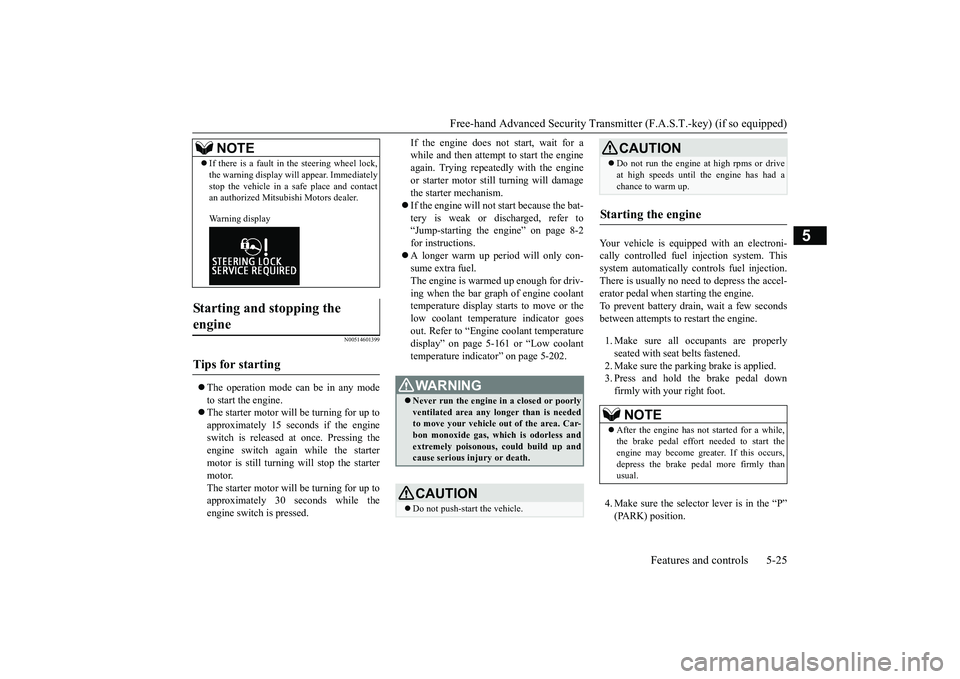
If there is a fault in the steering wheel lock,the warning display will
appear. Immediately
stop the vehicle in a sa
fe place and contact
an authorized Mitsubishi Motors dealer.Warning display
Starting and stopping the engine
Tips for starting
NOTE
WA R N I N GNever run the engine in
a closed or poorly
ventilated area any longer than is neededto move your vehicle
out of the area. Car-
bon monoxide gas, wh
ich is odorless and
extremely poisonous, could build up andcause serious injury or death.CAUTIONDo not push-start the vehicle.
Do not run the engine at high rpms or driveat high speeds until the engine has had achance to warm up.
Starting the engine
NOTE
After the engine has not started for a while,the brake pedal effort needed to start theengine may become grea
ter. If this occurs,
depress the brake pedal more firmly thanusual.CAUTION
BK0249100US.book 25 ページ 2017年5月10日 水曜日 午前8時49分
Page 147 of 441
Starting the engine5-66 Features and controls
5
Remove the key at
the “LOCK” position.
Turn the steering wheel until it is locked.Turn the key to the “ACC” position whilemoving the steering
wheel slightly.
N00512601858
[For vehicles equipped with the Free-handAdvanced Security Transmitter (F.A.S.T.-key).]For information on operation for vehiclesequipped with the Free-hand Advanced Secu-rity Transmitter (F.A.S.T.-key), refer to
“Free-hand Advanced
Security Transmitter
(F.A.S.T.-key): Starting” on page 5-13.[Except for vehicles equipped with theFree-hand Advanced Se
curity Transmit-
ter (F.A.S.T.-key).]Do not operate the starter motor continu-ously for longer than 15 seconds as thiscould run the battery
down or damage the
starter motor. If the engine does not start,turn the ignition switch back to the “OFF”or “LOCK” position, wait a few seconds,and then try again. Trying repeatedly withthe engine or starter motor still turningwill damage the starter mechanism.If the engine will not
start because the bat-
tery is weak or discharged, refer to“Jump-starting the engine” (on page 8-2)for instructions.A longer warm up period will only con-sume extra fuel. The engine is warmed upenough for driving when the bar graph ofengine coolant temper
ature display starts
to move or the low coolant temperatureindicator goes out. Refer to “Engine cool-ant temperature display” on page 5-161 or“Low coolant temper
ature indicator” on
page 5-202.
This model is equipped with an electronicallycontrolled fuel injection system. This is a sys-tem that automatically controls fuel injection.There is usually no need to depress the accel-erator pedal when starting the engine.The starter should not be run for more than 15seconds at a time.To prevent battery drain, wait a few secondsbetween attempts to restart the engine.1. Make sure all occupants are properlyseated with seat belts fastened.
To l o c k
To u n l o c k
CAUTIONRemove the key when leaving the vehicle.NOTE
If the front wheels are turned, the anti-theftlock may sometimes make it difficult to turnthe key from “LOCK” to “ACC”. Firmlyturn the steering wheel to the left or to theright as you turn the key.
Starting the engine
Tips for starting
WA R N I N GNever run the engine in
a closed or poorly
ventilated area any longer than is neededto move your vehicle
out of the area. Car-
bon monoxide gas, wh
ich is odorless and
extremely poisonous, could build up andcause serious injury or death.CAUTIONDo not push-start the vehicle.Do not run the engine at high rpms or driveat high speeds until
the engine has had a
chance to warm up.Release the ignition sw
itch as soon as the
engine starts. Otherwis
e, the starter motor
will be damaged
Starting the engine
BK0249100US.book 66 ページ 2017年5月10日 水曜日 午前8時49分
Page 149 of 441
Automatic transaxle (if so equipped)5-68 Features and controls
5
N00513200216
Automatic transaxle will automaticallychange its gear depe
nding on road and driv-
ing conditions. This
helps achieve smooth
driving and excellent fuel efficiency.Also you can manually shift up and shiftdown the transaxle. Refer to “Sports mode”The transaxle prevents
unnecessary upshifts
even when the accelerator pedal is releasedand ensures smooth driving.According to the condi
tions, the transaxle
will automatically shift to a lower gear toachieve stronger engine braking. This mayhelp reduce your need to use the servicebrake.
N00513801424
As an additional safe
ty precaution, models
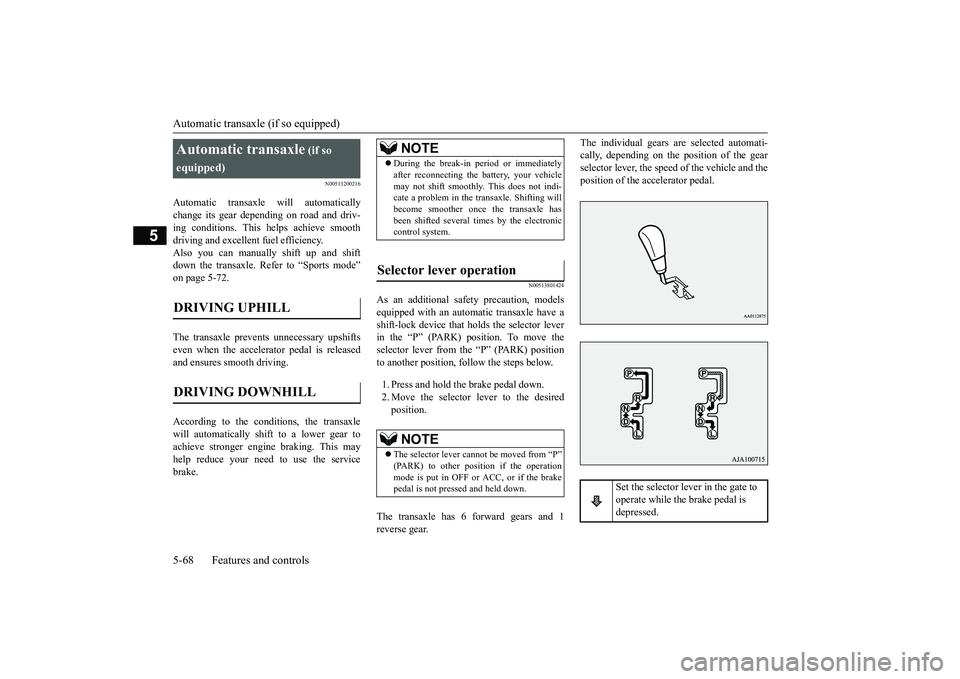
equipped with an automatic transaxle have ashift-lock device that holds the selector leverin the “P” (PARK) position. To move theselector lever from the “P” (PARK) positionto another position, follow the steps below.1. Press and hold the brake pedal down.2. Move the selector lever to the desiredposition.
The transaxle has 6 forward gears and 1reverse gear.
The individual gears are selected automati-cally, depending on the position of the gearselector lever, the speed of the vehicle and theposition of the ac
celerator pedal.
Automatic transaxle
(if so
equipped)
DRIVING DOWNHILL
NOTE
During the break-in pe
riod or immediately
after reconnecting the
battery, your vehicle
may not shift smoothly.
This does not indi-
cate a problem in the transaxle. Shifting willbecome smoother once the transaxle hasbeen shifted several
times by the electronic
control system.
Selector lever operation
NOTE
The selector lever cannot
be moved from “P”
mode is put in OFF or ACC, or if the brakepedal is not pressed and held down.
Set the selector lever in the gate to operate while the brake pedal is depressed.
BK0249100US.book 68 ページ 2017年5月10日 水曜日 午前8時49分
Page 156 of 441
Continuously variable transmission (CVT) (if so equipped)
Features and controls 5-75
5
and then move the sele
ctor lever to the “P”
(PARK) position.If the transaxle does not change gears whiledriving, or your vehicle does not pick upenough speed when starting on an uphillslope, it may be that there is somethingunusual happening in the
transaxle, causing a
safety device to activa
te. Have your vehicle
checked at an authorized Mitsubishi Motorsdealer or a repair facility of your choiceimmediately.
N00560201060
The CVT will automati
cally and continuously
change its gear ratio depending on road anddriving conditions. This helps achievesmooth driving and excellent fuel efficiency.If your vehicle is equipped with the spor-tronic steering wheel paddle shifter, you canmanually shift up and shift down the trans-mission. Refer to “Sports mode” on page5-80.The transmission prevents unnecessaryupshifts even when the accelerator pedal isreleased and ensures smooth driving.According to the condi
tions, the transmission
will automatically shift to a lower gear ratioto achieve stronger engine braking. This mayhelp reduce your need
to use the service
brake.
N00560301090
As an additional safe
ty precaution, models
equipped with a continuously variable trans-mission have a shift-lock device that holdsthe selector lever in the “P” (PARK) position.To move the selector lever from the “P”the steps below.1. Press and hold the brake pedal down.2. Move the selector lever to the desiredposition.
The CVT selects an optimum ratio automati-cally when the selector lever is in the “D”
nding on the speed of
the vehicle and the positi
on of the accelerator
pedal.
When the automatic transaxle makes no gear change
NOTE
When the warning display and “SLOWDOWN” or the warning display and“SERVICE REQUIRED” appear on theinformation screen in
the multi-information
display, there could be
a malfunction in the
automatic transaxle. Refer to “Automatictransaxle: Warning di
splay” on page 5-70.
Continuously variable transmission (CVT)
(if so
equipped)
DRIVING DOWNHILL
Selector lever operation
NOTE
The selector lever cannot
be moved from “P”
switch is set to the “OFF” or “LOCK” or“ACC” position, or if the key has beenremoved, or the opera
tion mode is put in
OFF or ACC, or if the brake pedal is notpressed and held down.
BK0249100US.book 75 ページ 2017年5月10日 水曜日 午前8時49分
Page 164 of 441
Electronically controlled 4WD system (if so equipped)
Features and controls 5-83
5
Select the drive mode from the following 3types to suit the driving conditions.
4-wheel drive operation requires special driv-ing skills.Carefully read the “4-wheel drive operation”section on page 5-88 and take care to drivesafely.
N00548401046
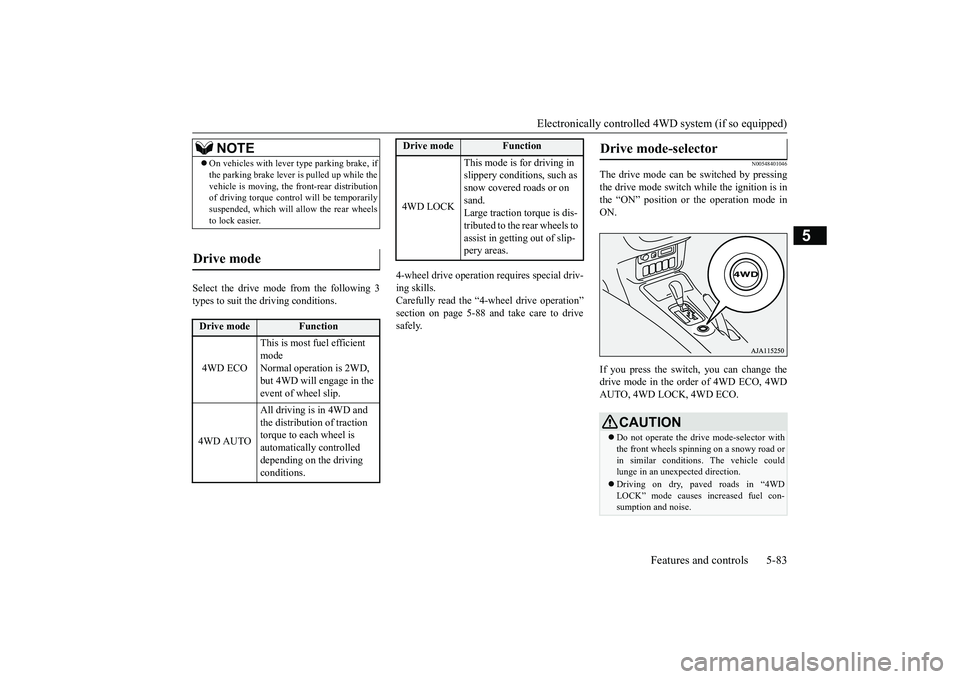
The drive mode can be switched by pressingthe drive mode switch while the ignition is inthe “ON” position or the operation mode inON.If you press the switch, you can change thedrive mode in the order of 4WD ECO, 4WDAUTO, 4WD LOCK, 4WD ECO.
NOTE
On vehicles with lever
type parking brake, if
the parking brake lever is pulled up while thevehicle is moving, the
front-rear distribution
of driving torque contro
l will be temporarily
suspended, which will allow the rear wheelsto lock easier.
Drive mode
Drive mode
Function
4WD ECO
This is most fuel efficient modeNormal operation is 2WD, but 4WD will engage in the event of wheel slip.
4WD AUTO
All driving is in 4WD and the distribution of traction torque to each wheel is automatically controlled depending on the driving conditions.
4WD LOCK
This mode is for driving in slippery conditions, such as snow covered roads or on sand.Large traction torque is dis-tributed to the rear wheels to assist in getting out of slip-pery areas.
Drive mode
Function
Drive mode-selector
CAUTIONDo not operate the drive mode-selector withthe front wheels spinning on a snowy road orin similar conditions
. The vehicle could
lunge in an unexpe
cted direction.
Driving on dry, paved roads in “4WDLOCK” mode causes increased fuel con-sumption and noise.
BK0249100US.book 83 ページ 2017年5月10日 水曜日 午前8時49分
Page 167 of 441
S-AWC (Super-All Wheel Control) (if so equipped)
5
The Differential assembly that limits the frontleft-right differential
speed by operating elec-
tronic control clutch arranged in the transferassembly.The left-right differen
tial limiting function is
a function that enhanc
es driving performance
and vehicle stability by preventing idle spin-ning of a wheel when driving on slipperyroad or when the road surfaces of left andright wheels are different.The yaw control function is a function thatenhances vehicle corn
ering performance and
vehicle stability with
management of vehicle
turning power (yaw moment) by controllingthe drive power difference of the left andright wheels and the braking force when thevehicle does not turn
in response to steering
input, such as when the steering wheel isturned quickly or when driving on slipperyroad.
N00542401086
Select the drive mode from the following fourtypes to suit the driving conditions.
4-wheel drive operation requires special driv-ing skills.Carefully read the “4-wheel drive operation”section on page 5-88 and take care to drivesafety.
N00583000055
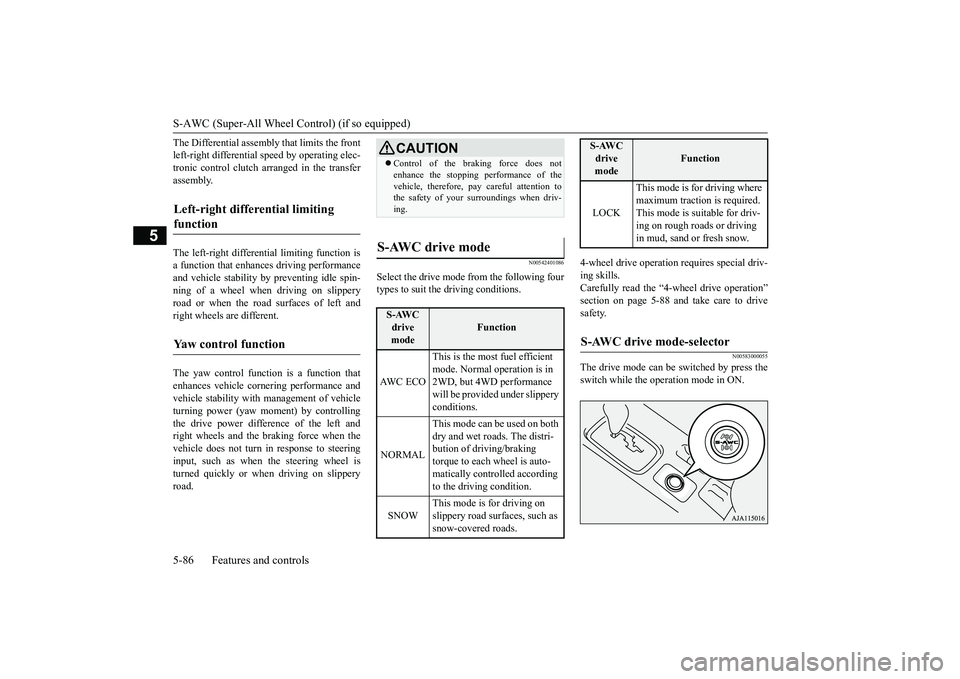
The drive mode can be switched by press theswitch while the operation mode in ON.
Left-right differential limiting function
Yaw control function
CAUTIONControl of the braking force does notenhance the stopping performance of thevehicle, therefore, pa
y careful attention to
the safety of your surroundings when driv-ing.
S-AWC drive mode
S-AWC drive mode
Function
AW C E C O
This is the most fuel efficient mode. Normal operation is in 2WD, but 4WD performance will be provided under slippery conditions.
NORMAL
This mode can be used on both dry and wet roads. The distri-bution of driving/braking torque to each wheel is auto-matically controlled according to the driving condition.
SNOW
This mode is for driving on slippery road surfaces, such as snow-covered roads.
LOCK
This mode is for driving where maximum traction is required. This mode is suitable for driv-ing on rough roads or driving in mud, sand or fresh snow.
S-AWC drive mode-selector
S-AWC drive mode
Function
BK0249100US.book 86 ページ 2017年5月10日 水曜日 午前8時49分
Page 168 of 441
S-AWC (Super-All Wheel Co
ntrol) (if so equipped)
Features and controls 5-87
5
If you press the switch, you can change thedrive mode in the order of AWC ECO, NOR-MAL, SNOW, LOCK, AWC ECO.
N00583100030
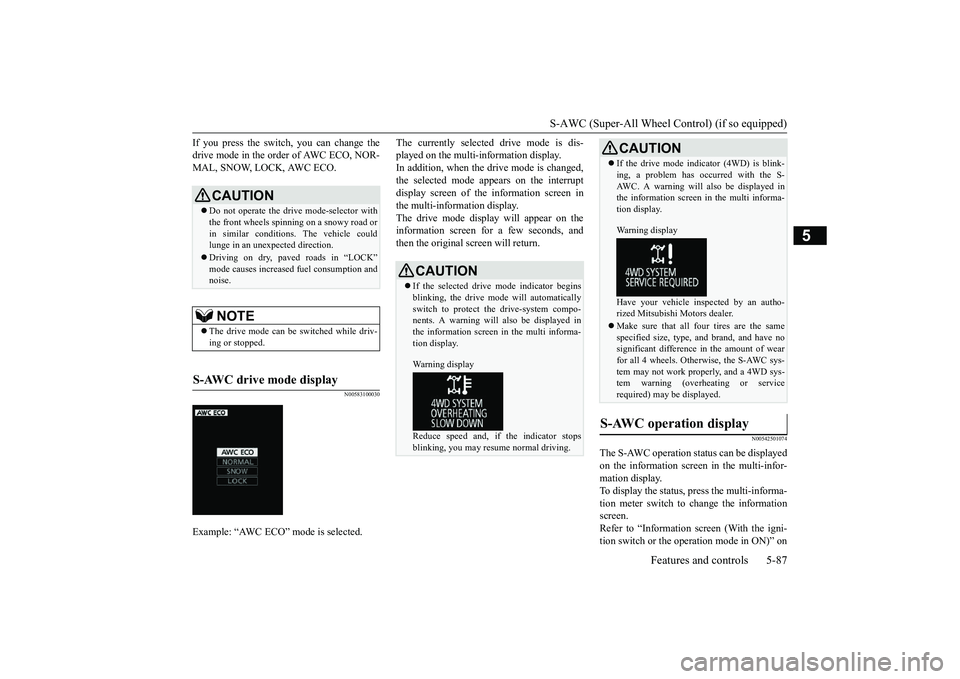
The currently selected drive mode is dis-played on the multi-information display.In addition, when the drive mode is changed,the selected mode appears on the interruptdisplay screen of the information screen inthe multi-information display.The drive mode display
will appear on the
information screen for a few seconds, andthen the original screen will return.
N00542501074
The S-AWC operation stat
us can be displayed
on the information screen in the multi-infor-mation display.To display the status, press the multi-informa-tion meter switch to change the informationscreen.Refer to “Information screen (With the igni-tion switch or the operation mode in ON)” on
CAUTIONDo not operate the drive mode-selector withthe front wheels spinning on a snowy road orin similar conditions
. The vehicle could
lunge in an unexpe
cted direction.
Driving on dry, paved roads in “LOCK”
fuel consumption and
noise.NOTE
The drive mode can be switched while driv-ing or stopped.
S-AWC drive mode display
Example: “AWC ECO” mode is selected.
CAUTIONIf the selected drive
mode indicator begins
blinking, the drive m
ode will automatically
switch to protect the drive-system compo-nents. A warning will
also be displayed in
the information screen in the multi informa-tion display.Warning displayReduce speed and, if the indicator stopsblinking, you may resume normal driving.
If the drive mode indicator (4WD) is blink-ing, a problem has oc
curred with the S-
AWC. A warning will
also be displayed in
the information screen in the multi informa-tion display.Warning displayHave your vehicle insp
ected by an autho-
rized Mitsubishi Motors dealer.Make sure that all four tires are the samespecified size, type, a
nd brand, and have no
significant difference in the amount of wearfor all 4 wheels. Otherwise, the S-AWC sys-tem may not work properly, and a 4WD sys-tem warning (overheating or servicerequired) may
be displayed.
S-AWC operation display
CAUTION
BK0249100US.book 87 ページ 2017年5月10日 水曜日 午前8時49分
Page 170 of 441
4-wheel drive operation
Features and controls 5-89
5
When turning a sharp corner in “4WDLOCK” (Electronically
controlled 4WD) or
“LOCK” (S-AWC) position at low speed, a
slight difference in
steering may be experi-
enced similar to feeling as if the brakes wereapplied. This is called tight corner brakingand results from each of the four tires being ata different distance from the corner. The phe-nomenon is typical of 4-wheel drive vehicles.If this occurs, either straighten out the steer-ing wheel or change to another mode.Set the drive mode-selector to “4WDAUTO”, “4WD LOCK” (Electronically con-trolled 4WD) or “SNOW” (S-AWC) in accor-dance with the road conditions, and thengradually depress the ac
celerator pedal for a
smooth start.
WA R N I N GDo not over-rely on th
e 4-wheel drive vehi-
cles. Even 4-wheel drive vehicles have lim-its to the system and ability to maintaincontrol and traction.
Reckless driving may
lead to accidents. Always drive carefully,taking account of the road conditions.Improperly operating
this vehicle on or
off-pavement can cause an accident orrollover in which you
and your passengers
could be seriously
injured or killed.
• Follow all instructions and guidelines inthe owner’s manual.• Keep your speed low and do not drivefaster than conditions.NOTE
Driving on rough roads can be hard on avehicle. Before you le
ave the pavement, be
sure all scheduled ma
intenance and service
has been done, and that
you have inspected
your vehicle. Pay spec
ial attention to the
condition of the ti
res, and check the tire pres-
sures.Mitsubishi Motors is not responsible to theoperator for any damage or injury caused orliability incurred by improper and negligentoperation of a vehicl
e. All techniques of
vehicle operation depend on the skill andexperience of the opera
tor and other partici-
pating parties. Any de
viation from the rec-
ommended operating instru
ctions above is at
their own risk.
Note that the stopping distance required ofthe 4-wheel drive vehicl
e differs very little
from that of the front-wheel drive vehicle.When driving on a snow-covered road or aslippery, muddy surface,
make sure that you
keep a sufficient dist
ance between your vehi-
cle and the one ahead of you.The driving posture should be more upright;adjust the seat to a good position for easysteering and pedal operati
on. Be sure to wear
the seat belt.After driving on rough roads, check eachpart of the vehicle and wash it thoroughlywith water. Refer to the “Inspection andmaintenance following rough road opera-tion” section and “Vehic
le care and Mainte-
nance” sections.CAUTIONSetting the drive mode-selector to “4WDLOCK” (Electronically
controlled 4WD) or
“LOCK” (S-AWC) position to drive on drypaved road will increa
se fuel consumption,
with possible noise generation.
Turning sharp corners
NOTE
On snowy or icy roads
NOTE
The use of snow tires is recommended.Maintain a safe distan
ce between
vehicles,
avoid sudden braking, and use engine brak-ing (downshifting).CAUTIONAvoid sudden braking,
sudden acceleration
and sharp turning. Sk
idding occurs and con-
trol of the vehicle could be lost.
BK0249100US.book 89 ページ 2017年5月10日 水曜日 午前8時49分
Page 220 of 441
Tire pressure monitoring system
Features and controls 5-139
5
Each tire, including the spare (if provided),should be checked monthly when cold andinflated to the inflation pressure recom-mended by the vehicle manufacturer on thevehicle placard or tire
inflation pressure label.
(If your vehicle has tires of a different sizethan the size indicated on the vehicle placardor tire inflation pressure label, you shoulddetermine the proper ti
re inflation pressure
for those tires.)As an added safety feat
ure, your vehicle has
been equipped with a tire pressure monitoringsystem (TPMS) that illuminates a low tirepressure telltale when
one or more of your
tires is significantly under-inflated.Accordingly, when the low tire pressure tell-tale illuminates, you
should stop and check
your tires as soon as possible, and inflatethem to the proper pressure. Driving on a sig-nificantly under-inflated
tire causes the tire to
overheat and can lead
to tire failure.
Under-inflation also reduces fuel efficiencyand tire tread life, and may affect the vehi-cle’s handling and stoppi
ng ability. Please
note that the TPMS is
not a substitute for
proper tire maintenance, and it is the driver’sresponsibility to
maintain corre
ct tire pres-
sure, even if under-infl
ation has not reached
the level to trigger illumination of the TPMSlow tire pressure telltale.Your vehicle has also
been equipped with a
TPMS malfunction indica
tor to indicate when
the system is not operating properly. TheTPMS malfunction indicator is combinedwith the low tire pressure telltale.When the system detects a malfunction, thetelltale will flash for approximately one min-ute and then remain c
ontinuously illuminated.
This sequence will c
ontinue upon subsequent
vehicle start-ups as long as the malfunctionexists.When the malfunction indicator is illumi-nated, the system may not
be able to detect or
signal low tire pr
essure as intended.
TPMS malfunctions ma
y occur for a variety
of reasons, including the installation ofreplacement or alternate tires or wheels on thevehicle that prevent the TPMS from function-ing properly. Always
check the TPMS mal-
function telltale after
replacing one or more
tires or wheels on your vehicle to ensure thatthe replacement or alternate tires and wheels
CAUTIONIf the tire pressure monitoring system warn-ing light does not illumi
nate when the igni-
tion switch is turned to the “ON” position orthe operation mode is put in ON, it meansthat the tire pressure monitoring system isnot working properly. Have the systeminspected by an authorized MitsubishiMotors dealer.In such situations, a malfunctioning of thesystem may be preventing the monitoring ofthe tire pressure. Avoid sudden braking,sharp turning and high-speed driving.If a malfunction is detected in the tire pres-sure monitoring system, the tire pressuremonitoring system warning light will blinkfor approximately 1 mi
nute and then remain
continuously illuminate
d. The warning light
will issue further warnings each time theengine is restarted as
long as the malfunction
exists.Check to see whether the warning light goesoff after few minutes driving.If it then goes off during driving, there is noproblem.However, if the warning light does not gooff, or if it blinks again when the engine isrestarted, have the
vehicle inspected by an
authorized Mitsubish
i Motors dealer.
In such situations, a malfunctioning of thesystem may be preventing the monitoring ofthe tire pressure. For safety reasons, whenthe warning light appears while driving,avoid sudden braking, sharp turning andhigh-speed driving.
NOTE
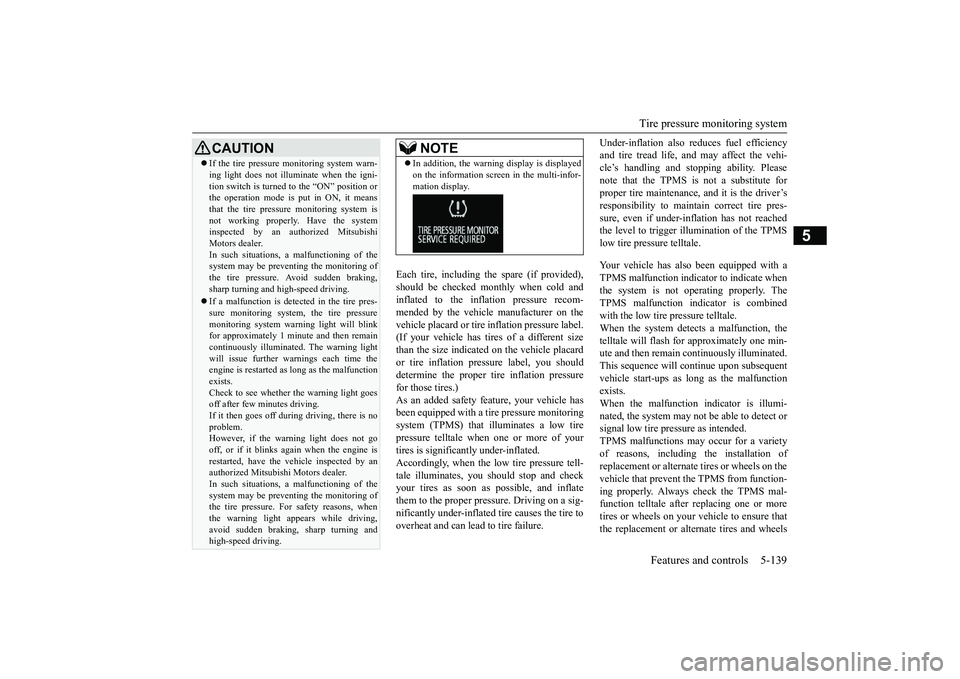
In addition, the warni
ng display is displayed
on the information screen in the multi-infor-mation display.
BK0249100US.book 139 ページ 2017年5月10日 水曜日 午前8時49分
Page 236 of 441
Multi Information display - Type 1
Features and controls 5-155
5
N00554901280
Each time you press this button, there is asound and the brightness
of the instruments
changes.
N00555001422
The multi information display displays warn-ings, the odometer, trip odometer, servicereminder, engine cool
ant temperature, fuel
remaining, outside temper
ature, selector lever
position, average and momentary fuel con-sumption, driving range
, average speed, etc.
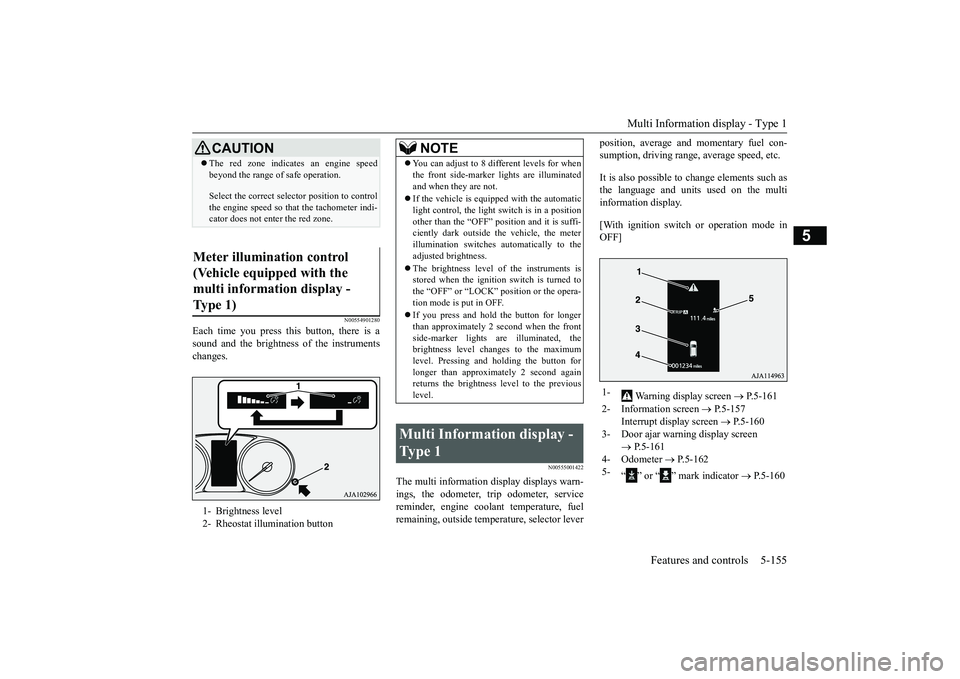
It is also possible to change elements such asthe language and units used on the multiinformation display.[With ignition switch
or operation mode in
OFF]
CAUTIONThe red zone indicates an engine speedbeyond the range of safe operation.Select the correct select
or position to control
the engine speed so that
the tachometer indi-
cator does not enter the red zone.
Meter illumination control (Vehicle equipped with the multi information display - Type 1) 1- Brightness level2- Rheostat illumination button
NOTE
You can adjust to 8 different levels for whenthe front side-marker
lights are illuminated
and when they are not.If the vehicle is equippe
d with the automatic
light control, the light
switch is in a position
other than the “OFF” pos
ition and it is suffi-
ciently dark outside th
e vehicle, the meter
illumination switches automatically to theadjusted brightness.The brightness level
of the instruments is
stored when the ignition switch is turned tothe “OFF” or “LOCK” tion mode is put in OFF.If you press and hold the button for longerthan approximately 2 second when the frontside-marker lights ar
e illuminated, the
brightness level changes to the maximumlevel. Pressing and holding the button forlonger than approximately 2 second againreturns the brightness
level to the previous
level.
Multi Information display - Type 1
1-
Warning display screen
P.5-161
2- Information screen
P.5-157
Interrupt display screen
P.5-160
3- Door ajar warning display screen
P.5-161
4- Odometer
P.5-162
5-
“ ” or “ ” mark indicator
P.5-160
BK0249100US.book 155 ページ 2017年5月10日 水曜日 午前8時49分