ignition MITSUBISHI OUTLANDER III 2018 User Guide
[x] Cancel search | Manufacturer: MITSUBISHI, Model Year: 2018, Model line: OUTLANDER III, Model: MITSUBISHI OUTLANDER III 2018Pages: 441, PDF Size: 13.71 MB
Page 87 of 441
Electronic immobilizer (Anti-theft starting system)
5
N00562201149
You can program new keys to the system ifyou have two valid (alr
eady registered) keys
and blank immobilizer ke
y (specially cut for
your vehicle at your Mitsubishi Motorsdealer) by doing the following:1. Insert the first valid key into the ignitionswitch and turn the key to the “ON” posi-tion for 5 seconds.2. Turn the key to the “OFF” or “LOCK”position and remove the first key.3. Within 30 seconds of removing the firstkey, insert the second valid key into theignition and turn it to the “ON” position.About 10 seconds la
ter, the immobilizer
display will start to blink.
4. When the immobilizer display startsblinking, turn the second valid key to the“OFF” or “LOCK” position and removeit. Within 30 seconds after doing so, inserta blank immobilizer ke
y into the ignition
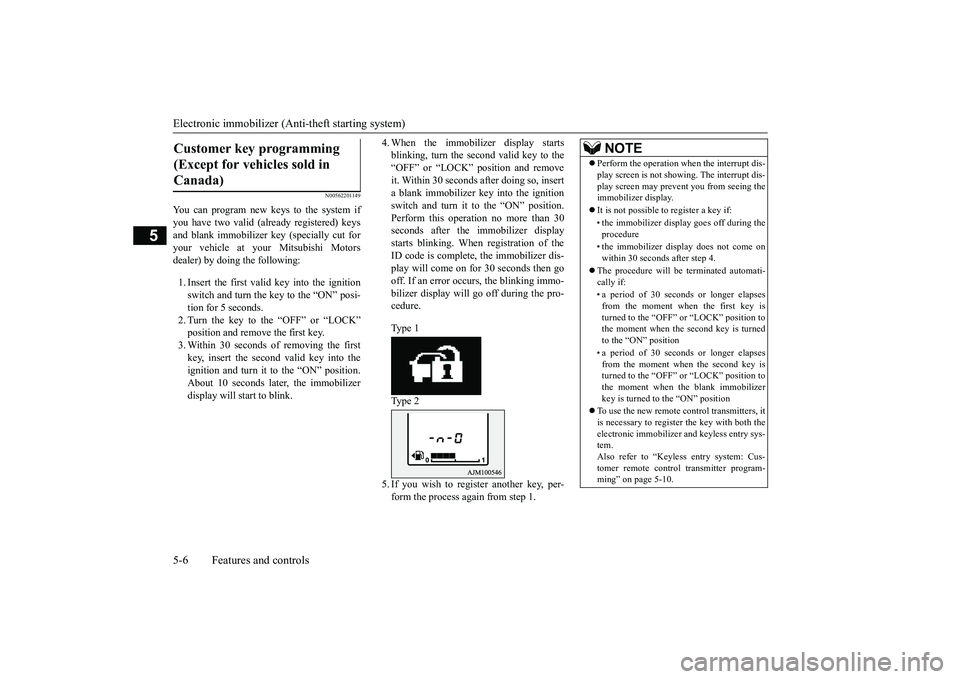
switch and turn it to the “ON” position.Perform this operation no more than 30seconds after the immobilizer displaystarts blinking. When registration of theID code is complete, the immobilizer dis-play will come on for 30 seconds then gooff. If an error occurs, the blinking immo-bilizer display will
go off during the pro-
cedure.Type 1Type 25. If you wish to register another key, per-form the process again from step 1.
Customer key programming (Except for vehicles sold in Canada)
NOTE
Perform the operation when the interrupt dis-play screen is not show
ing. The interrupt dis-
play screen may prevent you from seeing theimmobilizer display.It is not possible to
register a key if:
• the immobilizer disp
lay goes off during the
procedure• the immobilizer disp
lay does not come on
within 30 seconds after step 4.
The procedure will be terminated automati-cally if:• a period of 30 seconds or longer elapsesfrom the moment when the first key isturned to the “OFF” or “LOCK” position tothe moment when the second key is turnedto the “ON” position• a period of 30 seconds or longer elapsesfrom the moment when the second key isturned to the “OFF” or “LOCK” position tothe moment when the blank immobilizerkey is turned to the “ON” position
To use the new remote control transmitters, itis necessary to register
the key with both the
electronic immobilizer
and keyless entry sys-
tem.Also refer to “Keyless entry system: Cus-tomer remote control transmitter program-ming” on page 5-10.
BK0249100US.book 6 ページ 2017年5月10日 水曜日 午前8時49分
Page 89 of 441
Keyless entry system (if so equipped)5-8 Features and controls
5
Within approximately 2 seconds, press theUNLOCK button one more time to unlock allthe doors and liftgate.The dome light will turn on for 30 seconds.The turn signal lights will also blink twice.The front side-marker and parking lights willalso turn on for approximately 30 seconds.Refer to “Welcome light” on page 5-215.
Within 30 seconds of locking the doors andliftgate using the LOCK button, press theLOCK button twice rapidly to retract the out-side rearview mirrors.Within 30 seconds of unlocking the doors andliftgate using the UNLOCK button, press theUNLOCK button twice rapidly to return theoutside rearview mirrors to their extendedpositions.The outside rearview mirrors are not initiallyset to work as described above. If you wantthem to work as described above, you need toset them so that they do not retract/extendwhen the doors and liftgate arelocked/unlocked using
the keyless entry sys-
tem.For details, please consult an authorized Mit-subishi Motors dealer.
In a vehicle equipped with the SmartphoneLink Display Audio, it is
possible to change
the setting by means of
screen operations.
Refer to the separate owner’s manual fordetails.The horn and turn signal lights of the keylessentry system answerback function can bechanged as required. This is done with thekey removed from the ignition switch.The answerback function can be set in thefollowing three ways.Each time the answerback function is set, achime will sound to
tell you the condition of
the answerback function.
NOTE
On vehicles equipped wi
th the mirror retrac-
tor switch, the outside rearview mirrors auto-matically extend when the UNLOCKbutton(2) is pressed.On vehicles equippe
d with the Smartphone
Link Display Audio, the functions can beadjusted on the screen. For details, refer tothe separate owner’s manual.The door and liftgate
unlock function can be
set so that all doors a
nd liftgate unlock when
the UNLOCK button (2) is pressed once.Refer to “Setting of door
and liftgate unlock
function” on page 5-9.
Operation of the outside rear-view mirrors (Vehicles equipped with the mirror retractor switch)
To r e t r a c t
To e x t e n d
Answerback function
NOTE
The answerback functi
on will not operate if
any of the doors are open.
Horn deactivation/reactivation
One chime: The horn will not sound.Two chimes: The horn will sound.Four chimes: The hor
n will sound if the
LOCK button is pressed twicewithin 1 second.
BK0249100US.book 8 ページ 2017年5月10日 水曜日 午前8時49分
Page 90 of 441
Keyless entry system (if so equipped)
Features and controls 5-9
5
1. Remove the key from the ignition switch.2. Open the driver’s door and turn the com-bination headlights and dimmer switch tothe “OFF” position.3. Press the LOCK button (1) for 4 to 10 sec-onds and press the UNLOCK button (2)during this time.4. Release in sequence the UNLOCK andLOCK buttons within 5 seconds of press-ing the UNLOCK button in step 3.
The answerback function can be turned ONor OFF separately.1. Remove the key from the ignition switch.2. Open the driver’s door and turn the com-bination headlights and dimmer switch tothe “OFF” position.3. Press the UNLOCK button (2) for 4 to 10seconds and press the LOCK button (1)during this time.
4. Release in sequence the UNLOCK andLOCK buttons within 5 seconds of press-ing the LOCK button in step 3.
N00543601173
The door and liftgate
unlock function can be
set to the following two conditions.Each time the door and
liftgate unlock func-
tion is set, a chime wi
ll sound to tell you the
condition of the door and liftgate unlockfunction.1. Remove the key from the ignition switch.2. Open the driver’s door and turn the com-bination headlights and dimmer switch tothe “OFF” position.3. Press the LOCK button (1) for 4 to 10 sec-onds and press the UNLOCK button (2)during this time.4. Release in sequence the LOCK andUNLOCK buttons within 10 seconds ofpressing the LOCK button in step 3.
NOTE
On a vehicle equipped with the SmartphoneLink Display Audio, the functions can beadjusted on the screen. For details, refer tothe separate owner’s manual.
Turn signal lights deactiva-tion/reactivation
Number of chimes
To l o c k
To u n l o c k
One chime One flash Two flashesTwo chimes One flash No flashThree chimes No flash Two flashesFour chimes Two flashes One flashFive chimes No flash One flashSix chimes Two flashes No flashSeven chimes
No flash No flash
NOTE
On a vehicle equipped with the SmartphoneLink Display Audio, the functions can beadjusted on the screen. For details, refer tothe separate owner’s manual.
Setting of door and liftgate unlock function
Number of chimes
Condition
One chime
All doors and the liftgate unlock
Two chimes Driver’s door unlock only
NOTE
On a vehicle equipped with the SmartphoneLink Display Audio, the functions can beadjusted on the screen. For details, refer tothe separate owner’s manual.
BK0249100US.book 9 ページ 2017年5月10日 水曜日 午前8時49分
Page 92 of 441
Keyless entry system (if so equipped)
Features and controls 5-11
5
5. To register the ID codes of additionalremote control transmitters, repeat step 4within 60 seconds after step 4.6. If no ID code of a remote control trans-mitter is registered within 60 secondsafter step 4, the regi
stration mode is can-
celed and the normal mode returns.
N00546101124
Your keyless entry system operates on a radiofrequency subject to
Federal Communica-
tions Commission (FCC)
Rules (For vehicles
sold in U.S.A.) and Industry Canada Rules
(For vehicles sold in Canada). This devicecomplies with Part 15 of FCC Rules andIndustry Canada licenc
e-exempt RSS stan-
dard(s).Operation is subject to the following two con-ditions.This device may not
cause harmful inter-
ference.This device must ac
cept any interference
received, including interference that maycause undesired operation.
N00544101205
1. Before replacing the battery, remove staticelectricity from your body by touching ametal grounded object.
NOTE
For verification purposes, try to lock andunlock the doors after the registration iscompleted.The indicator light (4)
comes on each time a
button is pressed.The keyless entry system does not work ifthe key is in the ignition switch.The remote control tr
ansmitter can be used
from approximately 40
feet (12 m) away.
However, this distan
ce may change if your
vehicle is near a TV transmitting tower, apower station, or a radio station.If the UNLOCK button (2) is pressed whenall doors and the liftgate are locked and nodoors or the liftgate are opened withinapproximately 30 seconds, the doors and theliftgate will automatically re-lock.On a vehicle equipped with the SmartphoneLink Display Audio, the functions can beadjusted on the screen. For details, refer tothe separate owner’s manual.
If the following conditi
ons are observed after
pressing the LOCK (1) or UNLOCK (2) but-ton on the remote control transmitter, thebattery in the remote control transmitter mayneed to be replaced.• The doors and the lift
gate cannot be locked
or unlocked.• The panic alarm cannot be operated.• The indicator light
(4) is dim or does not
come on.
If you lose your remote control transmitter,please contact an au
thorized Mitsubishi
Motors dealer for a replacement.If you wish to obtain
an additional remote
control transmitter, please contact an autho-rized Mitsubishi Moto
rs dealer. A maximum
of 8 remote control tr
ansmitters can be pro-
grammed for your vehicle.To use the new remote control transmitters, itis necessary to register
the key with both the
electronic immobilizer and keyless entry sys-tem.Also refer to “Electronic immobilizer (Anti-theft starting system): Customer key pro-gramming” on page 5-6.
General information
NOTE
CAUTIONChanges or modifica
tions not expressly
approved by the manufacturer for compli-ance could void the user
’s authority to oper-
ate the equipment.
Procedure for replacing the remote control transmitter bat-tery
BK0249100US.book 11 ページ 2017年5月10日 水曜日 午前8時49分
Page 112 of 441
Free-hand Advanced Securi
ty Transmitter (F.A.S.T.-key) (if so equipped)
Features and controls 5-31
5
Press the UNLOCK button (2) to unlock thedriver’s door only.Within approximately 2 seconds, press theUNLOCK button one more time to unlock allthe doors and liftgate.The dome light will turn on for 30 seconds.The turn signal lights will also blink twice.The front side-marker
and parking lights will
also turn on for appr
oximately 30 seconds.
Refer to “Welcome light” on page 5-215.
The horn and turn signal lights of the keylessentry system answerback function can bechanged as required. This is done with thekey removed from the ignition switch.The answerback function can be set in thefollowing three ways.1. Put the operation mode in OFF.2. Open the driver’s door and turn the com-bination headlights a
nd dimmer switch to
the “OFF” position.3. Press the LOCK button (1) for 4 to 10 sec-onds and press the UNLOCK button (2)during this time.4. Release in sequence the UNLOCK andLOCK buttons within 10 seconds ofpressing the UNLOCK button in step 3.
The answerback function from the turn signallights can be turned ON or OFF separately.1. Put the operation mode in OFF.2. Open the driver’s door and turn the com-bination headlights and dimmer switch tothe “OFF” position.3. Press the UNLOCK button (2) for 4 to 10seconds and press the LOCK button (1)during this time.4. Release in sequence the UNLOCK andLOCK buttons within 10 seconds ofpressing the LOCK button in step 3.
To u n l o c k
NOTE
On vehicles equipped wi
th the mirror retrac-
tor switch, the outside rearview mirrors auto-matically extend when
the UNLOCK button
(2) is pressed.On a vehicle equipped with the SmartphoneLink Display Audio, the functions can beadjusted on the screen. For details, refer tothe separate owner’s manual.The door and liftgate unlock function can beset so that all doors and liftgate unlock whenthe UNLOCK button (2) is pressed once.Refer to “Setting of door
and liftgate unlock
function” on page 5-32.
Answerback function
Horn deactivation/reactivationOne chime: The horn will not sound.Two chimes: The horn will sound.Four chimes: The horn will sound if the
LOCK button is pressed twicewithin 1 second.
NOTE
On a vehicle equipped with the SmartphoneLink Display Audio, the functions can beadjusted on the screen. For details, refer tothe separate owner’s manual.
Turn signal light deactivation/reactiva-tionNumber of chimes
To l o c k
To u n l o c k
One chime One flash Two flashesTwo chimes One flash No flashThree chimes No flash Two flashesFour chimes Two flashes One flashFive chimes No flash One flash
BK0249100US.book 31 ページ 2017年5月10日 水曜日 午前8時49分
Page 116 of 441
Door locks
Features and controls 5-35
5
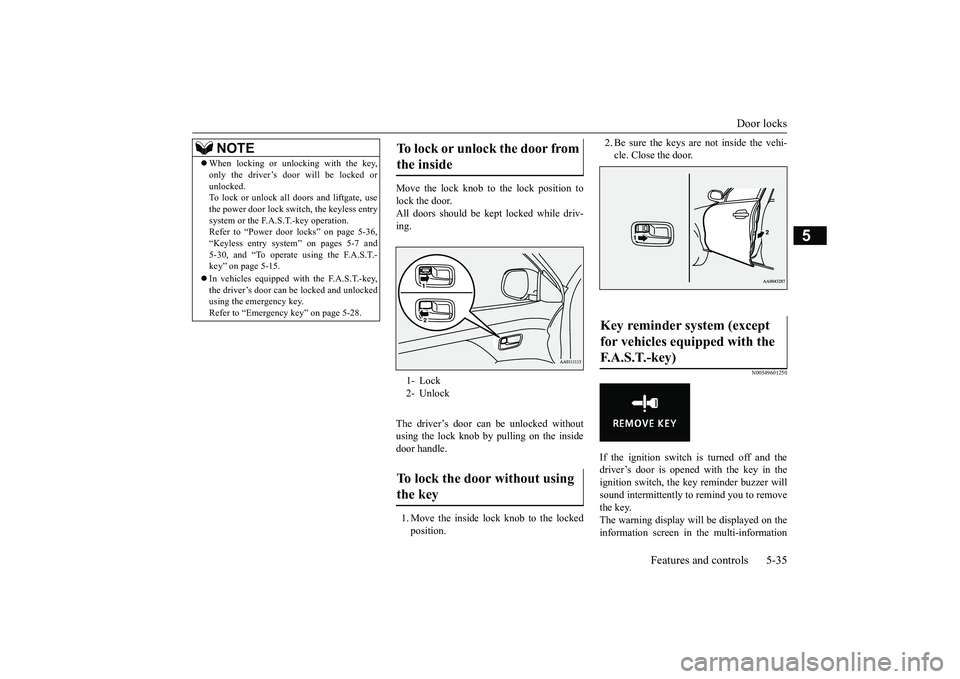
Move the lock knob to the lock position tolock the door.All doors should be kept
locked while driv-
ing.The driver’s door can be unlocked withoutusing the lock knob by pulling on the insidedoor handle.1. Move the inside lock knob to the lockedposition.
2. Be sure the keys are not inside the vehi-cle. Close the door.
N00549601250
If the ignition switch is turned off and thedriver’s door is opened with the key in theignition switch, the ke
y reminder buzzer will
sound intermittently to remind you to removethe key.The warning display will be displayed on theinformation screen in the multi-information
NOTE
When locking or unlocking with the key,only the driver’s door will be locked orunlocked.To lock or unlock all doors and liftgate, usethe power door lock swit
ch, the keyless entry
system or the F.A.S.T.-key operation.Refer to “Power door locks” on page 5-36,“Keyless entry system” on pages 5-7 and5-30, and “To operate using the F.A.S.T.-key” on page 5-15.In vehicles equipped wi
th the F.A.S.T.-key,
the driver’s door can be locked and unlockedusing the emergency key.Refer to “Emergency key” on page 5-28.
To lock or unlock the door from the inside 1- Lock2- UnlockTo lock the door without using the key
Key reminder system (except for vehicles equipped with the F. A . S . T. - k e y )
BK0249100US.book 35 ページ 2017年5月10日 水曜日 午前8時49分
Page 117 of 441
Power door locks5-36 Features and controls
5
display. (Color liquid crystal display typeonly)
N00517301052
If the key is in the ignition switch or the oper-ation mode is in any mode other than OFF,when you push the lock knob forward withthe driver’s door or passenger’s door open,the lock knob will automatically return to theunlocked position.
N00503801157
If the driver’s door is opened while the engineis stopped and the operation mode is in anymode other than OFF, the operation mode ONbuzzer will sound interm
ittently to remind
you put the operation mode in OFF.The warning display will be displayed on theinformation screen in the multi-informationdisplay. (Color liquid crystal display typeonly)
N00509301617
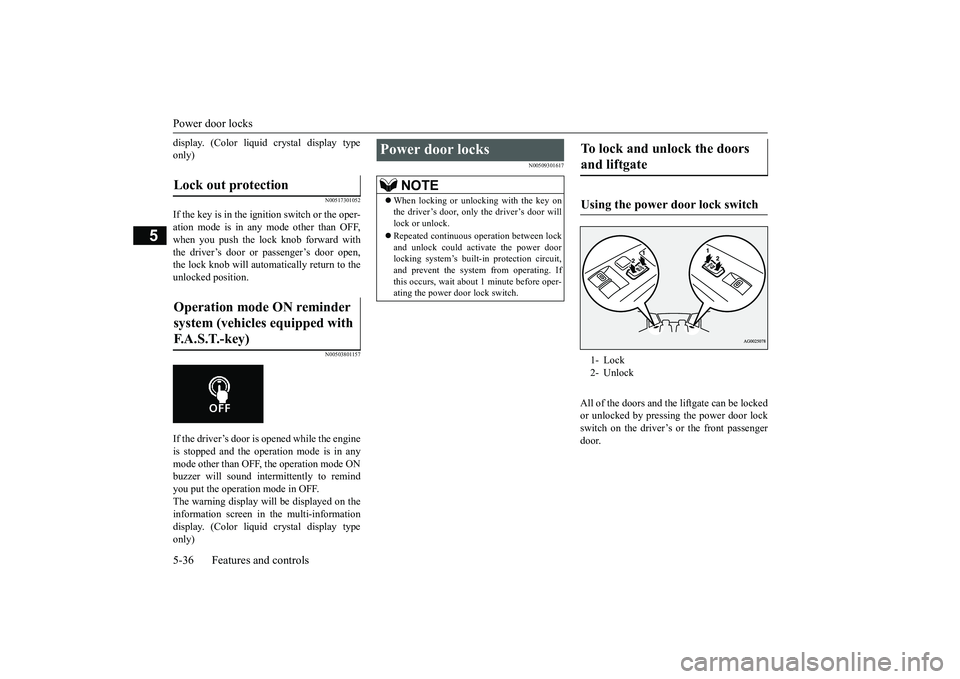
All of the doors and the liftgate can be lockedor unlocked by pressing the power door lockswitch on the driver’s or the front passengerdoor.
Lock out protection Operation mode ON reminder system (vehicles equipped with F.A.S.T.-key)
Power door locks
NOTE
When locking or unlocking with the key onthe driver’s door, only the driver’s door willlock or unlock.Repeated continuous
operation between lock
and unlock could activate the power doorlocking system’s built
-in protection circuit,
and prevent the system from operating. Ifthis occurs, wait about 1 minute before oper-ating the power door lock switch.
To lock and unlock the doors and liftgate Using the power door lock switch 1- Lock2- Unlock
BK0249100US.book 36 ページ 2017年5月10日 水曜日 午前8時49分
Page 118 of 441
Child safety locks for rear doorFeatures and controls 5-37
5
N00563401180
All doors and the liftg
ate will unlock when
the ignition switch is turned to the “OFF” or“LOCK” position or the operation mode isput in OFF.
All doors and the liftgate will unlock whenthe selector lever is moved to the “P” (PARK)position with the ignition
switch or the opera-
tion mode in ON.
N00509401298
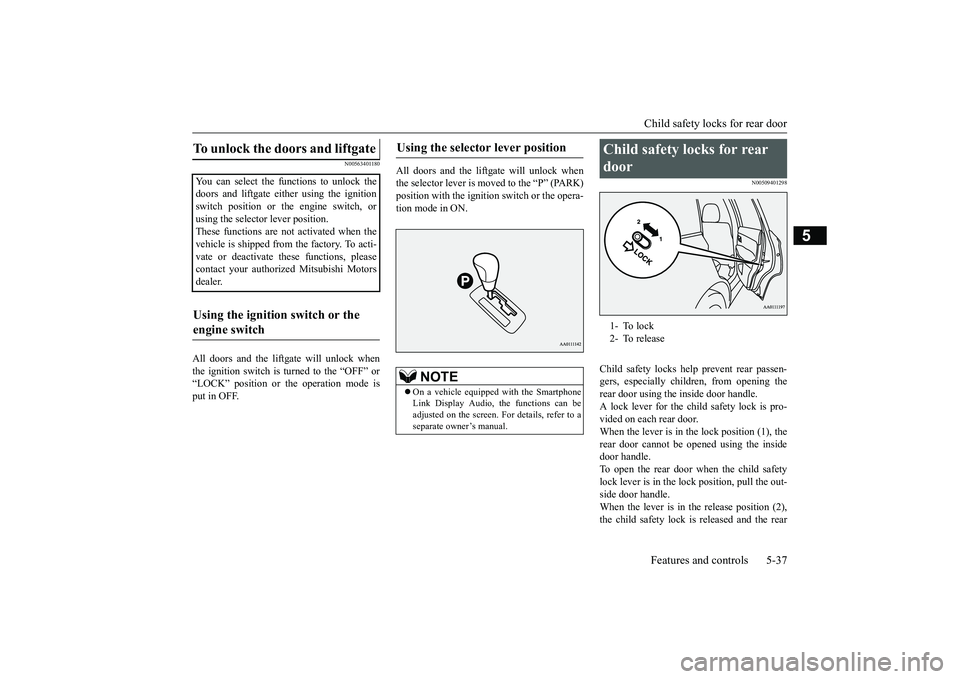
Child safety locks help prevent rear passen-gers, especially children, from opening therear door using the inside door handle.A lock lever for the child safety lock is pro-vided on each rear door.When the lever is in the lock position (1), therear door cannot be opened using the insidedoor handle.To open the rear door when the child safetylock lever is in the lock position, pull the out-side door handle.When the lever is in the release position (2),the child safety lock is released and the rear
To unlock the doors and liftgate You can select the functions to unlock thedoors and liftgate eith
er using the ignition
switch position or the engine switch, orusing the selector lever position.These functions are not activated when thevehicle is shipped from the factory. To acti-vate or deactivate th
ese functions, please
contact your authori
zed Mitsubishi Motors
dealer.Using the ignition switch or the engine switch
Using the selector lever position
NOTE
On a vehicle equipped with the SmartphoneLink Display Audio, the functions can beadjusted on the screen. For details, refer to aseparate owner’s manual.
Child safety locks for rear door 1- To lock2- To release
BK0249100US.book 37 ページ 2017年5月10日 水曜日 午前8時49分
Page 128 of 441
Theft-alarm system
Features and controls 5-47
5
N00510301226
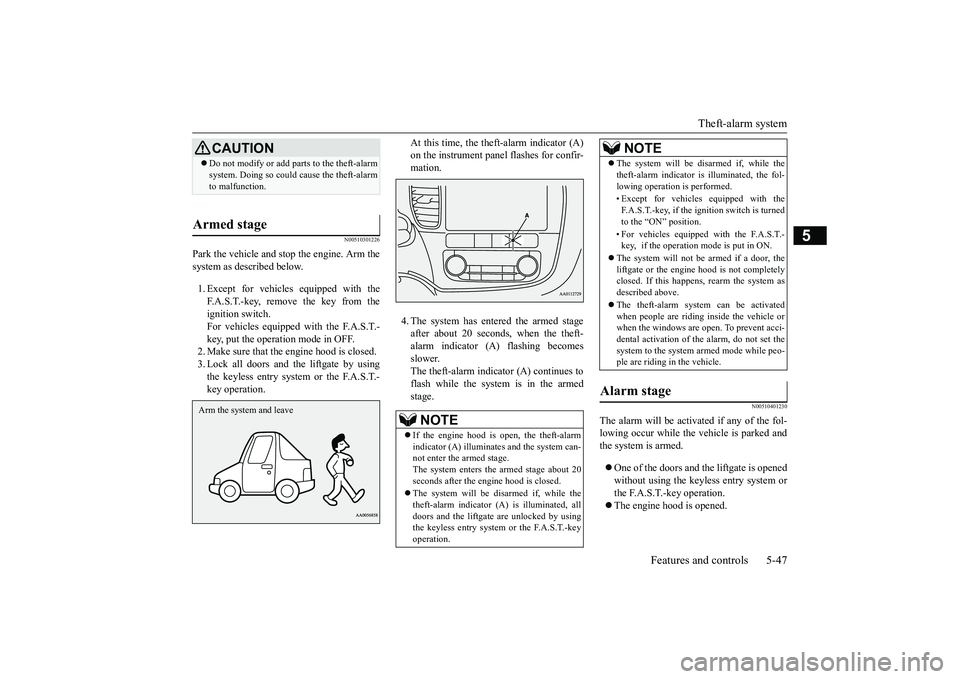
Park the vehicle and st
op the engine. Arm the
system as described below.1. Except for vehicles equipped with theF.A.S.T.-key, remove the key from theignition switch.For vehicles equipped with the F.A.S.T.-key, put the operation mode in OFF.2. Make sure that the engine hood is closed.3. Lock all doors and the liftgate by usingthe keyless entry system or the F.A.S.T.-key operation.
At this time, the theft-alarm indicator (A)mation.4. The system has entered the armed stageafter about 20 seconds, when the theft-alarm indicator (A) flashing becomesslower.The theft-alarm indicator (A) continues toflash while the system is in the armedstage.
N00510401230
The alarm will be activated if any of the fol-lowing occur while the ve
hicle is parked and
the system is armed.One of the doors and the liftgate is openedwithout using the keyless entry system orthe F.A.S.T.-key operation.The engine hood is opened.
CAUTIONDo not modify or add parts to the theft-alarmsystem. Doing so could cause the theft-alarmto malfunction.
Armed stage Arm the system and leave
NOTE
If the engine hood is open, the theft-alarmindicator (A) illuminates and the system can-not enter the armed stage.The system enters the armed stage about 20seconds after the e
ngine hood is closed.
The system will be disarmed if, while thetheft-alarm indicator (A) is illuminated, alldoors and the liftgate are unlocked by usingthe keyless entry system or the F.A.S.T.-keyoperation.
The system will be disarmed if, while thetheft-alarm indicator is illuminated, the fol-lowing operation is performed.• Except for vehicles equipped with theF.A.S.T.-key, if the ignition switch is turnedto the “ON” position.• For vehicles equippe
d with the F.A.S.T.-
key, if the operation mode is put in ON.
The system will not be armed if a door, theliftgate or the engine
hood is not completely
closed. If this happens, rearm the system asdescribed above.The theft-alarm system can be activatedwhen people are riding inside the vehicle orwhen the windows are open. To prevent acci-dental activati
on of the alarm, do not set the
system to the system armed mode while peo-ple are riding in the vehicle.
Alarm stage
NOTE
BK0249100US.book 47 ページ 2017年5月10日 水曜日 午前8時49分
Page 129 of 441
Theft-alarm system5-48 Features and controls
5
N00582500040
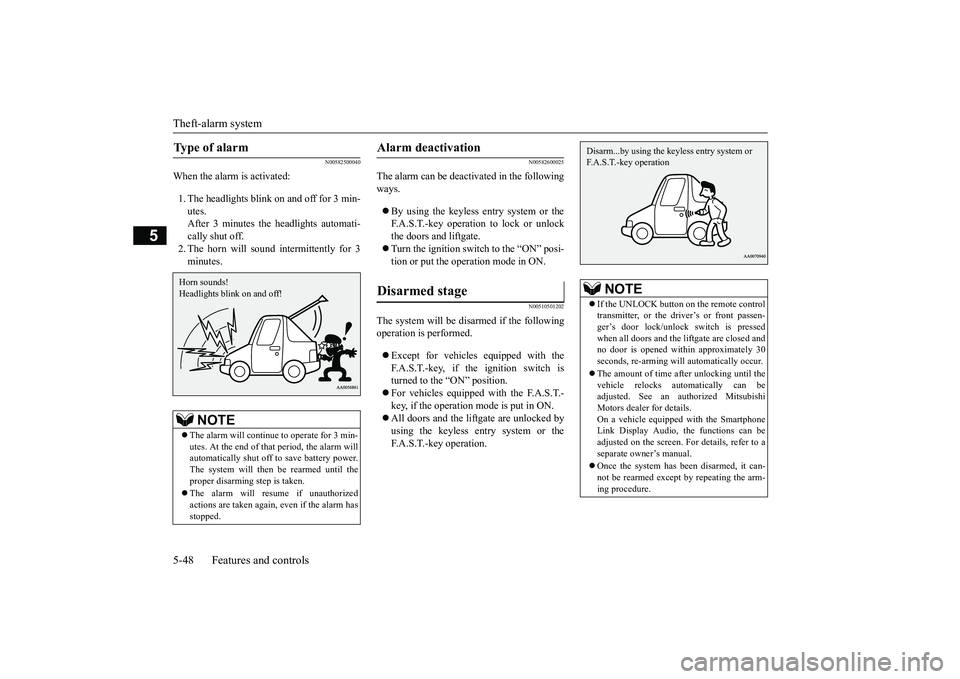
When the alarm is activated:1. The headlights blink on and off for 3 min-utes.After 3 minutes the headlights automati-cally shut off.2. The horn will sound intermittently for 3minutes.
N00582600025
The alarm can be deacti
vated in the following
ways.By using the keyless entry system or theF.A.S.T.-key operation to lock or unlockthe doors and liftgate.Turn the ignition switch to the “ON” posi-tion or put the operation mode in ON.
N00510501202
The system will be disarmed if the followingoperation is performed.Except for vehicles equipped with theF.A.S.T.-key, if the ignition switch isturned to the “ON” position.For vehicles equipped with the F.A.S.T.-key, if the operation mode is put in ON.All doors and the lift
gate are unlocked by
using the keyless entry system or theF.A.S.T.-key operation.
Type of alarm
NOTE
The alarm will continue
to operate for 3 min-
utes. At the end of that
period, the alarm will
automatically shut off
to save battery power.
The system will then be rearmed until theproper disarming step is taken.The alarm will resu
me if unauthorized
actions are taken again, even if the alarm hasstopped.Horn sounds!Headlights blink on and off!
Alarm deactivation Disarmed stage
NOTE
If the UNLOCK button on the remote controltransmitter, or the driver’s or front passen-ger’s door lock/unlock switch is pressedwhen all doors and the li
ftgate are closed and
no door is opened with
in approximately 30
seconds, re-arming will
automatically occur.
The amount of time after unlocking until thevehicle relocks automatically can beadjusted. See an authorized MitsubishiMotors dealer for details.On a vehicle equipped with the SmartphoneLink Display Audio, the functions can beadjusted on the screen. For details, refer to aseparate owner’s manual.Once the system has been disarmed, it can-not be rearmed except
by repeating the arm-
ing procedure.Disarm...by using the keyless entry system or F.A.S.T.-key operation
BK0249100US.book 48 ページ 2017年5月10日 水曜日 午前8時49分