ignition MITSUBISHI OUTLANDER III 2018 Owner's Guide
[x] Cancel search | Manufacturer: MITSUBISHI, Model Year: 2018, Model line: OUTLANDER III, Model: MITSUBISHI OUTLANDER III 2018Pages: 441, PDF Size: 13.71 MB
Page 146 of 441
Steering wheel lock (if so equipped)
Features and controls 5-65
5
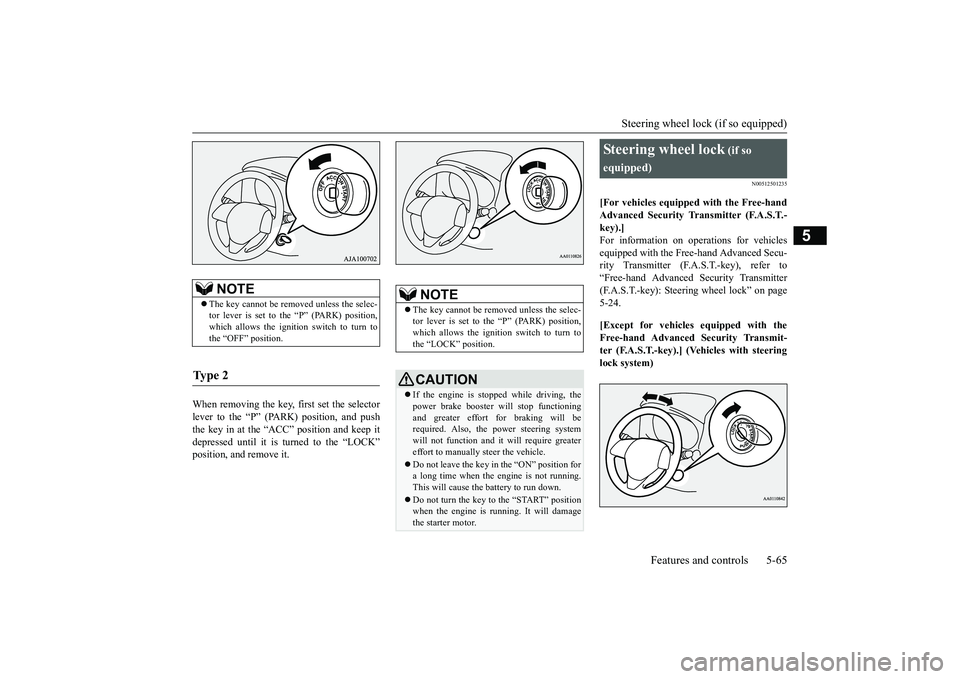
When removing the key, first set the selectorlever to the “P” (PARK) position, and pushthe key in at the “ACC” position and keep itdepressed until it is turned to the “LOCK”position, and remove it.
N00512501235
[For vehicles equipped with the Free-handAdvanced Security Tr
ansmitter (F.A.S.T.-
key).]For information on operations for vehiclesequipped with the Free-hand Advanced Secu-rity Transmitter (F.A
.S.T.-key), refer to
“Free-hand Advanced
Security Transmitter
(F.A.S.T.-key): Steering wheel lock” on page5-24.[Except for vehicles equipped with theFree-hand Advanced Security Transmit-ter (F.A.S.T.-key).] (Vehicles with steeringlock system)
NOTE
The key cannot be rem
oved unless the selec-
tor lever is set to the “P” (PARK) position,which allows the ignition switch to turn tothe “OFF” position.
Ty p e 2
NOTE
The key cannot be rem
oved unless the selec-
tor lever is set to the “P” (PARK) position,which allows the ignition switch to turn tothe “LOCK” position.CAUTIONIf the engine is stoppe
d while driving, the
power brake booster will stop functioningand greater effort for braking will berequired. Also, the power steering systemwill not function and it
will require greater
effort to manually steer the vehicle.Do not leave the key in
the “ON” position for
a long time when the engine is not running.This will cause the battery to run down.Do not turn the key to the “START” positionwhen the engine is ru
nning. It will damage
the starter motor.
Steering wheel lock
(if so
equipped)
BK0249100US.book 65 ページ 2017年5月10日 水曜日 午前8時49分
Page 147 of 441
Starting the engine5-66 Features and controls
5
Remove the key at
the “LOCK” position.
Turn the steering wheel until it is locked.Turn the key to the “ACC” position whilemoving the steering
wheel slightly.
N00512601858
[For vehicles equipped with the Free-handAdvanced Security Transmitter (F.A.S.T.-key).]For information on operation for vehiclesequipped with the Free-hand Advanced Secu-rity Transmitter (F.A.S.T.-key), refer to
“Free-hand Advanced
Security Transmitter
(F.A.S.T.-key): Starting” on page 5-13.[Except for vehicles equipped with theFree-hand Advanced Se
curity Transmit-
ter (F.A.S.T.-key).]Do not operate the starter motor continu-ously for longer than 15 seconds as thiscould run the battery
down or damage the
starter motor. If the engine does not start,turn the ignition switch back to the “OFF”or “LOCK” position, wait a few seconds,and then try again. Trying repeatedly withthe engine or starter motor still turningwill damage the starter mechanism.If the engine will not
start because the bat-
tery is weak or discharged, refer to“Jump-starting the engine” (on page 8-2)for instructions.A longer warm up period will only con-sume extra fuel. The engine is warmed upenough for driving when the bar graph ofengine coolant temper
ature display starts
to move or the low coolant temperatureindicator goes out. Refer to “Engine cool-ant temperature display” on page 5-161 or“Low coolant temper
ature indicator” on
page 5-202.
This model is equipped with an electronicallycontrolled fuel injection system. This is a sys-tem that automatically controls fuel injection.There is usually no need to depress the accel-erator pedal when starting the engine.The starter should not be run for more than 15seconds at a time.To prevent battery drain, wait a few secondsbetween attempts to restart the engine.1. Make sure all occupants are properlyseated with seat belts fastened.
To l o c k
To u n l o c k
CAUTIONRemove the key when leaving the vehicle.NOTE
If the front wheels are turned, the anti-theftlock may sometimes make it difficult to turnthe key from “LOCK” to “ACC”. Firmlyturn the steering wheel to the left or to theright as you turn the key.
Starting the engine
Tips for starting
WA R N I N GNever run the engine in
a closed or poorly
ventilated area any longer than is neededto move your vehicle
out of the area. Car-
bon monoxide gas, wh
ich is odorless and
extremely poisonous, could build up andcause serious injury or death.CAUTIONDo not push-start the vehicle.Do not run the engine at high rpms or driveat high speeds until
the engine has had a
chance to warm up.Release the ignition sw
itch as soon as the
engine starts. Otherwis
e, the starter motor
will be damaged
Starting the engine
BK0249100US.book 66 ページ 2017年5月10日 水曜日 午前8時49分
Page 148 of 441

Starting the engine
Features and controls 5-67
5
2. Insert the ignition key.3. Press and hold the brake pedal downfirmly with your right foot.4. Make sure the selector
lever is in the “P”
5. Turn the ignition switch to the “ON” posi-tion and make certain that all warninglights are functioning properly beforestarting the engine.6. Turn the ignition switch to the “START”
ng the accelerator
pedal. Release the ignition switch whenthe engine starts.
After several attempts, you may experiencethat the engine still does not start.1. Make sure that all electric devices, suchas lights, air conditio
ning blower and rear
window defogger, are turned off.
2. While depressing the brake pedal, pressthe accelerator peda
l halfway and hold it
there, then crank th
e engine. Release the
accelerator pedal, immediately after theengine starts.3. If the engine still will not start, the enginecould be flooded with too much gasoline.While depressing the brake pedal, pushthe accelerator pedal all the way downand hold it there, then crank the engine for5 to 6 seconds. Retu
rn the ignition switch
to the “OFF” or “LOCK” position andrelease the accelerator pedal. Wait a fewseconds, and then crank the engine againfor 5 to 6 seconds while depressing thebrake pedal, but do no
t push the accelera-
tor pedal. Release the ignition switch ifthe engine starts. If the engine fails tostart, repeat these procedures. If theengine still will not
start, contact your
local Mitsubishi Motors dealer or a repairfacility of your choi
ce for assistance.
When the ambient temperature is -22 °F (-30°C) or lower, it may not be possible to startfrom a standstill even with the selector lever
in the
Page 157 of 441
Continuously variable transmission (CVT) (if so equipped)5-76 Features and controls
5
N00563301062
When the selector lever cannot be shiftedfrom the “P” (PARK) position to anotherposition while the brake pedal is pressed andheld down with the ignition switch at the“ON” position or the operation mode in ON,the battery may be flat or the shift-lock mech-anism may be malfunctioning.Immediately have your
vehicle checked by an
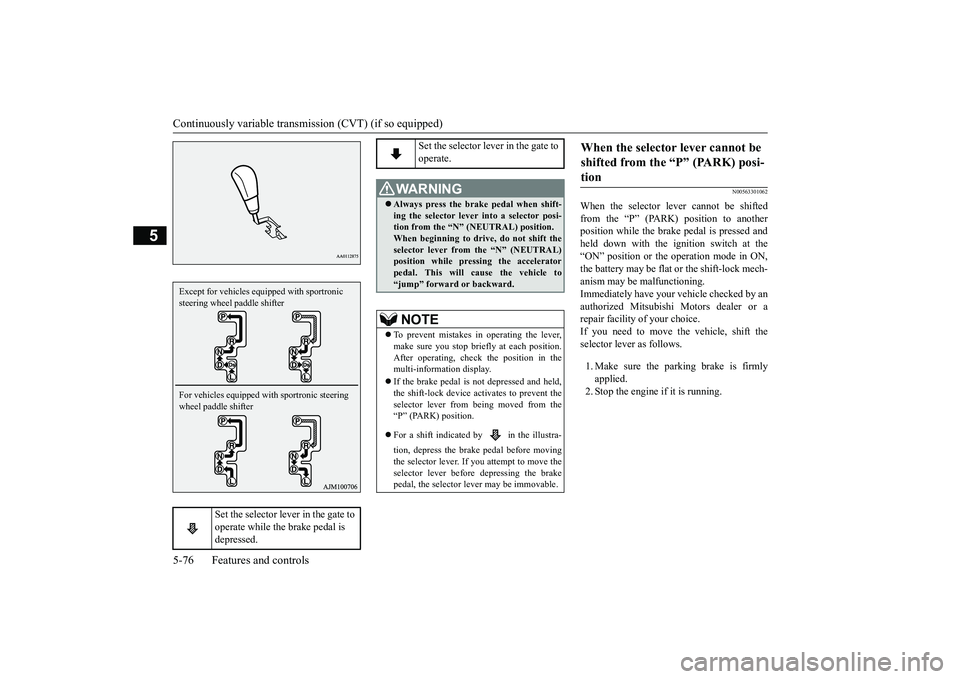
authorized Mitsubishi Motors dealer or arepair facility of your choice.If you need to move the vehicle, shift theselector lever as follows.1. Make sure the parking brake is firmlyapplied.2. Stop the engine if it is running.
Set the selector lever in the gate to operate while the brake pedal is depressed.
Except for vehicles equipped with sportronic steering wheel paddle shifterFor vehicles equipped with sportronic steering wheel paddle shifter
Set the selector lever in the gate to operate.
WA R N I N GAlways press the brake pedal when shift-ing the selector lever into a selector posi-tion from the
Page 158 of 441
Continuously variable transmission (CVT) (if so equipped)
Features and controls 5-77
5
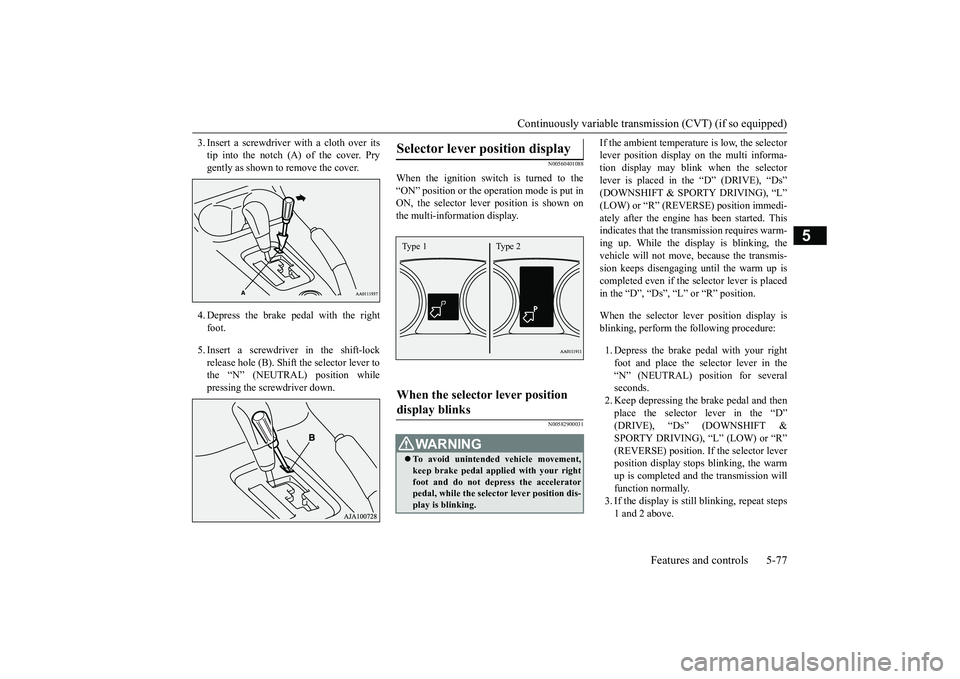
3. Insert a screwdrive
r with a cloth over its
tip into the notch (A) of the cover. Prygently as shown to remove the cover.4. Depress the brake pe
dal with the right
foot.5. Insert a screwdriver in the shift-lockrelease hole (B). Shift the selector lever tothe “N” (NEUTRAL) position whilepressing the screwdriver down.
N00560401088
When the ignition switch is turned to the“ON” position or the ope
ration mode is put in
ON, the selector leve
r position is shown on
the multi-information display.
N00582900031
If the ambient temperature is low, the selectorlever position display on the multi informa-tion display may blink when the selectorlever is placed in the “D” (DRIVE), “Ds”ately after the engine has been started. Thisindicates that the tran
smission requires warm-
ing up. While the display is blinking, thevehicle will not move,
because the transmis-
sion keeps disengaging until the warm up iscompleted even if the selector lever is placedin the “D”, “Ds”, “L” or “R” position.When the selector le
ver position display is
blinking, perform th
e following procedure:
1. Depress the brake pedal with your rightfoot and place the se
lector lever in the
“N” (NEUTRAL) position for severalseconds.2. Keep depressing the brake pedal and thenplace the selector lever in the “D”SPORTY DRIVING), “L” (LOW) or “R”(REVERSE) position. If the selector leverposition display stops
blinking, the warm
up is completed and the transmission willfunction normally.3. If the display is still
blinking, repeat steps
1 and 2 above.
Selector lever position display
When the selector lever position display blinks
WA R N I N GTo avoid unintended
vehicle movement,
keep brake pedal applied with your rightfoot and do not depress the acceleratorpedal, while the selector lever position dis-play is blinking.Type 1 Type 2
BK0249100US.book 77 ページ 2017年5月10日 水曜日 午前8時49分
Page 164 of 441
Electronically controlled 4WD system (if so equipped)
Features and controls 5-83
5
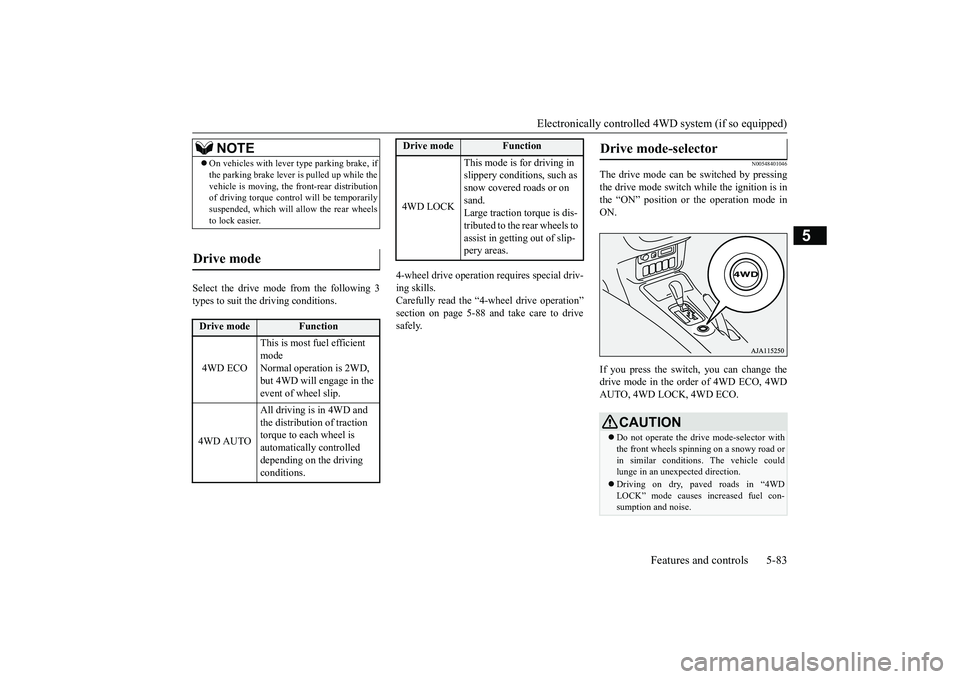
Select the drive mode from the following 3types to suit the driving conditions.
4-wheel drive operation requires special driv-ing skills.Carefully read the “4-wheel drive operation”section on page 5-88 and take care to drivesafely.
N00548401046
The drive mode can be switched by pressingthe drive mode switch while the ignition is inthe “ON” position or the operation mode inON.If you press the switch, you can change thedrive mode in the order of 4WD ECO, 4WDAUTO, 4WD LOCK, 4WD ECO.
NOTE
On vehicles with lever
type parking brake, if
the parking brake lever is pulled up while thevehicle is moving, the
front-rear distribution
of driving torque contro
l will be temporarily
suspended, which will allow the rear wheelsto lock easier.
Drive mode
Drive mode
Function
4WD ECO
This is most fuel efficient modeNormal operation is 2WD, but 4WD will engage in the event of wheel slip.
4WD AUTO
All driving is in 4WD and the distribution of traction torque to each wheel is automatically controlled depending on the driving conditions.
4WD LOCK
This mode is for driving in slippery conditions, such as snow covered roads or on sand.Large traction torque is dis-tributed to the rear wheels to assist in getting out of slip-pery areas.
Drive mode
Function
Drive mode-selector
CAUTIONDo not operate the drive mode-selector withthe front wheels spinning on a snowy road orin similar conditions
. The vehicle could
lunge in an unexpe
cted direction.
Driving on dry, paved roads in “4WDLOCK” mode causes increased fuel con-sumption and noise.
BK0249100US.book 83 ページ 2017年5月10日 水曜日 午前8時49分
Page 179 of 441
Anti-lock braking system5-98 Features and controls
5
N00531601684
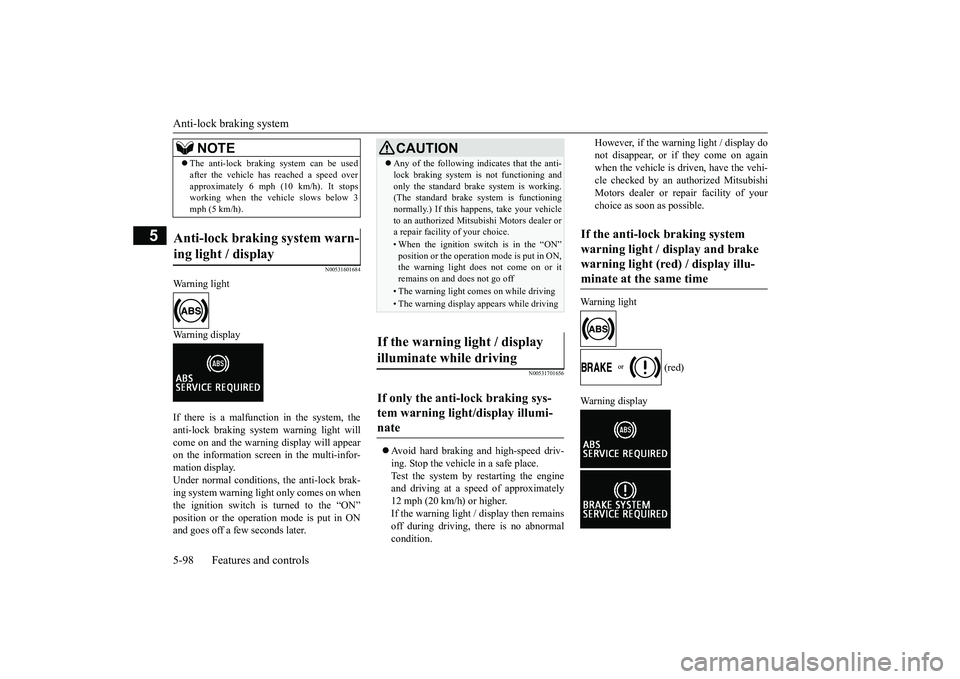
Warning lightWarning displayIf there is a malfunction in the system, theanti-lock braking system warning light willcome on and the warning display will appearon the information screen in the multi-infor-mation display.Under normal conditions, the anti-lock brak-ing system warning light only comes on whenthe ignition switch is turned to the “ON”and goes off a few seconds later.
N00531701656
Avoid hard braking and high-speed driv-ing. Stop the vehicl
e in a safe place.
Test the system by restarting the engineand driving at a speed of approximately12 mph (20 km/h) or higher.If the warning light / display then remainsoff during driving, there is no abnormalcondition.
However, if the warning light / display donot disappear, or if they come on againwhen the vehicle is driven, have the vehi-cle checked by an authorized MitsubishiMotors dealer or repair facility of yourchoice as soon
as possible.
Warning light
(red)
The anti-lock braking system can be usedafter the vehicle has
reached a speed over
approximately 6 mph (10 km/h). It stopsworking when the vehicle slows below 3mph (5 km/h).
Anti-lock braking system warn-ing light / display
NOTE
CAUTIONAny of the following i
ndicates that the anti-
lock braking system is not functioning andonly the standard brake system is working.(The standard brake system is functioningnormally.) If this happens, take your vehicleto an authorized Mitsubishi Motors dealer ora repair facility
of your choice.
• When the ignition switch is in the “ON”position or the operation mode is put in ON,the warning light doe
s not come on or it
remains on and does not go off• The warning light comes on while driving• The warning display appears while driving
If the warning light / display illuminate while driving If only the anti-lock braking sys-tem warning light/display illumi-nate
If the anti-lock braking system warning light / display and brake warning light (red) / display illu-minate at the same time
BK0249100US.book 98 ページ 2017年5月10日 水曜日 午前8時49分
Page 181 of 441
Active stability control (ASC)
5
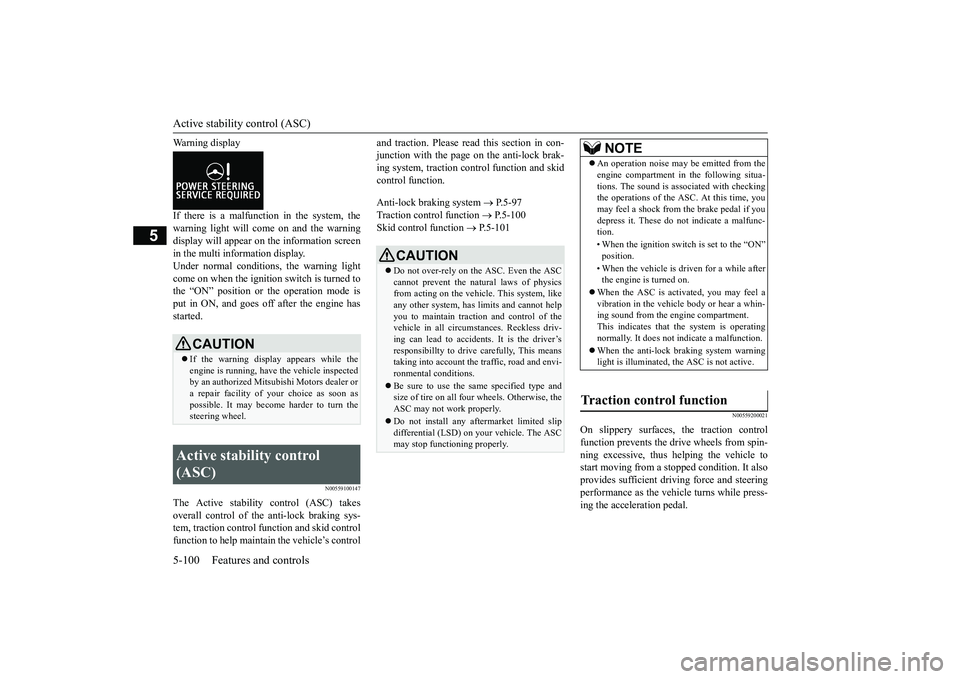
Warning displayIf there is a malfunction in the system, thewarning light will come on and the warningdisplay will appear on the information screenin the multi information display.Under normal conditions, the warning lightcome on when the ignition switch is turned tothe “ON” position or the operation mode isput in ON, and goes off after the engine hasstarted.
N00559100147
The Active stability
control (ASC) takes
overall control of the
anti-lock braking sys-
tem, traction control function and skid controlfunction to help maintain the vehicle’s control
and traction. Please read
this section in con-
junction with the page on the anti-lock brak-ing system, traction c
ontrol function and skid
control function.Anti-lock braking system
P.5-97
Traction control function
P.5-100
Skid control function
P.5-101
N00559200021
On slippery surfaces, the traction controlfunction prevents the drive wheels from spin-ning excessive, thus helping the vehicle tostart moving from a stopp
ed condition.
It also
provides sufficient driv
ing force and steering
performance as the vehicle turns while press-ing the acceleration pedal.
CAUTIONIf the warning display appears while theengine is running, have
the vehicle inspected
by an authorized Mitsubishi Motors dealer ora repair facility of
your choice as soon as
possible. It may become harder to turn thesteering wheel.
Active stability control (ASC)
CAUTIONDo not over-rely on the ASC. Even the ASCcannot prevent the natural laws of physicsfrom acting on the vehicle. This system, likeany other system, has
limits and cannot help
you to maintain traction and control of thevehicle in all circumstances. Reckless driv-ing can lead to accident
s. It is the driver’s
responsibillty to drive carefully, This meanstaking into account the traffic, road and envi-ronmental conditions.Be sure to use the same specified type andsize of tire on all four
wheels. Otherwise, the
ASC may not work properly.Do not install any aftermarket limited slipdifferential (LSD) on your vehicle. The ASCmay stop functioning properly.
NOTE
An operation noise may be emitted from theengine compartment in the following situa-tions. The sound is associated with checkingthe operations of the ASC. At this time, youmay feel a shock from the brake pedal if youdepress it. These do not indicate a malfunc-tion.• When the ignition switc
h is set to the “ON”
• When the vehicle is driven for a while afterthe engine is turned on.
When the ASC is acti
vated, you may feel a
vibration in the vehicl
e body or hear a whin-
ing sound from the engine compartment.This indicates that th
e system is operating
normally. It does not i
ndicate a malfunction.
When the anti-lock braking system warninglight is illuminated, the ASC is not active.
Traction control function
BK0249100US.book 100 ページ 2017年5月10日 水曜日 午前8時49分
Page 182 of 441
Active stability control (ASC)Features and controls 5-101
5
N00559300019
The skid control function is designed to helpthe driver maintain control of the vehicle onslippery roads or during rapid steeringmaneuvers. It works by
controlling the engine
output and the brake on each wheel.
N00559401307
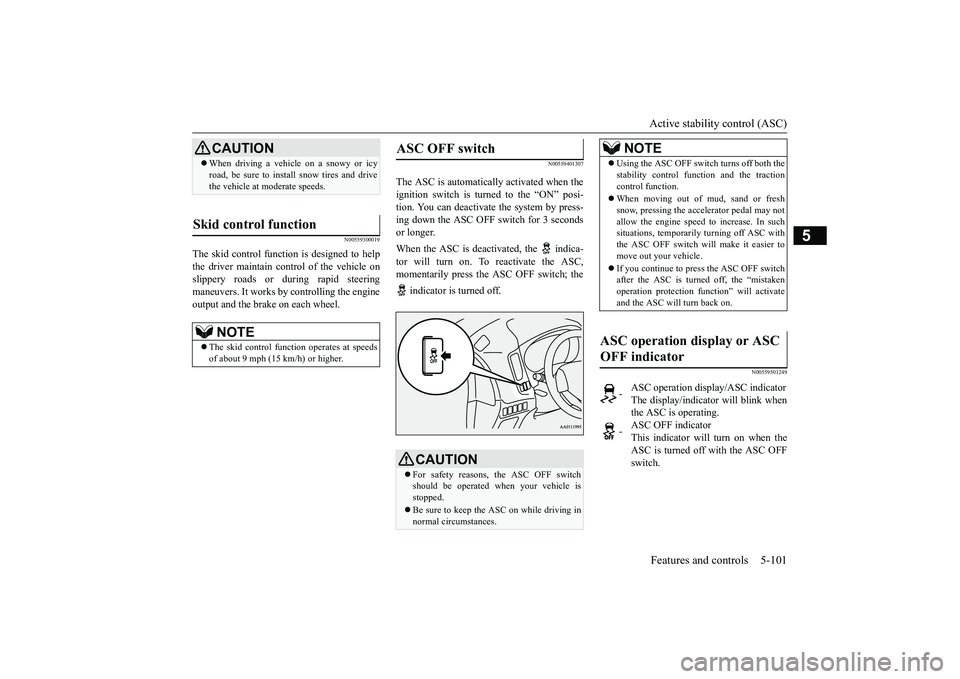
The ASC is automatically activated when theignition switch is turned to the “ON” posi-tion. You can deactivate
the system by press-
ing down the ASC OFF switch for 3 secondsor longer. When the ASC is deacti
vated, the indica-
tor will turn on. To reactivate the ASC,momentarily press the ASC OFF switch; the indicator is turned off.
N00559501249
CAUTIONWhen driving a vehicle on a snowy or icyroad, be sure to install snow tires and drivethe vehicle at moderate speeds.
Skid control function
NOTE
The skid control func
tion operates
at speeds
of about 9 mph (15 km/h) or higher.
ASC OFF switch
CAUTIONFor safety reasons, the ASC OFF switchshould be operated when your vehicle isstopped. Be sure to keep the ASC on while driving innormal circumstances.
NOTE
Using the ASC OFF swit
ch turns off both the
stability control function and the tractioncontrol function.When moving out of mud, sand or freshsnow, pressing the ac
celerator pedal may not
allow the engine speed to increase. In suchsituations, temporaril
y turning off ASC with
the ASC OFF switch will make it easier tomove out your vehicle.If you continue to press the ASC OFF switchafter the ASC is turned off, the “mistakenoperation protection func
tion” will activate
and the ASC will turn back on.
ASC operation display or ASC OFF indicator
-
ASC operation display/ASC indicatorThe display/indicato
r will blink when
the ASC is operating.
-
ASC OFF indicatorThis indicator will turn on when theASC is turned off with the ASC OFFswitch.
BK0249100US.book 101 ページ 2017年5月10日 水曜日 午前8時49分
Page 183 of 441
Active stability control (ASC)
5
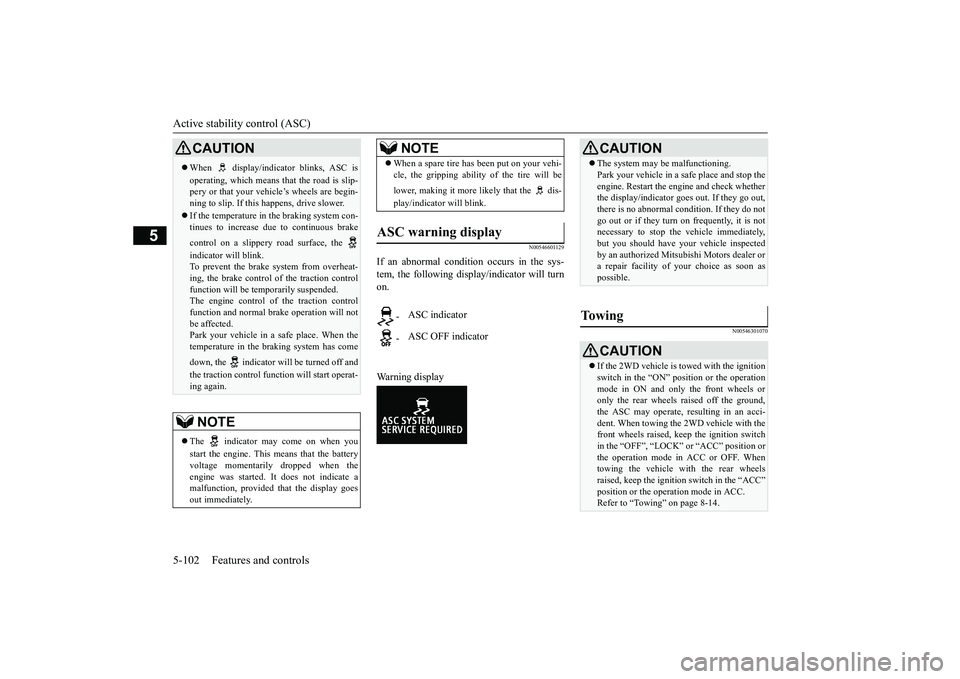
N00546601129
If an abnormal condition occurs in the sys-tem, the following disp
lay/indicator will turn
on.Warning display
N00546301070
CAUTIONWhen display/indicator blinks, ASC isoperating, which means that the road is slip-pery or that your vehi
cle’s wheels are begin-
ning to slip. If this happens, drive slower.If the temperature in the braking system con-tinues to increase due
to continuous brake
control on a slippery
road surface, the
indicator will blink.To prevent the brake system from overheat-ing, the brake control
of the traction control
function will be tem
porarily suspended.
The engine control of the traction controlfunction and normal brake operation will notbe affected.Park your vehicle in a safe place. When thetemperature in the braking system has comedown, the indicator will be turned off andthe traction control func
tion will start operat-
ing again.NOTE
The indicator may come on when youstart the engine. This means that the batteryvoltage momentarily dropped when theengine was started. It
does not indicate a
malfunction, provided th
at the display goes
out immediately.
When a spare tire has been put on your vehi-cle, the gripping ability of the tire will belower, making it more likely that the dis-play/indicator will blink.
ASC warning display
-
ASC indicator
-
ASC OFF indicatorNOTE
CAUTIONThe system may be malfunctioning.Park your vehicle in a
safe place and stop the
engine. Restart the engi
ne and check whether
the display/indicator goe
s out. If they go out,
there is no abnormal condition. If they do notgo out or if they turn on frequently, it is notnecessary to stop the
vehicle immediately,
but you should have your vehicle inspectedby an authorized Mitsubishi Motors dealer ora repair facility of
your choice as soon as
possible.
To w i n g
CAUTIONIf the 2WD vehicle is to
wed with the ignition
switch in the “ON” pos
ition or the operation
mode in ON and only the front wheels oronly the rear wheels raised off the ground,the ASC may operate, resulting in an acci-dent. When towing the 2WD vehicle with thefront wheels raised, keep the ignition switchin the “OFF”, “LOCK” or “ACC” position orthe operation mode in ACC or OFF. Whentowing the vehicle with the rear wheelsraised, keep the ignition switch in the “ACC”Refer to “Towing” on page 8-14.
BK0249100US.book 102 ページ 2017年5月10日 水曜日 午前8時49分