reset MITSUBISHI OUTLANDER III 2018 User Guide
[x] Cancel search | Manufacturer: MITSUBISHI, Model Year: 2018, Model line: OUTLANDER III, Model: MITSUBISHI OUTLANDER III 2018Pages: 441, PDF Size: 13.71 MB
Page 256 of 441
Multi Information display - Type 2
Features and controls 5-175
5
N00574901039
The odometer indicates the total distance thevehicle has traveled.
N00575001037
The trip odometer indicates the distance trav-eled between two points.To return the display to 0, hold down themulti information display switch for about 2seconds or more. Only the currently dis-played value wi
ll be reset.
ExampleIf trip odometer is displayed, only tripodometer will be reset.
Both trip odometers and cancount up to 9999.9 m
iles/kilometers.
When a trip odometer goes past 9999.9miles/kilometers, it returns to 0.0 miles/kilometers.When disconnecting th
e battery terminal,
the memories of trip odometer displays
and are cleared, and their displays
return to “0.0 miles/kilometers”.
N00578900030
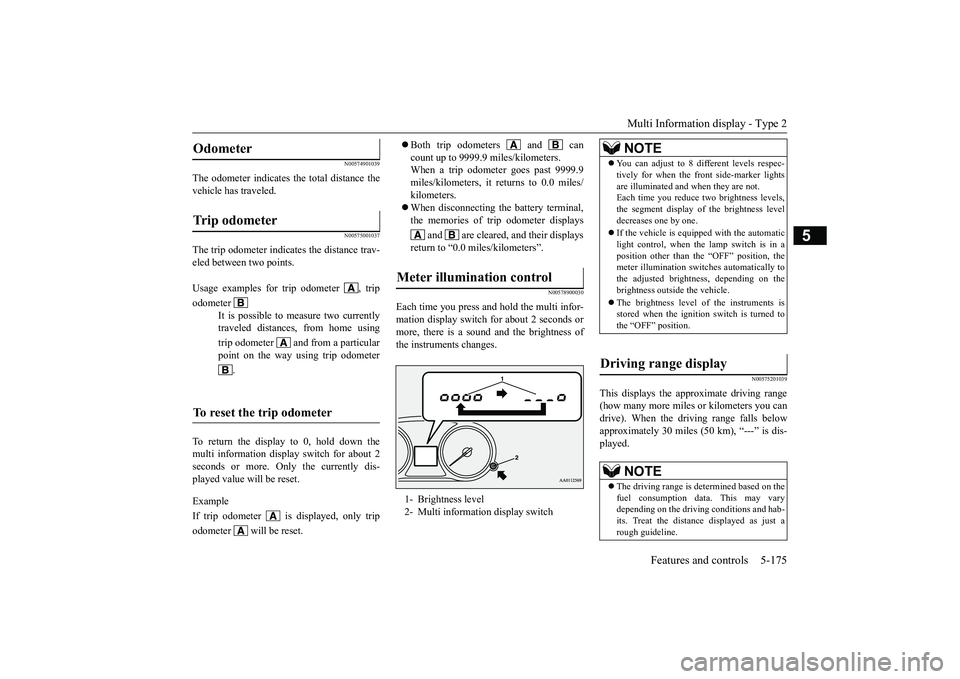
Each time you press a
nd hold the multi infor-
mation display switch for about 2 seconds ormore, there is a sound and the brightness ofthe instruments changes.
N00575201039
This displays the approximate driving range(how many more miles or
kilometers you can
drive). When the driving range falls belowapproximately 30 miles (
50 km), “---” is dis-
played.
Odometer Trip odometer Usage examples for trip odometer , tripodometer
It is possible to
measure two currently
traveled distances, from home usingtrip odometer and from a particularpoint on the way using trip odometer
.
To reset the trip odometer
Meter illumination control 1- Brightness level2- Multi information display switch
NOTE
You can adjust to 8 di
fferent levels respec-
tively for when the front side-marker lightsare illuminated and when they are not.Each time you reduce tw
o brightness levels,
the segment display of
the brightness level
decreases one by one.If the vehicle is equi
pped with the automatic
light control, when the lamp switch is in aposition other than the
“OFF” position, the
meter illumination switches automatically tothe adjusted bright
ness, depending on the
brightness outsi
de the vehicle.
The brightness level of the instruments isstored when the ignition switch is turned tothe “OFF” position.
Driving range display
NOTE
The driving range is determined based on thefuel consumption data. This may varydepending on the drivi
ng conditions and hab-
its. Treat the distance displayed as just arough guideline.
BK0249100US.book 175 ページ 2017年5月10日 水曜日 午前8時49分
Page 257 of 441
Multi Information display - Type 25-176 Features and controls
5
N00575301030
This displays the average fuel consumptionfrom the last reset to the present.The reset mode conditions for the averagefuel consumption disp
lay can be switched
between “Auto reset”
and “Manual reset”.
For information on how to change the aver-age fuel consumption display setting, refer to“Changing the function settings” on page5-179.
N00556501121
Shows the temperature
outside the vehicle.
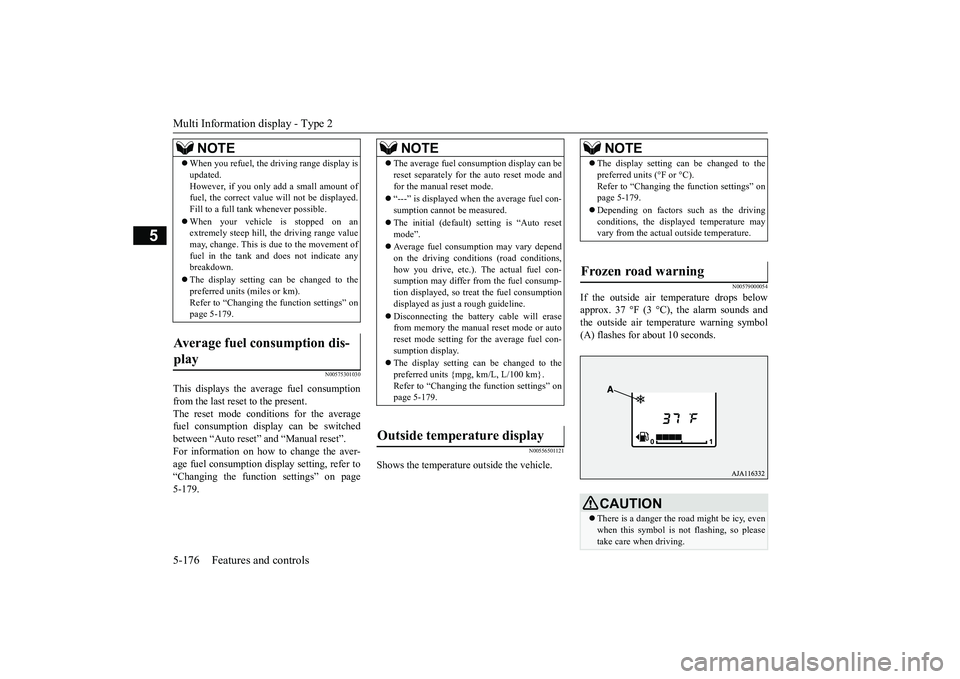
N00579000054
If the outside air temperature drops belowapprox. 37 °F (3 °C), the alarm sounds andthe outside air temperature warning symbol(A) flashes for about 10 seconds.
When you refuel, the driving range display isupdated.However, if you only add a small amount offuel, the correct value
will not be displayed.
Fill to a full tank whenever possible.When your vehicle is stopped on anextremely steep hill, th
e driving range value
may, change. This is due to the movement offuel in the tank and does not indicate anybreakdown.The display setting can be changed to thepreferred units (miles or km).Refer to “Changing th
e function settings” on
page 5-179.
Average fuel consumption dis-play
NOTE
NOTE
The average fuel cons
umption display can be
reset separately for the auto reset mode andfor the manual reset mode.“---” is displayed when the average fuel con-sumption cannot be measured.The initial (default) setting is “Auto resetmode”.Average fuel consumption may vary dependon the driving conditi
ons (road conditions,
how you drive, etc.). The actual fuel con-sumption may differ from the fuel consump-tion displayed, so treat the fuel consumptiondisplayed as just
a rough guideline.
Disconnecting th
e battery cable will erase
from memory the manual reset mode or autoreset mode setting for the average fuel con-sumption display.The display setting can be changed to thepreferred units {mpg, km/L, L/100 km}.Refer to “Changing the
function settings” on
page 5-179.
Outside temperature display
NOTE
The display setting ca
n be changed to the
preferred units (°F or °C).
e function settings” on
page 5-179.Depending on factors such as the drivingconditions, the displa
yed temperature may
vary from the actual outside temperature.
Frozen road warning
CAUTIONThere is a danger the ro
ad might be icy, even
when this symbol is not flashing, so pleasetake care when driving.
BK0249100US.book 176 ページ 2017年5月10日 水曜日 午前8時49分
Page 259 of 441
Multi Information display - Type 25-178 Features and controls
5
1. Shows the time until the next periodicinspection.2. This informs you that a periodic inspec-tion is due. Contact
an authorized Mit-
subishi Motors dealer or a repair facilityof your choice to have the systemchecked.3. After your vehicle is inspected at anauthorized Mitsubishi Motors dealer, itdisplays the time until the next periodicinspection.
The “---” display can be reset while the igni-tion switch is in the “OFF” position.
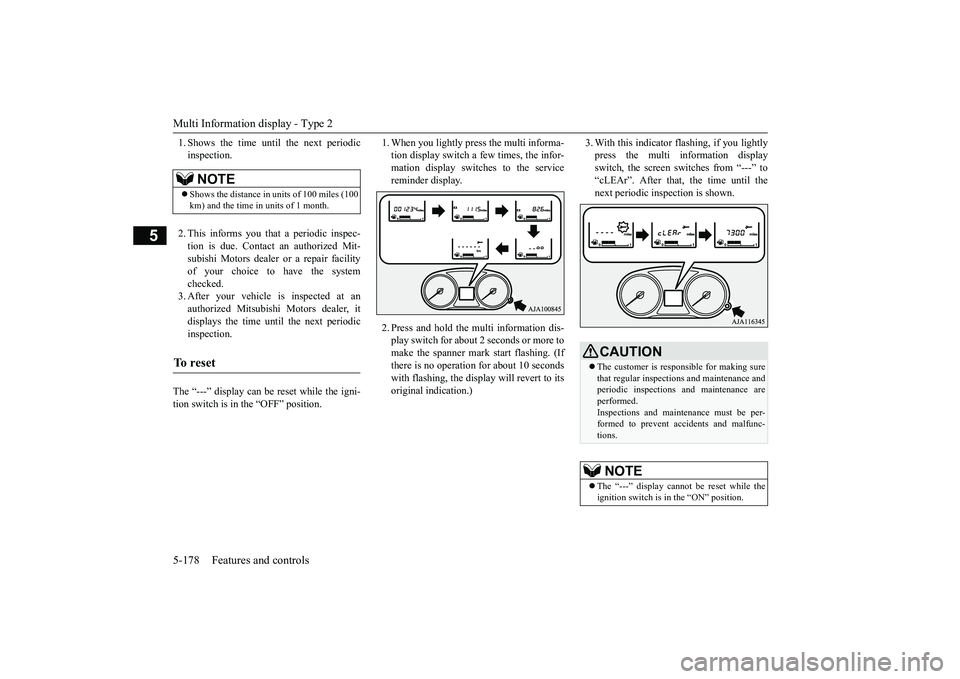
1. When you lightly press the multi informa-tion display switch a few times, the infor-mation display switches to the servicereminder display.2. Press and hold the mu
lti information dis-
play switch for about 2 seconds or more tomake the spanner mark start flashing. (Ifthere is no operation for about 10 secondswith flashing, the display will revert to itsoriginal indication.)
3. With this indicator flashing, if you lightlypress the multi information displayswitch, the screen sw
itches from “---” to
“cLEAr”. After that, the time until thenext periodic inspection is shown.
NOTE
Shows the distance in units of 100 miles (100km) and the time in units of 1 month.
To r e s e t
CAUTIONThe customer is responsible for making surethat regular inspections
and maintenance and
periodic inspections
and maintenance are
performed.Inspections and mainte
nance must be per-
formed to prevent accidents and malfunc-tions.NOTE
The “---” display cannot
be reset while the
ignition switch is in the “ON” position.
BK0249100US.book 178 ページ 2017年5月10日 水曜日 午前8時49分
Page 260 of 441
Multi Information display - Type 2
Features and controls 5-179
5
N00556801209
The “Average fuel consumption reset mode”,
it” and “Temperature
unit” setting can be
modified as desired,
when the ignition switch is in the “ON” posi-tion.
N00575501029
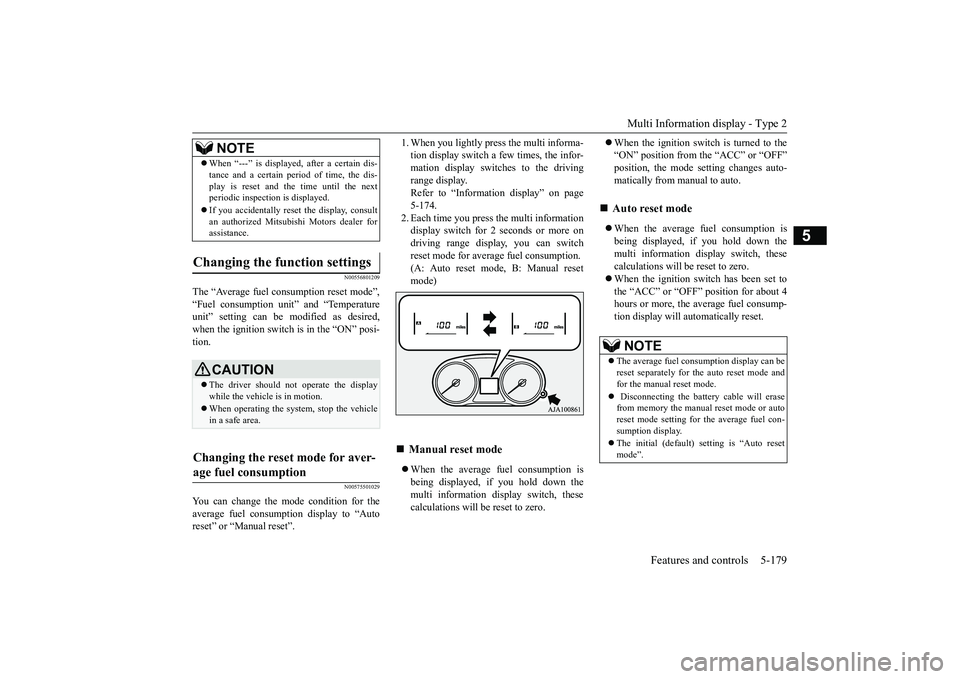
You can change the mode condition for theaverage fuel consumption display to “Autoreset” or “Manual reset”.
tion display switch a few times, the infor-mation display switches to the drivingrange display.Refer to “Information display” on page5-174.2. Each time you press the multi informationdisplay switch for 2 seconds or more ondriving range display, you can switchreset mode for average fuel consumption.(A: Auto reset mode, B: Manual resetmode)When the average fuel consumption isbeing displayed, if you hold down themulti information display switch, thesecalculations will
be reset to zero.
When the ignition switch is turned to the“ON” position from the “ACC” or “OFF”position, the mode se
tting changes auto-
matically from manual to auto.When the average fuel consumption isbeing displayed, if you hold down themulti information display switch, thesecalculations will be reset to zero.When the ignition switch has been set tothe “ACC” or “OFF” position for about 4hours or more, the average fuel consump-tion display will automatically reset.
When “---” is displaye
d, after a certain dis-
tance and a certain pe
riod of time, the dis-
play is reset and the time until the nextperiodic inspecti
on is displayed.
If you accidentally rese
t the display, consult
an authorized Mitsubishi Motors dealer forassistance.
Changing the function settings
CAUTIONThe driver should not operate the displaywhile the vehicle is in motion.When operating the system, stop the vehiclein a safe area.
Changing the reset mode for aver-age fuel consumption
NOTE
Manual reset mode
Auto reset mode NOTE
The average fuel cons
umption display can be
reset separately for the auto reset mode andfor the manual reset mode. Disconnecting the batt
ery cable will erase
from memory the manual reset mode or autoreset mode setting for the average fuel con-sumption display.The initial (default) setting is “Auto resetmode”.
BK0249100US.book 179 ページ 2017年5月10日 水曜日 午前8時49分
Page 281 of 441
Indicator light, warning light, and information screen display list (multi information display - Type 1)
5
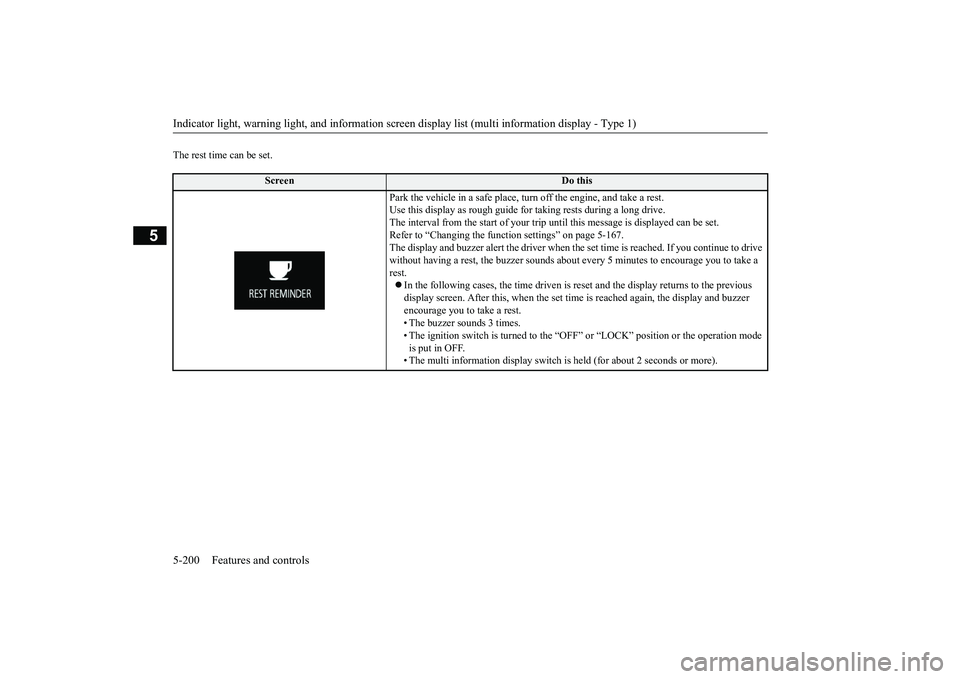
The rest time can be set.
Screen
Do this
Park the vehicle in a safe place, tu
rn off the engine,
and take a rest.
Use this display as rough guide
for taking rests during a long drive.
The interval from the start of your trip
until this message is
displayed can be set.
Refer to “Changing the function settings” on page 5-167.The display and buzzer alert the driver when th
e set time is reached.
If you continue to drive
without having a rest, the buzzer sounds about
every 5 minutes to encourage you to take a
rest.In the following cases, the time driven is reset and the display returns to the previous display screen. After this, when the set time
is reached again,
the display and buzzer
encourage you to take a rest.• The buzzer sounds 3 times.• The ignition switch is turned to the “OFF”
or “LOCK” position or the operation mode
is put in OFF.• The multi information display switch is
held (for about 2 seconds or more).
BK0249100US.book 200 ページ 2017年5月10日 水曜日 午前8時49分