tow MITSUBISHI OUTLANDER III 2018 User Guide
[x] Cancel search | Manufacturer: MITSUBISHI, Model Year: 2018, Model line: OUTLANDER III, Model: MITSUBISHI OUTLANDER III 2018Pages: 441, PDF Size: 13.71 MB
Page 113 of 441
Free-hand Advanced
Security Transmitter (F.A.S
.T.-key) (if so equipped)
5
The buzzer answerback function can beturned ON or OFF as required.
N00544601141
The door and liftgate
unlock function can be
set to the following two conditions.Each time the door and
liftgate unlock func-
tion is set, a chime wi
ll sound to tell you the
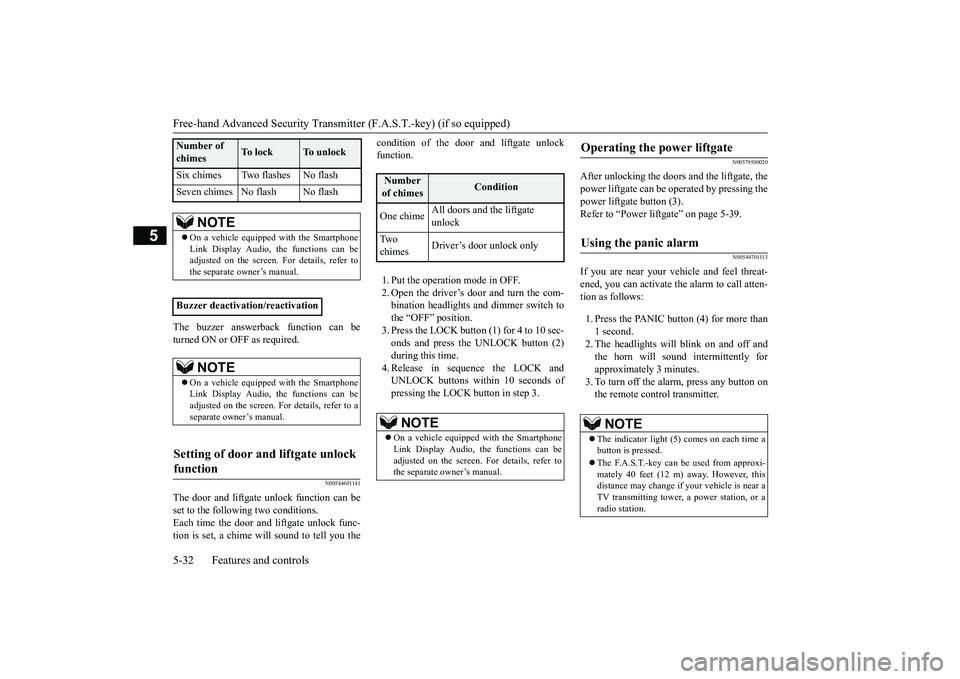
condition of the door and liftgate unlockfunction.1. Put the operation mode in OFF.2. Open the driver’s door and turn the com-bination headlights and dimmer switch tothe “OFF” position.3. Press the LOCK button (1) for 4 to 10 sec-onds and press the UNLOCK button (2)during this time.4. Release in sequence the LOCK andUNLOCK buttons within 10 seconds ofpressing the LOCK button in step 3.
N00579500020
After unlocking the doors and the liftgate, thepower liftgate can be operated by pressing thepower liftgate button (3).Refer to “Power lift
gate” on page 5-39.
N00544701113
If you are near your vehicle and feel threat-ened, you can activate the alarm to call atten-tion as follows:1. Press the PANIC button (4) for more than1 second.2. The headlights will blink on and off andthe horn will sound intermittently forapproximately 3 minutes.3. To turn off the alarm, press any button onthe remote control transmitter.
Six chimes Two flashes No flashSeven chimes No flash No flash
NOTE
On a vehicle equippe
d with the Smartphone
Link Display Audio, the functions can beadjusted on the screen. For details, refer tothe separate owner’s manual.
Buzzer deactivation/reactivation
NOTE
On a vehicle equippe
d with the Smartphone
Link Display Audio, the functions can beadjusted on the screen. For details, refer to aseparate owner’s manual.
Setting of door and liftgate unlock function
Number of chimes
To l o c k
To unlock
Number of chimes
Condition
One chime
All doors and the liftgate unlock
Tw o chimes
Driver’s door unlock only
NOTE
On a vehicle equipped with the SmartphoneLink Display Audio, the functions can beadjusted on the screen. For details, refer tothe separate owner’s manual.
Operating the power liftgate
Using the panic alarm
NOTE
The indicator light (5) comes on each time abutton is pressed.The F.A.S.T.-key can be used from approxi-mately 40 feet (12 m) away. However, thisdistance may change if
your vehicle is near a
TV transmitting tower,
a power station, or a
radio station.
BK0249100US.book 32 ページ 2017年5月10日 水曜日 午前8時49分
Page 115 of 441
Door locks5-34 Features and controls
5
4. Install a new battery with the +side (A)5. Close the case firmly.6. Check the keyless entry system to see thatit works.
N00509201544
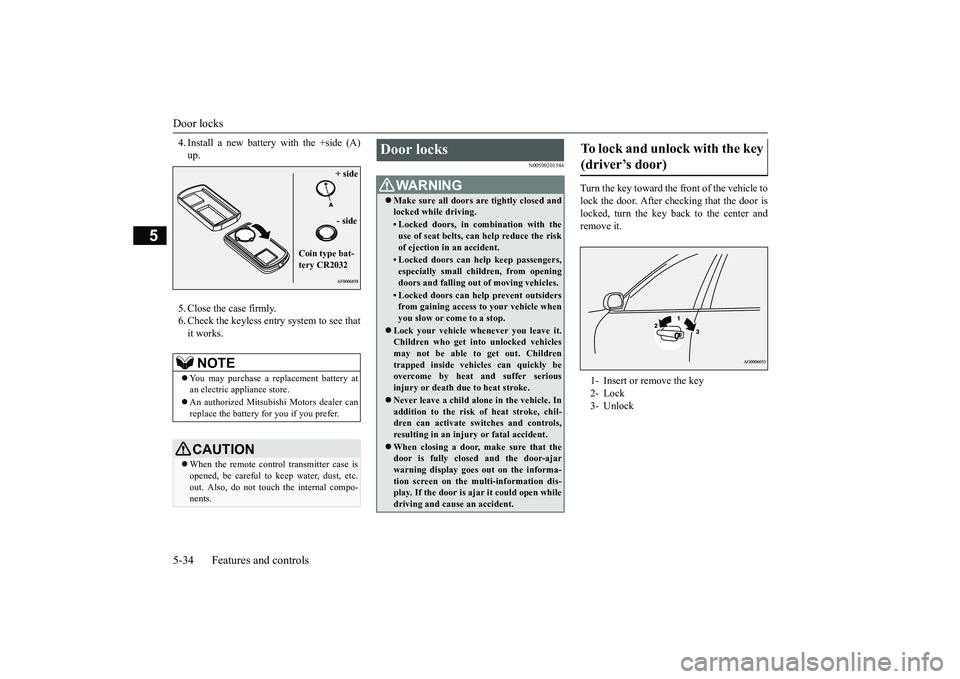
Turn the key toward the front of the vehicle tolock the door. After checking that the door islocked, turn the key back to the center andremove it.
NOTE
You may purchase a re
placement battery at
an electric appliance store.An authorized Mitsubishi Motors dealer canreplace the battery for you if you prefer.CAUTIONWhen the remote control transmitter case isopened, be careful to
keep water, dust, etc.
out. Also, do not touch the internal compo-nents.
+ side- side
Coin type bat-tery CR2032
Door locks
WA R N I N GMake sure all doors are tightly closed andlocked while driving.• Locked doors, in co
mbination with the
use of seat belts, can help reduce the riskof ejection in
an accident.
• Locked doors can help keep passengers,especially small children, from openingdoors and falling out
of moving vehicles.
• Locked doors can help
prevent outsiders
from gaining access to your vehicle whenyou slow or come to a stop.
Lock your vehicle when
ever you leave it.
Children who get into
unlocked vehicles
may not be able to get out. Childrentrapped inside vehicles can quickly beovercome by heat
and suffer serious
injury or death due to heat stroke.Never leave a ch
ild alone in the vehicle. In
addition to the risk
of heat stroke, chil-
dren can activate switches and controls,resulting in an injury
or fatal accident.
When closing a door,
make sure that the
door is fully closed and the door-ajarwarning display goes
out on the informa-
tion screen on the multi-information dis-play. If the door is aj
ar it could open while
driving and cause an accident.
To lock and unlock with the key (driver’s door) 1- Insert or remove the key2- Lock3- Unlock
BK0249100US.book 34 ページ 2017年5月10日 水曜日 午前8時49分
Page 135 of 441
Parking brake5-54 Features and controls
5
N00593100020
When parking on a hill, set the parking brake,and turn the front wheels toward the curb on adownhill, or away from
the curb on an uphill.
Before driving, be sure
to release the parking
brake.
N00593200034
The Electric parking brake is the system thatapplies the parking brake by the electricmotor.
Lever type parking brake
(if so
equipped)To a p p l y
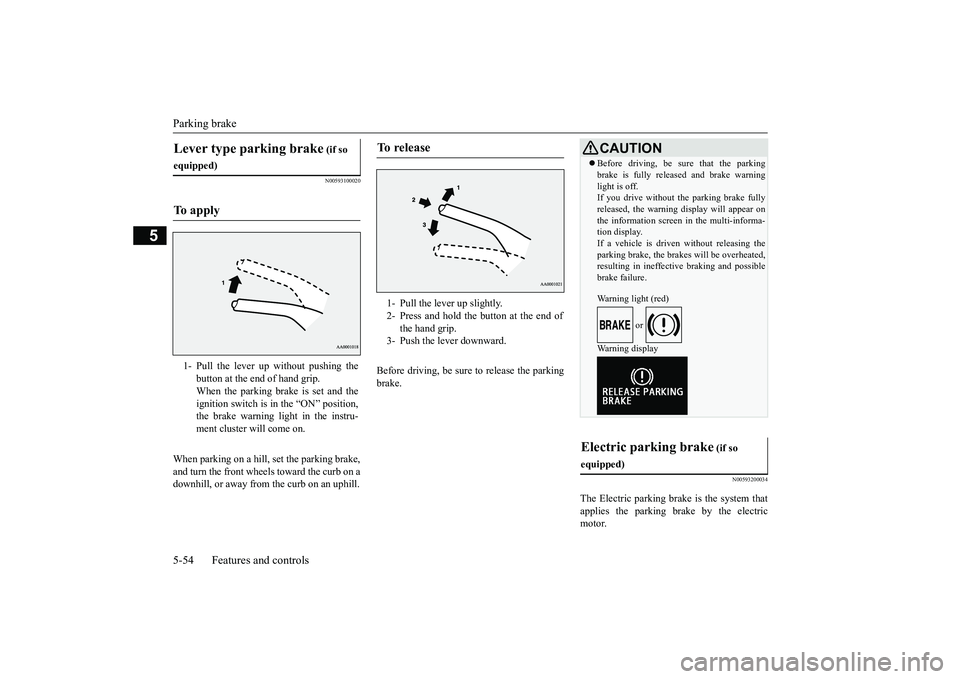
1- Pull the lever up without pushing the
button at the end of hand grip.When the parking brake is set and theignition switch is in
the “ON” position,
the brake warning light in the instru-ment cluster will come on.
To r e l e a s e
1- Pull the lever up slightly.2- Press and hold the button at the end of
the hand grip.
3- Push the lever downward.
CAUTIONBefore driving, be sure that the parkingbrake is fully released and brake warninglight is off.If you drive without the parking brake fullyreleased, the warning
display will appear on
the information screen
in the multi-informa-
tion display. If a vehicle is driven without releasing theparking brake, the brakes will be overheated,resulting in ineffectiv
e braking and possible
brake failure.Warning light (red)
or
Warning display
Electric parking brake
(if so
equipped)
BK0249100US.book 54 ページ 2017年5月10日 水曜日 午前8時49分
Page 136 of 441
Parking brake
Features and controls 5-55
5
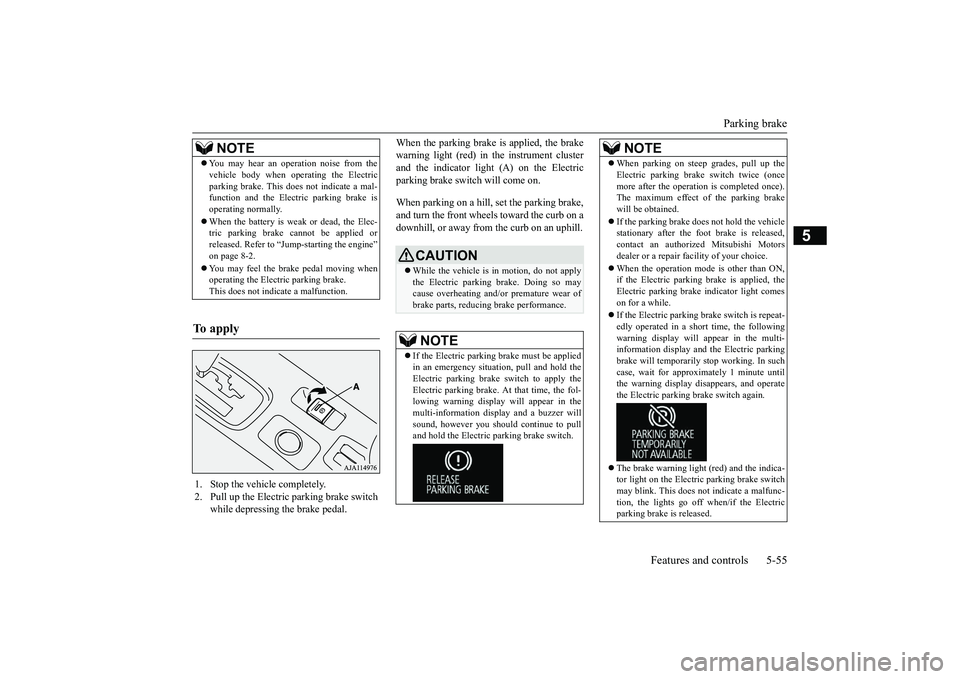
When the parking brake is applied, the brakewarning light (red) in
the instrument cluster
and the indicator light (A) on the Electricparking brake switch will come on.When parking on a hill, set the parking brake,and turn the front wheels toward the curb on adownhill, or away from
the curb on an uphill.
NOTE
You may hear an operation noise from thevehicle body when operating the Electricparking brake. This do
es not indicate a mal-
function and the Elec
tric parking brake is
operating normally.When the battery is weak or dead, the Elec-tric parking brake cannot be applied orreleased. Refer to “Jum
p-starting the engine”
on page 8-2.You may feel the brake pedal moving whenoperating the Electr
ic parking brake.
This does not indi
cate a malfunction.
To apply
1. Stop the vehicle completely.2. Pull up the Electric parking brake switch
while depressing the brake pedal.
CAUTIONWhile the vehicle is in motion, do not applythe Electric parking
brake. Doing so may
cause overheating and/or
premature wear of
brake parts, reducing brake performance. NOTE
If the Electric parking
brake must be applied
in an emergency situa
tion, pull and hold the
Electric parking brake
switch to apply the
Electric parking brake. At that time, the fol-lowing warning display
will appear in the
multi-information disp
lay and a buzzer will
sound, however you should continue to pulland hold the Electric
parking brake switch.
When parking on stee
p grades, pull up the
Electric parking brak
e switch twice (once
more after the operati
on is completed once).
The maximum effect of the parking brakewill be obtained.If the parking brake does not hold the vehiclestationary after the f
oot brake is released,
contact an authorized Mitsubishi Motorsdealer or a repair fa
cility of your choice.
When the operation mode is other than ON,if the Electric parking brake is applied, theElectric parking brake
indicator light comes
on for a while.If the Electric parking brake switch is repeat-edly operated in a short time, the followingwarning display will appear in the multi-information display and the Electric parkingbrake will temporarily stop working. In suchcase, wait for approxima
tely 1 minute until
the warning display di
sappears, and operate
the Electric parking
brake switch again.
The brake warning light (red) and the indica-tor light on the Electric
parking brake switch
may blink. This does no
t indicate a malfunc-
tion, the lights go off when/if the Electricparking brake is released.NOTE
BK0249100US.book 55 ページ 2017年5月10日 水曜日 午前8時49分
Page 142 of 441
Outside rearview mirrors
Features and controls 5-61
5
N00549101167
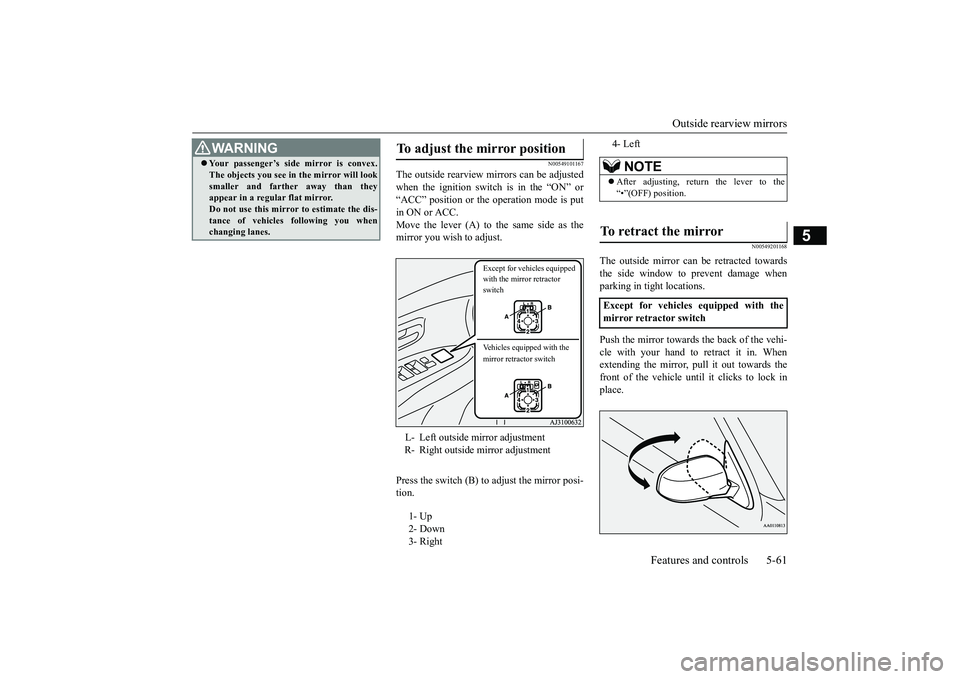
The outside rearview mirrors can be adjustedwhen the ignition switch is in the “ON” or“ACC” position or the operation mode is putin ON or ACC.Move the lever (A) to the same side as themirror you wish to adjust.Press the switch (B) to adjust the mirror posi-tion.
N00549201168
The outside mirror can
be retracted towards
the side window to prevent damage whenparking in tight locations.Push the mirror towards the back of the vehi-cle with your hand to retract it in. Whenextending the mirror, pull it out towards thefront of the vehicle until it clicks to lock inplace.
Your passenger’s side mirror is convex.The objects you see in the mirror will looksmaller and farthe
r away than they
appear in a regular flat mirror.Do not use this mirror to estimate the dis-tance of vehicles following you whenchanging lanes.WA R N I N G
To adjust the mirror position L- Left outside mirror adjustmentR- Right outside mirror adjustment1- Up 2- Down3- Right
Except for vehicles equipped with the mirror retractor switchVehicles equipped with the mirror retractor switch
4- Left
NOTE
After adjusting, return the lever to the“•”(OFF) position.
To retract the mirror Except for vehicles equipped with themirror retractor switch
BK0249100US.book 61 ページ 2017年5月10日 水曜日 午前8時49分
Page 153 of 441
Automatic transaxle (if so equipped)5-72 Features and controls
5
This position is used for most city and high-way driving. The transaxle will automaticallychange its gear depe
nding on road and driv-
ing conditions.
This position is for dr
iving up very steep hills
and for engine braking at low speeds whendriving down steep hills.
N00514401485
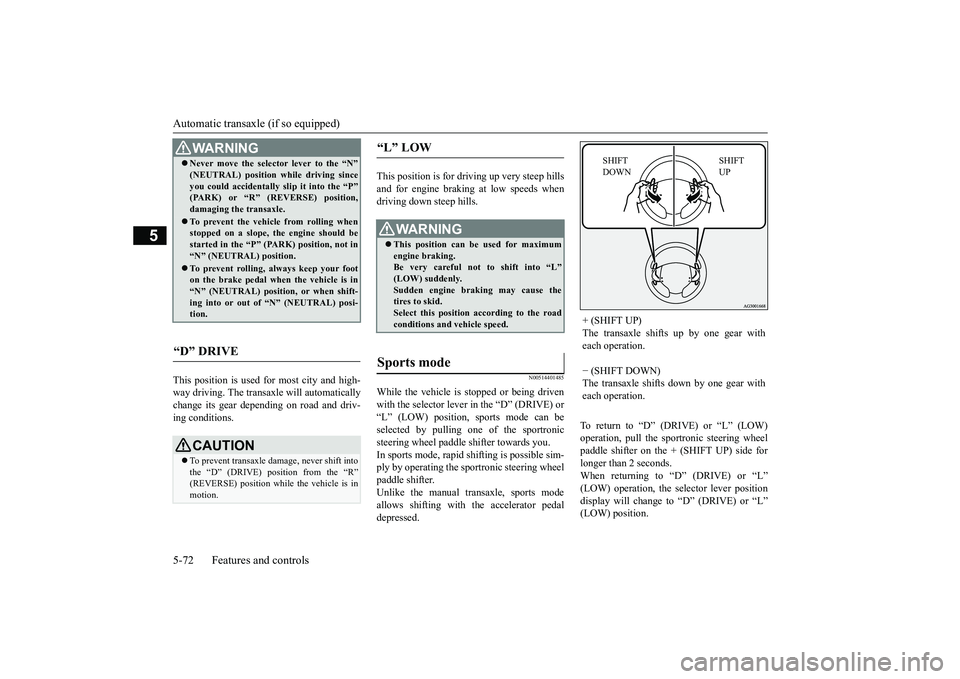
While the vehicle is stopped or being drivenwith the selector lever in the “D” (DRIVE) or“L” (LOW) position, sports mode can beselected by pulling one of the sportronicsteering wheel paddle shifter towards you.In sports mode, rapid shifting is possible sim-ply by operating the spor
tronic steering wheel
paddle shifter.Unlike the manual transaxle, sports modeallows shifting with the accelerator pedaldepressed.
To return to
Page 161 of 441
Continuously variable transmission (CVT) (if so equipped)5-80 Features and controls
5
This position is for driving up very steep hillsand for engine braking at low speeds whendriving down steep hills.
N00560701094
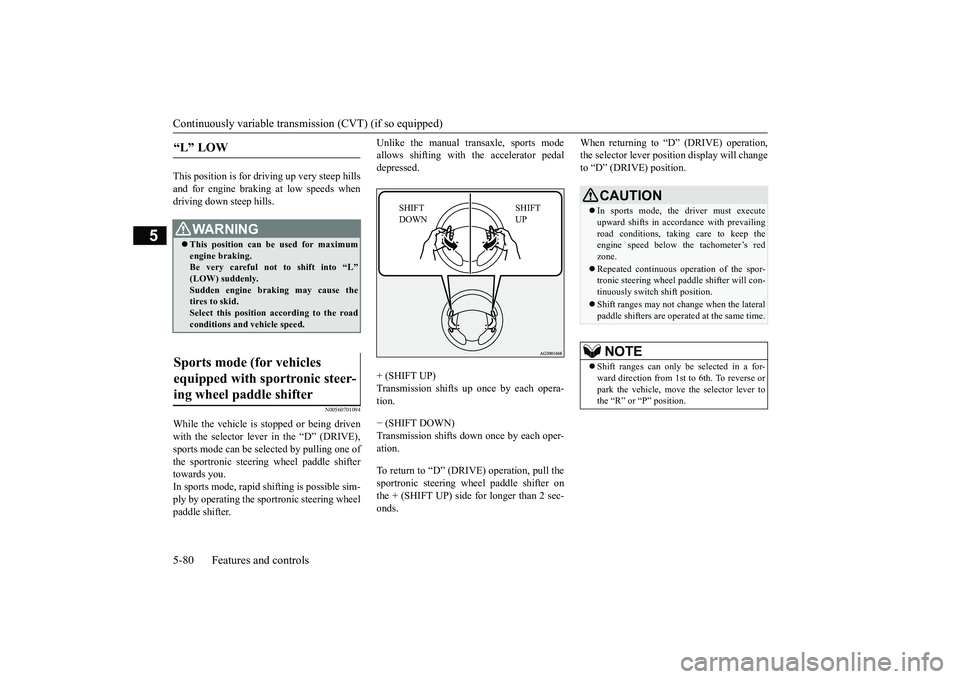
While the vehicle is stopped or being drivenwith the selector lever in the “D” (DRIVE),sports mode can be se
lected by pulling one of
the sportronic steering wheel paddle shiftertowards you.In sports mode, rapid
shifting is possible sim-
ply by operating the sportronic steering wheelpaddle shifter.
Unlike the manual transaxle, sports modeallows shifting with the accelerator pedaldepressed.+ (SHIFT UP)
up once by each opera-
tion.− (SHIFT DOWN)Transmission shifts down once by each oper-ation.To return to “D” (DRIVE) operation, pull thesportronic steering wheel paddle shifter onthe + (SHIFT UP) side for longer than 2 sec-onds.
When returning to “D” (DRIVE) operation,the selector lever posit
ion display will change
to “D” (DRIVE) position.
“L” LOW
WA R N I N GThis position can be used for maximumengine braking.Be very careful not to shift into “L”Sudden engine brak
ing may cause the
tires to skid.Select this position according to the roadconditions and vehicle speed.
Sports mode (for vehicles equipped with sportronic steer-ing wheel paddle shifter
SHIFT UP
SHIFT DOWN
CAUTIONIn sports mode, the driver must executeupward shifts in accordance with prevailingroad conditions, taking care to keep theengine speed below the tachometer’s redzone.Repeated continuous ope
ration of the spor-
tronic steering wheel pa
ddle shifter will con-
tinuously switch shift position.Shift ranges may not change when the lateralpaddle shifters are opera
ted at the same time.
NOTE
Shift ranges can only be
selected in a for-
ward direction from 1st to 6th. To reverse orpark the vehicle, move
the selector lever to
the “R” or “P” position.
BK0249100US.book 80 ページ 2017年5月10日 水曜日 午前8時49分
Page 169 of 441
4-wheel drive operation5-88 Features and controls
5
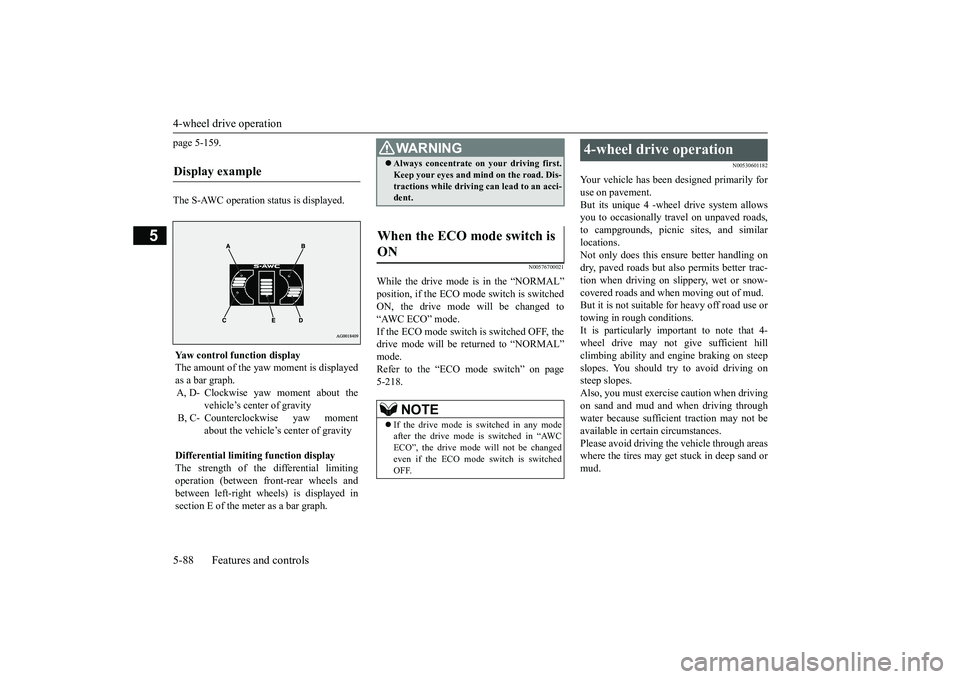
page 5-159.The S-AWC operation status is displayed.
N00576700021
While the drive mode is in the “NORMAL”ON, the drive mode
will be changed to
“AWC ECO” mode.If the ECO mode switch is switched OFF, thedrive mode will be returned to “NORMAL”Refer to the “ECO mode switch” on page5-218.
N00530601182
Your vehicle has been designed primarily foruse on pavement.But its unique 4 -wheel
drive system allows
you to occasionally travel on unpaved roads,to campgrounds, picnic
sites, and similar
locations.Not only does this ensu
re better handling on
dry, paved roads but also permits better trac-tion when driving on slippery, wet or snow-covered roads and when moving out of mud.But it is not suitable for heavy off road use ortowing in rough conditions.It is particularly im
portant to note that 4-
wheel drive may not gi
ve sufficient hill
climbing ability and e
ngine braking on steep
slopes. You should try to avoid driving onsteep slopes.Also, you must exercise caution when drivingon sand and mud and when driving throughwater because sufficient traction may not beavailable in certain circumstances.Please avoid driving the vehicle through areaswhere the tires may get stuck in deep sand ormud.
Display example
Yaw control function displayThe amount of the yaw moment is displayedas a bar graph.A, D- Clockwise yaw moment about the
vehicle’s center of gravity
B, C- Counterclockwise yaw moment
about the vehicle’s
center of gravity
Differential limiting
function display
The strength of the differential limitingoperation (between front-rear wheels andbetween left-right whee
ls) is displayed in
section E of the me
ter as a bar graph.
WA R N I N GAlways concentrate on your driving first.Keep your eyes and mi
nd on the road. Dis-
tractions while driving
can lead to an acci-
dent.
When the ECO mode switch is ON
NOTE
If the drive mode is switched in any modeafter the drive mode is switched in “AWCECO”, the drive mode will not be changedeven if the ECO mode switch is switchedOFF.
4-wheel drive operation
BK0249100US.book 88 ページ 2017年5月10日 水曜日 午前8時49分
Page 173 of 441
Service brake5-92 Features and controls
5
N00517500275
Overuse of the brake can cause weakening,resulting in poor brake response and prema-ture wear of the brake pads.When driving down a long or steep hill, useengine braking
by downshifting.
N00517600364
Your vehicle is equipped with power brakesfor more braking force with less brake pedaleffort.Your brakes are designed to operate at fullcapacity, even if the power assist is not beingused.If the power assist is not being used, the effortneeded to press the brake pedal is greater.If you should lose the power assist for somereason, the brakes will still work.If the power brake unit or either of the twobrake hydraulic systems stops working prop-erly, the rest of the brake system will stillwork, but the vehicle will not slow down asquickly.You will know this has happened if you findyou need to press the brake down farther, orharder when slowing down or stopping, or ifthe brake warning light and the warning dis-play in the multi-information display comeon.
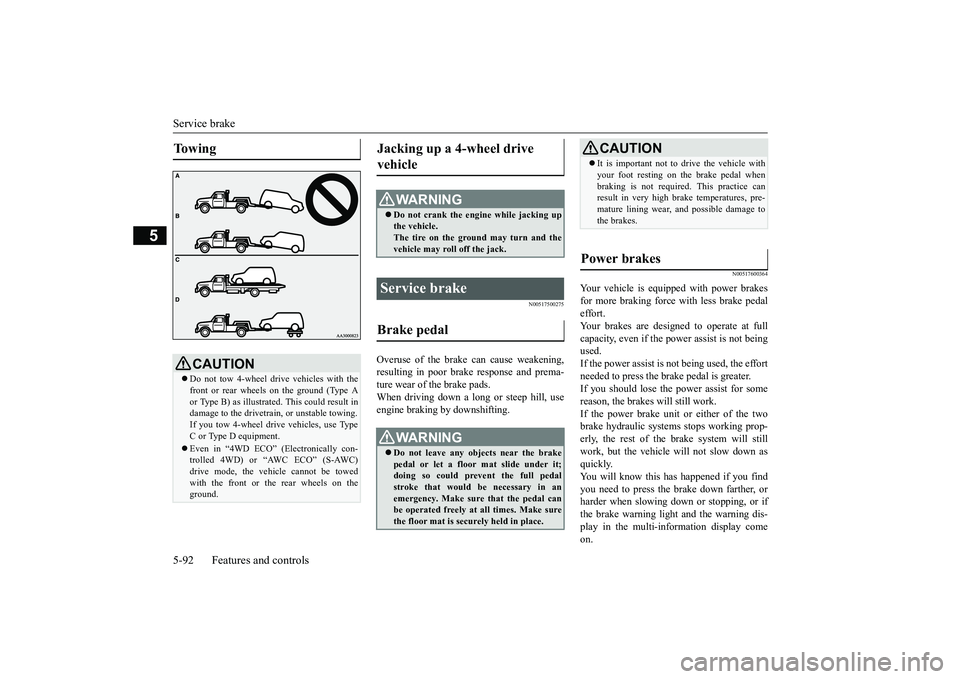
To w i n g
CAUTIONDo not tow 4-wheel drive vehicles with thefront or rear wheels on the ground (Type Aor Type B) as illustrate
d. This could result in
damage to the drivetrain, or unstable towing.If you tow 4-wheel drive vehicles, use TypeC or Type D equipment.Even in “4WD ECO” (Electronically con-trolled 4WD) or “AWC ECO” (S-AWC)drive mode, the vehicle cannot be towedwith the front or the rear wheels on theground.
Jacking up a 4-wheel drive vehicle
WA R N I N GDo not crank the engine while jacking upthe vehicle.The tire on the ground may turn and thevehicle may roll off the jack.
Service brake Brake pedal
WA R N I N GDo not leave any objects near the brakepedal or let a floor mat slide under it;doing so could prevent the full pedalstroke that would be necessary in anemergency. Make sure that the pedal canbe operated freely at all times. Make surethe floor mat is securely held in place.
CAUTIONIt is important not to drive the vehicle withyour foot resting on the brake pedal whenbraking is not required.
This practice can
result in very high brake temperatures, pre-mature lining wear, a
nd possible damage to
the brakes.
Power brakes
BK0249100US.book 92 ページ 2017年5月10日 水曜日 午前8時49分
Page 183 of 441
Active stability control (ASC)
5
N00546601129
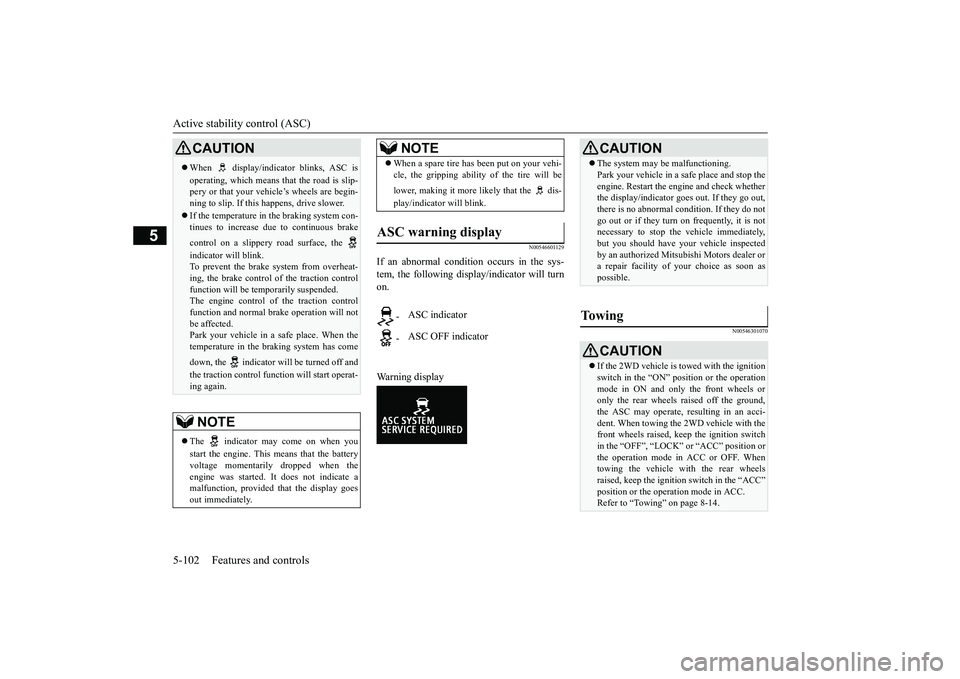
If an abnormal condition occurs in the sys-tem, the following disp
lay/indicator will turn
on.Warning display
N00546301070
CAUTIONWhen display/indicator blinks, ASC isoperating, which means that the road is slip-pery or that your vehi
cle’s wheels are begin-
ning to slip. If this happens, drive slower.If the temperature in the braking system con-tinues to increase due
to continuous brake
control on a slippery
road surface, the
indicator will blink.To prevent the brake system from overheat-ing, the brake control
of the traction control
function will be tem
porarily suspended.
The engine control of the traction controlfunction and normal brake operation will notbe affected.Park your vehicle in a safe place. When thetemperature in the braking system has comedown, the indicator will be turned off andthe traction control func
tion will start operat-
ing again.NOTE
The indicator may come on when youstart the engine. This means that the batteryvoltage momentarily dropped when theengine was started. It
does not indicate a
malfunction, provided th
at the display goes
out immediately.
When a spare tire has been put on your vehi-cle, the gripping ability of the tire will belower, making it more likely that the dis-play/indicator will blink.
ASC warning display
-
ASC indicator
-
ASC OFF indicatorNOTE
CAUTIONThe system may be malfunctioning.Park your vehicle in a
safe place and stop the
engine. Restart the engi
ne and check whether
the display/indicator goe
s out. If they go out,
there is no abnormal condition. If they do notgo out or if they turn on frequently, it is notnecessary to stop the
vehicle immediately,
but you should have your vehicle inspectedby an authorized Mitsubishi Motors dealer ora repair facility of
your choice as soon as
possible.
To w i n g
CAUTIONIf the 2WD vehicle is to
wed with the ignition
switch in the “ON” pos
ition or the operation
mode in ON and only the front wheels oronly the rear wheels raised off the ground,the ASC may operate, resulting in an acci-dent. When towing the 2WD vehicle with thefront wheels raised, keep the ignition switchin the “OFF”, “LOCK” or “ACC” position orthe operation mode in ACC or OFF. Whentowing the vehicle with the rear wheelsraised, keep the ignition switch in the “ACC”Refer to “Towing” on page 8-14.
BK0249100US.book 102 ページ 2017年5月10日 水曜日 午前8時49分