engine MITSUBISHI OUTLANDER III 2018 Repair Manual
[x] Cancel search | Manufacturer: MITSUBISHI, Model Year: 2018, Model line: OUTLANDER III, Model: MITSUBISHI OUTLANDER III 2018Pages: 441, PDF Size: 13.71 MB
Page 161 of 441
Continuously variable transmission (CVT) (if so equipped)5-80 Features and controls
5
This position is for driving up very steep hillsand for engine braking at low speeds whendriving down steep hills.
N00560701094
While the vehicle is stopped or being drivenwith the selector lever in the “D” (DRIVE),sports mode can be se
lected by pulling one of
the sportronic steering wheel paddle shiftertowards you.In sports mode, rapid
shifting is possible sim-
ply by operating the sportronic steering wheelpaddle shifter.
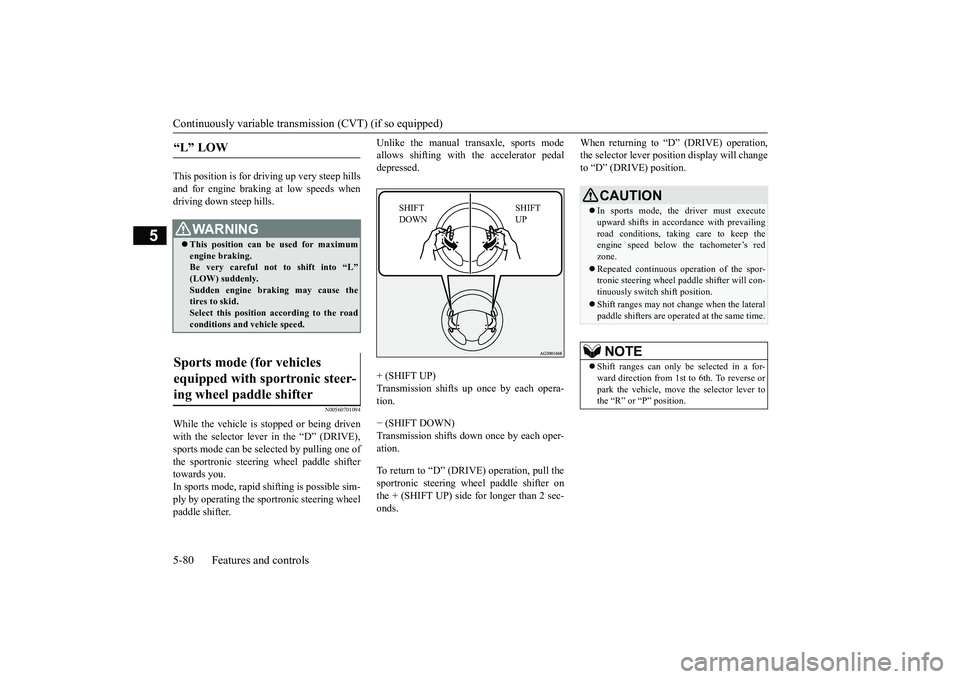
Unlike the manual transaxle, sports modeallows shifting with the accelerator pedaldepressed.+ (SHIFT UP)
up once by each opera-
tion.− (SHIFT DOWN)Transmission shifts down once by each oper-ation.To return to “D” (DRIVE) operation, pull thesportronic steering wheel paddle shifter onthe + (SHIFT UP) side for longer than 2 sec-onds.
When returning to “D” (DRIVE) operation,the selector lever posit
ion display will change
to “D” (DRIVE) position.
“L” LOW
WA R N I N GThis position can be used for maximumengine braking.Be very careful not to shift into “L”Sudden engine brak
ing may cause the
tires to skid.Select this position according to the roadconditions and vehicle speed.
Sports mode (for vehicles equipped with sportronic steer-ing wheel paddle shifter
SHIFT UP
SHIFT DOWN
CAUTIONIn sports mode, the driver must executeupward shifts in accordance with prevailingroad conditions, taking care to keep theengine speed below the tachometer’s redzone.Repeated continuous ope
ration of the spor-
tronic steering wheel pa
ddle shifter will con-
tinuously switch shift position.Shift ranges may not change when the lateralpaddle shifters are opera
ted at the same time.
NOTE
Shift ranges can only be
selected in a for-
ward direction from 1st to 6th. To reverse orpark the vehicle, move
the selector lever to
the “R” or “P” position.
BK0249100US.book 80 ページ 2017年5月10日 水曜日 午前8時49分
Page 162 of 441
Continuously variable transmission (CVT) (if so equipped)
Features and controls 5-81
5
N00560901067
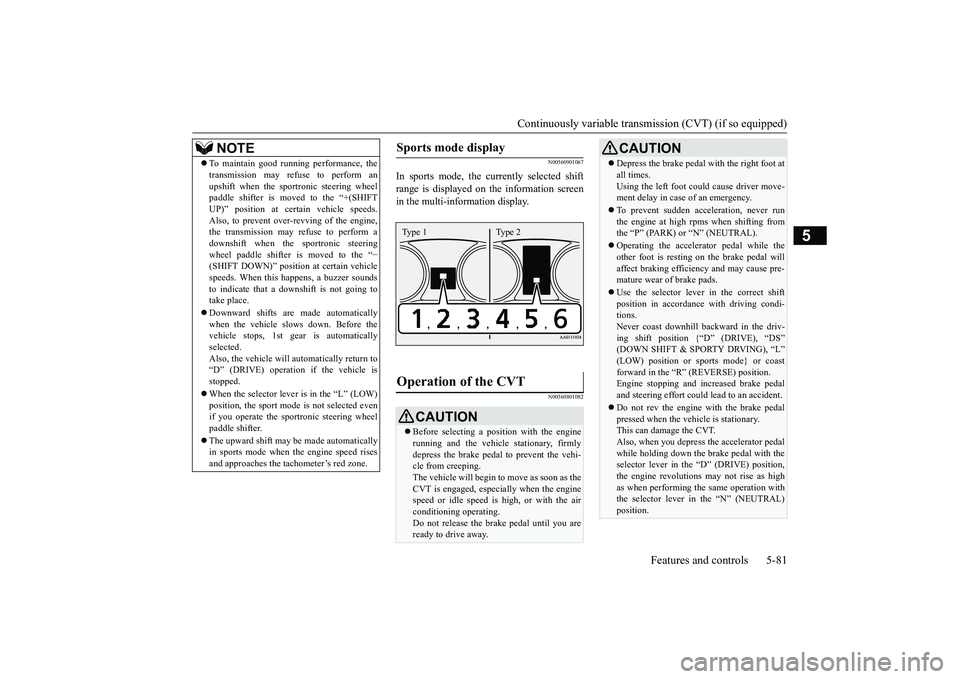
In sports mode, the currently selected shiftrange is displayed on the information screenin the multi-information display.
N00560801082
To maintain good running performance, thetransmission may refuse to perform anupshift when the spor
tronic steering wheel
paddle shifter is moved to the “+(SHIFTUP)” position at cert
ain vehicle speeds.
Also, to prevent over-revving of the engine,the transmission may refuse to perform adownshift when the sportronic steeringwheel paddle shifter is moved to the “
−
(SHIFT DOWN)” positi
on at certain vehicle
speeds. When this happens, a buzzer soundsto indicate that a dow
nshift is not going to
take place.Downward shifts are made automaticallywhen the vehicle slow
s down. Before the
vehicle stops, 1st gear
is automatically
selected.Also, the vehicle will automatically return to“D” (DRIVE) operation if the vehicle isstopped.When the selector lever is in the
Page 163 of 441
Electronically controlled 4W
D system (if so equipped)
5-82 Features and controls
5
To gain extra acceleration in “D” (DRIVE)position (when passing an
other vehicle) push
the accelerator to the floor. The CVT willautomatically downshift.For short waiting periods, such as at trafficlights, the vehicle can be
left in selector lever
position and held stationary with the servicebrake.For longer waiting periods with the enginerunning, place th
e selector lever in the “N”
(NEUTRAL) position a
nd apply the parking
brake, while holding the vehicle stationarywith the service brake.Prior to moving off after having stopped thevehicle, make sure that
the selector lever is in
Page 165 of 441
Electronically controlled 4W
D system (if so equipped)
5-84 Features and controls
5
N00549401030
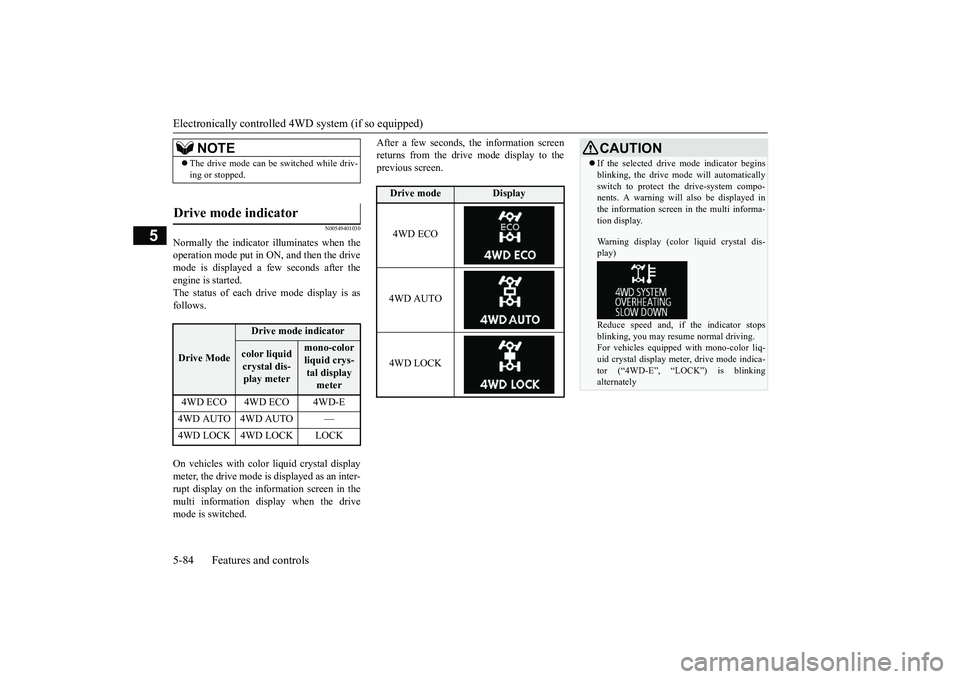
Normally the indicator illuminates when theoperation mode put in ON, and then the drivemode is displayed a few seconds after theengine is started.The status of each drive mode display is asfollows.On vehicles with color liquid crystal displaymeter, the drive mode is displayed as an inter-rupt display on the information screen in themulti information display when the drivemode is switched.
After a few seconds, the information screenreturns from the drive mode display to theprevious screen.
NOTE
The drive mode can be
switched while driv-
ing or stopped.
Drive mode indicator
Drive Mode
Drive mode indicatorcolor liquid crystal dis-play meter
mono-color liquid crys-tal display meter
4WD ECO 4WD ECO 4WD-E4WD AUTO 4WD AUTO —
Drive mode
Display
4WD ECO4WD AUTO4WD LOCK
CAUTIONIf the selected drive mode indicator beginsblinking, the drive m
ode will automatically
switch to protect the drive-system compo-nents. A warning will
also be displayed in
the information screen in the multi informa-tion display.Warning display (color liquid crystal dis-play)Reduce speed and, if the indicator stopsblinking, you may resume normal driving.For vehicles equipped
with mono-color liq-
uid crystal display mete
r, drive mode indica-
tor (“4WD-E”, “LOC
K”) is blinking
alternately
BK0249100US.book 84 ページ 2017年5月10日 水曜日 午前8時49分
Page 170 of 441
4-wheel drive operation
Features and controls 5-89
5
When turning a sharp corner in “4WDLOCK” (Electronically
controlled 4WD) or
“LOCK” (S-AWC) position at low speed, a
slight difference in
steering may be experi-
enced similar to feeling as if the brakes wereapplied. This is called tight corner brakingand results from each of the four tires being ata different distance from the corner. The phe-nomenon is typical of 4-wheel drive vehicles.If this occurs, either straighten out the steer-ing wheel or change to another mode.Set the drive mode-selector to “4WDAUTO”, “4WD LOCK” (Electronically con-trolled 4WD) or “SNOW” (S-AWC) in accor-dance with the road conditions, and thengradually depress the ac
celerator pedal for a
smooth start.
WA R N I N GDo not over-rely on th
e 4-wheel drive vehi-
cles. Even 4-wheel drive vehicles have lim-its to the system and ability to maintaincontrol and traction.
Reckless driving may
lead to accidents. Always drive carefully,taking account of the road conditions.Improperly operating
this vehicle on or
off-pavement can cause an accident orrollover in which you
and your passengers
could be seriously
injured or killed.
• Follow all instructions and guidelines inthe owner’s manual.• Keep your speed low and do not drivefaster than conditions.NOTE
Driving on rough roads can be hard on avehicle. Before you le
ave the pavement, be
sure all scheduled ma
intenance and service
has been done, and that
you have inspected
your vehicle. Pay spec
ial attention to the
condition of the ti
res, and check the tire pres-
sures.Mitsubishi Motors is not responsible to theoperator for any damage or injury caused orliability incurred by improper and negligentoperation of a vehicl
e. All techniques of
vehicle operation depend on the skill andexperience of the opera
tor and other partici-
pating parties. Any de
viation from the rec-
ommended operating instru
ctions above is at
their own risk.
Note that the stopping distance required ofthe 4-wheel drive vehicl
e differs very little
from that of the front-wheel drive vehicle.When driving on a snow-covered road or aslippery, muddy surface,
make sure that you
keep a sufficient dist
ance between your vehi-
cle and the one ahead of you.The driving posture should be more upright;adjust the seat to a good position for easysteering and pedal operati
on. Be sure to wear
the seat belt.After driving on rough roads, check eachpart of the vehicle and wash it thoroughlywith water. Refer to the “Inspection andmaintenance following rough road opera-tion” section and “Vehic
le care and Mainte-
nance” sections.CAUTIONSetting the drive mode-selector to “4WDLOCK” (Electronically
controlled 4WD) or
“LOCK” (S-AWC) position to drive on drypaved road will increa
se fuel consumption,
with possible noise generation.
Turning sharp corners
NOTE
On snowy or icy roads
NOTE
The use of snow tires is recommended.Maintain a safe distan
ce between
vehicles,
avoid sudden braking, and use engine brak-ing (downshifting).CAUTIONAvoid sudden braking,
sudden acceleration
and sharp turning. Sk
idding occurs and con-
trol of the vehicle could be lost.
BK0249100US.book 89 ページ 2017年5月10日 水曜日 午前8時49分
Page 171 of 441

4-wheel drive operation5-90 Features and controls
5
Set the drive mode-selector to “4WD LOCK”(Electronically controlled 4WD) or “LOCK”accelerator pedal for a
smooth start. Keep the
pressure on the accelera
tor pedal as constant
as possible, and drive at low speed.
Your vehicle may not pr
ovide sufficient hill
climbing ability and e
ngine braking on steep
slope. Avoid driving on steep slopes eventhough the vehicle is an 4-wheel drive vehi-cle.
N00537800085
If the electrical circuits become wet, furtheroperation of the vehicl
e will be impossible;
therefore, avoid driv
ing through water unless
absolutely necessary. If driving through wateris unavoidable, use th
e following procedure:
Check the depth of the water and the terrainbefore attempting to drive through it. Driveslowly to avoid creating excessive watersplashing.
Driving on sandy or muddy roads
CAUTIONDo not force the vehicle or drive recklesslyon sandy surfaces. In comparison with nor-mal road surfaces, th
e engine and other
drive-system components are put underexcessive strain when driving on such a sur-face. This could le
ad to accidents.
If any of the following conditions occurwhile the vehicle is
being driven, immedi-
ately park your vehicle
in a safe place and
follow these procedures:• If the engine coolan
t temperature display
flashes on the information screen in themulti-information di
splay or the engine
power drops suddenly.Refer to “Engine overh
eating” on page 8-4.
• If the “ ” warning
display and “SLOW
DOWN” or the “ ” warning display and“SERVICE REQUIRED” appear on theinformation screen in the multi-informationdisplay.Refer to “Warning di
splay” on page 5-70,
5-78.WA R N I N GWhen attempting to rock your vehicle outof a stuck position, be
sure that the area
around the vehicle is clear of people andphysical objects. The rocking motion maycause the vehicle to suddenly launch for-ward/backward, caus
ing injury or dam-
age to nearby people or objects.NOTE
Avoid sudden braking,
sudden acceleration
and sharp turning; such operations couldresult in the vehicle becoming stuck.If the vehicle become
s stuck in sandy or
muddy roads, it can often be moved with arocking motion. Move the selector leveralternately between the
Page 172 of 441
Inspection and maintenance following rough road operation
Features and controls 5-91
5
N00530700085
After operating the vehicle in rough road con-ditions, be sure to perform the followinginspection and maintenance procedures:Check that the vehicle has not been dam-aged by rocks, gravel, etc.Carefully wash the
vehicle with water.
Drive the vehicle slowly while lightlydepressing the brake pedal in order to dryout the brakes. If the brakes still do notfunction properly, contact an authorizedMitsubishi Motors dealer or a repair facil-ity of your choice as
soon as possible to
have the brakes checked.Remove the inse
cts, dried grass, etc. clog-
ging the radiator core.After driving through water, check theengine, transaxle and
differential oil. If
the oil or grease is milky or cloudybecause of water c
ontamination, it must
be replaced with new oil.Check the inside of the vehicle. If waterentry is found, dry the carpet etc.Inspect the headlights. If water is in theheadlight housing, have
it drained at an
authorized Mitsubishi
Motors dealer or a
repair facility of your choice.
N00530801214
Since the driving torque can be applied to thefour wheels, the driving performance of thevehicle when operating in 4-wheel drive isgreatly affected by the condition of the tires.
Pay close attention to the tires.Install only the specified tires on allwheels. Refer to “Tires and wheels” onpage 11-7.Be sure all four tire
s and wheels are the
same size
and type.
When it is necessary to replace any of thetires or wheels, replace all four.All tires should be rotated before the weardifference between the
front and rear tires
is recognizable.
Good vehicle performance cannot beexpected if there is a difference in wearbetween tires. Refer to “Tire rotation” onpage 9-20.Check the tire inflati
on pressure regularly.
CAUTIONNever drive through water that is deepenough to cover wheel hubs, axles or exhaustpipe. Do not change th
e selector lever posi-
tion while driving through water.Frequent driving through water canadversely affect the life
span of the vehicle;
consult an authorized Mitsubishi Motorsdealer or a repair faci
lity of your choice and
take the necessary measures to prepare,inspect, and repair the vehicle.After driving through wa
ter, apply the brakes
to be sure they are functioning properly. Ifthe brakes are wet and not functioning prop-erly, dry them out by
driving slowly while
lightly depressing the
brake pedal. Inspect
each part of the vehicle carefully.
Inspection and maintenance following rough road opera-tion
Cautions on the handling of 4-wheel drive vehicles Tires and wheels
CAUTIONAlways use tires of th
e same size, type, and
brand that have no wear differences. Usingtires of different size,
type, brands or degree
of wear, will increase the differential oil tem-perature and result in
possible damage to the
driving system. Further, the drive train willbe subject to excessi
ve loading, possibly
leading to oil leakage, component seizure, orother serious failures.
BK0249100US.book 91 ページ 2017年5月10日 水曜日 午前8時49分
Page 173 of 441
Service brake5-92 Features and controls
5
N00517500275
Overuse of the brake can cause weakening,resulting in poor brake response and prema-ture wear of the brake pads.When driving down a long or steep hill, useengine braking
by downshifting.
N00517600364
Your vehicle is equipped with power brakesfor more braking force with less brake pedaleffort.Your brakes are designed to operate at fullcapacity, even if the power assist is not beingused.If the power assist is not being used, the effortneeded to press the brake pedal is greater.If you should lose the power assist for somereason, the brakes will still work.If the power brake unit or either of the twobrake hydraulic systems stops working prop-erly, the rest of the brake system will stillwork, but the vehicle will not slow down asquickly.You will know this has happened if you findyou need to press the brake down farther, orharder when slowing down or stopping, or ifthe brake warning light and the warning dis-play in the multi-information display comeon.
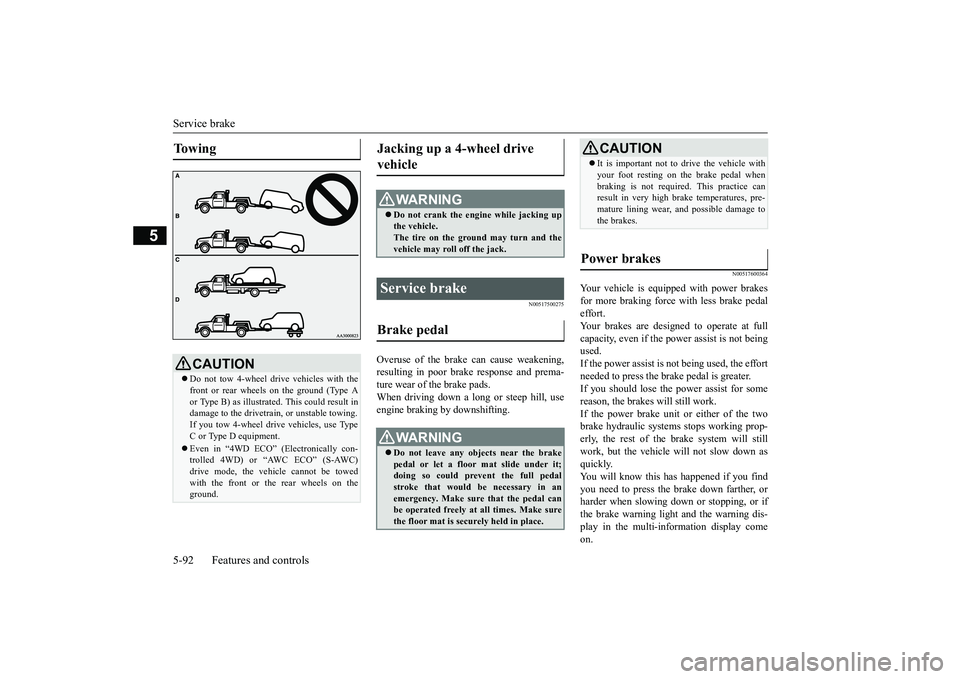
To w i n g
CAUTIONDo not tow 4-wheel drive vehicles with thefront or rear wheels on the ground (Type Aor Type B) as illustrate
d. This could result in
damage to the drivetrain, or unstable towing.If you tow 4-wheel drive vehicles, use TypeC or Type D equipment.Even in “4WD ECO” (Electronically con-trolled 4WD) or “AWC ECO” (S-AWC)drive mode, the vehicle cannot be towedwith the front or the rear wheels on theground.
Jacking up a 4-wheel drive vehicle
WA R N I N GDo not crank the engine while jacking upthe vehicle.The tire on the ground may turn and thevehicle may roll off the jack.
Service brake Brake pedal
WA R N I N GDo not leave any objects near the brakepedal or let a floor mat slide under it;doing so could prevent the full pedalstroke that would be necessary in anemergency. Make sure that the pedal canbe operated freely at all times. Make surethe floor mat is securely held in place.
CAUTIONIt is important not to drive the vehicle withyour foot resting on the brake pedal whenbraking is not required.
This practice can
result in very high brake temperatures, pre-mature lining wear, a
nd possible damage to
the brakes.
Power brakes
BK0249100US.book 92 ページ 2017年5月10日 水曜日 午前8時49分
Page 174 of 441
Brake auto hold (if so equipped)
Features and controls 5-93
5
N00550700124
The disc brakes have an alarm that makes ametallic squeal when
the brake pads have
worn down enough to need service.If you hear this sound, have the brake padsreplaced at an authorized Mitsubishi Motorsdealer or a repair fa
cility of your choice.
N00592000035
When the vehicle is st
opped at traffic lights
etc., the vehicle can be
held stationary with
the brake auto hold system even if yourelease your foot from the brake pedal.When the accelerator pedal is depressed, thebrakes are released.
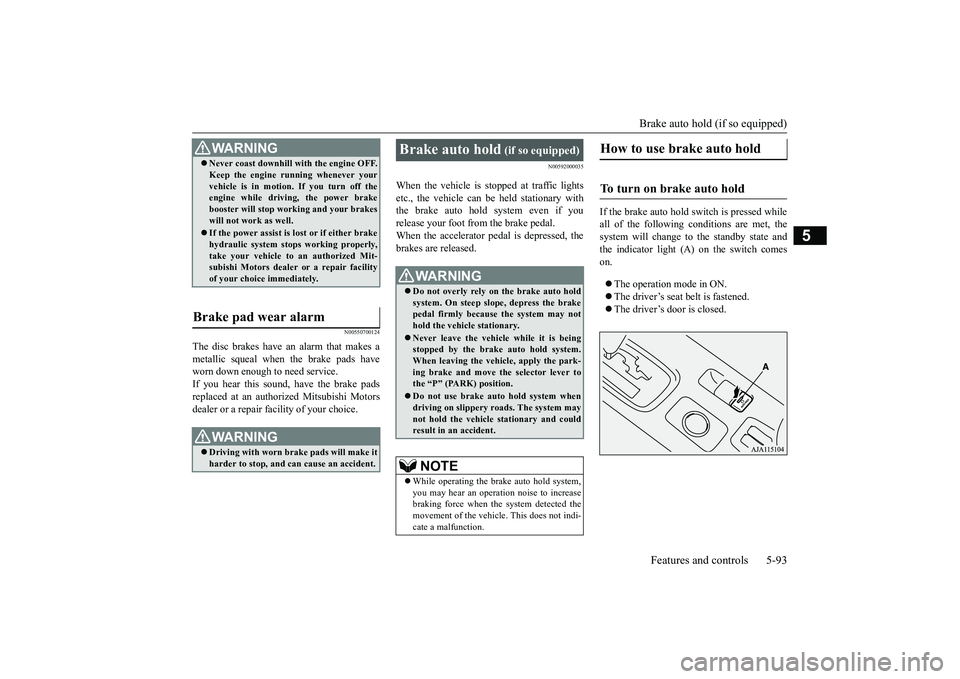
If the brake auto hold switch is pressed whileall of the following c
onditions are met, the
system will change to the standby state andthe indicator light (A) on the switch comeson.The operation mode in ON.The driver’s seat belt is fastened.The driver’s door is closed.
WA R N I N GNever coast downhill
with the engine OFF.
Keep the engine running whenever yourvehicle is in motion. If you turn off theengine while driving, the power brakebooster will stop wo
rking and your brakes
will not work as well.If the power assist is lost or if either brakehydraulic system stop
s working properly,
take your vehicle to
an authorized Mit-
subishi Motors dealer or a repair facilityof your choice immediately.
Brake pad wear alarm
WA R N I N GDriving with worn brake pads will make itharder to stop, and can cause an accident.
Brake auto hold
(if so equipped)
Do not overly rely on the brake auto holdsystem. On steep slope, depress the brakepedal firmly because the system may nothold the vehicle stationary.Never leave the vehicle while it is beingstopped by the brake auto hold system.When leaving the vehi
cle, apply the park-
ing brake and move th
e selector lever to
the “P” (PARK) position.Do not use brake auto hold system whendriving on slippery roads. The system maynot hold the vehicle stationary and couldresult in an accident. NOTE
While operating the brake auto hold system,you may hear an operation noise to increasebraking force when the system detected themovement of the vehicl
e. This does not indi-
cate a malfunction.
How to use brake auto hold
To turn on brake auto hold
BK0249100US.book 93 ページ 2017年5月10日 水曜日 午前8時49分
Page 175 of 441
Brake auto hold (if so equipped)5-94 Features and controls
5
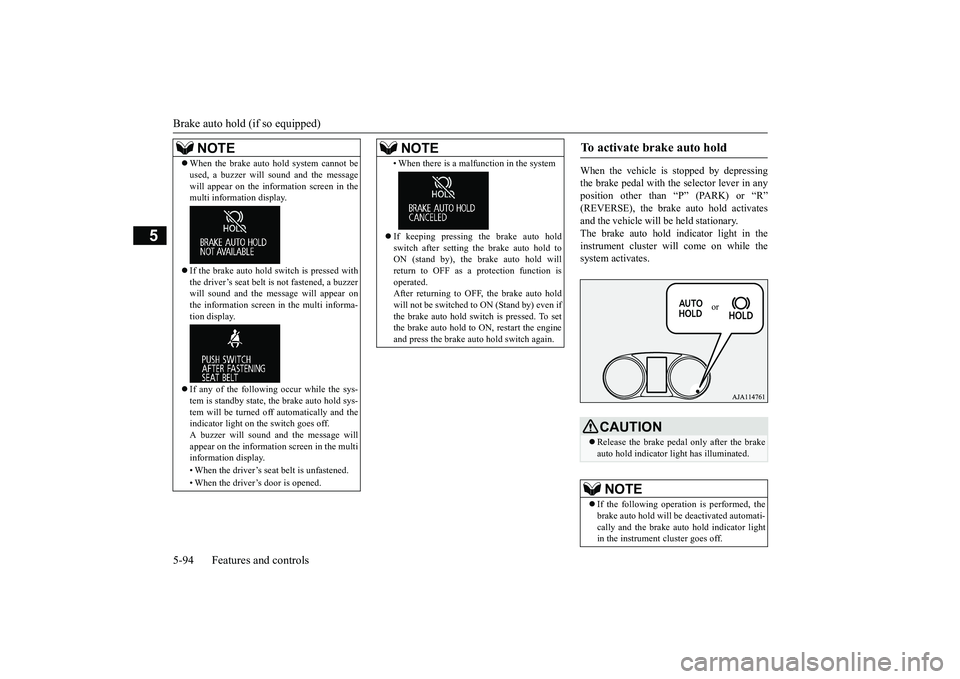
When the vehicle is
stopped by depressing
the brake pedal with the selector lever in anyposition other than “P” (PARK) or “R”and the vehicle will be
held stationary.
The brake auto hold indicator light in theinstrument cluster will come on while thesystem activates.
NOTE
When the brake auto hold system cannot beused, a buzzer will sound and the messagewill appear on the information screen in themulti information display.If the brake auto hold
switch is pressed with
the driver’s seat belt is not fastened, a buzzerwill sound and the me
ssage will appear on
the information screen in the multi informa-tion display.If any of the following occur while the sys-tem is standby state, the brake auto hold sys-tem will be turned off automatically and theindicator light on the switch goes off.A buzzer will sound
and the message will
appear on the information screen in the multiinformation display.• When the driver’s seat
belt is unfastened.
• When the driver’s door is opened.
• When there is a malfunction in the systemIf keeping pressing the brake auto holdswitch after setting the brake auto hold toON (stand by), the brake auto hold willreturn to OFF as a protection function isoperated.After returning to OFF, the brake auto holdwill not be switched to ON (Stand by) even ifthe brake auto hold switch is pressed. To setthe brake auto hold to ON, restart the engineand press the brake auto hold switch again.NOTE
To activate brake auto hold
CAUTIONRelease the brake pedal only after the brakeauto hold indicator li
ght has illuminated.
NOTE
If the following operation is performed, thebrake auto hold will be deactivated automati-cally and the brake au
to hold indicator light
in the instrument cluster goes off.
or
BK0249100US.book 94 ページ 2017年5月10日 水曜日 午前8時49分