display MITSUBISHI OUTLANDER III 2018 Manual Online
[x] Cancel search | Manufacturer: MITSUBISHI, Model Year: 2018, Model line: OUTLANDER III, Model: MITSUBISHI OUTLANDER III 2018Pages: 441, PDF Size: 13.71 MB
Page 204 of 441
Forward Collision Mitigation System (FCM) (if so equipped)
Features and controls 5-123
5
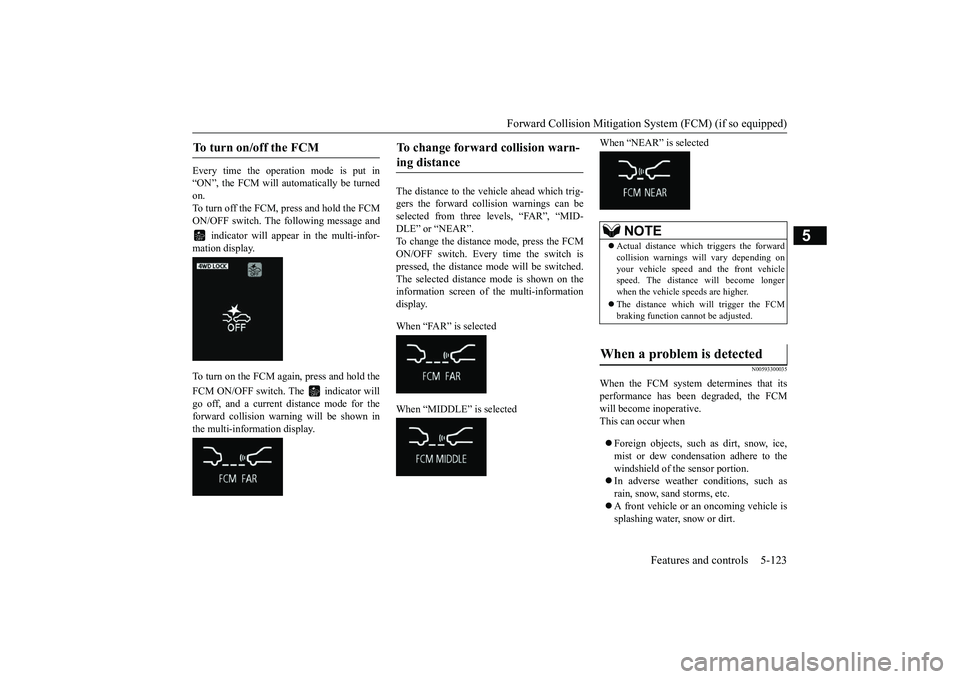
Every time the opera
tion mode is put in
“ON”, the FCM will automatically be turnedon.To turn off the FCM, press and hold the FCMON/OFF switch. The following message and
indicator will appear in the multi-infor-
mation display.To turn on the FCM again, press and hold theFCM ON/OFF switch. The indicator willgo off, and a current
distance mode for the
forward collision warning will be shown inthe multi-information display.
The distance to the vehicle ahead which trig-gers the forward collision warnings can beselected from three levels, “FAR”, “MID-DLE” or “NEAR”.To change the distance mode, press the FCMON/OFF switch. Every time the switch ispressed, the distance mode will be switched.The selected distance mode is shown on theinformation screen of the multi-informationdisplay. When “FAR” is selectedWhen “MIDDLE” is selected
When “NEAR” is selected
N00593300035
When the FCM system determines that itsperformance has been degraded, the FCMwill become inoperative.This can occur whenForeign objects, such
as dirt, snow, ice,
mist or dew condensat
ion adhere to the
windshield of the sensor portion.In adverse weather conditions, such asrain, snow, sand storms, etc.A front vehicle or an oncoming vehicle issplashing water, snow or dirt.
To turn on/off the FCM
To change forward collision warn-ing distance
NOTE
Actual distance which triggers the forwardcollision warnings w
ill vary depending on
your vehicle speed a
nd the front vehicle
speed. The distance will become longerwhen the vehicle speeds are higher.The distance which will trigger the FCMbraking function cannot be adjusted.
When a problem is detected
BK0249100US.book 123 ページ 2017年5月10日 水曜日 午前8時49分
Page 205 of 441
Forward Collision Mitigation System (FCM) (if so equipped)5-124 Features and controls
5
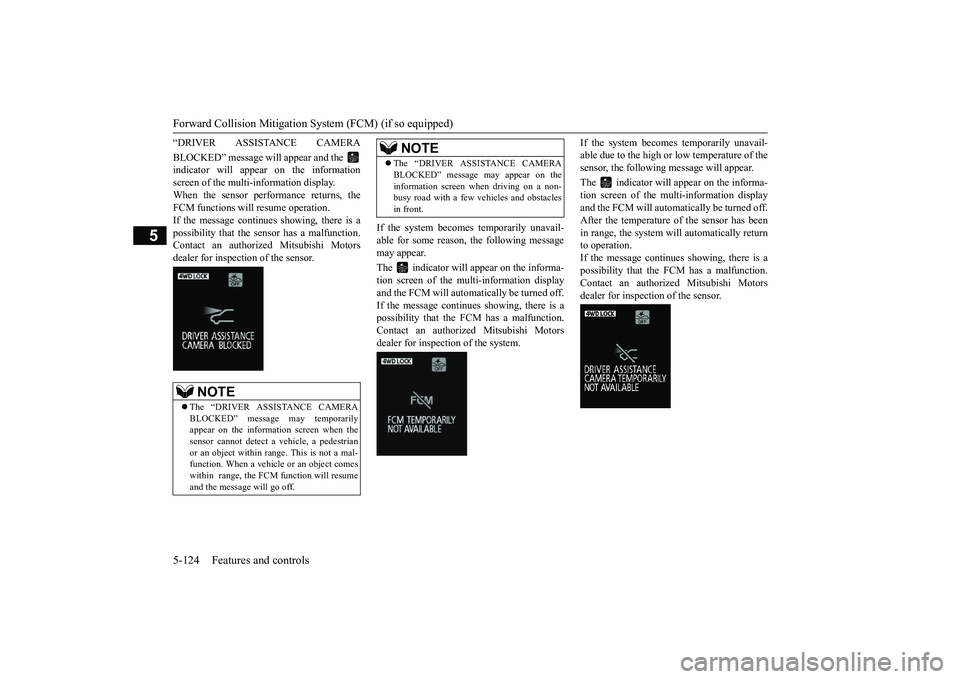
“DRIVER ASSISTANCE CAMERABLOCKED” message will appear and the indicator will appear on the informationscreen of the multi-information display.When the sensor performance returns, theFCM functions will resume operation.If the message continues
showing, there is a
possibility that the se
nsor has a malfunction.
Contact an authoriz
ed Mitsubishi Motors
dealer for inspection of the sensor.
If the system becomes temporarily unavail-able for some reason, the following messagemay appear.The indicator will appear on the informa-tion screen of the multi-information displayand the FCM will automatically be turned off.If the message continues showing, there is apossibility that the
FCM has a malfunction.
Contact an authorized Mitsubishi Motorsdealer for inspection of the system.
If the system becomes temporarily unavail-able due to the high or low temperature of thesensor, the following
message will appear.
The indicator will appear on the informa-tion screen of the mu
lti-information display
and the FCM will automa
tically be turned off.
After the temperature of
the sensor has been
in range, the system will automatically returnto operation.If the message continues
showing, there is a
possibility that the FCM has a malfunction.Contact an authoriz
ed Mitsubishi Motors
dealer for inspection of the sensor.
NOTE
The “DRIVER ASSI
STANCE CAMERA
BLOCKED” message may temporarilyappear on the information screen when thesensor cannot detect a
vehicle, a pedestrian
or an object within ra
nge. This is not a mal-
function. When a vehicle or an object comeswithin range, the FCM function will resumeand the message will go off.
The “DRIVER ASSISTANCE CAMERABLOCKED” message may appear on theinformation screen when driving on a non-busy road with a few
vehicles and obstacles
in front.NOTE
BK0249100US.book 124 ページ 2017年5月10日 水曜日 午前8時49分
Page 206 of 441
Forward Collision Mitigation System (FCM) (if so equipped)
Features and controls 5-125
5
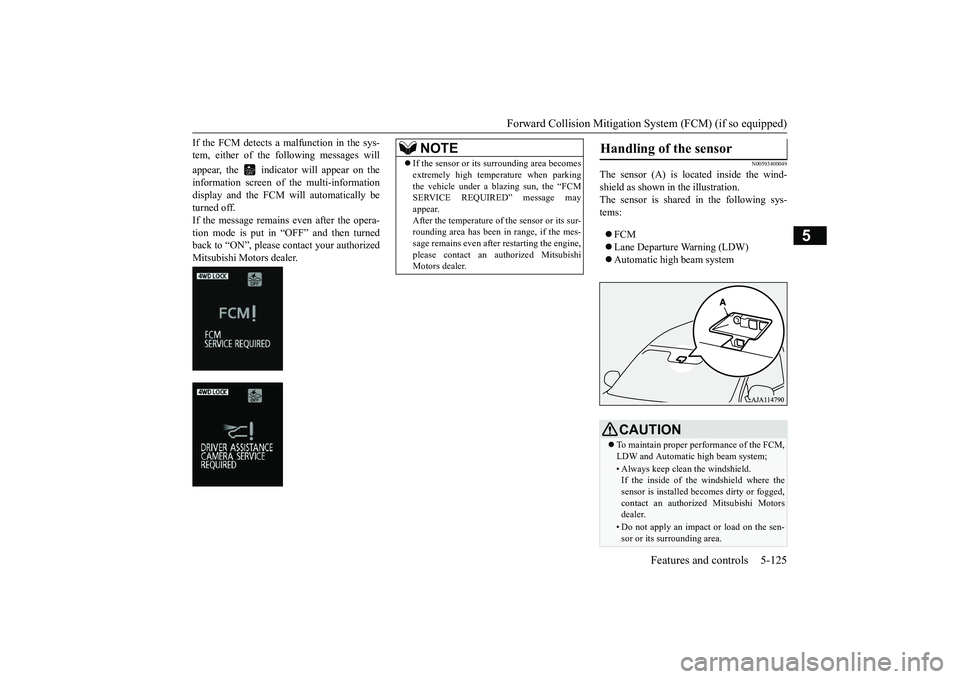
If the FCM detects a malfunction in the sys-tem, either of the following messages willappear, the indicator
will appear on the
information screen of
the multi-information
display and the FCM will automatically beturned off.If the message remains even after the opera-tion mode is put in “OFF” and then turnedback to “ON”, please contact your authorizedMitsubishi Motors dealer.
N00593400049
The sensor (A) is lo
cated inside the wind-
shield as shown in the illustration.The sensor is shared in the following sys-tems:FCMLane Departure Warning (LDW)Automatic high beam system
NOTE
If the sensor or its surrounding area becomesextremely high temperature when parkingthe vehicle under a blazing sun, the “FCMSERVICE REQUIRED” message mayappear.After the temperature of the sensor or its sur-rounding area has been in range, if the mes-sage remains even afte
r restarting the engine,
please contact an au
thorized Mitsubishi
Motors dealer.
Handling of the sensor
CAUTIONTo maintain proper performance of the FCM,LDW and Automatic high beam system;• Always keep clea
n the windshield.
If the inside of the windshield where thesensor is installed be
comes dirty or fogged,
contact an authorized Mitsubishi Motorsdealer.• Do not apply an impact or load on the sen-sor or its surrounding area.
BK0249100US.book 125 ページ 2017年5月10日 水曜日 午前8時49分
Page 211 of 441
Blind Spot Warning (BSW) (with Lane Change Assist) (if so equipped)
5
N00592700032
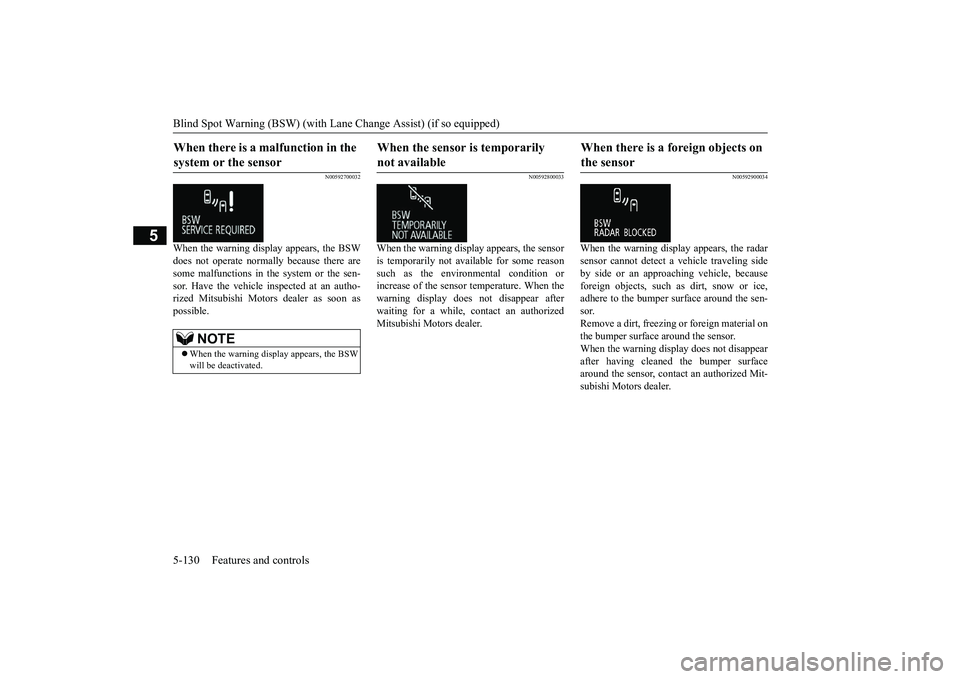
When the warning display appears, the BSWdoes not operate normally because there aresome malfunctions in the system or the sen-sor. Have the vehicle
inspected at an autho-
rized Mitsubishi Motors dealer as soon aspossible.
N00592800033
When the warning displa
y appears, the sensor
is temporarily not available for some reasonsuch as the environmental condition orincrease of the sensor temperature. When thewarning display does
not disappear after
waiting for a while, contact an authorizedMitsubishi Motors dealer.
N00592900034
When the warning display appears, the radarsensor cannot detect
a vehicle traveling side
by side or an approaching vehicle, becauseforeign objects, such as dirt, snow or ice,adhere to the bumper surface around the sen-sor.Remove a dirt, freezing
or foreign material on
the bumper surface around the sensor.When the warning display does not disappearafter having cleaned the bumper surfacearound the sensor, contact an authorized Mit-subishi Motors dealer.
When there is a malfunction in the system or the sensor
NOTE
When the warning display appears, the BSWwill be deactivated.
When the sensor is temporarily not available
When there is a foreign objects on the sensor
BK0249100US.book 130 ページ 2017年5月10日 水曜日 午前8時49分
Page 212 of 441
Rear Cross Traffic Alert
(RCTA) (if so equipped)
Features and controls 5-131
5
N00593900044
For vehicles sold in U.S.A. FCC ID:OAYSRR3AThis device complies with Part 15 of FCCRules. Operation is subject to the followingtwo conditions:(1) This device may not
cause harmful inter-
ference, and(2) this device must
accept any interference
received, including interference that maycause undesired operation.For vehicles sold in Canada Applicable law: Canada 310This device complies with Industry Canadalicence-exempt RSS sta
ndard(s). Operation is
subject to the following two conditions: (1)this device may not ca
use interference, and
(2) this device must accept any interference,including interference that may cause unde-sired operation of the device. Frequency bands: 24.05 - 24.25GHz Output power: less than 20 milliwatts
N00593000045
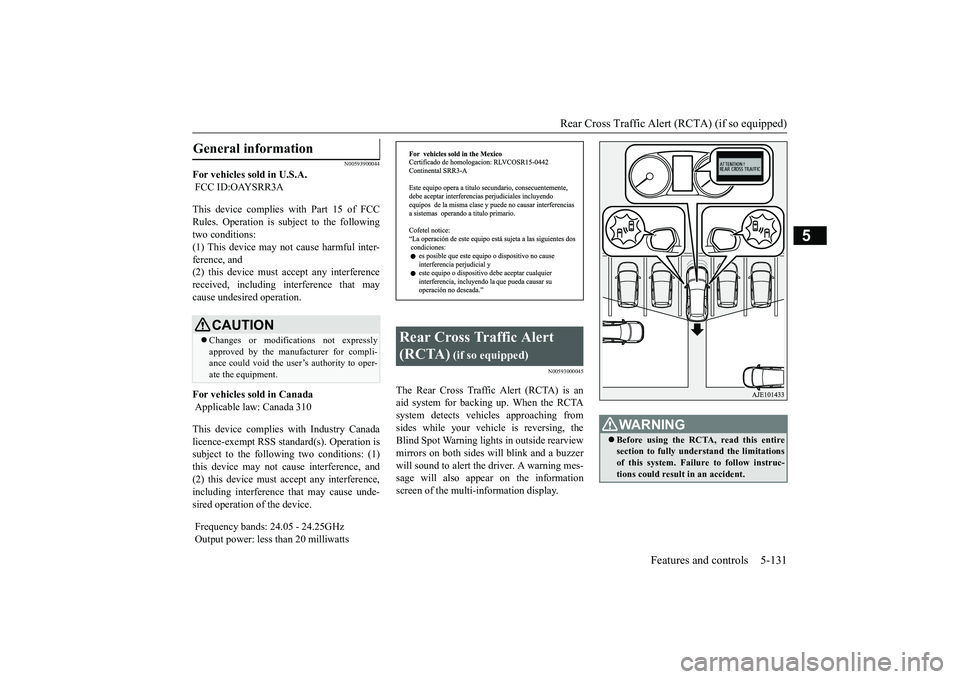
The Rear Cross Traffic Alert (RCTA) is anaid system for backing up. When the RCTAsystem detects vehicl
es approaching from
sides while your vehicle is reversing, theBlind Spot Warning lights in outside rearviewmirrors on both sides w
ill blink and a buzzer
will sound to alert the driver. A warning mes-sage will also appear on the informationscreen of the multi-information display.
General information
CAUTIONChanges or modifica
tions not expressly
approved by the manufacturer for compli-ance could void the user’s authority to oper-ate the equipment.
Rear Cross Traffic Alert (RCTA)
(if so equipped)
WA R N I N GBefore using the RCTA, read this entiresection to fully understand the limitationsof this system. Failure to follow instruc-tions could result
in an accident.
BK0249100US.book 131 ページ 2017年5月10日 水曜日 午前8時49分
Page 214 of 441
Rear Cross Traffic Alert
(RCTA) (if so equipped)
Features and controls 5-133
5
1. Press the Blind Spot Warning switchwhile the operation mode is put in ON.(Refer to “Blind Spot Warning (BSW): Tooperate” on page 5-128.)2. When the selector lever is moved to the“R” (REVERSE) position, the RCTA willoperate.
If the system detects a problem, a warning isdisplayed on the information screen in themulti-information display.Refer to
Page 215 of 441
Lane Departure Warning System (LDW) (if so equipped)5-134 Features and controls
5
N00577900059
The Lane Departure Wa
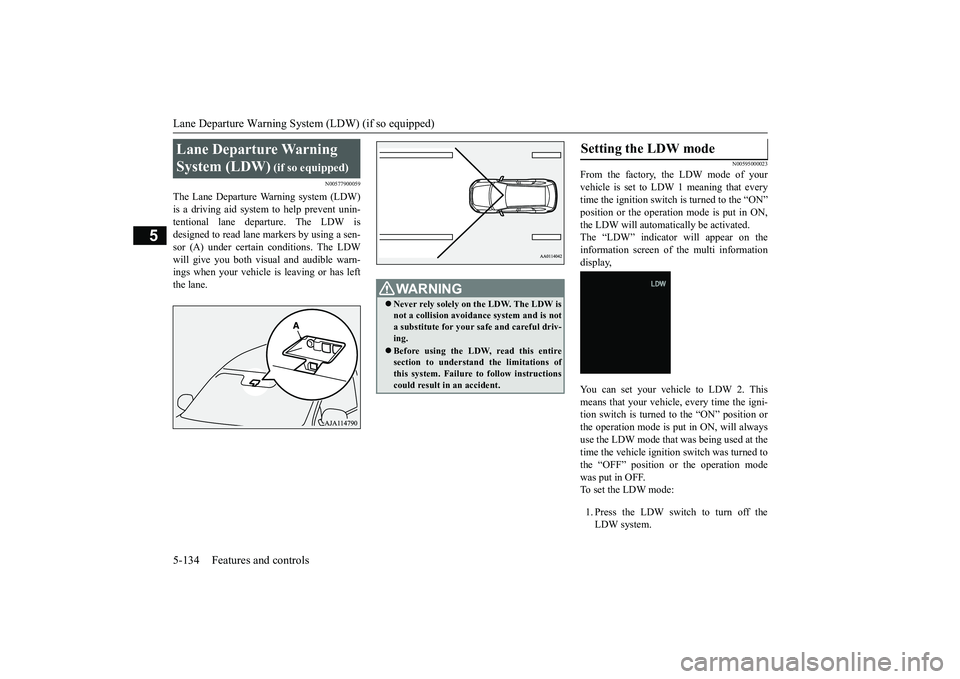
rning system (LDW)
tentional lane departure. The LDW isdesigned to read lane markers by using a sen-sor (A) under certain
conditions. The LDW
will give you both visual and audible warn-ings when your vehicle is leaving or has leftthe lane.
N00595000023
From the factory, the LDW mode of yourvehicle is set to LDW 1 meaning that everytime the ignition switch is turned to the “ON”the LDW will automatically be activated.The “LDW” indicator will appear on theinformation screen of the multi informationdisplay,You can set your vehi
cle to LDW 2. This
means that your vehicle, every time the igni-tion switch is turned to the “ON” position orthe operation mode is put in ON, will alwaysuse the LDW mode that was being used at thetime the vehicle ignition switch was turned tothe “OFF” position or the operation modewas put in OFF.To set the LDW mode:1. Press the LDW switch to turn off theLDW system.
Lane Departure Warning System (LDW)
(if so equipped)
Never rely solely on the LDW. The LDW isnot a collision avoidance system and is nota substitute for your safe and careful driv-ing.Before using the LDW, read this entiresection to understand the limitations ofthis system. Failure to follow instructionscould result in an accident.
Setting the LDW mode
BK0249100US.book 134 ページ 2017年5月10日 水曜日 午前8時49分
Page 216 of 441

Lane Departure Warning System (LDW) (if so equipped)
Features and controls 5-135
5
2. Press again and hold the LDW switch formore than 10 seconds.3. When you release the LDW switch, theLDW mode is changed and it appears onthe multi information display. or
N00581000051
To turn off the LDW, press the LDW switch.The “LDW” indicator on the informationscreen of the multi-information display willthen go out.To return the LDW to “ON”, press the LDWswitch again.
N00581100036
The LDW, when turned ON, is capable ofrecognizing the lane in which your vehicle istravelling and issuing an audible warningwhen your vehicle begins to leave that travellane. When operating, the “LDW” indicatoron the multi-information display will bechanged to indicator (green). The LDWwill not operate, how
ever, and the “LDW”
conditions have occurred:The vehicle speed is less than 38 mph (60km/h).The turn signal lever is being operated orhas been operated in the past 7 seconds.The hazard warning light is being oper-ated or has been operated in the past 7seconds.
N00581200040
While the “LDW” indicator in the informa-tion display is lit in gr
een, if your vehicle is
leaving or has left the lane, a buzzer willsound intermittently, “LANE DEPARTURE”will appear in the information display andthe indicator will be flashing in amber.
Turning off the LDW
Operation of the LDW
Lane departure warning
BK0249100US.book 135 ページ 2017年5月10日 水曜日 午前8時49分
Page 217 of 441
Lane Departure Warning System (LDW) (if so equipped)5-136 Features and controls
5
N00578100045
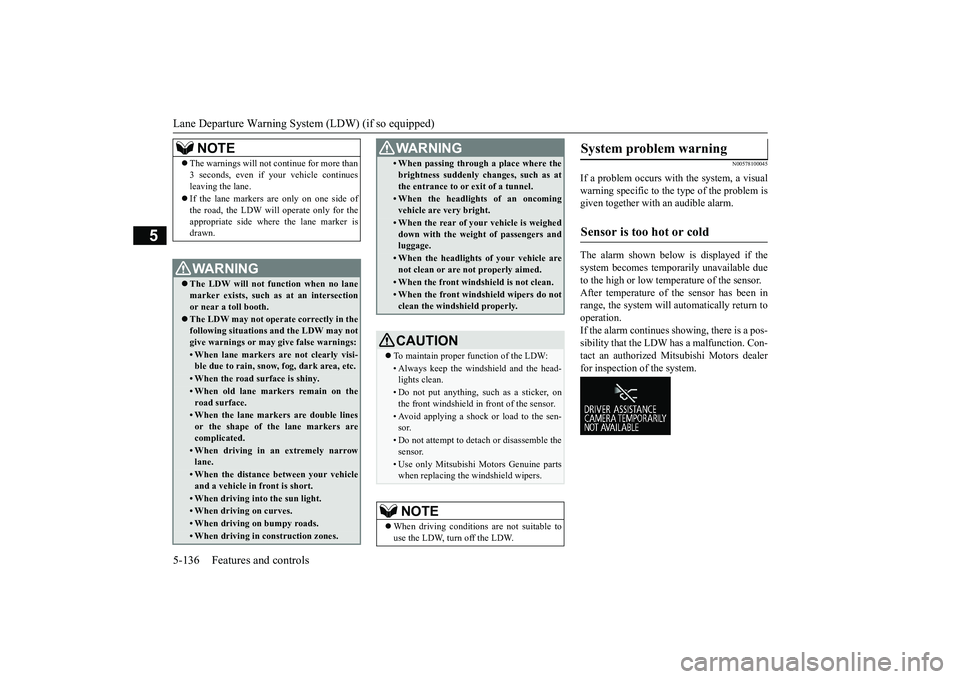
If a problem occurs with the system, a visualwarning specific to the type of the problem isgiven together with an audible alarm.The alarm shown below is displayed if thesystem becomes temporarily unavailable dueto the high or low temperature of the sensor.After temperature of the sensor has been inrange, the system will automatically return tooperation.If the alarm continues s
howing, there is a pos-
sibility that the LDW
has a malfunction. Con-
tact an authorized Mitsubishi Motors dealerfor inspection of the system.
NOTE
The warnings will not continue for more than3 seconds, even if your vehicle continuesleaving the lane.If the lane markers are only on one side ofthe road, the LDW will operate only for theappropriate side where the lane marker isdrawn.WA R N I N GThe LDW will not function when no lanemarker exists, such as at an intersectionor near a toll booth.The LDW may not operat
e correctly in the
following situations and the LDW may notgive warnings or may
give false warnings:
• When lane markers are not clearly visi-ble due to rain, snow, fog, dark area, etc.• When the road surface is shiny.• When old lane markers remain on theroad surface.• When the lane markers are double linesor the shape of the lane markers arecomplicated.• When driving in an extremely narrowlane.• When the distance between your vehicleand a vehicle in
front is short.
• When driving into the sun light.• When driving on curves.• When driving on bumpy roads.• When driving in construction zones.
• When passing through a place where thebrightness suddenly changes, such as atthe entrance to or exit of a tunnel.• When the headlights of an oncomingvehicle are very bright. • When the rear of your vehicle is weigheddown with the weight of passengers andluggage.• When the headlights
of your vehicle are
not clean or are not properly aimed.• When the front windshield is not clean.• When the front windshield wipers do notclean the windshield properly.CAUTIONTo maintain proper function of the LDW:• Always keep the windshield and the head-lights clean.• Do not put anything, such as a sticker, onthe front windshield in front of the sensor.• Avoid applying a shock or load to the sen-sor.• Do not attempt to deta
ch or disassemble the
sensor.• Use only Mitsubishi Mo
tors Genuine parts
when replacing the
windshield wipers.
NOTE
When driving conditions are not suitable touse the LDW, turn off the LDW.WA R N I N G
System problem warning
Sensor is too hot or cold
BK0249100US.book 136 ページ 2017年5月10日 水曜日 午前8時49分
Page 218 of 441
Tire pressure monitoring system
Features and controls 5-137
5
The alarm shown below is displayed if thesystem becomes temporarily unavailable dueto the dirty windshield
of the sensor portion.
After having cleaned the windshield, the sys-tem will automatically return to operation.If the alarm continues showing, there is a pos-sibility that the LDW has a malfunction. Con-tact an authorized Mitsubishi Motors dealerfor inspection of the sensor.
If the LDW is deactivated due to a malfunc-tion in the system, the either alarm shownbelow is displayed. Contact your authorizedMitsubishi Motors dealer for inspection of thesystem.
N00530201638
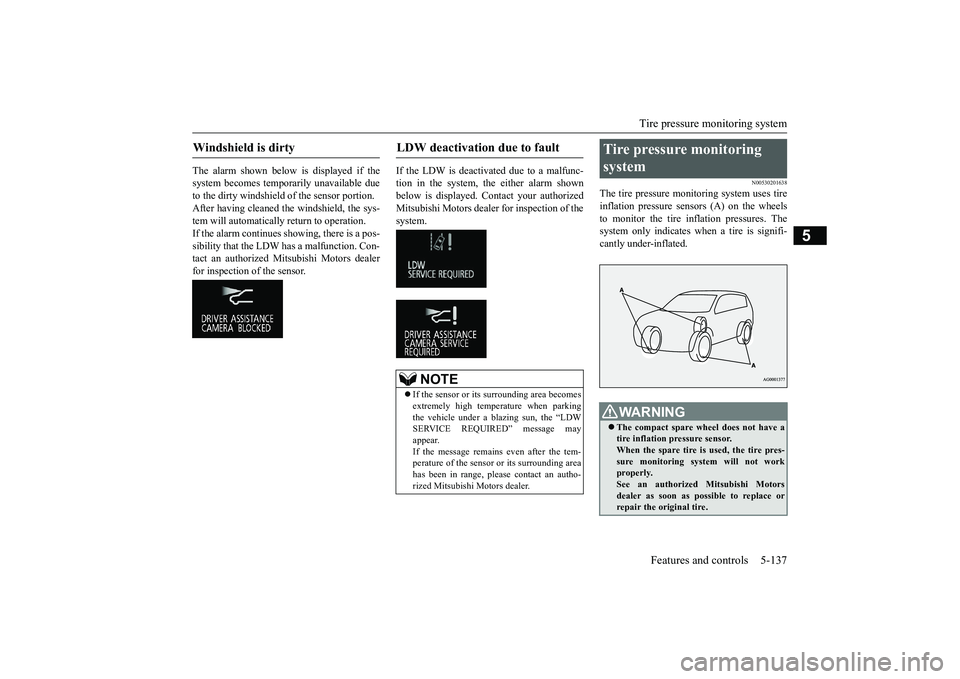
The tire pressure monitoring system uses tireinflation pressure sensors (A) on the wheelsto monitor the tire inflation pressures. Thesystem only indicates wh
en a tire is signifi-
cantly under-inflated.
Windshield is dirty
LDW deactivation due to fault
NOTE
If the sensor or its surrounding area becomesextremely high temperature when parkingthe vehicle under a bl
azing sun, the “LDW
SERVICE REQUIRED” message mayappear.If the message remains even after the tem-perature of the sensor or its surrounding areahas been in range, plea
se contact an autho-
rized Mitsubishi Motors dealer.
Tire pressure monitoring system
WA R N I N GThe compact spare whee
l does not have a
tire inflation pressure sensor.When the spare tire is used, the tire pres-sure monitoring system will not workproperly.See an authorized
Mitsubishi Motors
dealer as soon as possible to replace orrepair the original tire.
BK0249100US.book 137 ページ 2017年5月10日 水曜日 午前8時49分