tow MITSUBISHI OUTLANDER PHEV 2018 (in English) User Guide
[x] Cancel search | Manufacturer: MITSUBISHI, Model Year: 2018, Model line: OUTLANDER PHEV, Model: MITSUBISHI OUTLANDER PHEV 2018Pages: 538, PDF Size: 25.01 MB
Page 202 of 538
Welcome light
E00528902072
This function turns on the position and tail
lamps for about 30 seconds after the UN- LOCK switch on the remote control transmit-
ter is pressed when the combination head-
lamps and dipper switch is in the “OFF” or
“AUTO” position. The welcome light func- tion will operate only when it is dark outside
the vehicle.
NOTEl While the welcome light function is operat-
ing, perform one of the following operations to cancel the function.
• Push the LOCK switch on the remote
control transmitter.
• Turn the combination headlamps and dip-
per switch to the “
” or “” position.
• Put the operation mode of the power
switch in ON.
l It is possible to modify functions as follows:
• The headlamps can be set to come on in
the low beam setting.
• The welcome light function can be deacti-
vated.
For further information, please contact your MITSUBISHI MOTORS Authorized Serv-
ice Point.
On vehicles equipped with the Smartphone
Link Display Audio or the MITSUBISHI
Multi-Communication System (MMCS), screen operations can be used to make the
NOTEadjustment. Refer to the separate owner’s
manual for details.Coming home light
E00529001826
This function turns on the headlamps in the
low beam setting for about 30 seconds after the operation mode is put in OFF. 1. Turn the combination headlamps and
dipper switch to the “OFF” or “AUTO”
position.
2. Put the operation mode of the power
switch in OFF.
3. Within 60 seconds of putting the opera-
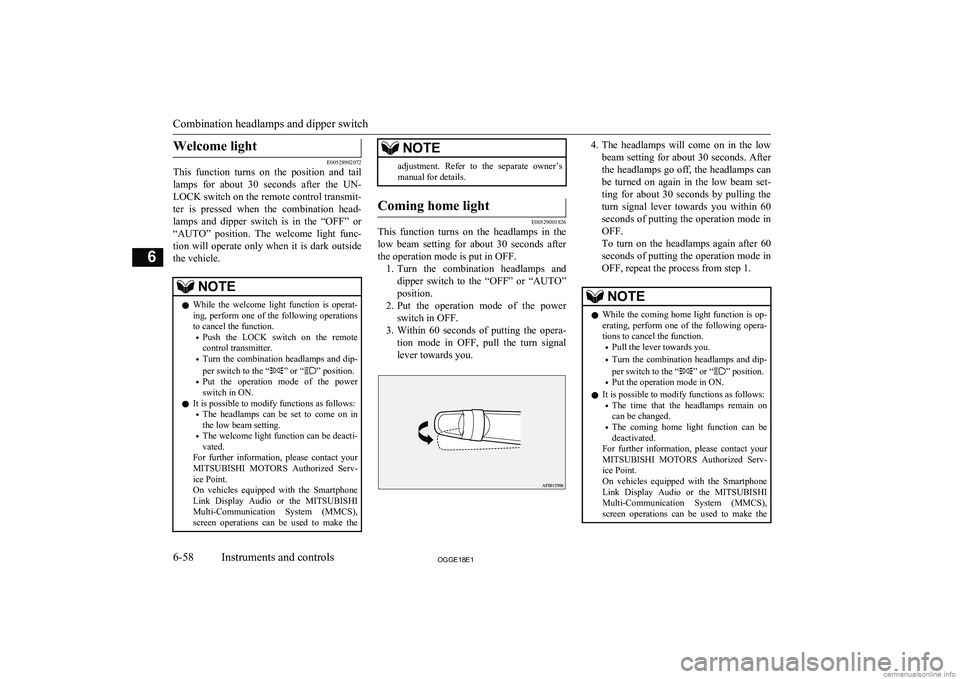
tion mode in OFF, pull the turn signal
lever towards you.
4. The headlamps will come on in the low
beam setting for about 30 seconds. After
the headlamps go off, the headlamps can be turned on again in the low beam set-
ting for about 30 seconds by pulling the turn signal lever towards you within 60seconds of putting the operation mode in
OFF.
To turn on the headlamps again after 60
seconds of putting the operation mode in OFF, repeat the process from step 1.NOTEl While the coming home light function is op-
erating, perform one of the following opera-
tions to cancel the function.
• Pull the lever towards you.
• Turn the combination headlamps and dip-
per switch to the “
” or “” position.
• Put the operation mode in ON.
l It is possible to modify functions as follows:
• The time that the headlamps remain on
can be changed.
• The coming home light function can be
deactivated.
For further information, please contact your
MITSUBISHI MOTORS Authorized Serv-
ice Point.
On vehicles equipped with the Smartphone
Link Display Audio or the MITSUBISHI
Multi-Communication System (MMCS), screen operations can be used to make the
Combination headlamps and dipper switch
6-58OGGE18E1Instruments and controls6
Page 209 of 538
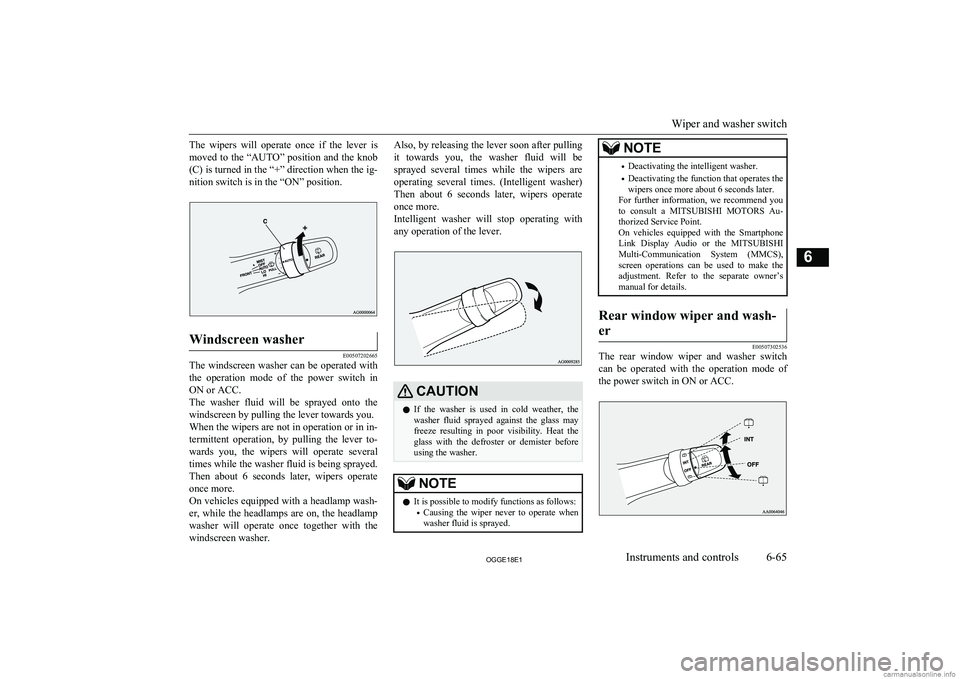
The wipers will operate once if the lever ismoved to the “AUTO” position and the knob
(C) is turned in the “+” direction when the ig- nition switch is in the “ON” position.Windscreen washer
E00507202665
The windscreen washer can be operated with the operation mode of the power switch in
ON or ACC.
The washer fluid will be sprayed onto the windscreen by pulling the lever towards you.When the wipers are not in operation or in in-
termittent operation, by pulling the lever to-
wards you, the wipers will operate several
times while the washer fluid is being sprayed. Then about 6 seconds later, wipers operate
once more.
On vehicles equipped with a headlamp wash- er, while the headlamps are on, the headlamp
washer will operate once together with the windscreen washer.
Also, by releasing the lever soon after pulling
it towards you, the washer fluid will be sprayed several times while the wipers are operating several times. (Intelligent washer)
Then about 6 seconds later, wipers operate once more.
Intelligent washer will stop operating with
any operation of the lever.CAUTIONl If the washer is used in cold weather, the
washer fluid sprayed against the glass may
freeze resulting in poor visibility. Heat the
glass with the defroster or demister before using the washer.NOTEl It is possible to modify functions as follows:
• Causing the wiper never to operate when
washer fluid is sprayed.NOTE• Deactivating the intelligent washer.
• Deactivating the function that operates the
wipers once more about 6 seconds later.
For further information, we recommend you
to consult a MITSUBISHI MOTORS Au-
thorized Service Point.
On vehicles equipped with the Smartphone
Link Display Audio or the MITSUBISHI
Multi-Communication System (MMCS), screen operations can be used to make theadjustment. Refer to the separate owner’s
manual for details.Rear window wiper and wash-
er
E00507302536
The rear window wiper and washer switch can be operated with the operation mode of
the power switch in ON or ACC.
Wiper and washer switch
6-65OGGE18E1Instruments and controls6
Page 215 of 538
Economical driving............................................................................. 7-02
Driving, alcohol and drugs.................................................................. 7-02
Safe driving techniques....................................................................... 7-02
Parking brake...................................................................................... 7-03 Parking................................................................................................ 7-06
Steering wheel height and reach adjustment....................................... 7-07
Inside rear-view mirror....................................................................... 7-07
Outside rear-view mirrors................................................................... 7-09
Power switch....................................................................................... 7-12 Starting and stopping the Plug-in Hybrid EV System........................ 7-14
Selector lever (Joystick type).............................................................. 7-16 Select position indicator...................................................................... 7-17
Electrical Parking switch.................................................................... 7-18
Regenerative braking level selector (paddle type)*............................ 7-19
S-AWC (Super All Wheel Control).................................................... 7-21
4-wheel drive operation...................................................................... 7-23
Inspection and maintenance following rough road operation............. 7-24
Cautions on handling of 4-wheel drive vehicles................................. 7-24
EV switch............................................................................................ 7-25
Battery save mode switch................................................................... 7-27
Battery charge mode switch................................................................ 7-28 Acoustic Vehicle Alerting System (AVAS)....................................... 7-29
Braking................................................................................................ 7-30
Brake auto hold................................................................................... 7-32
Hill start assist..................................................................................... 7-34
Brake assist system............................................................................. 7-35
Emergency stop signal system............................................................ 7-36
Anti-lock brake system (ABS)............................................................ 7-36
Electric power steering system (EPS)................................................. 7-39Active stability control (ASC)............................................................ 7-40
Cruise control*.................................................................................... 7-42
Speed Limiter*.................................................................................... 7-47
Adaptive Cruise Control System (ACC)*...........................................7-52 Forward Collision Mitigation System (FCM)*...................................7-64Ultrasonic misacceleration Mitigation System (UMS)*..................... 7-74Blind Spot Warning (BSW) (with Lane Change Assist)*.................. 7-79
Rear Cross Traffic Alert (RCTA)*..................................................... 7-83Lane Departure Warning (LDW)*...................................................... 7-85
Tyre pressure monitoring system (TPMS).......................................... 7-89 Reversing sensor system*................................................................... 7-94
Parking sensors (Front/Rear)*............................................................ 7-98
Rear-view camera*........................................................................... 7-102 Multi Around Monitor*.................................................................... 7-106
Cargo loads....................................................................................... 7-115 Trailer towing....................................................................................7-116Starting and driving
OGGE18E17
Page 220 of 538
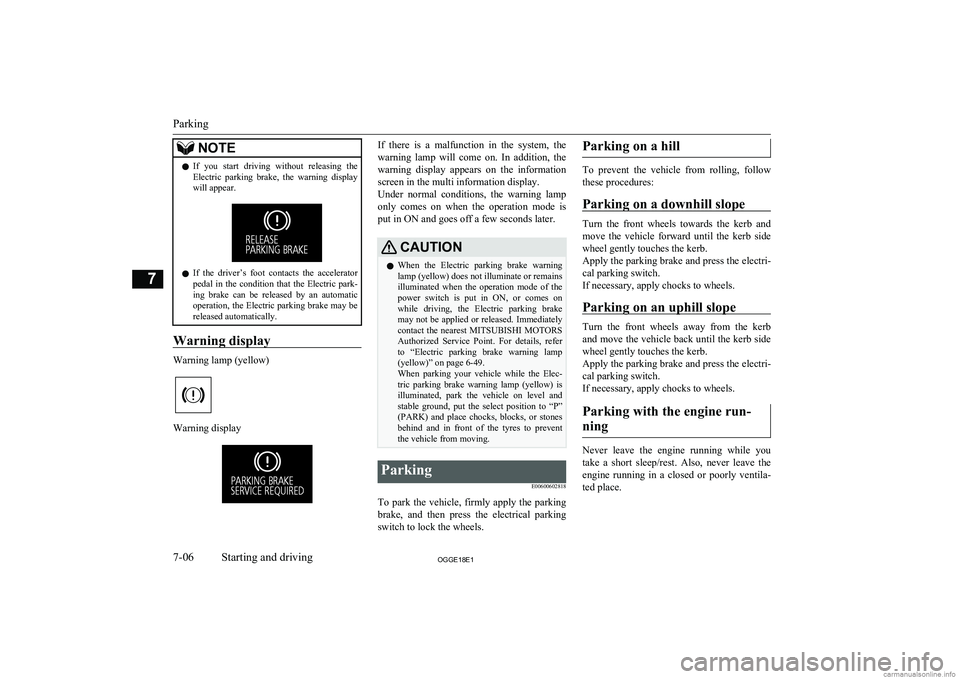
NOTElIf you start driving without releasing the
Electric parking brake, the warning display
will appear.
l If the driver’s foot contacts the accelerator
pedal in the condition that the Electric park-
ing brake can be released by an automatic
operation, the Electric parking brake may be released automatically.
Warning display
Warning lamp (yellow)
Warning display
If there is a malfunction in the system, the
warning lamp will come on. In addition, thewarning display appears on the information
screen in the multi information display.
Under normal conditions, the warning lamp
only comes on when the operation mode is put in ON and goes off a few seconds later.CAUTIONl When the Electric parking brake warning
lamp (yellow) does not illuminate or remainsilluminated when the operation mode of the
power switch is put in ON, or comes on while driving, the Electric parking brake
may not be applied or released. Immediately contact the nearest MITSUBISHI MOTORS
Authorized Service Point. For details, refer
to “Electric parking brake warning lamp (yellow)” on page 6-49.
When parking your vehicle while the Elec-
tric parking brake warning lamp (yellow) is illuminated, park the vehicle on level and stable ground, put the select position to “P”(PARK) and place chocks, blocks, or stones
behind and in front of the tyres to prevent
the vehicle from moving.Parking
E00600602818
To park the vehicle, firmly apply the parkingbrake, and then press the electrical parking
switch to lock the wheels.
Parking on a hill
To prevent the vehicle from rolling, follow
these procedures:
Parking on a downhill slope
Turn the front wheels towards the kerb and move the vehicle forward until the kerb side wheel gently touches the kerb.
Apply the parking brake and press the electri-
cal parking switch.
If necessary, apply chocks to wheels.
Parking on an uphill slope
Turn the front wheels away from the kerb
and move the vehicle back until the kerb side wheel gently touches the kerb.
Apply the parking brake and press the electri-
cal parking switch.
If necessary, apply chocks to wheels.
Parking with the engine run- ning
Never leave the engine running while you
take a short sleep/rest. Also, never leave the engine running in a closed or poorly ventila-
ted place.
Parking
7-06OGGE18E1Starting and driving7
Page 224 of 538
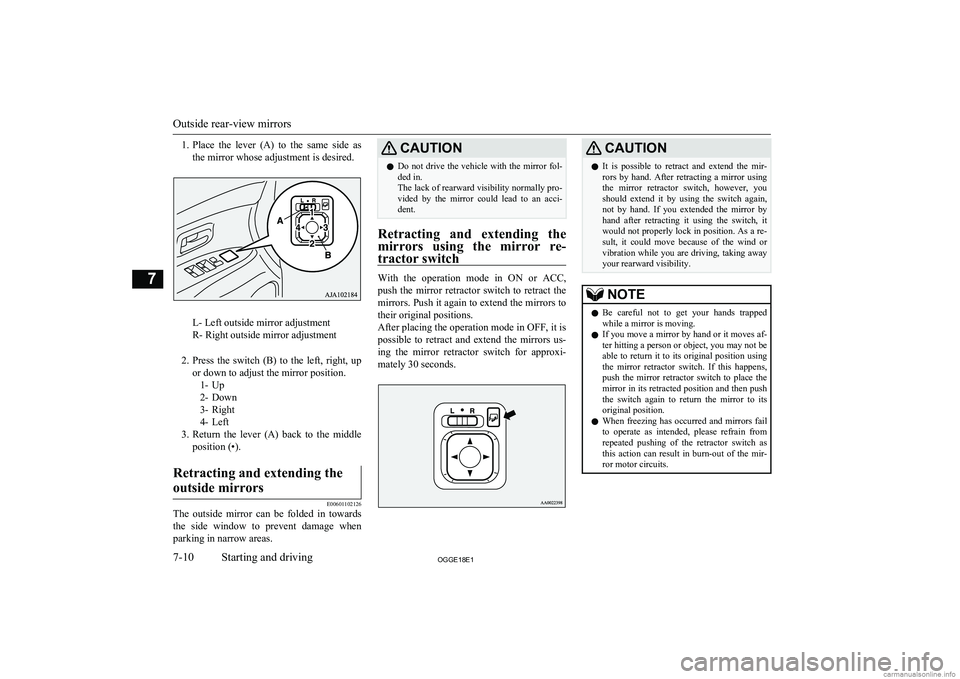
1.Place the lever (A) to the same side as
the mirror whose adjustment is desired.
L- Left outside mirror adjustment
R- Right outside mirror adjustment
2. Press the switch (B) to the left, right, up
or down to adjust the mirror position. 1- Up
2- Down
3- Right
4- Left
3. Return the lever (A) back to the middle
position (•).
Retracting and extending the
outside mirrors
E00601102126
The outside mirror can be folded in towards the side window to prevent damage when
parking in narrow areas.
CAUTIONl Do not drive the vehicle with the mirror fol-
ded in.
The lack of rearward visibility normally pro-
vided by the mirror could lead to an acci- dent.
Retracting and extending the
mirrors using the mirror re- tractor switch
With the operation mode in ON or ACC,push the mirror retractor switch to retract the
mirrors. Push it again to extend the mirrors to their original positions.
After placing the operation mode in OFF, it is possible to retract and extend the mirrors us-
ing the mirror retractor switch for approxi-
mately 30 seconds.
CAUTIONl It is possible to retract and extend the mir-
rors by hand. After retracting a mirror using
the mirror retractor switch, however, you should extend it by using the switch again,
not by hand. If you extended the mirror by
hand after retracting it using the switch, it would not properly lock in position. As a re-
sult, it could move because of the wind or
vibration while you are driving, taking away your rearward visibility.NOTEl Be careful not to get your hands trapped
while a mirror is moving.
l If you move a mirror by hand or it moves af-
ter hitting a person or object, you may not be
able to return it to its original position using the mirror retractor switch. If this happens,
push the mirror retractor switch to place the mirror in its retracted position and then push
the switch again to return the mirror to its original position.
l When freezing has occurred and mirrors fail
to operate as intended, please refrain from repeated pushing of the retractor switch as
this action can result in burn-out of the mir- ror motor circuits.
Outside rear-view mirrors
7-10OGGE18E1Starting and driving7
Page 234 of 538
CAUTIONlIf a large regenerative brake force is applied
on a slippery road, tyres may skid. Always
drive safely in accordance with the prevail- ing road condition.
l If you operate the right and left paddles si-
multaneously, the regenerative brake force
level may not change.NOTEl Repeated continuous operation of a paddle
will continuously change the brake forcelevels.
l If you turn on the cruise control when the
level B0 or B1 (smaller regenerative brake
force) is selected, the level is returned to the
normal level B2 automatically.
l When stronger regenerative braking is gen-
erated, the stop lamps will illuminate even when the brake pedal is not depressed.
l Under the cruise control, the level B0 or B1
cannot be selected. The buzzer sounds if you
try to select these levels.
l On vehicles with the adaptive cruise control
system (ACC), you cannot control the regen- erative brake force level while the adaptive
cruise control system (ACC) is operating. The buzzer sounds if you operate the pad-
dles.To decrease regenerative brake
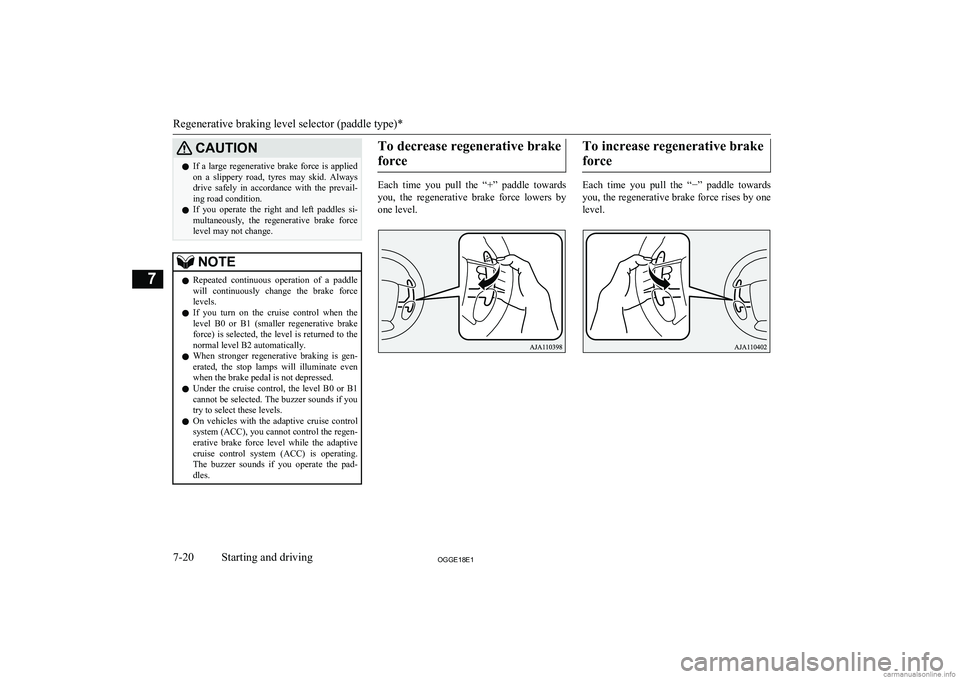
force
Each time you pull the “+” paddle towards you, the regenerative brake force lowers by
one level.
To increase regenerative brake
force
Each time you pull the “ −” paddle towards
you, the regenerative brake force rises by one
level.
Regenerative braking level selector (paddle type)*
7-20OGGE18E1Starting and driving7
Page 237 of 538
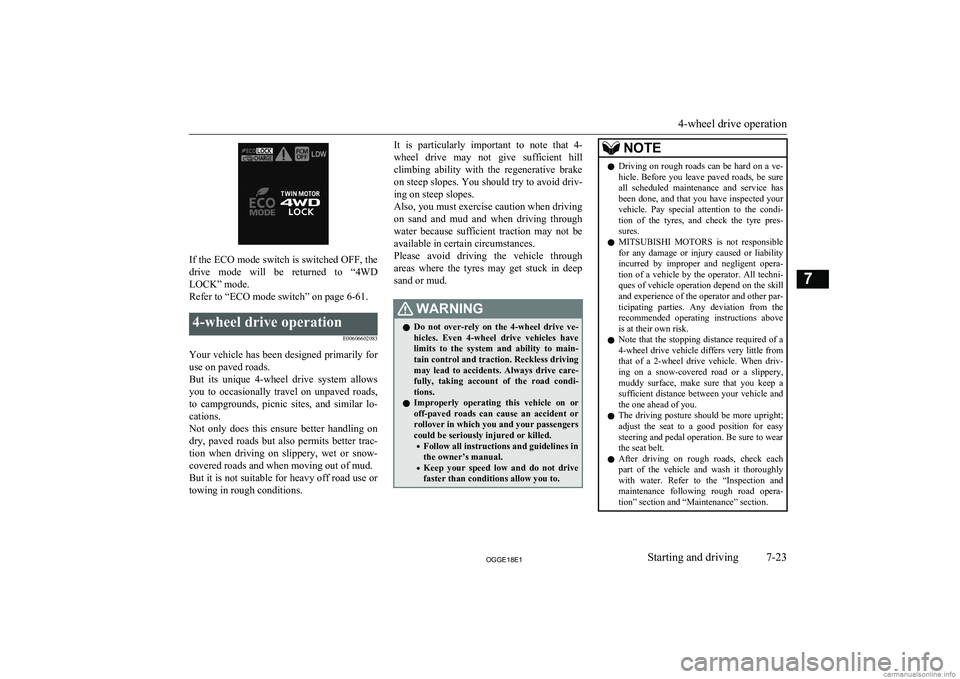
If the ECO mode switch is switched OFF, the
drive mode will be returned to “4WD LOCK” mode.
Refer to “ECO mode switch” on page 6-61.
4-wheel drive operation
E00606602083
Your vehicle has been designed primarily foruse on paved roads.
But its unique 4-wheel drive system allows
you to occasionally travel on unpaved roads, to campgrounds, picnic sites, and similar lo-
cations.
Not only does this ensure better handling on
dry, paved roads but also permits better trac-
tion when driving on slippery, wet or snow- covered roads and when moving out of mud.
But it is not suitable for heavy off road use or
towing in rough conditions.
It is particularly important to note that 4-
wheel drive may not give sufficient hill
climbing ability with the regenerative brake on steep slopes. You should try to avoid driv- ing on steep slopes.
Also, you must exercise caution when driving on sand and mud and when driving through
water because sufficient traction may not be
available in certain circumstances.
Please avoid driving the vehicle through
areas where the tyres may get stuck in deep sand or mud.WARNINGl Do not over-rely on the 4-wheel drive ve-
hicles. Even 4-wheel drive vehicles have
limits to the system and ability to main- tain control and traction. Reckless driving may lead to accidents. Always drive care-
fully, taking account of the road condi-
tions.
l Improperly operating this vehicle on or
off-paved roads can cause an accident or
rollover in which you and your passengers
could be seriously injured or killed.
• Follow all instructions and guidelines in
the owner’s manual.
• Keep your speed low and do not drive
faster than conditions allow you to.NOTEl Driving on rough roads can be hard on a ve-
hicle. Before you leave paved roads, be sure all scheduled maintenance and service has
been done, and that you have inspected your vehicle. Pay special attention to the condi- tion of the tyres, and check the tyre pres-
sures.
l MITSUBISHI
MOTORS is not responsible
for any damage or injury caused or liability
incurred by improper and negligent opera- tion of a vehicle by the operator. All techni-
ques of vehicle operation depend on the skill and experience of the operator and other par- ticipating parties. Any deviation from the
recommended operating instructions above is at their own risk.
l Note that the stopping distance required of a
4-wheel drive vehicle differs very little from
that of a 2-wheel drive vehicle. When driv- ing on a snow-covered road or a slippery,muddy surface, make sure that you keep a
sufficient distance between your vehicle and
the one ahead of you.
l The driving posture should be more upright;
adjust the seat to a good position for easy steering and pedal operation. Be sure to wear
the seat belt.
l After driving on rough roads, check each
part of the vehicle and wash it thoroughlywith water. Refer to the “Inspection andmaintenance following rough road opera-
tion” section and “Maintenance” section.
4-wheel drive operation
7-23OGGE18E1Starting and driving7
Page 239 of 538
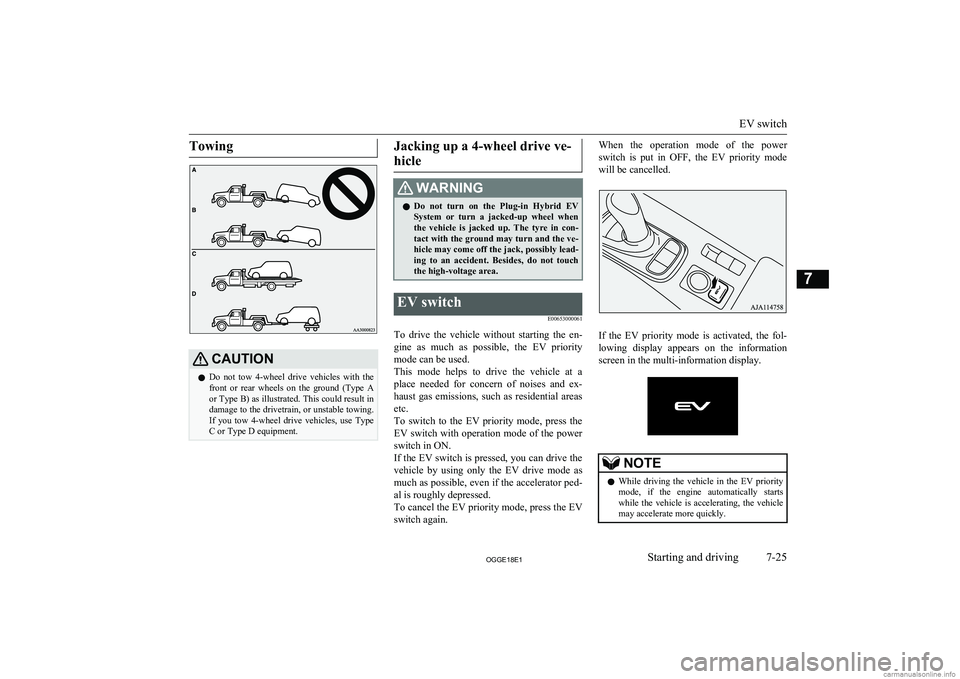
TowingCAUTIONlDo not tow 4-wheel drive vehicles with the
front or rear wheels on the ground (Type Aor Type B) as illustrated. This could result in
damage to the drivetrain, or unstable towing. If you tow 4-wheel drive vehicles, use Type
C or Type D equipment.Jacking up a 4-wheel drive ve-
hicleWARNINGl Do not turn on the Plug-in Hybrid EV
System or turn a jacked-up wheel whenthe vehicle is jacked up. The tyre in con-
tact with the ground may turn and the ve- hicle may come off the jack, possibly lead-
ing to an accident. Besides, do not touch
the high-voltage area.EV switch
E00653000061
To drive the vehicle without starting the en-
gine as much as possible, the EV priority mode can be used.
This mode helps to drive the vehicle at a place needed for concern of noises and ex-
haust gas emissions, such as residential areas etc.
To switch to the EV priority mode, press the
EV switch with operation mode of the power switch in ON.
If the EV switch is pressed, you can drive the vehicle by using only the EV drive mode as much as possible, even if the accelerator ped-
al is roughly depressed.
To cancel the EV priority mode, press the EV
switch again.
When the operation mode of the power
switch is put in OFF, the EV priority mode
will be cancelled.
If the EV priority mode is activated, the fol- lowing display appears on the information
screen in the multi-information display.
NOTEl While driving the vehicle in the EV priority
mode, if the engine automatically startswhile the vehicle is accelerating, the vehicle
may accelerate more quickly.
EV switch
7-25OGGE18E1Starting and driving7
Page 242 of 538
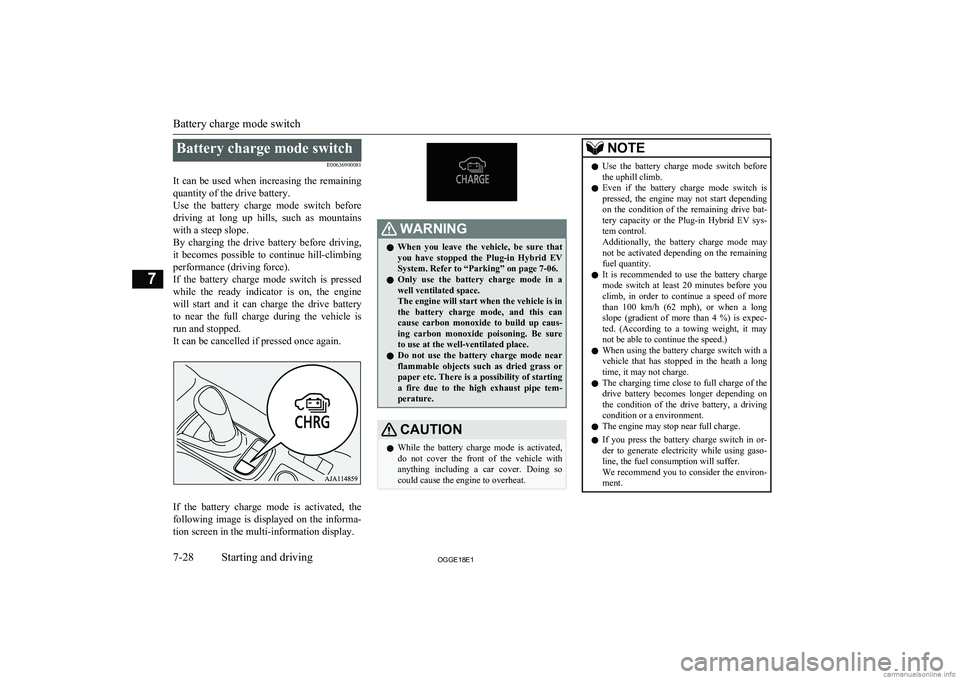
Battery charge mode switchE00636900081
It can be used when increasing the remaining quantity of the drive battery.
Use the battery charge mode switch before
driving at long up hills, such as mountains with a steep slope.
By charging the drive battery before driving, it becomes possible to continue hill-climbing
performance (driving force).
If the battery charge mode switch is pressed while the ready indicator is on, the engine
will start and it can charge the drive battery
to near the full charge during the vehicle is run and stopped.
It can be cancelled if pressed once again.
If the battery charge mode is activated, the
following image is displayed on the informa-
tion screen in the multi-information display.
WARNINGl When you leave the vehicle, be sure that
you have stopped the Plug-in Hybrid EV
System. Refer to “Parking” on page 7-06.
l Only use the battery charge mode in a
well ventilated space.
The engine will start when the vehicle is in
the battery charge mode, and this can
cause carbon monoxide to build up caus- ing carbon monoxide poisoning. Be sure
to use at the well-ventilated place.
l Do not use the battery charge mode near
flammable objects such as dried grass or
paper etc. There is a possibility of starting a fire due to the high exhaust pipe tem-
perature.CAUTIONl While the battery charge mode is activated,
do not cover the front of the vehicle withanything including a car cover. Doing so
could cause the engine to overheat.NOTEl Use the battery charge mode switch before
the uphill climb.
l Even if the battery charge mode switch is
pressed, the engine may not start dependingon the condition of the remaining drive bat-
tery capacity or the Plug-in Hybrid EV sys- tem control.
Additionally, the battery charge mode may
not be activated depending on the remaining fuel quantity.
l It is recommended to use the battery charge
mode switch at least 20 minutes before youclimb, in order to continue a speed of more
than 100 km/h (62 mph), or when a long slope (gradient of more than 4 %) is expec-
ted. (According to a towing weight, it may not be able to continue the speed.)
l When using the battery charge switch with a
vehicle that has stopped in the heath a long
time, it may not charge.
l The charging time close to full charge of the
drive battery becomes longer depending on the condition of the drive battery, a driving
condition or a environment.
l The engine may stop near full charge.
l If you press the battery charge switch in or-
der to generate electricity while using gaso-
line, the fuel consumption will suffer.
We recommend you to consider the environ- ment.
Battery charge mode switch
7-28OGGE18E1Starting and driving7
Page 267 of 538
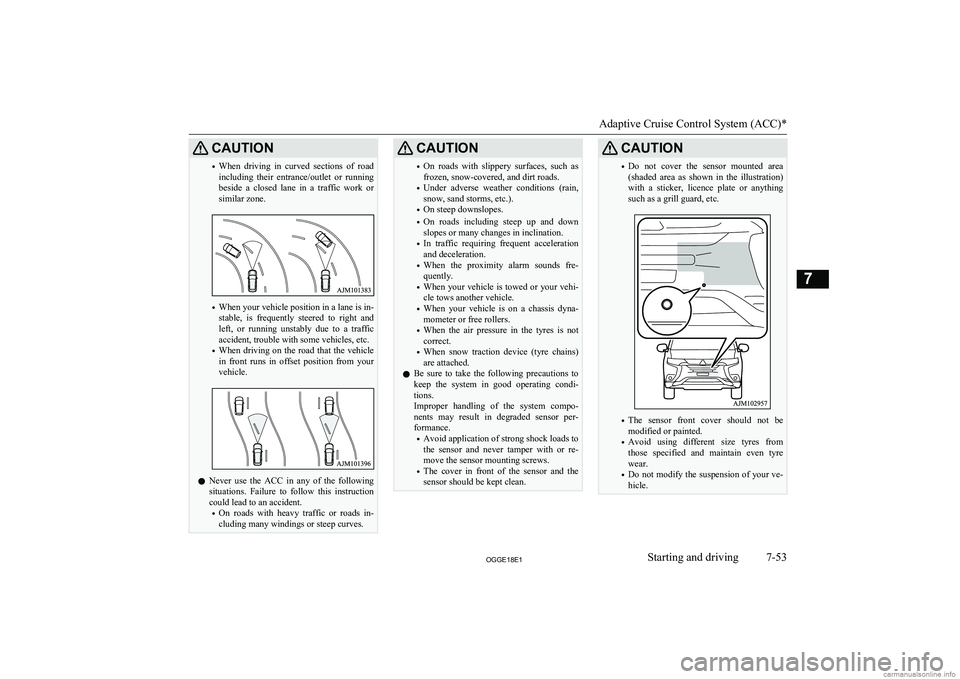
CAUTION•When driving in curved sections of road
including their entrance/outlet or running beside a closed lane in a traffic work or
similar zone.
• When your vehicle position in a lane is in-
stable, is frequently steered to right and left, or running unstably due to a trafficaccident, trouble with some vehicles, etc.
• When driving on the road that the vehicle
in front runs in offset position from your
vehicle.
l Never use the ACC in any of the following
situations. Failure to follow this instructioncould lead to an accident.
• On roads with heavy traffic or roads in-
cluding many windings or steep curves.
CAUTION• On roads with slippery surfaces, such as
frozen, snow-covered, and dirt roads.
• Under adverse weather conditions (rain,
snow, sand storms, etc.).
• On steep downslopes.
• On roads including steep up and down
slopes or many changes in inclination.
• In traffic requiring frequent acceleration
and deceleration.
• When the proximity alarm sounds fre-
quently.
• When your vehicle is towed or your vehi-
cle tows another vehicle.
• When your vehicle is on a chassis dyna-
mometer or free rollers.
• When the air pressure in the tyres is not
correct.
• When snow traction device (tyre chains)
are attached.
l Be sure to take the following precautions to
keep the system in good operating condi-
tions.
Improper handling of the system compo-
nents may result in degraded sensor per- formance.
• Avoid application of strong shock loads to
the sensor and never tamper with or re- move the sensor mounting screws.
• The cover in front of the sensor and the
sensor should be kept clean.CAUTION• Do not cover the sensor mounted area
(shaded area as shown in the illustration)
with a sticker, licence plate or anything
such as a grill guard, etc.
• The sensor front cover should not be
modified or painted.
• Avoid using different size tyres from
those specified and maintain even tyre
wear.
• Do not modify the suspension of your ve-
hicle.
Adaptive Cruise Control System (ACC)*
7-53OGGE18E1Starting and driving7