alarm MITSUBISHI OUTLANDER PHEV 2018 (in English) Owner's Guide
[x] Cancel search | Manufacturer: MITSUBISHI, Model Year: 2018, Model line: OUTLANDER PHEV, Model: MITSUBISHI OUTLANDER PHEV 2018Pages: 538, PDF Size: 25.01 MB
Page 275 of 538
NOTElThe set speed indication on the display turns
to “---” when the accelerator pedal is de- pressed. This indication remains as long as
the pedal is in a depressed position.
l In certain conditions, the braking control and
alarming functions of ACC may not work
for a short while after releasing the accelera- tor pedal.
l Set speed adjustment is impossible while the
accelerator pedal is in a depressed position.
To terminate ACC control
To cancel of ACC control
You can cancel the ACC control by using ei-
ther of the methods below.
When the control is cancelled, the system is placed in the ‘standby state’. You can makethe system restart the control by using the
“SET -” or “RES +” switch if the conditions for activating the control are met.
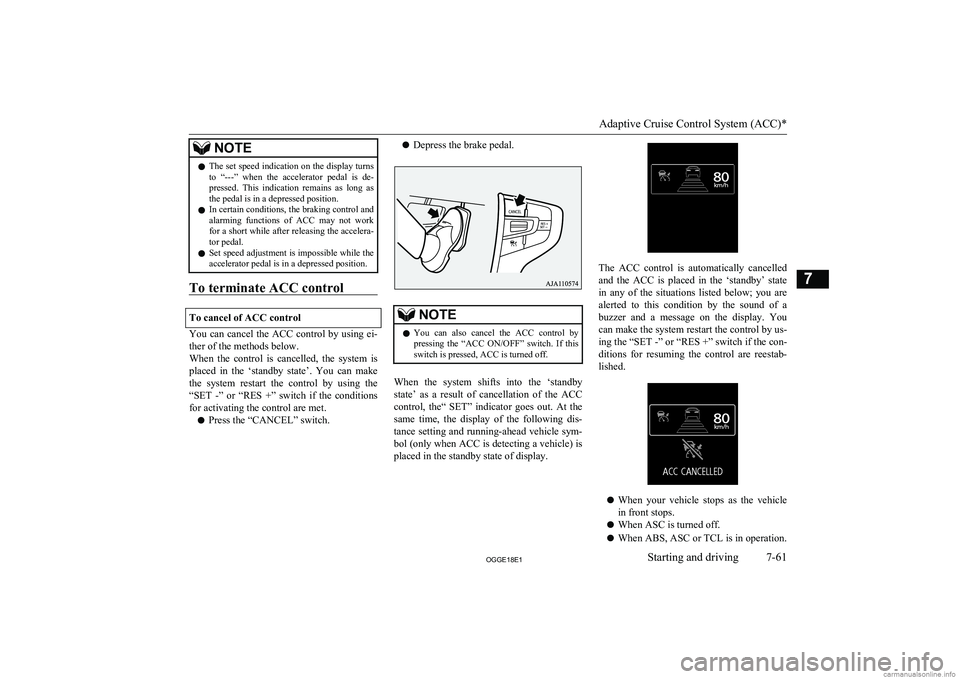
l Press the “CANCEL” switch.
l Depress the brake pedal.NOTElYou can also cancel the ACC control by
pressing the “ACC ON/OFF” switch. If thisswitch is pressed, ACC is turned off.
When the system shifts into the ‘standby
state’ as a result of cancellation of the ACC
control, the“ SET” indicator goes out. At the same time, the display of the following dis-
tance setting and running-ahead vehicle sym- bol (only when ACC is detecting a vehicle) is
placed in the standby state of display.
The ACC control is automatically cancelled
and the ACC is placed in the ‘standby’ state
in any of the situations listed below; you are
alerted to this condition by the sound of a
buzzer and a message on the display. You can make the system restart the control by us-ing the “SET -” or “RES +” switch if the con-
ditions for resuming the control are reestab-
lished.
l When your vehicle stops as the vehicle
in front stops.
l When ASC is turned off.
l When ABS, ASC or TCL is in operation.
Adaptive Cruise Control System (ACC)*
7-61OGGE18E1Starting and driving7
Page 278 of 538
CAUTIONlCruise control (automatic vehicle speed con-
trol system) does not alert by proximity
alarm and control distance between vehicles to the vehicle in front.Forward Collision
Mitigation System (FCM)* E00635101243
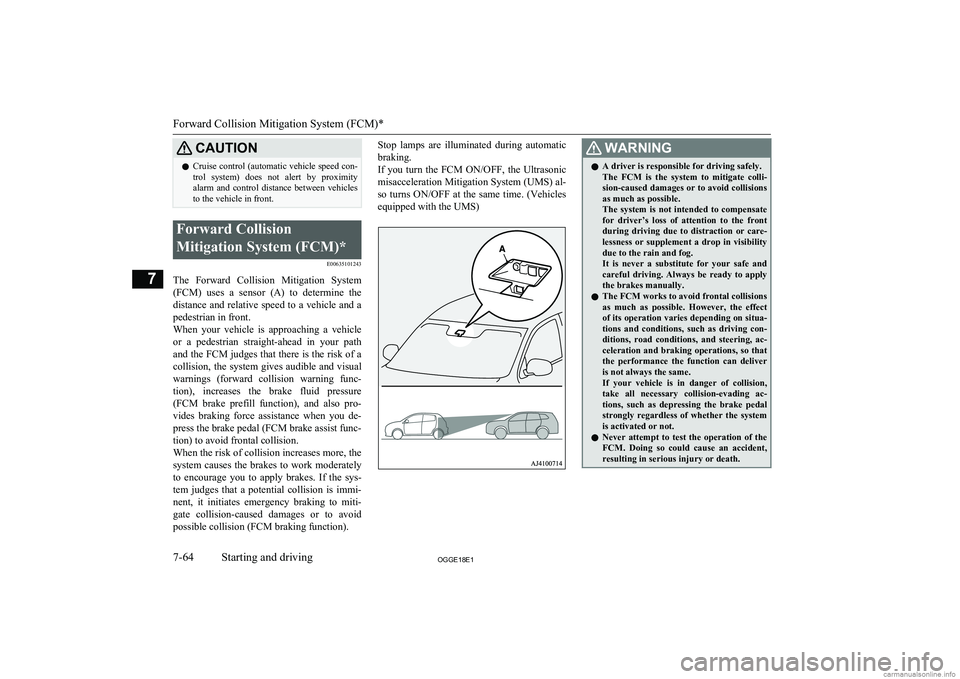
The Forward Collision Mitigation System(FCM) uses a sensor (A) to determine the distance and relative speed to a vehicle and apedestrian in front.
When your vehicle is approaching a vehicle
or a pedestrian straight-ahead in your path
and the FCM judges that there is the risk of a collision, the system gives audible and visualwarnings (forward collision warning func-
tion), increases the brake fluid pressure (FCM brake prefill function), and also pro-vides braking force assistance when you de-press the brake pedal (FCM brake assist func-
tion) to avoid frontal collision.
When the risk of collision increases more, the system causes the brakes to work moderately
to encourage you to apply brakes. If the sys- tem judges that a potential collision is immi- nent, it initiates emergency braking to miti-
gate collision-caused damages or to avoid possible collision (FCM braking function).
Stop lamps are illuminated during automatic
braking.
If you turn the FCM ON/OFF, the Ultrasonic misacceleration Mitigation System (UMS) al- so turns ON/OFF at the same time. (Vehicles
equipped with the UMS)WARNINGl A driver is responsible for driving safely.
The FCM is the system to mitigate colli- sion-caused damages or to avoid collisionsas much as possible.
The system is not intended to compensate for driver’s loss of attention to the frontduring driving due to distraction or care-
lessness or supplement a drop in visibility
due to the rain and fog.
It is never a substitute for your safe and careful driving. Always be ready to apply
the brakes manually.
l The FCM works to avoid frontal collisions
as much as possible. However, the effect
of its operation varies depending on situa- tions and conditions, such as driving con-ditions, road conditions, and steering, ac-
celeration and braking operations, so that
the performance the function can deliver
is not always the same.
If your vehicle is in danger of collision,
take all necessary collision-evading ac- tions, such as depressing the brake pedal
strongly regardless of whether the system is activated or not.
l Never attempt to test the operation of the
FCM. Doing so could cause an accident,
resulting in serious injury or death.
Forward Collision Mitigation System (FCM)*
7-64OGGE18E1Starting and driving7
Page 279 of 538
Forward collision warningfunction
E00635401129
If the system judges that there is a risk of
your vehicle colliding with a vehicle or a pe-
destrian in front, this function warns you of
the potential hazard with visual and audible
alarms.
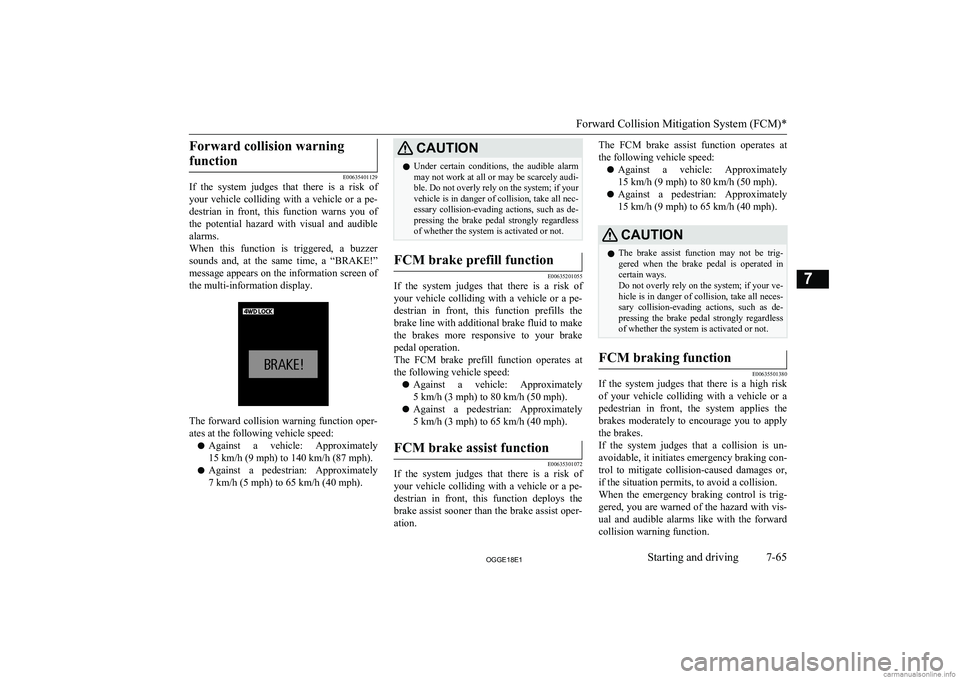
When this function is triggered, a buzzer
sounds and, at the same time, a “BRAKE!”
message appears on the information screen of
the multi-information display.
The forward collision warning function oper- ates at the following vehicle speed:
l Against a vehicle: Approximately
15 km/h (9 mph) to 140 km/h (87 mph).
l Against a pedestrian: Approximately
7 km/h (5 mph) to 65 km/h (40 mph).
CAUTIONl Under certain conditions, the audible alarm
may not work at all or may be scarcely audi- ble. Do not overly rely on the system; if your
vehicle is in danger of collision, take all nec- essary collision-evading actions, such as de-
pressing the brake pedal strongly regardless of whether the system is activated or not.FCM brake prefill function
E00635201055
If the system judges that there is a risk of
your vehicle colliding with a vehicle or a pe-
destrian in front, this function prefills the
brake line with additional brake fluid to make
the brakes more responsive to your brake pedal operation.
The FCM brake prefill function operates at
the following vehicle speed:
l Against a vehicle: Approximately
5 km/h (3 mph) to 80 km/h (50 mph).
l Against a pedestrian: Approximately
5 km/h (3 mph) to 65 km/h (40 mph).
FCM brake assist function
E00635301072
If the system judges that there is a risk of
your vehicle colliding with a vehicle or a pe-
destrian in front, this function deploys the
brake assist sooner than the brake assist oper- ation.
The FCM brake assist function operates at
the following vehicle speed:
l Against a vehicle: Approximately
15 km/h (9 mph) to 80 km/h (50 mph).
l Against a pedestrian: Approximately
15 km/h (9 mph) to 65 km/h (40 mph).CAUTIONl The brake assist function may not be trig-
gered when the brake pedal is operated in certain ways.
Do not overly rely on the system; if your ve- hicle is in danger of collision, take all neces-
sary collision-evading actions, such as de-
pressing the brake pedal strongly regardless of whether the system is activated or not.FCM braking function
E00635501380
If the system judges that there is a high risk
of your vehicle colliding with a vehicle or a
pedestrian in front, the system applies the
brakes moderately to encourage you to apply the brakes.
If the system judges that a collision is un-
avoidable, it initiates emergency braking con- trol to mitigate collision-caused damages or, if the situation permits, to avoid a collision.When the emergency braking control is trig-
gered, you are warned of the hazard with vis- ual and audible alarms like with the forwardcollision warning function.
Forward Collision Mitigation System (FCM)*
7-65OGGE18E1Starting and driving7
Page 280 of 538
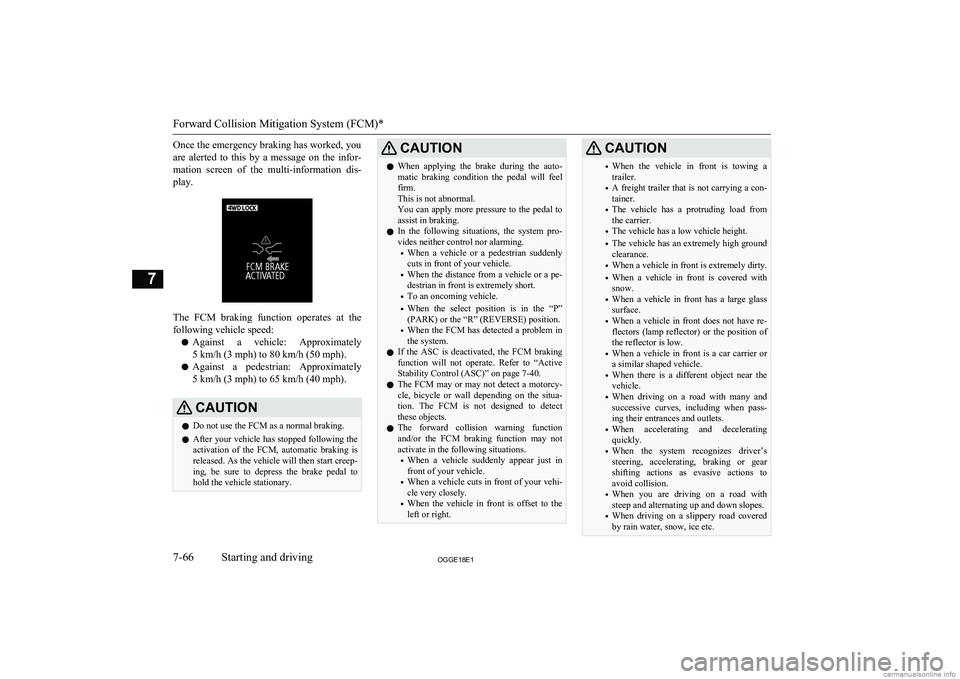
Once the emergency braking has worked, you
are alerted to this by a message on the infor- mation screen of the multi-information dis- play.
The FCM braking function operates at the
following vehicle speed:
l Against a vehicle: Approximately
5 km/h (3 mph) to 80 km/h (50 mph).
l Against a pedestrian: Approximately
5 km/h (3 mph) to 65 km/h (40 mph).
CAUTIONl Do not use the FCM as a normal braking.
l After your vehicle has stopped following the
activation of the FCM, automatic braking is released. As the vehicle will then start creep-
ing, be sure to depress the brake pedal to
hold the vehicle stationary.CAUTIONl When applying the brake during the auto-
matic braking condition the pedal will feel firm.
This is not abnormal.
You can apply more pressure to the pedal to
assist in braking.
l In the following situations, the system pro-
vides neither control nor alarming.
• When a vehicle or a pedestrian suddenly
cuts in front of your vehicle.
• When the distance from a vehicle or a pe-
destrian in front is extremely short.
• To an oncoming vehicle.
• When the select position is in the “P”
(PARK) or the “R” (REVERSE) position.
• When the FCM has detected a problem in
the system.
l If the ASC is deactivated, the FCM braking
function will not operate. Refer to “Active
Stability Control (ASC)” on page 7-40.
l The FCM may or may not detect a motorcy-
cle, bicycle or wall depending on the situa-
tion. The FCM is not designed to detect these objects.
l The forward collision warning function
and/or the FCM braking function may not
activate in the following situations.
• When a vehicle suddenly appear just in
front of your vehicle.
• When a vehicle cuts in front of your vehi-
cle very closely.
• When the vehicle in front is offset to the
left or right.CAUTION• When the vehicle in front is towing a
trailer.
• A freight trailer that is not carrying a con-
tainer.
• The vehicle has a protruding load from
the carrier.
• The vehicle has a low vehicle height.
• The vehicle has an extremely high ground
clearance.
• When a vehicle in front is extremely dirty.
• When a vehicle in front is covered with
snow.
• When a vehicle in front has a large glass
surface.
• When a vehicle in front does not have re-
flectors (lamp reflector) or the position of the reflector is low.
• When a vehicle in front is a car carrier or
a similar shaped vehicle.
• When there is a different object near the
vehicle.
• When driving on a road with many and
successive curves, including when pass-
ing their entrances and outlets.
• When accelerating and decelerating
quickly.
• When the system recognizes driver’s
steering, accelerating, braking or gear
shifting actions as evasive actions to
avoid collision.
• When you are driving on a road with
steep and alternating up and down slopes.
• When driving on a slippery road covered
by rain water, snow, ice etc.
Forward Collision Mitigation System (FCM)*
7-66OGGE18E1Starting and driving7
Page 281 of 538
CAUTION•When a road surface is surging, and there
is unevenness.
• When driving in dark areas, such as in a
tunnel or at night.
• When your vehicle changed lanes, and
your vehicle approached immediately be-
hind the vehicle in front.
• During a certain time after your vehicle
turns left or right.
• When you are carrying extremely heavy
loads in the rear seats or luggage area.
• After the Plug-in Hybrid EV System has
been running for an extended period of time.
• When using a windscreen washer.
• If windscreen wipers are not
MITSUBISHI MOTORS GENUINE
parts or equivalent.
• When the sensor becomes extremely hot
or cold.
• If the auxiliary battery becomes weak or
runs down.
• When the sensor is affected by strong
light, such as direct sunlight or the head-lamps of an oncoming vehicle.
• Under adverse weather conditions (rain,
snow, sand storms, etc.)
• When the windscreen of the sensor por-
tion is covered with dirt, water droplets,
snow and ice, etc.
• When water, snow or sand on the road are
extorted by the vehicle in front or an on- coming vehicle.CAUTIONl The FCM may not detect a pedestrian in cer-
tain situations. Some of these include:
• It the pedestrian is shorter than approxi-
mately 1 m or taller than approximately 2 m.
• If the pedestrian is wearing loose-fitting
clothes.
• If part of a pedestrian’s body is hidden,
such as when holding an umbrella, large
bag, etc.
• If a pedestrian bends forward, sits or lies
on the road.
• When a pedestrian is pushing/pulling
something, such as a stroller, bicycle or
wheelchair.
• When pedestrians gather in a group.
• When a pedestrian’s clothing appears to
be nearly the same colour or brightness as
its surroundings.
• When a pedestrian is very close to an ob-
ject, such as a vehicle.
• When a pedestrian is in a dark area, such
as at night or in a tunnel.
• When the pedestrian is walking fast or
running.
• When a pedestrian suddenly rushes in
front of the vehicle.
• When the position of a pedestrian is close
to the edge of the vehicle.CAUTIONl Factors such as the positional relationship
between your vehicle and a vehicle in front, driver’s own technique of steering the vehi-
cle and irregularly moving traffic due to ac-
cidents or vehicle trouble may deter the
FCM control and alarm from functioning.
l When the system recognizes driver’s steer-
ing or accelerating actions as evasive actions
to avoid collision, the FCM control and alarm functions may be cancelled.
l The FCM control and alarm functions may
be triggered in the following situations.
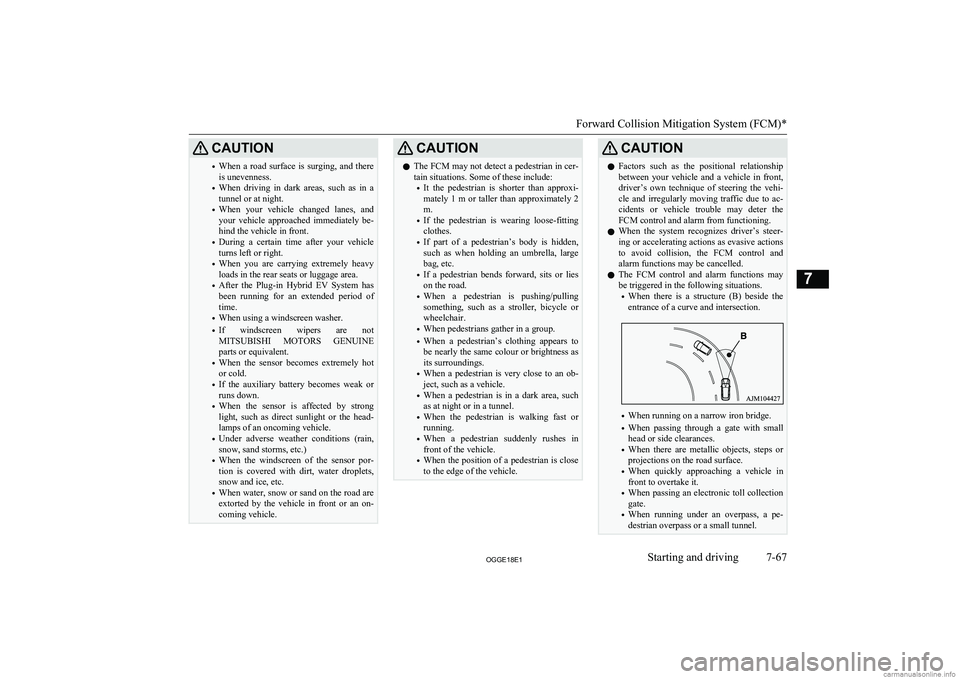
• When there is a structure (B) beside the
entrance of a curve and intersection.
• When running on a narrow iron bridge.
• When passing through a gate with small
head or side clearances.
• When there are metallic objects, steps or
projections on the road surface.
• When quickly approaching a vehicle in
front to overtake it.
• When passing an electronic toll collection
gate.
• When running under an overpass, a pe-
destrian overpass or a small tunnel.
Forward Collision Mitigation System (FCM)*
7-67OGGE18E1Starting and driving7
Page 282 of 538
CAUTION•When running in Multi-storey car park.
• When the road gradiently and suddenly
changes while running.
• When stopping very close to a wall or a
vehicle in front.
• When passing close to a vehicle, pedes-
trian or object.
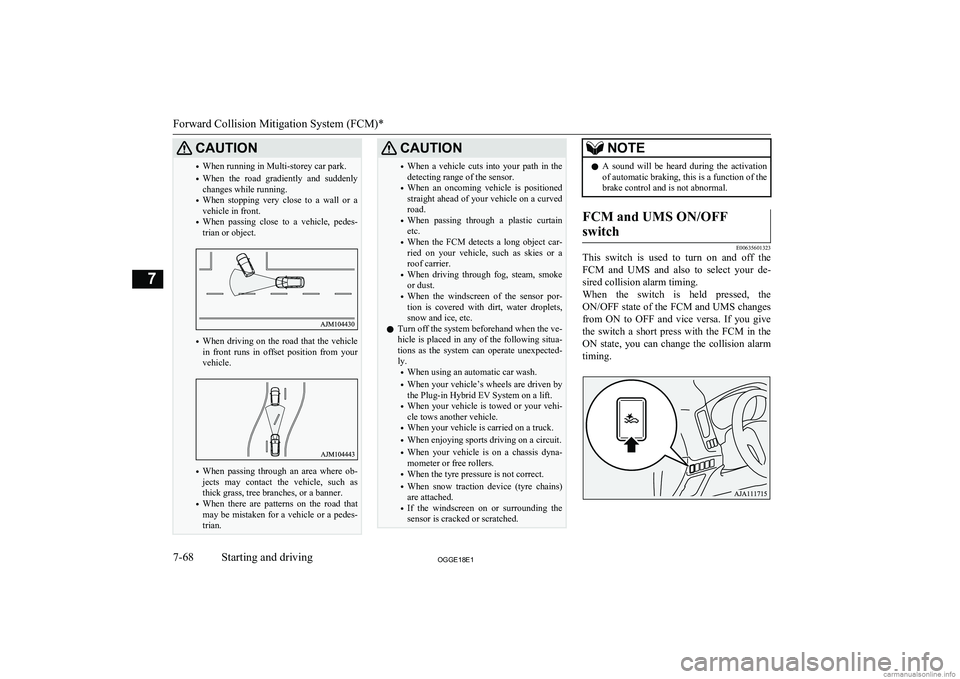
• When driving on the road that the vehicle
in front runs in offset position from your
vehicle.
• When passing through an area where ob-
jects may contact the vehicle, such as
thick grass, tree branches, or a banner.
• When there are patterns on the road that
may be mistaken for a vehicle or a pedes- trian.
CAUTION• When a vehicle cuts into your path in the
detecting range of the sensor.
• When an oncoming vehicle is positioned
straight ahead of your vehicle on a curvedroad.
• When passing through a plastic curtain
etc.
• When the FCM detects a long object car-
ried on your vehicle, such as skies or a roof carrier.
• When driving through fog, steam, smoke
or dust.
• When the windscreen of the sensor por-
tion is covered with dirt, water droplets,
snow and ice, etc.
l Turn off the system beforehand when the ve-
hicle is placed in any of the following situa- tions as the system can operate unexpected-
ly.
• When using an automatic car wash.
• When your vehicle’s wheels are driven by
the Plug-in Hybrid EV System on a lift.
• When your vehicle is towed or your vehi-
cle tows another vehicle.
• When your vehicle is carried on a truck.
• When enjoying sports driving on a circuit.
• When your vehicle is on a chassis dyna-
mometer or free rollers.
• When the tyre pressure is not correct.
• When snow traction device (tyre chains)
are attached.
• If the windscreen on or surrounding the
sensor is cracked or scratched.NOTEl A sound will be heard during the activation
of automatic braking, this is a function of the brake control and is not abnormal.FCM and UMS ON/OFF
switch
E00635601323
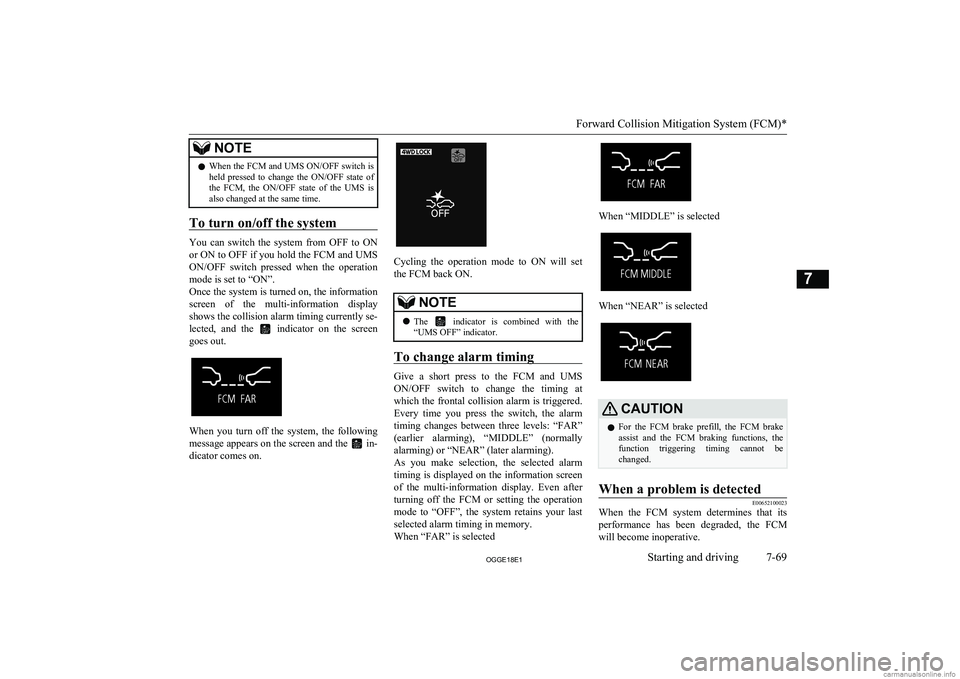
This switch is used to turn on and off the FCM and UMS and also to select your de-
sired collision alarm timing.
When the switch is held pressed, the ON/OFF state of the FCM and UMS changes from ON to OFF and vice versa. If you give
the switch a short press with the FCM in the
ON state, you can change the collision alarm timing.
Forward Collision Mitigation System (FCM)*
7-68OGGE18E1Starting and driving7
Page 283 of 538
NOTElWhen the FCM and UMS ON/OFF switch is
held pressed to change the ON/OFF state ofthe FCM, the ON/OFF state of the UMS is
also changed at the same time.
To turn on/off the system
You can switch the system from OFF to ON
or ON to OFF if you hold the FCM and UMS ON/OFF switch pressed when the operation mode is set to “ON”.
Once the system is turned on, the information
screen of the multi-information display shows the collision alarm timing currently se- lected, and the
indicator on the screen
goes out.
When you turn off the system, the following message appears on the screen and the
in-
dicator comes on.
Cycling the operation mode to ON will set
the FCM back ON.
NOTEl The indicator is combined with the
“UMS OFF” indicator.
To change alarm timing
Give a short press to the FCM and UMS
ON/OFF switch to change the timing at which the frontal collision alarm is triggered. Every time you press the switch, the alarm
timing changes between three levels: “FAR”
(earlier alarming), “MIDDLE” (normally alarming) or “NEAR” (later alarming).
As you make selection, the selected alarm timing is displayed on the information screenof the multi-information display. Even after
turning off the FCM or setting the operation mode to “OFF”, the system retains your last
selected alarm timing in memory.
When “FAR” is selected
When “MIDDLE” is selected
When “NEAR” is selected
CAUTIONl For the FCM brake prefill, the FCM brake
assist and the FCM braking functions, the function triggering timing cannot be changed.When a problem is detected
E00652100023
When the FCM system determines that its
performance has been degraded, the FCM
will become inoperative.
Forward Collision Mitigation System (FCM)*
7-69OGGE18E1Starting and driving7
Page 296 of 538
NOTElWhen the operation mode is set to OFF, the
selected condition just before setting to OFFis retained.
l The BSW operates when all of the following
conditions are met.
• The operation mode is put in ON.
• The select position is in a position other
than “P” (PARK) and “R” (REVERSE).
• The speed of your vehicle is approximate-
ly 10 km/h (6 mph) or higher.
When the sensor detects an ap-
proaching vehicle
When the BSW indication lamp in the instru-
ment cluster is on, if a vehicle is approaching your vehicle in the detection area, the BlindSpot Warning lamp in the outside rear-view
mirror illuminates.
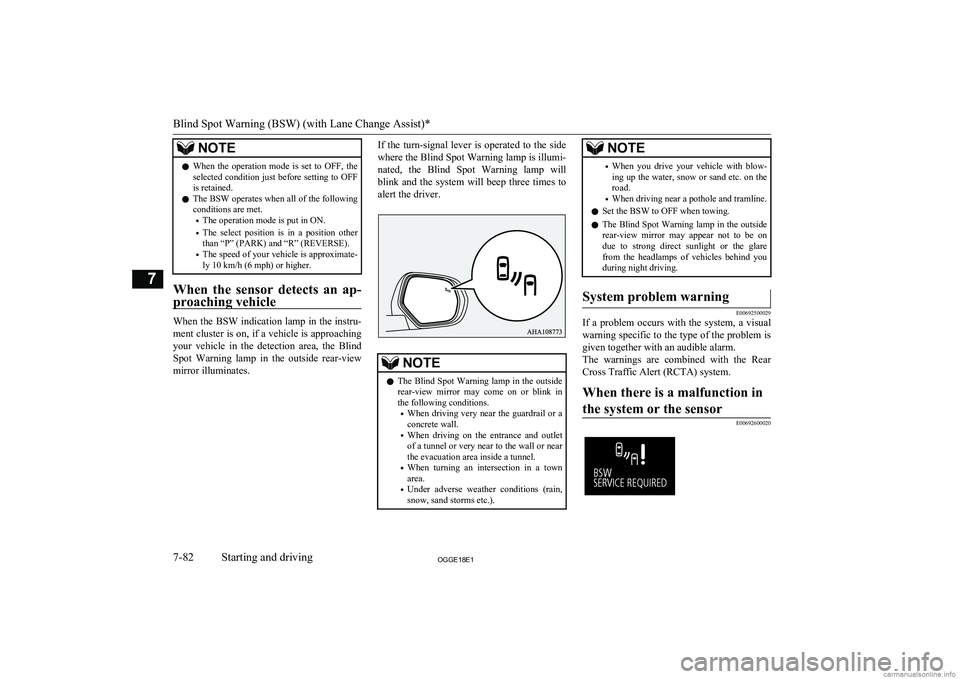
If the turn-signal lever is operated to the side
where the Blind Spot Warning lamp is illumi-
nated, the Blind Spot Warning lamp will
blink and the system will beep three times to alert the driver.NOTEl The Blind Spot Warning lamp in the outside
rear-view mirror may come on or blink inthe following conditions.
• When driving very near the guardrail or a
concrete wall.
• When driving on the entrance and outlet
of a tunnel or very near to the wall or near the evacuation area inside a tunnel.
• When turning an intersection in a town
area.
• Under adverse weather conditions (rain,
snow, sand storms etc.).NOTE• When you drive your vehicle with blow-
ing up the water, snow or sand etc. on the road.
• When driving near a pothole and tramline.
l Set the BSW to OFF when towing.
l The Blind Spot Warning lamp in the outside
rear-view mirror may appear not to be on
due to strong direct sunlight or the glare from the headlamps of vehicles behind youduring night driving.System problem warning
E00692500029
If a problem occurs with the system, a visual
warning specific to the type of the problem isgiven together with an audible alarm.
The warnings are combined with the Rear
Cross Traffic Alert (RCTA) system.
When there is a malfunction in
the system or the sensor
E00692600020Blind Spot Warning (BSW) (with Lane Change Assist)*
7-82OGGE18E1Starting and driving7
Page 299 of 538
CAUTION•When the reversing speed of your vehicle
is approximately 18 km/h (11 mph) or
higher.
• When the speed of an approaching vehicle
is approximately 7 km/h (5 mph) or less.
• If the sensor detection area is blocked by
a nearby object, such as a wall or parked vehicle.
• When a vehicle is approaching from
straight behind your vehicle.
• When your vehicle is exiting from an an-
gled parking spot.
• Immediately after the RCTA has been
turned on.
• Immediately after the operation mode of
the power switch has been put in ON.
• When the bumper surface around the sen-
sor is covered with dirt, snow and ice, etc.
• When the sensor becomes extremely hot
or cold, such as after the vehicle has been parked for a prolonged time under the
blazing sun or in cold weather.
CAUTIONl If the bumper has experienced an impact, the
sensor may have been damaged and the RCTA may not function properly. Have the
vehicle inspected at a MITSUBISHI
MOTORS Authorized Service Point.
To operate
1. Press the BSW switch while the opera-
tion mode is put in ON.
(Refer to “Blind Spot Warning (BSW):
To operate” on page 7-81.)
2. When the select position is put in the
“R” (REVERSE) position, the RCTAwill operate.
NOTEl Set the RCTA to OFF when towing.
l The Blind Spot Warning lamp in the outside
rear-view mirror may appear not to be on
due to strong direct sunlight or the glare from the headlamps of vehicles behind youduring night driving.
When a problem is detected in
the system
If the system detects a problem, a warning is
displayed on the information screen in the multi-information display.
Refer to “Blind Spot Warning (BSW): Sys-
tem problem warning” on page 7-82.
Lane Departure Warning
(LDW)* E00635701119
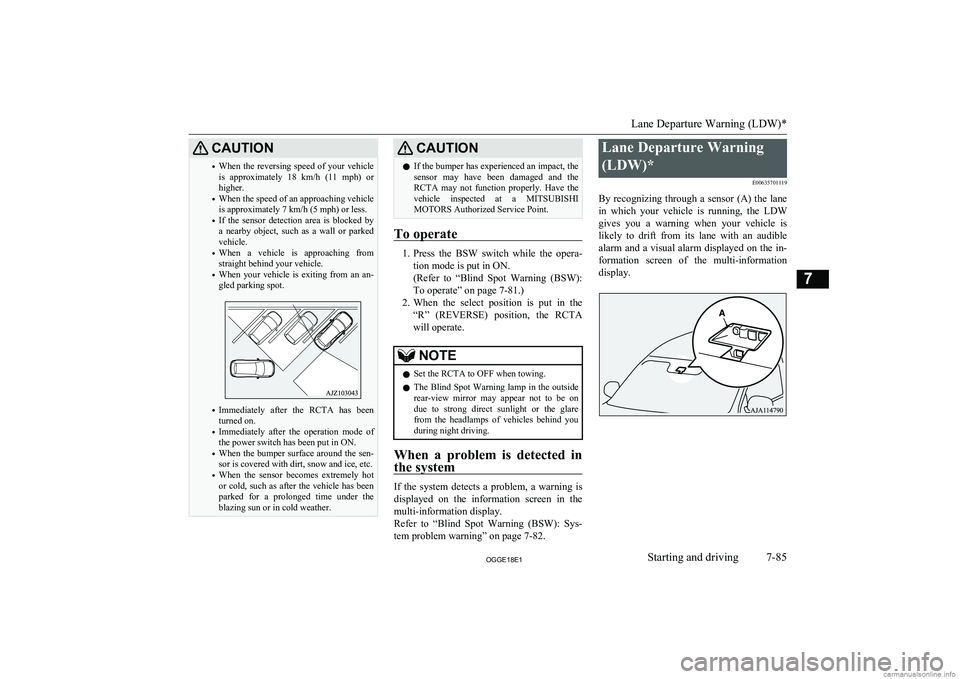
By recognizing through a sensor (A) the lane in which your vehicle is running, the LDW gives you a warning when your vehicle is
likely to drift from its lane with an audible
alarm and a visual alarm displayed on the in- formation screen of the multi-information
display.
Lane Departure Warning (LDW)*
7-85OGGE18E1Starting and driving7
Page 301 of 538
lThe vehicle speed is approximately
65 km/h (40 mph) or higher.
l The turn-signal lever is not operated.
l The hazard lamp is not activated.
l Environmental conditions are adequate
for the system to recognize the lane markings on both sides.
l The system has been placed in the ‘ON
state’.NOTEl The system stays in the “ON” state for ap-
proximately 7 seconds after the hazard lamp
has stopped flashing or the turn-signal lever has returned to the home position.
Lane departure warning
A buzzer sounds intermittently and indication
of “LANE DEPARTURE” appears in the in-
formation display,
indicator flashing in
amber when your vehicle is about to leave or has left the lane in the standby mode.
NOTEl If the warning continues for approximately 3
seconds or more, the system switches to the standby mode before the warning stops.
l If the lane markers are only on one side of
the road, the LDW will operate only for the
appropriate side where the lane marker is drawn.System problem warning
E00635901049
If a problem occurs with the system, a visual
warning specific to the type of the problem isgiven together with an audible alarm.
Too hot or cold sensor
E00638700054
The alarm shown below is displayed if the
system becomes temporarily unavailable due
to a too high or low temperature of the sen-
sor.
If the temperature of the sensor reaches the
predetermined value, the system automatical- ly recovers the normal state.
If the alarm continues showing, there is a possibility that the LDW has a malfunction.
Contact a MITSUBISHI MOTORS Author-
ized Service Point for inspection of the sys- tem.Windscreen is dirty
E00652600028
The alarm shown below is displayed if thesystem becomes temporarily unavailable due
to dirt on the windscreen at the sensor por- tion.
After having cleaned the windscreen, the sys-
tem will automatically return to operation.
If the alarm continues showing, there is a possibility that the sensor has a malfunction.
Contact a MITSUBISHI MOTORS Author-
ized Service Point for inspection of the sen- sor.
Lane Departure Warning (LDW)*
7-87OGGE18E1Starting and driving7