Front bumper MITSUBISHI OUTLANDER PHEV 2018 Owner's Manual (in English)
[x] Cancel search | Manufacturer: MITSUBISHI, Model Year: 2018, Model line: OUTLANDER PHEV, Model: MITSUBISHI OUTLANDER PHEV 2018Pages: 538, PDF Size: 25.01 MB
Page 144 of 538
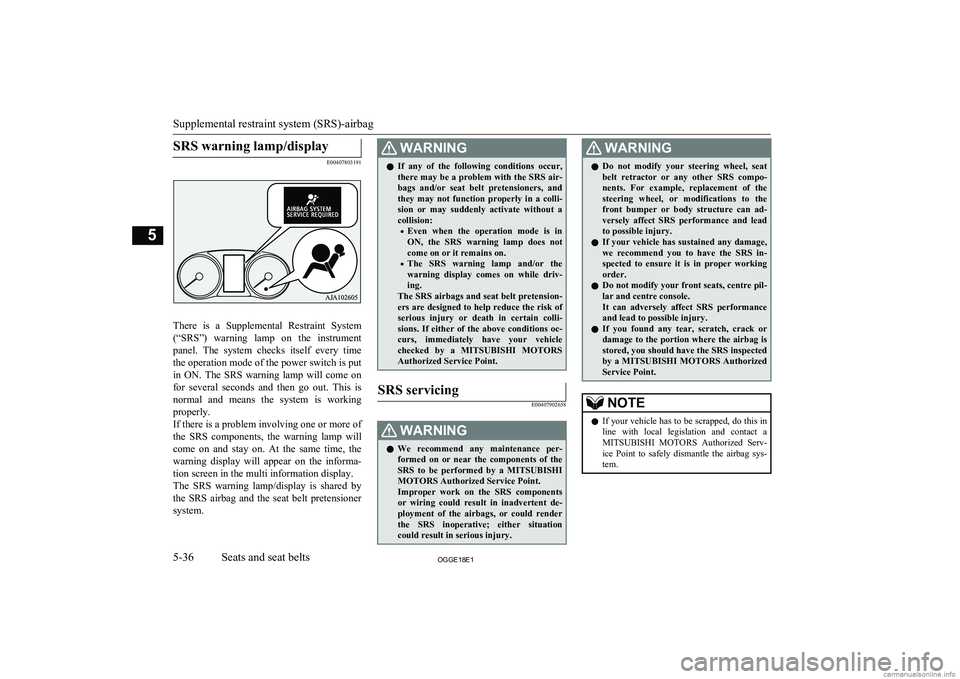
SRS warning lamp/display
E00407803191
There is a Supplemental Restraint System(“SRS”) warning lamp on the instrument panel. The system checks itself every time
the operation mode of the power switch is put in ON. The SRS warning lamp will come on
for several seconds and then go out. This is
normal and means the system is working
properly.
If there is a problem involving one or more of
the SRS components, the warning lamp will come on and stay on. At the same time, thewarning display will appear on the informa-
tion screen in the multi information display.
The SRS warning lamp/display is shared by
the SRS airbag and the seat belt pretensioner system.
WARNINGl If any of the following conditions occur,
there may be a problem with the SRS air- bags and/or seat belt pretensioners, and they may not function properly in a colli-
sion or may suddenly activate without a
collision:
• Even when the operation mode is in
ON, the SRS warning lamp does not come on or it remains on.
• The SRS warning lamp and/or the
warning display comes on while driv- ing.
The SRS airbags and seat belt pretension- ers are designed to help reduce the risk of
serious injury or death in certain colli- sions. If either of the above conditions oc-
curs, immediately have your vehicle checked by a MITSUBISHI MOTORS
Authorized Service Point.SRS servicing
E00407902658WARNINGl We recommend any maintenance per-
formed on or near the components of the
SRS to be performed by a MITSUBISHI
MOTORS Authorized Service Point.
Improper work on the SRS components
or wiring could result in inadvertent de- ployment of the airbags, or could render
the SRS inoperative; either situation could result in serious injury.WARNINGl Do not modify your steering wheel, seat
belt retractor or any other SRS compo- nents. For example, replacement of the
steering wheel, or modifications to the
front bumper or body structure can ad- versely affect SRS performance and lead
to possible injury.
l If your vehicle has sustained any damage,
we recommend you to have the SRS in- spected to ensure it is in proper workingorder.
l Do not modify your front seats, centre pil-
lar and centre console.
It can adversely affect SRS performance and lead to possible injury.
l If you found any tear, scratch, crack or
damage to the portion where the airbag is stored, you should have the SRS inspected
by a MITSUBISHI MOTORS Authorized
Service Point.NOTEl If your vehicle has to be scrapped, do this in
line with local legislation and contact a
MITSUBISHI MOTORS Authorized Serv-
ice Point to safely dismantle the airbag sys- tem.
Supplemental restraint system (SRS)-airbag
5-36OGGE18E1Seats and seat belts5
Page 292 of 538
CAUTIONlImproperly handling the system components may result in such problems as degraded sensor performance and ultimately in an accident.
Be sure to take the following precautions to keep the system in good operating conditions.
• Avoid application of strong shock loads to the sensor.
• The sensor should be kept clean.
• Do not cover the sensor with a sticker or anything.
• Do not modify the suspension of your vehicle.
l If the bumper has been exposed to an impact, the sensors may fail and prevent the system from functioning properly. Have the vehicle inspected a
MITSUBISHI MOTORS Authorized Service Point.
Obstacle detection areas
E00643500047
The detection areas of the sensors are limited.
Moreover, the sensors are unable to detect
low or thin objects or objects near the rear
bumper. Make sure to check the surroundings
as you operate the vehicle in a safe manner.
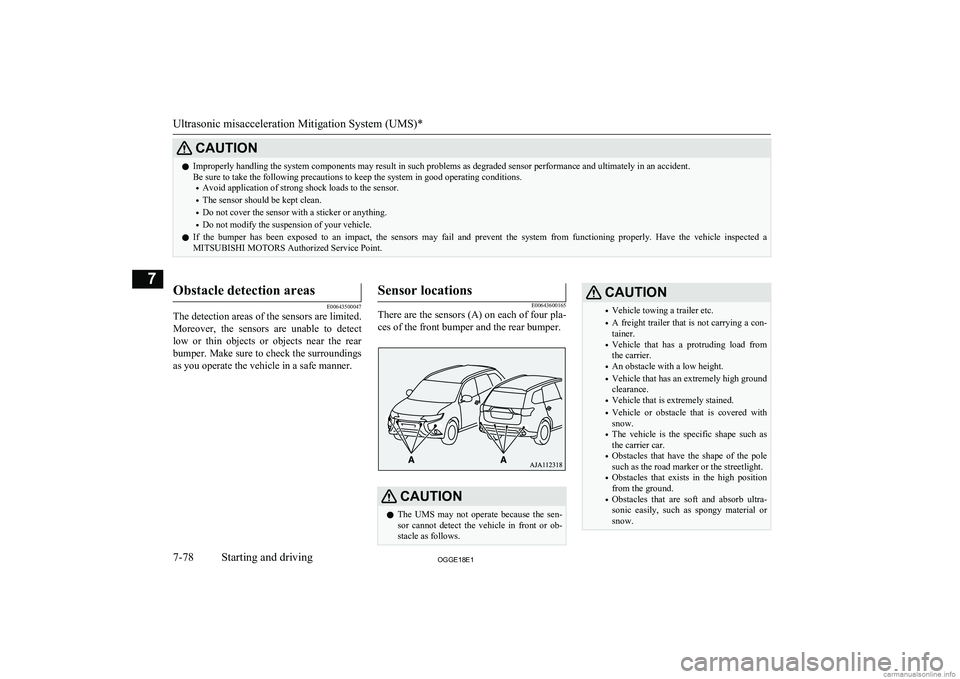
Sensor locations
E00643600165
There are the sensors (A) on each of four pla-
ces of the front bumper and the rear bumper.CAUTIONl The UMS may not operate because the sen-
sor cannot detect the vehicle in front or ob-
stacle as follows.CAUTION• Vehicle towing a trailer etc.
• A freight trailer that is not carrying a con-
tainer.
• Vehicle that has a protruding load from
the carrier.
• An obstacle with a low height.
• Vehicle that has an extremely high ground
clearance.
• Vehicle that is extremely stained.
• Vehicle or obstacle that is covered with
snow.
• The vehicle is the specific shape such as
the carrier car.
• Obstacles that have the shape of the pole
such as the road marker or the streetlight.
• Obstacles that exists in the high position
from the ground.
• Obstacles that are soft and absorb ultra-
sonic easily, such as spongy material or
snow.
Ultrasonic misacceleration Mitigation System (UMS)*
7-78OGGE18E1Starting and driving7
Page 293 of 538
CAUTION•Obstacles that are shaped with a sharp an-
gle.
• A fence with large mesh.
• Moving object.
• When there is a loud noise or an ultrason-
ic near your vehicle by horn of other vehi-
cle, engine sound of a motorcycle, air brake noise of a large vehicle, a vehicle
detector and sonar of a vehicle etc.
• When an electrical equipment on the mar-
ket (radio antenna etc.) is installed near
the sensor.
• When there is a obstacle that is not recog-
nized between your vehicle and the obsta- cle that can be recognized.NOTEl The sensors do not detect objects located in
the area directly below or near the bumper. If the height of an object is lower than the
mounted position of the sensors, the sensors
may not continue detecting it even if they detected it initially.To turn on/off the UMS
E00643800095
The UMS is automatically turned ON by set-
ting the operation mode to ON. In addition,
the UMS ON/OFF is switched in conjunction with the ON/OFF state of the FCM.
Refer to “FCM and UMS ON/OFF switch” on page 7-68.
Warning display
E00643900025
When the sensor is temporarily
not available
E00647600033
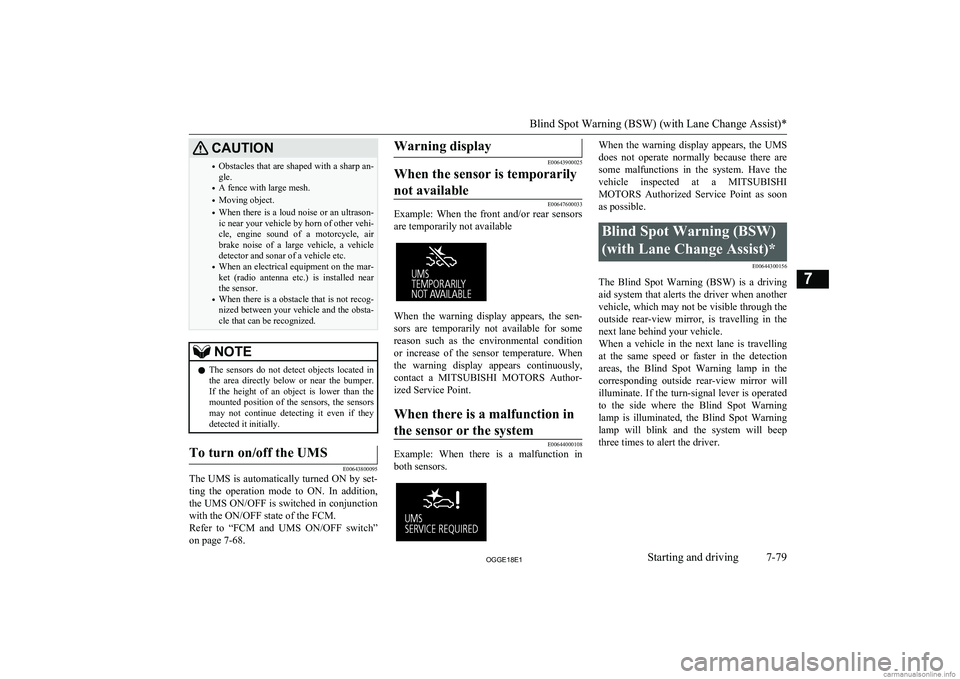
Example: When the front and/or rear sensors
are temporarily not available
When the warning display appears, the sen- sors are temporarily not available for somereason such as the environmental condition
or increase of the sensor temperature. When
the warning display appears continuously,
contact a MITSUBISHI MOTORS Author-
ized Service Point.
When there is a malfunction in
the sensor or the system
E00644000108
Example: When there is a malfunction in both sensors.
When the warning display appears, the UMS
does not operate normally because there are some malfunctions in the system. Have the
vehicle inspected at a MITSUBISHI
MOTORS Authorized Service Point as soon
as possible.Blind Spot Warning (BSW)
(with Lane Change Assist)* E00644300156
The Blind Spot Warning (BSW) is a drivingaid system that alerts the driver when anothervehicle, which may not be visible through the outside rear-view mirror, is travelling in the
next lane behind your vehicle.
When a vehicle in the next lane is travelling at the same speed or faster in the detection areas, the Blind Spot Warning lamp in the
corresponding outside rear-view mirror will illuminate. If the turn-signal lever is operated
to the side where the Blind Spot Warning
lamp is illuminated, the Blind Spot Warning lamp will blink and the system will beepthree times to alert the driver.
Blind Spot Warning (BSW) (with Lane Change Assist)*
7-79OGGE18E1Starting and driving7
Page 312 of 538
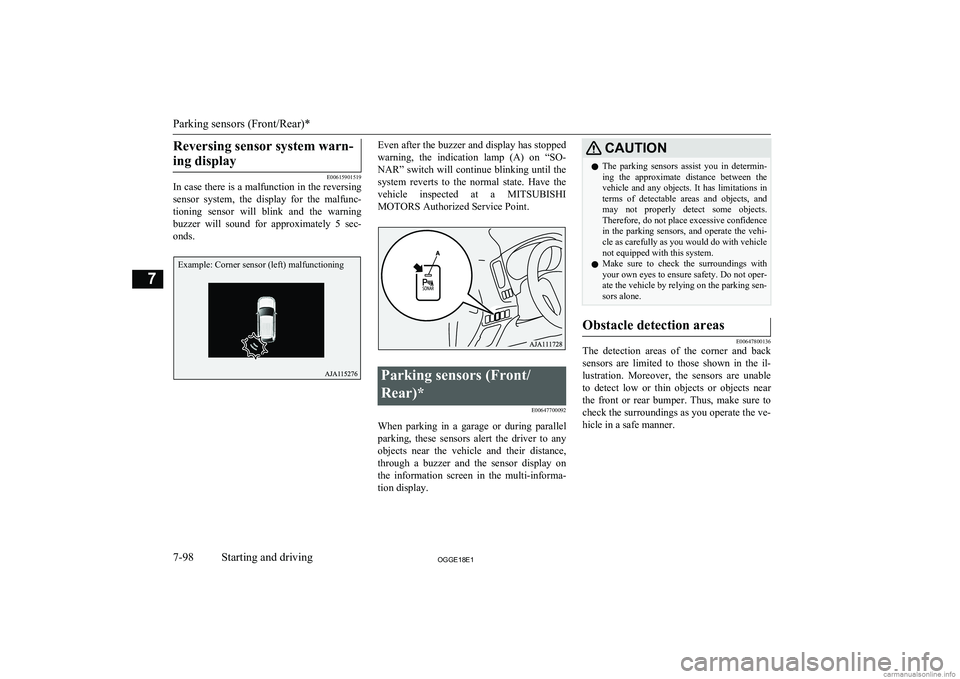
Reversing sensor system warn-ing display
E00615901519
In case there is a malfunction in the reversing
sensor system, the display for the malfunc-
tioning sensor will blink and the warning buzzer will sound for approximately 5 sec-
onds.
Even after the buzzer and display has stopped
warning, the indication lamp (A) on “SO- NAR” switch will continue blinking until the
system reverts to the normal state. Have the vehicle inspected at a MITSUBISHI
MOTORS Authorized Service Point.Parking sensors (Front/
Rear)* E00647700092
When parking in a garage or during parallelparking, these sensors alert the driver to any objects near the vehicle and their distance,
through a buzzer and the sensor display on the information screen in the multi-informa-
tion display.
CAUTIONl The parking sensors assist you in determin-
ing the approximate distance between the
vehicle and any objects. It has limitations in terms of detectable areas and objects, and
may not properly detect some objects. Therefore, do not place excessive confidence
in the parking sensors, and operate the vehi-
cle as carefully as you would do with vehicle not equipped with this system.
l Make sure to check the surroundings with
your own eyes to ensure safety. Do not oper-
ate the vehicle by relying on the parking sen-
sors alone.Obstacle detection areas
E00647800136
The detection areas of the corner and back
sensors are limited to those shown in the il-
lustration. Moreover, the sensors are unable to detect low or thin objects or objects nearthe front or rear bumper. Thus, make sure to check the surroundings as you operate the ve-
hicle in a safe manner.
Parking sensors (Front/Rear)*
7-98OGGE18E1Starting and driving7Example: Corner sensor (left) malfunctioning
Page 313 of 538
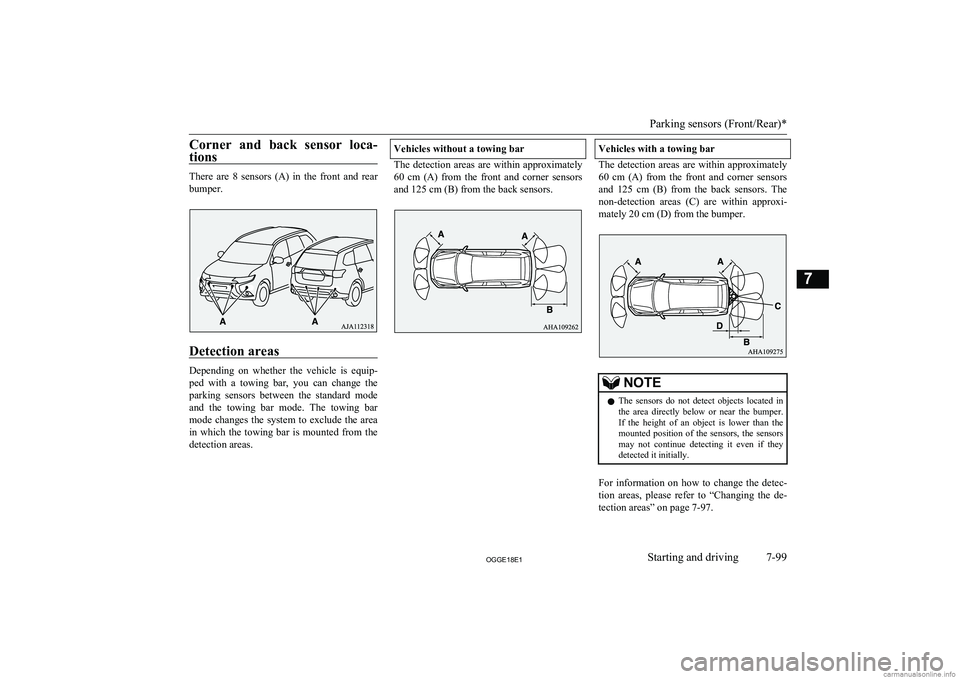
Corner and back sensor loca-tions
There are 8 sensors (A) in the front and rearbumper.
Detection areas
Depending on whether the vehicle is equip-
ped with a towing bar, you can change the parking sensors between the standard modeand the towing bar mode. The towing bar
mode changes the system to exclude the area in which the towing bar is mounted from the
detection areas.
Vehicles without a towing bar
The detection areas are within approximately
60 cm (A) from the front and corner sensors
and 125 cm (B) from the back sensors.
Vehicles with a towing bar
The detection areas are within approximately 60 cm (A) from the front and corner sensors
and 125 cm (B) from the back sensors. The
non-detection areas (C) are within approxi- mately 20 cm (D) from the bumper.
NOTEl The sensors do not detect objects located in
the area directly below or near the bumper. If the height of an object is lower than the
mounted position of the sensors, the sensors
may not continue detecting it even if they detected it initially.
For information on how to change the detec-
tion areas, please refer to “Changing the de- tection areas” on page 7-97.
Parking sensors (Front/Rear)*
7-99OGGE18E1Starting and driving7
Page 314 of 538
CAUTIONlThe parking sensors may not operate proper-
ly under the following conditions:
• The sensors or surroundings have been
wiped by hand.
• The stickers or accessories have been at-
tached to the sensors or surroundings.
• The sensors or surroundings are covered
with ice, snow, or mud.
• When the temperature difference is too
large.
• The sensors are frozen.
• The system receives ultrasonic noise from
other sources (the horns of other vehicles, motorcycle engines, brakes, radios, pour-
ing rain, splashing water, snow traction device (tyre chains), etc.).
• The sensors are extremely hot or cold
(while the vehicle is parked for a long pe- riod of time under a blazing sun or in coldweather).
• The vehicle tilts significantly.
• The vehicle is driven on a rough road
(with a bumpy, gravel, hilly, or grassysurface).
• The vehicle is too close to an obstacle.
• Immediately after Plug-in Hybrid EV
System starting.
l The parking sensors may not properly detect
the following objects:
• Objects that are thin, such as wire nets or
ropes.
• Objects that absorb sound waves, such as
snow.
• Objects that are shaped with a sharp an-
gle.CAUTION• Objects with a smooth surface, such as
glass.
• Objects that are low, such as kerbstones.
l If the bumper has been exposed to an im-
pact, the sensors may fail and prevent the
system from functioning properly. Have the vehicle inspected at a MITSUBISHI
MOTORS Authorized Service Point.NOTEl When the sensor is received ultrasonic noise
from outside, the sensor of the correspond- ing portion will blink at a constant frequen- cy. When they are not received the noise and
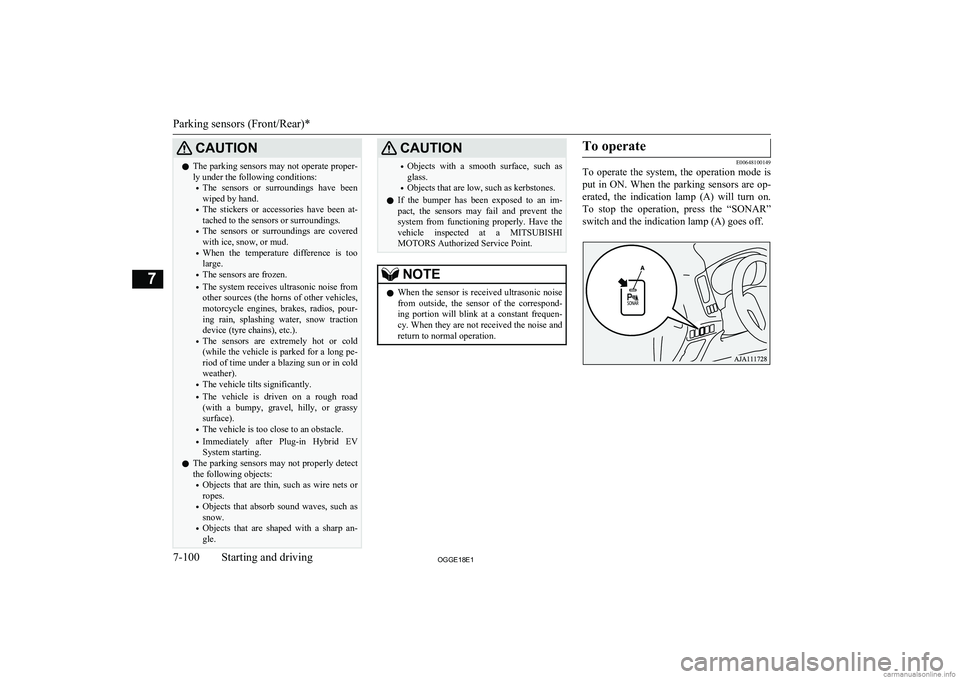
return to normal operation.To operate
E00648100149
To operate the system, the operation mode is
put in ON. When the parking sensors are op-
erated, the indication lamp (A) will turn on. To stop the operation, press the “SONAR”
switch and the indication lamp (A) goes off.
Parking sensors (Front/Rear)*
7-100OGGE18E1Starting and driving7
Page 321 of 538
WARNINGlDo not install anything which will disturb
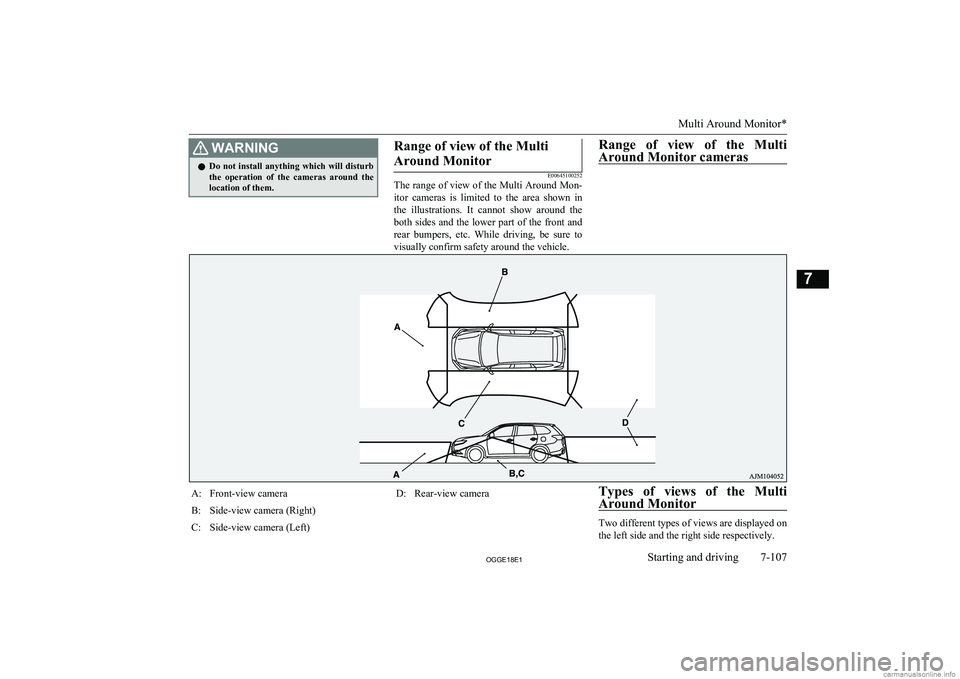
the operation of the cameras around thelocation of them.Range of view of the Multi
Around Monitor
E00645100252
The range of view of the Multi Around Mon-
itor cameras is limited to the area shown in
the illustrations. It cannot show around the both sides and the lower part of the front and
rear bumpers, etc. While driving, be sure to
visually confirm safety around the vehicle.
Range of view of the Multi
Around Monitor camerasA:Front-view cameraB:Side-view camera (Right)C:Side-view camera (Left)D:Rear-view cameraTypes of views of the Multi Around Monitor
Two different types of views are displayed on
the left side and the right side respectively.Multi Around Monitor*
7-107OGGE18E1Starting and driving7
Page 324 of 538
NOTElIf there is no operation for 3 minutes after
the Multi Around Monitor is displayed by pressing the switch with the select position
in a position other than “R”, the display dis- appears.Switching of the screen (Select
position is “R”)
E00652900076
If the switch is pressed, the mode of Multi Around Monitor is switched as follows.
Screen of the inside rear-view mirror
Bird’s eye-view/Rear-view mode Side-
view/ Rear-view mode
OFF
Screen of the DISPLAY AUDIO, the
Smartphone Link Display Audio or the
MITSUBISHI Multi-Communication Sys-
tem (MMCS)
Bird’s eye-view/Rear-view mode
Side-
view/ Rear-view mode
Switching of the screen (Select
position is other than “R”)
E00652900089
If the switch is pressed, the mode of Multi Around Monitor is switched, Bird’s eyeview/ Front-view mode
Side-view/Frontview
mode
OFF
NOTEl When you put the select position to the “R”
(REVERSE) position with the front-viewdisplayed on the driver’s side screen, the
driver’s side screen switches to the rear-view
mode. When you put the select position to any other position, the driver’s side screen
switches to the front-view mode.
l When the switch is pressed at the vehicle
speed of approximately 10 km/h (6 mph) or
higher, only the side-view can be displayed on the passenger’s side screen.
l The front-view will not be displayed when
the vehicle speed exceeds approximately
10 km/h (6 mph).
l The display of the view may be delayed dur-
ing switching of the screen.How to read the screen
E00645400079
In any mode other than the Bird’s eye-view
mode, the lines in the screen give the follow-
ing information. Use them only as a guide.
CAUTIONl When you accidentally hit the camera and its
circumference against something, the view and the lines in the screen may not be dis-played correctly. Be sure to have it inspected
by a MITSUBISHI MOTORS Authorized
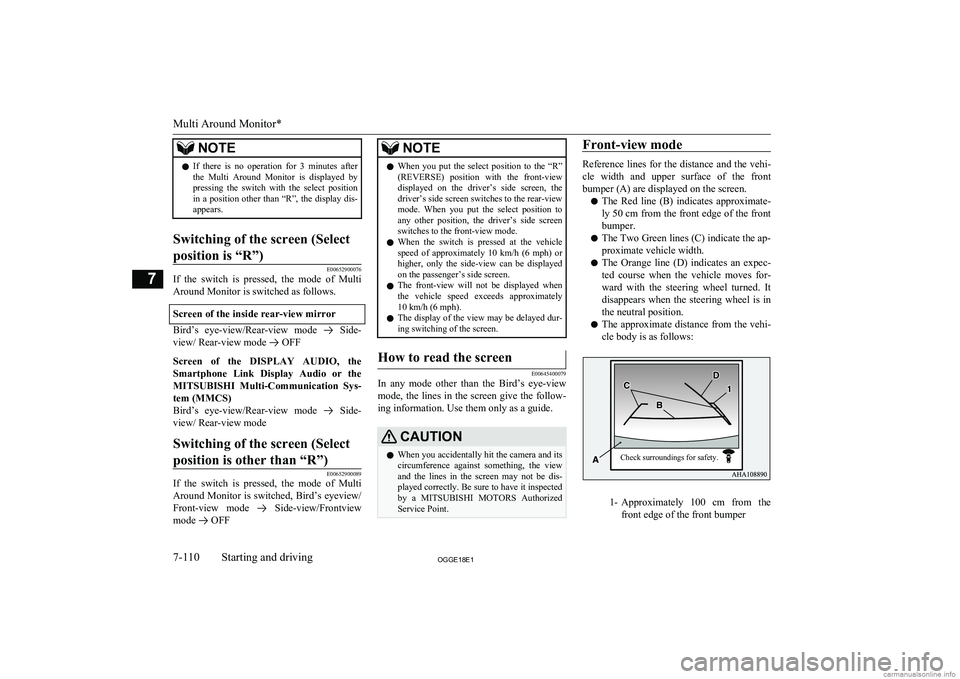
Service Point.Front-view mode
Reference lines for the distance and the vehi-
cle width and upper surface of the front bumper (A) are displayed on the screen.
l The Red line (B) indicates approximate-
ly 50 cm from the front edge of the front
bumper.
l The Two Green lines (C) indicate the ap-
proximate vehicle width.
l The Orange line (D) indicates an expec-
ted course when the vehicle moves for-
ward with the steering wheel turned. It disappears when the steering wheel is in
the neutral position.
l The approximate distance from the vehi-
cle body is as follows:
1- Approximately 100 cm from the
front edge of the front bumper
Multi Around Monitor*
7-110OGGE18E1Starting and driving7 Check surroundings for safety.
Page 325 of 538
NOTElWhen the expected course lines are dis-
played in the front-view, the expected course lines are also displayed in the bird’s eyeview(Front: solid line, Rear: broken line).Rear-view mode
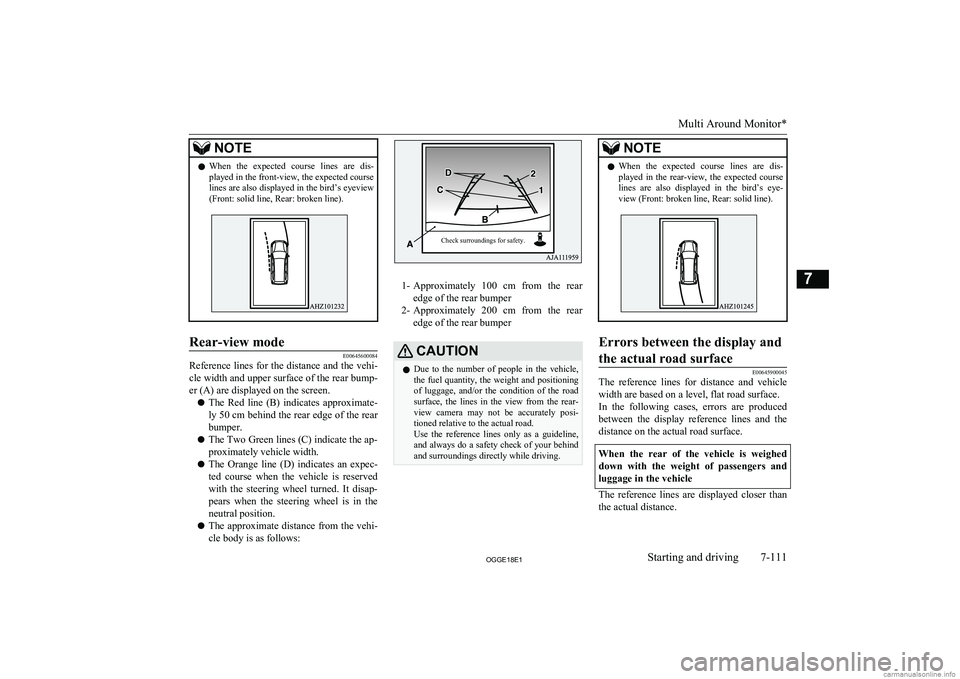
E00645600084
Reference lines for the distance and the vehi-
cle width and upper surface of the rear bump-
er (A) are displayed on the screen.
l The Red line (B) indicates approximate-
ly 50 cm behind the rear edge of the rear
bumper.
l The Two Green lines (C) indicate the ap-
proximately vehicle width.
l The Orange line (D) indicates an expec-
ted course when the vehicle is reserved
with the steering wheel turned. It disap- pears when the steering wheel is in the
neutral position.
l The approximate distance from the vehi-
cle body is as follows:
1- Approximately 100 cm from the rear
edge of the rear bumper
2- Approximately 200 cm from the rear
edge of the rear bumper
CAUTIONl Due to the number of people in the vehicle,
the fuel quantity, the weight and positioning of luggage, and/or the condition of the roadsurface, the lines in the view from the rear-
view camera may not be accurately posi- tioned relative to the actual road.
Use the reference lines only as a guideline,
and always do a safety check of your behind and surroundings directly while driving.NOTEl When the expected course lines are dis-
played in the rear-view, the expected course lines are also displayed in the bird’s eye-view (Front: broken line, Rear: solid line).Errors between the display and
the actual road surface
E00645900045
The reference lines for distance and vehicle width are based on a level, flat road surface.In the following cases, errors are produced between the display reference lines and the
distance on the actual road surface.
When the rear of the vehicle is weighed down with the weight of passengers and
luggage in the vehicle
The reference lines are displayed closer than the actual distance.
Multi Around Monitor*
7-111OGGE18E1Starting and driving7 Check surroundings for safety.
Page 327 of 538
However, the vehicle may hit the truck be-cause the body of the truck strays onto the
course in reality.When approaching to solid objects
The reference lines for distance and vehicle
width are intended to indicate the distance to a flat object such as a level, flat road surface. This may make the distance to a projecting
object shown on the screen differ from the
actual distance to the projecting object. Do not use them as a guide for distances to solid
objects.
Example: Example: On the screen the point B appears the nearest, then the point C and A in
order of distance. The points A and B actual-
ly are the same distances from the vehicle,
and the point C is farther off than the points
A and B.Side-view mode
E00646100060
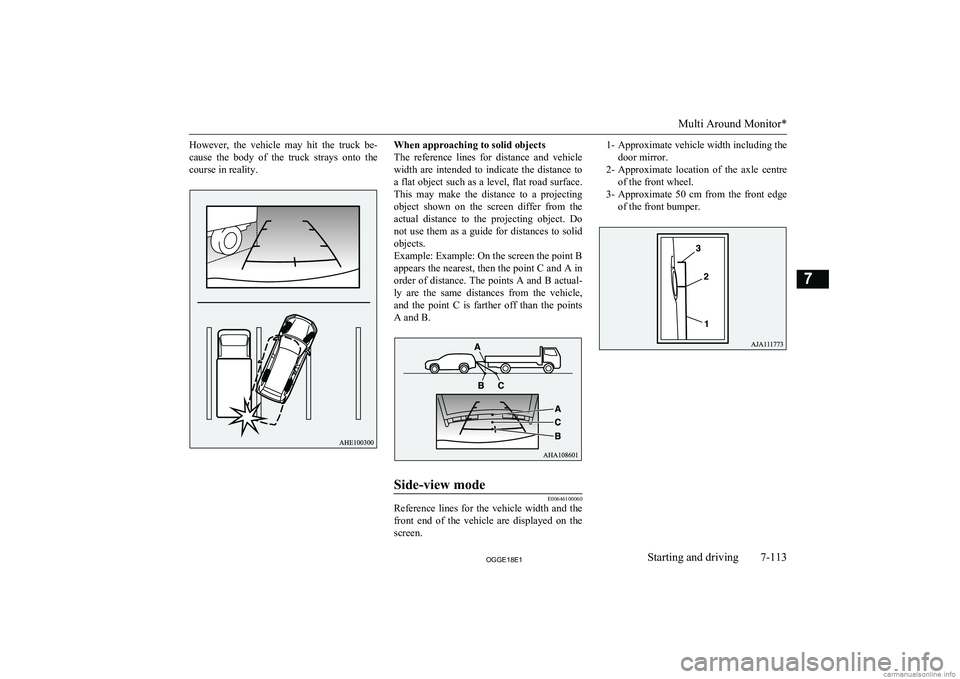
Reference lines for the vehicle width and the front end of the vehicle are displayed on the
screen.
1- Approximate vehicle width including the
door mirror.
2- Approximate location of the axle centre
of the front wheel.
3- Approximate 50 cm from the front edge
of the front bumper.
Multi Around Monitor*
7-113OGGE18E1Starting and driving7