ECO mode MITSUBISHI OUTLANDER SPORT 2016 3.G Service Manual
[x] Cancel search | Manufacturer: MITSUBISHI, Model Year: 2016, Model line: OUTLANDER SPORT, Model: MITSUBISHI OUTLANDER SPORT 2016 3.GPages: 398, PDF Size: 14.63 MB
Page 127 of 398
Hill start assist
Features and controls 5-65
5
authorized Mitsubishi Motors dealer or a repair facility of your choice immediately.
N00550700124
The disc brakes have an alarm that makes ametallic squeal when the brake pads have worn down enough to need service. If you hear this sound, have the brake padsreplaced at an authorized Mitsubishi Motors dealer or a repair facility of your choice.
N00562600074
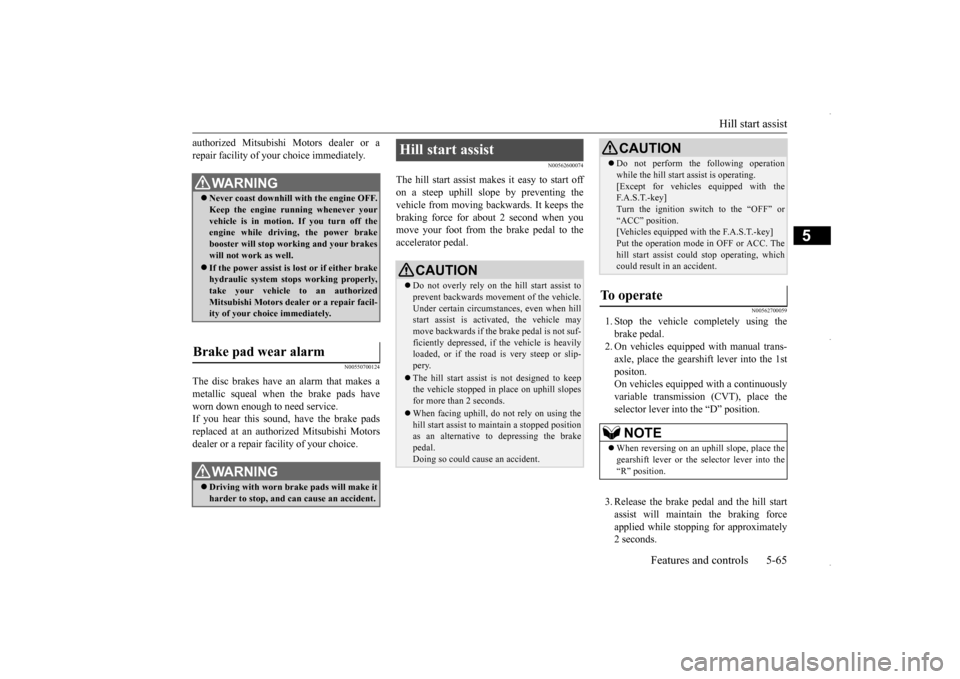
The hill start assist makes it easy to start off on a steep uphill slope by preventing thevehicle from moving back
wards. It keeps the
braking force for about 2 second when you move your foot from the brake pedal to theaccelerator pedal.
N00562700059
1. Stop the vehicle completely using thebrake pedal. 2. On vehicles equipped with manual trans- axle, place the gearshift lever into the 1stpositon. On vehicles equipped with a continuously variable transmission (CVT), place theselector lever into the “D” position. 3. Release the brake pedal and the hill start assist will maintain the braking force applied while stopping for approximately2 seconds.
WA R N I N G Never coast downhill with the engine OFF. Keep the engine running whenever your vehicle is in motion. If you turn off theengine while driving, the power brake booster will stop working and your brakes will not work as well. If the power assist is
lost or if either brake
hydraulic system stops working properly,take your vehicle to an authorized Mitsubishi Motors dealer or a repair facil- ity of your choice immediately.
Brake pad wear alarm
WA R N I N G Driving with worn brake pads will make it harder to stop, and can cause an accident.
Hill start assist
CAUTION Do not overly rely on the hill start assist to prevent backwards movement of the vehicle. Under certain circumstances, even when hillstart assist is activated, the vehicle may move backwards if the brake pedal is not suf- ficiently depressed, if the vehicle is heavilyloaded, or if the road is very steep or slip- pery. The hill start assist is not designed to keep the vehicle stopped in place on uphill slopes for more than 2 seconds. When facing uphill, do
not rely on using the
hill start assist to maintain a stopped positionas an alternative to depressing the brake pedal. Doing so could cause an accident.
Do not perform the following operation while the hill start assist is operating. [Except for vehicles equipped with the F. A . S . T. - k e y ] Turn the ignition switch to the “OFF” or“ACC” position. [Vehicles equipped with the F.A.S.T.-key] Put the operation mode in OFF or ACC. Thehill start assist could stop operating, which could result in an accident.
To operate
NOTE
When reversing on an uphill slope, place the gearshift lever or the selector lever into the“R” position.CAUTION
BK0229600US.bo
ok 65 ページ 2015年10月1日 木曜日 午後2時29分
Page 130 of 398
Anti-lock braking system 5-68 Features and controls
5
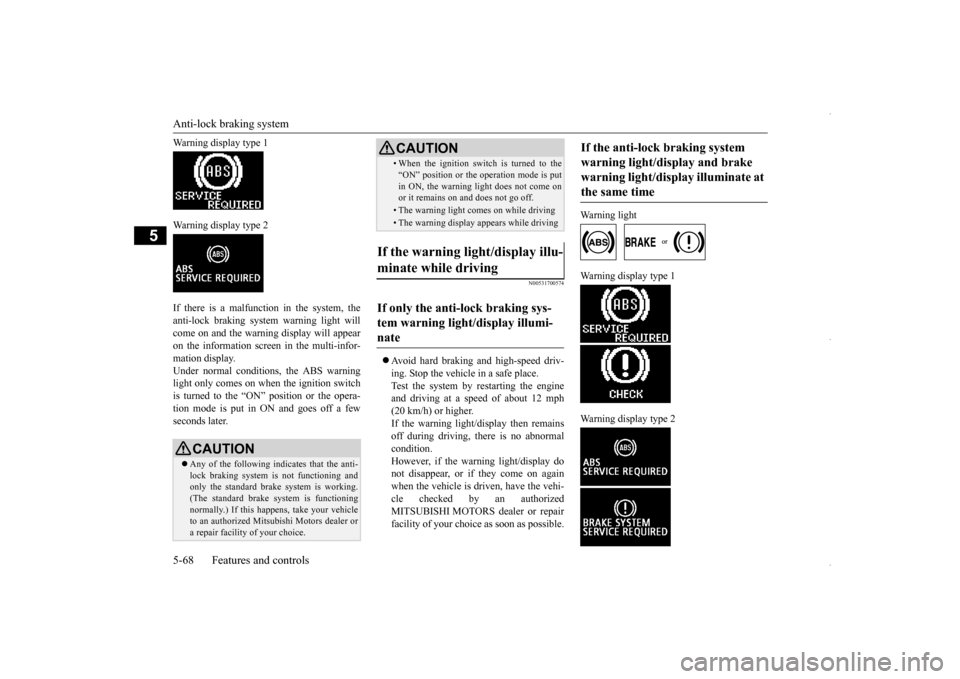
Warning display type 1 Warning display type 2 If there is a malfunction in the system, the anti-lock braking system warning light willcome on and the warning display will appear on the information screen in the multi-infor- mation display.Under normal conditions, the ABS warning light only comes on when the ignition switch is turned to the “ON” position or the opera-tion mode is put in ON and goes off a few seconds later.
N00531700574
Avoid hard braking and high-speed driv- ing. Stop the vehicle in a safe place. Test the system by restarting the engine and driving at a speed
of about 12 mph
(20 km/h) or higher. If the warning light/display then remains off during driving, there is no abnormalcondition. However, if the warning light/display do not disappear, or if they come on againwhen the vehicle is driven, have the vehi- cle checked by an authorized MITSUBISHI MOTORS dealer or repairfacility of your choice as soon as possible.
Warning light
Warning display type 1 Warning display type 2
CAUTION Any of the following indicates that the anti- lock braking system is not functioning and only the standard brake system is working. (The standard brake system is functioningnormally.) If this happens, take your vehicle to an authorized Mitsubishi Motors dealer or a repair facility of your choice.
• When the ignition switch is turned to the “ON” position or the operation mode is put in ON, the warning light does not come on or it remains on and does not go off.• The warning light comes on while driving• The warning display appears while driving
If the warning light/display illu- minate while driving If only the anti-lock braking sys- tem warning light/display illumi-nate
CAUTION
If the anti-lock braking system warning light/display and brake warning light/display illuminate at the same time
BK0229600US.bo
ok 68 ページ 2015年10月1日 木曜日 午後2時29分
Page 132 of 398
Active stability control (ASC) 5-70 Features and controls
5
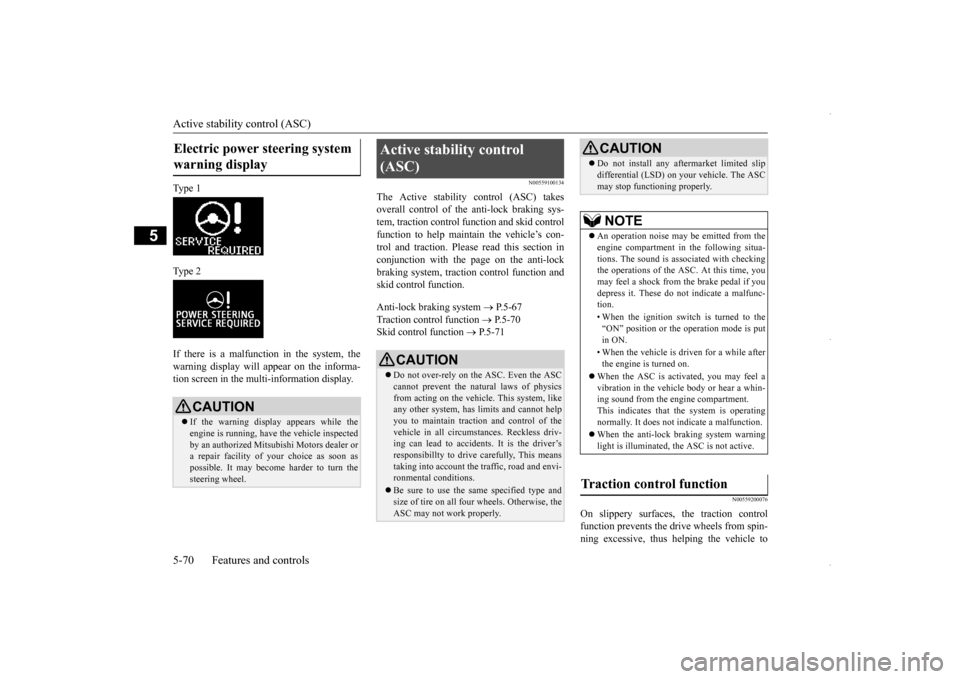
Ty p e 1 Ty p e 2 If there is a malfunction in the system, the warning display will appear on the informa-tion screen in the multi-information display.
N00559100134
The Active stability control (ASC) takesoverall control of the anti-lock braking sys-tem, traction control function and skid control function to help maintain the vehicle’s con- trol and traction. Please read this section inconjunction with the page on the anti-lock braking system, traction control function and skid control function. Anti-lock braking system
P.5-67
Traction control function
P.5-70
Skid control function
P.5-71
N00559200076
On slippery surfaces, the traction control function prevents the dr
ive wheels from spin-
ning excessive, thus helping the vehicle to
Electric power steering system warning display
CAUTION If the warning display appears while the engine is running, have the vehicle inspected by an authorized Mitsubishi Motors dealer ora repair facility of
your choice as soon as
possible. It may become harder to turn the steering wheel.
Active stability control (ASC)
CAUTION Do not over-rely on the ASC. Even the ASC cannot prevent the natural laws of physics from acting on the vehicle. This system, like any other system, has limits and cannot helpyou to maintain traction and control of the vehicle in all circumstances. Reckless driv- ing can lead to accidents. It is the driver’sresponsibillty to drive carefully, This means taking into account the traffic, road and envi- ronmental conditions. Be sure to use the same specified type and size of tire on all four wheels. Otherwise, the ASC may not work properly.
Do not install any aftermarket limited slip differential (LSD) on your vehicle. The ASC may stop functioning properly.NOTE
An operation noise may be emitted from the engine compartment in the following situa- tions. The sound is associated with checkingthe operations of the ASC. At this time, you may feel a shock from the brake pedal if you depress it. These do not indicate a malfunc-tion. • When the ignition switch is turned to the “ON” position or the operation mode is put in ON. • When the vehicle is driven for a while after the engine is turned on.
When the ASC is activated, you may feel a vibration in the vehicle body or hear a whin- ing sound from the engine compartment.This indicates that the system is operating normally. It does not indicate a malfunction. When the anti-lock braking system warning light is illuminated, the ASC is not active.
Traction control function
CAUTION
BK0229600US.bo
ok 70 ページ 2015年10月1日 木曜日 午後2時29分
Page 133 of 398
Active stability control (ASC) Features and controls 5-71
5
start moving from a stopped condition. It also provides sufficient driving force and steering performance as the vehicle turns while press- ing the acceleration pedal.
N00559300051
The skid control function is designed to helpthe driver maintain control of the vehicle onslippery roads or during rapid steering maneuvers. It works by controlling the engine output and the brake on each wheel.
N00559400241
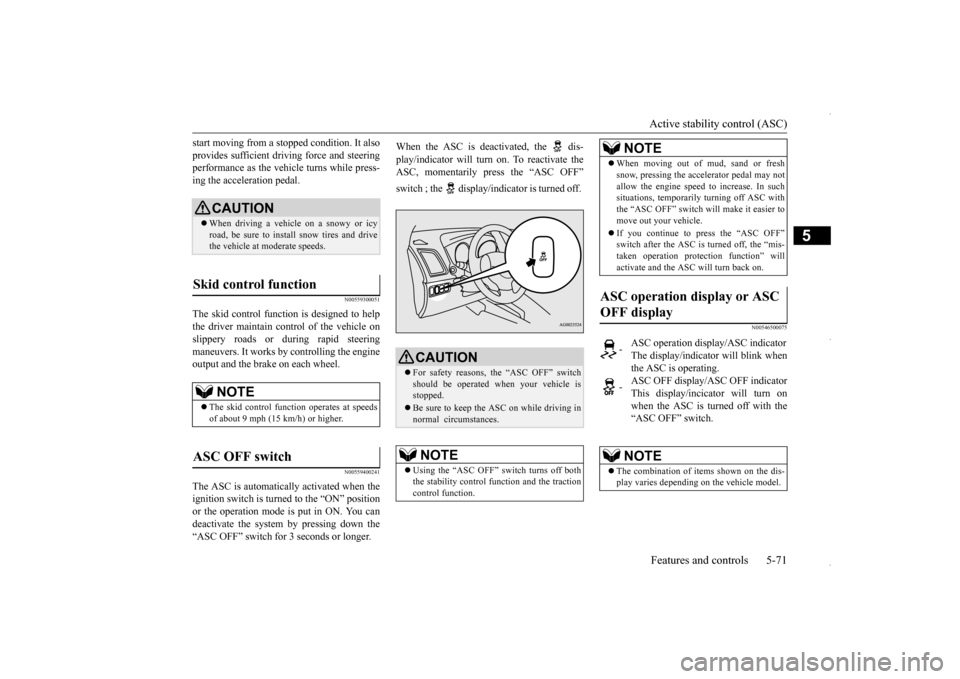
The ASC is automatically activated when the ignition switch is turned to the “ON” position or the operation mode is put in ON. You candeactivate the system by pressing down the“ASC OFF” switch for 3 seconds or longer.
When the ASC is deactivated, the dis- play/indicator will turn on. To reactivate the ASC, momentarily press the “ASC OFF” switch ; the display/indicator is turned off.
N00546500075
CAUTION When driving a vehicle on a snowy or icy road, be sure to install snow tires and drivethe vehicle at moderate speeds.
Skid control function
NOTE
The skid control function operates at speeds of about 9 mph (15 km/h) or higher.
ASC OFF switch
CAUTION For safety reasons, the “ASC OFF” switch should be operated when your vehicle isstopped. Be sure to keep the ASC on while driving in normal circumstances.NOTE
Using the “ASC OFF” switch turns off both the stability control function and the tractioncontrol function.
When moving out of mud, sand or fresh snow, pressing the accelerator pedal may not allow the engine speed to increase. In such situations, temporarily turning off ASC with the “ASC OFF” switch will make it easier tomove out your vehicle. If you continue to press the “ASC OFF” switch after the ASC is turned off, the “mis- taken operation protection function” will activate and the ASC will turn back on.
ASC operation display or ASC OFF display
-
ASC operation display/ASC indicator The display/indicator will blink whenthe ASC is operating.
-
ASC OFF display/ASC OFF indicator This display/incicator will turn onwhen the ASC is turned off with the “ASC OFF” switch.NOTE
The combination of items shown on the dis- play varies depending on the vehicle model.NOTE
BK0229600US.bo
ok 71 ページ 2015年10月1日 木曜日 午後2時29分
Page 134 of 398
Active stability control (ASC) 5-72 Features and controls
5
N00546600076
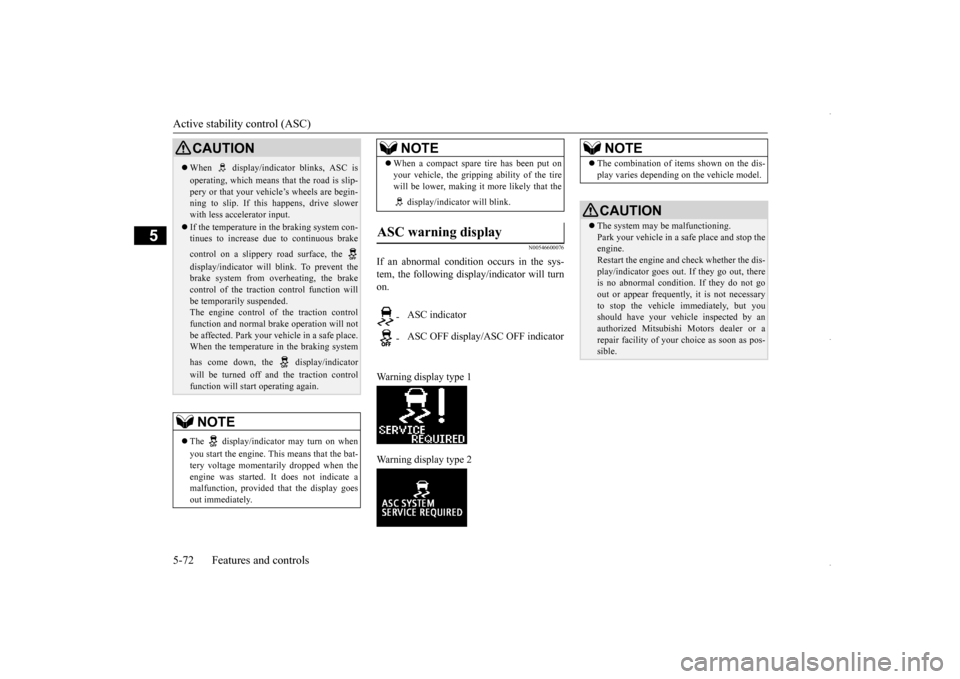
If an abnormal condition occurs in the sys- tem, the following display/indicator will turnon. Warning display type 1 Warning display type 2
CAUTION When display/indicator blinks, ASC is operating, which means that the road is slip- pery or that your vehicle’s wheels are begin- ning to slip. If this happens, drive slowerwith less accelerator input. If the temperature in the braking system con- tinues to increase due to continuous brake control on a slippery road surface, the display/indicator will blink. To prevent the brake system from overheating, the brakecontrol of the traction control function will be temporarily suspended. The engine control of the traction controlfunction and normal brake operation will not be affected. Park your vehicle in a safe place. When the temperature in the braking system has come down, the display/indicator will be turned off and the traction control function will start operating again.NOTE
The display/indicator may turn on when you start the engine. This means that the bat- tery voltage momentarily dropped when the engine was started. It does not indicate a malfunction, provided that the display goesout immediately.
When a compact spare tire has been put on your vehicle, the gripping ability of the tire will be lower, making it more likely that the display/indicator will blink.
ASC warning display
- ASC indicator - ASC OFF display/ASC OFF indicatorNOTE
NOTE
The combination of items shown on the dis- play varies depending on the vehicle model.CAUTION The system may be malfunctioning. Park your vehicle in a safe place and stop the engine.Restart the engine and check whether the dis- play/indicator goes out. If they go out, there is no abnormal condition. If they do not goout or appear frequently, it is not necessary to stop the vehicle immediately, but you should have your vehicle inspected by anauthorized Mitsubishi Motors dealer or a repair facility of your choice as soon as pos- sible.
BK0229600US.bo
ok 72 ページ 2015年10月1日 木曜日 午後2時29分
Page 140 of 398
Tire pressure monitoring system 5-78 Features and controls
5
N00532700281
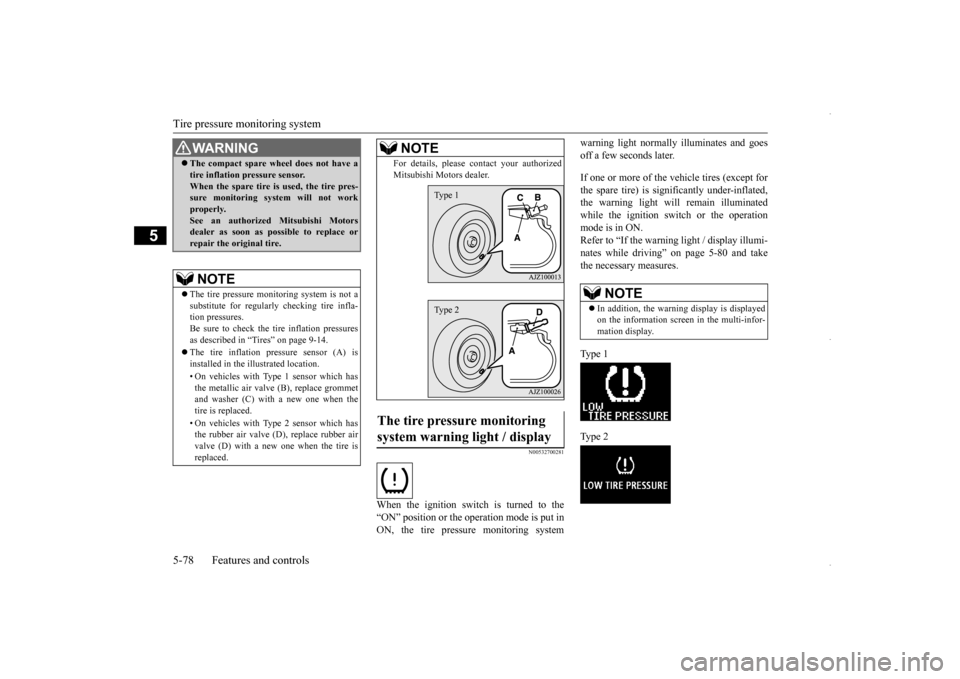
When the ignition switch is turned to the “ON” position or the operation mode is put in ON, the tire pressure monitoring system
warning light normally illuminates and goes off a few seconds later. If one or more of the vehicle tires (except for the spare tire) is significantly under-inflated, the warning light will remain illuminatedwhile the ignition switch or the operation mode is in ON. Refer to “If the warning light / display illumi-nates while driving” on page 5-80 and take the necessary measures. Ty p e 1 Ty p e 2
WA R N I N G The compact spare wheel does not have a tire inflation pressure sensor. When the spare tire is used, the tire pres- sure monitoring system will not work properly.See an authorized Mitsubishi Motors dealer as soon as possible to replace or repair the original tire.NOTE
The tire pressure monitoring system is not a substitute for regularly checking tire infla- tion pressures.Be sure to check the tire inflation pressures as described in “Tires” on page 9-14. The tire inflation pressure sensor (A) is installed in the illustrated location. • On vehicles with Type 1 sensor which has the metallic air valve (B), replace grommet and washer (C) with a new one when thetire is replaced. • On vehicles with Type 2 sensor which has the rubber air valve (D), replace rubber air valve (D) with a new one when the tire is replaced.
For details, please contact your authorized Mitsubishi Motors dealer.
The tire pressure monitoring system warning light / display
NOTE
Type 1Type 2
NOTE
In addition, the warning display is displayed on the information screen in the multi-infor- mation display.
BK0229600US.bo
ok 78 ページ 2015年10月1日 木曜日 午後2時29分
Page 141 of 398
Tire pressure monitoring system
Features and controls 5-79
5
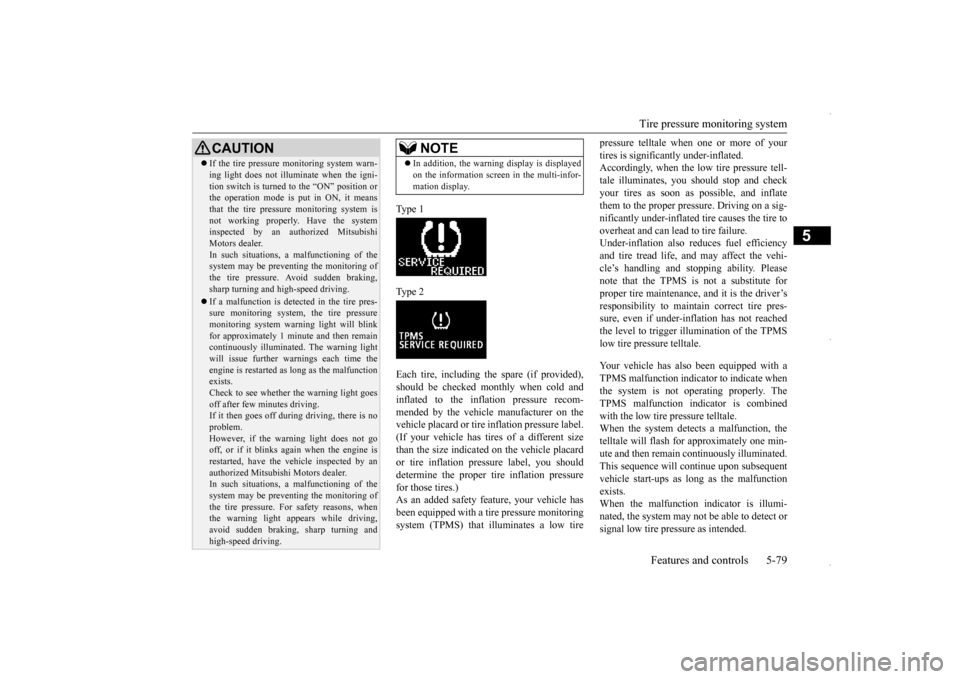
Type 1 Type 2Each tire, including the spare (if provided), should be checked monthly when cold and inflated to the inflation pressure recom-mended by the vehicle manufacturer on the vehicle placard or tire inflation pressure label. (If your vehicle has tires of a different sizethan the size indicated on the vehicle placard or tire inflation pressure label, you should determine the proper tire inflation pressurefor those tires.) As an added safety feature, your vehicle has been equipped with a ti
re pressure monitoring
system (TPMS) that illuminates a low tire
pressure telltale when one or more of your tires is significantly under-inflated. Accordingly, when the low tire pressure tell- tale illuminates, you should stop and checkyour tires as soon as possible, and inflate them to the proper pres
sure. Driving on a sig-
nificantly under-inflated tire causes the tire tooverheat and can lead to tire failure. Under-inflation also reduces fuel efficiency and tire tread life, and may affect the vehi-cle’s handling and stopping ability. Pleasenote that the TPMS is not a substitute for proper tire maintenance, and it is the driver’s responsibility to maintain correct tire pres-sure, even if under-inflation has not reached the level to trigger illumination of the TPMS low tire pressure telltale. Your vehicle has also been equipped with a TPMS malfunction indicator to indicate when the system is not operating properly. The TPMS malfunction indicator is combinedwith the low tire pressure telltale. When the system detects a malfunction, the telltale will flash for approximately one min-ute and then remain continuously illuminated. This sequence will continue upon subsequent vehicle start-ups as long as the malfunctionexists. When the malfunction indicator is illumi- nated, the system may not be able to detect orsignal low tire pressure as intended.
CAUTION If the tire pressure monitoring system warn- ing light does not illuminate when the igni- tion switch is turned to the “ON” position or the operation mode is put in ON, it means that the tire pressure monitoring system isnot working properly. Have the system inspected by an authorized Mitsubishi Motors dealer.In such situations,
a malfunctioning of the
system may be preventing the monitoring of the tire pressure. Avoid sudden braking,sharp turning and high-speed driving. If a malfunction is detected in the tire pres- sure monitoring system, the tire pressure monitoring system warning light will blink for approximately 1 minute and then remaincontinuously illuminated. The warning light will issue further warnings each time the engine is restarted as long as the malfunctionexists. Check to see whether the warning light goes off after few minutes driving.If it then goes off during driving, there is no problem. However, if the warning light does not gooff, or if it blinks again when the engine is restarted, have the vehicle inspected by an authorized Mitsubishi Motors dealer. In such situations,
a malfunctioning of the
system may be preventing the monitoring ofthe tire pressure. For safety reasons, when the warning light appears while driving, avoid sudden braking, sharp turning andhigh-speed driving.
NOTE
In addition, the warning display is displayed on the information screen in the multi-infor- mation display.
BK0229600US.bo
ok 79 ページ 2015年10月1日 木曜日 午後2時29分
Page 146 of 398
Instrument cluster 5-84 Features and controls
5
N00519100259
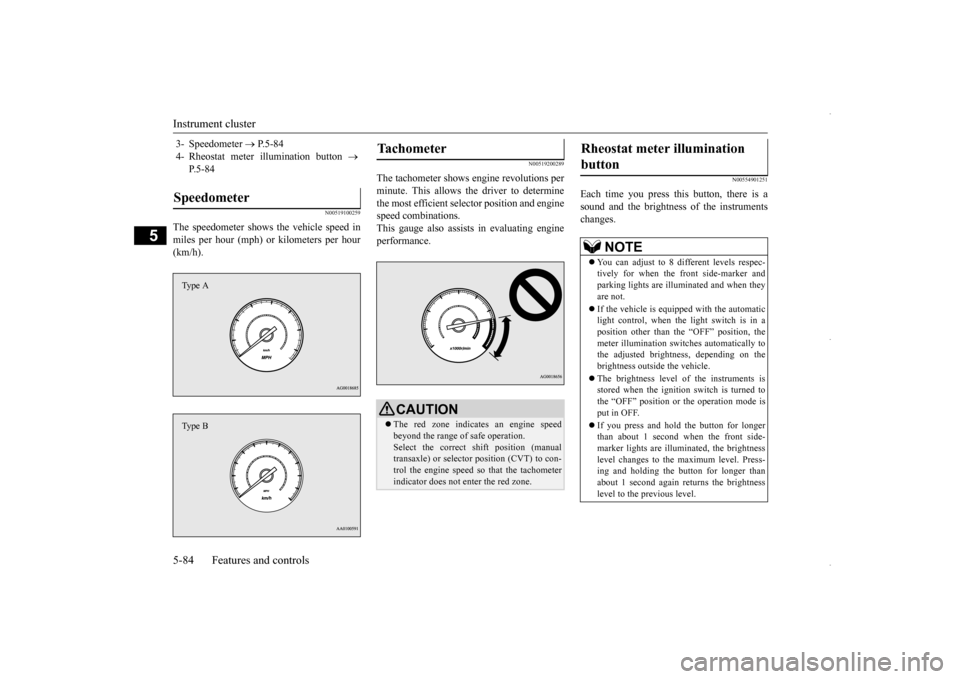
The speedometer shows the vehicle speed in miles per hour (mph) or kilometers per hour (km/h).
N00519200289
The tachometer shows engine revolutions perminute. This allows the driver to determinethe most efficient selector position and engine speed combinations. This gauge also assists in evaluating engineperformance.
N00554901251
Each time you press this button, there is asound and the brightness of the instruments changes.
3- Speedometer
P.5-84
4- Rheostat meter illumination button
P.5-84
Speedometer Type AType B
Tachometer
CAUTION The red zone indicates an engine speed beyond the range of safe operation. Select the correct shift position (manual transaxle) or selector position (CVT) to con-trol the engine speed so that the tachometer indicator does not enter the red zone.
Rheostat meter illumination button
NOTE
You can adjust to 8 different levels respec- tively for when the front side-marker and parking lights are illuminated and when they are not. If the vehicle is equipped with the automatic light control, when the light switch is in aposition other than the “OFF” position, the meter illumination switches automatically to the adjusted brightness, depending on thebrightness outside the vehicle. The brightness level of the instruments is stored when the ignition switch is turned to the “OFF” position or the operation mode is put in OFF. If you press and hold the button for longer than about 1 second when the front side-marker lights are illuminated, the brightness level changes to the maximum level. Press- ing and holding the button for longer than about 1 second again returns the brightness level to the previous level.
BK0229600US.bo
ok 84 ページ 2015年10月1日 木曜日 午後2時29分
Page 148 of 398
Multi-information display 5-86 Features and controls
5
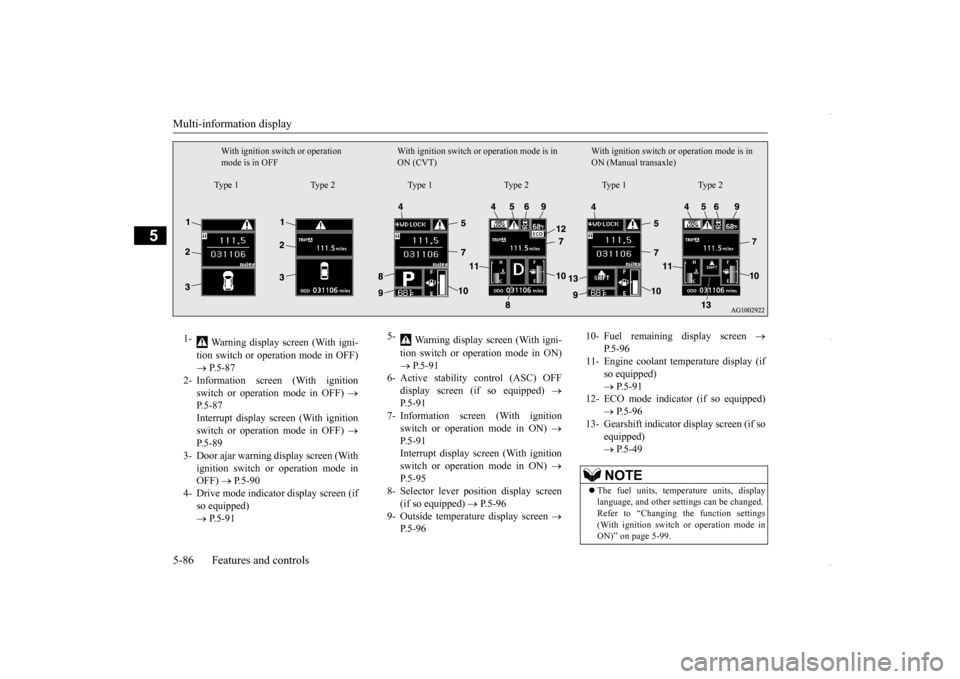
With ignition switch or operation mode is in OFF
With ignition switch or operation mode is in ON (CVT)
With ignition switch or
operation mode is in
ON (Manual transaxle)
Type 1 Type 2 Type 1 Type 2 Type 1 Type 2
1-
Warning display screen (With igni- tion switch or operation mode in OFF) P.5-87
2- Information screen (With ignition
switch or operation mode in OFF)
P.5-87 Interrupt display screen (With ignitionswitch or operation mode in OFF)
P.5-89
3- Door ajar warning display screen (With
ignition switch or operation mode in OFF)
P.5-90
4- Drive mode indicator display screen (if
so equipped) P.5-91
5-
Warning display screen (With igni- tion switch or operation mode in ON) P.5-91
6- Active stability control (ASC) OFF
display screen (if so equipped)
P.5-91
7- Information screen (With ignition
switch or operation mode in ON)
P.5-91 Interrupt display screen (With ignition switch or operation mode in ON)
P.5-95
8- Selector lever position display screen
(if so equipped)
P.5-96
9- Outside temperature display screen
P.5-96
10- Fuel remaining display screen
P.5-96
11- Engine coolant temperature display (if
so equipped) P.5-91
12- ECO mode indicator (if so equipped)
P.5-96
13- Gearshift indicator display screen (if so
equipped) P.5-49NOTE
The fuel units, temperature units, display language, and other settings can be changed.Refer to “Changing the function settings (With ignition switch or operation mode in ON)” on page 5-99.
BK0229600US.bo
ok 86 ページ 2015年10月1日 木曜日 午後2時29分
Page 151 of 398
Multi-information display
Features and controls 5-89
5
N00555500042
Shows the distance and number of months until the next periodic inspection. Refer to “Service reminder” on page 5-97.
N00559600201
When there is information to be announced, such as a key reminder, the buzzer sounds andswitches to the warning display screen. Refer
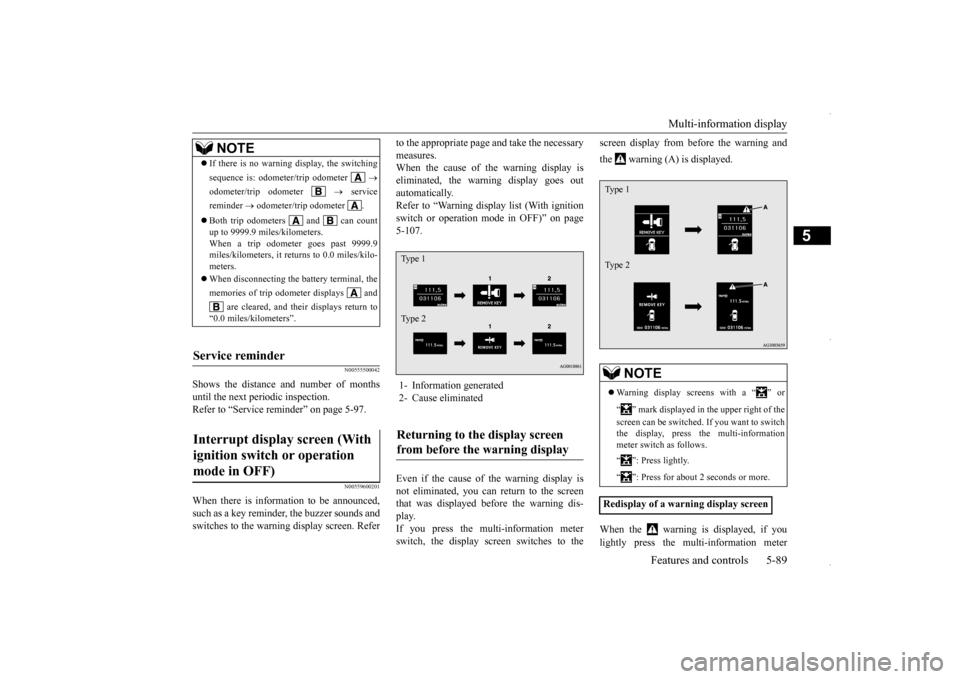
to the appropriate page and take the necessary measures. When the cause of the warning display is eliminated, the warning display goes outautomatically. Refer to “Warning display list (With ignition switch or operation mode in OFF)” on page5-107. Even if the cause of the warning display is not eliminated, you can return to the screen that was displayed before the warning dis- play.If you press the multi-information meter switch, the display screen switches to the
screen display from before the warning and the warning (A) is displayed. When the warning is displayed, if you lightly press the multi-information meter
NOTE
If there is no warning display, the switching sequence is: odometer/trip odometer
odometer/trip odometer
service
reminder
odometer/trip odometer .
Both trip odometers and can count up to 9999.9 miles/kilometers. When a trip odometer goes past 9999.9 miles/kilometers, it returns to 0.0 miles/kilo-meters. When disconnecting the battery terminal, the memories of trip odometer displays and
are cleared, and their displays return to
“0.0 miles/kilometers”.
Service reminder Interrupt display screen (With ignition switch or operation mode in OFF)
1- Information generated 2- Cause eliminatedReturning to the display screen from before the warning display Ty p e 1 Ty p e 2
NOTE
Warning display screens with a “ ” or “ ” mark displayed in the upper right of the screen can be switched. If you want to switch the display, press the multi-information meter switch as follows. “ ”: Press lightly. “ ”: Press for about 2 seconds or more.
Redisplay of a warning display screenType 1 Type 2
BK0229600US.bo
ok 89 ページ 2015年10月1日 木曜日 午後2時29分