Blink MITSUBISHI PAJERO IV 2011 User Guide
[x] Cancel search | Manufacturer: MITSUBISHI, Model Year: 2011, Model line: PAJERO IV, Model: MITSUBISHI PAJERO IV 2011Pages: 377, PDF Size: 29.43 MB
Page 153 of 377
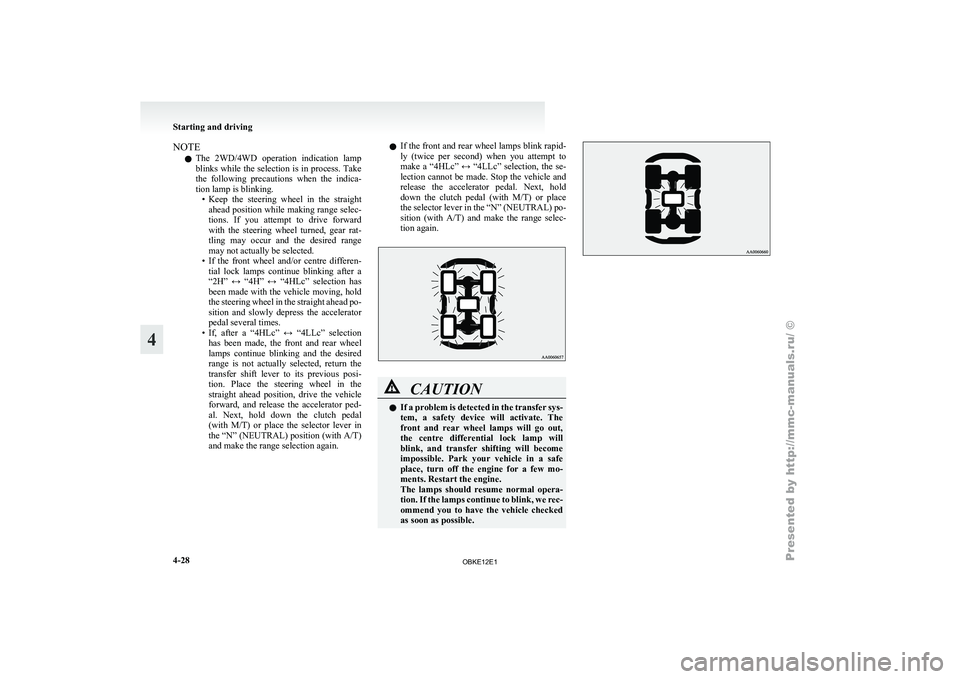
NOTE
l The
2WD/4WD operation
indication lamp
blinks while the selection is in process. Take
the following precautions when the indica-
tion lamp is blinking. • Keep the steering wheel in the straightahead position while making range selec-
tions. If you attempt to drive forward
with the steering wheel turned, gear rat-
tling may occur and the desired range
may not actually be selected.
• If the front wheel and/or centre differen- tial lock lamps continue blinking after a
“2H” ↔ “4H” ↔ “4HLc” selection has
been made with the vehicle moving, hold
the steering wheel in the straight ahead po-
sition and slowly depress the accelerator
pedal several times.
• If, after a “4HLc” ↔ “4LLc” selection has been made, the front and rear wheel
lamps continue blinking and the desired
range is not actually selected, return the
transfer shift lever to its previous posi-
tion. Place the steering wheel in the
straight ahead position, drive the vehicle
forward, and release the accelerator ped-
al. Next, hold down the clutch pedal
(with M/T) or place the selector lever in
the “N” (NEUTRAL) position (with A/T)
and make the range selection again. l
If
the
front and rear wheel lamps blink rapid-
ly (twice per second) when you attempt to
make a “4HLc” ↔ “4LLc” selection, the se-
lection cannot be made. Stop the vehicle and
release the accelerator pedal. Next, hold
down the clutch pedal (with M/T) or place
the selector lever in the “N” (NEUTRAL) po-
sition (with A/T) and make the range selec-
tion again. CAUTION
l
If a
problem
is detected in the transfer sys-
tem, a safety device will activate. The
front and rear wheel lamps will go out,
the centre differential lock lamp will
blink, and transfer shifting will become
impossible. Park your vehicle in a safe
place, turn off the engine for a few mo-
ments. Restart the engine.
The lamps should resume normal opera-
tion. If the lamps continue to blink, we rec-
ommend you to have the vehicle checked
as soon as possible. Starting and driving
4-28
4
OBKE12E1
Page 154 of 377
Rear differential lock*
E00606200043
If one wheel
starts to spin freely and the vehicle be-
comes stuck and cannot be freed even using
4-wheel drive, the rear differential lock switch (A)
can be used to activate the rear differential lock for
extra traction. Operating the rear differential lock
1. Move the transfer
shift lever to “4LLc” or
“4HLc” position.
2. To activate the rear differential lock, press the rear differential lock switch (1). 3. To deactivate the rear differential lock, press
the rear differential lock switch (2). CAUTION
l
Operate the rear
differential lock switch
after the wheels are stopped. Operating
the switch with the wheels turning may
cause the vehicle to dart in unexpected di-
rections.
NOTE l The
rear differential
lock does not operate
when the transfer shift lever is in “4H” or
“2H” position.
l When the rear differential is locked with the
transfer shift lever in “4LLc” or “4HLc” po-
sition, changing the shift lever to “4H” or
“2H” position makes the rear differential un-
lock automatically. The rear differential lock indication
lamp
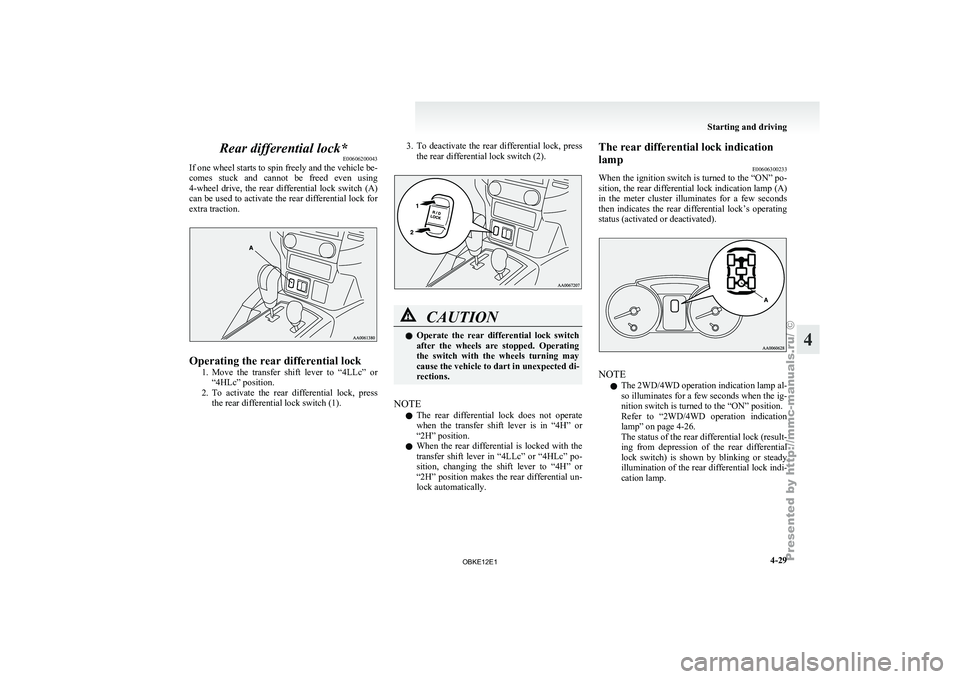
E00606300233
When the ignition
switch is turned to the “ON” po-
sition, the rear differential lock indication lamp (A)
in the meter cluster illuminates for a few seconds
then indicates the rear differential lock’s operating
status (activated or deactivated). NOTE
l The
2WD/4WD operation
indication lamp al-
so illuminates for a few seconds when the ig-
nition switch is turned to the “ON” position.
Refer to “2WD/4WD operation indication
lamp” on page 4-26.
The status of the rear differential lock (result-
ing from depression of the rear differential
lock switch) is shown by blinking or steady
illumination of the rear differential lock indi-
cation lamp. Starting and driving
4-29 4
OBKE12E1
Page 155 of 377
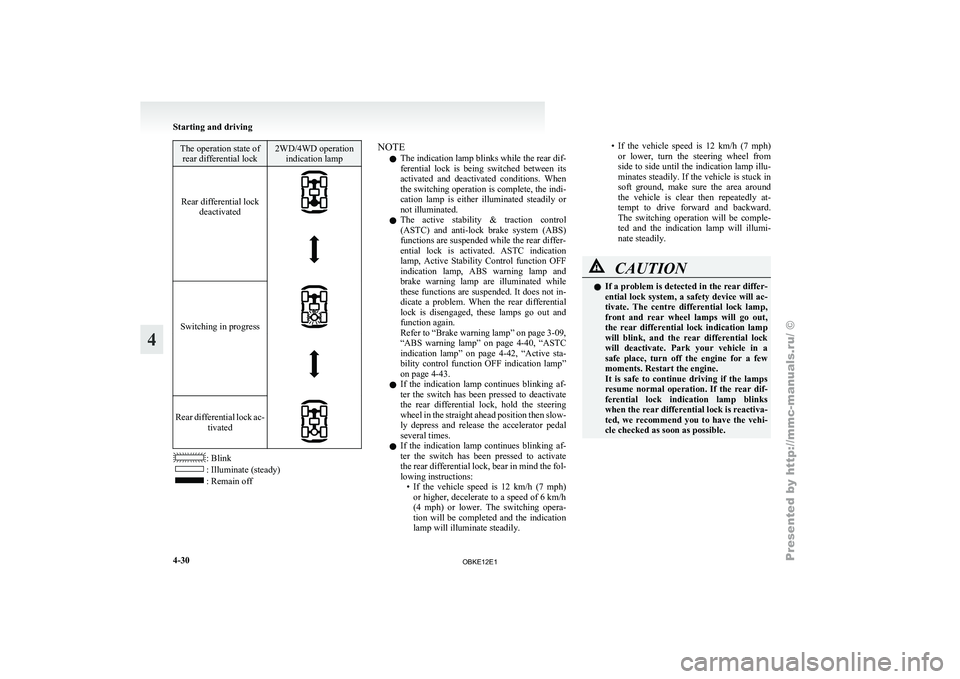
The operation state of
rear differential lock 2WD/4WD operation
indication lamp
Rear differential lock deactivated
Switching in progress
Rear differential lock ac-
tivated : Blink
: Illuminate (steady)
: Remain off NOTE
l The indication lamp blinks while the rear dif-
ferential
lock is
being switched between its
activated and deactivated conditions. When
the switching operation is complete, the indi-
cation lamp is either illuminated steadily or
not illuminated.
l The active stability & traction control
(ASTC) and anti-lock brake system (ABS)
functions are suspended while the rear differ-
ential lock is activated. ASTC indication
lamp, Active Stability Control function OFF
indication lamp, ABS warning lamp and
brake warning lamp are illuminated while
these functions are suspended. It does not in-
dicate a problem. When the rear differential
lock is disengaged, these lamps go out and
function again.
Refer to “Brake warning lamp” on page 3-09,
“ABS warning lamp” on page 4-40, “ASTC
indication lamp” on page 4-42, “Active sta-
bility control function OFF indication lamp”
on page 4-43.
l If the indication lamp continues blinking af-
ter the switch has been pressed to deactivate
the rear differential lock, hold the steering
wheel in the straight ahead position then slow-
ly depress and release the accelerator pedal
several times.
l If the indication lamp continues blinking af-
ter the switch has been pressed to activate
the rear differential lock, bear in mind the fol-
lowing instructions:
• If the vehicle speed is 12 km/h (7 mph)or higher, decelerate to a speed of 6 km/h
(4 mph) or lower. The switching opera-
tion will be completed and the indication
lamp will illuminate steadily. • If the vehicle speed is 12 km/h (7 mph)
or lower,
turn the steering wheel from
side to side until the indication lamp illu-
minates steadily. If the vehicle is stuck in
soft ground, make sure the area around
the vehicle is clear then repeatedly at-
tempt to drive forward and backward.
The switching operation will be comple-
ted and the indication lamp will illumi-
nate steadily. CAUTION
l
If a
problem
is detected in the rear differ-
ential lock system, a safety device will ac-
tivate. The centre differential lock lamp,
front and rear wheel lamps will go out,
the rear differential lock indication lamp
will blink, and the rear differential lock
will deactivate. Park your vehicle in a
safe place, turn off the engine for a few
moments. Restart the engine.
It is safe to continue driving if the lamps
resume normal operation. If the rear dif-
ferential lock indication lamp blinks
when the rear differential lock is reactiva-
ted, we recommend you to have the vehi-
cle checked as soon as possible. Starting and driving
4-30
4
OBKE12E1
Page 168 of 377
Driving hints
E00618100036
When extricating the
vehicle from mud, sand or
fresh snow with the transfer shift lever in the “2H”,
“4H”, or “4HLc” position, you may find that opera-
tion of the ASTC prevents the engine speed from in-
creasing in response to depression of the accelera-
tor pedal. If this happens and the vehicle remains
stuck as a result, place the transfer shift lever in the
“4LLc” position or turn the Active Stability Con-
trol switch OFF. The vehicle will then be easier to
extricate. (Brake control of the active traction con-
trol function is still working to prevent wheel spins
when ASC OFF switch “OFF” or “4LLc” position
selected.)
NOTE
l If the vehicle speed increases to about
120 km/h (75 mph) with the Active Stability
Control function deactivated, the Active Sta-
bility Control function automatically starts op-
erating. To subsequently stop the Active Sta-
bility Control function, stop the vehicle and
press the ASC OFF switch again.
Active stability control function E00613900097
The Active Stability Control function is designed
to help maintain
the vehicle’s control in slippery
conditions, or during rapid steering manoeuvres. It
works by controlling the engine output and brake
on each wheel. NOTE
l The
Active Stability
Control function does
not operate when the transfer shift lever is in
the “4LLc” position.
When the Active Stability Control function
is operating with the transfer shift lever in
the “2H”, “4H” or “4HLc” position, moving
the shift lever to the “4LLc” position makes
the Active Stability Control function deacti-
vate automatically.
l On vehicles with rear differential lock, the Ac-
tive Stability Control function does not oper-
ate when the rear differential lock is activated.
Active stability control function indication lamp E00614000183 Active stability control function indica-
tion lamp
Active stability control function OFF in-
dication lamp
The indication lamps should illuminate when the ig-
nition switch is
turned to the “ON” position and
should go off after a few seconds. If the indication lamps stay on or do not illuminate
when the
ignition
switch is turned to the “ON” po-
sition, we recommend you to have your vehicle in-
spected.
indication lamp blinks when the Active Stability
Control function is operating. indication lamp illuminates when the Active Sta-
bility Control function
is deactivated by either of
the following operations:
l The ASC OFF switch is pressed to deacti-
vate the system.
l The transfer shift lever is placed in the
“4LLc” position. CAUTION
l
When indication lamp blinks, the Ac-
tive Stability Control
function is operat-
ing, which means that the road is slippery
or that your vehicle’s wheels are spinning
excessively. If this happens, drive slower
with less accelerator input.
l If a fault occurs in the device, the ABS
warning lamp or and indication
lamps illuminate as
warning. Park your
vehicle in a safe place and stop the en-
gine. Then, start the engine again and
check whether the ABS warning lamp or and indication lamps go out.
If the ABS
warning lamp or and in-
dication lamps remains
lit even after the
engine has been started, we recommend
you to have your vehicle checked. Starting and driving
4-43 4
OBKE12E1
Page 169 of 377
NOTE
l Immediately
after reconnection
of the battery
cable, the indication lamp will illuminate
and the Active Stability Control function will
stop operating. If
the vehicle is driven and
the indication lamp goes off, the Active
Stability Control function
will again start op-
erating.
If the indication lamp illuminates again or il-
luminates even though the battery has not
been disconnected, an insufficient battery
voltage or other problems may be the reason.
We recommend you to have your vehicle in-
spected.
Active traction control function E00614100041
The active traction control function maintains trac-
tion on slippery
road surfaces by automatically con-
trolling the engine output and applying the brakes
so the driving wheels are prevented from spinning.
The active traction control function automatically
turns ON when the ignition switch is turned to the
“ON” position. CAUTION
l
If the temperature
in the braking system
increases excessively due to continuous
brake control on a slippery road surface,
a warning buzzer will sound intermittent-
ly to warn the driver. If driving continues
in spite of the buzzer and the tempera-
ture in the braking system increases fur-
ther, the indication lamp will illumi-
nate, the warning
buzzer will sound con-
tinuously for approximately 3 seconds,
and active traction control function oper-
ation will be suspended to protect the brak-
ing system. (Normal operation of the vehi-
cle will not be affected.) If the vehicle is
stopped and the indication lamp goes
off, the active
traction control function
will start operating again.
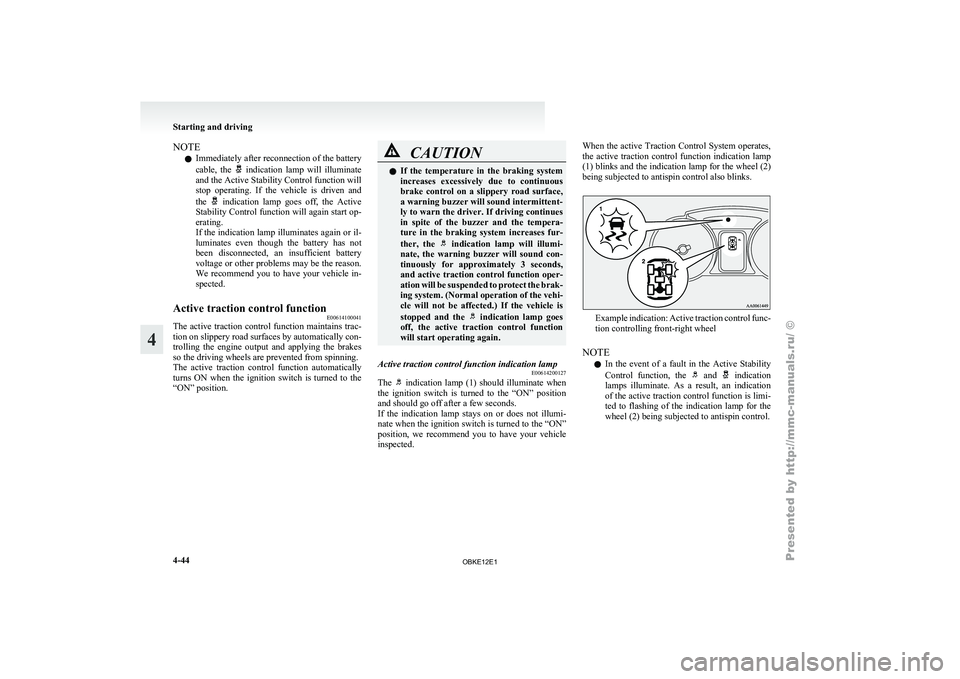
Active traction control function indication lamp E00614200127
The indication lamp (1) should illuminate when
the ignition switch
is turned to the “ON” position
and should go off after a few seconds.
If the indication lamp stays on or does not illumi-
nate when the ignition switch is turned to the “ON”
position, we recommend you to have your vehicle
inspected. When the active Traction Control System operates,
the
active
traction
control function indication lamp
(1) blinks and the indication lamp for the wheel (2)
being subjected to antispin control also blinks. Example indication: Active traction control func-
tion controlling front-right wheel
NOTE l In
the event
of a fault in the Active Stability
Control function, the and indication
lamps illuminate. As
a result, an indication
of the active traction control function is limi-
ted to flashing of the indication lamp for the
wheel (2) being subjected to antispin control. Starting and driving
4-44
4
OBKE12E1
Page 189 of 377
CAUTION
l
Normally, use the outside position to keep
the windscreen and
side windows clear
and quickly remove fog or frost from the
windscreen.
If high cooling performance is desired, or
if the outside air is dusty or otherwise con-
taminated use the recirculation position.
Switch to the outside position periodically
to increase ventilation so that the win-
dows do not become fogged up.
l Use of the recirculation position for exten-
ded time may cause the windows to fog up.
NOTE l If
you press
the AUTO switch to select auto-
matic control after manually switching be-
tween outside air and recirculated air, the air
selection will also be automatically controlled. AUTO switch
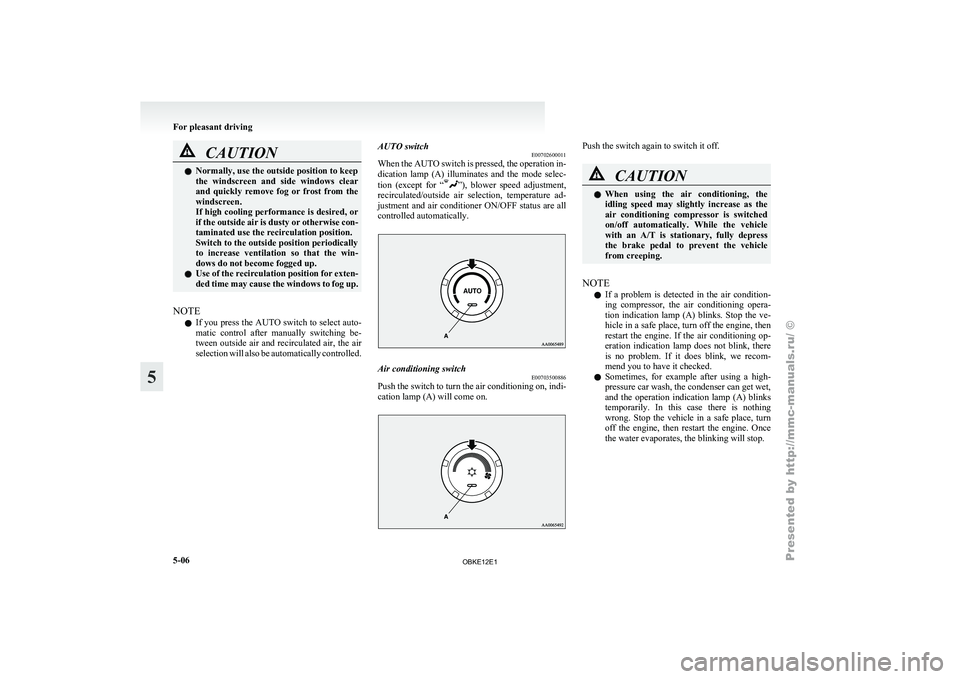
E00702600011
When the
AUTO
switch is pressed, the operation in-
dication lamp (A) illuminates and the mode selec-
tion (except for “ ”), blower speed adjustment,
recirculated/outside air
selection, temperature ad-
justment and air conditioner ON/OFF status are all
controlled automatically. Air conditioning switch
E00703500886
Push the switch to turn the air conditioning on, indi-
cation lamp (A) will come on. Push the switch again to switch it off.
CAUTION
l
When using
the air conditioning, the
idling speed may slightly increase as the
air conditioning compressor is switched
on/off automatically. While the vehicle
with an A/T is stationary, fully depress
the brake pedal to prevent the vehicle
from creeping.
NOTE l If
a problem
is detected in the air condition-
ing compressor, the air conditioning opera-
tion indication lamp (A) blinks. Stop the ve-
hicle in a safe place, turn off the engine, then
restart the engine. If the air conditioning op-
eration indication lamp does not blink, there
is no problem. If it does blink, we recom-
mend you to have it checked.
l Sometimes, for example after using a high-
pressure car wash, the condenser can get wet,
and the operation indication lamp (A) blinks
temporarily. In this case there is nothing
wrong. Stop the vehicle in a safe place, turn
off the engine, then restart the engine. Once
the water evaporates, the blinking will stop. For pleasant driving
5-06
5
OBKE12E1
Page 201 of 377
AF (Alternative Frequencies) function
E00720900090
The AF function
finds a station broadcasting the
same program and selects the station with the stron-
gest signal of AF lists.
The AF function is turned on at all times unless
you manually switch it off.
The AF function can be turned ON and OFF.
Refer to “Adjusting the time” on page 3-13.
CT (Clock Time) function E00721000085
The clock can be set automatically by using the sig-
nal from the
local RDS stations. Refer to “Adjust-
ing the time” on page 3-13.
REG (Regional) function E00721100028
REG function limits to receive the stations broad-
casting regional programs.
Regional programming and
regional networks are
organized differently depending on the country or
area (they may be changed according to the hour,
state, or broadcast area), so if you don’t want to re-
ceive the regional programs automatically, you can
set up REG ON not to receive regional programs.
The REG function can be turned ON and OFF. Re-
fer to “Function setup mode” on page 5-20.
PI (Program Identification) search function E00721200247
When travelling long distance and the recalled pre-
set station is
weak, the radio searches another fre-
quency broadcasting the same programming with
the same PI code in AF list. If there are no frequencies broadcasting the same
programming, the
radio
searches a frequency broad-
casting the regional programming. The radio suc-
ceeds in searching the regional programming, then
the display shows the REG indicator (13).
If the radio does not succeed in searching the re-
gional programming, the radio returns to the recal-
led preset station.
The PI function can be turned ON and OFF.
Refer to “Function setup mode” on page 5-35.
NOTE
l While searching, the audio system is muted.
The display shows “WAIT” or “SEARCH”.
PTY (Program type) E00721300277
RDS broadcasts are classified according to pro-
gram type (PTY)
as follows. Use the TUNE button
(7 or 8) to select your desired PTY. 1. NEWS
2. AFFAIRS (Current affairs)
3. INFO (Information)
4. SPORT
5. EDUCATE (Education)
6. DRAMA
7. CULTURE
8. SCIENCE
9. VARIED
10. POP M (Pop music)
11. ROCK M (Rock music)
12. EASY M (Easy music)
13. LIGHT M (Light classics)
14. CLASSICS
15. OTHER M (Other music)
16. WEATHER (Weather information)
17. FINANCE
18. CHILDREN 19. SOCIAL
20. RELIGION
21.
PHONE IN
22.
TRAVEL
23. LEISURE
24. JAZZ
25. COUNTRY
26. NATION M (National music)
27. OLDIES
28. FOLK M (Folk music)
29. DOCUMENT
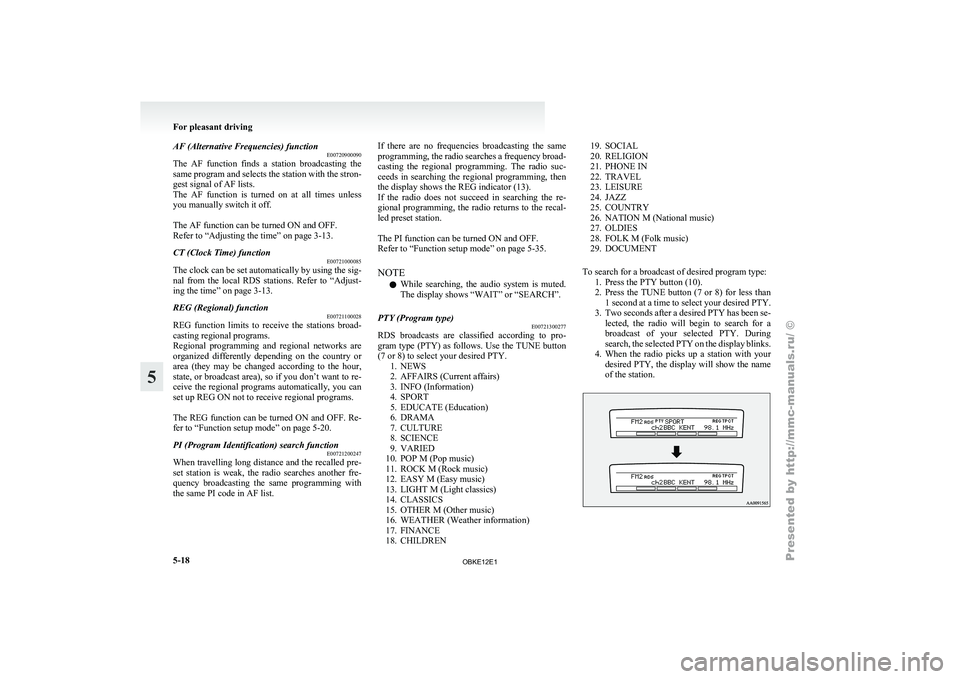
To search for a broadcast of desired program type: 1. Press the PTY button (10).
2. Press the TUNE button (7 or 8) for less than1 second at a time to select your desired PTY.
3. Two seconds after a desired PTY has been se- lected, the radio will begin to search for a
broadcast of your selected PTY. During
search, the selected PTY on the display blinks.
4. When the radio picks up a station with your desired PTY, the display will show the name
of the station. For pleasant driving
5-18
5
OBKE12E1
Page 208 of 377
NOTE
l Pressing
the side of the TRACK button
(11) once during the song will cause the CD
player to restart playback from the beginning
of the song.
To repeat a track
Press the RPT button (5) briefly while the track is
playing. “RPT” will appear on the display. To exit
the repeat mode, press the RPT button again.
To repeat a folder (MP3 CDs only)
Press the RPT button (5) for 1 second or longer (un-
til you hear a beep). “D-RPT” will appear on the dis-
play. You can listen to all the tracks in the current-
ly selected folder repeatedly.
NOTE l The track repeat mode will be cancelled by
pressing the TRACK button (11), the SCAN
button (14) or the eject button (7).
l The disc repeat mode will be cancelled by
pressing the DISC button (15), the SCAN but-
ton (14) or the eject button (7).
l With a disc that contains both CD-DA and
MP3 files, the repeat mode causes only files
of the same format (CD-DA only or MP3
files only) to be repeated.
To play tracks in random order
Random playback for a disc (music CDs only)
Press the RDM button (6) briefly. “RDM” will ap-
pear on the display. Tracks on the currently selec-
ted disc will be played in a random sequence.
To exit the random mode, press the RDM button
again. Random playback for a folder (MP3 CDs only)
Press
the RDM
button (6) briefly. “RDM” will ap-
pear on the display. Tracks in the currently selected
folder will be played in a random sequence. To exit
the random mode, press the RDM button again.
Random playback for all folders on a disc (MP3
CDs only)
Press the RDM button (6) for 1 second or longer
(until you hear a beep). “D-RDM” will appear on
the display. Tracks from all the folders on the cur-
rently selected disc will be played in a random se-
quence. To exit the random mode, briefly press the
RDM button again.
NOTE
l With a disc that contains both CD-DA and
MP3 files, the random mode causes only
files of the same format (CD-DA only or
MP3 files only) to be played in a random se-
quence.
To find the start of each track on a disc for playback
Press the SCAN button (14). “SCAN” will appear
on the display and the CD player will play back the
first 10 seconds of each track on the selected disc.
The track number will blink while the scan mode is
selected.
To exit the scan mode, press the SCAN button again.
NOTE l Once all tracks on the disc have been scan-
ned, playback of the disc will restart from the
beginning of the track that was playing when
scanning started.
l The scan mode will be cancelled when radio
or CD operation is selected. l
With
a disc that contains both CD-DA and
MP3 files, the scan mode causes only files of
the same format (CD-DA only or MP3 files
only) to be played.
To eject a disc
When the CD eject button (7) is pressed, the disc
automatically stops and is ejected. The system auto-
matically switches to radio mode.
NOTE l If you do not remove the disc before
15 seconds have elapsed, the CD player will
automatically reload the disc and stop.
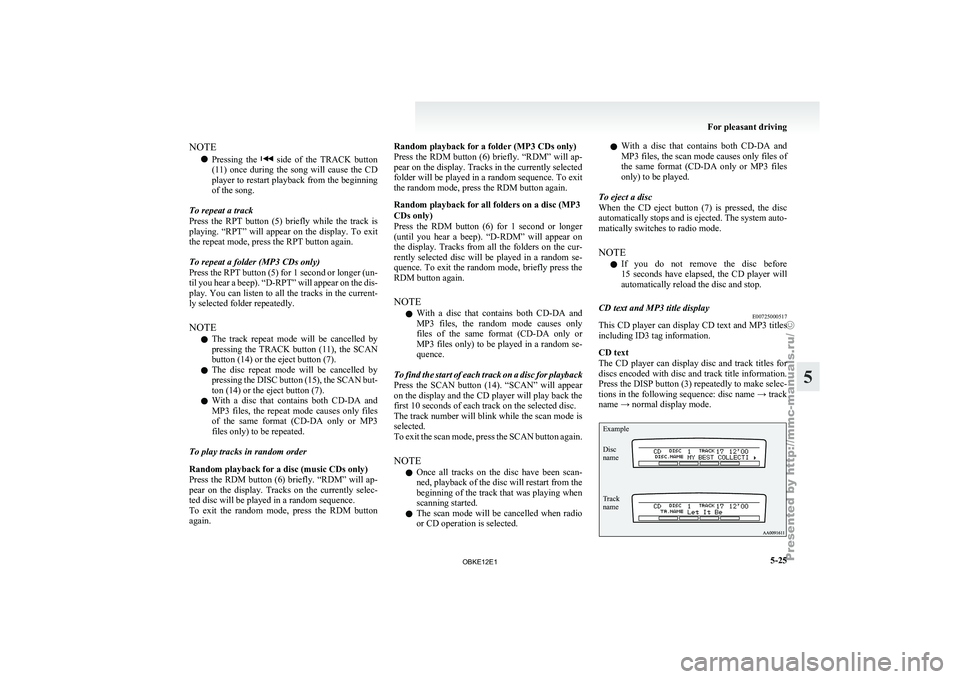
CD text and MP3 title display E00725000517
This CD player can display CD text and MP3 titles
including ID3 tag information.
CD text
The CD player
can display disc and track titles for
discs encoded with disc and track title information.
Press the DISP button (3) repeatedly to make selec-
tions in the following sequence: disc name → track
name → normal display mode.
Example
Disc
name
Track
name For pleasant driving
5-25 5
OBKE12E1
Page 216 of 377

AF (Alternative Frequencies) function
E00720900104
The AF function
finds a station broadcasting the
same program and selects the station with the stron-
gest signal of AF lists.
The AF function is turned on at all times unless
you manually switch it off.
The AF function can be turned ON and OFF. Refer
to “Function setup mode” on page 5-20.
CT (Clock Time) function E00721000098
The clock can be set automatically by using the sig-
nal from the
local RDS stations. Refer to “Adjust-
ing the time” on page 3-13.
REG (Regional) function E00721100015
REG function limits to receive the stations broad-
casting regional programs.
Regional programming and
regional networks are
organized differently depending on the country or
area (they may be changed according to the hour,
state, or broadcast area), so if you don’t want to re-
ceive the regional programs automatically, you can
set up REG ON not to receive regional programs.
The REG function can be turned ON and OFF. Re-
fer to “Function setup mode” on page 5-20.
PI (Program Identification) search function E00721200234
When travelling long distance and the recalled pre-
set station is
weak, the radio searches another fre-
quency broadcasting the same programming with
the same PI code in AF list. If there are no frequencies broadcasting the same
programming, the
radio
searches a frequency broad-
casting the regional programming. The radio suc-
ceeds in searching the regional programming, then
the display shows the REG indicator (13). If the ra-
dio does not succeed in searching the regional pro-
gramming, the radio returns to the recalled preset
station.
The PI function can be turned ON and OFF.
Refer to “Function setup mode” on page 5-20.
NOTE
l While searching, the audio system is muted.
The display shows “WAIT” or “SEARCH”.
PTY (Program type) E00721300280
RDS broadcasts are classified according to pro-
gram type (PTY)
as follows. Use the TUNE button
(7 or 8) to select your desired PTY. 1. NEWS
2. AFFAIRS (Current affairs)
3. INFO (Information)
4. SPORT
5. EDUCATE (Education)
6. DRAMA
7. CULTURE
8. SCIENCE
9. VARIED
10. POP M (Pop music)
11. ROCK M (Rock music)
12. EASY M (Easy music)
13. LIGHT M (Light classics)
14. CLASSICS
15. OTHER M (Other music)
16. WEATHER (Weather information)
17. FINANCE
18. CHILDREN 19. SOCIAL
20. RELIGION
21. PHONE IN
22.
TRAVEL
23. LEISURE
24. JAZZ
25. COUNTRY
26. NATION M (National music)
27. OLDIES
28. FOLK M (Folk music)
29. DOCUMENT
To search for a broadcast of desired program type: 1. Press the PTY button (10).
2. Press the TUNE button (7 or 8) for less than1 second at a time to select your desired PTY.
3. Two seconds after a desired PTY has been se- lected, the radio will begin to search for a
broadcast of your selected PTY. During
search, the selected PTY on the display blinks.
4. When the radio picks up a station with your desired PTY, the display will show the name
of the station. For pleasant driving
5-33 5
OBKE12E1
Page 225 of 377

To find the start of each track on a disc for playback
Press the SCAN
button (14). “SCAN” will appear
on the display and the autochanger will play back
the first 10 seconds of each track on the selected disc.
The track number will blink while the scan mode is
selected. To exit the scan mode, press the SCAN
button again.
NOTE
l Once all tracks on the disc have been scan-
ned, playback of the disc will restart from the
beginning of the track that was playing when
scanning started.
l The scan mode will be cancelled when radio
or CD operation is selected.
l With a disc that contains both CD-DA and
MP3 files, the scan mode causes only files of
the same format (CD-DA only or MP3 files
only) to be played.
CD text and MP3 title display E00725000520
This autochanger can display CD text and MP3 ti-
tles including ID3 tag information. CD text
The autochanger can
display disc and track titles
for discs with converted disc and track title informa-
tion. Press the DISP button (3) repeatedly to make
selections in the following sequence: disc name →
track name → normal display mode.
Example
Disc
name
Track
name NOTE
l The
display can
show up to 16 characters. If
a disc name or track name has more than 16
characters, press the PAGE button (10) to
view the next 16 characters.
l When there is no title information to be dis-
played, the display shows “NO TITLE”.
l Characters that the autochanger cannot dis-
play are shown as “ ”. MP3 titles
The
autochanger
can
display folder and track titles
for discs with converted folder and track informa-
tion. Press the DISP button (7) repeatedly to make
selections in the following sequence: folder name
→ track name → normal display mode.
Track
name Folder
name Example ID3 tag information
The autochanger can
display ID3 tag information
for files that have been recorded with ID3 tag infor-
mation. 1. Press the DISP button (3) for 2 seconds or lon-ger to switch to the ID3 tag information. The
“TAG” indicator will appear on the display.
2. Then press the DISP button for less than 1 second repeatedly to make selections in the
following sequence: album name → track
name → artist name → normal display mode.
NOTE l To return from ID3 tag information to the
folder name, press the DISP button (3) again
for 2 seconds or longer.
l When there is no title information to be dis-
played, the display shows “NO TITLE”. For pleasant driving
5-42
5
OBKE12E1