audio MITSUBISHI PAJERO IV 2011 User Guide
[x] Cancel search | Manufacturer: MITSUBISHI, Model Year: 2011, Model line: PAJERO IV, Model: MITSUBISHI PAJERO IV 2011Pages: 377, PDF Size: 29.43 MB
Page 184 of 377
Ventilators
.................................................................................... 5-02
Front automatic air conditioning ..................................................5-03
Rear air conditioning* .................................................................. 5-10
Important operation tips for the air conditioning.......................... 5-11
Air purifier (with deodorizing function) .......................................5-12
LW/MW/FM electronic tuning radio with CD player* ................5-12
LW/MW/FM electronic tuning radio with CD autoch- anger*
....................................................................................... 5-26
To play tracks from USB device* ................................................5-43
To play tracks from a Bluetooth ®
device (vehicles with
Bluetooth ®
2.0 interface).......................................................... 5-53
To use the external audio input function* ....................................5-56
To listen to a disc in the rear-seat display (vehicles with rear-seat display) .............................................................. 5-57
Steering wheel remote control switch* ........................................5-57
Error codes.................................................................................... 5-59
Error codes (iPod)......................................................................... 5-61
Error codes (USB memory device) ..............................................5-63
Handling of compact discs ........................................................... 5-65
Antenna......................................................................................... 5-66
Link System* ................................................................................ 5-67
Bluetooth ®
2.0 interface* ............................................................. 5-67
USB input terminal* ..................................................................... 5-82
Sun visors..................................................................................... 5-84
Ashtray*........................................................................................ 5-85
Cigarette lighter* .......................................................................... 5-86
Accessory socket.......................................................................... 5-86
Interior lamps ................................................................................5-87
Storage spaces............................................................................... 5-91
Cup holder.................................................................................... 5-94 Rear shelf (3-door models)*
......................................................... 5-95
Cargo area cover (5-door models)* ..............................................5-96
Convenient hooks (5-door models)* ............................................5-96
Luggage hooks.............................................................................. 5-97
Coat hooks.................................................................................... 5-97
Installation position for warning triangle .....................................5-98For pleasant driving
5
OBKE12E1
Page 195 of 377
The new refrigerant HFC-134a in your
vehicle will
not harm the ozone layer.
It is recommended that the refrigerant be recovered
and recycled for further use.
During a long period of disuse
The air conditioning should be operated for at least
five minutes each week, even in cold weather. This
is to prevent the compressor from seizing and to
maintain the air conditioning in the best operating
condition. Air purifier
(with deodorizing function) E00708400183
An air filter
is incorporated into the air condition-
ing system to remove pollen, dust, tobacco smells
and exhaust smells.
The air filter’s ability to collect pollen and dirt is re-
duced as it becomes dirty, so replace it periodical-
ly. For the maintenance interval, refer to the “SERV-
ICE BOOKLET”.
NOTE
l Operation in certain conditions such as driv-
ing on a dusty road and frequent use of the
air conditioning can lead to reduction of serv-
ice life of the filter. When the air flow rate
suddenly drops or when the windscreen or
windows start to fog up easily, the air filter
requires replacement. We recommend you to
have it checked. LW/MW/FM electronic tuning
radio with CD player* E00708501934
The audio system
can be used when the ignition
switch is in the “ON” or “ACC” position.
NOTE
l To listen to the audio system while the en-
gine is stopped, turn the ignition switch to
the “ACC” position.
l If a cellular phone is used inside the vehicle,
it may create noise from the audio equip-
ment. This does not mean that anything is
wrong with your audio equipment. In such a
case, use the cellular phone at a place as far
away as possible from the audio equipment.
l If foreign objects or water get into the audio
equipment, or if smoke or a strange odour
comes from it, immediately turn off the au-
dio system. We recommend you to have it
checked. Never try to repair it by yourself.
Avoid continuous usage without inspection
by a qualified person. For pleasant driving
5-12
5
OBKE12E1
Page 199 of 377
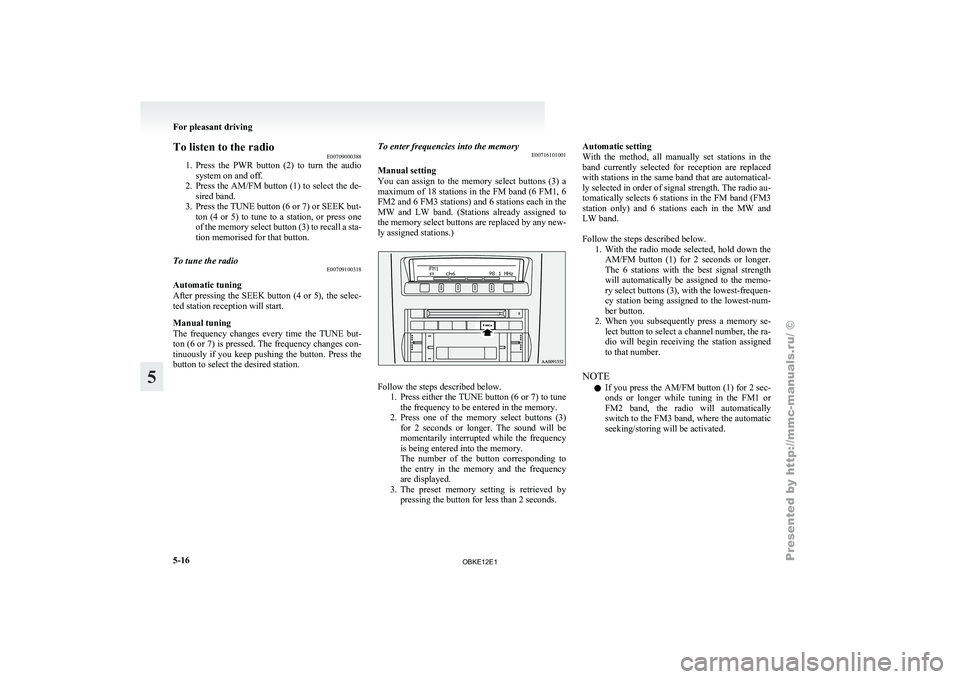
To listen to the radio
E00709000388
1. Press the PWR
button (2) to turn the audio
system on and off.
2. Press the AM/FM button (1) to select the de- sired band.
3. Press the TUNE button (6 or 7) or SEEK but- ton (4 or 5) to tune to a station, or press one
of the memory select button (3) to recall a sta-
tion memorised for that button.
To tune the radio E00709100318
Automatic tuning
After pressing
the
SEEK button (4 or 5), the selec-
ted station reception will start.
Manual tuning
The frequency changes every time the TUNE but-
ton (6 or 7) is pressed. The frequency changes con-
tinuously if you keep pushing the button. Press the
button to select the desired station. To enter frequencies into the memory
E00716101001
Manual setting
You can
assign
to the memory select buttons (3) a
maximum of 18 stations in the FM band (6 FM1, 6
FM2 and 6 FM3 stations) and 6 stations each in the
MW and LW band. (Stations already assigned to
the memory select buttons are replaced by any new-
ly assigned stations.) Follow the steps described below.
1. Press either the
TUNE button (6 or 7) to tune
the frequency to be entered in the memory.
2. Press one of the memory select buttons (3) for 2 seconds or longer. The sound will be
momentarily interrupted while the frequency
is being entered into the memory.
The number of the button corresponding to
the entry in the memory and the frequency
are displayed.
3. The preset memory setting is retrieved by pressing the button for less than 2 seconds. Automatic setting
With the
method,
all manually set stations in the
band currently selected for reception are replaced
with stations in the same band that are automatical-
ly selected in order of signal strength. The radio au-
tomatically selects 6 stations in the FM band (FM3
station only) and 6 stations each in the MW and
LW band.
Follow the steps described below. 1. With the radio mode selected, hold down theAM/FM button (1) for 2 seconds or longer.
The 6 stations with the best signal strength
will automatically be assigned to the memo-
ry select buttons (3), with the lowest-frequen-
cy station being assigned to the lowest-num-
ber button.
2. When you subsequently press a memory se- lect button to select a channel number, the ra-
dio will begin receiving the station assigned
to that number.
NOTE l If you press the AM/FM button (1) for 2 sec-
onds or longer while tuning in the FM1 or
FM2 band, the radio will automatically
switch to the FM3 band, where the automatic
seeking/storing will be activated. For pleasant driving
5-16
5
OBKE12E1
Page 201 of 377
AF (Alternative Frequencies) function
E00720900090
The AF function
finds a station broadcasting the
same program and selects the station with the stron-
gest signal of AF lists.
The AF function is turned on at all times unless
you manually switch it off.
The AF function can be turned ON and OFF.
Refer to “Adjusting the time” on page 3-13.
CT (Clock Time) function E00721000085
The clock can be set automatically by using the sig-
nal from the
local RDS stations. Refer to “Adjust-
ing the time” on page 3-13.
REG (Regional) function E00721100028
REG function limits to receive the stations broad-
casting regional programs.
Regional programming and
regional networks are
organized differently depending on the country or
area (they may be changed according to the hour,
state, or broadcast area), so if you don’t want to re-
ceive the regional programs automatically, you can
set up REG ON not to receive regional programs.
The REG function can be turned ON and OFF. Re-
fer to “Function setup mode” on page 5-20.
PI (Program Identification) search function E00721200247
When travelling long distance and the recalled pre-
set station is
weak, the radio searches another fre-
quency broadcasting the same programming with
the same PI code in AF list. If there are no frequencies broadcasting the same
programming, the
radio
searches a frequency broad-
casting the regional programming. The radio suc-
ceeds in searching the regional programming, then
the display shows the REG indicator (13).
If the radio does not succeed in searching the re-
gional programming, the radio returns to the recal-
led preset station.
The PI function can be turned ON and OFF.
Refer to “Function setup mode” on page 5-35.
NOTE
l While searching, the audio system is muted.
The display shows “WAIT” or “SEARCH”.
PTY (Program type) E00721300277
RDS broadcasts are classified according to pro-
gram type (PTY)
as follows. Use the TUNE button
(7 or 8) to select your desired PTY. 1. NEWS
2. AFFAIRS (Current affairs)
3. INFO (Information)
4. SPORT
5. EDUCATE (Education)
6. DRAMA
7. CULTURE
8. SCIENCE
9. VARIED
10. POP M (Pop music)
11. ROCK M (Rock music)
12. EASY M (Easy music)
13. LIGHT M (Light classics)
14. CLASSICS
15. OTHER M (Other music)
16. WEATHER (Weather information)
17. FINANCE
18. CHILDREN 19. SOCIAL
20. RELIGION
21.
PHONE IN
22.
TRAVEL
23. LEISURE
24. JAZZ
25. COUNTRY
26. NATION M (National music)
27. OLDIES
28. FOLK M (Folk music)
29. DOCUMENT
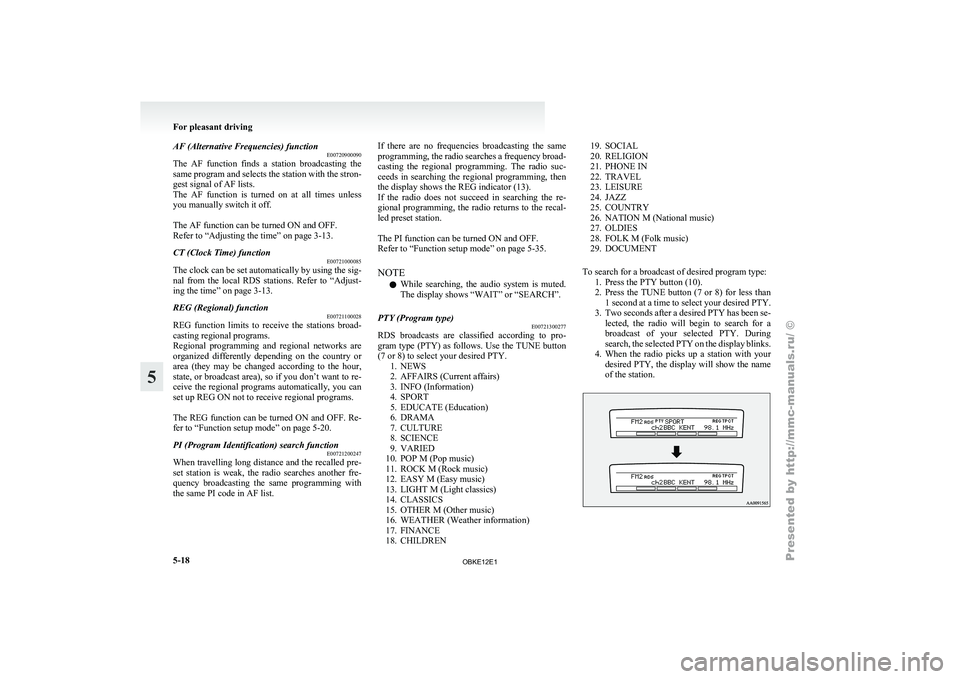
To search for a broadcast of desired program type: 1. Press the PTY button (10).
2. Press the TUNE button (7 or 8) for less than1 second at a time to select your desired PTY.
3. Two seconds after a desired PTY has been se- lected, the radio will begin to search for a
broadcast of your selected PTY. During
search, the selected PTY on the display blinks.
4. When the radio picks up a station with your desired PTY, the display will show the name
of the station. For pleasant driving
5-18
5
OBKE12E1
Page 202 of 377
NOTE
l If
the SEEK
button (5 or 6) is pressed for
less than 1 second,the radio will try to find
out another broadcast of the same program
type as currently selected.
l If no station is found with your desired PTY,
the display will show “EMPTY” for about
5 seconds and the radio will return to the pre-
vious station.
How to enter PTYs in the memory E00721400089
As many as 6 PTYs can be entered in the memory.
Follow the steps described below.
1. Press either
the
TUNE button (7 or 8) to tune
the PTY to be entered in the memory.
2. Press one of the memory select buttons (3) for 2 seconds or longer. The sound will be
momentarily interrupted while the PTY is be-
ing entered into the memory. The number of
the button corresponding to the entry into the
memory and the PTY are displayed.
3. The preset memory setting is retrieved by pressing the button and then releasing it with-
in about 2 seconds.
Traffic information E00721600195
The radio will automatically tune in to traffic infor-
mation broadcasts while
receiving FM broadcasts
or playing compact discs.
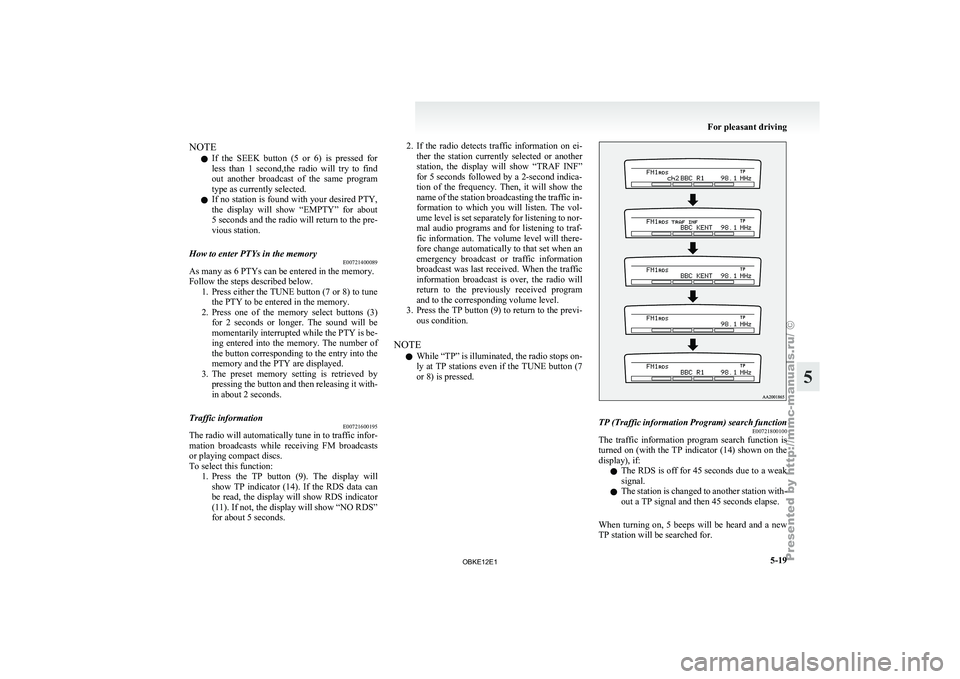
To select this function: 1. Press the TP button (9). The display willshow TP indicator (14). If the RDS data can
be read, the display will show RDS indicator
(11). If not, the display will show “NO RDS”
for about 5 seconds. 2. If the radio detects traffic information on ei-
ther the
station currently selected or another
station, the display will show “TRAF INF”
for 5 seconds followed by a 2-second indica-
tion of the frequency. Then, it will show the
name of the station broadcasting the traffic in-
formation to which you will listen. The vol-
ume level is set separately for listening to nor-
mal audio programs and for listening to traf-
fic information. The volume level will there-
fore change automatically to that set when an
emergency broadcast or traffic information
broadcast was last received. When the traffic
information broadcast is over, the radio will
return to the previously received program
and to the corresponding volume level.
3. Press the TP button (9) to return to the previ- ous condition.
NOTE l While “TP” is illuminated, the radio stops on-
ly at TP stations even if the TUNE button (7
or 8) is pressed. TP (Traffic information Program) search function
E00721800100
The traffic information program search function is
turned on (with
the TP indicator (14) shown on the
display), if:
l The RDS is off for 45 seconds due to a weak
signal.
l The station is changed to another station with-
out a TP signal and then 45 seconds elapse.
When turning on, 5 beeps will be heard and a new
TP station will be searched for. For pleasant driving
5-19 5
OBKE12E1
Page 203 of 377
Emergency broadcasts
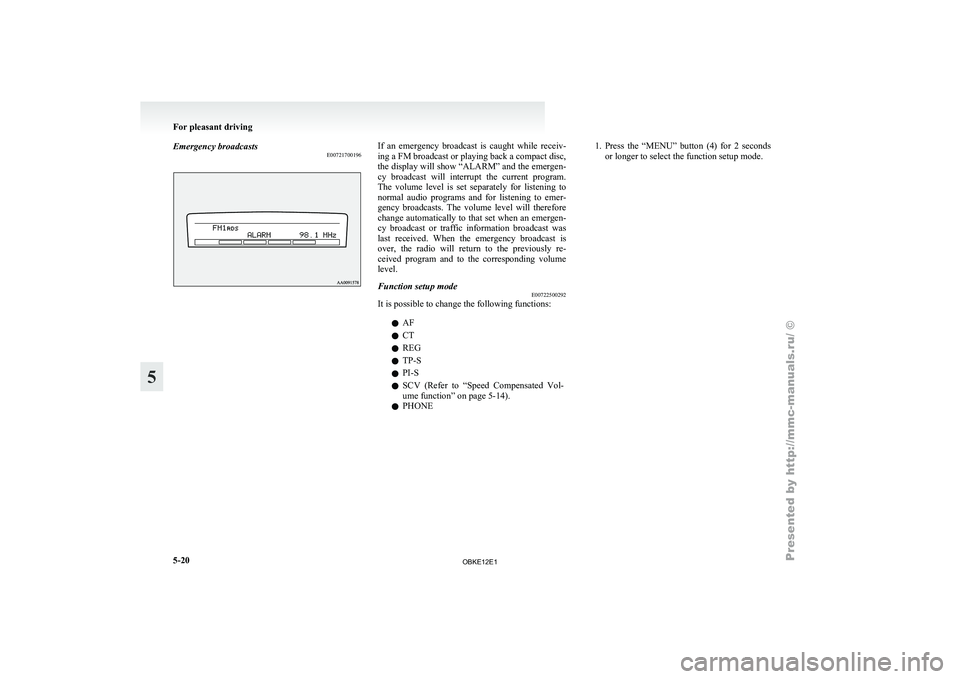
E00721700196 If an emergency broadcast is caught while receiv-
ing a FM broadcast or playing back a compact disc,
the display will
show “ALARM” and the emergen-
cy broadcast will interrupt the current program.
The volume level is set separately for listening to
normal audio programs and for listening to emer-
gency broadcasts. The volume level will therefore
change automatically to that set when an emergen-
cy broadcast or traffic information broadcast was
last received. When the emergency broadcast is
over, the radio will return to the previously re-
ceived program and to the corresponding volume
level.
Function setup mode E00722500292
It is possible to change the following functions:
lAF
l CT
l REG
l TP-S
l PI-S
l SCV (Refer
to
“Speed Compensated Vol-
ume function” on page 5-14).
l PHONE 1. Press
the “MENU” button (4) for 2 seconds
or longer to select the function setup mode. For pleasant driving
5-20
5
OBKE12E1
Page 206 of 377
To listen to a CD
E00709601958
1. Insert a disc
with the label facing up, and the
CD player will begin playing even if the ra-
dio is being used. The CD indicator (16), the
track number and the playing time will ap-
pear on the display. The CD player will also
start playback when the CD button (4) is press-
ed with a disc in the player.
2. To stop the CD, turn off the power by press- ing the PWR button (2) or change over to ra-
dio mode by pressing the AM/FM button (1),
or eject the disc by pressing the eject button
(7).
NOTE l To adjust the volume and tone, refer to “To
adjust the volume” on page 5-13 and “To ad-
just the tone” on page 5-13.
l For information concerning the handling of
compact discs, refer to “Handling of compact
discs” on page 5-65. To listen to an MP3 CD
This
CD player
allows you to play MP3 (MPEG Au-
dio Layer- 3) files recorded on CD-ROMs, CD-Rs
(recordable CDs), and CD-RWs (rewritable CDs)
in ISO9660 Level 1/Level 2, Joliet, and Romeo for-
mats. Each disc may have a maximum of 16 trees,
100 folders, and 255 files per disc. During MP3
playback, the unit can display ID3 tag information.
For information concerning ID3 tag, refer to “CD
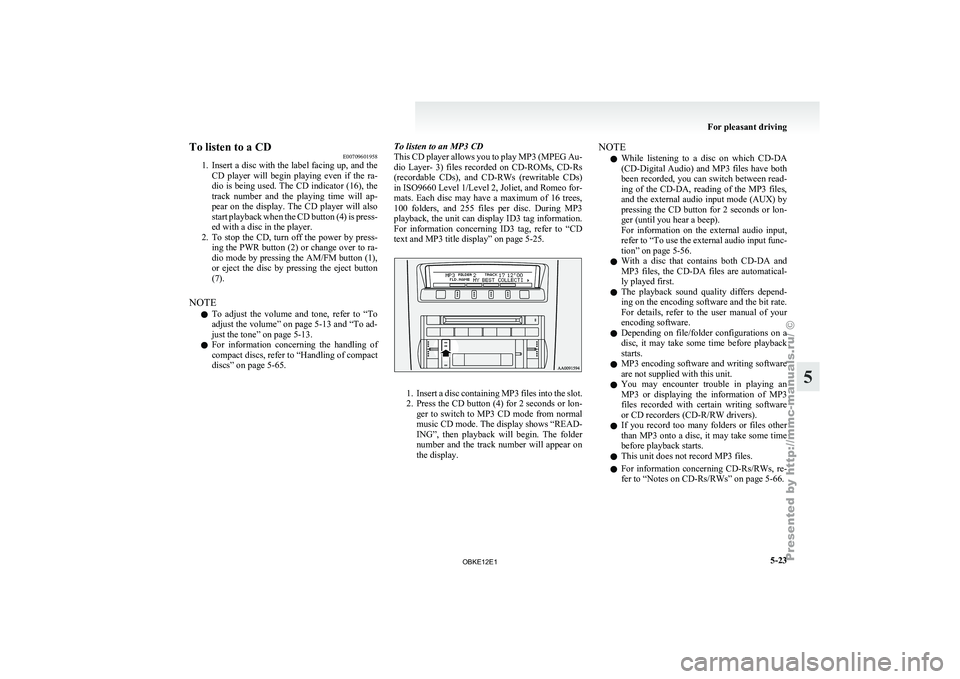
text and MP3 title display” on page 5-25. 1. Insert
a disc containing MP3 files into the slot.
2. Press
the CD button (4) for 2 seconds or lon-
ger to switch to MP3 CD mode from normal
music CD mode. The display shows “READ-
ING”, then playback will begin. The folder
number and the track number will appear on
the display. NOTE
l While
listening to
a disc on which CD-DA
(CD-Digital Audio) and MP3 files have both
been recorded, you can switch between read-
ing of the CD-DA, reading of the MP3 files,
and the external audio input mode (AUX) by
pressing the CD button for 2 seconds or lon-
ger (until you hear a beep).
For information on the external audio input,
refer to “To use the external audio input func-
tion” on page 5-56.
l With a disc that contains both CD-DA and
MP3 files, the CD-DA files are automatical-
ly played first.
l The playback sound quality differs depend-
ing on the encoding software and the bit rate.
For details, refer to the user manual of your
encoding software.
l Depending on file/folder configurations on a
disc, it may take some time before playback
starts.
l MP3 encoding software and writing software
are not supplied with this unit.
l You may encounter trouble in playing an
MP3 or displaying the information of MP3
files recorded with certain writing software
or CD recorders (CD-R/RW drivers).
l If you record too many folders or files other
than MP3 onto a disc, it may take some time
before playback starts.
l This unit does not record MP3 files.
l For information concerning CD-Rs/RWs, re-
fer to “Notes on CD-Rs/RWs” on page 5-66. For pleasant driving
5-23 5
OBKE12E1
Page 209 of 377
NOTE
l The
display can
show up to 16 characters. If
a disc name or track name has more than 16
characters, press the PAGE button (10) to
view the next 16 characters.
l When there is no title information to be dis-
played, the display shows “NO TITLE”.
l Characters that the CD player cannot display
are shown as “ ”.
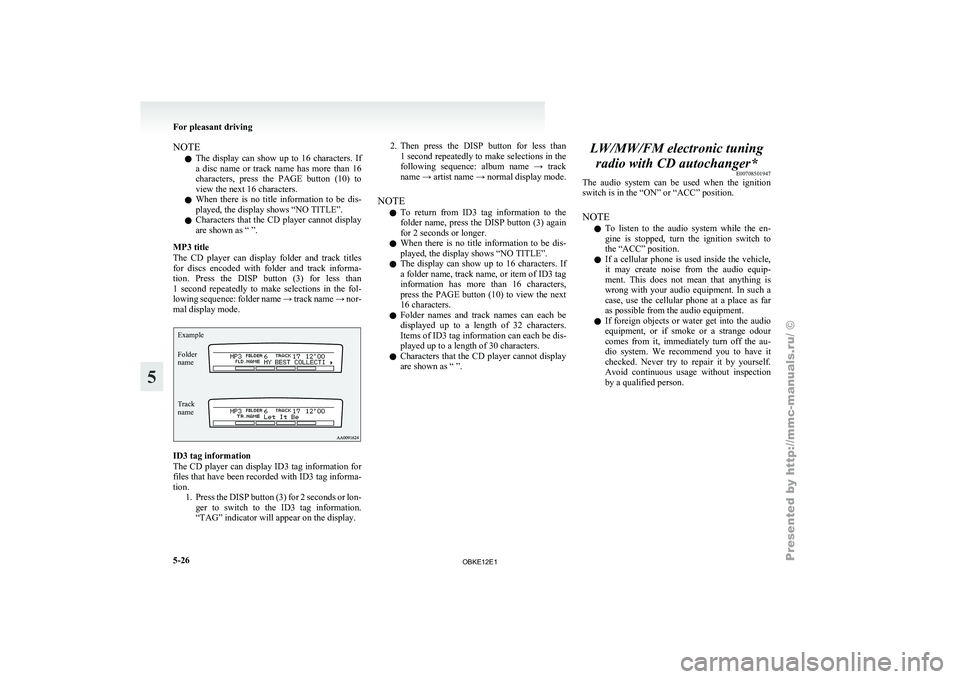
MP3 title
The CD player can display folder and track titles
for discs encoded with folder and track informa-
tion. Press the DISP button (3) for less than
1 second repeatedly to make selections in the fol-
lowing sequence: folder name → track name → nor-
mal display mode.
Track
name Folder
name Example ID3 tag information
The CD
player
can display ID3 tag information for
files that have been recorded with ID3 tag informa-
tion. 1. Press the DISP button (3) for 2 seconds or lon-ger to switch to the ID3 tag information.
“TAG” indicator will appear on the display. 2. Then press the DISP button for less than
1 second
repeatedly to make selections in the
following sequence: album name → track
name → artist name → normal display mode.
NOTE l To return from ID3 tag information to the
folder name, press the DISP button (3) again
for 2 seconds or longer.
l When there is no title information to be dis-
played, the display shows “NO TITLE”.
l The display can show up to 16 characters. If
a folder name, track name, or item of ID3 tag
information has more than 16 characters,
press the PAGE button (10) to view the next
16 characters.
l Folder names and track names can each be
displayed up to a length of 32 characters.
Items of ID3 tag information can each be dis-
played up to a length of 30 characters.
l Characters that the CD player cannot display
are shown as “ ”. LW/MW/FM electronic tuning
radio with CD autochanger* E00708501947
The audio system
can be used when the ignition
switch is in the “ON” or “ACC” position.
NOTE
l To listen to the audio system while the en-
gine is stopped, turn the ignition switch to
the “ACC” position.
l If a cellular phone is used inside the vehicle,
it may create noise from the audio equip-
ment. This does not mean that anything is
wrong with your audio equipment. In such a
case, use the cellular phone at a place as far
as possible from the audio equipment.
l If foreign objects or water get into the audio
equipment, or if smoke or a strange odour
comes from it, immediately turn off the au-
dio system. We recommend you to have it
checked. Never try to repair it by yourself.
Avoid continuous usage without inspection
by a qualified person. For pleasant driving
5-26
5
OBKE12E1
Page 210 of 377
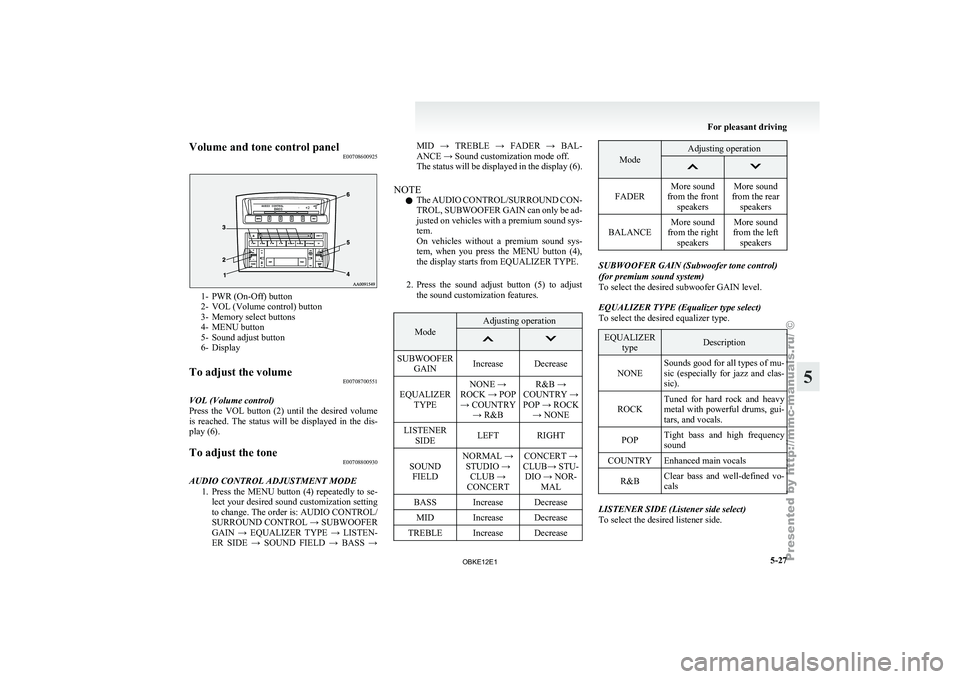
Volume and tone control panel
E007086009251- PWR (On-Off) button
2- VOL (Volume control) button
3-
Memory select buttons
4-
MENU button
5- Sound adjust button
6- Display
To adjust the volume E00708700551
VOL (Volume control)
Press the VOL
button (2) until the desired volume
is reached. The status will be displayed in the dis-
play (6).
To adjust the tone E00708800930
AUDIO CONTROL ADJUSTMENT MODE 1. Press the MENU
button (4) repeatedly to se-
lect your desired sound customization setting
to change. The order is: AUDIO CONTROL/
SURROUND CONTROL → SUBWOOFER
GAIN → EQUALIZER TYPE → LISTEN-
ER SIDE → SOUND FIELD → BASS → MID → TREBLE → FADER → BAL-
ANCE → Sound customization mode off.
The
status
will
be displayed in the display (6).
NOTE l The AUDIO CONTROL/SURROUND CON-
TROL, SUBWOOFER GAIN can only be ad-
justed on vehicles with a premium sound sys-
tem.
On vehicles without a premium sound sys-
tem, when you press the MENU button (4),
the display starts from EQUALIZER TYPE.
2. Press the sound adjust button (5) to adjust the sound customization features. Mode Adjusting operation
SUBWOOFER
GAIN Increase Decrease
EQUALIZER TYPE NONE →
ROCK → POP → COUNTRY → R&B R&B →
COUNTRY →
POP → ROCK → NONE
LISTENER SIDE LEFT RIGHT
SOUND FIELD NORMAL →
STUDIO → CLUB →
CONCERT CONCERT →
CLUB→ STU- DIO → NOR- MAL
BASS Increase Decrease MID Increase Decrease
TREBLE Increase Decrease Mode Adjusting operation
FADER
More sound
from the front speakers More sound
from the rear speakers
BALANCE More sound
from the right speakers More sound
from the left speakers SUBWOOFER GAIN (Subwoofer tone control)
(for premium sound system)
To select the desired subwoofer GAIN level.
EQUALIZER TYPE (Equalizer type select)
To select the desired equalizer type.
EQUALIZER
type Description
NONE Sounds good for all types of mu-
sic (especially
for
jazz and clas-
sic).
ROCK Tuned for hard rock and heavy
metal with powerful
drums, gui-
tars, and vocals.
POP Tight bass and high frequency
sound
COUNTRY Enhanced main vocals
R&B Clear bass and well-defined vo-
cals LISTENER SIDE (Listener side select)
To select the desired listener side. For pleasant driving
5-27 5
OBKE12E1
Page 211 of 377

SOUND FIELD (Sound field type select)
To select the desired sound field.
Sound field
type Description
NORMAL Optimized for accurate vocal
and instrument reality.
STUDIO Places the listener in the control
room of
a
recording studio with
a crisp and accurate forward
placed sound stage.
CLUB Places the listener in the music
at a dance
or jazz club with
sound coming from all directions.
CONCERT Utilizing sound reflections in the
Digital Signal Processor,
CON-
CERT gives the impression that
the listener is at concert hall per-
formance. BASS (Bass tone control)
To select the desired bass level.
MID (Midrange tone control)
To select the desired midrange level.
TREBLE (Treble tone control)
To select the desired treble level.
FADER (Front/Rear balance control)
To balance
the
volume from the F (front) and the R
(rear) speakers.
BALANCE (Left/Right balance control)
To balance the volume from the L (left) and the R
(right) speakers. SURROUND CONTROL ADJUSTMENT MODE
(for premium sound system)
1. Press the MENU
button (4). The display will
show “AUDIO CONTROL/SURROUND
CONTROL”.
2. Press the sound adjust button (5) to align the cursor with “SURROUND CONTROL”.
Then press the MENU button (4) to select
the surround control adjustment mode.
Cursor 3. Press the MENU button (4) repeatedly to se-
lect your
desired sound customization setting
to change. The order is: SURROUND CON-
TROL → SURROUND MODE → SOUND
TYPE → LISTENING POSITION → Sound
customization mode off.
The status will be displayed in the display (6).
4. Press the sound adjust button (5) to adjust the sound customization features.
SURROUND MODE (Surround mode select) (for
premium sound system)
To select the desired surround mode. SURROUND MODE Description
5.1ch DOLBY DIGI- TAL · DTS Creates a realistic three-
dimensional sound field
using
5.1ch technology.
Gives clear surround-
sound with rich pres-
ence from digital sound
sources.
DOLBY PRO LOGIC II Creates a three-dimen-
sional listening environ-
ment from CDs and oth-
er
typical sound sour-
ces. Gives surround-
sound with rich pres-
ence.
2CH STEREO SOUND Gives high-quality ster-
eo sound using
a 12-
speaker system. NOTE
l 5.1ch
DOLBY DIGITAL
· DTS can be selec-
ted only when DVDs recorded with Dolby
Digital or DTS 5.1- channel surround are
played in the rear-seat display. With such
DVDs, DOLBY PRO LOGIC II cannot be se-
lected.
l Dolby Digital systems are manufactured un-
der licence from Dolby Laboratories Licens-
ing Corporation. “Dolby” and the double-D
symbol are trademarks of Dolby Laborato-
ries Licensing Corporation. DTS systems are
manufactured under licence from Digital The-
ater Systems. “DTS” and “Digital Surround”
are trademarks of Digital Theater Systems. For pleasant driving
5-28
5
OBKE12E1