bluetooth MITSUBISHI PAJERO IV 2011 Owner's Manual
[x] Cancel search | Manufacturer: MITSUBISHI, Model Year: 2011, Model line: PAJERO IV, Model: MITSUBISHI PAJERO IV 2011Pages: 377, PDF Size: 29.43 MB
Page 255 of 377
When the confirmation function is on, the sys-
tem will confirm
whether the number said is
acceptable. Answer “Yes.”
Answer “No” to return to pairing code selec-
tion.
NOTE l Some Bluetooth ®
devices require a specific
pairing code. Please refer to the device man-
ual for pairing code requirements.
l The pairing code entered here is only used
for the Bluetooth ®
connection certification.
It is any 4-digit number the user would like
to select.
Remember the pairing code as it needs to be
keyed into the Bluetooth ®
device later in the
pairing process.
Depending on the connection settings of the
Bluetooth ®
device, this code may have to be
entered each time you connect the Blue-
tooth ®
device to the Bluetooth ®
2.0 inter-
face. For the default connection settings, re-
fer to the instructions for the device.
7. The voice guide will say “Start pairing proce- dure on the device. See the device manual
for instructions.” Enter in the Bluetooth ®
de-
vice the 4-digit number you have registered
in Step 6.
NOTE l According to the corresponding device to
Bluetooth ®
, it might take a few minutes to
pair the Bluetooth ®
device with the Blue-
tooth ®
2.0 interface. l
If the
Bluetooth ®
2.0 interface cannot recog-
nize the Bluetooth ®
device, the voice guide
will say “Pairing has timed out” and the pair-
ing process will be cancelled.
Confirm that the device you are pairing sup-
ports Bluetooth ®
, and try pairing it again.
l If you enter the wrong number, the voice
guide will say “Pairing failed” and the pair-
ing process will be cancelled.
Confirm the number is right, and try pairing
it again.
8. The voice guide will say “Please say the name of the device after the beep.” You can
assign a desired name for the Bluetooth ®
de-
vice and register it as a device tag. Say the
name you want to register after the beep.
NOTE l When the confirmation function is on, after
repeating the device tag you have said, the
voice guide will ask “Is this correct?” An-
swer “Yes.”
To change the device tag, answer “No” and
then say the device tag again.
9. The voice guide will say “Pairing complete,” after which a beep will be played and the pair-
ing process will end.
Selecting a device E00760700016
If multiple paired Bluetooth ®
devices are
available
in the vehicle, the cellular phone or music player
most recently connected is automatically connected
to the Bluetooth ®
2.0 interface.
You can connect to the other cellular phone or mu-
sic player by following setting change procedures. To select a cellular phone
1. Press the SPEECH button.
2. Say “Setup.”
3.
Say “Select phone.”
4. After the voice guide says “Please say,” the numbers of the cellular phones and device
tags of corresponding cellular phones will be
read out in order, starting with the cellular
phone that has been most recently connected.
Say the number of the cellular phone that
you want to connect to.
When the confirmation function is on, the sys-
tem will ask you again whether the phone
that you want to connect to is correct. An-
swer “Yes” to continue and connect to the cel-
lular phone.
Answer “No,” and the voice guide will say
“Please say.”
Say the number of the phone that you want
to connect to.
NOTE l You can connect to a phone at any time by
pressing the SPEECH button and saying the
number, even before all of the paired num-
bers and device tags of corresponding cellu-
lar phones are read out by the system.
5. The selected phone will be connected to the Bluetooth ®
2.0 interface. The voice guide
will say “
system will return to the main menu.
To select a music player 1. Press the SPEECH button.
2. Say “Setup.”
3. Say “Select music player.”
4. After the voice guide says “Please say,” thenumbers of the music players and device tags For pleasant driving
5-72
5
OBKE12E1
Page 256 of 377

of corresponding music players will be read
out in order,
starting with the music player
that has been most recently connected.
Say the number of the music player that you
want to connect to.
When the confirmation function is on, the sys-
tem will ask you again whether the music
player that you want to connect to is correct.
Answer “Yes” to continue and connect to the
music player.
Answer “No,” and the voice guide will say
“Please say.”
Say the number of the music player that you
want to connect to.
NOTE l You can connect to a music player at any
time by pressing the SPEECH button and say-
ing the number, even before all of the paired
numbers and device tags of corresponding mu-
sic players are read out by the system.
5. The selected music player will be connected to the Bluetooth ®
2.0 interface.
The voice guide will say “
ted” and then the system will return to the
main menu.
Deleting a device
Use the following procedure to delete a paired Blue-
tooth ®
device from the Bluetooth ®
2.0 interface.
1. Press the SPEECH button.
2. Say “Setup.”
3. Say “Pairing Options.”
4. The voice guide will say “Select one of the following: pair, edit, delete, or list.” Say “De-
lete.” 5. After the voice guide says “Please say,” the
numbers of the devices and device tags of cor-
responding devices will be read out in order,
starting with the device that has been most re-
cently connected. After it completes reading
all pairs, the voice guide will say “or all.”
Say the number of the device that you want
to delete from the system.
If you want to delete all paired phones from
the system, say “All.”
6. For confirmation purposes, the voice guide will say “Deleting
Is this correct?” or “Deleting all devices. Is
this correct?”
Answer “Yes” to delete the phone(s).
Answer “No,” the system will return to Step
4.
7. The voice guide will say “Deleted,” and then the system will end the device deletion proc-
ess.
NOTE l If the device deletion process fails for some
reason, the voice guide will say “Delete
failed” and then the system will cancel delet-
ing the device.
To check a paired Bluetooth ®
device
E00760800017
You can check a paired Bluetooth ®
device by
fol-
lowing the steps below. 1. Press the SPEECH button.
2. Say “Setup.”
3. Say “Pairing Options.”
4. The voice guide will say “Select one of thefollowing: pair, edit, delete, or list.” Say
“List.” 5. The voice guide will read out device tags of
corresponding devices
in order, starting with
the Bluetooth ®
device that has been most re-
cently connected.
6. After the device tags of all paired Bluetooth ®
devices have been read, the system will say
“End of list, would you like to start from the
beginning?”
To hear the list again from the beginning, an-
swer “Yes.” When you are done, answer
“No” to return to the main menu.
NOTE l If you press and release the SPEECH button
and say “Continue” or “Previous” while the
list is being read, the system will advance or
rewind the list.
Say “Continue” to proceed to the device with
the next highest number or “Previous” to re-
turn to the phone with the previous number.
l You can change the device tag by pressing
and releasing the SPEECH button and then
saying “Edit” while the list is being read.
l You can change the phone to be connected
by pressing and releasing the SPEECH but-
ton and then saying “Select phone” while the
list is being read.
l You can change the music player to be con-
nected by pressing and releasing the
SPEECH button and then saying “Select mu-
sic player” while the list is being read.
Changing a device tag E00760900018
You can change the device tag of a paired cellular
phone or music player.
Follow the steps below to change a device tag.
1. Press the SPEECH button.
2. Say “Setup.” For pleasant driving
5-73 5
OBKE12E1
Page 257 of 377
3. Say “Pairing Options.”
4. The voice guide
will say “Select one of the
following: pair, edit, delete, or list.” Say “Ed-
it.”
5. The voice guide will say “Please say,” and
read out the numbers of the Bluetooth ®
devi-
ces and device tags of corresponding devices
in order, starting with the Bluetooth ®
that
has been most recently connected.
After all paired device tags have been read,
the voice guide will say “Which device,
please?” Say the number of the device tag
you want to change.
NOTE l You can press and release the SPEECH but-
ton while the list is being read, and immedi-
ately say the number of the device tag you
want to change.
6. The voice guide will say “New name, please.” Say the name you want to register as
a new device tag.
When the confirmation function is on, the
voice guide will say “
this correct?” Answer “Yes.”
Answer “No,” you can say the new device
tag you want to register again.
7. The device tag is changed. When the change is complete, the voice
guide will say “New name saved” and then
the system will return to the main menu. Operating a music player connected
via Bluetooth
®
E00761000016
For the operation
of a music player connected via
Bluetooth ®
, refer to “To play tracks from a Blue-
tooth ®
device” on page 5-53.
How to make or receive hands-free calls E00761100020
You can make or receive hands-free calls using a
Bluetooth ®
compatible cellular
phone connected to
the Bluetooth ®
2.0 interface.
You can also use the phone books in the Blue-
tooth ®
2.0 interface to make calls without dialling
telephone numbers.
To make a call ® p. 5-74
SEND function ® p. 5-75
Receiving calls ® p. 5-75
MUTE function ® p. 5-76
Switching between hands-free mode and private
mode ® p. 5-76
NOTE
l The hands-free calls might not be operated
correctly when it makes calling or receiving
by operating the cellular phone directly.
To make a call E00761200122
You can make a call in the following 3 ways using
the Bluetooth ®
2.0 interface:
Making a call
by saying a telephone number, mak-
ing a call using the Bluetooth ®
2.0 interface’s
phone book, and making a call by redialing.
Making a call by using the telephone number
You can make a call by saying the telephone number. 1. Press the SPEECH button. 2. Say “Dial.”
3. After the
voice
guide says “Number please,”
say the telephone number.
4. The voice guide will say “Dialing
The Bluetooth ®
2.0 interface will then make
the call.
When the confirmation function is on, the sys-
tem will confirm again the telephone num-
ber. To continue with that number, answer
“Yes.”
To change the telephone number, answer
“No.” The system will say “Number please”
then say the telephone number again.
NOTE l In the case of English, the system will recog-
nise both “zero” and “oh” (Letter “o”) for the
number “0.”
l The Bluetooth ®
2.0 interface supports num-
bers (0 to 9) and characters (+, # and *).
l The maximum supported telephone number
length is as follows:
• International telephone number: + and tel-ephone numbers (to 18 digits).
• Except for international telephone num- ber: telephone numbers (to 19 digits).
Making a call using a phone book
You can make calls using the vehicle phone book
or mobile phone book of the Bluetooth ®
2.0 inter-
face.
For details on the phone books, refer to “Phone
book function” on page 5-76. 1. Press the SPEECH button.
2. Say “Call.” For pleasant driving
5-74
5
OBKE12E1
Page 259 of 377

MUTE function
E00760300041
At any time
during a call, you can mute the vehicle
microphone.
Pressing the SPEECH button and then saying
“Mute” during a call will turn ON the MUTE func-
tion and mute the microphone.
Saying “Mute off” in the same way will turn off
the MUTE function and cancel the mute on the mi-
crophone.
Switching between hands-free mode and private
mode E00761400036
The Bluetooth ®
2.0 interface
can switch between
Hands-free mode (Hands-free calls) and private
mode (calls using cellular phone).
If you press the SPEECH button and say “Transfer
call” during a Hands-free call, you can stop the
Hands-free mode and talk in private mode.
To return to Hands-free mode, press the SPEECH
button again and say “Transfer call”.
Phone book function E00763700017
The Bluetooth ®
2.0 interface
has 2 types of unique
phone books that are different from the phone book
stored in the cellular phone. They are the vehicle
phone book and the mobile phone book.
These phone books are used to register telephone
numbers and to make calls to desired numbers via
the voice recognition function.
NOTE
l Disconnecting the battery cable will not de-
lete information registered in the phone book. Vehicle phone book
E00763800135
This phone book
is used when making calls with
the voice recognition function.
Up to 32 names can be registered in the vehicle
phone book per language.
Also, each entry has 4 locations associated with:
home, work, mobile and other. You can register
one telephone number for each location.
You can register a desired name as a name for any
phone book entry registered in the vehicle phone
book.
Names and telephone numbers can be changed lat-
er on.
The vehicle phone book can be used with all paired
cellular phones.
To register a telephone number in the vehicle
phone book
You can register a telephone number in the vehicle
phone book in the following 2 ways: Reading out a
telephone number, and selecting and transferring 1
phone book entry from the phone book of the cellu-
lar phone.
To register by reading out a telephone number
1. Press the SPEECH button.
2. Say “Phone book.”
3. The voice guide will say “Select one of thefollowing: new entry, edit number, edit
name, list names, delete, erase all, or import
contact.” Say “New entry.”
4. The voice guide will say “Name please.” Say your preferred name to register it. NOTE
l If
the maximum
number of entries are al-
ready registered, the voice guide will say
“The phone book is full. Would you like to
delete a name?” Say “Yes” if you want to de-
lete a registered name.
Say “No,” to return to the main menu.
5. When the name has been registered, the voice guide will say “home, work, mobile, or
other?” Say the location for which you want
to register a telephone number.
NOTE l When the confirmation function is on, the
voice guide will say “
rect?” Answer “Yes.”
Answer “No” to return to location selection
in Step 5.
If a telephone number has been registered for
the selected location, the voice guide will say
“The current number is
number please.”
If you do not want to change the telephone
number, say “cancel” or the original number
to keep it registered.
6. The voice guide will say “Number please.” Say the telephone number to register it.
NOTE l In the case of English, the system will recog-
nise both “zero” and “oh” (Letter “o”) for the
number “0.”
7. The voice guide will repeat the telephone number you have just read, and then register
the number. For pleasant driving
5-76
5
OBKE12E1
Page 260 of 377
When the telephone number has been regis-
tered, the voice
guide will say “Number
saved. Would you like to add another num-
ber for this entry?”
To add another telephone number for a new
location for the current entry, answer “Yes.”
The system will return to location selection
in Step 5.
Answer “No” to end the registration process
and return to the main menu.
NOTE l When the confirmation function is on, after
repeating the telephone number you have
read, the voice guide will ask “Is this cor-
rect?” Answer “Yes.”
Answer “No” to return to telephone number
registration in step 6.
To select and transfer one phone book entry
from the phone book of the cellular phone
You can select 1 phone book entry from the phone
book of the cellular phone and register it in the ve-
hicle phone book.
NOTE l Transfer is not permitted unless the vehicle
is parked.
Before transferring, make sure that the vehi-
cle is parked in a safe location.
l All or part of data may not be transferred,
even when the cellular phone supports Blue-
tooth ®
, depending on the compatibility of the
device. l
The
maximum supported telephone number
length is 19 digits. Any telephone number of
20 digits or more will be truncated to the
first 19 digits.
l If telephone numbers contain characters oth-
er than 0 to 9, *, # or +, these characters are
deleted before the transfer.
l For the connection settings on the cellular
phone side, refer to the instructions for the
cellular phone.
1. Press the SPEECH button.
2. Say “Phone book.”
3. The voice guide will say “Select one of the following: new entry, edit number, edit
name, list names, delete, erase all, or import
contact.” Say “Import contact.”
4. The voice guide will say “Would you like to import a single entry or all contacts?” Say
“Single entry.”
The Bluetooth ®
2.0 interface will become
ready to receive transferred phone book data.
NOTE l If the maximum number of entries are al-
ready registered, the voice guide will say
“The phone book is full. Would you like to
delete a name?” Say “Yes” if you want to de-
lete a registered name.
Say “No,” to return to the main menu.
5. After the voice guide says “Ready to receive a contact from the phone. Only a home, a
work, and a mobile number can be impor-
ted,” the Bluetooth ®
2.0 interface will re-
ceive the phone book data from the Blue-
tooth ®
compatible cellular phone. 6.
Operate the
Bluetooth ®
compatible cellular
phone to set it up so that the phone book en-
try you want to register in the vehicle phone
book can be transferred to the Bluetooth ®
2.0
interface.
NOTE l If the Bluetooth ®
2.0 interface cannot recog-
nise the Bluetooth ®
compatible cellular
phone or the connection takes too much
time, the voice guide will say “Import con-
tact has timed out” and then the system will
cancel the registration. In such case, start
over again from Step 1.
l Pressing the HANG-UP button or pressing
and holding the SPEECH button will cancel
the registration.
7. When the reception is complete, the voice guide will say “
source> numbers have been imported. What
name would you like to use for these num-
bers?”
Say the name you want to register for this
phone book entry.
NOTE l If the entered name is already used for other
phone book entry or similar to a name used
for other phone book entry, that name cannot
be registered. For pleasant driving
5-77 5
OBKE12E1
Page 262 of 377
2. Say “Phone book.”
3. The voice guide
will say “Select one of the
following: new entry, edit number, edit
name, list names, delete, erase all, or import
contact.” Say “List names.”
4. Bluetooth ®
2.0 interface will read out the en-
tries in the phone book in order.
5. When the voice guide is done reading the list, it will say “End of list, would you like to
start from the beginning?”
When you want to check the list again from
the beginning, answer “Yes.”
When you are done, answer “No” to return to
the previous or main menu.
NOTE l You can call, edit or delete a name that is be-
ing read out.
Press the SPEECH button and say “Call” to
call the name, “Edit name” to edit it, or “De-
lete” to delete it.
The system will beep and then execute your
command.
l If you press the SPEECH button and say “Con-
tinue” or “Previous” while the list is being
read, the system will advance or rewind the
list. Say “Continue” to proceed to the next en-
try or “Previous” to return to the previous en-
try.
[Deleting a telephone number] 1. Press the SPEECH button.
2. Say “Phone book.”
3. The voice guide will say “Select one of thefollowing: new entry, edit number, edit
name, list names, delete, erase all, or import
contact.” Say “Delete.” 4. The voice guide will say “Please say the
name of the entry you would like to delete,
or say list names.” Say the name of the
phone book entry in which the telephone num-
ber you want to delete is registered.
NOTE l Say “List names,” and the names registered
in the phone book will be read out in order.
Refer to “Listening to the list of registered
names” on page 5-78.
5. If only one telephone number is registered in the selected phone book entry, the voice
guide will say “Deleting
If multiple telephone numbers are registered
in the selected phone book entry, the voice
guide will say “Would you like to delete
[home], [work], [mobile], [other], or all?”
Select the location to delete, and the voice
guide will say “Deleting
NOTE l To delete the telephone numbers from all lo-
cations, say “All.”
6. The system will ask if you really want to de- lete the selected telephone number(s) to go
ahead with the deletion, answer “Yes.”
Answer “No,” the system will cancel delet-
ing the telephone number(s) and then return
to Step 4. 7. When the deletion of the telephone number
is completed, the voice guide will say
“
system will return to the main menu.
If all locations are deleted, the system will
say “
the name will be removed from the phone
book. If numbers still remain under the en-
try, the name will retain the other associated
numbers.
Erasing the phone book
You can delete all registered information from the
vehicle phone book. 1. Press the SPEECH button.
2. Say “Phone book.”
3. The voice guide will say “Select one of thefollowing: new entry, edit number, edit
name, list names, delete, erase all, or import
contact.” Say “Erase all.”
4. For confirmation purposes, the voice guide will ask “Are you sure you want to erase ev-
erything from your handsfree system phone
book?” Answer “Yes.”
Answer “No” to cancel the deletion of all reg-
istered information in the phone book and re-
turn to the main menu.
5. The voice guide will say “You are about to delete everything from your hands-free sys-
tem phone book. Do you want to continue?”
Answer “Yes” to continue.
Answer “No” to cancel the deletion of all reg-
istered information in the phone book and re-
turn to the main menu. For pleasant driving
5-79 5
OBKE12E1
Page 263 of 377

6. The voice guide will say “Please wait, eras-
ing the handsfree system phone book” and
then the system will delete all data in the
phone book.
When the deletion is complete, the voice
guide will say “Hands-free system phone
book erased” and then the system will return
to the main menu.
Mobile phone book E00763900048
All entries in the phone book stored in the cellular
phone can be
transferred in a batch and registered
in the mobile phone book.
Up to 7 mobile phone books, each containing up to
1,000 names, can be registered.
The Bluetooth ®
2.0 interface automatically con-
verts from text to voice the names registered in the
transferred phone book entries, and creates names.
NOTE
l Only the mobile phone book transferred
from the connected cellular phone can be
used with that cellular phone.
l You cannot change the names and telephone
numbers in the phone book entries registered
in the mobile phone book. You cannot select
and delete specific phone book entries, either.
To change or delete any of the above, change
the applicable information in the source
phone book of the cellular phone and then
transfer the phone book again.
To import a devices phone book
Follow the steps below to transfer to the mobile
phone book the phone book stored in the cellular
phone. NOTE
l Transfer should be completed while the vehi-
cle is parked.
Before
transferring, make
sure that the vehi-
cle is parked in a safe location.
l The already stored phone book in the mobile
phone book is overwritten by the stored
phone book in the cellular phone.
l All or part of data may not be transferred,
even when the cellular phone supports Blue-
tooth ®
, depending on the compatibility of the
device.
l Only a home, a work, and a mobile number
can be imported.
l The maximum supported telephone number
length is 19 digits. Any telephone number of
20 digits or more will be truncated to the
first 19 digits.
l If telephone numbers contain characters oth-
er than 0 to 9, *, # or +, these characters are
deleted before the transfer.
l For the connection settings on the cellular
phone side, refer to the instructions for the
cellular phone.
1. Press the SPEECH button.
2. Say “Phone book.”
3. The voice guide will say “Select one of the following: new entry, edit number, edit
name, list names, delete, erase all, or import
contact.” Say “Import contact.”
4. The voice guide will say “Would you like to import a single entry or all contacts?” Say
“All contacts.”
5. The voice guide will say “Importing the con- tact list from the mobile phone book. This
may take several minutes to complete.
Would you like to continue?” Answer “Yes,”
transferring to the mobile phone book the phone book stored in the cellular phone will
start.
Answer “No,” to return to the main menu.
NOTE l The transfer
may
take some time to complete
depending on the number of contacts.
l If the Bluetooth ®
2.0 interface could not be
connected to the Bluetooth ®
compatible cel-
lular phone, the voice guide will say “Unable
to transfer contact list from phone” and then
the system will return to the main menu.
l If you press the HANG-UP button or press
and hold the SPEECH button during the data
transfer, the transfer will be cancelled and
the system will return to the main menu.
l If an error occurs during the data transfer, all
transfer will be cancelled and the voice guide
will say “Unable to complete the phone book
import” and then the system will return to
the main menu.
l If there are no contacts in the phone book,
the voice guide will say “There are no con-
tacts on the connected phone.”
6. When the transfer is complete, the voice guide will say “Import complete” and then
the system will return to the main menu. For pleasant driving
5-80
5
OBKE12E1
Page 358 of 377
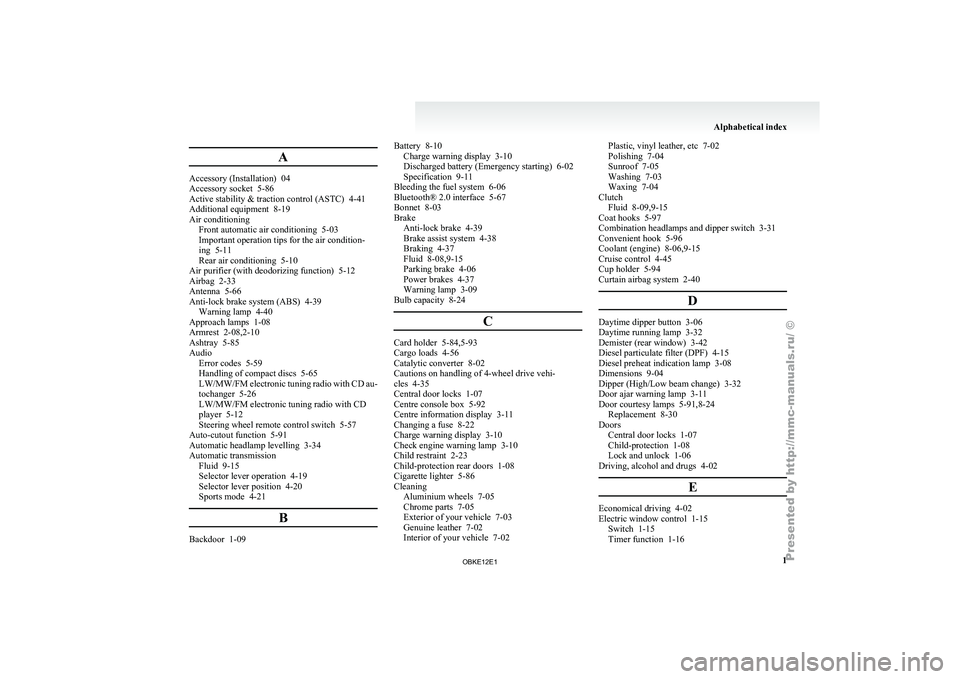
A
Accessory (Installation) 04
Accessory socket 5-86
Active stability & traction control (ASTC) 4-41
Additional equipment
8-19
Air conditioning Front automatic air conditioning
5-03
Important operation tips for the air condition-
ing 5-11
Rear air conditioning 5-10
Air purifier (with deodorizing function) 5-12
Airbag 2-33
Antenna 5-66
Anti-lock brake system (ABS) 4-39 Warning lamp 4-40
Approach lamps 1-08
Armrest 2-08,2-10
Ashtray 5-85
Audio Error codes 5-59
Handling of compact discs 5-65
LW/MW/FM electronic tuning radio with CD au-
tochanger 5-26
LW/MW/FM electronic tuning radio with CD
player 5-12
Steering wheel remote control switch 5-57
Auto-cutout function 5-91
Automatic headlamp levelling 3-34
Automatic transmission Fluid 9-15
Selector lever operation 4-19
Selector lever position 4-20
Sports mode 4-21
BBackdoor 1-09 Battery 8-10
Charge warning display 3-10
Discharged battery (Emergency starting) 6-02
Specification 9-11
Bleeding the fuel system
6-06
Bluetooth® 2.0 interface 5-67
Bonnet 8-03
Brake Anti-lock brake 4-39
Brake assist system 4-38
Braking 4-37
Fluid 8-08,9-15
Parking brake 4-06
Power brakes 4-37
Warning lamp 3-09
Bulb capacity 8-24
C Card holder 5-84,5-93
Cargo loads 4-56
Catalytic converter 8-02
Cautions on handling of 4-wheel drive vehi-
cles 4-35
Central door locks 1-07
Centre console box 5-92
Centre information display
3-11
Changing a fuse 8-22
Charge warning display 3-10
Check engine warning lamp
3-10
Child restraint 2-23
Child-protection rear doors 1-08
Cigarette lighter 5-86
Cleaning Aluminium wheels 7-05
Chrome parts 7-05
Exterior of your vehicle 7-03
Genuine leather 7-02
Interior of your vehicle 7-02 Plastic, vinyl leather, etc 7-02
Polishing 7-04
Sunroof 7-05
Washing 7-03
Waxing 7-04
Clutch Fluid 8-09,9-15
Coat hooks 5-97
Combination headlamps and dipper switch 3-31
Convenient hook 5-96
Coolant (engine) 8-06,9-15
Cruise control 4-45
Cup holder 5-94
Curtain airbag system 2-40
D Daytime dipper button 3-06
Daytime running lamp 3-32
Demister (rear window) 3-42
Diesel particulate filter (DPF)
4-15
Diesel preheat indication lamp
3-08
Dimensions 9-04
Dipper (High/Low beam change) 3-32
Door ajar warning lamp 3-11
Door courtesy lamps 5-91,8-24 Replacement 8-30
Doors Central door locks 1-07
Child-protection 1-08
Lock and unlock 1-06
Driving, alcohol and drugs 4-02
E Economical driving 4-02
Electric window control 1-15
Switch 1-15
Timer function 1-16 Alphabetical index
1
OBKE12E1