ignition MITSUBISHI SHOGUN 2017 Owner's Manual (in English)
[x] Cancel search | Manufacturer: MITSUBISHI, Model Year: 2017, Model line: SHOGUN, Model: MITSUBISHI SHOGUN 2017Pages: 394, PDF Size: 19 MB
Page 4 of 394
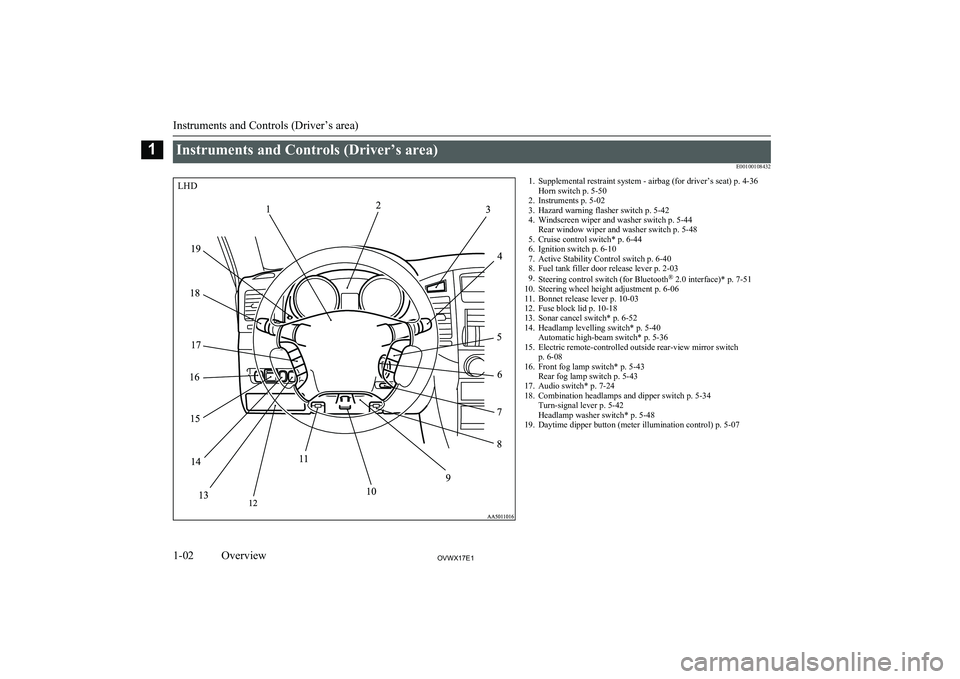
Instruments and Controls (Driver’s area)E001001084321. Supplemental restraint system - airbag (for driver’s seat) p. 4-36Horn switch p. 5-50
2. Instruments p. 5-02
3. Hazard warning flasher switch p. 5-42
4. Windscreen wiper and washer switch p. 5-44 Rear window wiper and washer switch p. 5-48
5. Cruise control switch* p. 6-44
6. Ignition switch p. 6-10
7. Active Stability Control switch p. 6-40
8. Fuel tank filler door release lever p. 2-03
9. Steering control switch (for Bluetooth ®
2.0 interface)* p. 7-51
10. Steering wheel height adjustment p. 6-06
11. Bonnet release lever p. 10-03
12. Fuse block lid p. 10-18
13. Sonar cancel switch* p. 6-52
14. Headlamp levelling switch* p. 5-40 Automatic high-beam switch* p. 5-36
15. Electric remote-controlled outside rear-view mirror switch p. 6-08
16. Front fog lamp switch* p. 5-43 Rear fog lamp switch p. 5-43
17. Audio switch* p. 7-24
18. Combination headlamps and dipper switch p. 5-34 Turn-signal lever p. 5-42
Headlamp washer switch* p. 5-48
19. Daytime dipper button (meter illumination control) p. 5-07
Instruments and Controls (Driver’s area)
1-02OVWX17E1Overview1LHD
Page 5 of 394
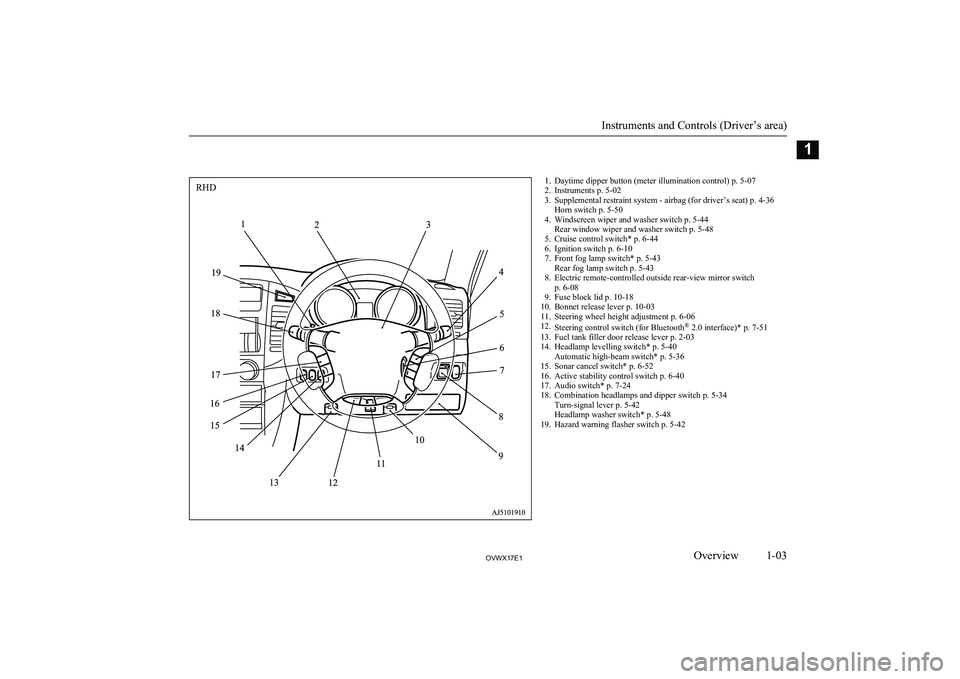
1. Daytime dipper button (meter illumination control) p. 5-07
2. Instruments p. 5-02
3. Supplemental restraint system - airbag (for driver’s seat) p. 4-36 Horn switch p. 5-50
4. Windscreen wiper and washer switch p. 5-44 Rear window wiper and washer switch p. 5-48
5. Cruise control switch* p. 6-44
6. Ignition switch p. 6-10
7. Front fog lamp switch* p. 5-43 Rear fog lamp switch p. 5-43
8. Electric remote-controlled outside rear-view mirror switch p. 6-08
9. Fuse block lid p. 10-18
10. Bonnet release lever p. 10-03
11. Steering wheel height adjustment p. 6-06
12. Steering control switch (for Bluetooth ®
2.0 interface)* p. 7-51
13. Fuel tank filler door release lever p. 2-03
14. Headlamp levelling switch* p. 5-40 Automatic high-beam switch* p. 5-36
15. Sonar cancel switch* p. 6-52
16. Active stability control switch p. 6-40
17. Audio switch* p. 7-24
18. Combination headlamps and dipper switch p. 5-34 Turn-signal lever p. 5-42
Headlamp washer switch* p. 5-48
19. Hazard warning flasher switch p. 5-42
Instruments and Controls (Driver’s area)
1-03OVWX17E1Overview1RHD
Page 14 of 394
Fuel selectionE00200104901
Recom-
mended
fuel
Petrol-powered vehicles Unleaded petrol octanenumber (EN228) 90 RON or higher
If the “PREMIUM FUEL
ONLY” label is attached to the fuel tank filler door, fill
it up with premium fuel.
Diesel-powered vehicles Cetane number (EN590)51 or higherCAUTIONl For petrol-powered vehicles, the use of lea-
ded fuel can result in serious damage to the engine and catalytic converter. Do not use leaded fuel.
l Diesel-powered vehicles are designed to use
only diesel fuel that meets the EN 590 stand-
ard.
Use of any other type of diesel fuel would adversely affect the engine’s performance
and durability.CAUTIONl For diesel-powered vehicles, if proper “win-
ter” fuel is not used in winter, the diesel pre-
heat indication lamp may blink and the en- gine speed may not rise above the idling speed because of fuel freezing. In this case,
keep the engine idling for about ten minutes,
then turn off the ignition switch and immedi- ately turn it on again to confirm that the die-
sel preheat indication lamp is off. (Refer to “Diesel preheat indication lamp” on page
5-09.)
NOTEl It is advisable to sufficiently warm up the
engine after starting it when the outside tem-
perature is below zero °C.
l Due to the separation of paraffin, the fluidity
of the fuel decreases considerably as the
temperature falls.
Because of this fact there are two kinds of
fuel: “summer” and “winter”.
This must be considered in winter use. Select either of the two kinds of fuel in ac- cordance with ambient temperature. Above -5 °C: “Summer” diesel
Below -5 °C: “Winter” diesel
When travelling abroad, find out in advance
about the fuels served in local service sta- tions.NOTEl In petrol-powered vehicles, repeatedly driv-
ing short distances at low speeds can cause deposits to form in the fuel system and en-
gine, resulting in poor starting and poor ac-
celeration.
If these problems occur, you are advised to
add a detergent additive to the gasoline when you refuel the vehicle. The additive
will remove the deposits, thereby returning the engine to a normal condition. Be sure to
use a MITSUBISHI MOTORS GENUINE
FUEL SYSTEM CLEANER. Using an un-
suitable additive could make the engine mal-
function. For details, please contact your MITSUBISHI MOTORS Authorized Serv-
ice Point.
l Poor quality petrol can cause problems such
as difficult starting, stalling, engine noise and hesitation. If you experience these prob-lems, try another brand and/or grade of pet-
rol.
If the check engine warning lamp flashes,
have the system checked as soon as possible
at a MITSUBISHI MOTORS Authorized
Service Point.
Fuel selection
2-02OVWX17E1General information2
Page 25 of 394
To lock or unlock from insidethe vehicle
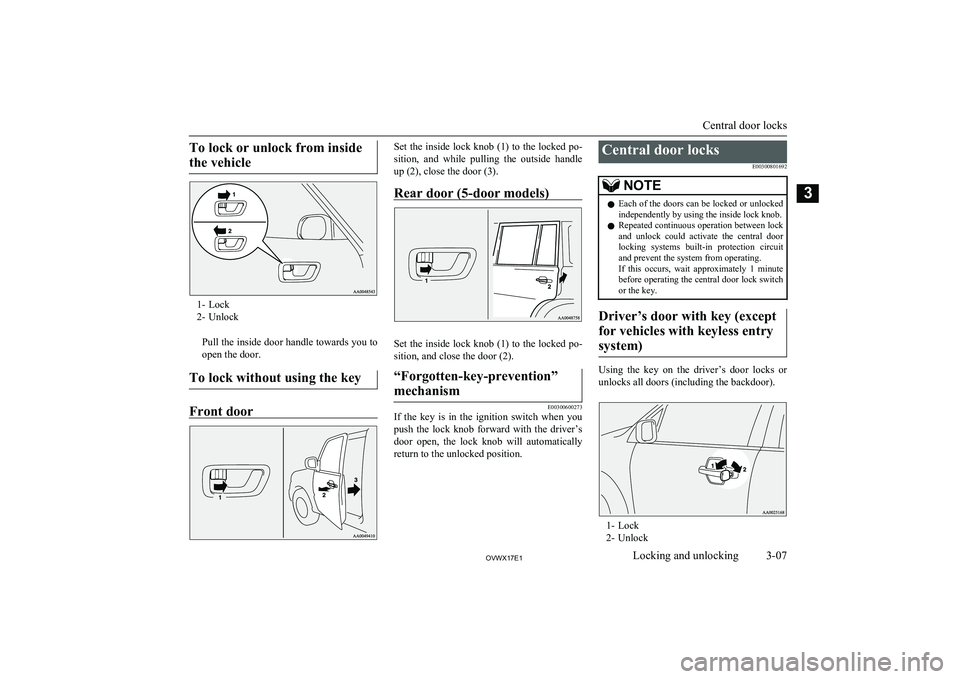
1- Lock
2- Unlock
Pull the inside door handle towards you toopen the door.
To lock without using the key
Front door
Set the inside lock knob (1) to the locked po- sition, and while pulling the outside handle
up (2), close the door (3).
Rear door (5-door models)
Set the inside lock knob (1) to the locked po-
sition, and close the door (2).
“Forgotten-key-prevention”
mechanism
E00300600273
If the key is in the ignition switch when you push the lock knob forward with the driver’s
door open, the lock knob will automatically return to the unlocked position.
Central door locks
E00300801692NOTElEach of the doors can be locked or unlocked
independently by using the inside lock knob.
l Repeated continuous operation between lock
and unlock could activate the central door
locking systems built-in protection circuit
and prevent the system from operating.
If this occurs, wait approximately 1 minute before operating the central door lock switch
or the key.
Driver’s door with key (except
for vehicles with keyless entrysystem)
Using the key on the driver’s door locks or unlocks all doors (including the backdoor).
1- Lock
2- Unlock
Central door locks
3-07OVWX17E1Locking and unlocking3
Page 27 of 394
lWhen any door or the backdoor is
opened, the lamp comes on for approxi- mately 2 minutes.
If all of the doors (including the back-
door) are closed while the lamps are on,
the lamps go off 30 seconds later.NOTEl The lamps go off immediately if any of the
following actions is taken while the lampsare on.
• The ignition switch is turned to the “ON”
position.
• All of the doors (including the backdoor)
are locked using the central door lock function.
• All of the doors (including the backdoor)
are locked using the keyless entry system
(if so equipped).Backdoor
E00301300424WARNINGlIt is dangerous to drive with the backdoor
open since carbon monoxide (CO) gas can
enter the cabin. You cannot see or smell CO. It can cause unconsciousness and
even death.CAUTIONl When the backdoor is open, the rear-right
combination lamp is obscured by the spare wheel.
If the backdoor is opened while the vehicle is parked on the road, alert other road users
to the vehicle’s presence using a warning tri- angle or other device as required by local legislation.
l When closing the backdoor, always ensure
your or other person’s fingers cannot be
caught by the backdoor.NOTEl The backdoor is equipped with an oil damp-
er type backdoor stopper, enabling you to hold the backdoor at a desired position.
l While opening or closing the backdoor, you
may feel slight resistance. This is a structural
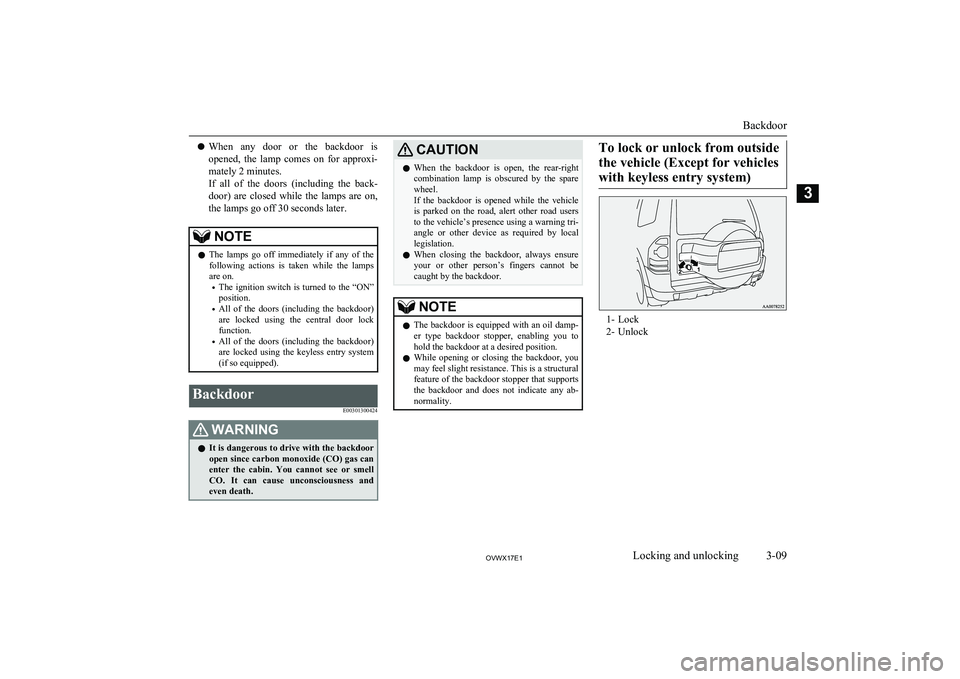
feature of the backdoor stopper that supports the backdoor and does not indicate any ab-normality.To lock or unlock from outside
the vehicle (Except for vehicles with keyless entry system)
1- Lock
2- Unlock
Backdoor
3-09OVWX17E1Locking and unlocking3
Page 30 of 394
System armed mode
(The buzzer stops, and the security alarm in-dicator continues to blink slowly)
Once the system preparation mode has ended,
the system armed mode starts. If an unlawful
opening of any of the doors (including the backdoor) or the bonnet is detected during
the system armed mode, the alarm will be ac-
tivated to warn people around the vehicle of an abnormal condition.
Also, if unlawful moving of the vehicle is at-
tempted or a vehicle intrusion is detected, the alarm will be activated.
Alarm activation
The turn-signal lamps blink and the siren sounds for approximately 30 seconds. Refer
to “Alarm activation” on page 3-15.
NOTEl The alarm will resume if unlawful actions
are taken again, even if the alarm has stop-
ped.
System cancellation
It is possible to cancel the system activation
during the system preparation mode or the system armed mode.
In addition, it is possible to cancel the alarm
once it has been activated.
Refer to “Cancelling the system” on page
3-15, “Cancelling the alarm” on page 3-16.NOTEl When lending the vehicle to another person
or allowing the vehicle to be driven bysomeone who is unfamiliar with the securityalarm system, be sure to give the person a
proper explanation of the security alarm sys- tem or set the security alarm system to the
“inactive” mode.
If a person who is unfamiliar with the securi-
ty alarm system accidentally unlocked the vehicle, causing the alarm to sound, the
alarm would be a nuisance to people nearby.Changing the security alarm
settings
E00301601378
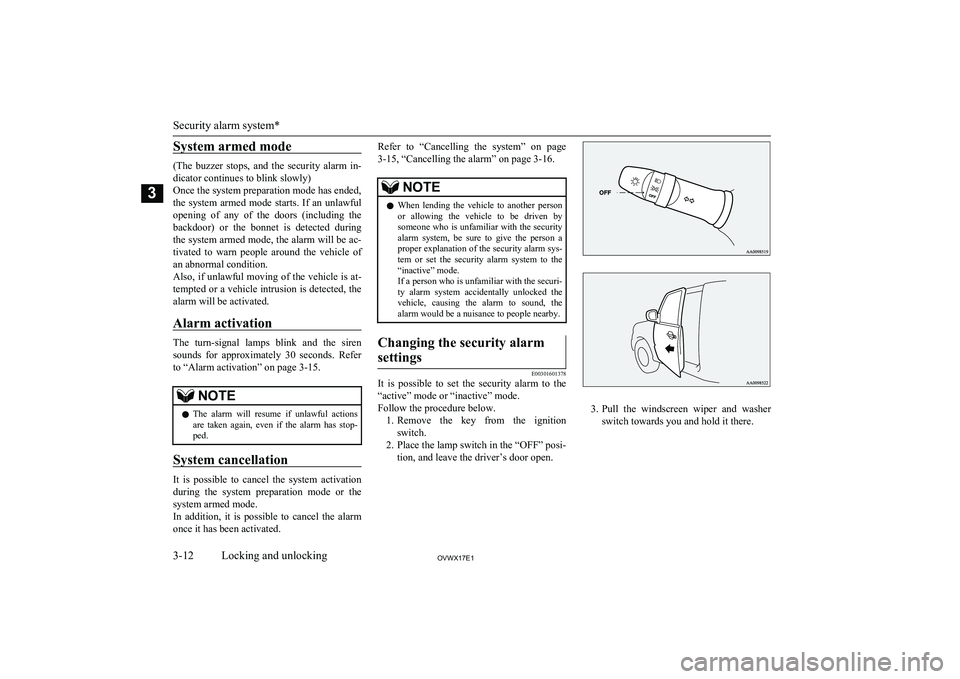
It is possible to set the security alarm to the “active” mode or “inactive” mode.
Follow the procedure below. 1. Remove the key from the ignition
switch.
2. Place the lamp switch in the “OFF” posi- tion, and leave the driver’s door open.
3.Pull the windscreen wiper and washer
switch towards you and hold it there.
Security alarm system*
3-12OVWX17E1Locking and unlocking3
Page 31 of 394
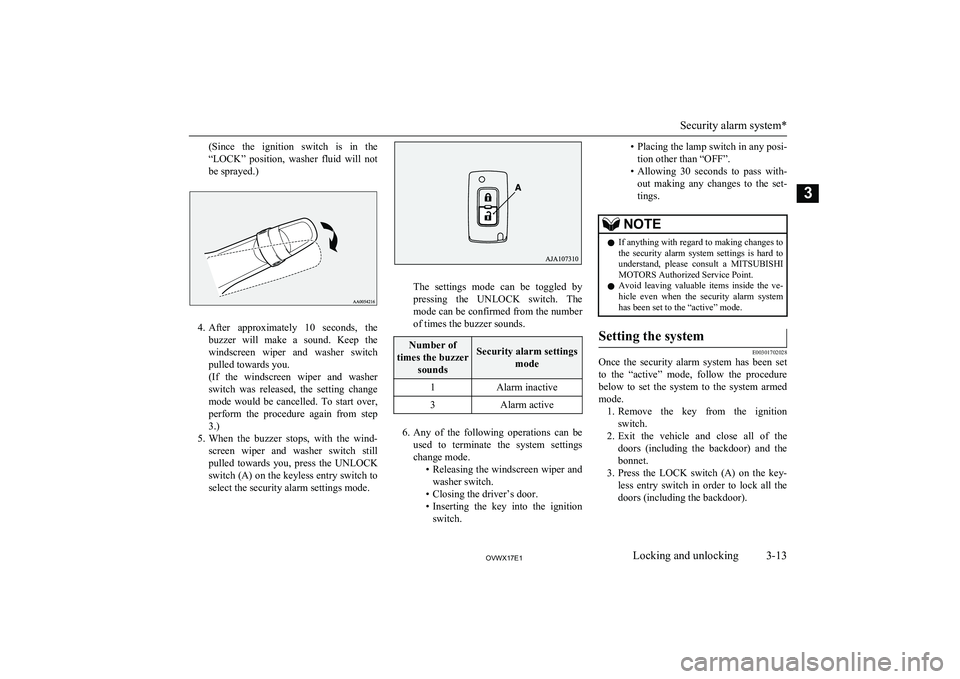
(Since the ignition switch is in the
“LOCK” position, washer fluid will not be sprayed.)
4. After approximately 10 seconds, the
buzzer will make a sound. Keep the windscreen wiper and washer switch
pulled towards you.
(If the windscreen wiper and washer
switch was released, the setting change
mode would be cancelled. To start over, perform the procedure again from step
3.)
5. When the buzzer stops, with the wind-
screen wiper and washer switch stillpulled towards you, press the UNLOCKswitch (A) on the keyless entry switch toselect the security alarm settings mode.
The settings mode can be toggled by
pressing the UNLOCK switch. The mode can be confirmed from the numberof times the buzzer sounds.
Number of
times the buzzer soundsSecurity alarm settings mode1Alarm inactive3Alarm active
6.Any of the following operations can be
used to terminate the system settings change mode. •Releasing the windscreen wiper and
washer switch.
• Closing the driver’s door.
• Inserting the key into the ignition
switch.
• Placing the lamp switch in any posi-
tion other than “OFF”.
• Allowing 30 seconds to pass with-
out making any changes to the set-
tings.NOTEl If anything with regard to making changes to
the security alarm system settings is hard to understand, please consult a MITSUBISHI
MOTORS Authorized Service Point.
l Avoid leaving valuable items inside the ve-
hicle even when the security alarm system has been set to the “active” mode.Setting the system
E00301702028
Once the security alarm system has been set
to the “active” mode, follow the procedure below to set the system to the system armed
mode. 1. Remove the key from the ignition
switch.
2. Exit the vehicle and close all of the
doors (including the backdoor) and the
bonnet.
3. Press the LOCK switch (A) on the key-
less entry switch in order to lock all thedoors (including the backdoor).
Security alarm system*
3-13OVWX17E1Locking and unlocking3
Page 32 of 394
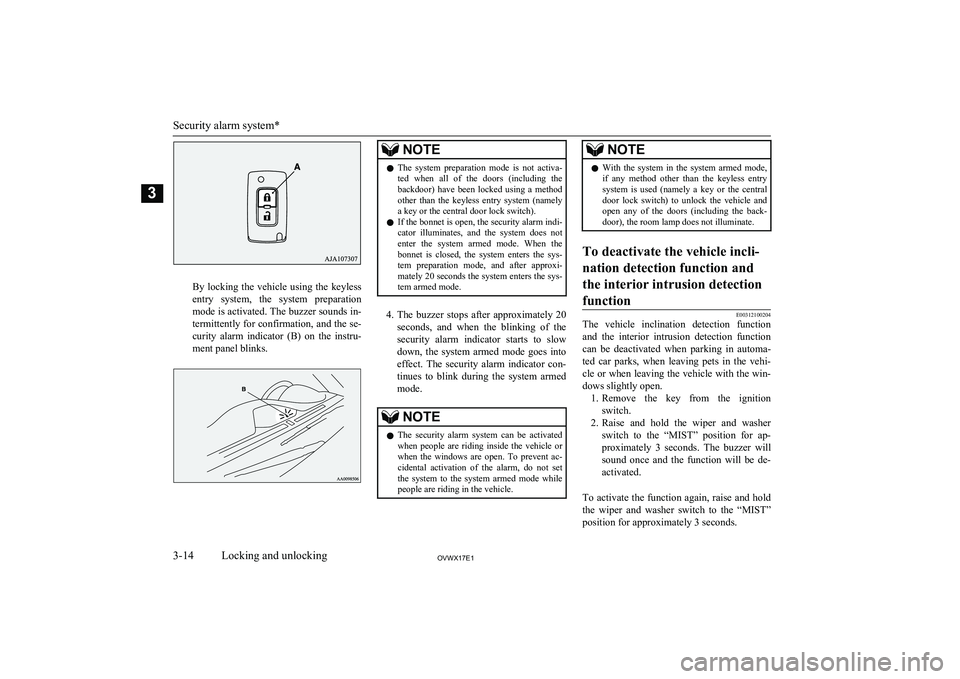
By locking the vehicle using the keylessentry system, the system preparation
mode is activated. The buzzer sounds in-
termittently for confirmation, and the se-
curity alarm indicator (B) on the instru- ment panel blinks.
NOTEl The system preparation mode is not activa-
ted when all of the doors (including the
backdoor) have been locked using a method
other than the keyless entry system (namely a key or the central door lock switch).
l If the bonnet is open, the security alarm indi-
cator illuminates, and the system does not
enter the system armed mode. When the bonnet is closed, the system enters the sys- tem preparation mode, and after approxi-
mately 20 seconds the system enters the sys- tem armed mode.
4. The buzzer stops after approximately 20
seconds, and when the blinking of the
security alarm indicator starts to slow down, the system armed mode goes into effect. The security alarm indicator con-
tinues to blink during the system armed
mode.
NOTEl The security alarm system can be activated
when people are riding inside the vehicle or when the windows are open. To prevent ac-cidental activation of the alarm, do not set
the system to the system armed mode while people are riding in the vehicle.NOTEl With the system in the system armed mode,
if any method other than the keyless entrysystem is used (namely a key or the centraldoor lock switch) to unlock the vehicle and open any of the doors (including the back-
door), the room lamp does not illuminate.To deactivate the vehicle incli-
nation detection function and the interior intrusion detectionfunction
E00312100204
The vehicle inclination detection function and the interior intrusion detection function
can be deactivated when parking in automa-
ted car parks, when leaving pets in the vehi- cle or when leaving the vehicle with the win-
dows slightly open. 1. Remove the key from the ignition
switch.
2. Raise and hold the wiper and washer
switch to the “MIST” position for ap- proximately 3 seconds. The buzzer will
sound once and the function will be de-
activated.
To activate the function again, raise and hold
the wiper and washer switch to the “MIST” position for approximately 3 seconds.
Security alarm system*
3-14OVWX17E1Locking and unlocking3
Page 33 of 394
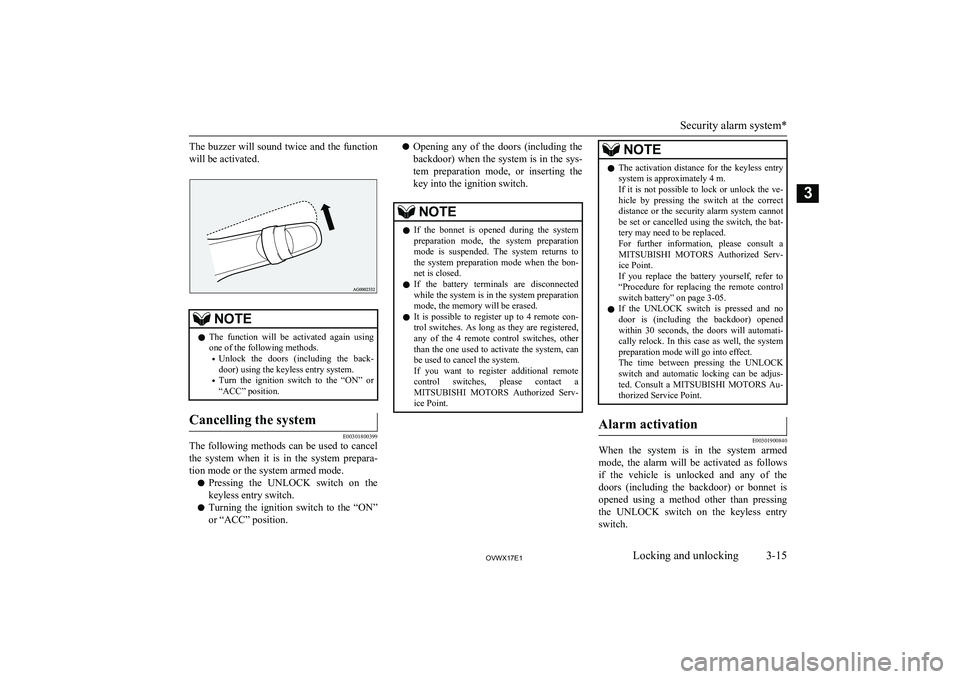
The buzzer will sound twice and the functionwill be activated.NOTEl The function will be activated again using
one of the following methods.
• Unlock the doors (including the back-
door) using the keyless entry system.
• Turn the ignition switch to the “ON” or
“ACC” position.Cancelling the system
E00301800399
The following methods can be used to cancel
the system when it is in the system prepara- tion mode or the system armed mode.
l Pressing the UNLOCK switch on the
keyless entry switch.
l Turning the ignition switch to the “ON”
or “ACC” position.
l Opening any of the doors (including the
backdoor) when the system is in the sys-
tem preparation mode, or inserting the
key into the ignition switch.NOTEl If the bonnet is opened during the system
preparation mode, the system preparationmode is suspended. The system returns to
the system preparation mode when the bon- net is closed.
l If the battery terminals are disconnected
while the system is in the system preparation
mode, the memory will be erased.
l It is possible to register up to 4 remote con-
trol switches. As long as they are registered, any of the 4 remote control switches, otherthan the one used to activate the system, can
be used to cancel the system.
If you want to register additional remote control switches, please contact aMITSUBISHI MOTORS Authorized Serv-
ice Point.NOTEl The activation distance for the keyless entry
system is approximately 4 m.
If it is not possible to lock or unlock the ve-
hicle by pressing the switch at the correct
distance or the security alarm system cannot be set or cancelled using the switch, the bat-
tery may need to be replaced.
For further information, please consult a
MITSUBISHI MOTORS Authorized Serv-
ice Point.
If you replace the battery yourself, refer to “Procedure for replacing the remote control
switch battery” on page 3-05.
l If the UNLOCK switch is pressed and no
door is (including the backdoor) opened within 30 seconds, the doors will automati-
cally relock. In this case as well, the system preparation mode will go into effect.
The time between pressing the UNLOCK
switch and automatic locking can be adjus- ted. Consult a MITSUBISHI MOTORS Au-
thorized Service Point.Alarm activation
E00301900840
When the system is in the system armed
mode, the alarm will be activated as follows
if the vehicle is unlocked and any of the doors (including the backdoor) or bonnet is opened using a method other than pressing the UNLOCK switch on the keyless entry
switch.
Security alarm system*
3-15OVWX17E1Locking and unlocking3
Page 34 of 394
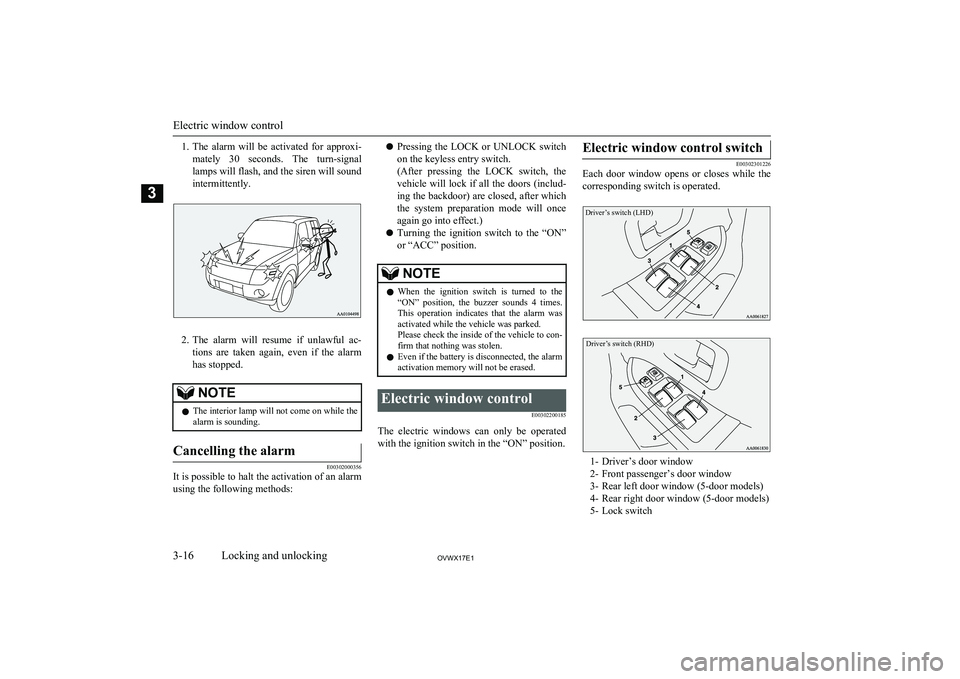
1.The alarm will be activated for approxi-
mately 30 seconds. The turn-signal
lamps will flash, and the siren will sound intermittently.
2. The alarm will resume if unlawful ac-
tions are taken again, even if the alarm has stopped.
NOTEl The interior lamp will not come on while the
alarm is sounding.Cancelling the alarm
E00302000356
It is possible to halt the activation of an alarm
using the following methods:
l Pressing the LOCK or UNLOCK switch
on the keyless entry switch.
(After pressing the LOCK switch, the vehicle will lock if all the doors (includ-
ing the backdoor) are closed, after which
the system preparation mode will once again go into effect.)
l Turning the ignition switch to the “ON”
or “ACC” position.NOTEl When the ignition switch is turned to the
“ON” position, the buzzer sounds 4 times.This operation indicates that the alarm was
activated while the vehicle was parked.
Please check the inside of the vehicle to con-
firm that nothing was stolen.
l Even if the battery is disconnected, the alarm
activation memory will not be erased.Electric window control
E00302200185
The electric windows can only be operatedwith the ignition switch in the “ON” position.
Electric window control switch
E00302301226
Each door window opens or closes while the
corresponding switch is operated.
Driver’s switch (LHD)Driver’s switch (RHD)
1- Driver’s door window
2- Front passenger’s door window
3- Rear left door window (5-door models)
4- Rear right door window (5-door models) 5- Lock switch
Electric window control
3-16OVWX17E1Locking and unlocking3