audio MITSUBISHI TRITON 2011 User Guide
[x] Cancel search | Manufacturer: MITSUBISHI, Model Year: 2011, Model line: TRITON, Model: MITSUBISHI TRITON 2011Pages: 369, PDF Size: 26.15 MB
Page 90 of 369
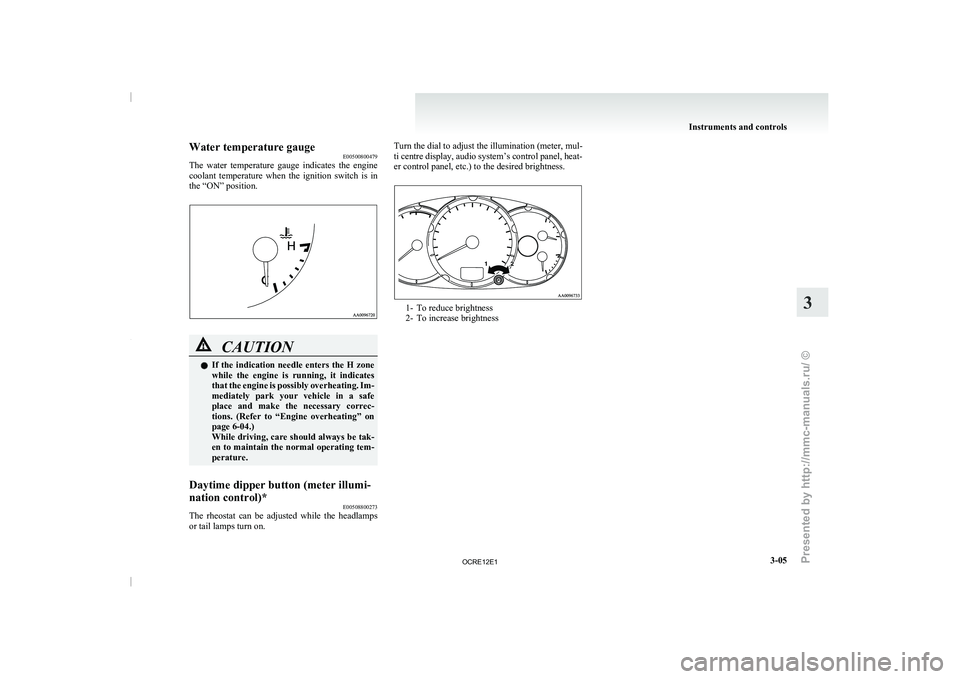
Water temperature gauge
E00500800479
The water temperature gauge indicates
the engine
coolant temperature when the ignition switch is in
the “ON” position. CAUTION
l
If the indication needle enters
the H zone
while the engine is running, it indicates
that the engine is possibly overheating. Im-
mediately park your vehicle in a safe
place and make the necessary correc-
tions. (Refer to “Engine overheating” on
page 6-04.)
While driving, care should always be tak-
en to maintain the normal operating tem-
perature.
Daytime dipper button (meter illumi-
nation control)* E00508800273
The rheostat can be adjusted while the headlamps
or tail lamps turn on. Turn the dial to adjust the illumination (meter, mul-
ti centre display, audio system’s
control panel, heat-
er control panel, etc.) to the desired brightness. 1- To reduce brightness
2- To increase brightness Instruments and controls
3-05 3
OCRE12E1
Presented by http://mmc-manuals.ru/ \251
Page 97 of 369
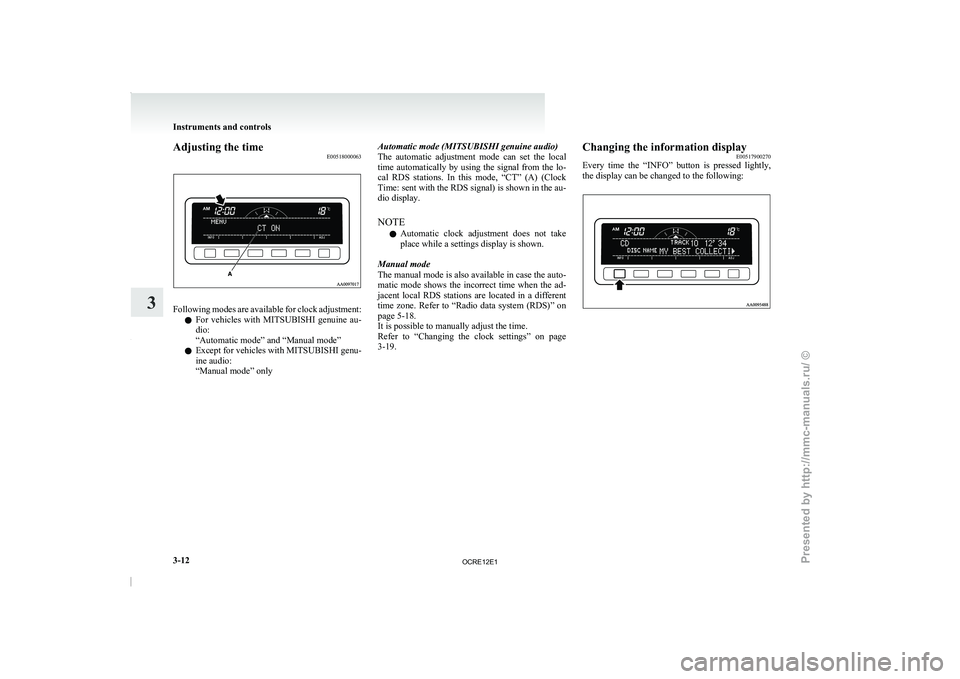
Adjusting the time
E00518000063Following modes are available for clock adjustment:
l For vehicles with MITSUBISHI
genuine au-
dio:
“Automatic mode” and “Manual mode”
l Except for vehicles with MITSUBISHI genu-
ine audio:
“Manual mode” only Automatic mode (MITSUBISHI genuine audio)
The automatic adjustment mode
can
set the local
time automatically by using the signal from the lo-
cal RDS stations. In this mode, “CT” (A) (Clock
Time: sent with the RDS signal) is shown in the au-
dio display.
NOTE
l Automatic clock adjustment does not take
place while a settings display is shown.
Manual mode
The manual mode is also available in case the auto-
matic mode shows the incorrect time when the ad-
jacent local RDS stations are located in a different
time zone. Refer to “Radio data system (RDS)” on
page 5-18.
It is possible to manually adjust the time.
Refer to “Changing the clock settings” on page
3-19. Changing the information display
E00517900270
Every time the “INFO” button
is pressed lightly,
the display can be changed to the following: Instruments and controls
3-12
3
OCRE12E1
Presented by http://mmc-manuals.ru/ \251
Page 98 of 369
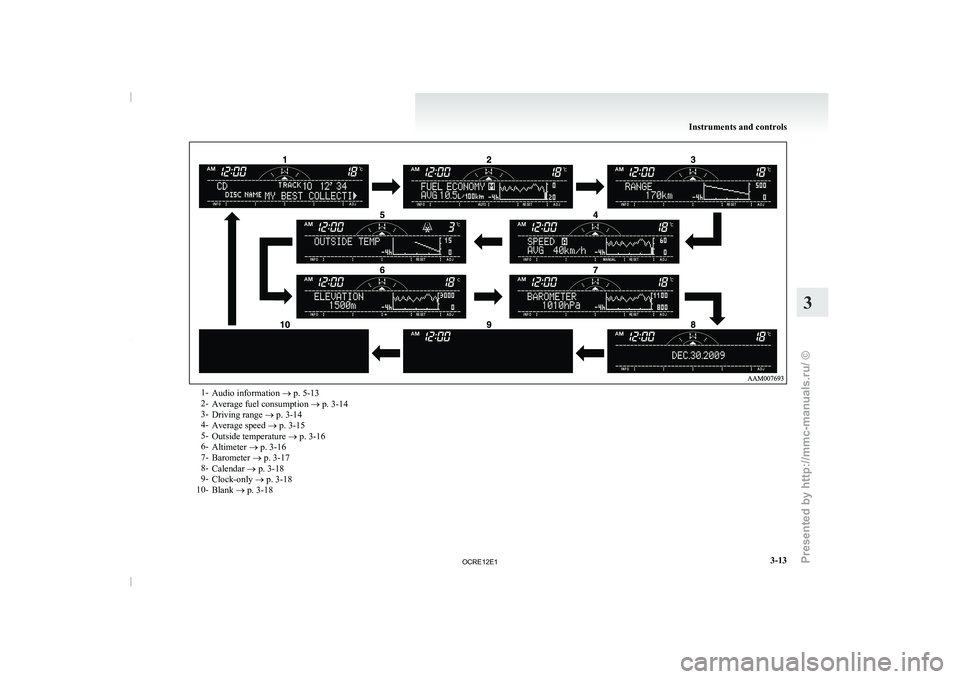
1-
Audio information ® p. 5-13
2- Average fuel consumption ® p. 3-14
3- Driving range ®
p. 3-14
4- Average speed ® p. 3-15
5- Outside temperature ® p. 3-16
6- Altimeter ® p. 3-16
7- Barometer ® p. 3-17
8- Calendar ® p. 3-18
9- Clock-only ® p. 3-18
10- Blank ® p. 3-18 Instruments and controls
3-13 3
OCRE12E1
Presented by http://mmc-manuals.ru/ \251
Page 103 of 369
NOTE
l Pressing
the “RESET” function button
will
not reset the indication (C).
l It is possible to set the display unit to hPa,
mb, kPa, or inHg.
Refer to “User customization” on page 3-24.
Calendar E00518800032
The date is shown. The calendar pattern can be
changed to your desired setting.
Refer to “Changing the
calendar
setting” on page
3-23. Clock-only
E00518900033
Only the clock is shown. The time notation can be
changed to your desired setting. (12 hour/24 hour) Refer to “User customization” on page 3-24.
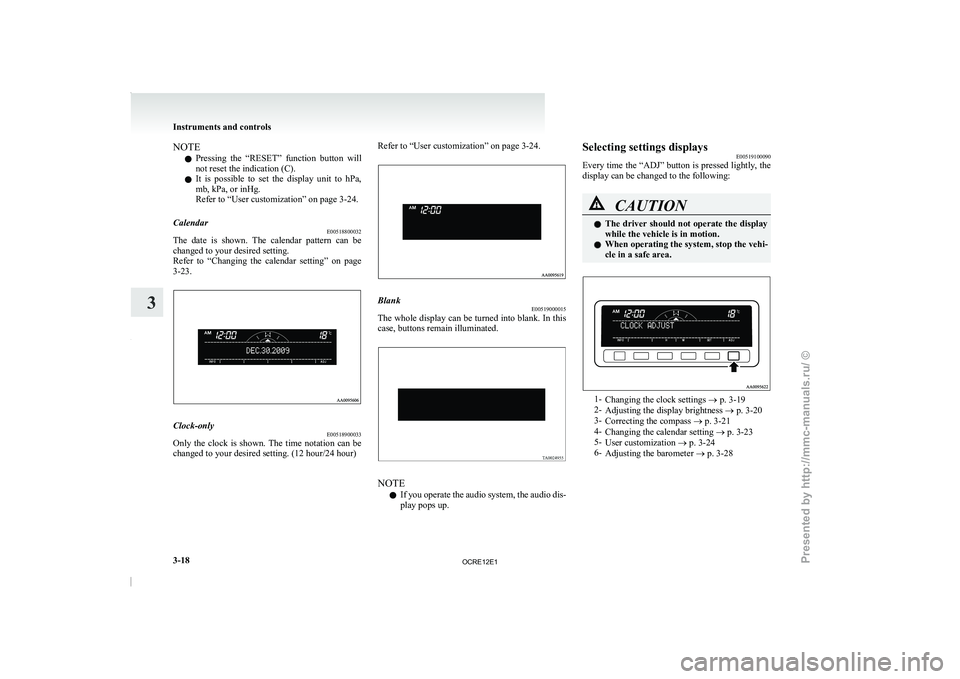
Blank
E00519000015
The whole display can be turned into blank. In this
case, buttons remain illuminated. NOTE
l If
you operate the audio
system, the audio dis-
play pops up. Selecting settings displays
E00519100090
Every time the “ADJ” button
is pressed lightly, the
display can be changed to the following: CAUTION
l
The driver should not
operate
the display
while the vehicle is in motion.
l When operating the system, stop the vehi-
cle in a safe area. 1-
Changing the clock settings ® p. 3-19
2- Adjusting the display brightness ® p. 3-20
3- Correcting the compass
® p. 3-21
4- Changing the calendar setting ® p. 3-23
5- User customization ® p. 3-24
6- Adjusting the barometer ® p. 3-28 Instruments and controls
3-18
3
OCRE12E1
Presented by http://mmc-manuals.ru/ \251
Page 184 of 369
Ventilators
.................................................................................... 5-02
Heater/Manual air conditioning* ..................................................5-03
Automatic air conditioning* ......................................................... 5-08
Important operation tips for the air conditioning..........................5-12 Air purifier*.................................................................................. 5-12
LW/MW/FM electronic tuning radio with CD player* ................5-13
To play tracks from USB device* ................................................5-27
To play tracks from a Bluetooth ®
device (vehicles with
Bluetooth ®
2.0 interface).......................................................... 5-36
To use the external audio input function* ....................................5-39
Steering wheel remote control switch* ........................................5-40
Error codes
.................................................................................... 5-42
Error codes (iPod)......................................................................... 5-44
Error codes (USB memory device) ..............................................5-46
Audio system anti-theft feature .................................................... 5-48
Handling of compact discs ........................................................... 5-48
Antenna......................................................................................... 5-50
Link System* ................................................................................ 5-51
Bluetooth ®
2.0 interface* ............................................................. 5-51
USB input terminal* ..................................................................... 5-67
Sun visors..................................................................................... 5-69
Vanity mirror* .............................................................................. 5-70
Ashtray.......................................................................................... 5-70
Cigarette lighter ............................................................................ 5-71
Accessory socket*........................................................................ 5-72
Digital clock* ............................................................................... 5-73
Interior lamps ................................................................................5-73
Storage spaces............................................................................... 5-75
Cup holder*.................................................................................. 5-78
Bottle holder ................................................................................. 5-79 Convenient hook
........................................................................... 5-80
Coat hook*.................................................................................... 5-80
First-aid kit and warning triangle securing bands* ......................5-80 For pleasant driving
5
OCRE12E1
Presented by http://mmc-manuals.ru/ \251
Page 196 of 369
LW/MW/FM electronic tuning radio with CD player*
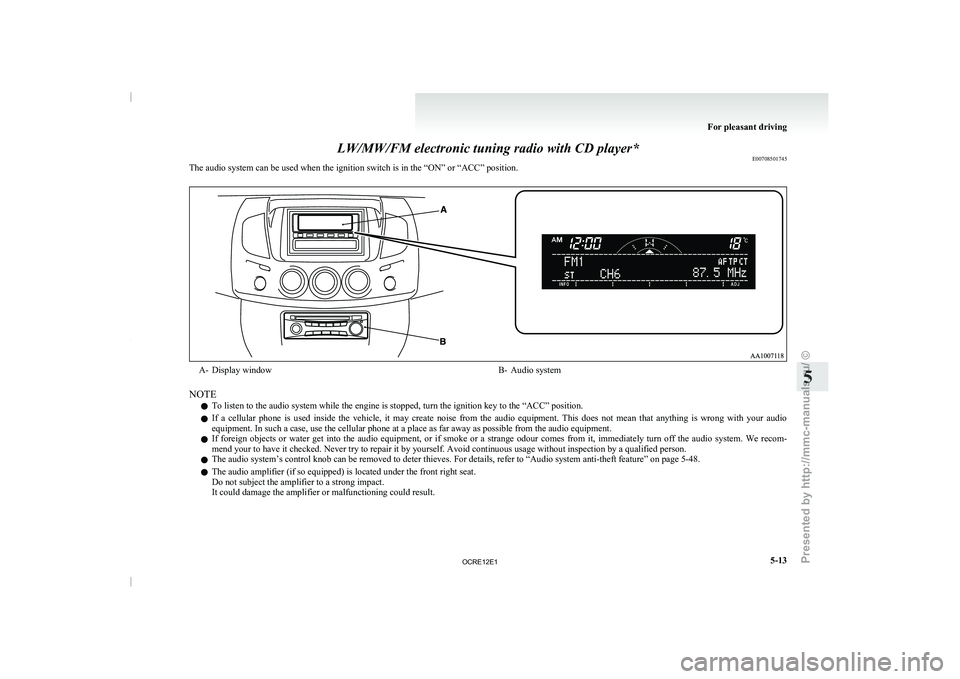
E00708501745
The audio system can be used when the ignition switch is in the “ON” or “ACC” position. A- Display window
B- Audio system
NOTE l To listen to the audio system while the engine is stopped, turn the ignition key to the “ACC” position.
l If
a cellular phone is
used inside the vehicle, it may create noise from the audio equipment. This does not mean that anything is wrong with your audio
equipment. In such a case, use the cellular phone at a place as far away as possible from the audio equipment.
l If foreign objects or water get into the audio equipment, or if smoke or a strange odour comes from it, immediately turn off the audio system. We recom-
mend your to have it checked. Never try to repair it by yourself. Avoid continuous usage without inspection by a qualified person.
l The audio system’s control knob can be removed to deter thieves. For details, refer to
“Audio system anti-theft feature” on page 5-48.
l The audio amplifier (if so equipped) is located under the front right seat.
Do not subject the amplifier to a strong impact.
It could damage the amplifier or malfunctioning could result. For pleasant driving
5-13 5
OCRE12E1
Presented by http://mmc-manuals.ru/ \251
Page 197 of 369
Volume and tone control panel
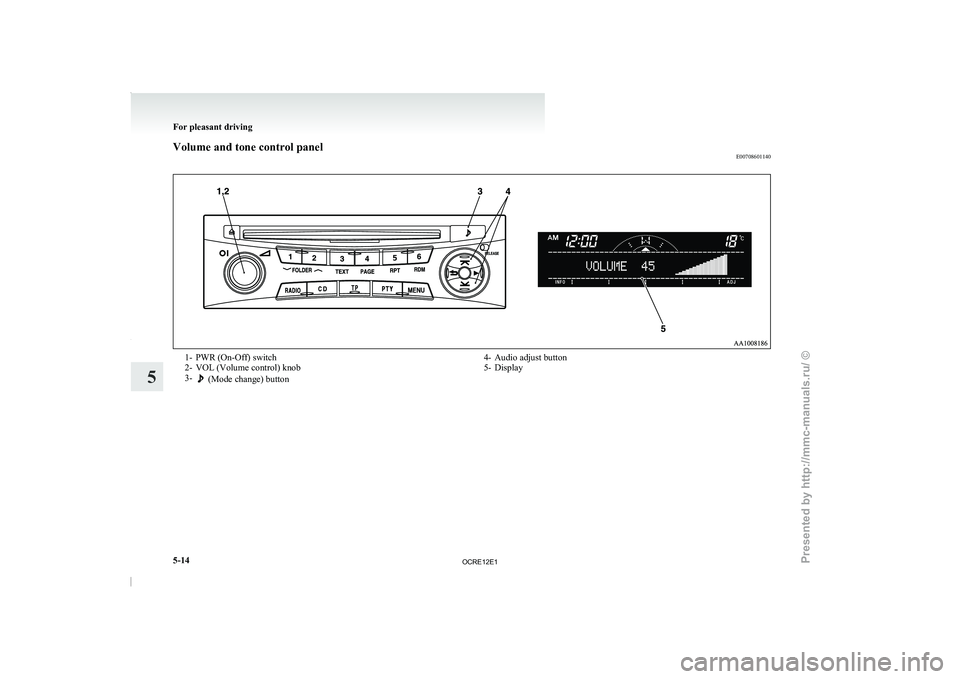
E007086011401- PWR (On-Off) switch
2-
VOL (Volume control) knob
3- (Mode change) button
4- Audio adjust button
5-
Display For pleasant driving
5-14
5
OCRE12E1
Presented by http://mmc-manuals.ru/ \251
Page 198 of 369
To adjust the volume
E00708700665
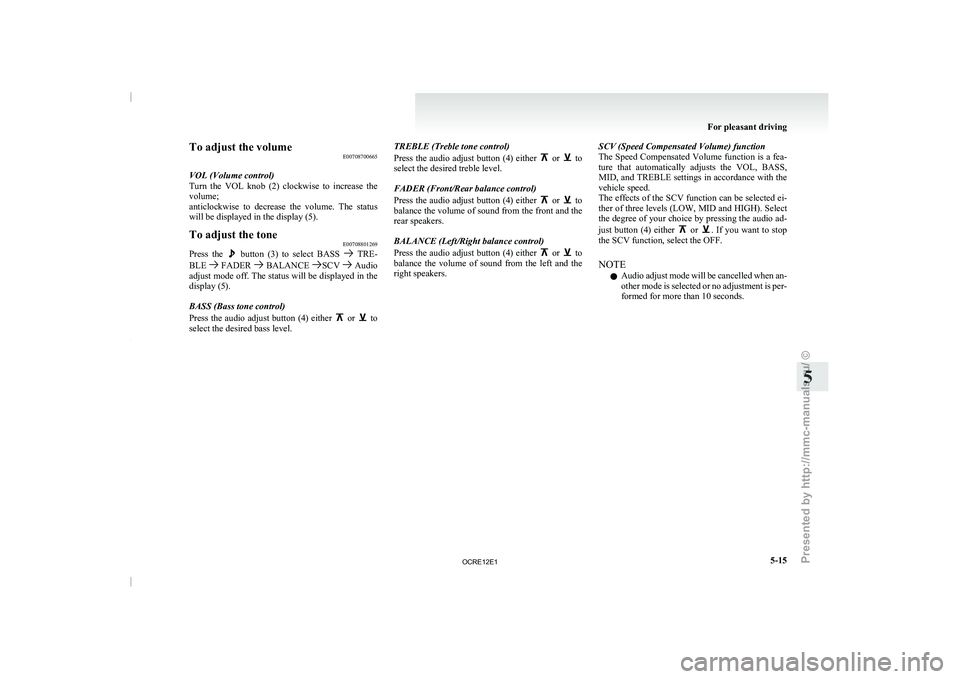
VOL (Volume control)
Turn the VOL knob (2)
clockwise to increase the
volume;
anticlockwise to decrease the volume. The status
will be displayed in the display (5).
To adjust the tone E00708801269
Press the button (3) to select BASS TRE-
BLE FADER BALANCE SCV Audio
adjust mode off. The status
will be displayed in the
display (5).
BASS (Bass tone control)
Press the audio adjust button (4) either or to
select the desired bass level. TREBLE (Treble tone control)
Press the audio adjust button
(4) either or to
select the desired treble level.
FADER (Front/Rear balance control)
Press the audio adjust button
(4) either or to
balance the volume of sound
from the front and the
rear speakers.
BALANCE (Left/Right balance control)
Press the audio adjust button (4) either or to
balance the volume of sound
from the left and the
right speakers. SCV (Speed Compensated Volume) function
The Speed Compensated Volume
function
is a fea-
ture that automatically adjusts the VOL, BASS,
MID, and TREBLE settings in accordance with the
vehicle speed.
The effects of the SCV function can be selected ei-
ther of three levels (LOW, MID and HIGH). Select
the degree of your choice by pressing the audio ad-
just button (4) either or . If you want to stop
the SCV function, select the OFF.
NOTE
l Audio
adjust mode will be
cancelled when an-
other mode is selected or no adjustment is per-
formed for more than 10 seconds. For pleasant driving
5-15 5
OCRE12E1
Presented by http://mmc-manuals.ru/ \251
Page 200 of 369
To listen to the radio
E00709000896
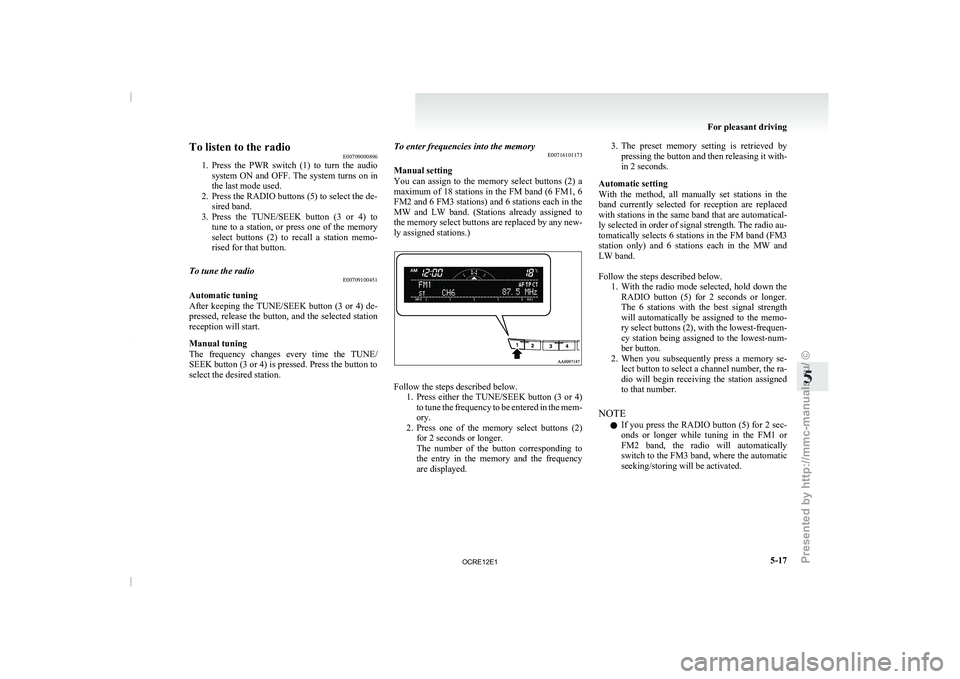
1. Press the PWR switch (1)
to turn the audio
system ON and OFF. The system turns on in
the last mode used.
2. Press the RADIO buttons (5) to select the de- sired band.
3. Press the TUNE/SEEK button (3 or 4) to tune to a station, or press one of the memory
select buttons (2) to recall a station memo-
rised for that button.
To tune the radio E00709100451
Automatic tuning
After keeping the TUNE/SEEK
button
(3 or 4) de-
pressed, release the button, and the selected station
reception will start.
Manual tuning
The frequency changes every time the TUNE/
SEEK button (3 or 4) is pressed. Press the button to
select the desired station. To enter frequencies into the memory
E00716101173
Manual setting
You can assign to
the
memory select buttons (2) a
maximum of 18 stations in the FM band (6 FM1, 6
FM2 and 6 FM3 stations) and 6 stations each in the
MW and LW band. (Stations already assigned to
the memory select buttons are replaced by any new-
ly assigned stations.) Follow the steps described below.
1. Press either the TUNE/SEEK button
(3 or 4)
to tune the frequency to be entered in the mem-
ory.
2. Press one of the memory select buttons (2) for 2 seconds or longer.
The number of the button corresponding to
the entry in the memory and the frequency
are displayed. 3. The preset memory setting is retrieved by
pressing the button and
then releasing it with-
in 2 seconds.
Automatic setting
With the method, all manually set stations in the
band currently selected for reception are replaced
with stations in the same band that are automatical-
ly selected in order of signal strength. The radio au-
tomatically selects 6 stations in the FM band (FM3
station only) and 6 stations each in the MW and
LW band.
Follow the steps described below. 1. With the radio mode selected, hold down theRADIO button (5) for 2 seconds or longer.
The 6 stations with the best signal strength
will automatically be assigned to the memo-
ry select buttons (2), with the lowest-frequen-
cy station being assigned to the lowest-num-
ber button.
2. When you subsequently press a memory se- lect button to select a channel number, the ra-
dio will begin receiving the station assigned
to that number.
NOTE l If you press the RADIO button (5) for 2 sec-
onds or longer while tuning in the FM1 or
FM2 band, the radio will automatically
switch to the FM3 band, where the automatic
seeking/storing will be activated. For pleasant driving
5-17 5
OCRE12E1
Presented by http://mmc-manuals.ru/ \251
Page 202 of 369
AF (Alternative Frequencies) function
E00720900061
The AF function finds a
station broadcasting the
same program and selects the station with the stron-
gest signal of AF lists.
The AF function is turned on (with the AF indica-
tor (12) shown on the display) at all times unless
you manually switch it off.
The AF function can be turned ON and OFF.
Refer to “Function setup mode” on page 5-21.
CT (Clock Time) function E00721000131
The clock can be set automatically by using the sig-
nal from the local RDS
stations. Refer to “Adjust-
ing the time” on page 3-12.
REG (Regional) function E00721100057
REG function limits to receive the stations broad-
casting regional programs.
Regional programming and regional networks
are
organized differently depending on the country or
area (they may be changed according to the hour,
state, or broadcast area), so if you don’t want to re-
ceive the regional programs automatically, you can
set up REG ON not to receive regional programs.
The REG function can be turned ON and OFF.
Refer to “Function setup mode” on page 5-21.
PI (Program Identification) search function E00721200221
When travelling long distance and the recalled pre-
set station is weak, the
radio searches another fre-
quency broadcasting the same programming with
the same PI code in AF list. If there are no frequencies broadcasting the same
programming, the radio searches
a
frequency broad-
casting the regional programming. The radio suc-
ceeds in searching the regional programming, then
the display shows the REG indicator (11).
If the radio does not succeed in searching the re-
gional programming, the radio returns to the recal-
led preset station.
The PI function can be turned ON and OFF.
Refer to “Function setup mode” on page 5-21.
NOTE
l While searching, the audio system is muted.
The display shows “WAIT” or “SEARCH”.
PTY (Program type) E00721300349
RDS broadcasts are classified according to pro-
gram type (PTY) as follows.
Use the TUNE/SEEK
button (3 or 4) to select your desired PTY.
1. NEWS
2. AFFAIRS (Current affairs)
3. INFO (Information)
4. SPORT
5. EDUCATE (Education)
6. DRAMA
7. CULTURE
8. SCIENCE
9. VARIED
10. POP M (Pop music)
11. ROCK M (Rock music)
12. EASY M (Easy music)
13. LIGHT M (Light classics)
14. CLASSICS
15. OTHER M (Other music)
16. WEATHER (Weather information)
17. FINANCE
18. CHILDREN 19. SOCIAL
20. RELIGION
21. PHONE IN
22. TRAVEL
23. LEISURE
24.
JAZZ
25. COUNTRY
26. NATION M (National music)
27. OLDIES
28. FOLK M (Folk music)
29. DOCUMENT
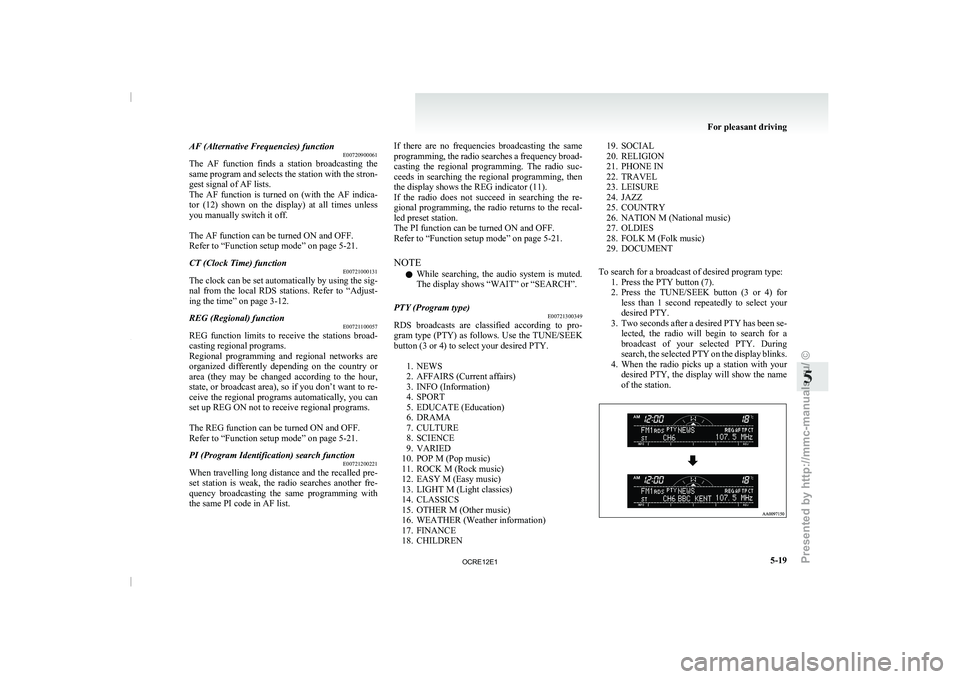
To search for a broadcast of desired program type: 1. Press the PTY button (7).
2. Press the TUNE/SEEK button (3 or 4) forless than 1 second repeatedly to select your
desired PTY.
3. Two seconds after a desired PTY has been se- lected, the radio will begin to search for a
broadcast of your selected PTY. During
search, the selected PTY on the display blinks.
4. When the radio picks up a station with your desired PTY, the display will show the name
of the station. For pleasant driving
5-19 5
OCRE12E1
Presented by http://mmc-manuals.ru/ \251