ECO mode NISSAN 370Z 2018 Owner´s Manual
[x] Cancel search | Manufacturer: NISSAN, Model Year: 2018, Model line: 370Z, Model: NISSAN 370Z 2018Pages: 453, PDF Size: 2.19 MB
Page 97 of 453
JVI1447X
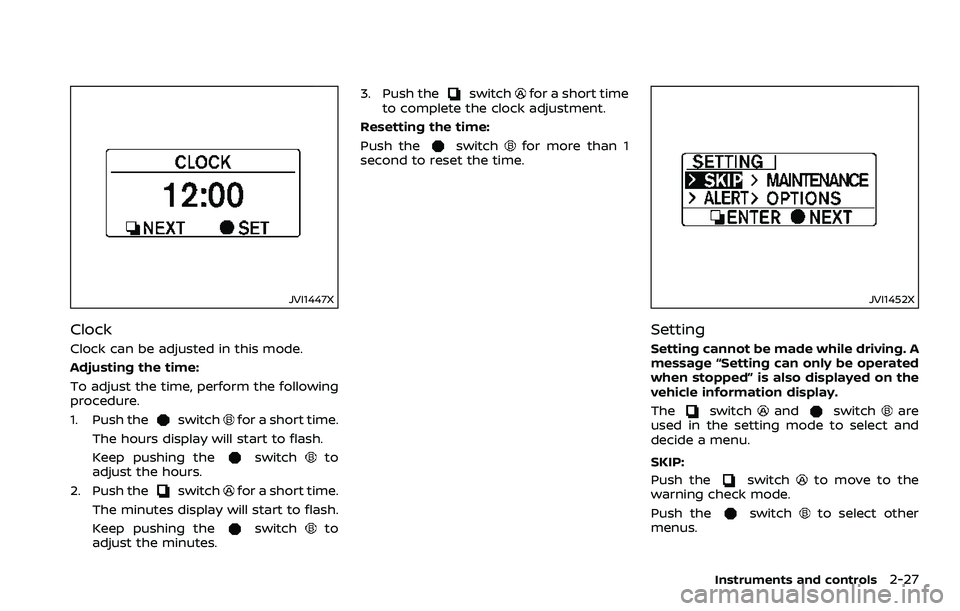
Clock
Clock can be adjusted in this mode.
Adjusting the time:
To adjust the time, perform the following
procedure.
1. Push the
switchfor a short time.
The hours display will start to flash.
Keep pushing the
switchto
adjust the hours.
2. Push the
switchfor a short time.
The minutes display will start to flash.
Keep pushing the
switchto
adjust the minutes. 3. Push the
switchfor a short time
to complete the clock adjustment.
Resetting the time:
Push the
switchfor more than 1
second to reset the time.
JVI1452X
Setting
Setting cannot be made while driving. A
message “Setting can only be operated
when stopped” is also displayed on the
vehicle information display.
The
switchandswitchare
used in the setting mode to select and
decide a menu.
SKIP:
Push the
switchto move to the
warning check mode.
Push the
switchto select other
menus.
Instruments and controls2-27
Page 100 of 453
2-30Instruments and controls
SIC2045
How to arm the vehicle security
system
1. Close all windows.The system can be armed even if the
windows are open.
2. Push the ignition switch to the OFF position.
3. Remove the Intelligent Key from the vehicle.
4. Close all doors, hood and rear hatch/ trunk. Lock all doors and trunk (Road-
ster models). The doors can be locked
with the Intelligent Key, door handle
request switch, power door lock
switch or mechanical key. 5. Confirm that the security indicator
light comes on. The security indicator
light stays on for about 30 seconds.
The vehicle security system is now
pre-armed. After about 30 seconds
the vehicle security system automati-
cally shifts into the armed phase. The
security light begins to flash once
every approximately 3 seconds. If,
during this 30-second pre-arm time
period, the door is unlocked, or the
ignition switch is pushed to ACC or
ON, the system will not arm.
Even when the driver and/or passen-
gers are in the vehicle, the system will
activate with all doors, hood and rear
hatch locked with the ignition switch in
the LOCK position. When pushing the
ignition switch to the ACC or ON posi-
tion, the system will be released.
Vehicle security system activation
The vehicle security system will give the
following alarm:
. The headlights blink and the horn
sounds intermittently.
. The alarm automatically turns off
after approximately 1 minute. How-
ever, the alarm reactivates if the
vehicle is tampered with again.
The alarm is activated by: .
Unlocking the door or opening the
rear hatch without using the button
on the Intelligent Key, the door handle
request switch or the mechanical key.
(Even if the door is opened by releas-
ing the door inside lock knob, the
alarm will activate.)
. Opening the hood.
How to stop an activated alarm
The alarm will stop by unlocking a door
by pushing the unlock button on the
Intelligent Key, the door handle request
switch or using the mechanical key. The
alarm will not stop if the ignition switch is
pushed to the ACC or ON position.
If the system does not operate as
described above, it is recommended
you have it checked by a NISSAN dealer.
NISSAN VEHICLE IMMOBILIZER SYS-
TEM
The NISSAN Vehicle Immobilizer System
will not allow the engine to start without
the use of the registered Intelligent Key.
Never leave these keys in the vehicle.
For USA:
This device complies with Part 15 of the
FCC Rules. Operation is subject to the
following two conditions:
(1) This device may not cause harmful
interference, and (2) this device must
Page 102 of 453
2-32Instruments and controls
WARNING
In freezing temperatures the washer
solution may freeze on the wind-
shield and obscure your vision which
may lead to an accident. Warm wind-
shield with the defroster before you
wash the windshield.
CAUTION
.Do not operate the washer con-
tinuously for more than 30 sec-
onds.
. Do not operate the washer if the
reservoir tank is empty.
. Do not fill the window washer
reservoir tank with washer fluid
concentrates at full strength.
Some methyl alcohol based
washer fluid concentrates may
permanently stain the grille if
spilled while filling the window
washer reservoir tank.
. Pre-mix washer fluid concen-
trates with water to the manu-
facturer’s recommended levels
before pouring the fluid into the
window washer reservoir tank. Do not use the window washer re-
servoir tank to mix the washer
fluid concentrate and water.JVI1012X
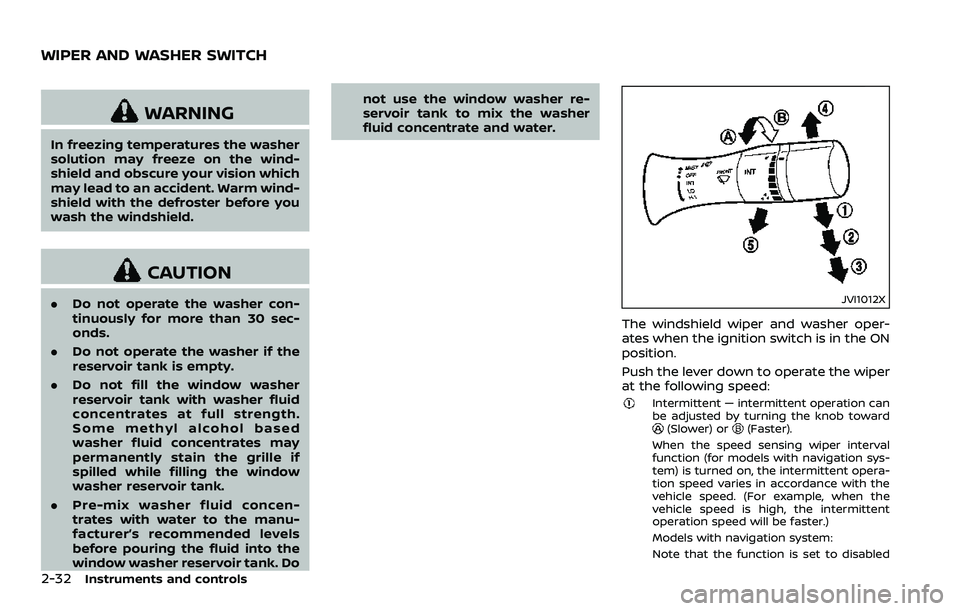
The windshield wiper and washer oper-
ates when the ignition switch is in the ON
position.
Push the lever down to operate the wiper
at the following speed:
Intermittent — intermittent operation can
be adjusted by turning the knob toward
(Slower) or(Faster).
When the speed sensing wiper interval
function (for models with navigation sys-
tem) is turned on, the intermittent opera-
tion speed varies in accordance with the
vehicle speed. (For example, when the
vehicle speed is high, the intermittent
operation speed will be faster.)
Models with navigation system:
Note that the function is set to disabled
WIPER AND WASHER SWITCH
Page 103 of 453
as the factory default setting. To turn this
function on and off, see “How to use
SETTING button” (P.4-11).
Low — continuous low speed operationHigh — continuous high speed operation
Push the lever upto have one sweep
operation of the wiper.
Pull the lever toward you
to operate the
washer. Then the wiper will also operate
several times.
Wiper drip wipe system:
The wiper will also operate once about 3
seconds after the washer and wiper are
operated. This operation is to wipe
washer fluid that has dripped on the
windshield.
SIC3980
Type A (if so equipped)
SIC3979Type B (if so equipped)
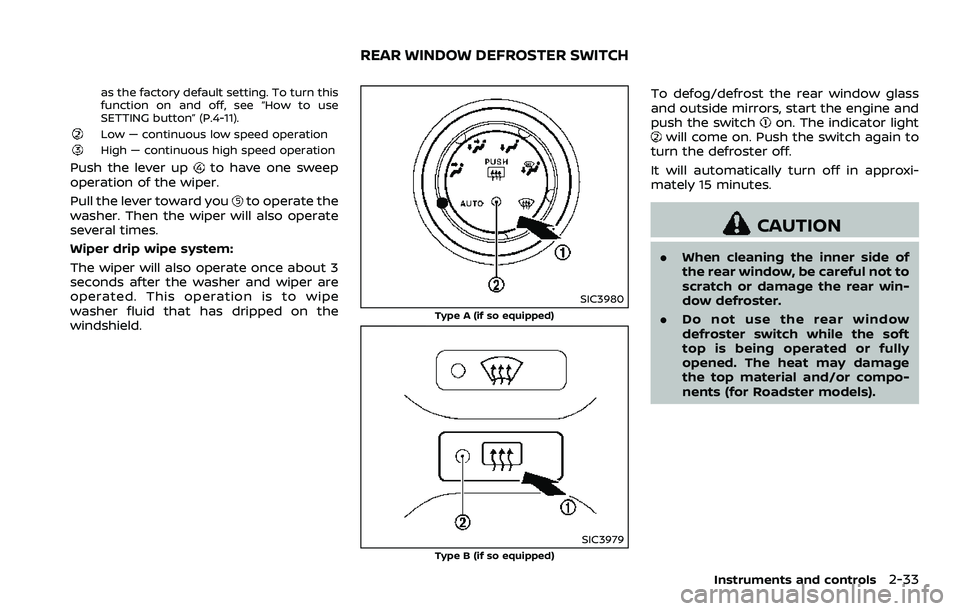
To defog/defrost the rear window glass
and outside mirrors, start the engine and
push the switch
on. The indicator lightwill come on. Push the switch again to
turn the defroster off.
It will automatically turn off in approxi-
mately 15 minutes.
CAUTION
. When cleaning the inner side of
the rear window, be careful not to
scratch or damage the rear win-
dow defroster.
. Do not use the rear window
defroster switch while the soft
top is being operated or fully
opened. The heat may damage
the top material and/or compo-
nents (for Roadster models).
Instruments and controls2-33
REAR WINDOW DEFROSTER SWITCH
Page 105 of 453
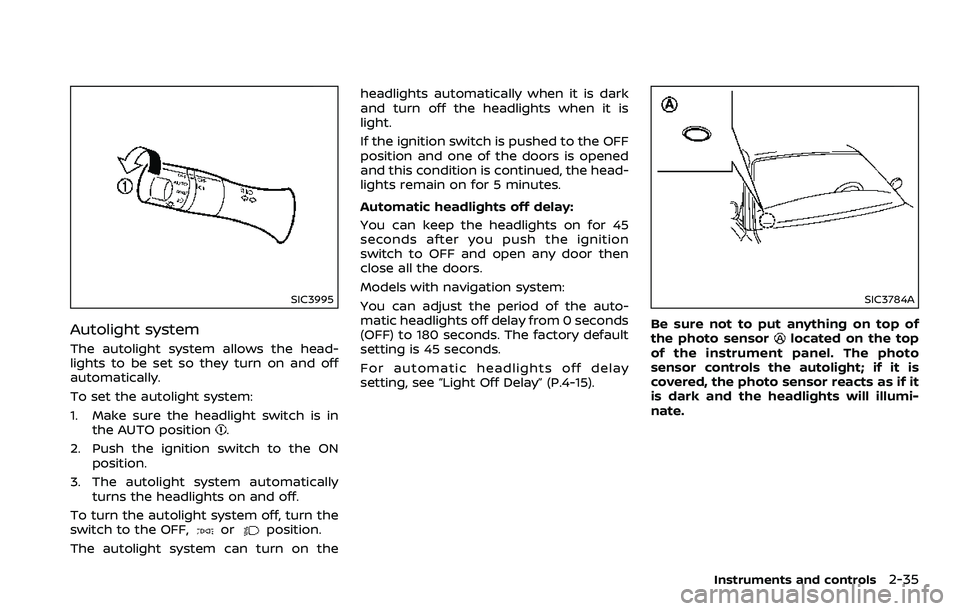
SIC3995
Autolight system
The autolight system allows the head-
lights to be set so they turn on and off
automatically.
To set the autolight system:
1. Make sure the headlight switch is inthe AUTO position
.
2. Push the ignition switch to the ON position.
3. The autolight system automatically turns the headlights on and off.
To turn the autolight system off, turn the
switch to the OFF,
orposition.
The autolight system can turn on the headlights automatically when it is dark
and turn off the headlights when it is
light.
If the ignition switch is pushed to the OFF
position and one of the doors is opened
and this condition is continued, the head-
lights remain on for 5 minutes.
Automatic headlights off delay:
You can keep the headlights on for 45
seconds after you push the ignition
switch to OFF and open any door then
close all the doors.
Models with navigation system:
You can adjust the period of the auto-
matic headlights off delay from 0 seconds
(OFF) to 180 seconds. The factory default
setting is 45 seconds.
For automatic headlights off delay
setting, see “Light Off Delay” (P.4-15).
SIC3784A
Be sure not to put anything on top of
the photo sensorlocated on the top
of the instrument panel. The photo
sensor controls the autolight; if it is
covered, the photo sensor reacts as if it
is dark and the headlights will illumi-
nate.
Instruments and controls2-35
Page 117 of 453
opened during this period of about 45
seconds, power to the windows is can-
celed.
The power window switches will be
deactivated during soft top operation
(Roadster models).
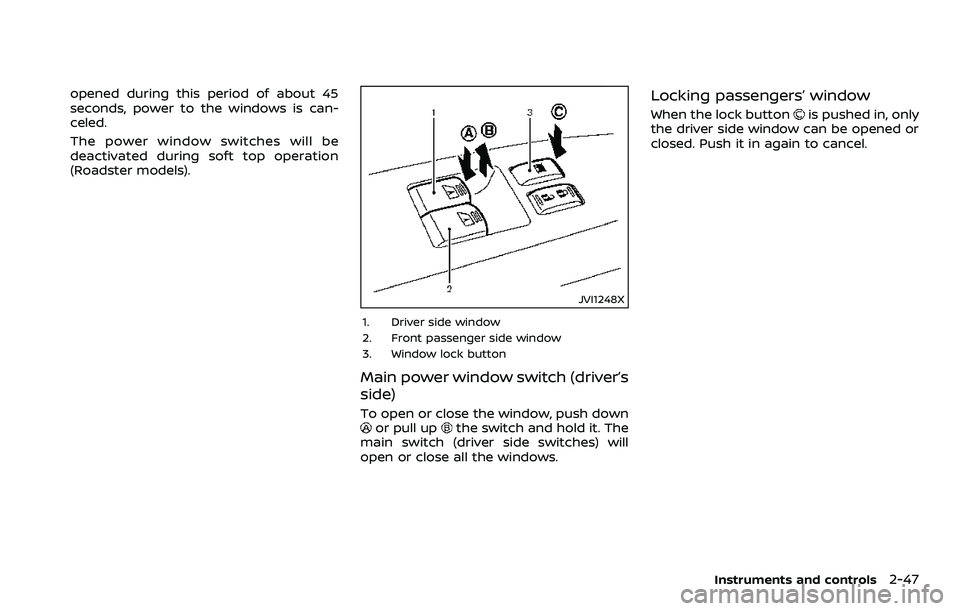
JVI1248X
1. Driver side window
2. Front passenger side window
3. Window lock button
Main power window switch (driver’s
side)
To open or close the window, push downor pull upthe switch and hold it. The
main switch (driver side switches) will
open or close all the windows.
Locking passengers’ window
When the lock buttonis pushed in, only
the driver side window can be opened or
closed. Push it in again to cancel.
Instruments and controls2-47
Page 119 of 453
Automatic window lowering
(Roadster models)
When the soft top operating switch is
pressed, the power windows will auto-
matically be lowered completely. The
windows do not rise automatically after
the soft top open/close operation is
completed. Use the power window
switches to raise them.
Automatic adjusting function
CAUTION
When the battery cable is removed
from the battery terminal, do not
close either of the front doors. The
automatic window adjusting func-
tion will not work and the side roof
panel may be damaged.
The power window has an automatic
adjusting function. When the door is
being opened, the window is automati-
cally lowered slightly to avoid contact
between the window and the side roof
panel. When the door is closed, the
window is automatically raised slightly.
While the automatic adjusting function
does not work, the window will be con-
trolled as follows: .
When the door is opened, the window
lowers for approximately 2 seconds.
. While the door is open, the window
cannot be raised.
If the windows do not close auto-
matically
If the power window automatic function
(closing only) does not operate properly,
perform the following procedure to initi-
alize the power window system.
1. Push the ignition switch to the ON
position.
2. Close the door and soft top (Roadster models).
3. Open the window completely by op- erating the power window switch.
4. Pull the power window switch and hold it to close the window, and then
hold the switch more than 3 seconds
after the window is closed completely.
5. Release the power window switch. Operate the window by the automatic
function to confirm the initialization is
complete.
6. Perform steps 2 through 5 above for other windows.
If the power window automatic function
does not operate properly after perform-
ing the procedure above, have your vehicle checked. It is recommended you
visit a NISSAN dealer for this service.
Instruments and controls2-49
Page 120 of 453
2-50Instruments and controls
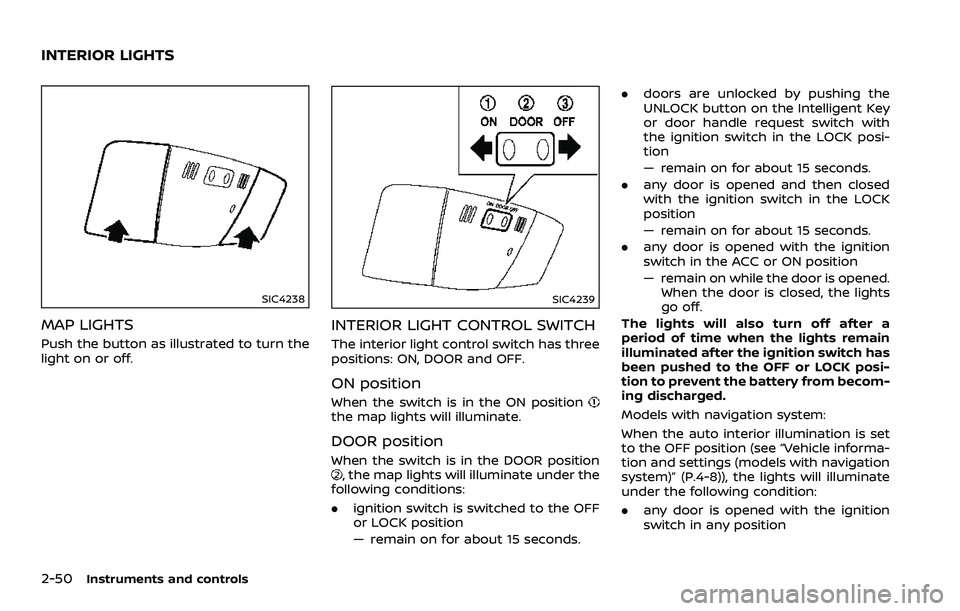
SIC4238
MAP LIGHTS
Push the button as illustrated to turn the
light on or off.
SIC4239
INTERIOR LIGHT CONTROL SWITCH
The interior light control switch has three
positions: ON, DOOR and OFF.
ON position
When the switch is in the ON positionthe map lights will illuminate.
DOOR position
When the switch is in the DOOR position, the map lights will illuminate under the
following conditions:
. ignition switch is switched to the OFF
or LOCK position
— remain on for about 15 seconds. .
doors are unlocked by pushing the
UNLOCK button on the Intelligent Key
or door handle request switch with
the ignition switch in the LOCK posi-
tion
— remain on for about 15 seconds.
. any door is opened and then closed
with the ignition switch in the LOCK
position
— remain on for about 15 seconds.
. any door is opened with the ignition
switch in the ACC or ON position
— remain on while the door is opened.
When the door is closed, the lights
go off.
The lights will also turn off after a
period of time when the lights remain
illuminated after the ignition switch has
been pushed to the OFF or LOCK posi-
tion to prevent the battery from becom-
ing discharged.
Models with navigation system:
When the auto interior illumination is set
to the OFF position (see “Vehicle informa-
tion and settings (models with navigation
system)” (P.4-8)), the lights will illuminate
under the following condition:
. any door is opened with the ignition
switch in any position
INTERIOR LIGHTS
Page 121 of 453
— remain on while the door is opened.When the door is closed, the lights
go off.
OFF position
When the switch is in the OFF position,
the lights will not illuminate, regardless of
the condition.
CAUTION
Do not use for extended periods of
time with the engine stopped. This
could result in a discharged battery.
SIC3869
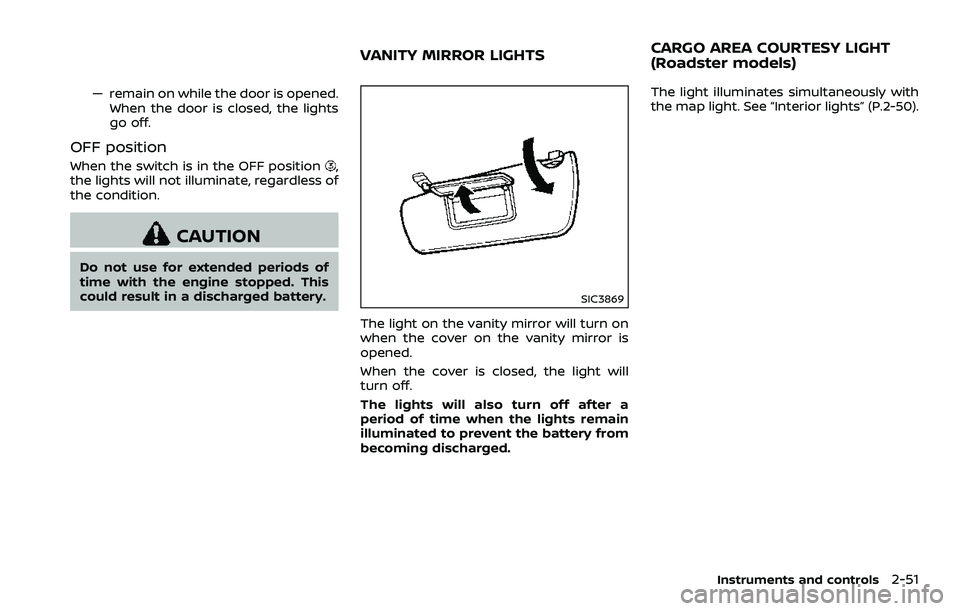
The light on the vanity mirror will turn on
when the cover on the vanity mirror is
opened.
When the cover is closed, the light will
turn off.
The lights will also turn off after a
period of time when the lights remain
illuminated to prevent the battery from
becoming discharged. The light illuminates simultaneously with
the map light. See “Interior lights” (P.2-50).
Instruments and controls2-51
VANITY MIRROR LIGHTS
CARGO AREA COURTESY LIGHT
(Roadster models)
Page 122 of 453
2-52Instruments and controls
The light illuminates when the rear hatch
is opened. When the rear hatch is closed,
the light will turn off.
The light will also turn off after a period
of time when the light remains illumi-
nated after the ignition switch has been
pushed to the OFF or LOCK position to
prevent the battery from becoming
discharged.The light illuminates when the trunk lid is
opened. When the trunk lid is closed, the
light turns off.
The HomeLink® Universal Transceiver
provides a convenient way to consolidate
the functions of up to three individual
hand-held transmitters into one built-in
device.
HomeLink® Universal Transceiver:
.
Will operate most Radio Frequency
(RF) devices such as garage doors,
gates, home and office lighting, entry
door locks and security systems.
. Is powered by your vehicle’s battery.
No separate batteries are required. If
the vehicle’s battery is discharged or is
disconnected, HomeLink® will retain
all programming.
When the HomeLink® Universal Trans-
ceiver is programmed, retain the origi-
nal transmitter for future programming
procedures (Example: new vehicle pur-
chases). Upon sale of the vehicle, the
programmed HomeLink® Universal
Transceiver buttons should be erased
for security purposes. For additional
information, refer to “Programming
HomeLink®” (P.2-53).
WARNING
. Do not use the HomeLink® Uni-
versal Transceiver with any gar-
age door opener that lacks safety
CARGO LIGHT (Coupe models) TRUNK LIGHT (Roadster models) HomeLink® UNIVERSAL
TRANSCEIVER (if so equipped)