check engine NISSAN 370Z COUPE 2010 Owner's Manual
[x] Cancel search | Manufacturer: NISSAN, Model Year: 2010, Model line: 370Z COUPE, Model: NISSAN 370Z COUPE 2010Pages: 409, PDF Size: 3.56 MB
Page 134 of 409
Black plate (134,1)
Model "Z34-D" EDITED: 2009/ 9/ 10
.When the selector lever or shift lever is in a
position other than the R (Reverse) position.
CAUTION
Always keep the engine running while
operating the soft top. The top will also
operate when the ignition switch is in
the ON position, but run the engine to
prevent a discharged battery.
Be sure to follow the operating instructions, and
all the warnings and cautions in this section.
Improper operation of the top could cause
a system malfunction, damage, or dete-
rioration of the top material and related
parts.
WARNING
. Park the vehicle in a safe and level
place and apply the parking brake.
. Make sure the area is clear of
obstacles and there is enough clear-
ance over the top (for example, in a
garage or a covered area) . More
than approximately 6.6 ft (2 m) from
the ground is required to open or
close the top safely. Otherwise, the
top may damage any objects above it while moving. The top operating
system could also be damaged.
. Do not operate the top in a strong
wind. It could be blown by the wind,
striking someone or damage the
top.
. Do not allow anyone to stand up or
extend any portion of their body out
of the opening while the vehicle is in
motion or while the top is being
operated.
. In an accident you could be thrown
from the vehicle with an open top.
Always use seat belts and proper
child restraints.
CAUTION
.Do not operate the top when the
temperature is below 32 8F(0 8C) .
This may result in damage to the
top material or operating system.
. Remove water drops, snow, ice or
sand from the top, and dry the
surface of the top completely before
opening it.
. Do not open the top when it is wet
or damp. This may cause interior water damage, stains or mildew on
the top material.
. Be sure to turn off the rear window
defroster switch. Never turn it on
while the top is being operated or
fully opened. The heat may damage
the top material.
3-22
Pre-driving checks and adjustments
Page 137 of 409
Black plate (137,1)
Model "Z34-D" EDITED: 2009/ 9/ 10
automatically after the top operation is com-
pleted. Use the power window switches to raise
them.
SPA2632
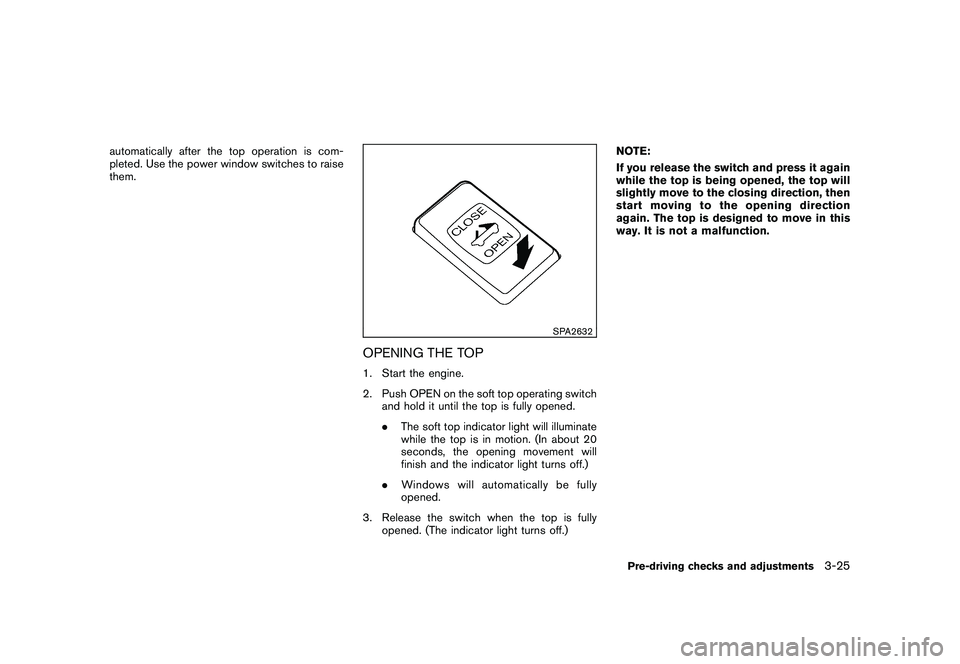
OPENING THE TOP1. Start the engine.
2. Push OPEN on the soft top operating switchand hold it until the top is fully opened.
.The soft top indicator light will illuminate
while the top is in motion. (In about 20
seconds, the opening movement will
finish and the indicator light turns off.)
. Windows will automatically be fully
opened.
3. Release the switch when the top is fully opened. (The indicator light turns off.) NOTE:
If you release the switch and press it again
while the top is being opened, the top will
slightly move to the closing direction, then
start moving to the opening direction
again. The top is designed to move in this
way. It is not a malfunction.
Pre-driving checks and adjustments
3-25
Page 138 of 409
Black plate (138,1)
Model "Z34-D" EDITED: 2009/ 9/ 10
SPA2633
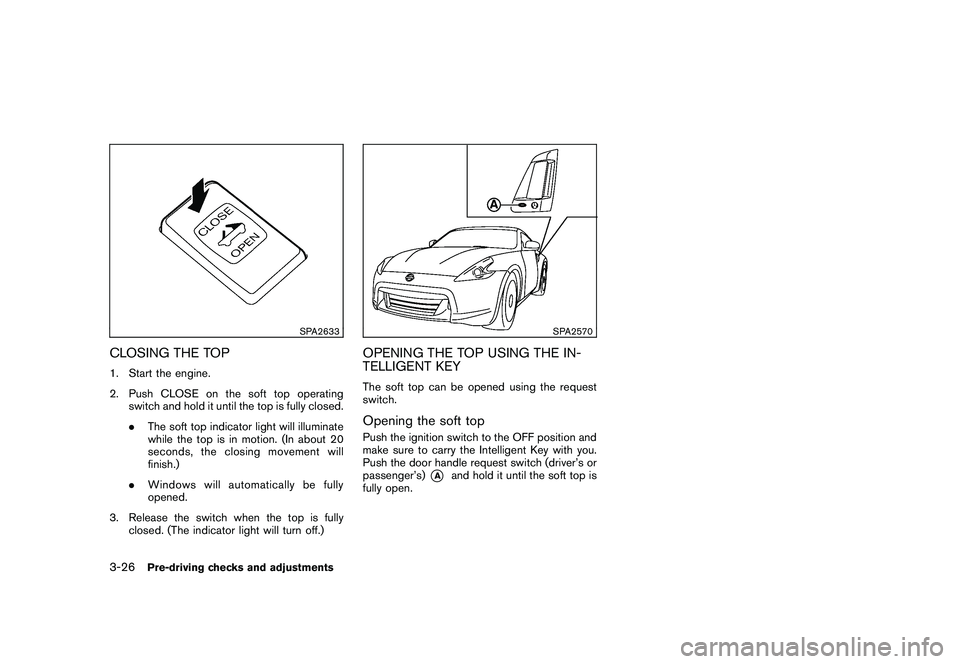
CLOSING THE TOP1. Start the engine.
2. Push CLOSE on the soft top operatingswitch and hold it until the top is fully closed.
.The soft top indicator light will illuminate
while the top is in motion. (In about 20
seconds, the closing movement will
finish.)
. Windows will automatically be fully
opened.
3. Release the switch when the top is fully closed. (The indicator light will turn off.)
SPA2570
OPENING THE TOP USING THE IN-
TELLIGENT KEYThe soft top can be opened using the request
switch.Opening the soft topPush the ignition switch to the OFF position and
make sure to carry the Intelligent Key with you.
Push the door handle request switch (driver’s or
passenger’s)
*A
and hold it until the soft top is
fully open.
3-26
Pre-driving checks and adjustments
Page 139 of 409
Black plate (139,1)
Model "Z34-D" EDITED: 2009/ 9/ 10
TROUBLESHOOTING GUIDEIf the soft top stops halfway during operation or does not operate normally, follow the procedures shown in the following table. If the procedures in the
following table do not solve the symptom, immediately contact a NISSAN dealer for the inspection.
SymptomBeepPossible cause Possible solution
The OPEN side of the soft top operating
switch is pushed, but the soft top does not
operate. Sounds twice
The OPEN side of the soft top operating switch is
pushed while the soft top is fully open, or the
CLOSE side of the soft top operating switch is
pushed while the soft top is fully closed. Push the CLOSE side of the soft top operating
switch when the soft top is fully open. Push the
OPEN side of the soft top operating switch when the
soft top is fully closed.
Sounds twice The selector lever (automatic transmission models
only) or the shift lever (manual transmission models
only) is in the R (Reverse) position. Shift the selector lever (automatic transmission
models only) to the P (Park) or N (Neutral) position, or
shift the shift lever (manual transmission models only)
to the N (Neutral) position, and then operate the soft
top.
Sounds twice The trunk lid is opened. Fully close the trunk lid.
Does not sound The battery voltage is low. Start the engine again and operate the soft top.
Does not sound The operation stops to protect the system. Wait for approximately 5 minutes.
The soft top stops halfway during opera-
tion. Sounds twice
Objects are trapped in the moving structure of the
soft top. Check that an object is not trapped inside the rear
parcel shelf, side flap and soft top. After the check,
turn the ignition switch to the OFF position, start the
engine again and then operate the soft top.
Sounds twice The battery voltage is low. Start the engine again and operate the soft top.
When the vehicle is being driven, the beep
sounds. Sounds continu-
ously The soft top is partially opened.
Immediately park the vehicle in a safe location and
fully open or fully close the soft top.
Pre-driving checks and adjustments
3-27
Page 140 of 409
Black plate (140,1)
Model "Z34-D" EDITED: 2009/ 9/ 10
IF THE TOP DOES NOT OPEN OR
CLOSE ELECTRICALLYIf you cannot operate the soft top with the
operating switch, first check whether all the
following operating conditions are met.
.vehicle is stopped
. ignition switch is ON (Run the engine when
operating the top.)
. the trunk is closed
. the selector lever or shift lever is in a position
other than the R (Reverse) position
If the top still does not move under the above
conditions or has any system malfunction, see a
NISSAN dealer as soon as possible. When you
must close the top by yourself, in the event of
emergency or when an immediate dealer service
is not available, close the top manually accord-
ing to the procedures shown in this section.
When closing the soft top manually:
. Move the vehicle to a safe place, away from
traffic.
. Two people should perform this procedure,
as some of the top parts are extremely
heavy.
The top cannot be opened manually.
WARNING
. Do not drive with the top partially
opened.
. If the top cannot be operated prop-
erly, see a NISSAN dealer as soon
as possible to have your vehicle
checked.
CAUTION
The storage lid is extremely heavy. The
storage lid should be manually opened
or closed by two people.
SPA2715
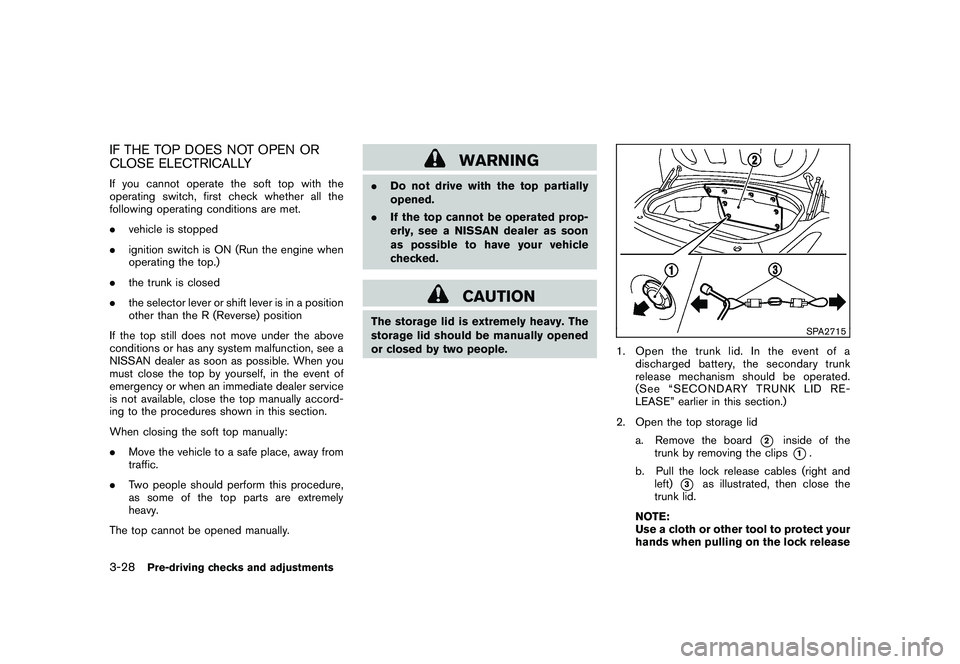
1. Open the trunk lid. In the event of a
discharged battery, the secondary trunk
release mechanism should be operated.
(See “SECONDARY TRUNK LID RE-
LEASE” earlier in this section.)
2. Open the top storage lid a. Remove the board
*2
inside of the
trunk by removing the clips*1.
b. Pull the lock release cables (right and left)
*3
as illustrated, then close the
trunk lid.
NOTE:
Use a cloth or other tool to protect your
hands when pulling on the lock release
3-28
Pre-driving checks and adjustments
Page 146 of 409
Black plate (146,1)
Model "Z34-D" EDITED: 2009/ 9/ 10
SPA2581
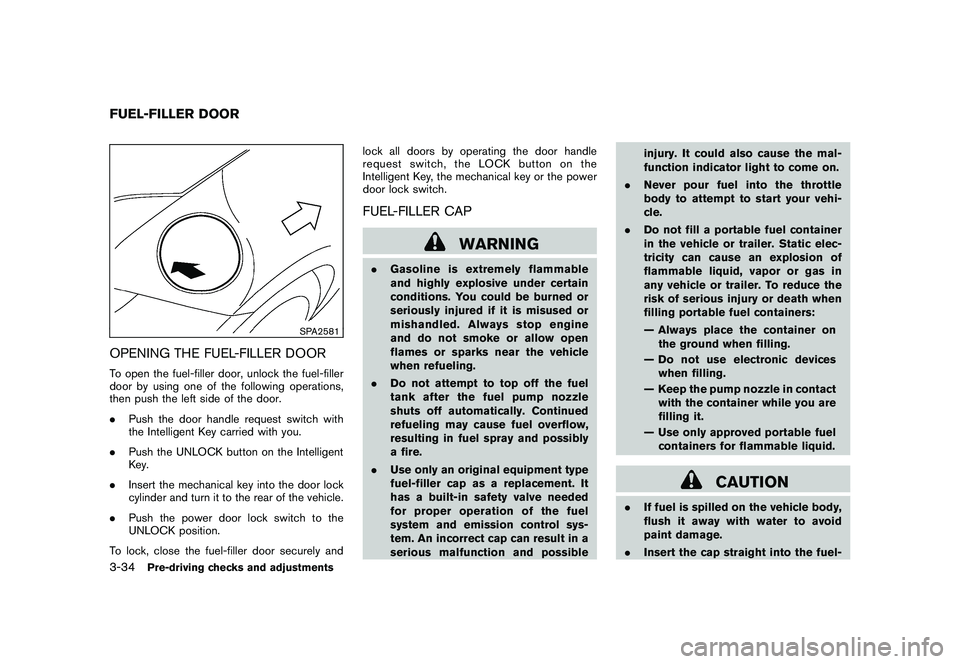
OPENING THE FUEL-FILLER DOORTo open the fuel-filler door, unlock the fuel-filler
door by using one of the following operations,
then push the left side of the door.
.Push the door handle request switch with
the Intelligent Key carried with you.
. Push the UNLOCK button on the Intelligent
Key.
. Insert the mechanical key into the door lock
cylinder and turn it to the rear of the vehicle.
. Push the power door lock switch to the
UNLOCK position.
To lock, close the fuel-filler door securely and lock all doors by operating the door handle
request switch, the LOCK button on the
Intelligent Key, the mechanical key or the power
door lock switch.
FUEL-FILLER CAP
WARNING
.
Gasoline is extremely flammable
and highly explosive under certain
conditions. You could be burned or
seriously injured if it is misused or
mishandled. Always stop engine
and do not smoke or allow open
flames or sparks near the vehicle
when refueling.
. Do not attempt to top off the fuel
tank after the fuel pump nozzle
shuts off automatically. Continued
refueling may cause fuel overflow,
resulting in fuel spray and possibly
a fire.
. Use only an original equipment type
fuel-filler cap as a replacement. It
has a built-in safety valve needed
for proper operation of the fuel
system and emission control sys-
tem. An incorrect cap can result in a
serious malfunction and possible injury. It could also cause the mal-
function indicator light to come on.
. Never pour fuel into the throttle
body to attempt to start your vehi-
cle.
. Do not fill a portable fuel container
in the vehicle or trailer. Static elec-
tricity can cause an explosion of
flammable liquid, vapor or gas in
any vehicle or trailer. To reduce the
risk of serious injury or death when
filling portable fuel containers:
— Always place the container on
the ground when filling.
— Do not use electronic devices when filling.
— Keep the pump nozzle in contact with the container while you are
filling it.
— Use only approved portable fuel containers for flammable liquid.
CAUTION
. If fuel is spilled on the vehicle body,
flush it away with water to avoid
paint damage.
. Insert the cap straight into the fuel-
FUEL-FILLER DOOR3-34
Pre-driving checks and adjustments
Page 277 of 409
Black plate (277,1)
Model "Z34-D" EDITED: 2009/ 9/ 10
high temperatures to help reduce pollutants.
WARNING
.The exhaust gas and the exhaust
system are very hot. Keep people,
animals or flammable materials
away from the exhaust system com-
ponents.
. Do not stop or park the vehicle over
flammable materials such as dry
grass, waste paper or rags. They
may ignite and cause a fire.
CAUTION
.Do not use leaded gasoline. Depos-
its from leaded gasoline seriously
reduce the three-way catalyst’s abil-
ity to help reduce exhaust pollu-
tants.
. Keep your engine tuned up. Mal-
functions in the ignition, fuel injec-
tion, or electrical systems can cause
overrich fuel flow into the three-way
catalyst, causing it to overheat. Do
not keep driving if the engine mis-
fires, or if noticeable loss of perfor-
mance or other unusual operating conditions are detected. Have the
vehicle inspected promptly by a
NISSAN dealer.
. Avoid driving with an extremely low
fuel level. Running out of fuel could
cause the engine to misfire, dama-
ging the three-way catalyst.
. Do not race the engine while warm-
ing it up.
. Do not push or tow your vehicle to
start the engine.
TIRE PRESSURE MONITORING SYS-
TEM (TPMS)Each tire, including the spare (if provided) ,
should be checked monthly when cold and
inflated to the inflation pressure recommended
by the vehicle manufacturer on the vehicle
placard or tire inflation pressure label. (If your
vehicle has tires of a different size than the size
indicated on the vehicle placard or tire inflation
pressure label, you should determine the proper
tire inflation pressure for those tires.)
As an added safety feature, your vehicle has
been equipped with a Tire Pressure Monitoring
System (TPMS) that illuminates a low tire
pressure telltale when one or more of your tires
is significantly under-inflated. Accordingly, when
the low tire pressure telltale illuminates, you should stop and check your tires as soon as
possible, and inflate them to the proper pres-
sure. Driving on a significantly under-inflated tire
causes the tire to overheat and can lead to tire
failure. Under-inflation also reduces fuel effi-
ciency and tire tread life, and may affect the
vehicle’s handling and stopping ability.
Please note that the TPMS is not a substitute for
proper tire maintenance, and it is the driver’s
responsibility to maintain correct tire pressure,
even if under-inflation has not reached the level
to trigger illumination of the TPMS low tire
pressure telltale.
Your vehicle has also been equipped with a
TPMS malfunction indicator to indicate when the
system is not operating properly. The TPMS
malfunction indicator is combined with the low
tire pressure telltale. When the system detects a
malfunction, the telltale will flash for approxi-
mately one minute and then remain continuously
illuminated. This sequence will continue upon
subsequent vehicle start-ups as long as the
malfunction exists. When the malfunction indi-
cator is illuminated, the system may not be able
to detect or signal low tire pressure as intended.
TPMS malfunctions may occur for a variety of
reasons, including the installation of replace-
ment or alternate tires or wheels on the vehicle
that prevent the TPMS from functioning properly.
Always check the TPMS malfunction telltale
after replacing one or more tires or wheels on
Starting and driving
5-3
Page 284 of 409
Black plate (284,1)
Model "Z34-D" EDITED: 2009/ 9/ 10
SSD0826
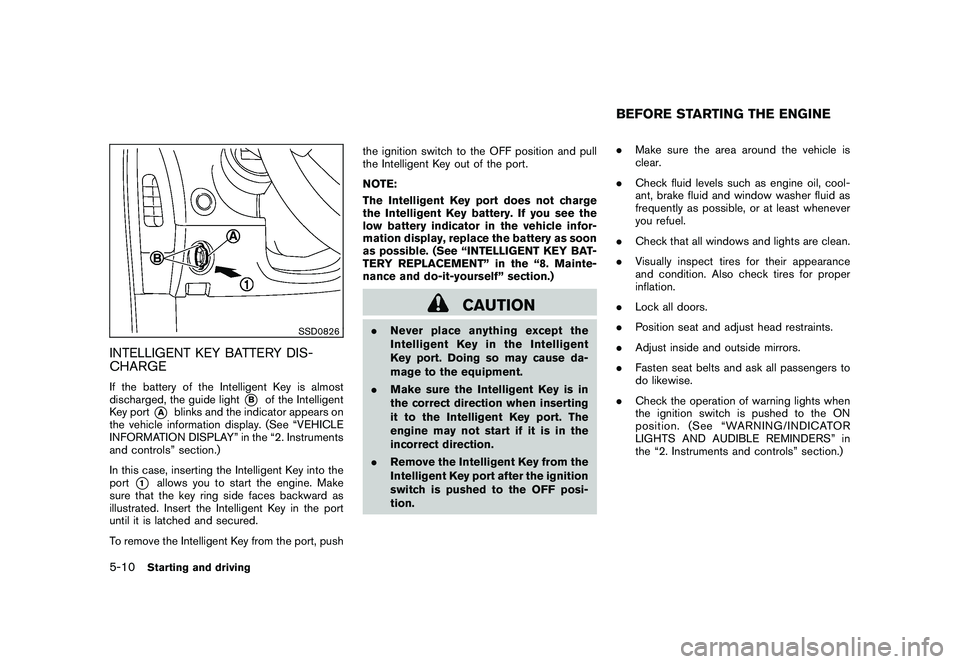
INTELLIGENT KEY BATTERY DIS-
CHARGEIf the battery of the Intelligent Key is almost
discharged, the guide light
*B
of the Intelligent
Key port
*A
blinks and the indicator appears on
the vehicle information display. (See “VEHICLE
INFORMATION DISPLAY” in the “2. Instruments
and controls” section.)
In this case, inserting the Intelligent Key into the
port
*1
allows you to start the engine. Make
sure that the key ring side faces backward as
illustrated. Insert the Intelligent Key in the port
until it is latched and secured.
To remove the Intelligent Key from the port, push the ignition switch to the OFF position and pull
the Intelligent Key out of the port.
NOTE:
The Intelligent Key port does not charge
the Intelligent Key battery. If you see the
low battery indicator in the vehicle infor-
mation display, replace the battery as soon
as possible. (See “INTELLIGENT KEY BAT-
TERY REPLACEMENT” in the “8. Mainte-
nance and do-it-yourself” section.)
CAUTION
.
Never place anything except the
Intelligent Key in the Intelligent
Key port. Doing so may cause da-
mage to the equipment.
. Make sure the Intelligent Key is in
the correct direction when inserting
it to the Intelligent Key port. The
engine may not start if it is in the
incorrect direction.
. Remove the Intelligent Key from the
Intelligent Key port after the ignition
switch is pushed to the OFF posi-
tion. .
Make sure the area around the vehicle is
clear.
. Check fluid levels such as engine oil, cool-
ant, brake fluid and window washer fluid as
frequently as possible, or at least whenever
you refuel.
. Check that all windows and lights are clean.
. Visually inspect tires for their appearance
and condition. Also check tires for proper
inflation.
. Lock all doors.
. Position seat and adjust head restraints.
. Adjust inside and outside mirrors.
. Fasten seat belts and ask all passengers to
do likewise.
. Check the operation of warning lights when
the ignition switch is pushed to the ON
position. (See “WARNING/INDICATOR
LIGHTS AND AUDIBLE REMINDERS” in
the “2. Instruments and controls” section.)
BEFORE STARTING THE ENGINE
5-10
Starting and driving
Page 291 of 409
Black plate (291,1)
Model "Z34-D" EDITED: 2009/ 9/ 10
high depending on the gear position and
vehicle speed.
. When the clutch pedal is depressed with
the transmission in neutral, the system
operates for approximately 2 seconds, and
then the engine speed will decrease to the
idle speed.
. When the engine coolant temperature is low
right after starting the engine, engine speed
synchronization will be delayed or may be
insufficient.
. The system controls the engine speed up to
the rev limit. Note that S-MODE is not a
function that prevents over-revving resulting
from shifting mistakes.
. The system does not operate while the
vehicle is backing up.
. If the engine speed is limited lower than
usual when the engine oil temperature is
extremely high, the system will control up to
the limited engine speed.
. If the malfunction indicator light illuminates,
the system may not operate and the S-
MODE indicator turns off.
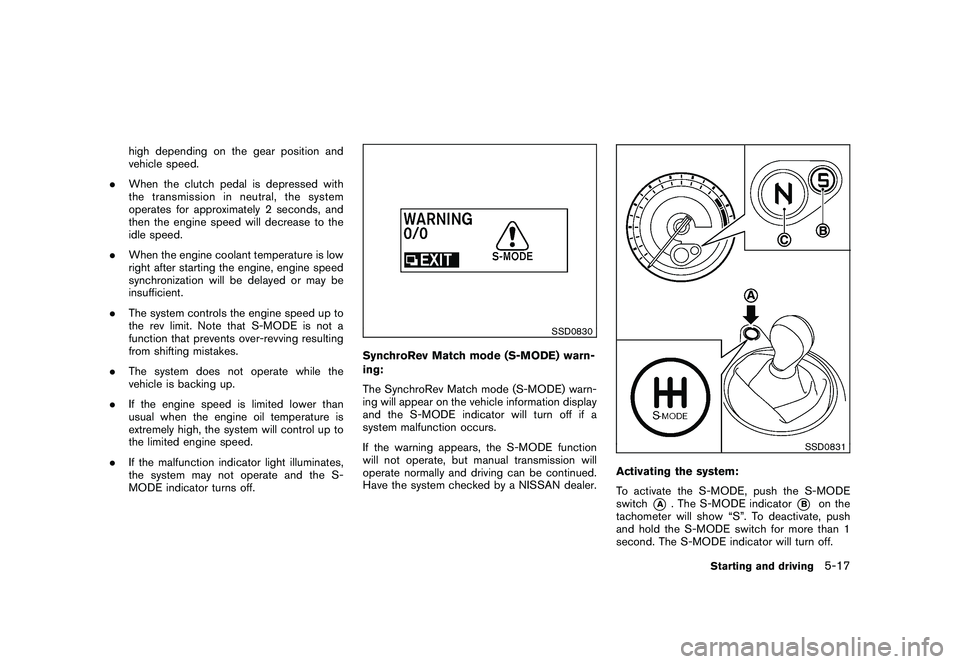
SSD0830
SynchroRev Match mode (S-MODE) warn-
ing:
The SynchroRev Match mode (S-MODE) warn-
ing will appear on the vehicle information display
and the S-MODE indicator will turn off if a
system malfunction occurs.
If the warning appears, the S-MODE function
will not operate, but manual transmission will
operate normally and driving can be continued.
Have the system checked by a NISSAN dealer.
SSD0831
Activating the system:
To activate the S-MODE, push the S-MODE
switch
*A
. The S-MODE indicator
*B
on the
tachometer will show “S”. To deactivate, push
and hold the S-MODE switch for more than 1
second. The S-MODE indicator will turn off.
Starting and driving
5-17
Page 294 of 409
Black plate (294,1)
Model "Z34-D" EDITED: 2009/ 9/ 10
WARNING
.Be sure the parking brake is fully
released before driving. Failure to
do so can cause brake failure and
lead to an accident.
. Do not release the parking brake
from outside the vehicle.
. Do not use the gear shift in place of
the parking brake. When parking, be
sure the parking brake is fully
engaged.
. Do not leave children unattended in
a vehicle. They could release the
parking brake and cause an acci-
dent.
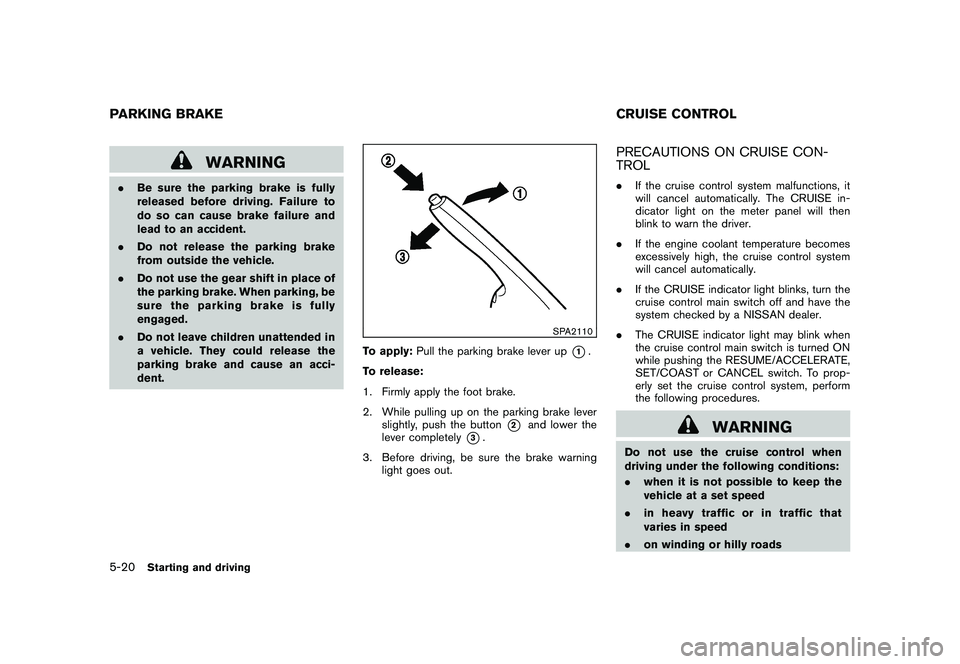
SPA2110
To apply: Pull the parking brake lever up
*1.
To release:
1. Firmly apply the foot brake.
2. While pulling up on the parking brake lever slightly, push the button
*2
and lower the
lever completely
*3.
3. Before driving, be sure the brake warning light goes out.
PRECAUTIONS ON CRUISE CON-
TROL.If the cruise control system malfunctions, it
will cancel automatically. The CRUISE in-
dicator light on the meter panel will then
blink to warn the driver.
. If the engine coolant temperature becomes
excessively high, the cruise control system
will cancel automatically.
. If the CRUISE indicator light blinks, turn the
cruise control main switch off and have the
system checked by a NISSAN dealer.
. The CRUISE indicator light may blink when
the cruise control main switch is turned ON
while pushing the RESUME/ACCELERATE,
SET/COAST or CANCEL switch. To prop-
erly set the cruise control system, perform
the following procedures.
WARNING
Do not use the cruise control when
driving under the following conditions:
.when it is not possible to keep the
vehicle at a set speed
. in heavy traffic or in traffic that
varies in speed
. on winding or hilly roads
PARKING BRAKE CRUISE CONTROL5-20
Starting and driving