light NISSAN ALTIMA 2007 L32A / 4.G Navigation Manual
[x] Cancel search | Manufacturer: NISSAN, Model Year: 2007, Model line: ALTIMA, Model: NISSAN ALTIMA 2007 L32A / 4.GPages: 240, PDF Size: 3.29 MB
Page 183 of 240
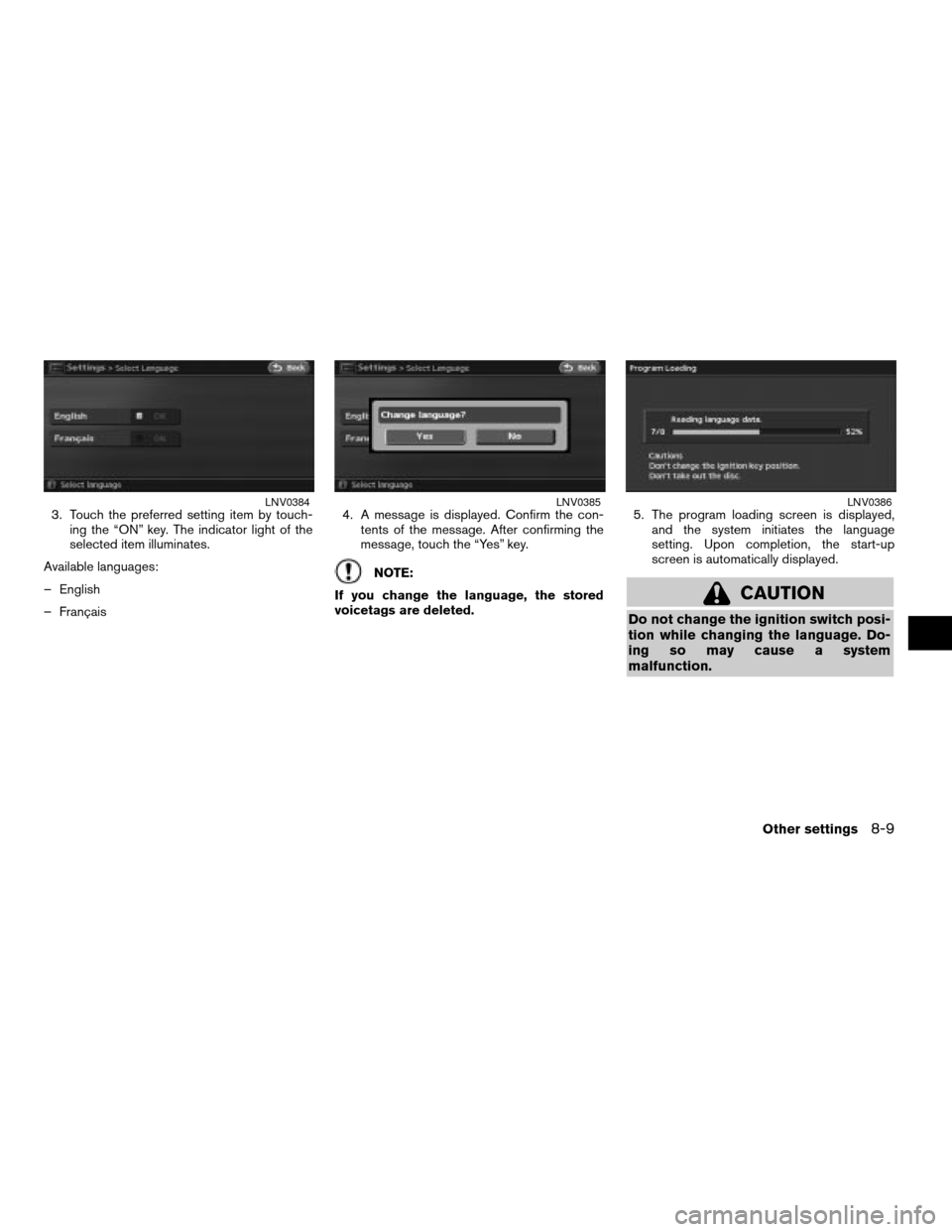
3. Touch the preferred setting item by touch-
ing the “ON” key. The indicator light of the
selected item illuminates.
Available languages:
– English
– Français4. A message is displayed. Confirm the con-
tents of the message. After confirming the
message, touch the “Yes” key.
NOTE:
If you change the language, the stored
voicetags are deleted.5. The program loading screen is displayed,
and the system initiates the language
setting. Upon completion, the start-up
screen is automatically displayed.
CAUTION
Do not change the ignition switch posi-
tion while changing the language. Do-
ing so may cause a system
malfunction.
LNV0384LNV0385LNV0386
Other settings8-9
ZREVIEW COPYÐ2007 Altima(alt)
Navigation System OMÐUSA_English(nna)
08/17/06Ðpattie
X
Page 184 of 240
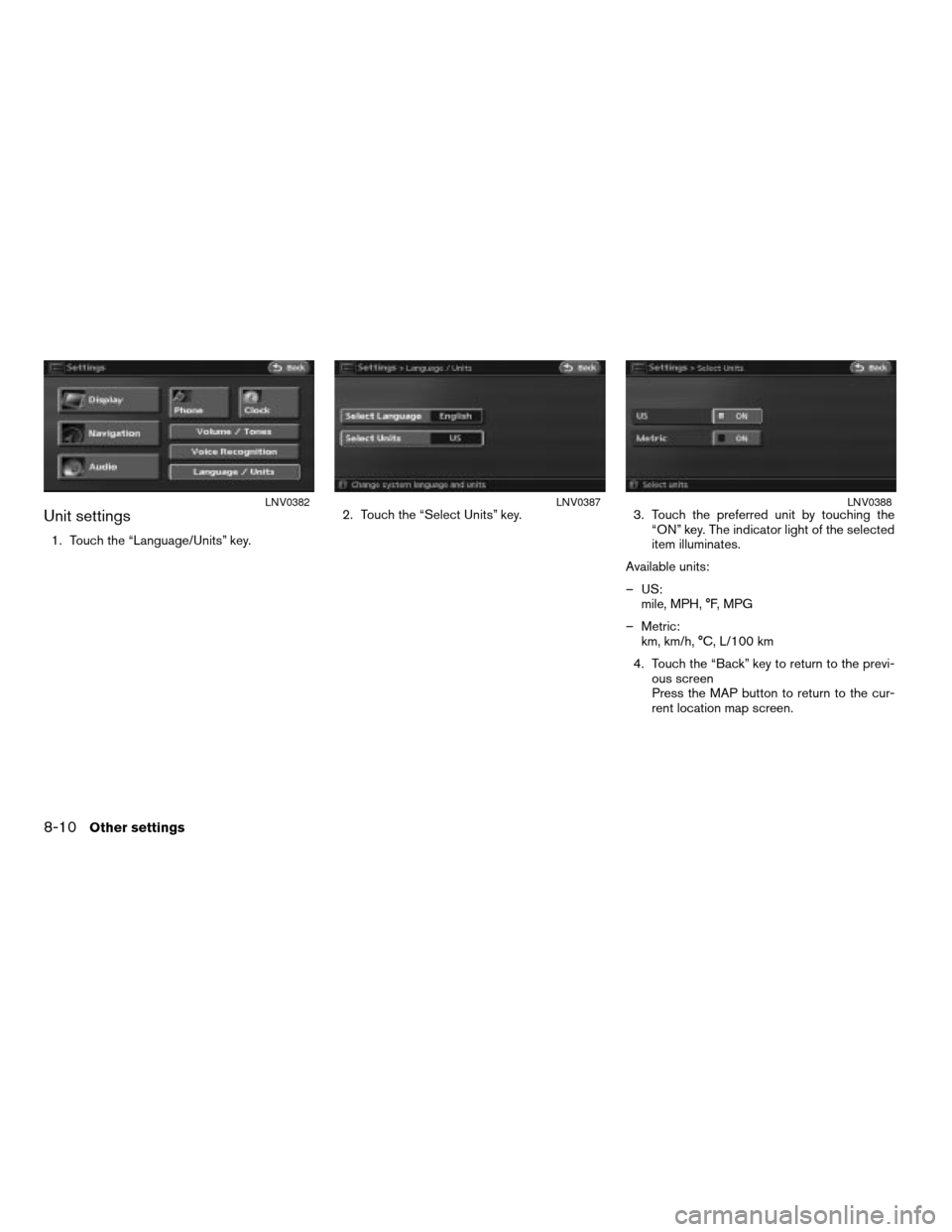
Unit settings
1. Touch the “Language/Units” key.2. Touch the “Select Units” key. 3. Touch the preferred unit by touching the
“ON” key. The indicator light of the selected
item illuminates.
Available units:
– US:
mile, MPH, °F, MPG
– Metric:
km, km/h, °C, L/100 km
4. Touch the “Back” key to return to the previ-
ous screen
Press the MAP button to return to the cur-
rent location map screen.
LNV0382LNV0387LNV0388
8-10Other settings
ZREVIEW COPYÐ2007 Altima(alt)
Navigation System OMÐUSA_English(nna)
08/17/06Ðpattie
X
Page 185 of 240
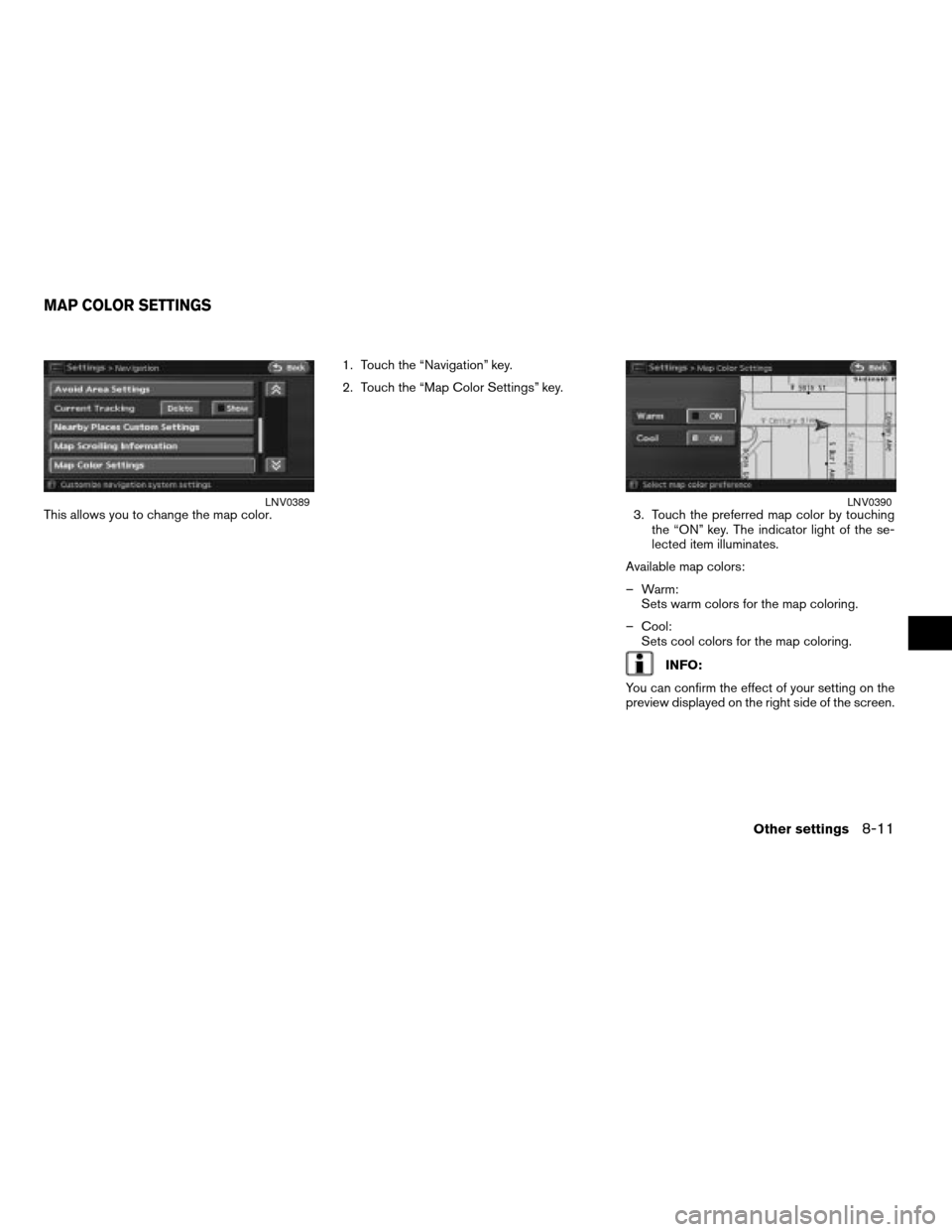
This allows you to change the map color.1. Touch the “Navigation” key.
2. Touch the “Map Color Settings” key.
3. Touch the preferred map color by touching
the “ON” key. The indicator light of the se-
lected item illuminates.
Available map colors:
– Warm:
Sets warm colors for the map coloring.
– Cool:
Sets cool colors for the map coloring.
INFO:
You can confirm the effect of your setting on the
preview displayed on the right side of the screen.
LNV0389LNV0390
MAP COLOR SETTINGS
Other settings8-11
ZREVIEW COPYÐ2007 Altima(alt)
Navigation System OMÐUSA_English(nna)
08/17/06Ðpattie
X
Page 214 of 240

INFO:
cIf you touch the “Voice” key when you have
deviated from the suggested route and when
the automatic reroute function is off, voice
guidance will announce, “Proceed to the
highlighted route.”
cIf you touch the “Voice” key when you are go-
ing in the wrong direction, voice guidance will
announce: “Please make a legal U-turn if
possible.”
NOTES ON VOICE GUIDANCE
cVoice guidance in this system should be re-
garded as a supplementary function. When
driving your vehicle, check the route on the
map and follow the actual roads and traffic
regulations.
cVoice guidance is activated only for intersec-
tions with certain conditions.
cThere may be cases where the vehicle has to
turn, but voice guidance is not provided.
cVoice guidance contents may vary, depending
on the direction of the turn and the type of
intersection.
cThe voice guidance timing will vary depending
on the situation.cWhen the vehicle has deviated from the sug-
gested route, voice guidance is not available.
The system will not announce this to you. Re-
fer to the map and recalculate the route.
“RECALCULATE ROUTE”
(page 5-13)
cVoice guidance may not accurately corre-
spond with road numbers and directions at
freeway junctions.
cVoice guidance may not accurately corre-
spond to street names at freeway exits.
cThe displayed street names may sometimes
differ from the actual names, or “UNKNOWN
STREET NAME” may be displayed.
cVoice guidance is not available when the
Guidance Voice “ON” key indicator is not
illuminated.
cVoice guidance will start when the vehicle en-
ters the suggested route. Refer to the map for
directions to the starting point of the route.
cWhen approaching a waypoint, voice guid-
ance will announce, “You have arrived at way-
point 1 (2, 3, 4,...) .” Voice guidance will switch
to the next section of the route. When voice
guidance is not available, refer to the map for
directions.cIn some cases, voice guidance ends before
arrival at the destination. Refer to the destina-
tion icon on the map to reach the destination.
cIf the system recognizes on which side the
destination (waypoint) is located, voice guid-
ance will announce “on the right/left” after an-
nouncing the arrival at the destination.
cVoice guidance may be partially operational or
inoperative due to the angle of roads at an
intersection.
10-14General system information
ZREVIEW COPYÐ2007 Altima(alt)
Navigation System OMÐUSA_English(nna)
08/17/06Ðpattie
X
Page 217 of 240
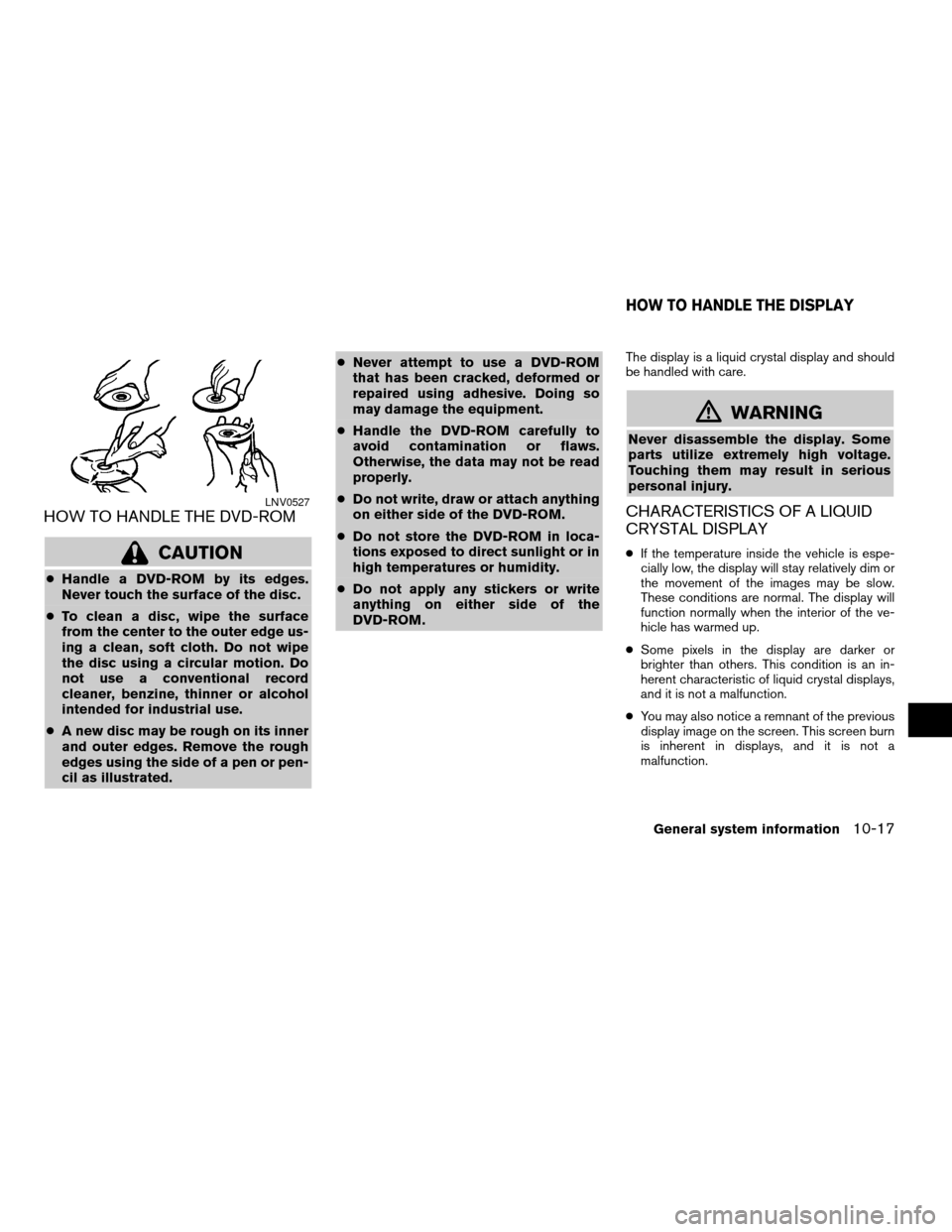
HOW TO HANDLE THE DVD-ROM
CAUTION
cHandle a DVD-ROM by its edges.
Never touch the surface of the disc.
cTo clean a disc, wipe the surface
from the center to the outer edge us-
ing a clean, soft cloth. Do not wipe
the disc using a circular motion. Do
not use a conventional record
cleaner, benzine, thinner or alcohol
intended for industrial use.
cA new disc may be rough on its inner
and outer edges. Remove the rough
edges using the side of a pen or pen-
cil as illustrated.cNever attempt to use a DVD-ROM
that has been cracked, deformed or
repaired using adhesive. Doing so
may damage the equipment.
cHandle the DVD-ROM carefully to
avoid contamination or flaws.
Otherwise, the data may not be read
properly.
cDo not write, draw or attach anything
on either side of the DVD-ROM.
cDo not store the DVD-ROM in loca-
tions exposed to direct sunlight or in
high temperatures or humidity.
cDo not apply any stickers or write
anything on either side of the
DVD-ROM.
The display is a liquid crystal display and should
be handled with care.
mWARNING
Never disassemble the display. Some
parts utilize extremely high voltage.
Touching them may result in serious
personal injury.
CHARACTERISTICS OF A LIQUID
CRYSTAL DISPLAY
cIf the temperature inside the vehicle is espe-
cially low, the display will stay relatively dim or
the movement of the images may be slow.
These conditions are normal. The display will
function normally when the interior of the ve-
hicle has warmed up.
cSome pixels in the display are darker or
brighter than others. This condition is an in-
herent characteristic of liquid crystal displays,
and it is not a malfunction.
cYou may also notice a remnant of the previous
display image on the screen. This screen burn
is inherent in displays, and it is not a
malfunction.
LNV0527
HOW TO HANDLE THE DISPLAY
General system information10-17
ZREVIEW COPYÐ2007 Altima(alt)
Navigation System OMÐUSA_English(nna)
08/17/06Ðpattie
X
Page 222 of 240

Symptom Possible cause Possible solution
Names of roads and locations differ between Plan
view and Birdview™This is because the quantity of the displayed information is
reduced so that the screen does not become too crowded.
There is also a chance that names of the roads or locations
may be displayed multiple times, and the names appearing
on the screen may be different because of a processing
procedure.This is not a malfunction.
The vehicle icon is not displayed in the correct
position.The vehicle was transported after the ignition switch was
pushed off, for example, by a ferry or car transporter.Drive the vehicle for a while on a road where GPS signals can
be received.
The position and direction of the vehicle icon may be incor-
rect depending on the driving environments and the levels of
positioning accuracy of the navigation system.This is not a malfunction. Drive the vehicle for a while to auto-
matically correct the position and direction of the vehicle icon.
“CURRENT VEHICLE LOCATION” (page 10-4)
When the vehicle is traveling on a new road, the
vehicle icon is located on another road nearby.Because the new road is not stored in the map data, the sys-
tem automatically places the vehicle icon on the nearest road
available.Updated road information will be included in the next version of
the map DVD-ROM.
The screen does not switch to the night screen
even after turning on the headlights.The daytime screen was set the last time the headlights were
turned on.Set the screen to the night screen mode using the Day/Night
button when you turn on the headlights.
“DISPLAY SETTINGS” (page 8-3)
The map does not scroll even when the vehicle is
moving.The current location map screen is not displayed. Press the MAP button.
The vehicle icon is not displayed. The current location map screen is not displayed. Press the MAP button.
The location of the vehicle icon is misaligned from
the actual position.When using tire chains or replacing the tires, speed calcula-
tions based on the speed sensor may be incorrect.Drive the vehicle for a while (at approximately 19 MPH [30 km/h]
for about 30 minutes) to automatically correct the vehicle icon
position. If this does not correct the vehicle icon position, con-
tact a NISSAN dealer.
The map data has a mistake or is incomplete (the vehicle
icon position is always misaligned in the same area) .Updated road information will be included in the next version of
the map DVD-ROM.
VEHICLE ICON
11-4Troubleshooting guide
ZREVIEW COPYÐ2007 Altima(alt)
Navigation System OMÐUSA_English(nna)
08/17/06Ðpattie
X
Page 234 of 240
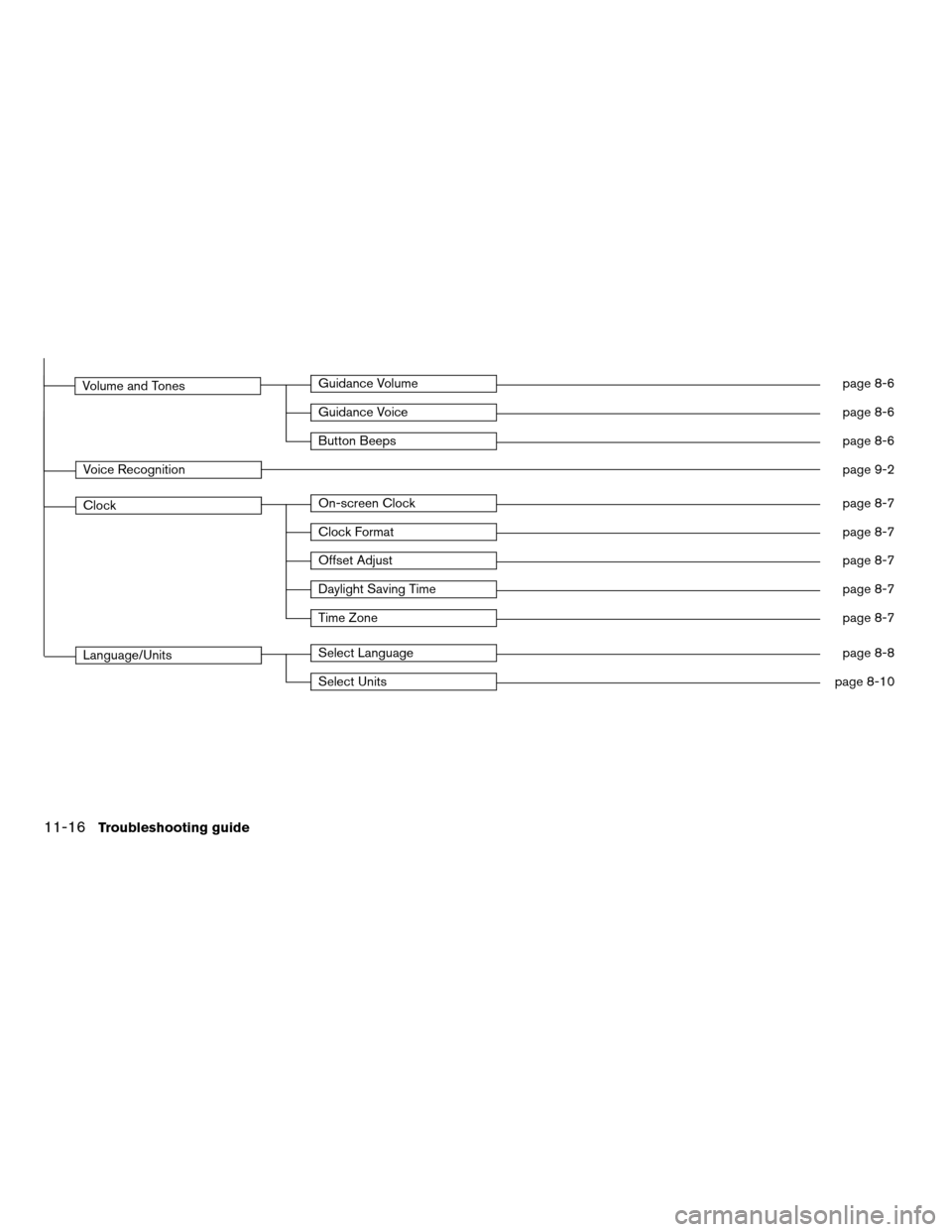
Volume and TonesGuidance Volumepage 8-6
Guidance Voicepage 8-6
Button Beepspage 8-6
Voice Recognitionpage 9-2
ClockOn-screen Clockpage 8-7
Clock Formatpage 8-7
Offset Adjustpage 8-7
Daylight Saving Timepage 8-7
Time Zonepage 8-7
Language/UnitsSelect Languagepage 8-8
Select Unitspage 8-10
11-16Troubleshooting guide
ZREVIEW COPYÐ2007 Altima(alt)
Navigation System OMÐUSA_English(nna)
08/17/06Ðpattie
X