22
SYSTEM GUIDE
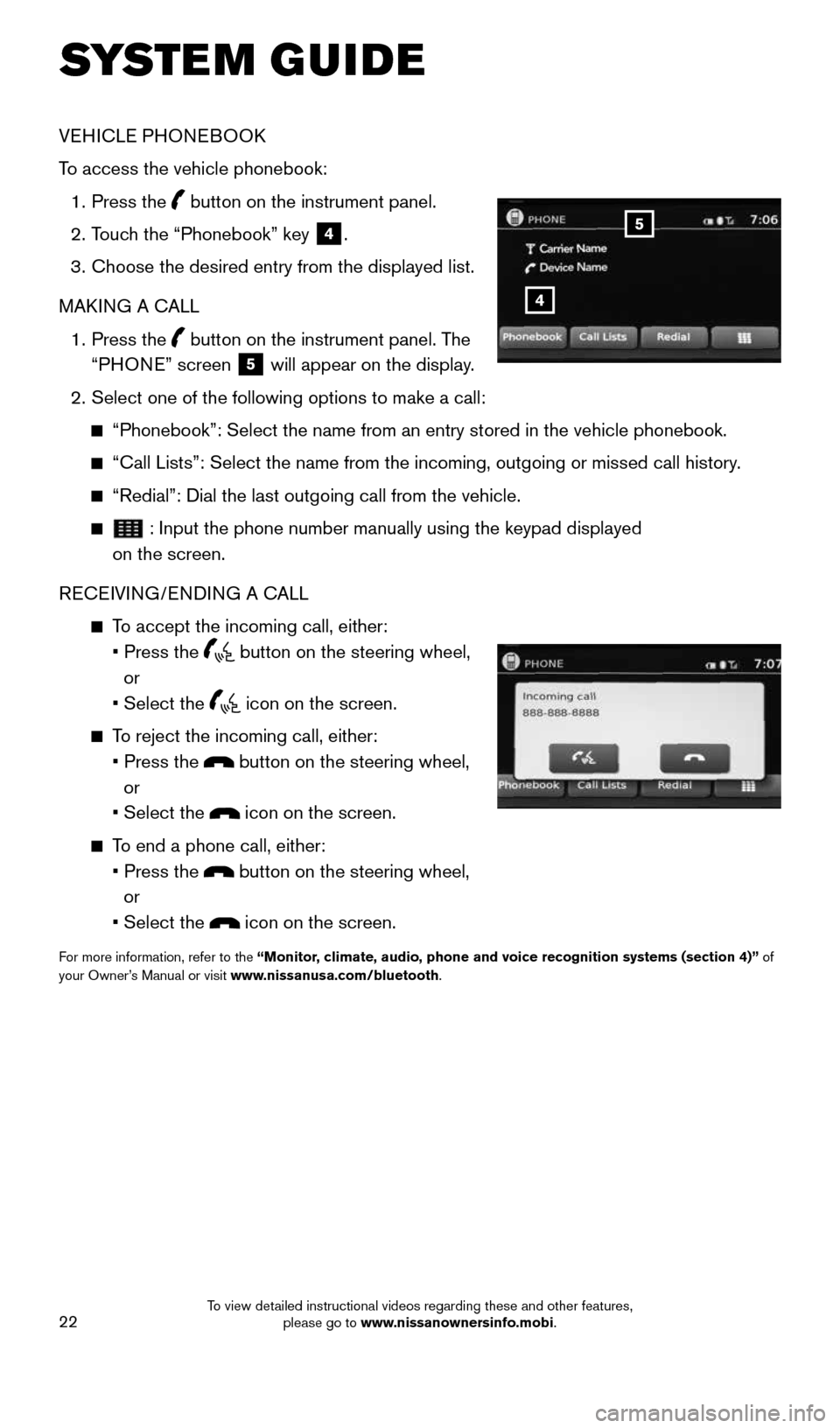
VEHICLE PHONEBOOK
To access the vehicle phonebook:
1. Press the
button on the instrument panel.
2. Touch the “Phonebook” key
4.
3. Choose the desired entry from the displayed list.
MAKING A CALL
1. Press the
button on the instrument panel. The
“PHONE” screen 5 will appear on the display.
2. Select one of the following options to make a call:
“Phonebook”: Select the name from an entry stored in the vehicle p\
honebook.
“Call Lists”: Select the name from the incoming, outgoing or misse\
d call history.
“Redial”: Dial the last outgoing call from the vehicle.
: Input the phone number manually using the keypad displayed
on the screen.
RECEIVING/ENDING A CALL
To accept the incoming call, either:
• Press the
button on the steering wheel,
or
• Select the
icon on the screen.
To reject the incoming call, either:
• Press the
button on the steering wheel,
or
• Select the
icon on the screen.
To end a phone call, either:
• Press the
button on the steering wheel,
or
• Select the
icon on the screen.
For more information, refer to the “Monitor, climate, audio, phone and voice recognition systems (section 4)” of
your Owner’s Manual or visit www.nissanusa.com/bluetooth.
4
5
1911097_15d_AltimaSedan_QRG_011915.indd 221/19/15 4:25 PM
To view detailed instructional videos regarding these and other features, please go to www.nissanownersinfo.mobi.