fog light NISSAN ALTIMA 2018 Owner´s Manual
[x] Cancel search | Manufacturer: NISSAN, Model Year: 2018, Model line: ALTIMA, Model: NISSAN ALTIMA 2018Pages: 467, PDF Size: 5.42 MB
Page 21 of 467
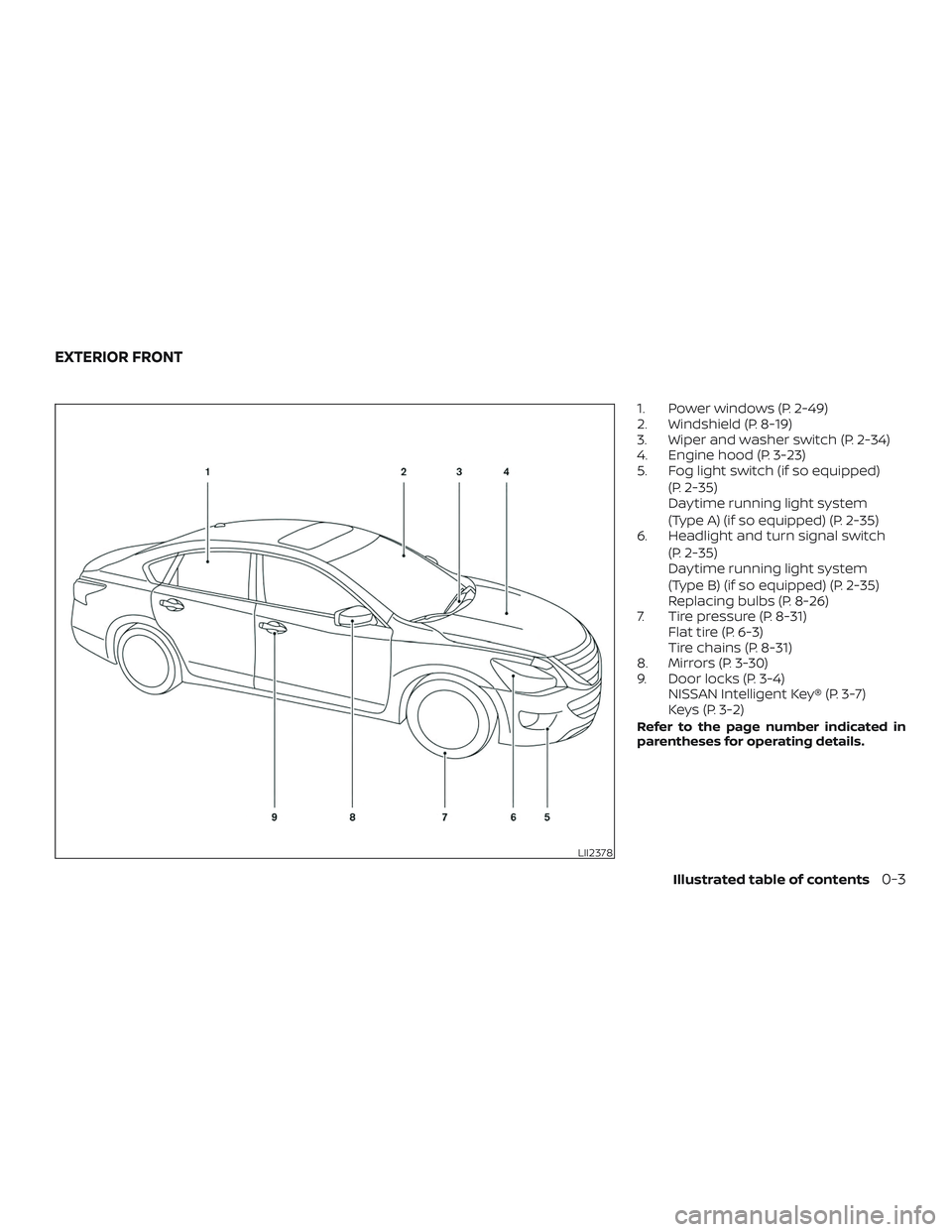
1. Power windows (P. 2-49)
2. Windshield (P. 8-19)
3. Wiper and washer switch (P. 2-34)
4. Engine hood (P. 3-23)
5. Fog light switch (if so equipped)(P. 2-35)
Daytime running light system
(Type A) (if so equipped) (P. 2-35)
6. Headlight and turn signal switch
(P. 2-35)
Daytime running light system
(Type B) (if so equipped) (P. 2-35)
Replacing bulbs (P. 8-26)
7. Tire pressure (P. 8-31) Flat tire (P. 6-3)
Tire chains (P. 8-31)
8. Mirrors (P. 3-30)
9. Door locks (P. 3-4) NISSAN Intelligent Key® (P. 3-7)
Keys (P. 3-2)
Refer to the page number indicated in
parentheses for operating details.
LII2378
EXTERIOR FRONT
Illustrated table of contents0-3
Page 24 of 467
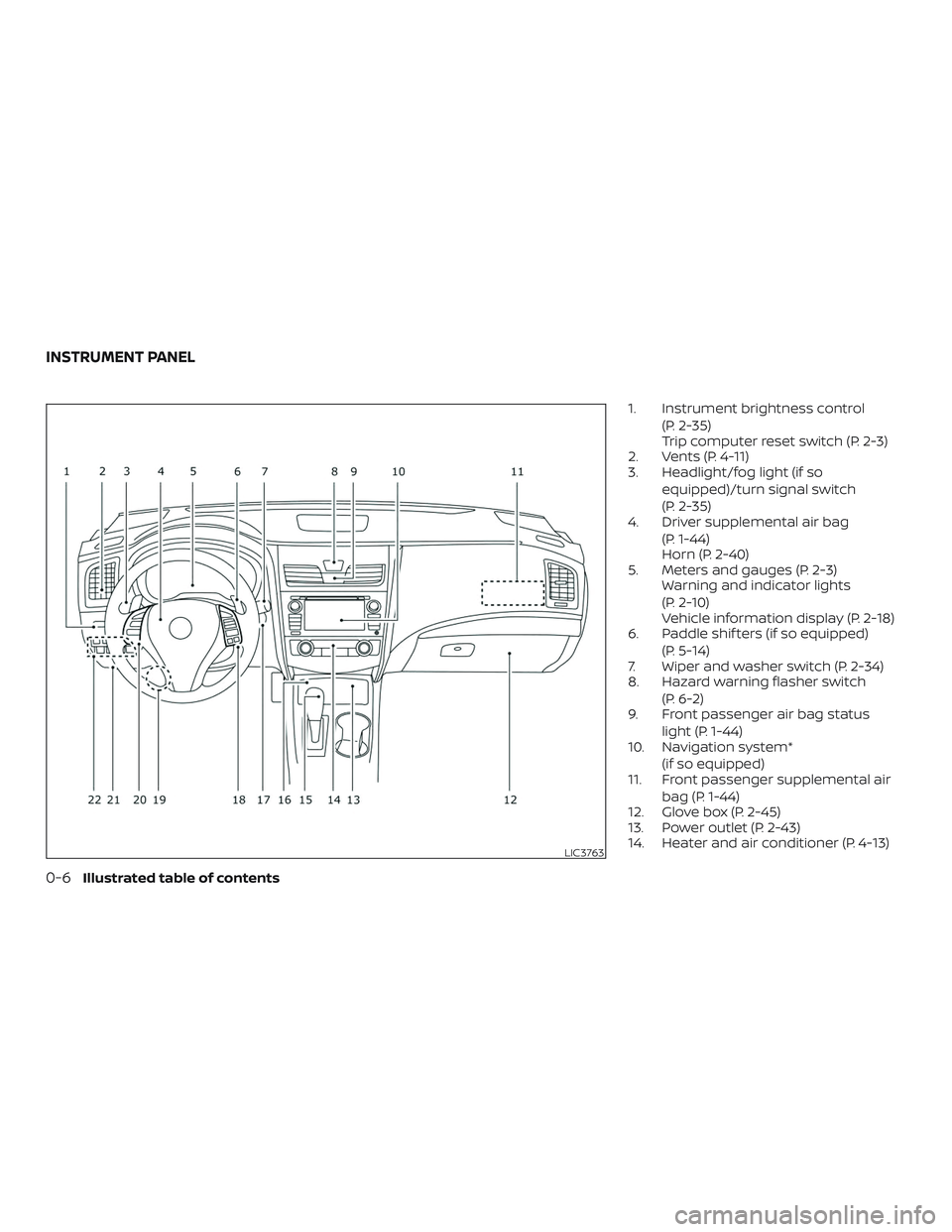
1. Instrument brightness control(P. 2-35)
Trip computer reset switch (P. 2-3)
2. Vents (P. 4-11)
3. Headlight/fog light (if so
equipped)/turn signal switch
(P. 2-35)
4. Driver supplemental air bag
(P. 1-44)
Horn (P. 2-40)
5. Meters and gauges (P. 2-3) Warning and indicator lights
(P. 2-10)
Vehicle information display (P. 2-18)
6. Paddle shif ters (if so equipped)
(P. 5-14)
7. Wiper and washer switch (P. 2-34)
8. Hazard warning flasher switch
(P. 6-2)
9. Front passenger air bag status
light (P. 1-44)
10. Navigation system*
(if so equipped)
11. Front passenger supplemental air
bag (P. 1-44)
12. Glove box (P. 2-45)
13. Power outlet (P. 2-43)
14. Heater and air conditioner (P. 4-13)
LIC3763
INSTRUMENT PANEL
0-6Illustrated table of contents
Page 28 of 467
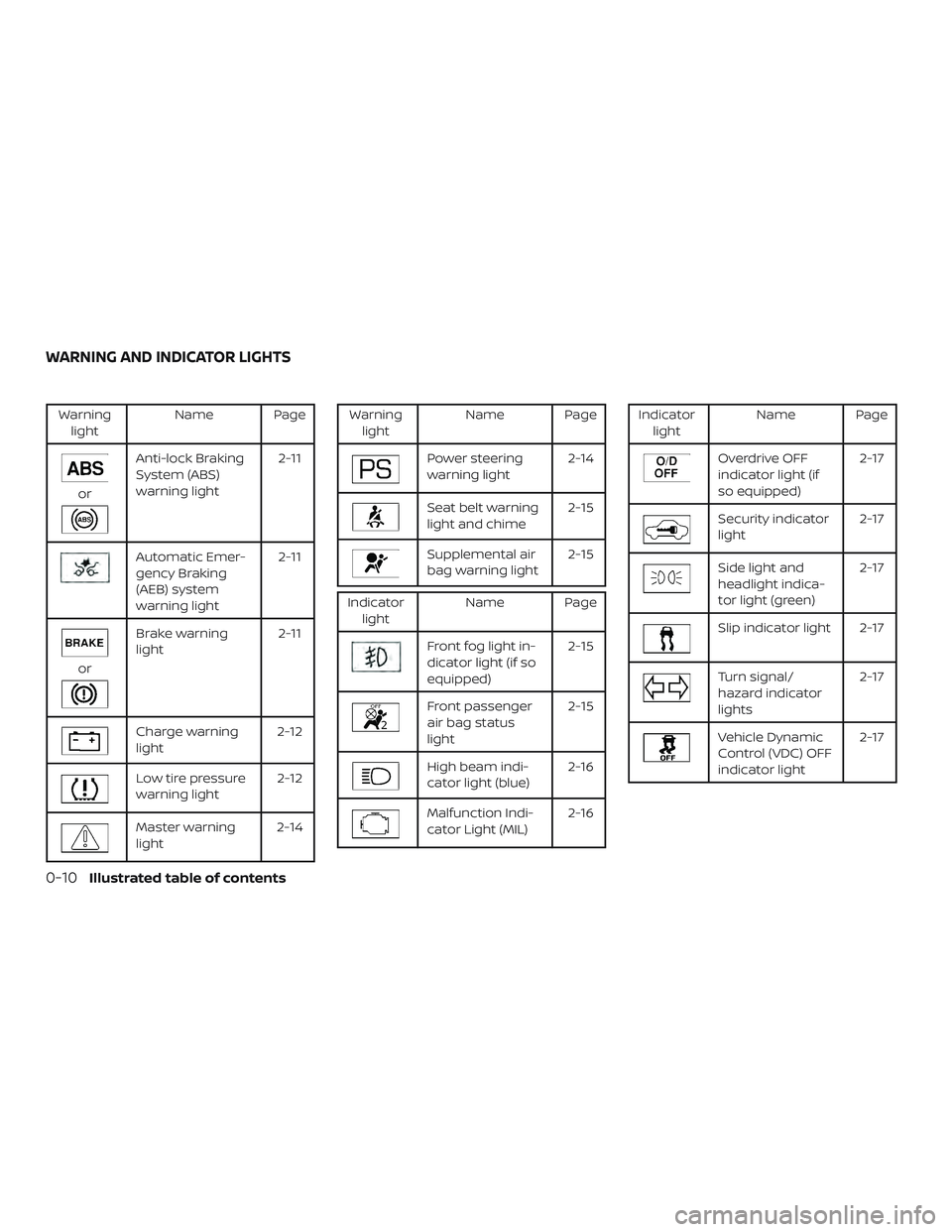
Warninglight Name Page
or
Anti-lock Braking
System (ABS)
warning light 2-11
Automatic Emer-
gency Braking
(AEB) system
warning light2-11
or
Brake warning
light
2-11
Charge warning
light2-12
Low tire pressure
warning light2-12
Master warning
light2-14
Warning
light Name Page
Power steering
warning light 2-14
Seat belt warning
light and chime 2-15
Supplemental air
bag warning light2-15
Indicator
light Name Page
Front fog light in-
dicator light (if so
equipped) 2-15
Front passenger
air bag status
light2-15
High beam indi-
cator light (blue)
2-16
Malfunction Indi-
cator Light (MIL)2-16
Indicator
light Name Page
Overdrive OFF
indicator light (if
so equipped) 2-17
Security indicator
light
2-17
Side light and
headlight indica-
tor light (green)2-17
Slip indicator light 2-17
Turn signal/
hazard indicator
lights2-17
Vehicle Dynamic
Control (VDC) OFF
indicator light2-17
WARNING AND INDICATOR LIGHTS
0-10Illustrated table of contents
Page 92 of 467
2 Instruments and controls
Instrument panel................................2-2
Meters and gauges ..............................2-3
Speedometer and odometer .................2-4
Tachometer ..................................2-5
Engine coolant temperature gauge ..........2-5
Fuel gauge ...................................2-6
Compass (if so equipped) ....................... 2-7
Compass display ............................. 2-7
Warning lights, indicator lights and audible
reminders ...................................... 2-10
Checking lights .............................. 2-10
Warning lights ................................ 2-11
Indicator lights .............................. 2-15
Audible reminders ........................... 2-17
Vehicle information display .....................2-18
How to use the vehicle information
display ...................................... 2-19
Startup display .............................. 2-19
Resetting the trip computer .................2-19
Settings ..................................... 2-19
Vehicle information display warnings
and indicators ............................... 2-27
Security systems ............................... 2-31
Vehicle security system .....................2-31NISSAN Vehicle Immobilizer System
.........2-32
Wiper and washer switch .......................2-34
Switch operation ............................ 2-34
Rear window and outside mirror
(if so equipped) defroster switch ................2-35
Headlight and turn signal switch ...............2-35
Headlight control switch .....................2-35
Daytime Running Lights (DRL) system
(Type A) (if so equipped) .....................2-38
LED Daytime Running Lights (DRL)
system (Type B) (if so equipped) .............2-38
Instrument brightness control ...............2-39
Turn signal switch ........................... 2-39
Fog light switch (if so equipped) .............2-40
Horn ........................................... 2-40
Heated seat switches (if so equipped) ..........2-41
Heated steering wheel switch (if so equipped) . . 2-42
Vehicle Dynamic Control (VDC) OFF switch ......2-42
E-c
all (SOS) switch (if so equipped) ..............2-43
Power outlets .................................. 2-43
Extended storage switch .......................2-44
Storage ........................................ 2-45
Front-door pockets .......................... 2-45
Seatback pockets ........................... 2-46
Page 94 of 467
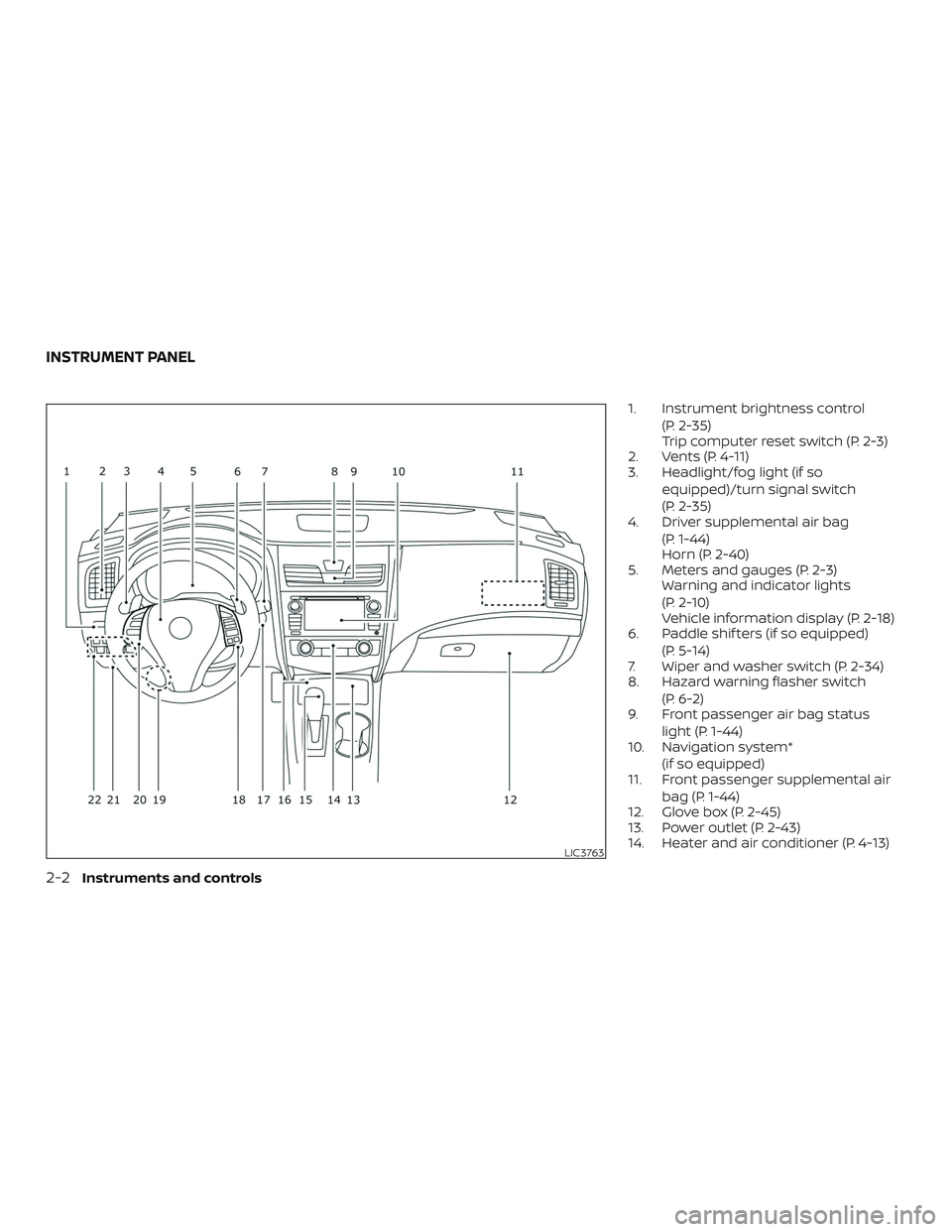
1. Instrument brightness control(P. 2-35)
Trip computer reset switch (P. 2-3)
2. Vents (P. 4-11)
3. Headlight/fog light (if so
equipped)/turn signal switch
(P. 2-35)
4. Driver supplemental air bag
(P. 1-44)
Horn (P. 2-40)
5. Meters and gauges (P. 2-3) Warning and indicator lights
(P. 2-10)
Vehicle information display (P. 2-18)
6. Paddle shif ters (if so equipped)
(P. 5-14)
7. Wiper and washer switch (P. 2-34)
8. Hazard warning flasher switch
(P. 6-2)
9. Front passenger air bag status
light (P. 1-44)
10. Navigation system*
(if so equipped)
11. Front passenger supplemental air
bag (P. 1-44)
12. Glove box (P. 2-45)
13. Power outlet (P. 2-43)
14. Heater and air conditioner (P. 4-13)
LIC3763
INSTRUMENT PANEL
2-2Instruments and controls
Page 102 of 467
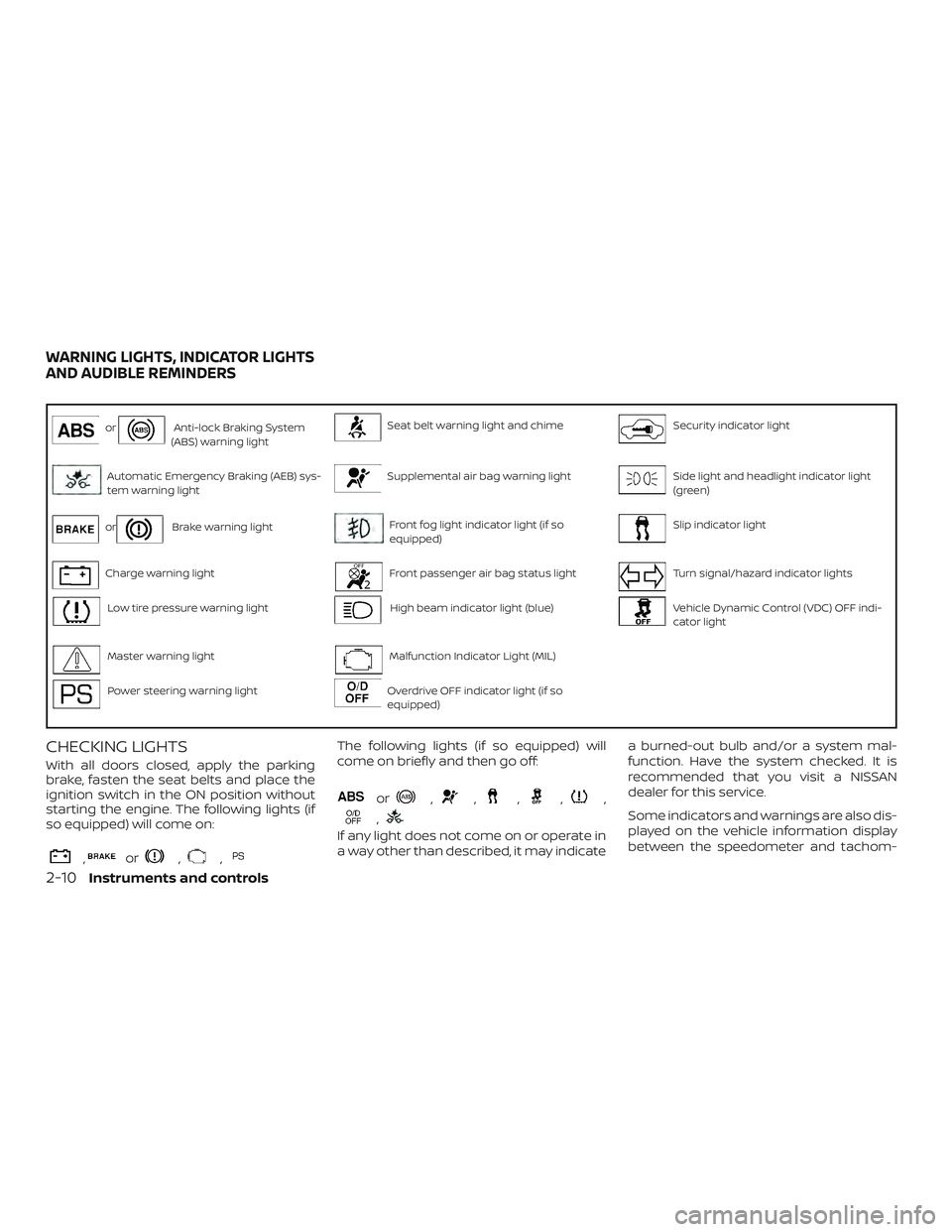
orAnti-lock Braking System
(ABS) warning lightSeat belt warning light and chimeSecurity indicator light
Automatic Emergency Braking (AEB) sys-
tem warning lightSupplemental air bag warning lightSide light and headlight indicator light
(green)
orBrake warning lightFront fog light indicator light (if so
equipped)Slip indicator light
Charge warning lightFront passenger air bag status lightTurn signal/hazard indicator lights
Low tire pressure warning lightHigh beam indicator light (blue)Vehicle Dynamic Control (VDC) OFF indi-
cator light
Master warning lightMalfunction Indicator Light (MIL)
Power steering warning lightOverdrive OFF indicator light (if so
equipped)
CHECKING LIGHTS
With all doors closed, apply the parking
brake, fasten the seat belts and place the
ignition switch in the ON position without
starting the engine. The following lights (if
so equipped) will come on:
,or,,
The following lights (if so equipped) will
come on briefly and then go off:
or,,,,,
,
If any light does not come on or operate in
a way other than described, it may indicate a burned-out bulb and/or a system mal-
function. Have the system checked. It is
recommended that you visit a NISSAN
dealer for this service.
Some indicators and warnings are also dis-
played on the vehicle information display
between the speedometer and tachom-
WARNING LIGHTS, INDICATOR LIGHTS
AND AUDIBLE REMINDERS
2-10Instruments and controls
Page 107 of 467
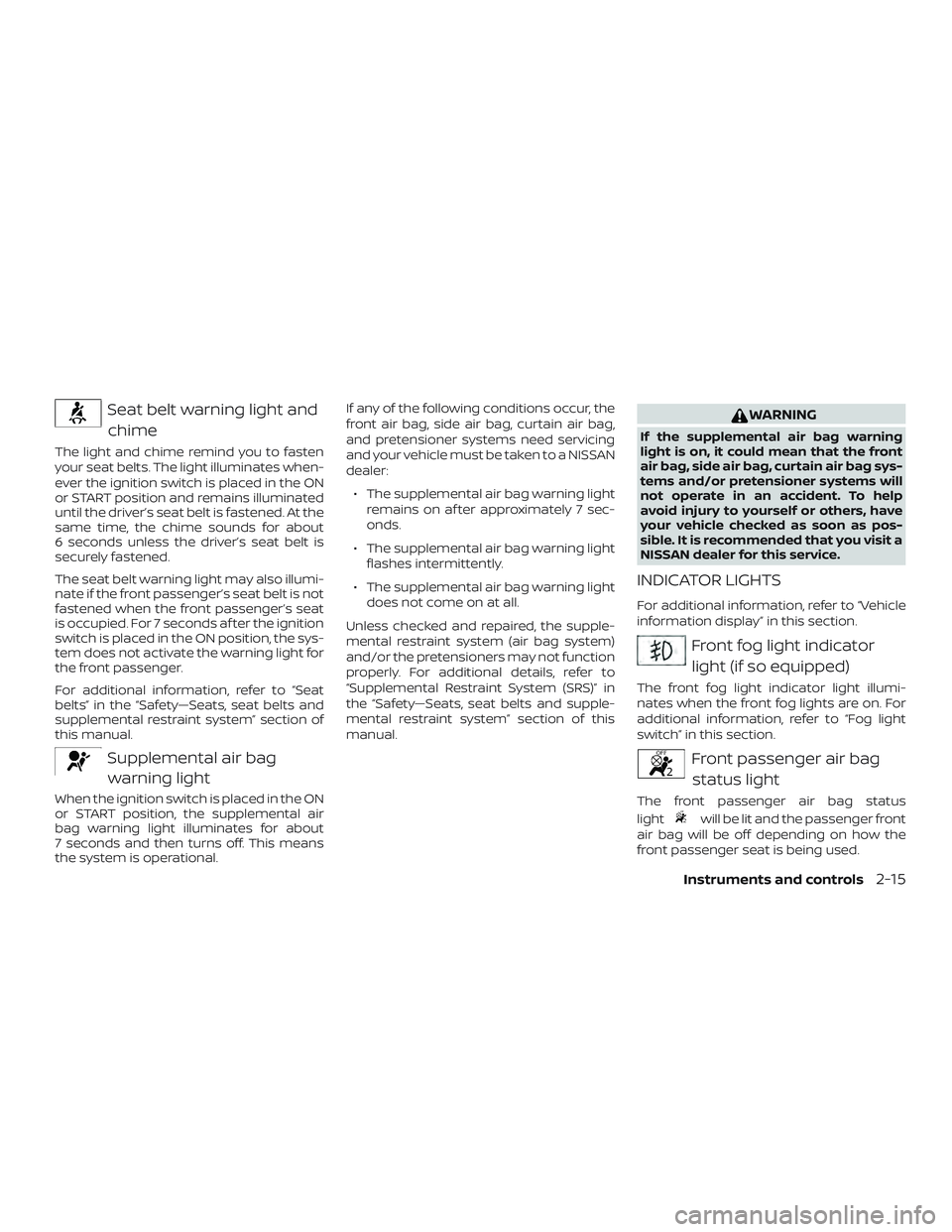
Seat belt warning light andchime
The light and chime remind you to fasten
your seat belts. The light illuminates when-
ever the ignition switch is placed in the ON
or START position and remains illuminated
until the driver’s seat belt is fastened. At the
same time, the chime sounds for about
6 seconds unless the driver’s seat belt is
securely fastened.
The seat belt warning light may also illumi-
nate if the front passenger’s seat belt is not
fastened when the front passenger’s seat
is occupied. For 7 seconds af ter the ignition
switch is placed in the ON position, the sys-
tem does not activate the warning light for
the front passenger.
For additional information, refer to “Seat
belts” in the “Safety—Seats, seat belts and
supplemental restraint system” section of
this manual.
Supplemental air bagwarning light
When the ignition switch is placed in the ON
or START position, the supplemental air
bag warning light illuminates for about
7 seconds and then turns off. This means
the system is operational. If any of the following conditions occur, the
front air bag, side air bag, curtain air bag,
and pretensioner systems need servicing
and your vehicle must be taken to a NISSAN
dealer:
∙ The supplemental air bag warning light remains on af ter approximately 7 sec-
onds.
∙ The supplemental air bag warning light flashes intermittently.
∙ The supplemental air bag warning light does not come on at all.
Unless checked and repaired, the supple-
mental restraint system (air bag system)
and/or the pretensioners may not function
properly. For additional details, refer to
“Supplemental Restraint System (SRS)” in
the “Safety—Seats, seat belts and supple-
mental restraint system” section of this
manual.
WARNING
If the supplemental air bag warning
light is on, it could mean that the front
air bag, side air bag, curtain air bag sys-
tems and/or pretensioner systems will
not operate in an accident. To help
avoid injury to yourself or others, have
your vehicle checked as soon as pos-
sible. It is recommended that you visit a
NISSAN dealer for this service.
INDICATOR LIGHTS
For additional information, refer to “Vehicle
information display” in this section.
Front fog light indicator light (if so equipped)
The front fog light indicator light illumi-
nates when the front fog lights are on. For
additional information, refer to “Fog light
switch” in this section.
Front passenger air bagstatus light
The front passenger air bag status
light
will be lit and the passenger front
air bag will be off depending on how the
front passenger seat is being used.
Instruments and controls2-15
Page 130 of 467
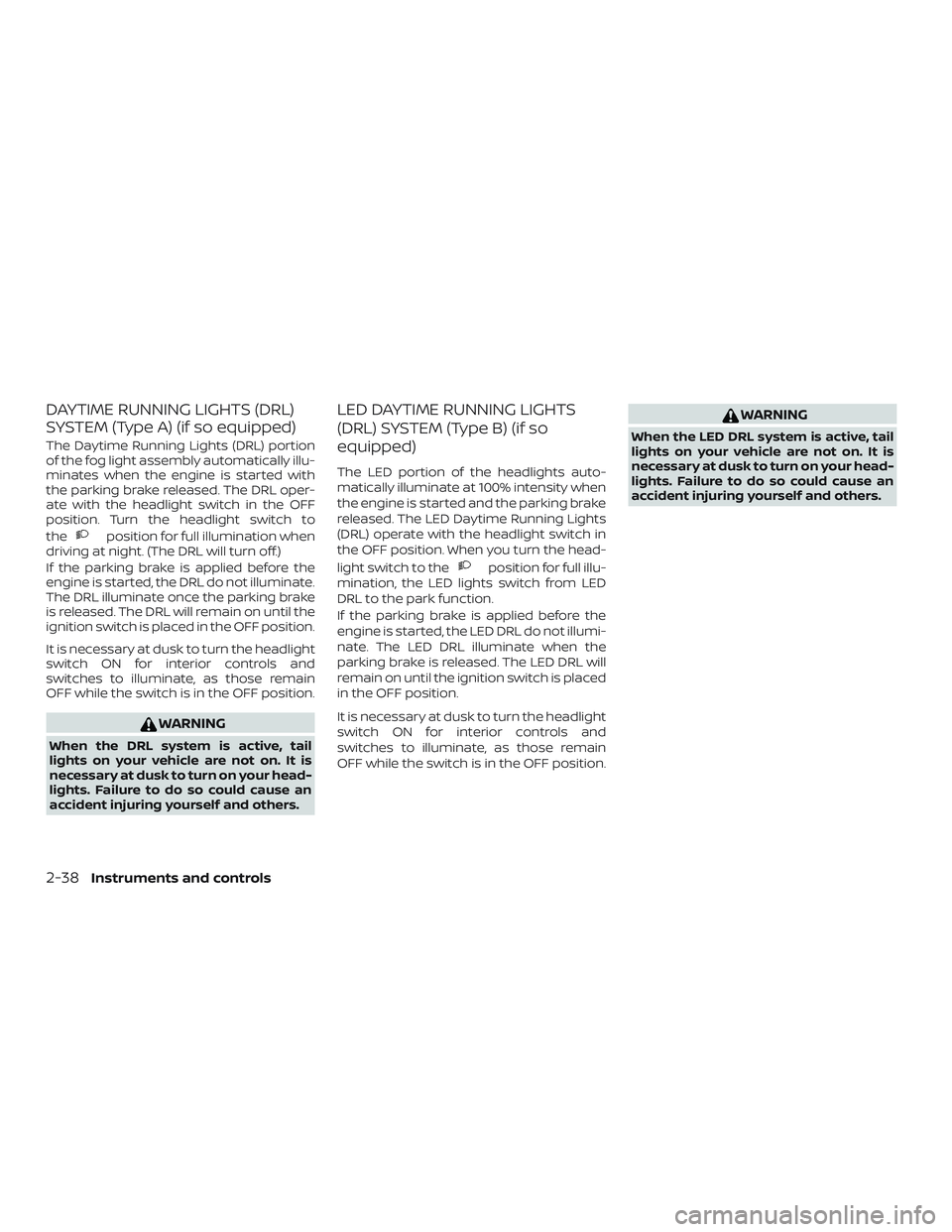
DAYTIME RUNNING LIGHTS (DRL)
SYSTEM (Type A) (if so equipped)
The Daytime Running Lights (DRL) portion
of the fog light assembly automatically illu-
minates when the engine is started with
the parking brake released. The DRL oper-
ate with the headlight switch in the OFF
position. Turn the headlight switch to
the
position for full illumination when
driving at night. (The DRL will turn off.)
If the parking brake is applied before the
engine is started, the DRL do not illuminate.
The DRL illuminate once the parking brake
is released. The DRL will remain on until the
ignition switch is placed in the OFF position.
It is necessary at dusk to turn the headlight
switch ON for interior controls and
switches to illuminate, as those remain
OFF while the switch is in the OFF position.
WARNING
When the DRL system is active, tail
lights on your vehicle are not on. It is
necessary at dusk to turn on your head-
lights. Failure to do so could cause an
accident injuring yourself and others.
LED DAYTIME RUNNING LIGHTS
(DRL) SYSTEM (Type B) (if so
equipped)
The LED portion of the headlights auto-
matically illuminate at 100% intensity when
the engine is started and the parking brake
released. The LED Daytime Running Lights
(DRL) operate with the headlight switch in
the OFF position. When you turn the head-
light switch to the
position for full illu-
mination, the LED lights switch from LED
DRL to the park function.
If the parking brake is applied before the
engine is started, the LED DRL do not illumi-
nate. The LED DRL illuminate when the
parking brake is released. The LED DRL will
remain on until the ignition switch is placed
in the OFF position.
It is necessary at dusk to turn the headlight
switch ON for interior controls and
switches to illuminate, as those remain
OFF while the switch is in the OFF position.
WARNING
When the LED DRL system is active, tail
lights on your vehicle are not on. It is
necessary at dusk to turn on your head-
lights. Failure to do so could cause an
accident injuring yourself and others.
2-38Instruments and controls
Page 132 of 467
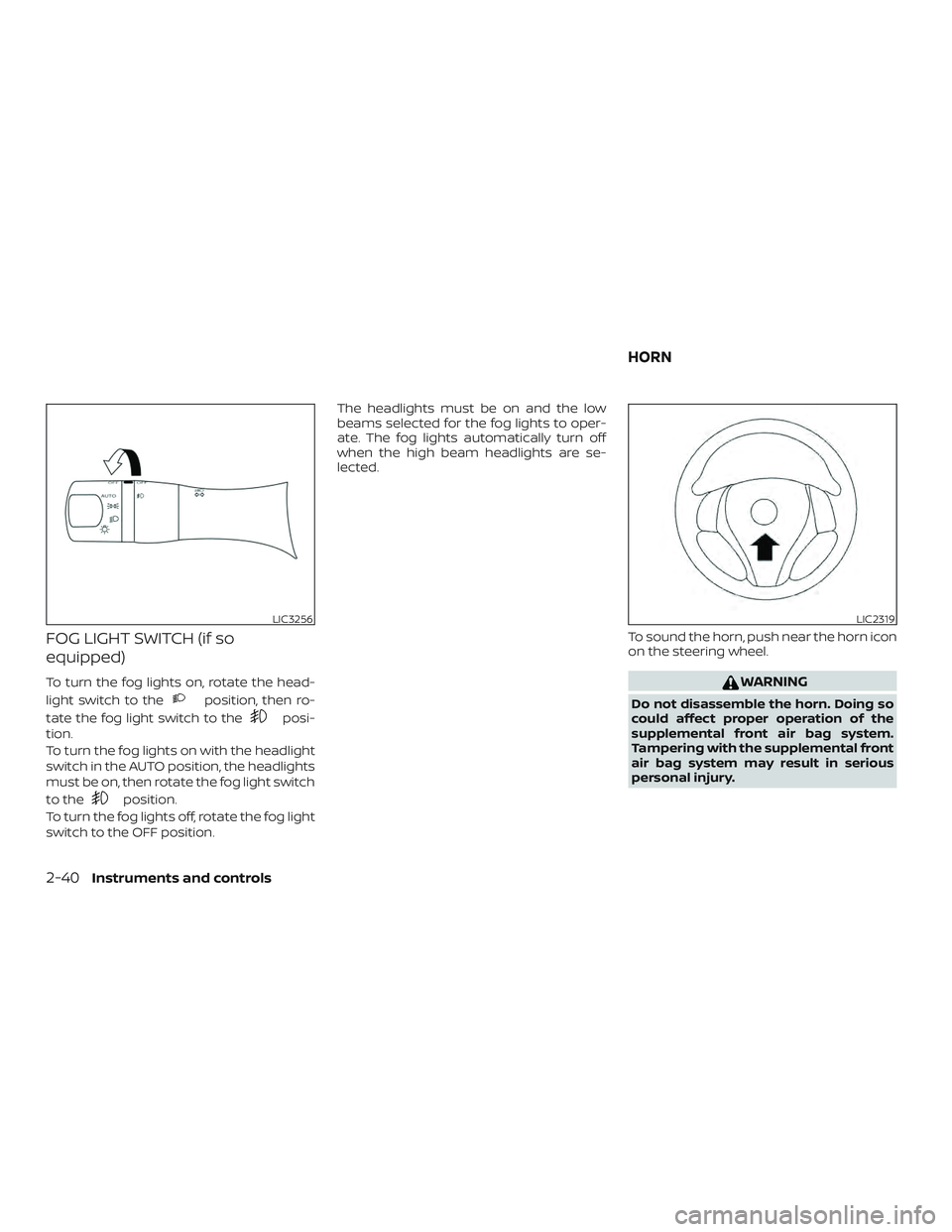
FOG LIGHT SWITCH (if so
equipped)
To turn the fog lights on, rotate the head-
light switch to the
position, then ro-
tate the fog light switch to the
posi-
tion.
To turn the fog lights on with the headlight
switch in the AUTO position, the headlights
must be on, then rotate the fog light switch
to the
position.
To turn the fog lights off, rotate the fog light
switch to the OFF position. The headlights must be on and the low
beams selected for the fog lights to oper-
ate. The fog lights automatically turn off
when the high beam headlights are se-
lected.
To sound the horn, push near the horn icon
on the steering wheel.
WARNING
Do not disassemble the horn. Doing so
could affect proper operation of the
supplemental front air bag system.
Tampering with the supplemental front
air bag system may result in serious
personal injury.
LIC3256LIC2319
HORN
2-40Instruments and controls
Page 202 of 467
AIR CONDITIONER OPERATION
Start the engine, turn thefan control
dial to the desired position, and press
the
button to activate the air condi-
tioner. When the air conditioner is on, cool-
ing and dehumidif ying functions are
added to the heater operation.
The air conditioner cooling function op-
erates only when the engine is running.
Cooling
This mode is used to cool and dehumidif y
the air.
1. Press the
button to the OFF posi-
tion.
2. Press the
air flow control button.
3. Turn the
fan control dial to the
desired position.
4. Press the A/C button. The indicator light comes on.
5. Turn the temperature control dial to the desired position. ∙ For quick cooling when the outside
temperature is high, press the
button to the ON position. Be sure to
return the
to the OFF position for
normal cooling. MAX A/C may be used
for quick cooling.
Dehumidified heating
This mode is used to heat and dehumidif y
the air.
1. Press the
button to the OFF posi-
tion.
2. Press the
air flow control button.
3. Turn the
fan control dial to the
desired position.
4. Press the A/C button. The indicator light comes on.
5. Turn the temperature control dial to the desired position.
Dehumidified defogging
This mode is used to defog the windows
and dehumidif y the air.
1. Press the
air flow control button.
2. Turn the
fan control dial to the
desired position. ∙ When the
orare selected,
the air conditioner automatically turns
on if the outside temperature is more
than 36°F (2°C). This dehumidifies the air
which helps defog the windshield.
The
mode automatically turns off,
allowing outside air to be drawn into the
passenger compartment to further im-
prove the defogging performance.
3. Turn the temperature control dial to the desired position.
Operating tips
∙ Keep the windows closed while the airconditioner is in operation.
∙ Af ter parking in the sun, drive for 2 or 3 minutes with the windows open to
vent hot air from the passenger com-
partment. Then, close the windows.
This allows the air conditioner to cool
the interior more quickly.
∙ The air conditioning system should
be operated for approximately
10 minutes at least once a month.
This helps prevent damage to the
system due to lack of lubrication.
4-16Monitor, climate, audio, phone and voice recognition systems