RECOMMENDED NISSAN ALTIMA 2021 User Guide
[x] Cancel search | Manufacturer: NISSAN, Model Year: 2021, Model line: ALTIMA, Model: NISSAN ALTIMA 2021Pages: 559, PDF Size: 6.26 MB
Page 91 of 559
∙ It is recommended that you visit aNISSAN dealer for work on and around
the knee air bag. It is also recom-
mended that you visit a NISSAN dealer
for installation of electrical equip-
ment. The SRS wiring harnesses*
should not be modified or discon-
nected. Unauthorized electrical test
equipment and probing devices
should not be used on the knee air
bag system.
*The SRS wiring harness or connectors
are yellow or orange for easy identifica-
tion.
When selling your vehicle, we request that
you inform the buyer about the knee air
bag system and guide the buyer to the
appropriate sections in this manual.Seat belt with pretensioner(s)
(front and rear outboard seats)
Page 93 of 559
If any of the following conditions occur, the
front air bag, side air bag, curtain air bag,
knee air bag and pretensioner systems
need servicing:∙ The supplemental air bag warning light remains on af ter approximately 7 sec-
onds.
∙ The supplemental air bag warning light flashes intermittently.
∙ The supplemental air bag warning light does not come on at all.
Under these conditions, the front air bag,
side air bag, curtain air bag, knee air bag or
pretensioner systems may not operate
properly. They must be checked and re-
paired. It is recommended that you visit a
NISSAN dealer for this service.
Page 94 of 559
∙ If there is an impact to your vehiclefrom any direction, your Occupant
Classification Sensor (OCS) should be
checked to verif y it is still functioning
correctly. It is recommended that you
visit a NISSAN dealer for this service.
The OCS should be checked even if no
air bags deploy as a result of the im-
pact. Failure to verif y proper OCS
function may result in an improper air
bag deployment resulting in injury or
death.
Safety—Seats, seat belts and supplemental restraint system1-69
Page 107 of 559
It is recommended that you visit a NISSAN
dealer for this service.
Page 108 of 559
the vehicle must be driven at speeds
above 16 mph (25 km/h) to activate the
TPMS and turn off the low tire pressure
warning light. Use a tire pressure gauge
to check the tire pressure.
The “Tire Pressure Low - Add Air” warning
appears each time the ignition switch is
placed in the ON position as long as the low
tire pressure warning light remains illumi-
nated.
For additional information, refer to “Vehicle
information display” in this section, “Tire
Pressure Monitoring System (TPMS)” in the
“Starting and driving” and “In case of emer-
gency” sections of this manual.
TPMS malfunction
If the TPMS is not functioning properly, the
low tire pressure warning light will flash for
approximately 1 minute when the ignition
switch is placed in the ON position. The
light will remain on af ter 1 minute. Have the
system checked. It is recommended that
you visit a NISSAN dealer for this service.
The "Tire Pressure Low — Add Air" warning
does not appear if the low tire pressure
warning light illuminates to indicate a
TPMS malfunction.For additional information, refer to “Tire
Pressure Monitoring System (TPMS)” in the
“Starting and driving” section and “Tire
pressure” in the “Do-it-yourself ” section of
this manual.
Page 135 of 559
CVT (AT) Malfunction Service now (if so
equipped)
This warning illuminates when there is a
problem with the CVT system. If this warn-
ing comes on, have the system checked. It
is recommended that you visit a NISSAN
dealer for this service.
Service CVT (AT) Power reduced (if so
equipped)
This transmission has a high fluid tem-
perature protection mode. If the fluid tem-
perature becomes too high (for example,
climbing steep grades in high tempera-
tures with heavy loads, such as when tow-
ing a trailer), engine power and, under
some conditions, vehicle speed will be de-
creased automatically to reduce the
chance of transmission damage. Vehicle
speed can be controlled with the accelera-
tor pedal, but the engine and vehicle speed
may be reduced.
Page 169 of 559
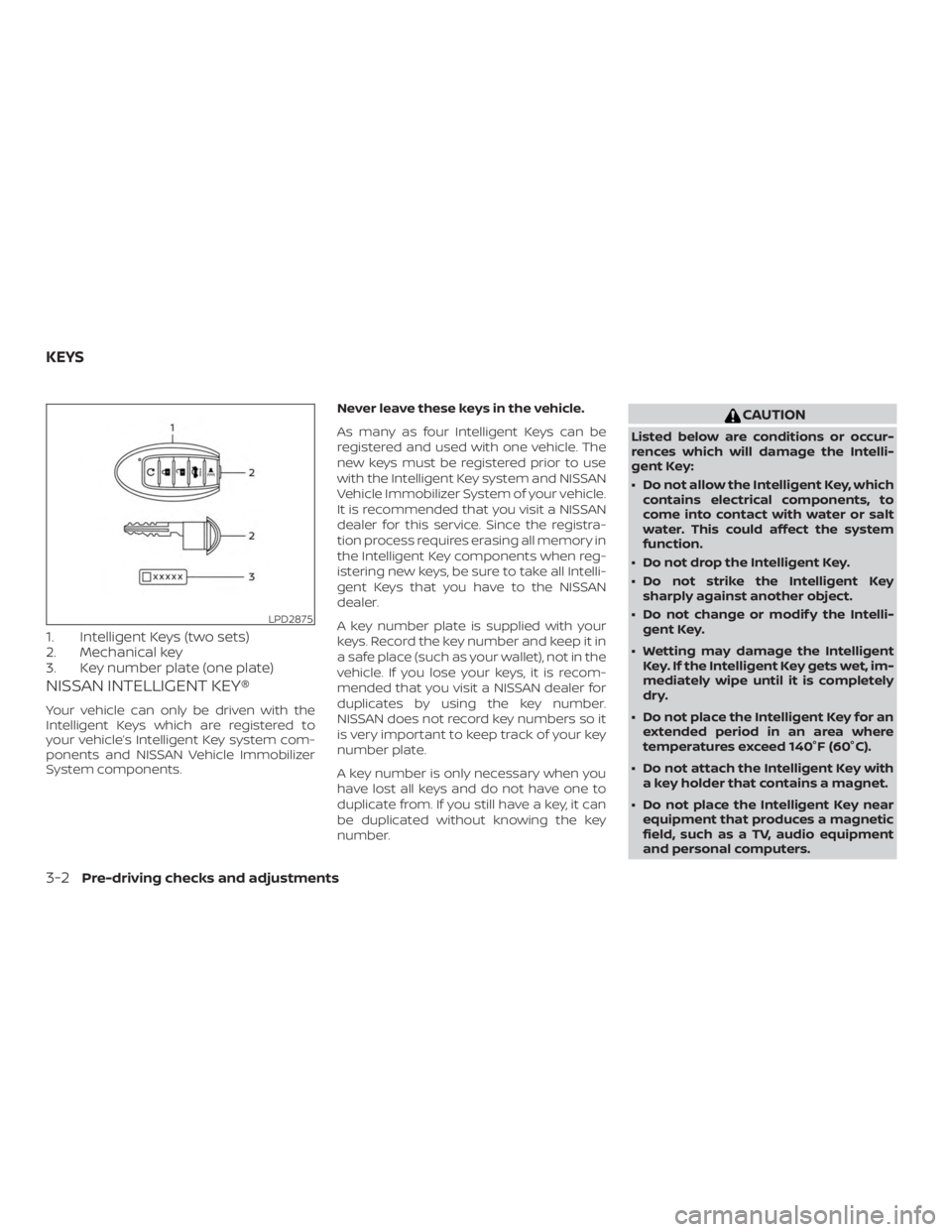
1. Intelligent Keys (two sets)
2. Mechanical key
3. Key number plate (one plate)
NISSAN INTELLIGENT KEY®
Your vehicle can only be driven with the
Intelligent Keys which are registered to
your vehicle’s Intelligent Key system com-
ponents and NISSAN Vehicle Immobilizer
System components.Never leave these keys in the vehicle.
As many as four Intelligent Keys can be
registered and used with one vehicle. The
new keys must be registered prior to use
with the Intelligent Key system and NISSAN
Vehicle Immobilizer System of your vehicle.
It is recommended that you visit a NISSAN
dealer for this service. Since the registra-
tion process requires erasing all memory in
the Intelligent Key components when reg-
istering new keys, be sure to take all Intelli-
gent Keys that you have to the NISSAN
dealer.
A key number plate is supplied with your
keys. Record the key number and keep it in
a safe place (such as your wallet), not in the
vehicle. If you lose your keys, it is recom-
mended that you visit a NISSAN dealer for
duplicates by using the key number.
NISSAN does not record key numbers so it
is very important to keep track of your key
number plate.
A key number is only necessary when you
have lost all keys and do not have one to
duplicate from. If you still have a key, it can
be duplicated without knowing the key
number.
Page 170 of 559
If an Intelligent Key is lost or stolen, NISSAN
recommends erasing the ID code of that
Intelligent Key from the vehicle. This may
prevent the unauthorized use of the Intelli-
gent Key to operate the vehicle. For infor-
mation regarding the erasing procedure, it
is recommended that you visit a NISSAN
dealer.
Mechanical key
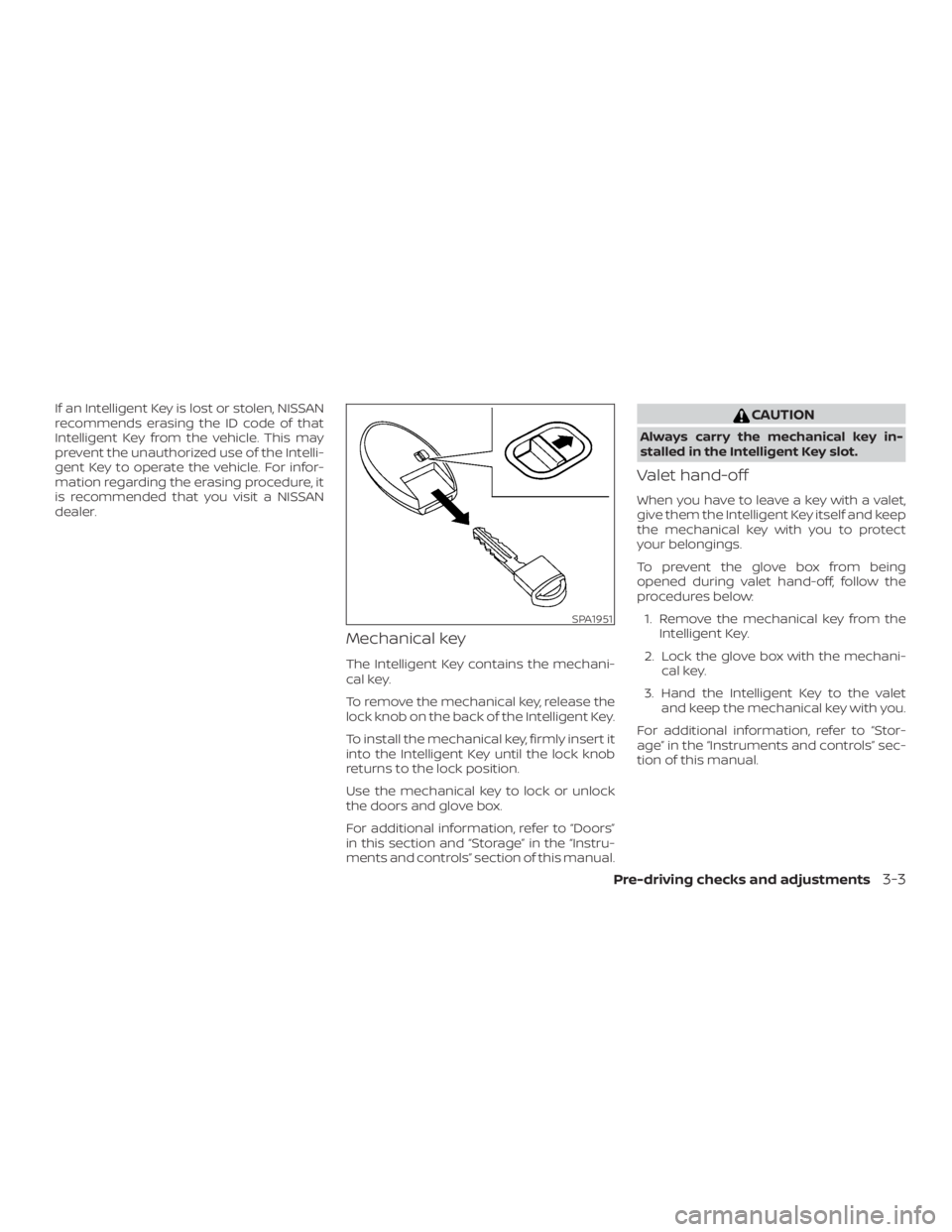
The Intelligent Key contains the mechani-
cal key.
To remove the mechanical key, release the
lock knob on the back of the Intelligent Key.
To install the mechanical key, firmly insert it
into the Intelligent Key until the lock knob
returns to the lock position.
Use the mechanical key to lock or unlock
the doors and glove box.
For additional information, refer to “Doors”
in this section and “Storage” in the “Instru-
ments and controls” section of this manual.
Page 225 of 559
![NISSAN ALTIMA 2021 User Guide When the “[X]” icon is displayed on the
screen, the camera image may be receiv-
ing temporary electronic disturbances
from surrounding devices. This will not hin-
der normal driving operation but](/img/5/56701/w960_56701-224.png "NISSAN ALTIMA 2021 User Guide When the “[X]” icon is displayed on the
screen, the camera image may be receiv-
ing temporary electronic disturbances
from surrounding devices. This will not hin-
der normal driving operation but")
When the “[X]” icon is displayed on the
screen, the camera image may be receiv-
ing temporary electronic disturbances
from surrounding devices. This will not hin-
der normal driving operation but the sys-
tem should be inspected if it occurs fre-
quently. It is recommended that you visit a
NISSAN dealer for this service.SYSTEM MAINTENANCE
Page 230 of 559
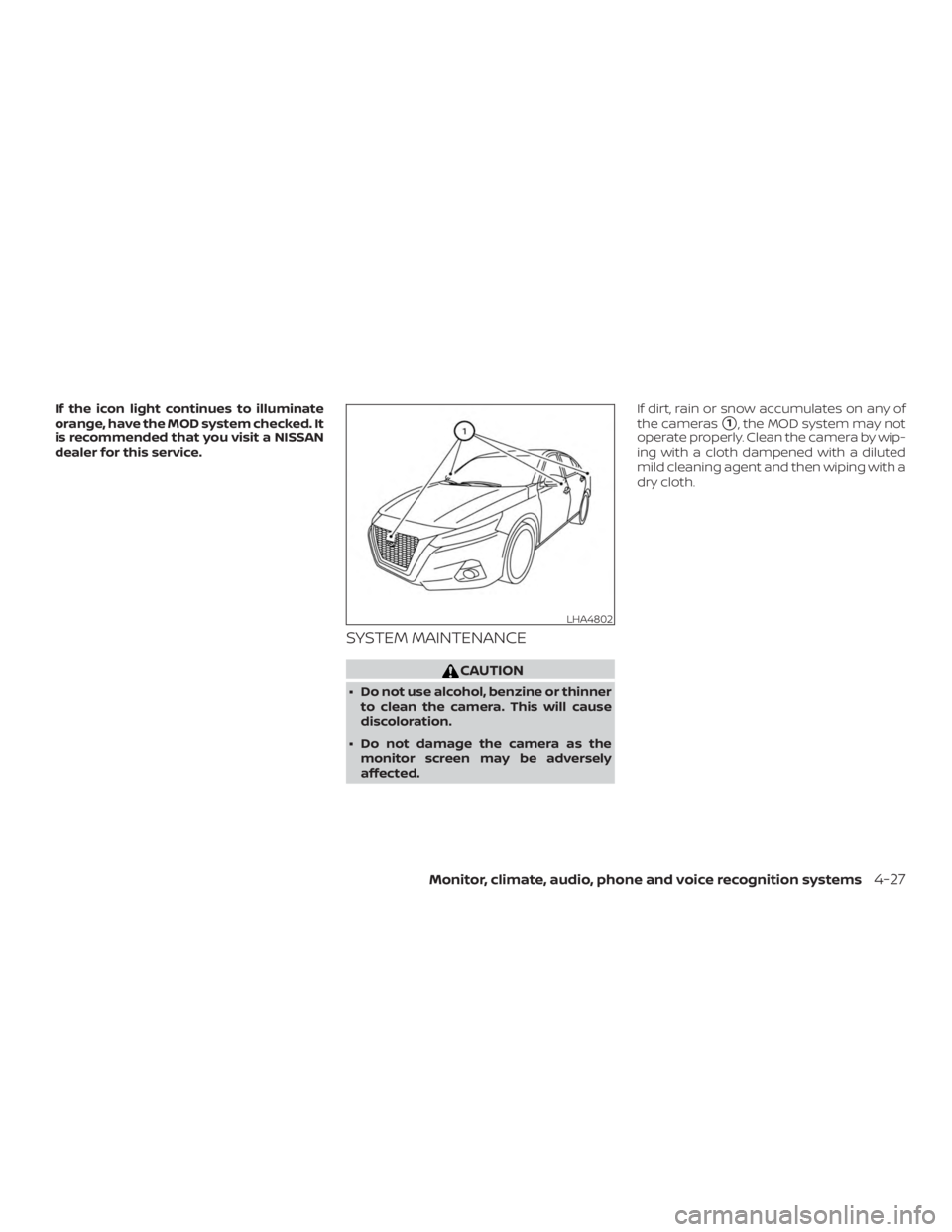
If the icon light continues to illuminate
orange, have the MOD system checked. It
is recommended that you visit a NISSAN
dealer for this service.
SYSTEM MAINTENANCE