seat memory NISSAN ALTIMA 2023 Owners Manual
[x] Cancel search | Manufacturer: NISSAN, Model Year: 2023, Model line: ALTIMA, Model: NISSAN ALTIMA 2023Pages: 644, PDF Size: 4.12 MB
Page 24 of 644
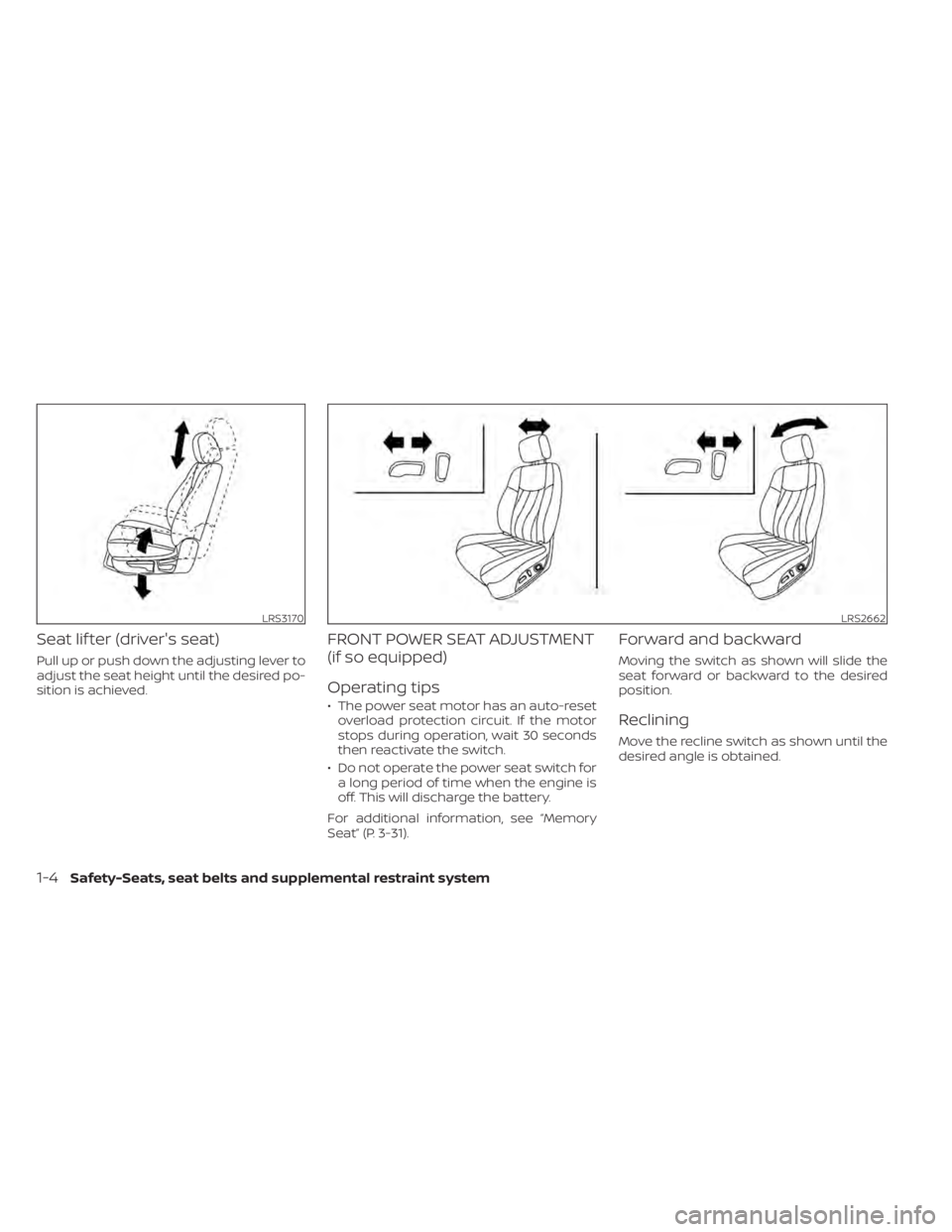
Seat lif ter (driver's seat)
Pull up or push down the adjusting lever to
adjust the seat height until the desired po-
sition is achieved.
FRONT POWER SEAT ADJUSTMENT
(if so equipped)
Operating tips
• The power seat motor has an auto-resetoverload protection circuit. If the motor
stops during operation, wait 30 seconds
then reactivate the switch.
• Do not operate the power seat switch for a long period of time when the engine is
off. This will discharge the battery.
For additional information, see “Memory
Seat” (P. 3-31).
Forward and backward
Moving the switch as shown will slide the
seat forward or backward to the desired
position.
Reclining
Move the recline switch as shown until the
desired angle is obtained.
LRS3170LRS2662
1-4Safety-Seats, seat belts and supplemental restraint system
Page 131 of 644
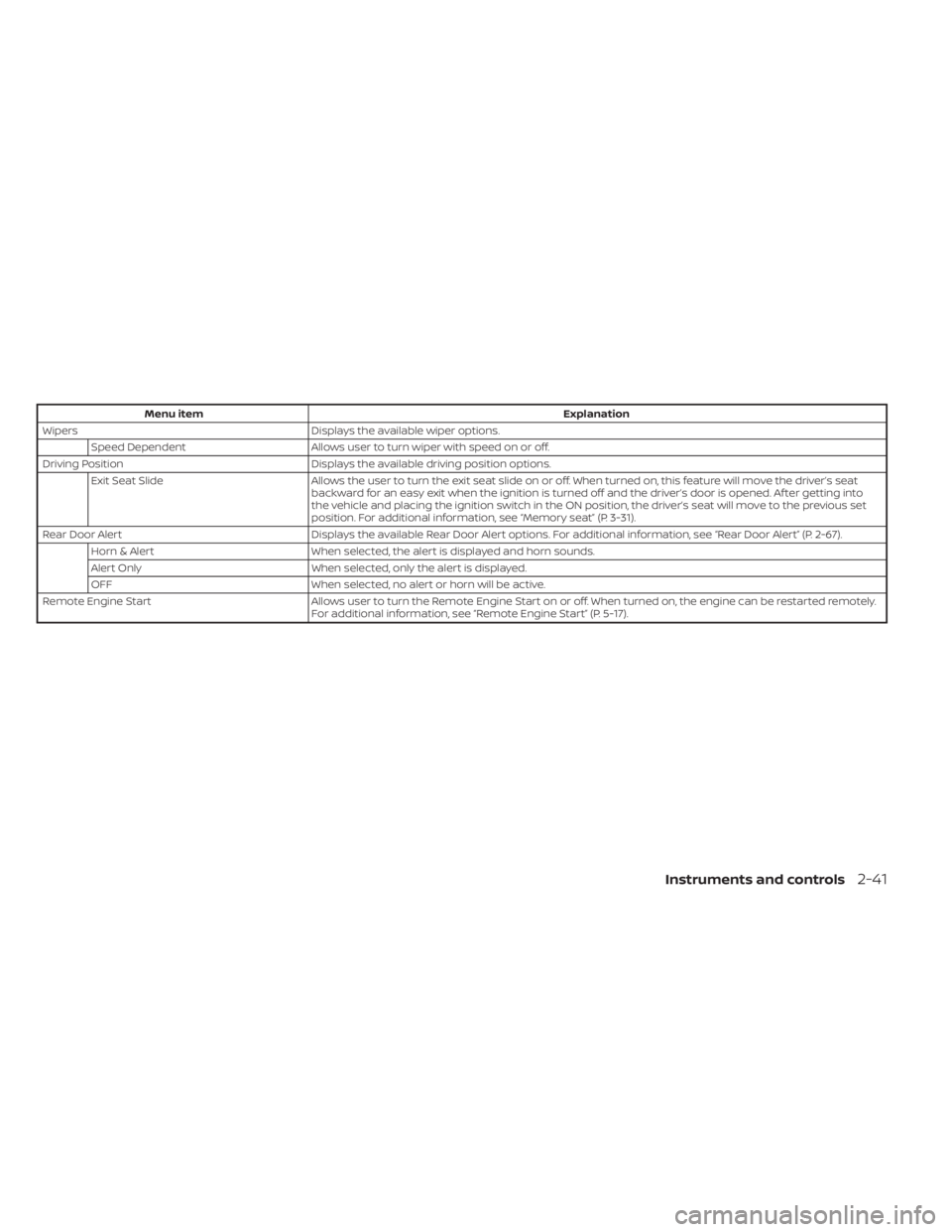
Menu itemExplanation
Wipers Displays the available wiper options.
Speed Dependent Allows user to turn wiper with speed on or off.
Driving Position Displays the available driving position options.
Exit Seat Slide Allows the user to turn the exit seat slide on or off. When turned on, this feature will move the driver’s seat
backward for an easy exit when the ignition is turned off and the driver’s door is opened. Af ter getting into
the vehicle and placing the ignition switch in the ON position, the driver’s seat will move to the previous set
position. For additional information, see “Memory seat” (P. 3-31).
Rear Door Alert Displays the available Rear Door Alert options. For additional information, see “Rear Door Alert” (P. 2-67).
Horn & Alert When selected, the alert is displayed and horn sounds.
Alert Only When selected, only the alert is displayed.
OFF When selected, no alert or horn will be active.
Remote Engine Start Allows user to turn the Remote Engine Start on or off. When turned on, the engine can be restarted remotely.
For additional information, see “Remote Engine Start” (P. 5-17).
Instruments and controls2-41
Page 177 of 644
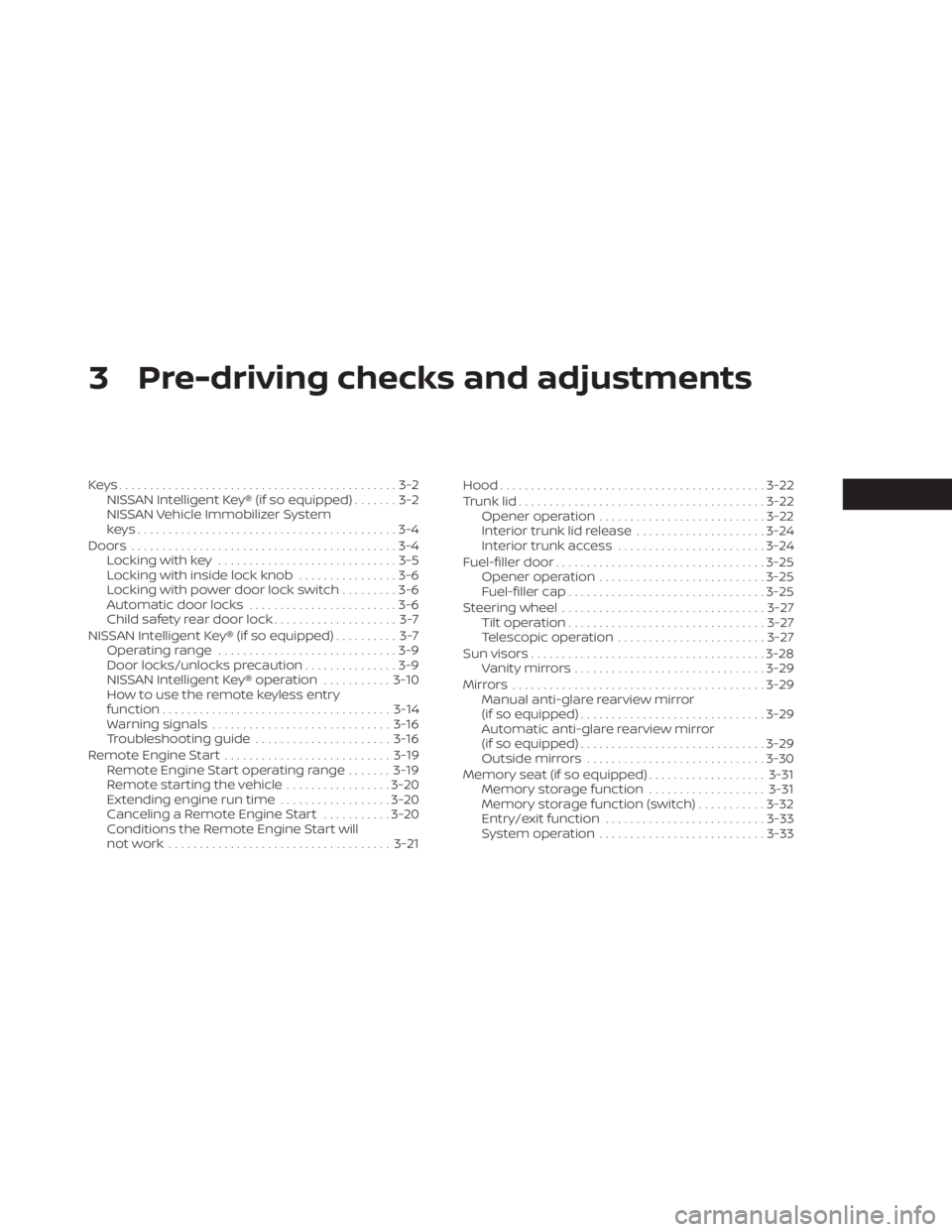
3 Pre-driving checks and adjustments
Keys.............................................3-2NISSAN Intelligent Key® (if so equipped) .......3-2
NISSAN Vehicle Immobilizer System
keys..........................................3-4
Doors ...........................................3-4
Locking with key .............................3-5
Locking with inside lock knob ................3-6
Locking with power door lock switch .........3-6
Automatic door locks ........................3-6
Child safety rear door lock .................... 3-7
NISSAN Intelligent Key® (if so equipped) .......... 3-7
Operating range .............................3-9
Door locks/unlocks precaution ...............3-9
NISSAN Intelligent Key® operation ...........3-10
How to use the remote keyless entry
function ..................................... 3-14
Warning signals ............................. 3-16
Troubleshooting guide ......................3-16
Remote Engine Start ........................... 3-19
Remote Engine Start operating range .......3-19
Remote starting the vehicle .................3-20
Extending engine run time ..................3-20
Canceling a Remote Engine Start ...........3-20
Conditions the Remote Engine Start will
notwork .................................... 3-21Hood
........................................... 3-22
Trunk lid ........................................ 3-22
Opener operation ........................... 3-22
Interior trunk lid release .....................3-24
Interior trunk access ........................ 3-24
Fuel-filler door .................................. 3-25
Opener operation ........................... 3-25
Fuel-filler cap ................................ 3-25
Steering wheel ................................. 3-27
Tilt operation ................................ 3-27
Telescopic operation ........................ 3-27
Sun visors ...................................... 3-28
Vanity mirrors ............................... 3-29
Mirrors ......................................... 3-29
Manual anti-glare rearview mirror
(if so equipped) .............................. 3-29
Automatic anti-glare rearview mirror
(if so equipped) .............................. 3-29
Outside mirrors .............................
3-30
Memor
y seat (if so equipped) ...................3-31
Memory storage function ...................3-31
Memory storage function (switch) ...........3-32
Entry/exit function .......................... 3-33
System operation ........................... 3-33
Page 180 of 644
NISSAN VEHICLE IMMOBILIZER
SYSTEM KEYS
Additional or replacement keys:
If you still have a key, the key number is not
necessary when you need extra NISSAN
Vehicle Immobilizer System keys. Your ex-
isting key can be duplicated without know-
ing the key number. As many as four
NISSAN Vehicle Immobilizer System keys
can be used with one vehicle. You should
bring all NISSAN Vehicle Immobilizer Sys-
tem keys that you have to the NISSAN
dealer for registration. This is because the
registration process will erase the memory
of all key codes previously registered into
the NISSAN Vehicle Immobilizer System. Af-
ter the registration process, these compo-
nents will only recognize keys coded into
the NISSAN Vehicle Immobilizer System
during registration. Any key that is not
given to the dealer at the time of registra-
tion will no longer be able to start your
vehicle.
CAUTION
Do not allow the immobilizer system
key, which contains an electrical tran-
sponder, to come into contact with wa-
ter or salt water. This could affect sys-
tem function. When the doors are locked using one of the
following methods, the doors cannot be
opened using the inside or outside door
handles. The doors must be unlocked to
open the doors.
WARNING
• Always have the doors locked while
driving. Along with the use of seat
belts, this provides greater safety in
the event of an accident by helping to
prevent persons from being thrown
from the vehicle. This also helps keep
children and others from uninten-
tionally opening the doors, and will
help keep out intruders.
• Before opening any door, always look
for and avoid oncoming traffic.
DOORS
3-4Pre-driving checks and adjustments
Page 207 of 644
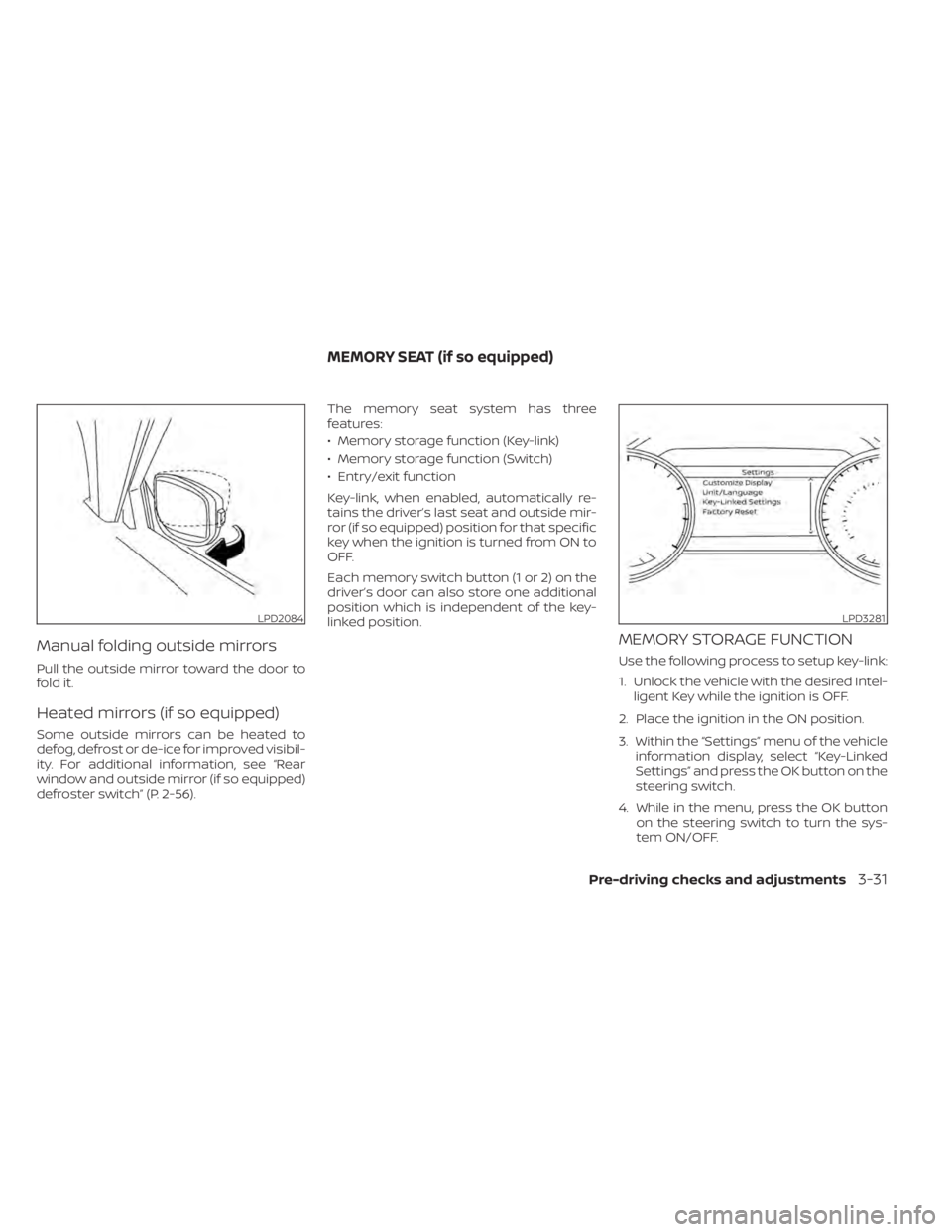
Manual folding outside mirrors
Pull the outside mirror toward the door to
fold it.
Heated mirrors (if so equipped)
Some outside mirrors can be heated to
defog, defrost or de-ice for improved visibil-
ity. For additional information, see “Rear
window and outside mirror (if so equipped)
defroster switch” (P. 2-56).The memory seat system has three
features:
• Memory storage function (Key-link)
• Memory storage function (Switch)
• Entry/exit function
Key-link, when enabled, automatically re-
tains the driver’s last seat and outside mir-
ror (if so equipped) position for that specific
key when the ignition is turned from ON to
OFF.
Each memory switch button (1 or 2) on the
driver’s door can also store one additional
position which is independent of the key-
linked position.
MEMORY STORAGE FUNCTION
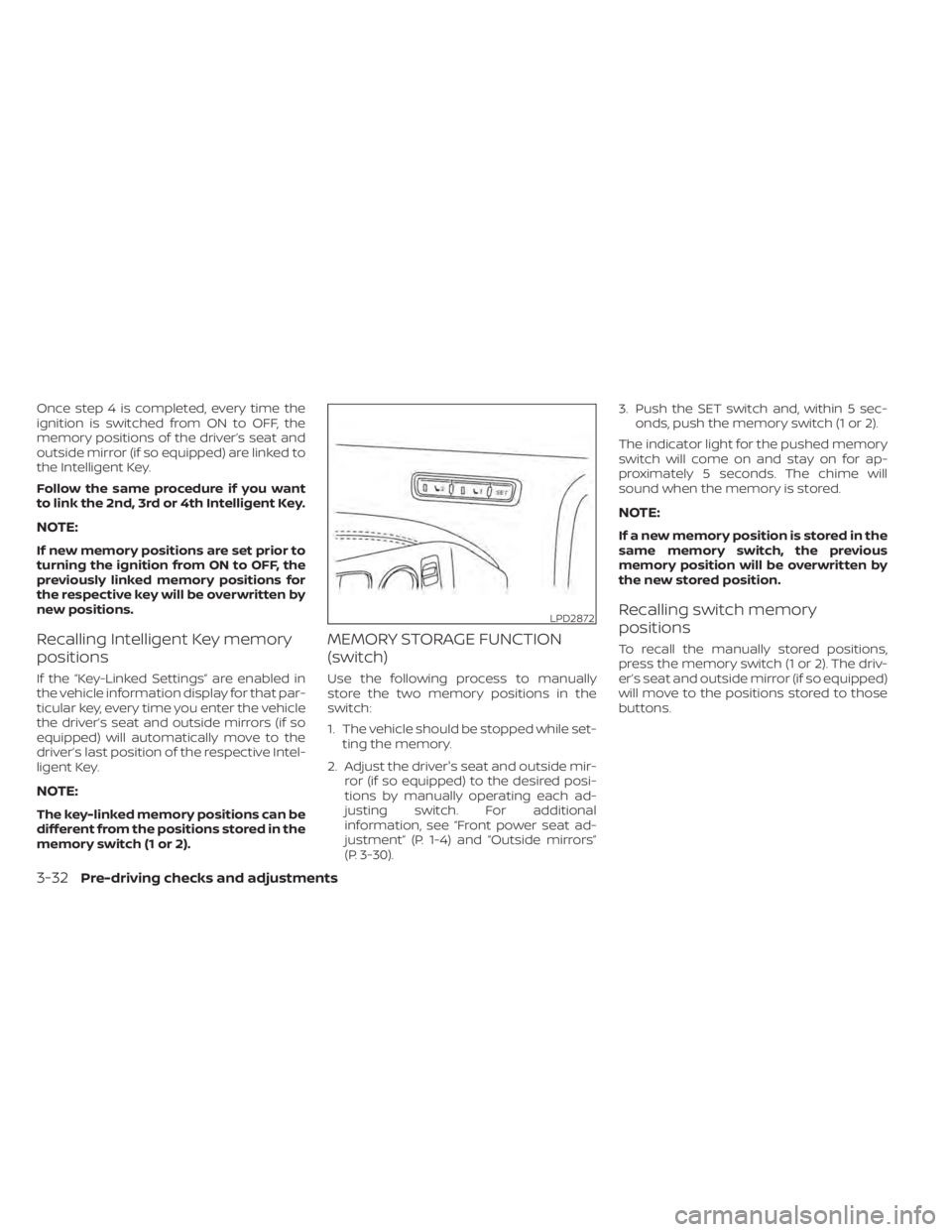
Use the following process to setup key-link:
1. Unlock the vehicle with the desired Intel-
ligent Key while the ignition is OFF.
2. Place the ignition in the ON position.
3. Within the “Settings” menu of the vehicle information display, select “Key-Linked
Settings” and press the OK button on the
steering switch.
4. While in the menu, press the OK button on the steering switch to turn the sys-
tem ON/OFF.
LPD2084LPD3281
MEMORY SEAT (if so equipped)
Pre-driving checks and adjustments3-31
Page 208 of 644
Once step 4 is completed, every time the
ignition is switched from ON to OFF, the
memory positions of the driver’s seat and
outside mirror (if so equipped) are linked to
the Intelligent Key.
Follow the same procedure if you want
to link the 2nd, 3rd or 4th Intelligent Key.
NOTE:
If new memory positions are set prior to
turning the ignition from ON to OFF, the
previously linked memory positions for
the respective key will be overwritten by
new positions.
Recalling Intelligent Key memory
positions
If the “Key-Linked Settings” are enabled in
the vehicle information display for that par-
ticular key, every time you enter the vehicle
the driver’s seat and outside mirrors (if so
equipped) will automatically move to the
driver’s last position of the respective Intel-
ligent Key.
NOTE:
The key-linked memory positions can be
different from the positions stored in the
memory switch (1 or 2).
MEMORY STORAGE FUNCTION
(switch)
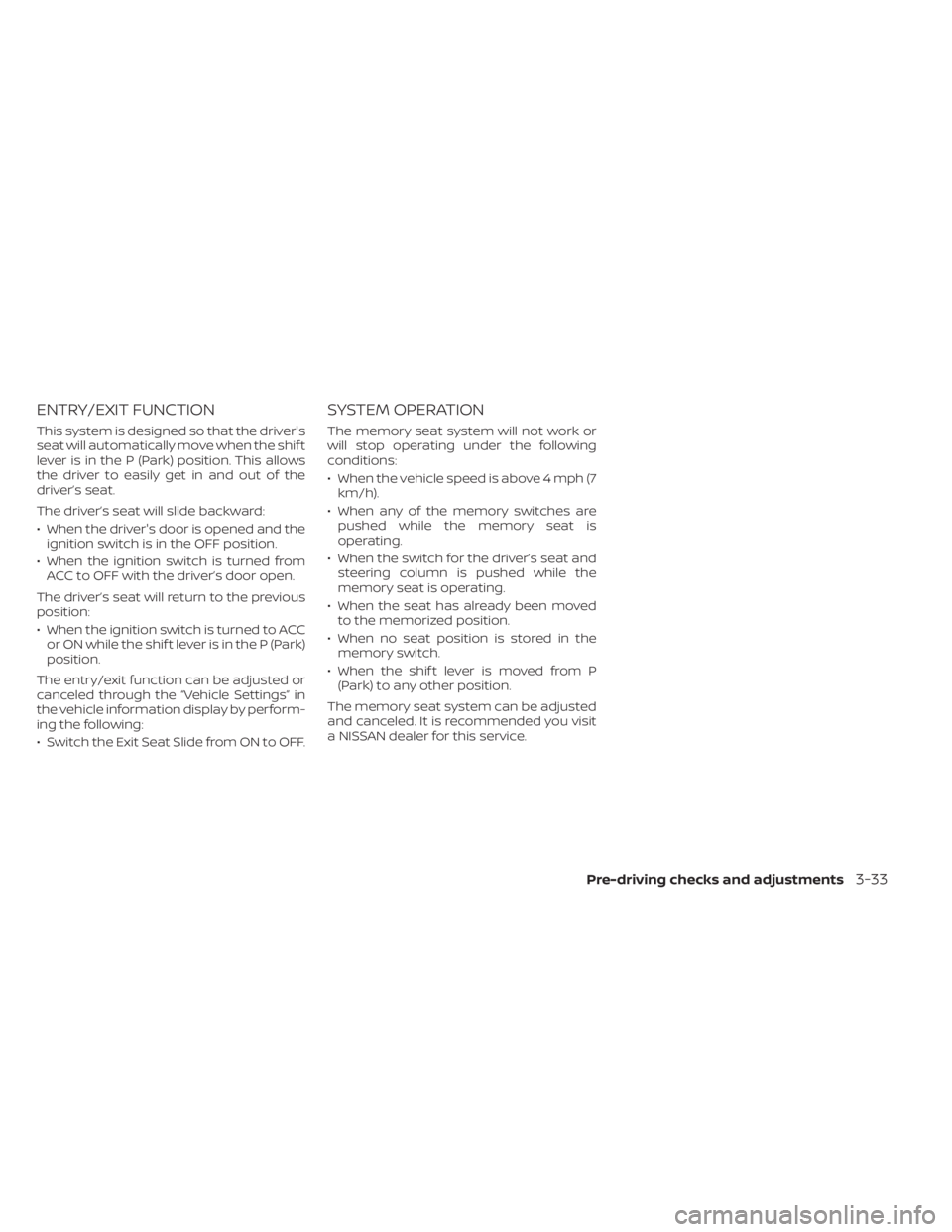
Use the following process to manually
store the two memory positions in the
switch:
1. The vehicle should be stopped while set-ting the memory.
2. Adjust the driver's seat and outside mir- ror (if so equipped) to the desired posi-
tions by manually operating each ad-
justing switch. For additional
information, see “Front power seat ad-
justment” (P. 1-4) and “Outside mirrors”
(P. 3-30). 3. Push the SET switch and, within 5 sec-
onds, push the memory switch (1 or 2).
The indicator light for the pushed memory
switch will come on and stay on for ap-
proximately 5 seconds. The chime will
sound when the memory is stored.
NOTE:
If a new memory position is stored in the
same memory switch, the previous
memory position will be overwritten by
the new stored position.
Recalling switch memory
positions
To recall the manually stored positions,
press the memory switch (1 or 2). The driv-
er’s seat and outside mirror (if so equipped)
will move to the positions stored to those
buttons.
LPD2872
3-32Pre-driving checks and adjustments
Page 209 of 644
ENTRY/EXIT FUNCTION
This system is designed so that the driver's
seat will automatically move when the shif t
lever is in the P (Park) position. This allows
the driver to easily get in and out of the
driver’s seat.
The driver’s seat will slide backward:
• When the driver's door is opened and theignition switch is in the OFF position.
• When the ignition switch is turned from ACC to OFF with the driver’s door open.
The driver’s seat will return to the previous
position:
• When the ignition switch is turned to ACC or ON while the shif t lever is in the P (Park)
position.
The entry/exit function can be adjusted or
canceled through the “Vehicle Settings” in
the vehicle information display by perform-
ing the following:
• Switch the Exit Seat Slide from ON to OFF.
SYSTEM OPERATION
The memory seat system will not work or
will stop operating under the following
conditions:
• When the vehicle speed is above 4 mph (7 km/h).
• When any of the memory switches are pushed while the memory seat is
operating.
• When the switch for the driver’s seat and steering column is pushed while the
memory seat is operating.
• When the seat has already been moved to the memorized position.
• When no seat position is stored in the memory switch.
• When the shif t lever is moved from P (Park) to any other position.
The memory seat system can be adjusted
and canceled. It is recommended you visit
a NISSAN dealer for this service.
Pre-driving checks and adjustments3-33
Page 257 of 644
The vehicle is not equipped with a USB de-
vice. USB devices should be purchased
separately as necessary.
This system cannot be used to format USB
devices. To format a USB device, use a per-
sonal computer.
In some jurisdictions, the USB device for the
front seats plays only sound without im-
ages for regulatory reasons, even when the
vehicle is parked.
This system supports various USB
memory devices, USB hard drives and
iPod® players. Some USB devices may not
be supported by this system.
• Partitioned USB devices may not playcorrectly.
• Some characters used in other lan- guages (Chinese, Japanese, etc.) may not
appear properly in the display. Using Eng-
lish language characters with a USB de-
vice is recommended.
General notes for USB use:
• For additional information, refer to your device manufacturer’s owner informa-
tion regarding the proper use and care of
the device. Notes for iPod® use:
iPod® is a trademark of Apple Inc., regis-
tered in the U.S. and other countries.
• Improperly plugging in the iPod® may
cause a checkmark to be displayed on
and off (flickering). Always make sure that
the iPod® is connected properly.
• An iPod® nano (1st Generation) may re- main in fast forward or rewind mode if it is
connected during a seek operation. In
this case, please manually reset the
iPod®.
• An iPod® nano (2nd Generation) will con- tinue to fast-forward or rewind if it is dis-
connected during a seek operation.
• An incorrect song title may appear when the Play Mode is changed while using an
iPod® nano (2nd Generation).
• Audiobooks may not play in the same order as they appear on an iPod®.
• Large video files cause slow responses in an iPod®. The vehicle center display may
momentarily black out, but will soon
recover.
• If an iPod® automatically selects large video files while in the shuffle mode, the
vehicle center display may momentarily
black out, but will soon recover.iPod®* player
• Some characters used in other lan-guages (Chinese, Japanese, etc.) are not
displayed properly on the vehicle center
screen. We recommend using English or
Spanish language characters with an
iPod®.
• Large video podcast files cause slow re- sponses in the iPod®. The vehicle center
display may momentarily black out, but it
will soon recover.
• If the iPod® automatically selects large video podcast files while in the shuffle
mode, the vehicle center display may
momentarily black out, but it will soon
recover.
• Improperly plugging in the iPod® may cause a checkmark to be displayed on
and off (flickering). Always make sure that
the iPod® is connected properly.
• The iPod® nano (2nd Generation) will con- tinue to fast forward or rewind if it is dis-
connected during a seek operation.
• An incorrect song title may appear when the Play Mode is changed while using the
iPod® nano (2nd Generation).
• Audiobooks may not play in the same order as they appear on the iPod®.
Monitor, climate, audio, phone and voice recognition systems4-47
Page 631 of 644
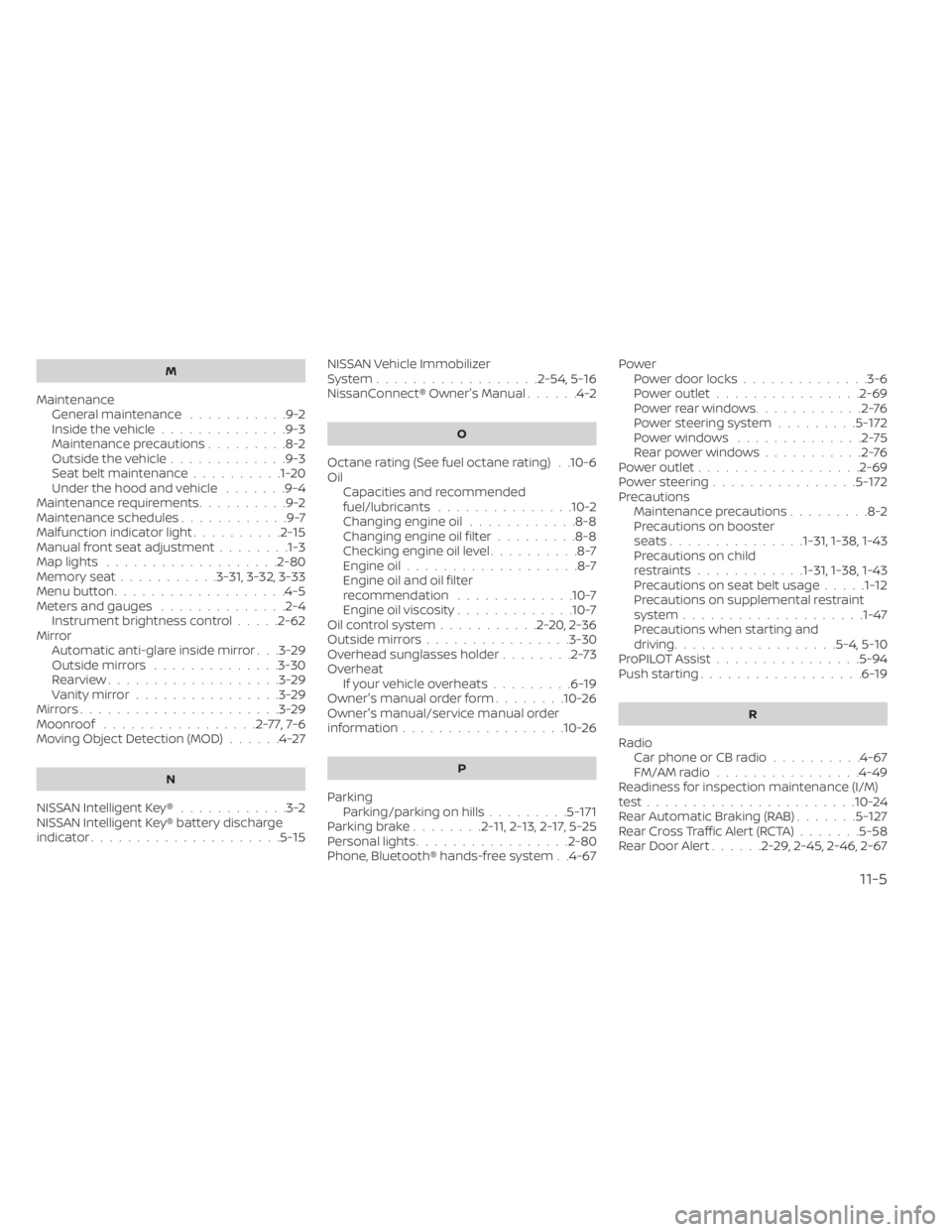
M
MaintenanceGeneral maintenance...........9-2Inside the vehicle..............9-3Maintenance precautions.........8-2Outside the vehicle.............9-3Seat belt maintenance..........1-20Under the hood and vehicle.......9-4Maintenance requirements..........9-2Maintenance schedules............9-7Malfunction indicator light..........2-15Manual front seat adjustment........1-3Map lights.................. .2-80Memory seat...........3-31, 3-32, 3-33Menu button...................4-5Meters and gauges..............2-4Instrument brightness control.....2-62Mirror
Automatic anti-glare inside mirror. . .3-29Outside mirrors..............3-30Rearview...................3-29Vanity mirror................3-29Mirrors......................3-29Moonroof.................2-77,7-6Moving Object Detection (MOD)......4-27
N
NISSAN Intelligent Key®............3-2NISSAN Intelligent Key® battery discharge
indicator.....................5-15
NISSAN Vehicle Immobilizer
System................. .2-54, 5-16NissanConnect® Owner's Manual......4-2
O
Octane rating (See fuel octane rating). .10-6Oil
Capacities and recommended
fuel/lubricants
...............10-2Changing engine oil............8-8Changing engine oil filter.........8-8Checking engine oil level..........8-7Engine oil...................8-7Engine oil and oil filter
recommendation.............10-7Engine oil viscosity.............10-7Oil control system...........2-20, 2-36Outside mirrors................3-30Overhead sunglasses holder........2-73Overheat
If your vehicle overheats.........6-19Owner's manual order form........10-26Owner's manual/service manual order
information................. .10-26
P
Parking
Parking/parking on hills.........5-171Parking brake........2-11,2-13,2-17,5-25Personal lights................ .2-80Phone, Bluetooth® hands-free system. .4-67
Power
Power door locks..............3-6Power outlet................2-69Powerrearwindows............2-76Power steering system.........5-172Power windows..............2-75Rear power windows...........2-76Power outlet................. .2-69Power steering................5-172Precautions
Maintenance precautions.........8-2Precautions on booster
seats...............1-31, 1-38, 1-43Precautions on child
restraints............1-31, 1-38, 1-43Precautions on seat belt usage.....1-12Precautions on supplemental restraint
system................... .1-47Precautions when starting and
driving..................5-4, 5-10ProPILOT Assist................5-94Push starting..................6-19
R
Radio
Car phone or CB radio..........4-67FM/AM radio................4-49Readiness for inspection maintenance (I/M)
test...................... .10-24Rear Automatic Braking (RAB).......5-127Rear Cross Traffic Alert (RCTA).......5-58Rear Door Alert......2-29,2-45, 2-46, 2-67
11-5
Page 632 of 644
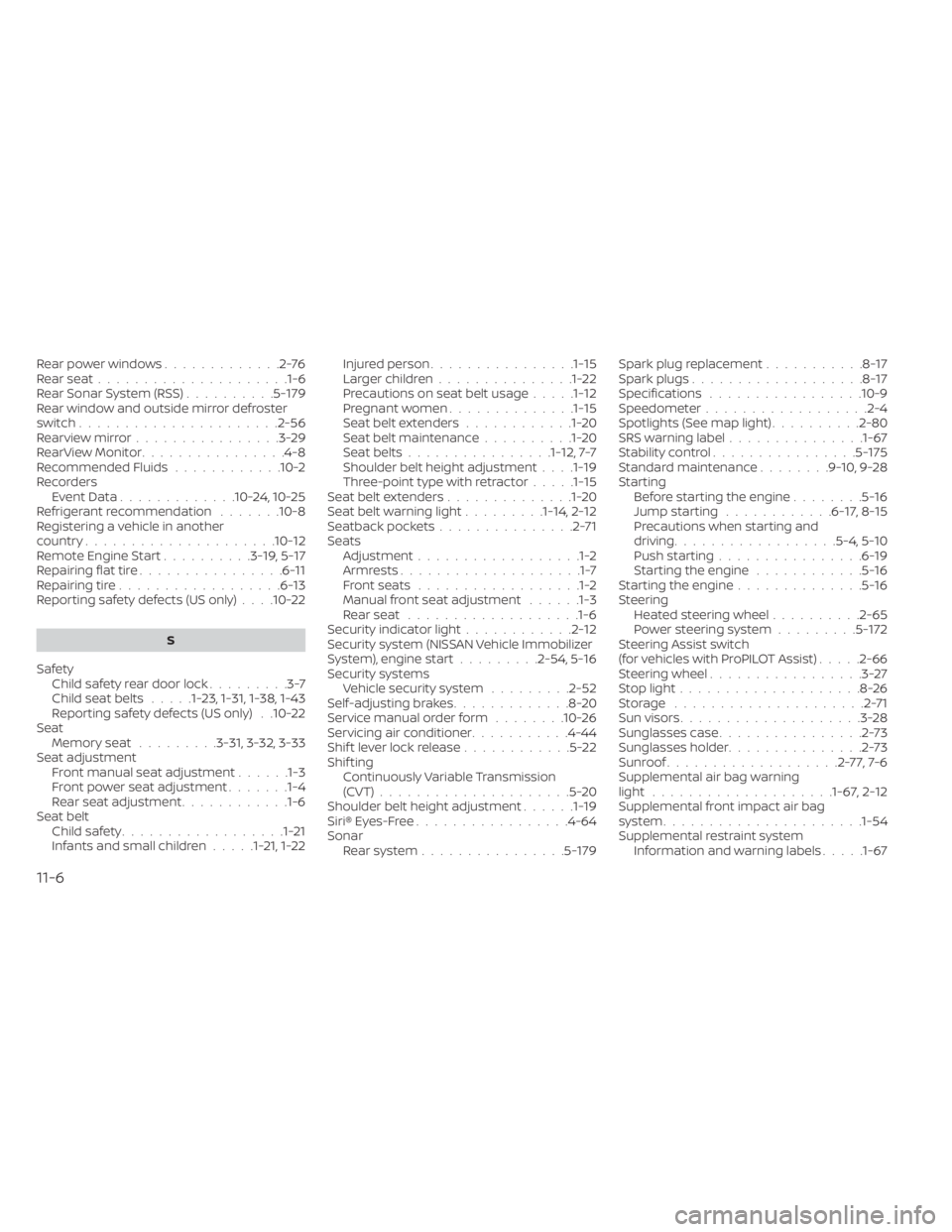
Rear power windows.............2-76Rear seat.....................1-6Rear Sonar System (RSS)..........5-179Rear window and outside mirror defroster
switch..................... .2-56Rearview mirror................3-29RearView Monitor................4-8Recommended Fluids............10-2Recorders
Event Data.............10-24, 10-25Refrigerant recommendation.......10-8Registering a vehicle in another
country.................... .10-12Remote Engine Start..........3-19,5-17Repairing flat tire................6-11Repairing tire..................6-13Reporting safety defects (US only). . . .10-22
S
Safety
Child safety rear door lock.........3-7Child seat belts.....1-23, 1-31, 1-38, 1-43Reporting safety defects (US only). .10-22Seat
Memory seat.........3-31, 3-32, 3-33Seat adjustmentFront manual seat adjustment......1-3Front power seat adjustment.......1-4Rear seat adjustment............1-6Seat beltChild safety..................1-21Infants and small children.....1-21,1-22
Injured person................1-15Larger children...............1-22Precautions on seat belt usage.....1-12Pregnant women..............1-15Seat belt extenders............1-20Seat belt maintenance..........1-20Seat belts................1-12,7-7Shoulder belt height adjustment. . . .1-19Three-point type with retractor.....1-15Seat belt extenders..............1-20Seat belt warning light.........1-14,2-12Seatback pockets...............2-71SeatsAdjustment..................1-2Armrests....................1-7Front seats..................1-2Manual front seat adjustment......1-3Rear seat.................. .1-6Security indicator light............2-12Security system (NISSAN Vehicle Immobilizer
System), engine start.........2-54, 5-16Security systems
Vehicle security system.........2-52Self-adjusting brakes.............8-20Service manual order form........10-26Servicing air conditioner...........4-44Shif t lever lock release............5-22Shif tingContinuously Variable Transmission
(CVT)
.....................5-20Shoulder belt height adjustment......1-19Siri® Eyes-Free................ .4-64Sonar
Rear system................5-179
Spark plug replacement...........8-17Spark plugs...................8-17Specifications................ .10-9Speedometer................. .2-4Spotlights (See map light)..........2-80SRS warning label...............1-67Stability control................5-175Standard maintenance........9-10,9-28Starting
Before starting the engine........5-16Jump starting............6-17,8-15Precautions when starting and
driving................. .5-4, 5-10Push starting................6-19Starting the engine............5-16Starting the engine..............5-16Steering
Heated steering wheel..........2-65Power steering system.........5-172Steering Assist switch
(for vehicles with ProPILOT Assist).....2-66Steering wheel.................3-27Stop light....................8-26Storage.....................2-71Sun visors....................3-28Sunglasses case................2-73Sunglasses holder...............2-73Sunroof...................2-77,7-6Supplemental air bag warning
light................... .1-67, 2-12Supplemental front impact air bag
system..................... .1-54Supplemental restraint system
Information and warning labels.....1-67
11-6