parking brake NISSAN ALTIMA COUPE 2009 D32 / 4.G Owners Manual
[x] Cancel search | Manufacturer: NISSAN, Model Year: 2009, Model line: ALTIMA COUPE, Model: NISSAN ALTIMA COUPE 2009 D32 / 4.GPages: 373, PDF Size: 4.79 MB
Page 21 of 373
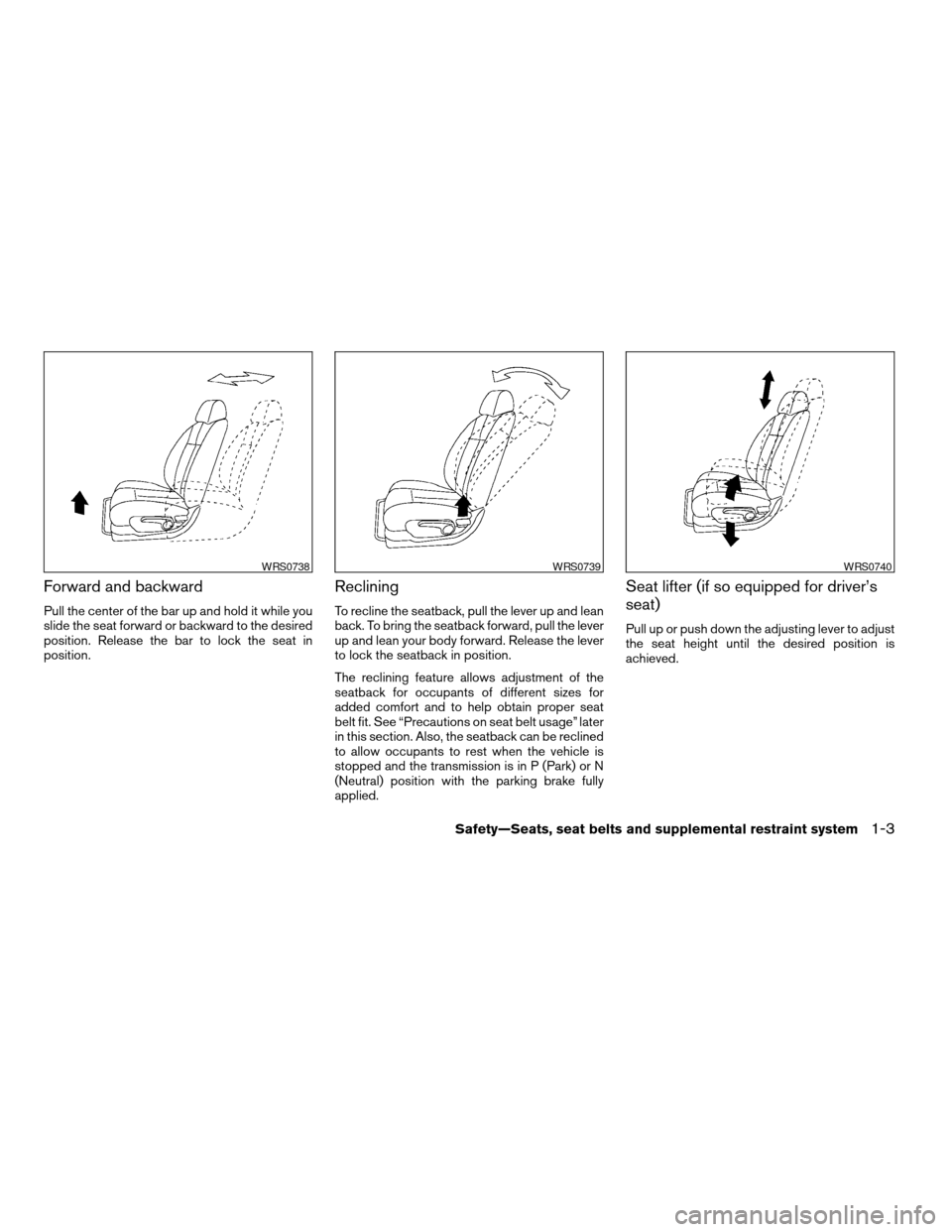
Forward and backward
Pull the center of the bar up and hold it while you
slide the seat forward or backward to the desired
position. Release the bar to lock the seat in
position.
Reclining
To recline the seatback, pull the lever up and lean
back. To bring the seatback forward, pull the lever
up and lean your body forward. Release the lever
to lock the seatback in position.
The reclining feature allows adjustment of the
seatback for occupants of different sizes for
added comfort and to help obtain proper seat
belt fit. See “Precautions on seat belt usage” later
in this section. Also, the seatback can be reclined
to allow occupants to rest when the vehicle is
stopped and the transmission is in P (Park) or N
(Neutral) position with the parking brake fully
applied.
Seat lifter (if so equipped for driver’s
seat)
Pull up or push down the adjusting lever to adjust
the seat height until the desired position is
achieved.
WRS0738WRS0739WRS0740
Safety—Seats, seat belts and supplemental restraint system1-3
ZREVIEW COPYÐ2009 Altima(alt)
Owners Manual(owners)ÐUSA_English(nna)
02/03/09Ðdebbie
X
Page 23 of 373
CAUTION
cDo not operate the power recline switch
when the seatback has been manually
released using the upper seatback re-
lease lever
s1. Doing so can damage
the seat.
cDo not pull on the upper seatback re-
lease lever or the trim to return the
seatback to a normal seating position.
Doing so may damage the seat.
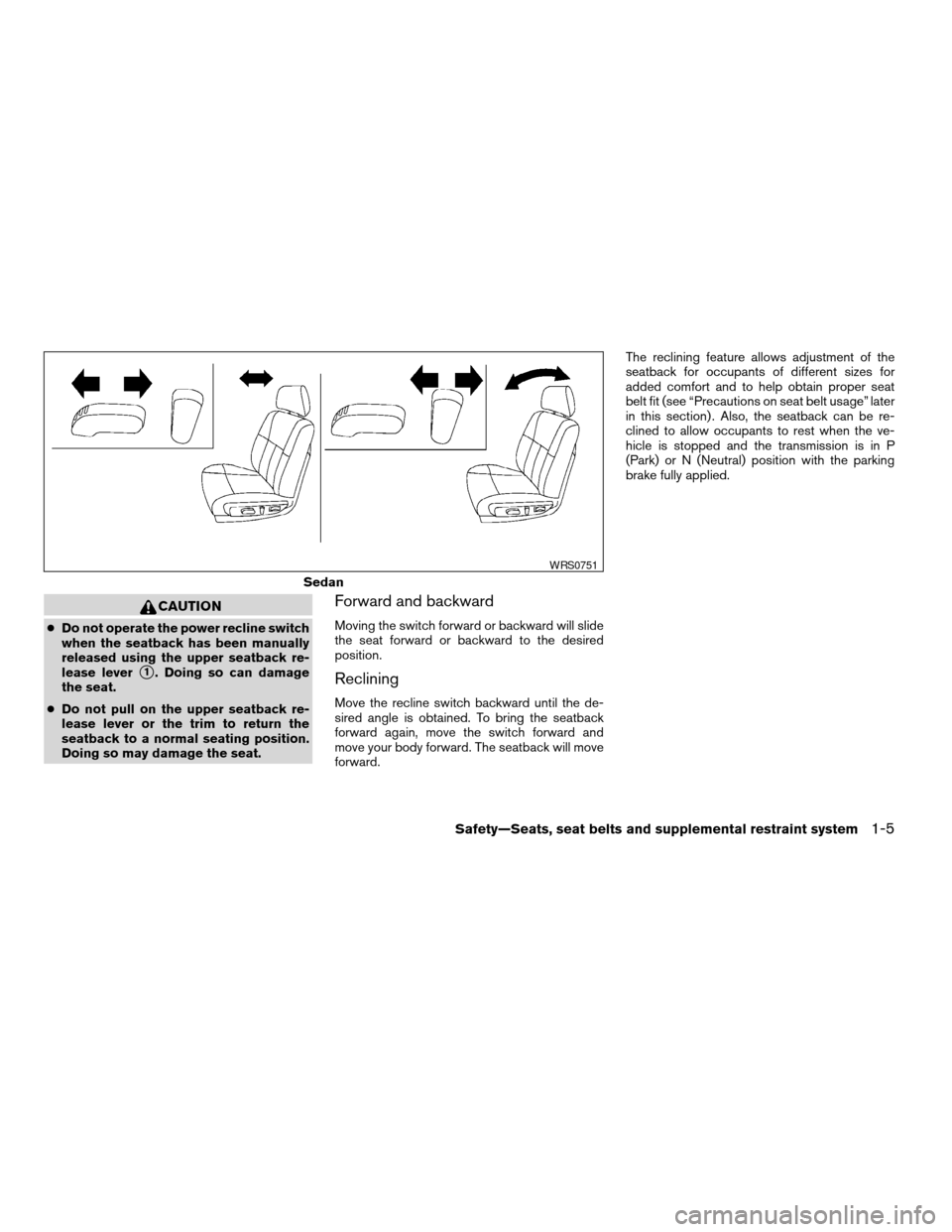
Forward and backward
Moving the switch forward or backward will slide
the seat forward or backward to the desired
position.
Reclining
Move the recline switch backward until the de-
sired angle is obtained. To bring the seatback
forward again, move the switch forward and
move your body forward. The seatback will move
forward.The reclining feature allows adjustment of the
seatback for occupants of different sizes for
added comfort and to help obtain proper seat
belt fit (see “Precautions on seat belt usage” later
in this section) . Also, the seatback can be re-
clined to allow occupants to rest when the ve-
hicle is stopped and the transmission is in P
(Park) or N (Neutral) position with the parking
brake fully applied.
Sedan
WRS0751
Safety—Seats, seat belts and supplemental restraint system1-5
ZREVIEW COPYÐ2009 Altima(alt)
Owners Manual(owners)ÐUSA_English(nna)
02/03/09Ðdebbie
X
Page 88 of 373
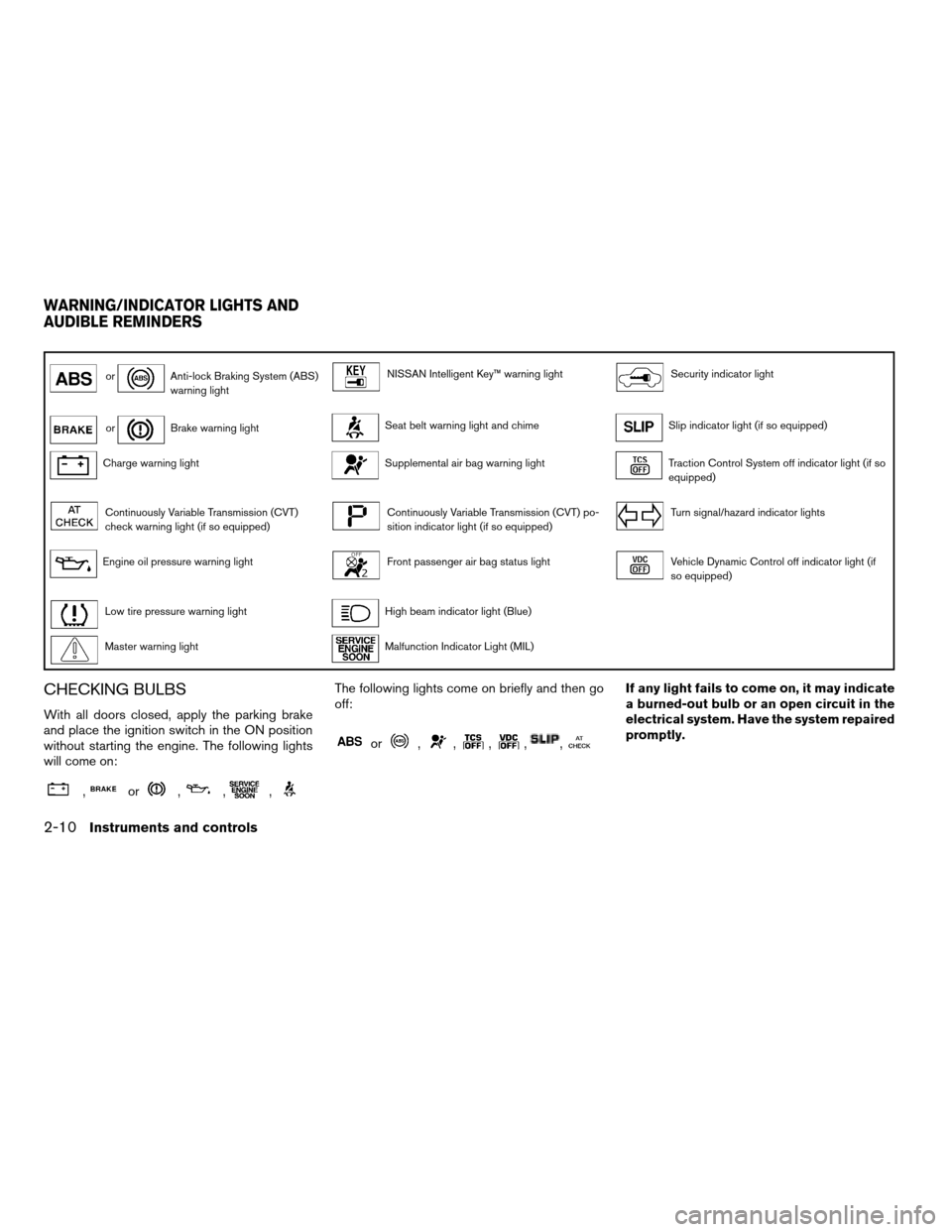
orAnti-lock Braking System (ABS)
warning lightNISSAN Intelligent Key™ warning lightSecurity indicator light
orBrake warning lightSeat belt warning light and chimeSlip indicator light (if so equipped)
Charge warning lightSupplemental air bag warning lightTraction Control System off indicator light (if so
equipped)
Continuously Variable Transmission (CVT)
check warning light (if so equipped)Continuously Variable Transmission (CVT) po-
sition indicator light (if so equipped)Turn signal/hazard indicator lights
Engine oil pressure warning lightFront passenger air bag status lightVehicle Dynamic Control off indicator light (if
so equipped)
Low tire pressure warning lightHigh beam indicator light (Blue)
Master warning lightMalfunction Indicator Light (MIL)
CHECKING BULBS
With all doors closed, apply the parking brake
and place the ignition switch in the ON position
without starting the engine. The following lights
will come on:
,or,,,
The following lights come on briefly and then go
off:
or,,,,,
If any light fails to come on, it may indicate
a burned-out bulb or an open circuit in the
electrical system. Have the system repaired
promptly.
WARNING/INDICATOR LIGHTS AND
AUDIBLE REMINDERS
2-10Instruments and controls
ZREVIEW COPYÐ2009 Altima(alt)
Owners Manual(owners)ÐUSA_English(nna)
02/03/09Ðdebbie
X
Page 89 of 373
WARNING LIGHTS
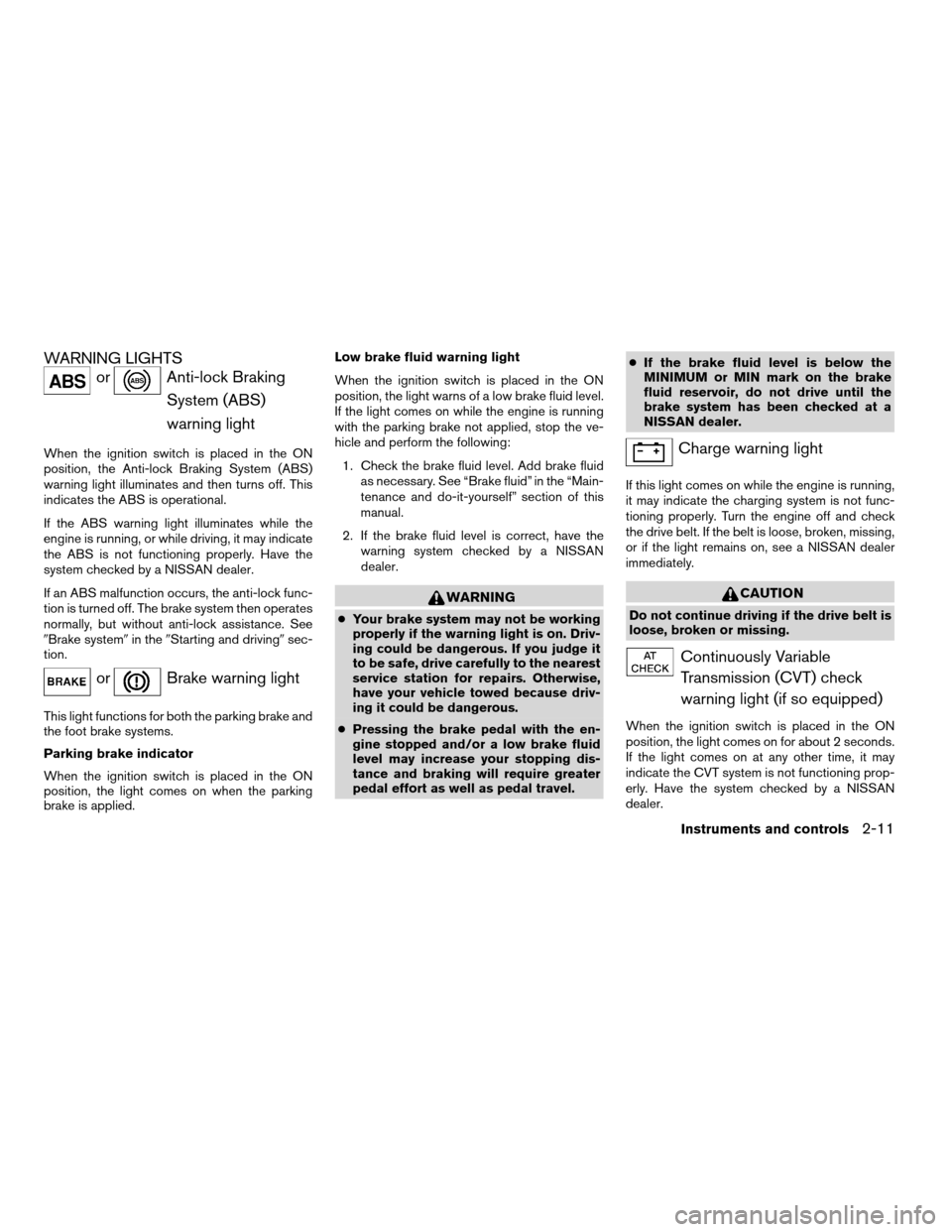
orAnti-lock Braking
System (ABS)
warning light
When the ignition switch is placed in the ON
position, the Anti-lock Braking System (ABS)
warning light illuminates and then turns off. This
indicates the ABS is operational.
If the ABS warning light illuminates while the
engine is running, or while driving, it may indicate
the ABS is not functioning properly. Have the
system checked by a NISSAN dealer.
If an ABS malfunction occurs, the anti-lock func-
tion is turned off. The brake system then operates
normally, but without anti-lock assistance. See
9Brake system9in the9Starting and driving9sec-
tion.
orBrake warning light
This light functions for both the parking brake and
the foot brake systems.
Parking brake indicator
When the ignition switch is placed in the ON
position, the light comes on when the parking
brake is applied.Low brake fluid warning light
When the ignition switch is placed in the ON
position, the light warns of a low brake fluid level.
If the light comes on while the engine is running
with the parking brake not applied, stop the ve-
hicle and perform the following:
1. Check the brake fluid level. Add brake fluid
as necessary. See “Brake fluid” in the “Main-
tenance and do-it-yourself” section of this
manual.
2. If the brake fluid level is correct, have the
warning system checked by a NISSAN
dealer.
WARNING
cYour brake system may not be working
properly if the warning light is on. Driv-
ing could be dangerous. If you judge it
to be safe, drive carefully to the nearest
service station for repairs. Otherwise,
have your vehicle towed because driv-
ing it could be dangerous.
cPressing the brake pedal with the en-
gine stopped and/or a low brake fluid
level may increase your stopping dis-
tance and braking will require greater
pedal effort as well as pedal travel.cIf the brake fluid level is below the
MINIMUM or MIN mark on the brake
fluid reservoir, do not drive until the
brake system has been checked at a
NISSAN dealer.
Charge warning light
If this light comes on while the engine is running,
it may indicate the charging system is not func-
tioning properly. Turn the engine off and check
the drive belt. If the belt is loose, broken, missing,
or if the light remains on, see a NISSAN dealer
immediately.
CAUTION
Do not continue driving if the drive belt is
loose, broken or missing.
Continuously Variable
Transmission (CVT) check
warning light (if so equipped)
When the ignition switch is placed in the ON
position, the light comes on for about 2 seconds.
If the light comes on at any other time, it may
indicate the CVT system is not functioning prop-
erly. Have the system checked by a NISSAN
dealer.
Instruments and controls2-11
ZREVIEW COPYÐ2009 Altima(alt)
Owners Manual(owners)ÐUSA_English(nna)
02/03/09Ðdebbie
X
Page 100 of 373
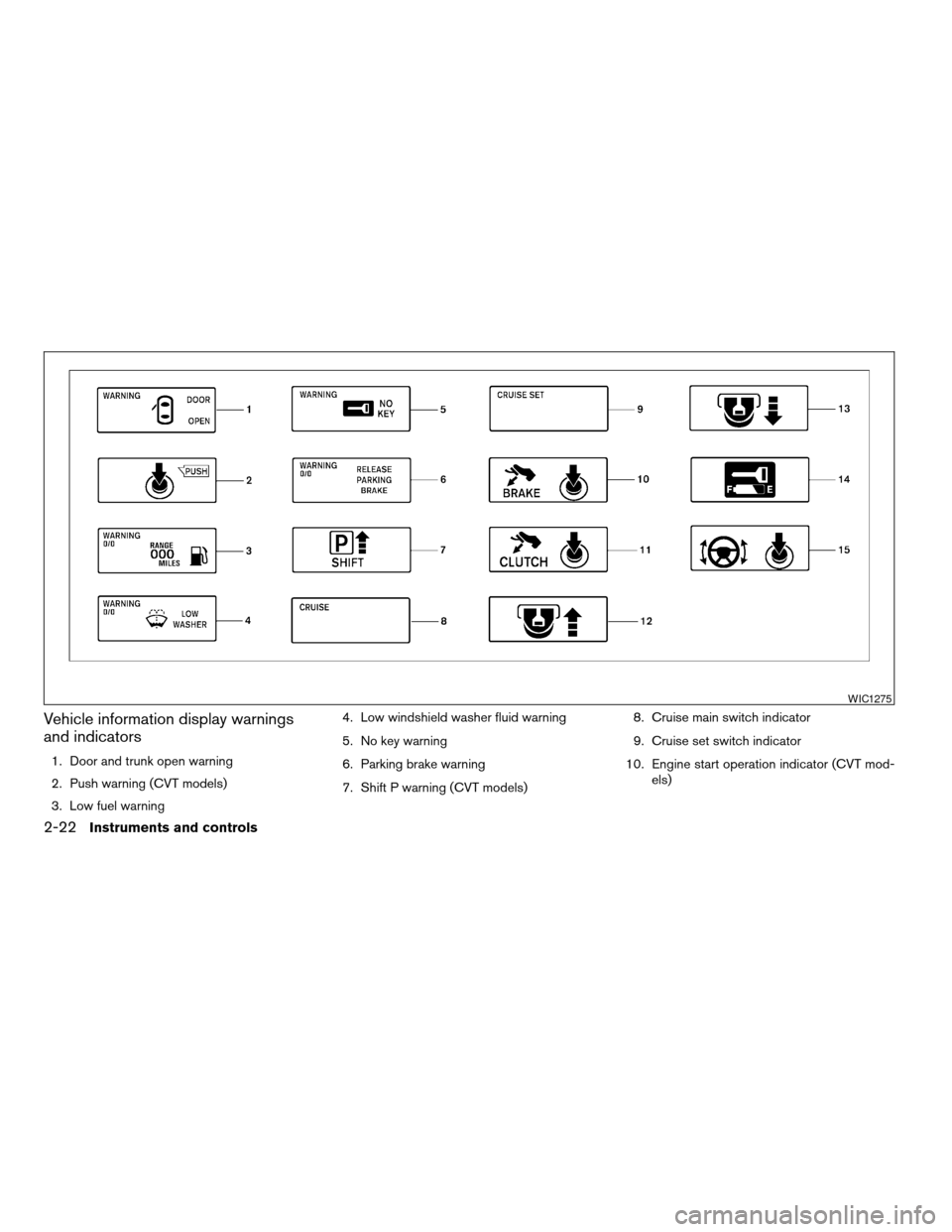
Vehicle information display warnings
and indicators
1. Door and trunk open warning
2. Push warning (CVT models)
3. Low fuel warning4. Low windshield washer fluid warning
5. No key warning
6. Parking brake warning
7. Shift P warning (CVT models)8. Cruise main switch indicator
9. Cruise set switch indicator
10. Engine start operation indicator (CVT mod-
els)
WIC1275
2-22Instruments and controls
ZREVIEW COPYÐ2009 Altima(alt)
Owners Manual(owners)ÐUSA_English(nna)
02/03/09Ðdebbie
X
Page 101 of 373
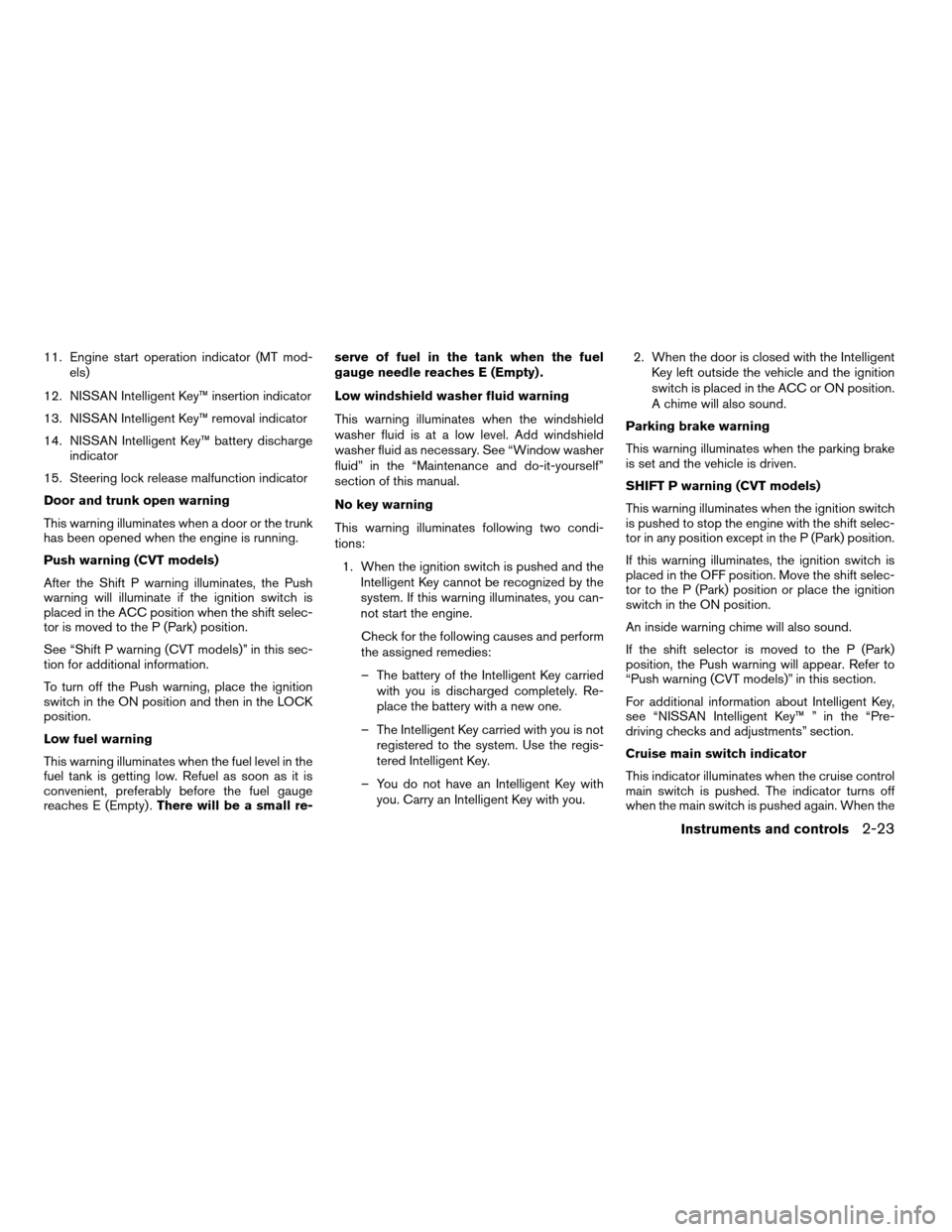
11. Engine start operation indicator (MT mod-
els)
12. NISSAN Intelligent Key™ insertion indicator
13. NISSAN Intelligent Key™ removal indicator
14. NISSAN Intelligent Key™ battery discharge
indicator
15. Steering lock release malfunction indicator
Door and trunk open warning
This warning illuminates when a door or the trunk
has been opened when the engine is running.
Push warning (CVT models)
After the Shift P warning illuminates, the Push
warning will illuminate if the ignition switch is
placed in the ACC position when the shift selec-
tor is moved to the P (Park) position.
See “Shift P warning (CVT models)” in this sec-
tion for additional information.
To turn off the Push warning, place the ignition
switch in the ON position and then in the LOCK
position.
Low fuel warning
This warning illuminates when the fuel level in the
fuel tank is getting low. Refuel as soon as it is
convenient, preferably before the fuel gauge
reaches E (Empty) .There will be a small re-serve of fuel in the tank when the fuel
gauge needle reaches E (Empty) .
Low windshield washer fluid warning
This warning illuminates when the windshield
washer fluid is at a low level. Add windshield
washer fluid as necessary. See “Window washer
fluid” in the “Maintenance and do-it-yourself”
section of this manual.
No key warning
This warning illuminates following two condi-
tions:
1. When the ignition switch is pushed and the
Intelligent Key cannot be recognized by the
system. If this warning illuminates, you can-
not start the engine.
Check for the following causes and perform
the assigned remedies:
– The battery of the Intelligent Key carried
with you is discharged completely. Re-
place the battery with a new one.
– The Intelligent Key carried with you is not
registered to the system. Use the regis-
tered Intelligent Key.
– You do not have an Intelligent Key with
you. Carry an Intelligent Key with you.2. When the door is closed with the Intelligent
Key left outside the vehicle and the ignition
switch is placed in the ACC or ON position.
A chime will also sound.
Parking brake warning
This warning illuminates when the parking brake
is set and the vehicle is driven.
SHIFT P warning (CVT models)
This warning illuminates when the ignition switch
is pushed to stop the engine with the shift selec-
tor in any position except in the P (Park) position.
If this warning illuminates, the ignition switch is
placed in the OFF position. Move the shift selec-
tor to the P (Park) position or place the ignition
switch in the ON position.
An inside warning chime will also sound.
If the shift selector is moved to the P (Park)
position, the Push warning will appear. Refer to
“Push warning (CVT models)” in this section.
For additional information about Intelligent Key,
see “NISSAN Intelligent Key™ ” in the “Pre-
driving checks and adjustments” section.
Cruise main switch indicator
This indicator illuminates when the cruise control
main switch is pushed. The indicator turns off
when the main switch is pushed again. When the
Instruments and controls2-23
ZREVIEW COPYÐ2009 Altima(alt)
Owners Manual(owners)ÐUSA_English(nna)
02/03/09Ðdebbie
X
Page 102 of 373
cruise main switch indicator illuminates, the
cruise control system is operational.
Cruise set switch indicator
This indicator illuminates while the vehicle speed
is controlled by the cruise control system. If the
indicator blinks while the engine is running, it may
indicate the cruise control system is not function-
ing properly. Have the system checked by a
NISSAN dealer.
Engine start operation indicator (CVT mod-
els)
This indicator illuminates when the ignition switch
is placed in the LOCK, OFF, ACC or ON position
with the shift selector in the P (Park) position.
This indicator means that the engine will start by
pushing the push-button ignition switch with the
brake pedal depressed.
Engine start operation indicator (MT mod-
els)
This indicator illuminates when the ignition switch
is placed in the LOCK, OFF, ACC or ON position
with the shift selector in neutral and the parking
brake on.
This indicator means that the engine will start by
pushing the ignition switch with the clutch and
the brake pedal depressed.NISSAN Intelligent Key™ insertion indica-
tor
This indicator illuminates when the Intelligent Key
needs to be inserted into the Intelligent Key port.
(For example, the Intelligent Key battery is dis-
charged.)
If this indicator illuminates, insert the Intelligent
Key into the Intelligent Key port in the correct
direction. See “Push-button ignition switch” in
the “Starting and driving” section.
NISSAN Intelligent Key™ removal indicator
This indicator illuminates when the driver’s door
is opened with the ignition switch placed in the
OFF position and the Intelligent Key placed in the
Intelligent Key port. A key reminder chime also
sounds.
If this indicator illuminates, remove the Intelligent
Key from the Intelligent Key port and take it with
you when leaving the vehicle.
NISSAN Intelligent Key™ battery discharge
indicator
This indicator illuminates when the Intelligent Key
battery is running out of power.
If this indicator illuminates, replace the battery
with a new one. See “NISSAN Intelligent Key™” in
the “Maintenance and do-it-yourself” section.Steering lock release malfunction indica-
tor
This indicator illuminates when the steering
wheel cannot be released from the LOCK posi-
tion.
If this indicator illuminates, push the ignition
switch while lightly turning the steering wheel
right and left.
2-24Instruments and controls
ZREVIEW COPYÐ2009 Altima(alt)
Owners Manual(owners)ÐUSA_English(nna)
02/03/09Ðdebbie
X
Page 110 of 373
CAUTION
Even though the battery saver feature au-
tomatically turns off the headlights after a
period of time, you should turn the head-
light switch to the OFF position when the
engine is not running to avoid discharging
the vehicle battery.
DAYTIME RUNNING LIGHT SYSTEM
(Canada only)
The headlights automatically illuminate at a re-
duced intensity when the engine is started with
the parking brake released. The daytime running
lights operate with the headlight switch in the
OFF position or in the
position. Turn the
headlight switch to the
position for full
illumination when driving at night.
If the parking brake is applied before the engine is
started, the daytime running lights do not illumi-
nate. The daytime running lights illuminate when
the parking brake is released. The daytime run-
ning lights will remain on until the ignition switch
is placed in the OFF position.
WARNING
When the daytime running light system is
active, tail lights on your vehicle are not
on. It is necessary at dusk to turn on your
headlights. Failure to do so could cause
an accident injuring yourself and others.
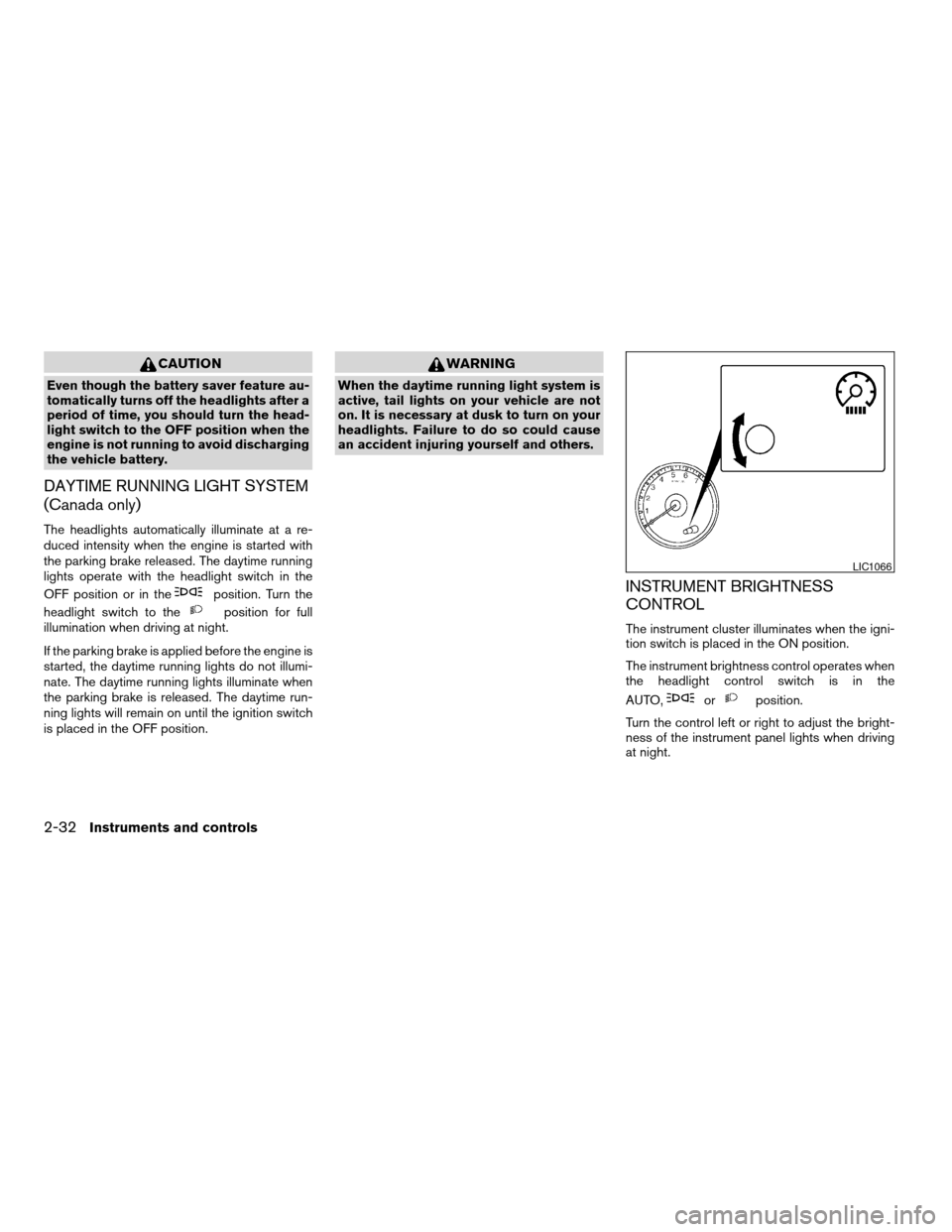
INSTRUMENT BRIGHTNESS
CONTROL
The instrument cluster illuminates when the igni-
tion switch is placed in the ON position.
The instrument brightness control operates when
the headlight control switch is in the
AUTO,
orposition.
Turn the control left or right to adjust the bright-
ness of the instrument panel lights when driving
at night.
LIC1066
2-32Instruments and controls
ZREVIEW COPYÐ2009 Altima(alt)
Owners Manual(owners)ÐUSA_English(nna)
02/03/09Ðdebbie
X
Page 222 of 373
and you change the priority level of Phone C to
Level 1, then:
Priority Level 1 = Phone C
Priority Level 2 = Phone B
Priority Level 3 = Phone A
“Delete phone”
sE
Use the Delete Phone command to delete a
specific phone or all phones from the BluetoothT
Hands-Free Phone System.
The system announces the names of the phones
already paired with the system and their priority
level. The system then gives you the option to
delete a specific phone, all phones or listen to the
list again.
Once you choose to delete a phone or all phones,
the system asks you to confirm this action.
NOTE:
When you delete a phone, the associated
phone book for that phone will also be
deleted.
“Select ringtone”
sF
Use the Select Ringtone command to select the
tone heard in the vehicle when an incoming call is
received.The system announces the name of the active
phone and asks you to choose from the following
commands:
c“Ringtone” — The system plays a ringtone
and asks if you would like to select that tone.
If you say “No”, the system plays the next
ringtone available and continues to cycle
through the ringtones until you select one or
quit.
c“Silent” — The system asks you to confirm
your wish to disable the ringtone.
“Bluetooth off”
sG
Use the Bluetooth Off command to turn off the
BluetoothTHands-Free Phone System.
When the BluetoothTHands-Free Phone Sys-
tem is off, you will not be able to make or receive
calls using NISSAN Voice Recognition. Also, you
will not have access to the Phone Book.
You can still use the Memo Pad and access
Setup.
SPEAKER ADAPTATION (SA) MODE
Speaker Adaptation allows up to two out-of-
dialect users to train the system to improve rec-
ognition accuracy. By repeating a number of
commands, the users can create a voice model of
their own voice that is stored in the system. Thesystem is capable of storing a different speaker
adaptation model for memory A and memory B.
If memory A is available, the system will use
memory A to store the model. If memory A is in
use and memory B is available, the system will
use memory B to store the model. If both of the
memory locations are in use, the system will ask
the user to select which memory location should
be overwritten.
Training procedure
The procedure for training a voice is as follows.
1. Position the vehicle in a reasonably quiet
outdoor location.
2. Sit in the driver’s seat with the engine run-
ning, the parking brake on, and the transmis-
sion in P (Park) (AT and CVT models) or N
(Neutral) (MT models) .
3. Press and hold the
button for more
than 5 seconds.
4. The system announces: “Press the
PHONE/SEND (
) button for the
hands-free phone system to enter the
speaker adaptation mode or press the
PHONE/END (
) button to select a dif-
ferent language.”
5. Press the
button.
4-58Monitor, climate, audio, phone and voice recognition systems
ZREVIEW COPYÐ2009 Altima(alt)
Owners Manual(owners)ÐUSA_English(nna)
02/03/09Ðdebbie
X
Page 239 of 373
5 Starting and driving
Precautions when starting and driving................5-2
Exhaust gas (carbon monoxide)..................5-2
Three-way catalyst..............................5-2
Tire pressure monitoring system (TPMS)..........5-3
Avoiding collision and rollover....................5-5
Off-road recovery...............................5-6
Rapid air pressure loss..........................5-6
Drinking alcohol/drugs and driving................5-7
Push-Button Ignition Switch........................5-7
Push-button ignition switch positions.............5-8
NISSAN Intelligent key™ battery discharge........5-8
Before starting the engine.........................5-10
Starting the engine...............................5-10
Driving the vehicle................................5-11
Continuously Variable Transmission (CVT)
(if so equipped)...............................5-11
Manual transmission (if so equipped)............5-16
Parking brake....................................5-18
Cruise control....................................5-19
Precautions on cruise control...................5-19Cruise control operations.......................5-19
Break-in schedule................................5-20
Increasing fuel economy...........................5-21
Parking/parking on hills............................5-22
Power steering...................................5-23
Brake system....................................5-23
Brake precautions.............................5-23
Anti-lock Braking System (ABS).................5-24
Traction Control System (TCS) (if so equipped)......5-25
Vehicle Dynamic Control (VDC) system
(if so equipped)..................................5-26
Cold weather driving..............................5-27
Freeing a frozen door lock......................5-27
Anti-freeze....................................5-27
Battery.......................................5-27
Draining of coolant water.......................5-28
Tire equipment................................5-28
Special winter equipment.......................5-28
Driving on snow or ice.........................5-28
Engine block heater (if so equipped).............5-29
ZREVIEW COPYÐ2009 Altima(alt)
Owners Manual(owners)ÐUSA_English(nna)
02/03/09Ðdebbie
X