display NISSAN ARMADA 2005 1.G Manual PDF
[x] Cancel search | Manufacturer: NISSAN, Model Year: 2005, Model line: ARMADA, Model: NISSAN ARMADA 2005 1.GPages: 192, PDF Size: 4.45 MB
Page 100 of 192

3. The display shows the category list. Select
a category name.
INFO:
When the
RESTAURANT key is selected, the
screen to input the cuisine type will be displayed.4. The screen returns to the [DEST. SETTING
(POI)] screen.
When the category is set, the display shows
the selected category beside theCategory key.
Input the facility name.
INFO:
cIf you do not know the facility name you want
to go to, select the
List key so that the facility
names in the category will be listed in alpha-
betical order.
cIt may take some time to show the list, de-
pending on categories.5. When a facility name is input, the system re-
trieves the facility name according to the se-
lected category and the input letters. Then,
the display shows the screen to select a fa-
cility and
Info key.
Please refer to “Setting with the
List key” on page 6-2.
INV1901INV1902INV1903
6-6How do I use the Point of Interest (POI) feature?
ZREVIEW COPYÐ2005(nav)
Navigation System OMÐUSA_English(nna)
07/10/04Ðdebbie
X
Page 101 of 192

When theNext Search key is selected, it is
possible to narrow down states/provinces and
cities within the selected category.
To use this function, refer to “Setting with the
State key” and “Setting with theCity key” on
pages 6-7 and 6-9.
SETTING WITH THEState KEY
TheState key is used when you select a
state/province to set the destination.
1. Select the
State key.2. The display shows the screen to select
states.
Input a state/province name.
INV1904INV1905INV1906
How do I use the Point of Interest (POI) feature?6-7
ZREVIEW COPYÐ2005(nav)
Navigation System OMÐUSA_English(nna)
07/10/04Ðdebbie
X
Page 102 of 192

INFO:
When the
Last 5 States key is selected, the
history of the previous five settings will be listed.3. The display shows the state list.
Select a state/province name.4. The screen returns to the [DEST. SETTING
(POI)] screen.
When the state/province is set, the display
shows the selected state/province next to
the
State key.
Input the state/province name.
INFO:
If you do not know the facility name you want to
go to, select the
List key so that the facility
names will be listed in alphabetical order.
INV1907INV1908INV1909
6-8How do I use the Point of Interest (POI) feature?
ZREVIEW COPYÐ2005(nav)
Navigation System OMÐUSA_English(nna)
07/10/04Ðdebbie
X
Page 104 of 192

2. The display shows the screen to select
cities. Input a city name.When theLast 5 Cities key is selected in step
2, the history of the previous five settings will be
listed.3. The display shows the city list. Select a city
of your choice.
INV1058INV1914INV1915
6-10How do I use the Point of Interest (POI) feature?
ZREVIEW COPYÐ2005(nav)
Navigation System OMÐUSA_English(nna)
07/10/04Ðdebbie
X
Page 105 of 192
![NISSAN ARMADA 2005 1.G Manual PDF 4. The screen returns to the [DEST. SETTING
(POI)] screen.
When the city is set, the display shows the
selected city beside the
City key. Input the
facility name of your choice.
INFO:
cIf you do not k](/img/5/686/w960_686-104.png "NISSAN ARMADA 2005 1.G Manual PDF 4. The screen returns to the [DEST. SETTING
(POI)] screen.
When the city is set, the display shows the
selected city beside the
City key. Input the
facility name of your choice.
INFO:
cIf you do not k")
4. The screen returns to the [DEST. SETTING
(POI)] screen.
When the city is set, the display shows the
selected city beside the
City key. Input the
facility name of your choice.
INFO:
cIf you do not know the facility name, select the
Category key to retrieve a facility. When the
facility is set from the
Category key, the dis-
play shows the selected facility beside the
Category key.
cIt may take some time to show the list, de-
pending on categories.5. When the facility name is input, the system
retrieves the facility name according to the
selected city and the input letters. Then, the
display shows the screen to select a facility
and
Info key.
Please refer to “Setting with the
List key” on page 6-2.
SETTING WITH THENearby KEY
TheNearby key is used to retrieve a facility
within 30 miles (50 km) from the current vehicle
location.
1. Select the
Point of Interest (POI) key on
the [DEST. SETTING (POI)] screen.
2. Set category according to page 6-5.
3. Select the
Nearby key.
INFO:
cFacilities in the selected category will be
listed from the nearest to the farthest.
INV1916INV1917INV1918
How do I use the Point of Interest (POI) feature?6-11
ZREVIEW COPYÐ2005(nav)
Navigation System OMÐUSA_English(nna)
07/10/04Ðdebbie
X
Page 106 of 192

cTheNearby key is available only when a cat-
egory is set. Set a category first.
cWhen there are any nearby facilities based on
the selected category, the display shows the
list of facility names, directions and distance
from the current vehicle location, and
Info keys.
Please refer to “Setting with the
List key” on page 6-2.INFO:
When a hospital is set as a destination, a tele-
phone number of the destination will be
displayed, if available.
INV1919INV1923
6-12How do I use the Point of Interest (POI) feature?
ZREVIEW COPYÐ2005(nav)
Navigation System OMÐUSA_English(nna)
07/10/04Ðdebbie
X
Page 108 of 192
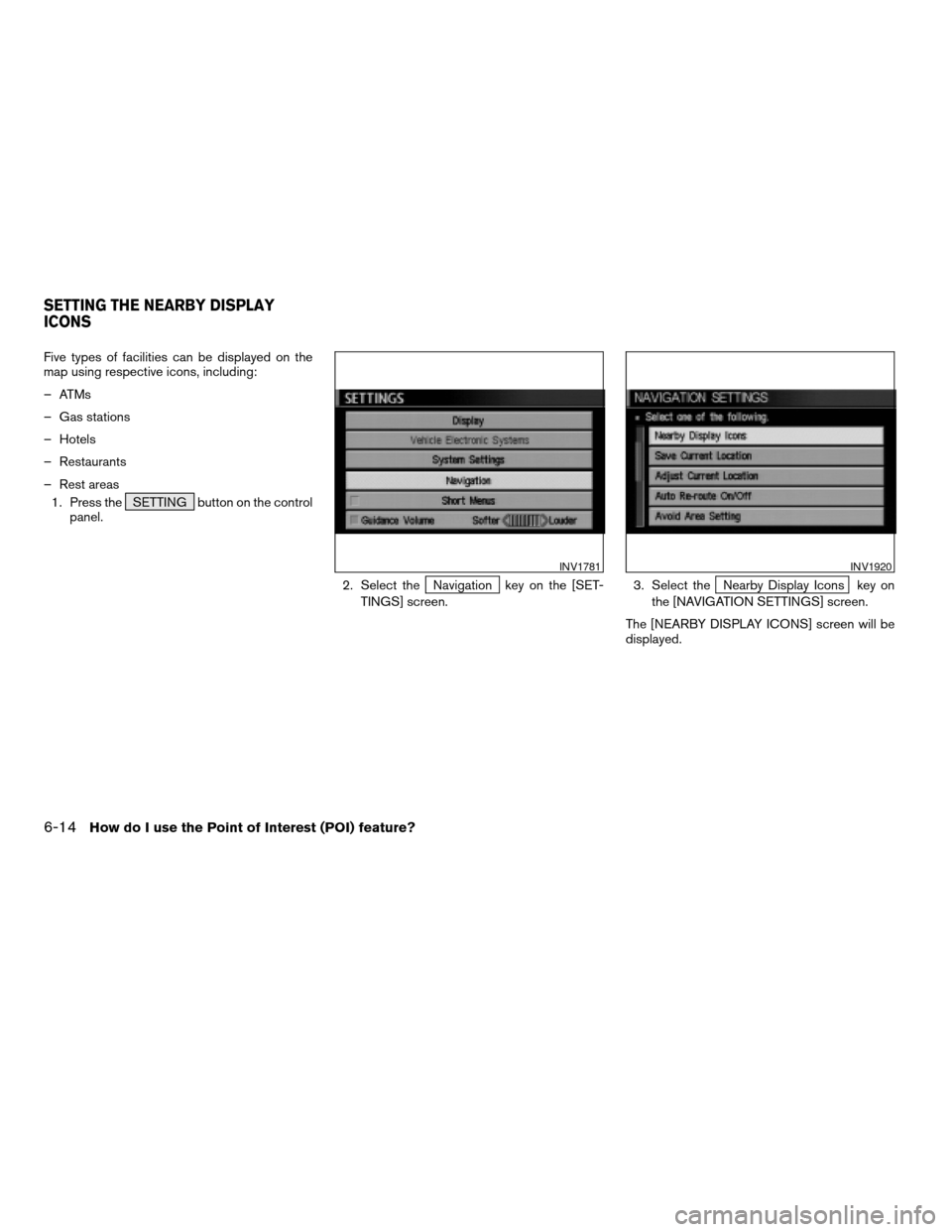
Five types of facilities can be displayed on the
map using respective icons, including:
– ATMs
– Gas stations
– Hotels
– Restaurants
– Rest areas
1. Press the SETTING button on the control
panel.
2. Select the
Navigation key on the [SET-
TINGS] screen.3. Select theNearby Display Icons key on
the [NAVIGATION SETTINGS] screen.
The [NEARBY DISPLAY ICONS] screen will be
displayed.
INV1781INV1920
SETTING THE NEARBY DISPLAY
ICONS
6-14How do I use the Point of Interest (POI) feature?
ZREVIEW COPYÐ2005(nav)
Navigation System OMÐUSA_English(nna)
07/10/04Ðdebbie
X
Page 109 of 192
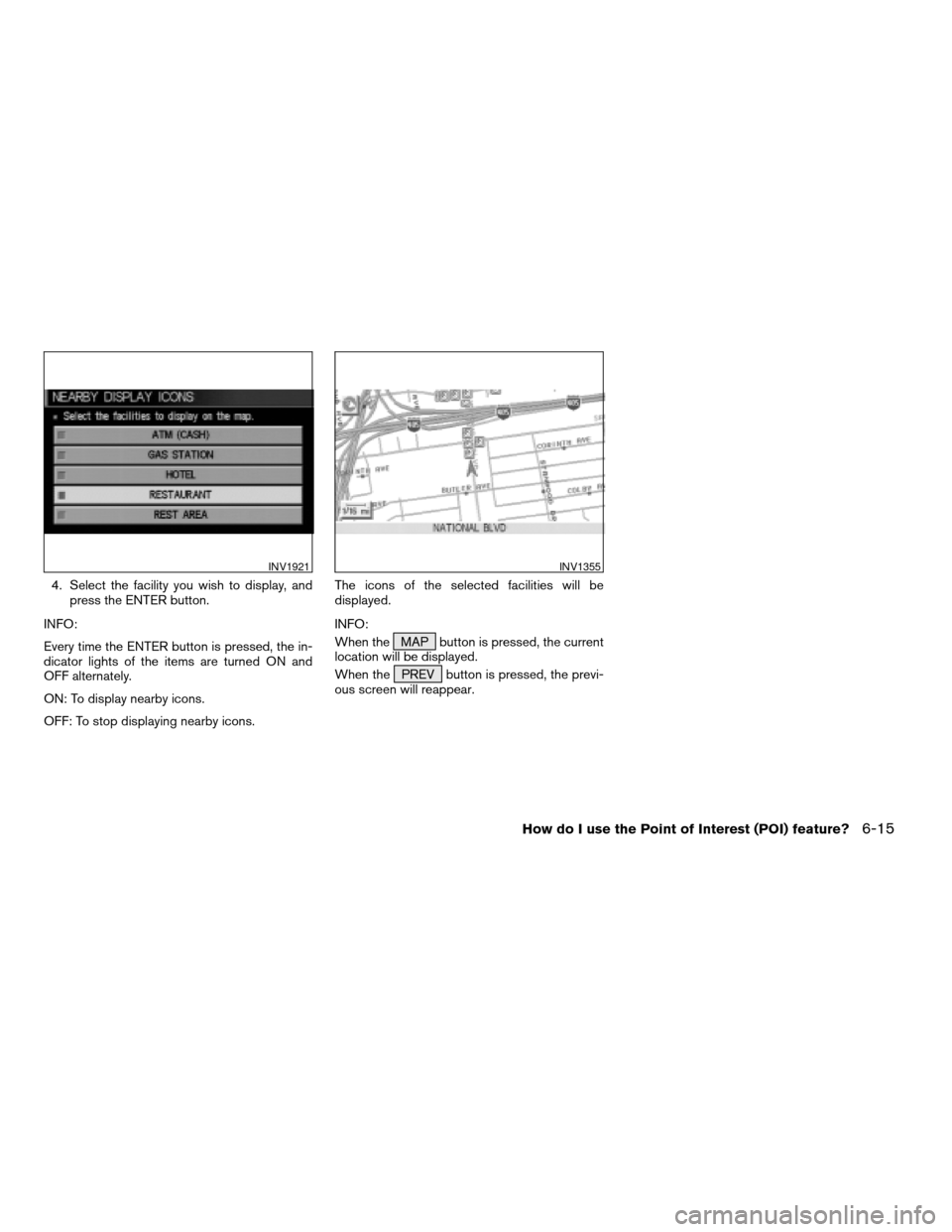
4. Select the facility you wish to display, and
press the ENTER button.
INFO:
Every time the ENTER button is pressed, the in-
dicator lights of the items are turned ON and
OFF alternately.
ON: To display nearby icons.
OFF: To stop displaying nearby icons.The icons of the selected facilities will be
displayed.
INFO:
When the MAP button is pressed, the current
location will be displayed.
When the PREV button is pressed, the previ-
ous screen will reappear.
INV1921INV1355
How do I use the Point of Interest (POI) feature?6-15
ZREVIEW COPYÐ2005(nav)
Navigation System OMÐUSA_English(nna)
07/10/04Ðdebbie
X
Page 112 of 192
You can store locations in the address book for
quicker access, or name the location and set a
special icon on the map.You can store your favorite places or the places
you frequently visit. By storing them, you can re-
call them quickly on the display, enabling easier
setting of these destinations.
USING VARIOUS CATEGORIES TO
STORE LOCATIONS
You can choose various categories in the menu
to store the locations. The categories are: Street
Address, Points of Interest (POI) , Phone
Number, Map, Intersection, City and Previous
Dest.
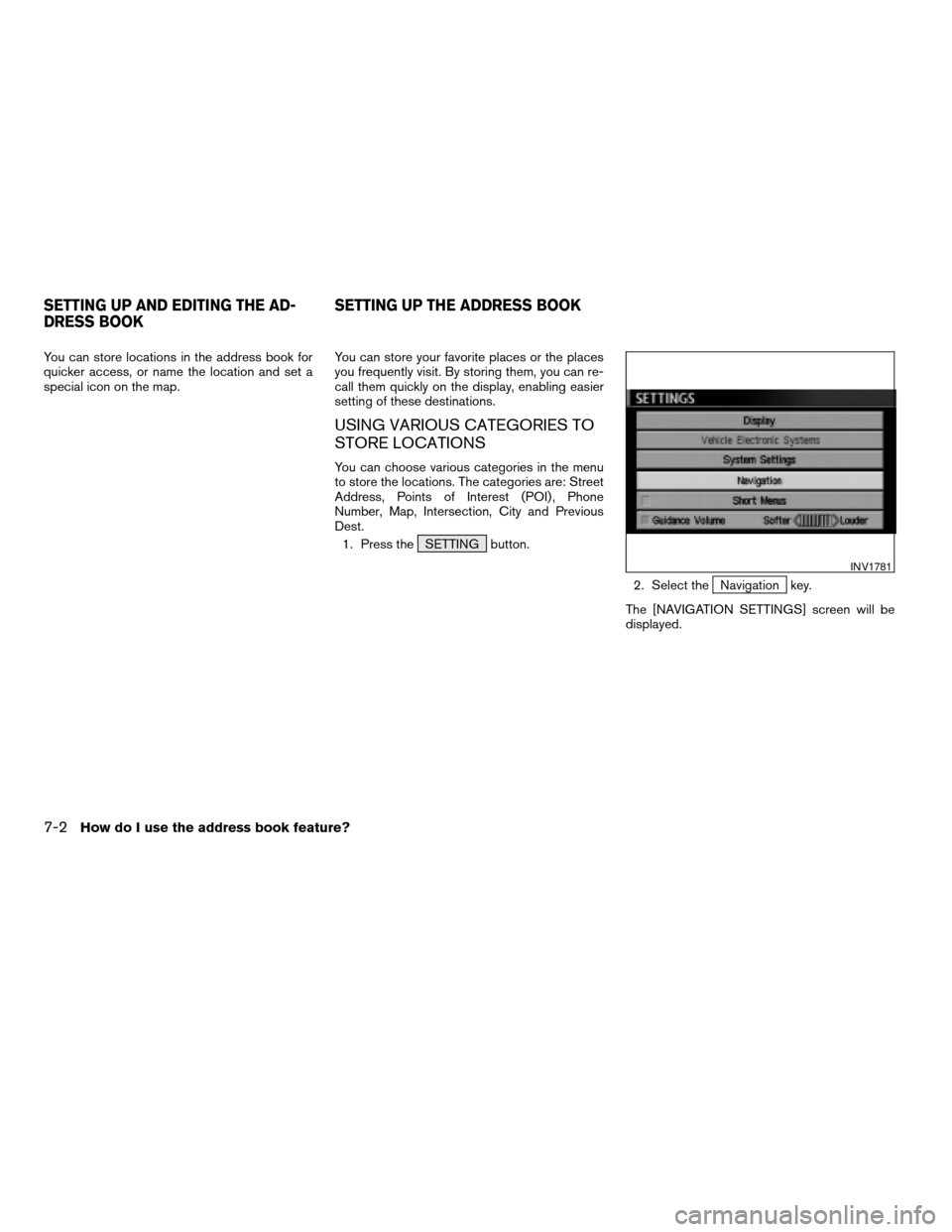
1. Press the SETTING button.
2. Select the
Navigation key.
The [NAVIGATION SETTINGS] screen will be
displayed.
INV1781
SETTING UP AND EDITING THE AD-
DRESS BOOKSETTING UP THE ADDRESS BOOK
7-2How do I use the address book feature?
ZREVIEW COPYÐ2005(nav)
Navigation System OMÐUSA_English(nna)
07/10/04Ðdebbie
X
Page 113 of 192
![NISSAN ARMADA 2005 1.G Manual PDF 3. Select theEdit Address Book key.
The [EDIT ADDRESS BOOK] screen will be
displayed.4. Choose an unused number location on the
address book list.5. Store location.
Set a location to be stored in the](/img/5/686/w960_686-112.png "NISSAN ARMADA 2005 1.G Manual PDF 3. Select theEdit Address Book key.
The [EDIT ADDRESS BOOK] screen will be
displayed.4. Choose an unused number location on the
address book list.5. Store location.
Set a location to be stored in the")
3. Select theEdit Address Book key.
The [EDIT ADDRESS BOOK] screen will be
displayed.4. Choose an unused number location on the
address book list.5. Store location.
Set a location to be stored in the same way as
when setting a destination (waypoints) .
Please refer to “Expert Mode Categories” on
page 5-2.
INFO:
cPress the MAP button to go back to get the
current vehicle display.
cThe maximum number of the stored locations
is 50, including your home and office.
INV1924INV1925INV2344
How do I use the address book feature?7-3
ZREVIEW COPYÐ2005(nav)
Navigation System OMÐUSA_English(nna)
07/10/04Ðdebbie
X