Sonar NISSAN ARMADA 2008 1.G Owners Manual
[x] Cancel search | Manufacturer: NISSAN, Model Year: 2008, Model line: ARMADA, Model: NISSAN ARMADA 2008 1.GPages: 456, PDF Size: 5.89 MB
Page 13 of 456

16. Climate controls (P. 4-38)
17. Power outlet/cigarette lighter
(accessory) (P. 2-40/P. 2-41)
18. Heated seat switch (if so equipped)
(P. 2-37)
19. Vehicle dynamic control (VDC) off
switch (P. 2-38)
20. Tow mode switch (P. 2-40)
21. Shift selector lever (P. 5-12)
22. Heated steering wheel (if so equipped)
(P. 2-37)
23. Center stack storage (P. 2-42)
24. Power outlet (P. 2-40)
25. Front passenger air bag status light
(P. 1-57)
26. Auxiliary jack (P. 4-55)
27. 4WD shift switch (if so equipped)
(P. 5-20)
28. Tilt steering wheel control (P. 3-27)
29. Rear or front and rear sonar system off
switch (if so equipped) (P. 2-38)
30. Pedal position adjustment switch (if so
equipped) (P. 3-27)
31. Power vent window (if so equipped)
(P. 2-55)
32. Lift gate open/close switch
(if so equipped) (P. 3-20)*: Refer to the separate Navigation System Own-
er’s Manual (if so equipped) .
See the page number indicated in paren-
theses for operating details.
Illustrated table of contents0-7
ZREVIEW COPYÐ2008 Armada(wzw)
Owners ManualÐUSA_English(nna)
03/05/07Ðarosenma
X
Page 82 of 456

2 Instruments and controls
Instrument panel...................................2-2
Meters and gauges................................2-4
Speedometer and odometer.....................2-5
Tachometer....................................2-6
Engine coolant temperature gauge...............2-6
Fuel gauge....................................2-7
Engine oil pressure gauge.......................2-7
Voltmeter......................................2-8
Automatic transmission fluid temperature
gauge (if so equipped)..........................2-8
Compass and outside temperature display...........2-9
Outside temperature display.....................2-9
Compass display..............................2-10
Warning/indicator lights and audible reminders......2-13
Checking bulbs...............................2-13
Warning lights................................2-13
Indicator lights................................2-18
Audible reminders.............................2-20
Vehicle Information Display........................2-20
How to use the Vehicle Information Display.......2-21
Security systems.................................2-27
Vehicle security system.........................2-27
NISSAN vehicle immobilizer system.............2-29Windshield wiper and washer switch...............2-30
Switch operation..............................2-30
Rear window wiper and washer switch..............2-31
Rear window and outside mirror defroster switch.....2-31
Headlight and turn signal switch....................2-32
Headlight control switch........................2-32
Daytime running light system (Canada only)......2-34
Instrument brightness control...................2-35
Turn signal switch.............................2-35
Fog light switch (if so equipped)................2-35
Hazard warning flasher switch.....................2-36
Horn............................................2-36
Heated seat (if so equipped).......................2-37
Heated steering wheel (if so equipped).............2-37
Vehicle dynamic control (VDC) off switch............2-38
Rear sonar system off switch......................2-38
Front sonar system off switch (If so equipped).......2-39
Tow mode switch.................................2-40
Power outlet.....................................2-40
Cigarette lighter..................................2-41
Storage.........................................2-42
Instrument panel storage trays..................2-42
Console box..................................2-42
ZREVIEW COPYÐ2008 Armada(wzw)
Owners ManualÐUSA_English(nna)
03/05/07Ðarosenma
X
Page 85 of 456

16. Climate controls (P. 4-38)
17. Power outlet/cigarette lighter
(accessory) (P. 2-40/P. 2-41)
18. Heated seat switch (if so equipped)
(P. 2-37)
19. Vehicle dynamic control (VDC) off
switch (P. 2-38)
20. Tow mode switch (P. 2-40)
21. Shift selector lever (P. 5-12)
22. Heated steering wheel (if so equipped)
(P. 2-37)
23. Center stack storage (P. 2-42)
24. Power outlet (P. 2-40)
25. Front passenger air bag status light
(P. 1-57)
26. Auxiliary jack (P. 4-55)
27. 4WD shift switch (if so equipped)
(P. 5-20)
28. Tilt steering wheel control (P. 3-27)
29. Rear or front and rear sonar system off
switch (if so equipped) (P. 2-38)
30. Pedal position adjustment switch
(if so equipped) (P. 3-27)
31. Power vent window (if so equipped)
(P. 2-55)
32. Lift gate open/close switch
(if so equipped) (P. 3-20)*: Refer to the separate Navigation System
Owner’s Manual (if so equipped) .
See the page number indicated in paren-
theses for operating details.
Instruments and controls2-3
ZREVIEW COPYÐ2008 Armada(wzw)
Owners ManualÐUSA_English(nna)
03/05/07Ðarosenma
X
Page 120 of 456
Push the switch again to turn the heated steering
wheel off manually. The indicator light will go off.
NOTE:
The heated steering wheel switch is
equipped with a 30 minute timer. After the
switch has been activate for 30 minutes,
the system will automatically turn off.If the
surface temperature of the steering wheel
is above 68°F (20°C) when the switch is
turned on, the system will not heat the
steering wheel. This is not a malfunction.
The vehicle should be driven with the Vehicle
Dynamic Control (VDC) system on for most driv-
ing conditions.
If the vehicle is stuck in mud or snow, the VDC
system reduces the engine output to reduce
wheel spin. The engine speed will be reduced
even if the accelerator is depressed to the floor. If
maximum engine power is needed to free a stuck
vehicle, turn the VDC system off.
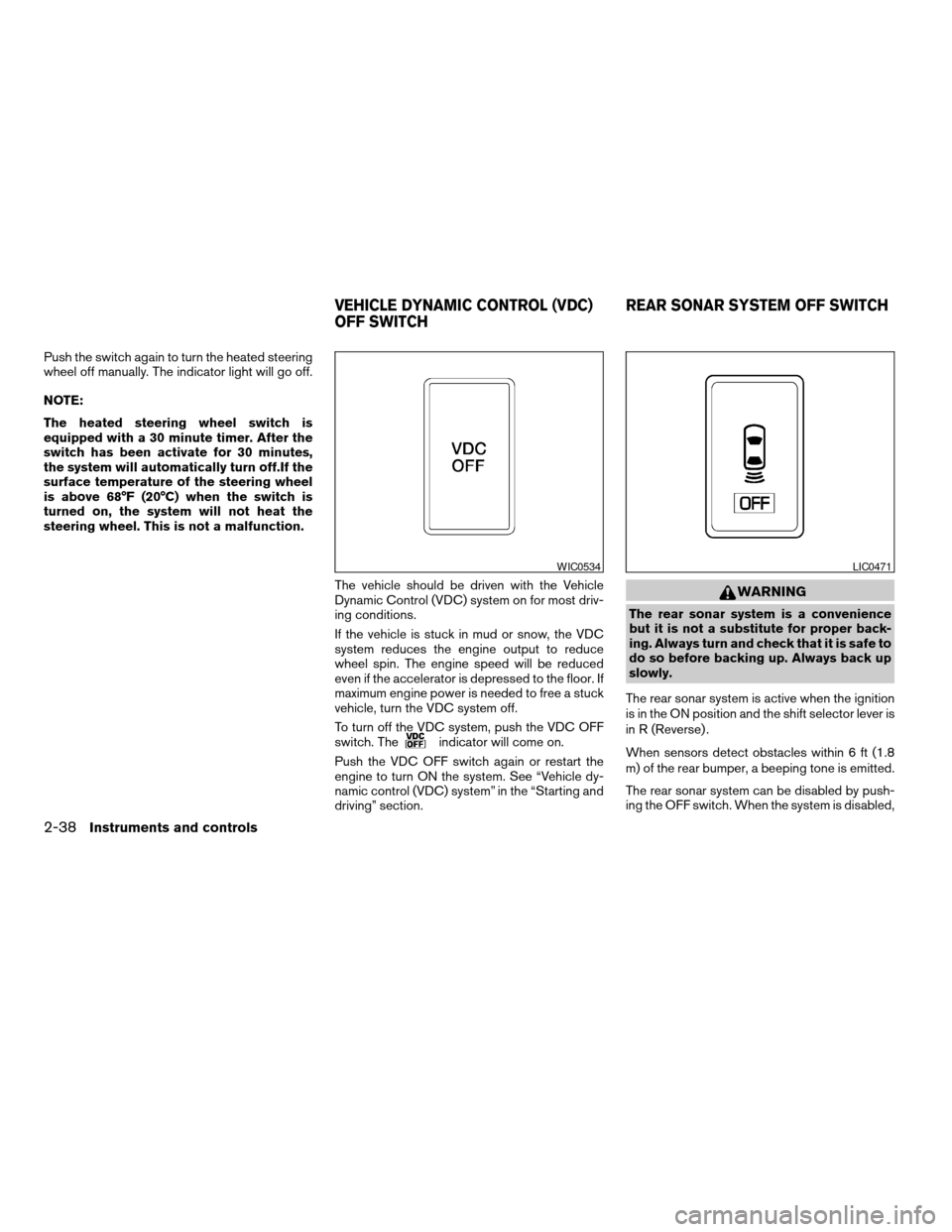
To turn off the VDC system, push the VDC OFF
switch. The
indicator will come on.
Push the VDC OFF switch again or restart the
engine to turn ON the system. See “Vehicle dy-
namic control (VDC) system” in the “Starting and
driving” section.
WARNING
The rear sonar system is a convenience
but it is not a substitute for proper back-
ing. Always turn and check that it is safe to
do so before backing up. Always back up
slowly.
The rear sonar system is active when the ignition
is in the ON position and the shift selector lever is
in R (Reverse) .
When sensors detect obstacles within 6 ft (1.8
m) of the rear bumper, a beeping tone is emitted.
The rear sonar system can be disabled by push-
ing the OFF switch. When the system is disabled,
WIC0534LIC0471
VEHICLE DYNAMIC CONTROL (VDC)
OFF SWITCHREAR SONAR SYSTEM OFF SWITCH
2-38Instruments and controls
ZREVIEW COPYÐ2008 Armada(wzw)
Owners ManualÐUSA_English(nna)
03/05/07Ðarosenma
X
Page 121 of 456
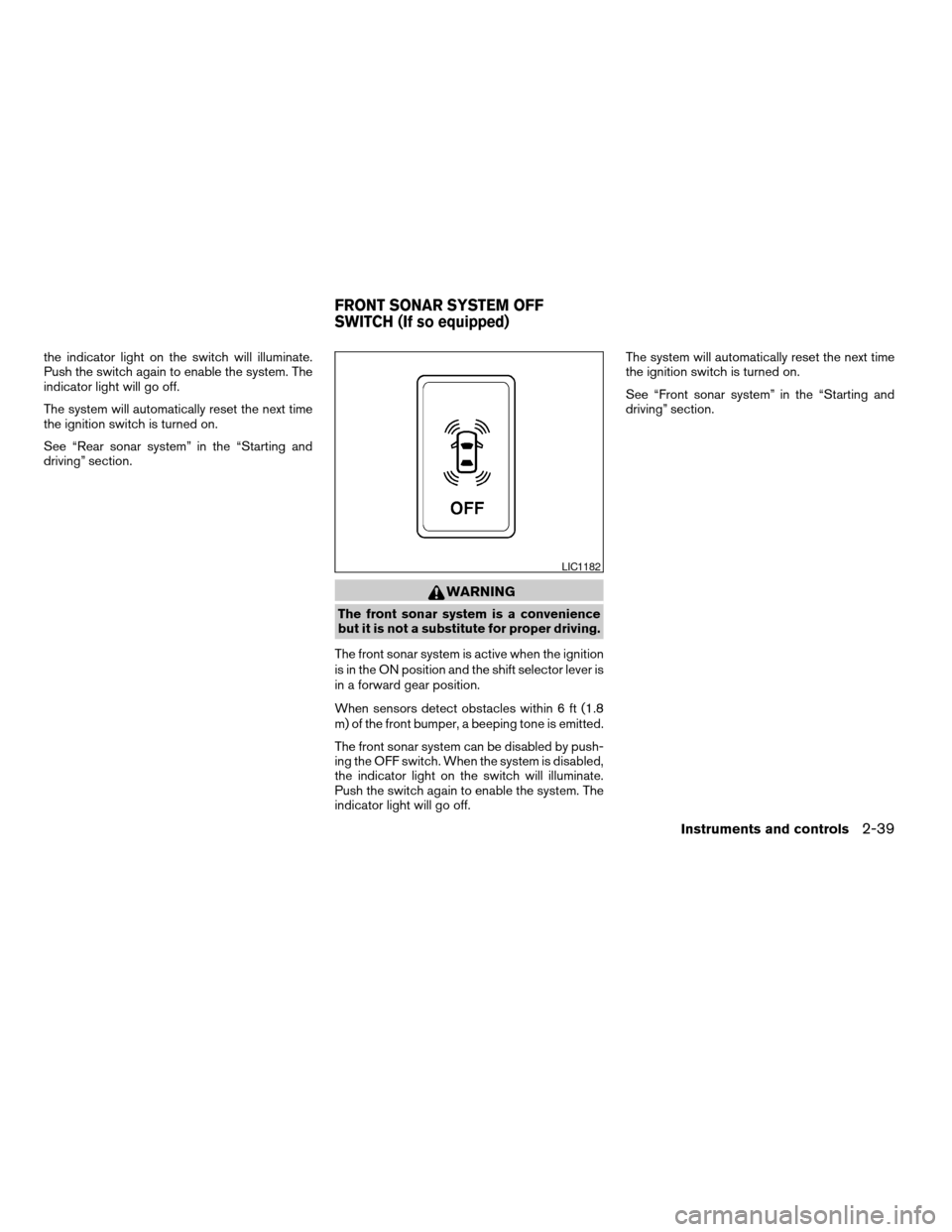
the indicator light on the switch will illuminate.
Push the switch again to enable the system. The
indicator light will go off.
The system will automatically reset the next time
the ignition switch is turned on.
See “Rear sonar system” in the “Starting and
driving” section.
WARNING
The front sonar system is a convenience
but it is not a substitute for proper driving.
The front sonar system is active when the ignition
is in the ON position and the shift selector lever is
in a forward gear position.
When sensors detect obstacles within 6 ft (1.8
m) of the front bumper, a beeping tone is emitted.
The front sonar system can be disabled by push-
ing the OFF switch. When the system is disabled,
the indicator light on the switch will illuminate.
Push the switch again to enable the system. The
indicator light will go off.The system will automatically reset the next time
the ignition switch is turned on.
See “Front sonar system” in the “Starting and
driving” section.
LIC1182
FRONT SONAR SYSTEM OFF
SWITCH (If so equipped)
Instruments and controls2-39
ZREVIEW COPYÐ2008 Armada(wzw)
Owners ManualÐUSA_English(nna)
03/05/07Ðarosenma
X
Page 315 of 456

5 Starting and driving
Precautions when starting and driving................5-2
Exhaust gas (carbon monoxide)..................5-2
Three-way catalyst..............................5-2
On-pavement and off-road driving
precautions....................................5-3
Tire Pressure Monitoring System (TPMS)..........5-3
Avoiding collision and rollover....................5-5
Drinking alcohol/drugs and driving................5-6
Driving safety precautions.......................5-6
Ignition switch.....................................5-8
Intelligent Key System (if so equipped)............5-8
Ignition switch positions.........................5-9
Automatic transmission.........................5-10
Key positions.................................5-10
Nissan vehicle immobilizer system...............5-11
Before starting the engine.........................5-11
Starting the engine...............................5-11
Driving the vehicle................................5-12
Engine protection mode........................5-12
Automatic transmission.........................5-13
Parking brake....................................5-16
Cruise control....................................5-17
Precautions on cruise control...................5-17Cruise control operations.......................5-18
Break-in schedule................................5-19
Increasing fuel economy...........................5-19
Using four wheel drive (4WD).............5-20
Transfer case shifting procedures...............5-20
Parking/parking on hills............................5-26
Power steering...................................5-27
Brake system....................................5-27
Brake precautions.............................5-27
Anti-lock Braking System (ABS).................5-28
Vehicle dynamic control (VDC) system..............5-29
Rear sonar system (if so equipped).................5-30
Front sonar system (if so equipped).................5-31
Cold weather driving..............................5-32
Freeing a frozen door lock......................5-32
Anti-freeze....................................5-32
Battery.......................................5-32
Draining of coolant water.......................5-33
Tire equipment................................5-33
Special winter equipment.......................5-33
Driving on snow or ice.........................5-33
Engine block heater (if so equipped).............5-34
ZREVIEW COPYÐ2008 Armada(wzw)
Owners ManualÐUSA_English(nna)
03/05/07Ðarosenma
X
Page 344 of 456
WARNING
cThe vehicle dynamic control system is
designed to help improve driving stabil-
ity but does not prevent accidents due
to abrupt steering operation at high
speeds or by careless or dangerous
driving techniques. Reduce vehicle
speed and be especially careful when
driving and cornering on slippery sur-
faces and always drive carefully.
cIf brake related parts such as brake
pads, rotors and calipers are not stan-
dard equipment or are extremely dete-
riorated, the vehicle dynamic control
system may not operate properly and
the vehicle dynamic control off indica-
tor light may come on.
cDo not modify the vehicle’s suspension.
If suspension parts such as shock ab-
sorbers, struts, springs, stabilizer bars
and bushings are not NISSAN approved
for your vehicle or are extremely dete-
riorated the vehicle dynamic control
system may not operate properly. This
could adversely affect vehicle handling
performance, and the VDC OFF indica-
tor light may come on.cWhen driving on extremely inclined sur-
faces such as higher banked corners,
the vehicle dynamic control system may
not operate properly and the VDC OFF
indicator light may come on. Do not
drive on these types of roads.
cWhen driving on an unstable surface
such as a turntable, ferry, elevator or
ramp, the vehicle dynamic control off
indicator light may illuminate. This is
not a malfunction. Restart the engine
after driving onto a stable surface.
cIf wheels or tires other than the recom-
mended ones are used, the vehicle dy-
namic control system may not operate
properly and the vehicle dynamic con-
trol off indicator light may come on.
cThe vehicle dynamic control system is
not a substitute for winter tires or tire
chains on a snow covered road.
WARNING
cAlways turn and look back before back-
ing up. The RSS is not a substitute for
proper backing procedures.
cRead and understand the limitations of
the rear sonar system as contained in
this section. Inclement weather may af-
fect the function of the RSS; this may
include reduced performance or a false
activation.
cThis system is not designed to prevent
contact with small or moving objects.
LSD0095
REAR SONAR SYSTEM (if so
equipped)
5-30Starting and driving
ZREVIEW COPYÐ2008 Armada(wzw)
Owners ManualÐUSA_English(nna)
03/05/07Ðarosenma
X
Page 345 of 456
cThe system is designed as an aid to the
driver in detecting large stationary ob-
jects to help avoid damaging the ve-
hicle. The system will not detect small
objects below the bumper, and may not
detect objects close to the bumper or
on the ground.
cIf your vehicle sustains damage to the
rear bumper fascia, leaving it mis-
aligned or bent, the sensing zone may
be altered causing inaccurate measure-
ment of obstacles or false alarms.
The Rear Sonar System (RSS) sounds a tone to
warn the driver of obstacles near the rear bumper
when the shift selector is in R (Reverse) . The
system may not detect objects at speeds above 3
mph (5 km/h) and may not detect certain angular
or moving objects.
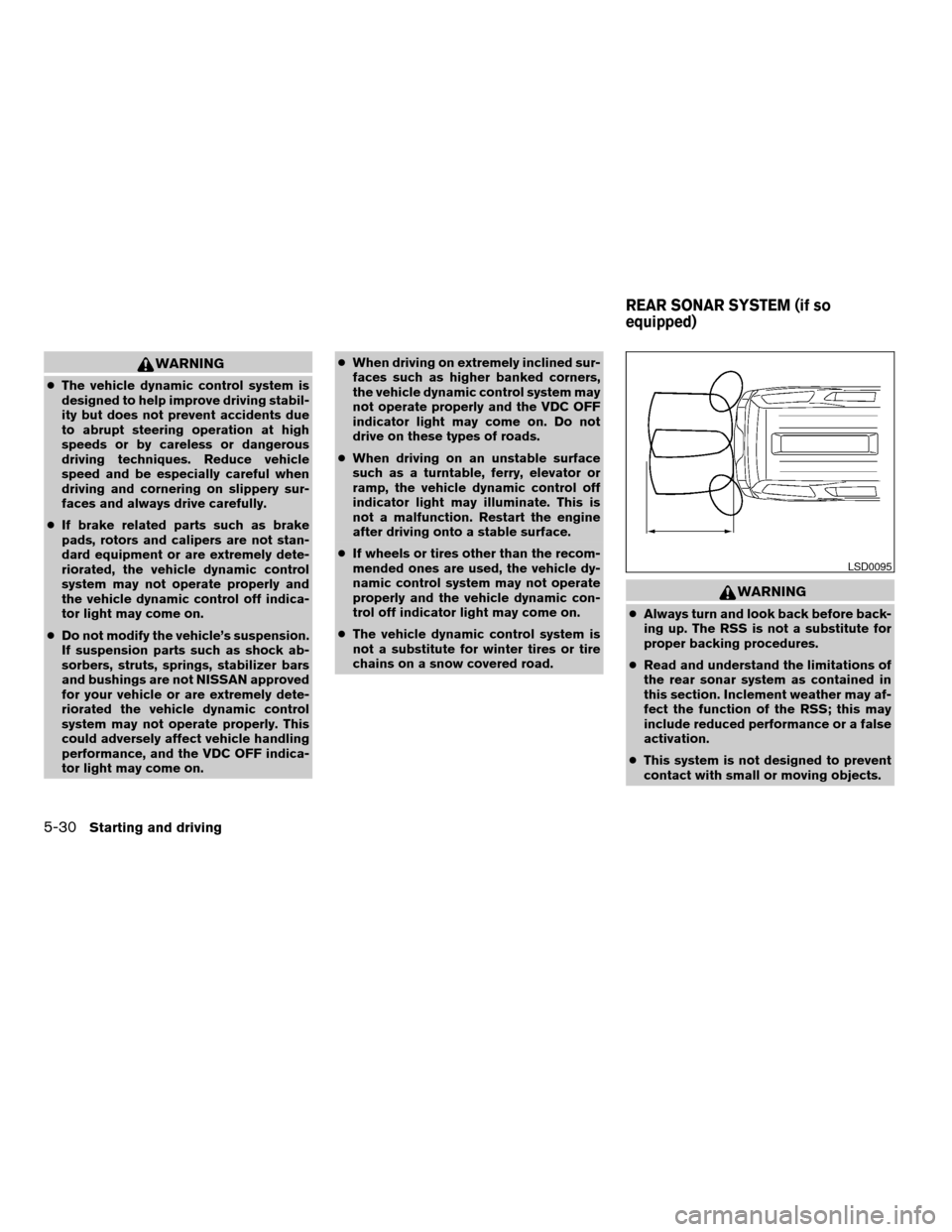
The RSS detects obstacles up to 6 feet (1.8 m)
from the rear bumper with a decreased coverage
area at the outer corners of the bumper, (refer to
the illustration for approximate zone coverage
areas) . As you move closer to the obstacle, the
rate of the tone increases. When the obstacle is
less than 10 inches (25.0 cm) away, the tone will
sound continuously. If the RSS detects a station-
ary or receding object further than 10 inches
(25.0 cm) from the side of the vehicle, the tonewill sound for only three seconds. Once the sys-
tem detects an object approaching, the tone will
sound again.
The RSS automatically turns on when the shift
selector lever is placed in R (Reverse) and the
ignition is ON. The RSS OFF switch on the
instrument panel allows the driver to turn the RSS
on and off. To turn the RSS off, the ignition must
be ON, and the shift selector lever in R (Reverse) .
An indicator light on the switch will illuminate
when the system is turned off. If the indicator light
illuminates when the RSS is not turned off, it may
indicate a failure in the RSS.
Keep the RSS sensors (located on the rear
bumper fascia) free from snow, ice and large
accumulations of dirt (do not clean the sensors
with sharp objects) . If the sensors are covered, it
will affect the accuracy of the RSS.
WARNING
cAlways look around before proceeding.
The FSS is not a substitute for proper
driving procedures.
cRead and understand the limitations of
the front sonar system as contained in
this section. Inclement weather may af-
fect the function of the FSS, this may
include reduced performance or a false
activation.
cThis system is not designed to prevent
contact with small or moving objects.
LSD0202
FRONT SONAR SYSTEM (if so
equipped)
Starting and driving5-31
ZREVIEW COPYÐ2008 Armada(wzw)
Owners ManualÐUSA_English(nna)
03/05/07Ðarosenma
X
Page 346 of 456
cThe system is designed as an aid to the
driver in detecting large stationary ob-
jects to help avoid damaging the ve-
hicle. The system will not detect small
objects below the bumper, and may not
detect objects close to the bumper or
on the ground.
cIf your vehicle sustains damage to the
front bumper fascia, leaving it mis-
aligned or bent, the sensing zone may
be altered causing inaccurate measure-
ment of obstacles or false alarms.
The Front Sonar System (FSS) sounds a tone to
warn the driver of obstacles near the front
bumper when the shift selector is in a forward
gear. The system may not detect objects at
speeds above 3 mph (5 km/h) and may not detect
certain angular or moving objects.
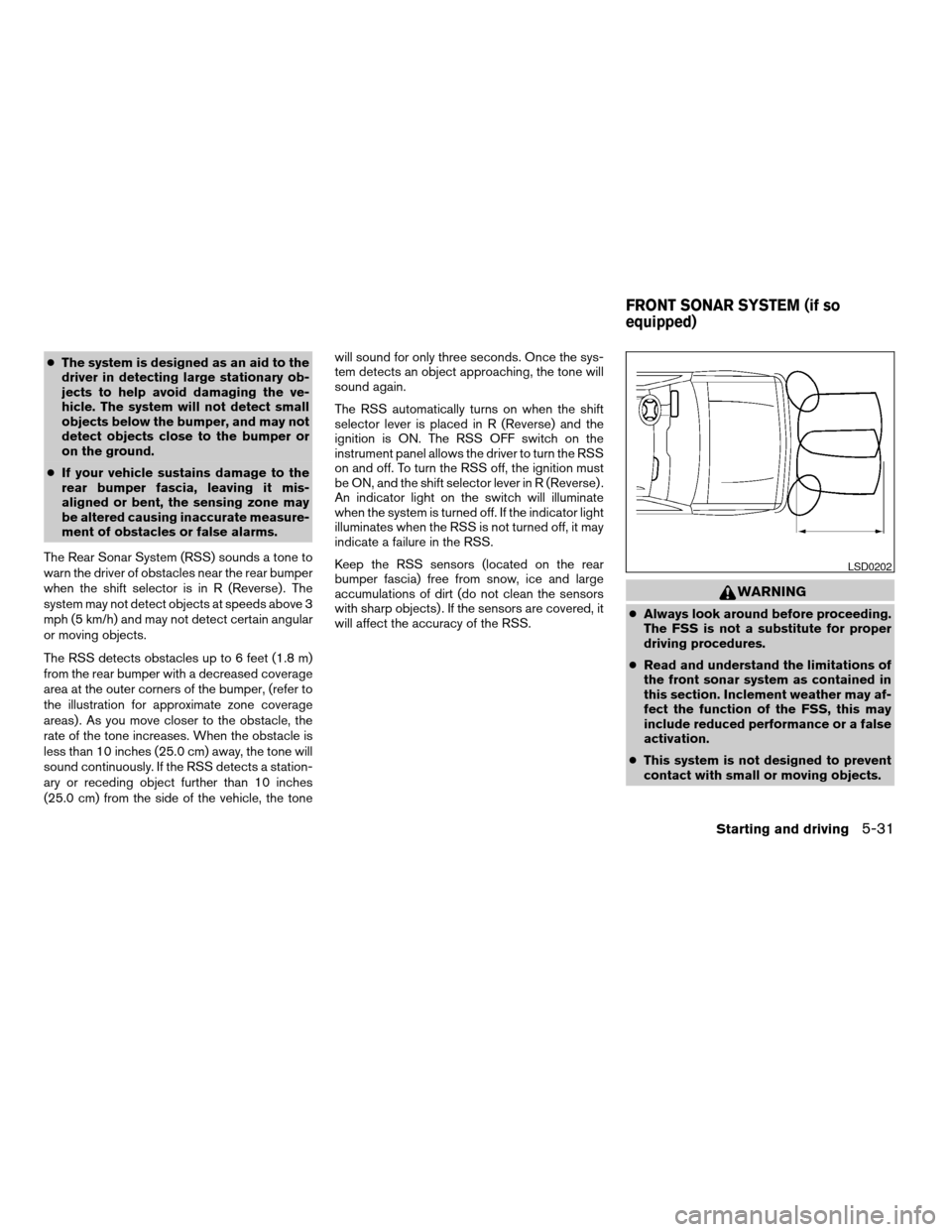
The FSS detects obstacles up to 6 feet (1.8 m)
from the front bumper with a decreased coverage
area at the outer corners of the bumper, (refer to
the illustration for approximate zone coverage
areas) . As you move closer to the obstacle, the
rate of the tone increases. When the obstacle is
less than 10 inches (25.0 cm) away, the tone will
sound continuously. If the FSS detects a station-
ary or receding object further than 10 inches
(25.0 cm) from the side of the vehicle, the tonewill sound for only three seconds. Once the sys-
tem detects an object approaching, the tone will
sound again.
The FSS automatically turns on when the shift
selector lever is placed in a forward gear and the
ignition is ON. The FSS OFF switch on the instru-
ment panel allows the driver to turn the FSS on
and off. To turn the FSS off, the ignition must be
ON, and the shift selector lever in D (Drive) . An
indicator light on the switch will illuminate when
the system is turned off. If the indicator light
illuminates when the FSS is not turned off, it may
indicate a failure in the FSS.
Keep the FSS sensors (located on the front
bumper fascia) free from snow, ice and large
accumulations of dirt (do not clean the sensors
with sharp objects) . If the sensors are covered, it
will affect the accuracy of the FSS.FREEING A FROZEN DOOR LOCK
To prevent a door lock from freezing, apply de-
icer through the key hole. If the lock becomes
frozen, heat the key before inserting it into the key
hole or use the remote keyless entry keyfob (if so
equipped) .
ANTI-FREEZE
In the winter when it is anticipated that the tem-
perature will drop below 32°F (0°C) , check the
anti-freeze to assure proper winter protection.
For details, see “Engine cooling system” in the
“Maintenance and do-it-yourself” section of this
manual.
BATTERY
If the battery is not fully charged during extremely
cold weather conditions, the battery fluid may
freeze and damage the battery. To maintain maxi-
mum efficiency, the battery should be checked
regularly. For details, see “Battery” in the “Main-
tenance and do-it-yourself” section of this
manual.
COLD WEATHER DRIVING
5-32Starting and driving
ZREVIEW COPYÐ2008 Armada(wzw)
Owners ManualÐUSA_English(nna)
03/05/07Ðarosenma
X
Page 449 of 456

Eyeglass case..................2-44
F
Flashers
(See hazard warning flasher switch)......2-36
Flat tire......................6-2
Floor mat positioning aid.............7-4
Fluid
Brake fluid..................8-12
Capacities and recommended
fuel/lubricants.................9-2
Engine coolant................8-7
Engine oil...................8-8
Power steering fluid.............8-11
Window washer fluid............8-12
F.M.V.S.S. certification label..........9-11
Fog light switch.................2-35
Front air bag system
(See supplemental restraint system).....1-55
Front seats....................1-2
Front sonar system............2-39, 5-31
Fuel
Capacities and recommended
fuel/lubricants.................9-2
Fuel economy................5-19
Fuel gauge..................2-7
Fuel octane rating..............9-4
Fuel recommendation............9-3
Fuel-filler door and cap...........3-25
Fuses......................8-22
Fusible links...................8-24G
Garage door opener, HomeLinkTUniversal
Transceiver...................2-60
Gascap.....................3-25
Gauge
Automatic transmission fluid temperature
gauge.....................2-8
Engine coolant temperature gauge.....2-6
Engine oil pressure gauge..........2-7
Fuel gauge..................2-7
Odometer...................2-5
Speedometer.................2-5
Tachometer..................2-6
Trip odometer.................2-5
Voltmeter...................2-8
General maintenance..............8-2
Glass hatch...................3-25
Glove box....................2-44
Glove box lock.................2-44
H
Hands-free phone system,
BluetoothT...............4-94, 4-108
Hazard warning flasher switch.........2-36
Head restraints..................1-8
Active Head Restraint............1-9
Headlight and turn signal switch........2-32
Headlight control switch............2-32
Headlights....................8-28
Headphones (See NISSAN mobile
entertainment system).............4-81
Heated seats..................2-37Heated steering wheel.............2-37
Heater
Heater and air conditioner controls. . . .4-38
Heater operation..............4-39
Rear seat air conditioner..........4-40
HomeLinkTUniversal Transceiver.......2-60
Hood release..................3-20
Hook
Luggage hook................2-50
Horn.......................2-36
I
Ignition switch..................5-8
Immobilizer system.........2-29, 3-3, 5-11
Important vehicle information label.......9-11
In-cabin microfilter...............8-17
Increasing fuel economy............5-19
Indicator lights and audible reminders
(See warning/indicator lights and audible
reminders)....................2-13
Inside automatic anti-glare mirror.......3-29
Instrument brightness control.........2-35
Instrument panel..............0-6, 2-2
Instrument panel dimmer switch........2-35
Intelligent Key system..............3-10
Key operating range............3-12
Key operation................3-13
Mechanical key................3-3
Remote keyless entry operation......3-16
Troubleshooting guide...........3-18
Warning signals...............3-18
Interior light...................2-58
ISOFIX child restraints.............1-28
10-3
ZREVIEW COPYÐ2008 Armada(wzw)
Owners ManualÐUSA_English(nna)
03/05/07Ðarosenma
X