roof NISSAN ARMADA 2009 User Guide
[x] Cancel search | Manufacturer: NISSAN, Model Year: 2009, Model line: ARMADA, Model: NISSAN ARMADA 2009Pages: 465, PDF Size: 6.33 MB
Page 100 of 465
Seat belt warning light and
chime
The light and chime remind you to fasten your
seat belts. The light illuminates whenever the
ignition key is turned to the ON or START position
and remains illuminated until the driver’s seat belt
is fastened. At the same time, the chime sounds
for about 6 seconds unless the driver’s seat belt
is securely fastened.
The seat belt warning light may also illuminate if
the front passenger’s seat belt is not fastened
when the front passenger’s seat is occupied . For
7 seconds after the ignition switch is in the ON
position, the system does not activate the warn-
ing light for the front passenger.
Refer to “Seat belts” in the “Safety—Seats, seat
belts and supplemental restraint system” section
for precautions on seat belt usage.
Supplemental air bag warning
light
When the ignition key is in the ON or START
position, the supplemental air bag warning light
illuminates for about 7 seconds and then turns
off. This means the system is operational.
If any of the following conditions occur, the front
air bag, front seat-mounted side-impact air bag (if
so equipped) , roof-mounted curtain and rolloverair bag and pretensioner systems need servicing
and your vehicle must be taken to a NISSAN
dealer:
cThe supplemental air bag warning light re-
mains on after approximately 7 seconds.
cThe supplemental air bag warning light
flashes intermittently.
cThe supplemental air bag warning light does
not come on at all.
Unless checked and repaired, the supplemental
restraint system (air bag system) and/or the pre-
tensioners may not function properly. For addi-
tional details see “Supplemental restraint sys-
tem” in the “Safety—Seats, seat belts and
supplemental restraint system” section of this
manual.
WARNING
If the supplemental air bag warning light
is on, it could mean that the front air bag,
side air bag, curtain air bag systems (if so
equipped) and/or pretensioner systems
will not operate in an accident. To help
avoid injury to yourself or others, have
your vehicle checked by a NISSAN dealer
as soon as possible.
INDICATOR LIGHTS
For additional information on warnings and indi-
cators, see “Vehicle information display” later in
this section.
Front passenger air bag
status light
The front passenger air bag status light ()
will be lit and the passenger front air bag will be
OFF depending on how the front passenger seat
is being used.
For front passenger air bag status light operation,
see “Front passenger air bag and status light” in
the “Safety — Seats, seat belts and supplemental
restraint system” section of this manual.
High beam indicator light
(blue)
This blue light comes on when the headlight high
beams are on and goes out when the low beams
are selected.
The high beam indicator light also comes on
when the passing signal is activated.
2-18Instruments and controls
ZREVIEW COPYÐ2009 Armada(wzw)
Owners ManualÐUSA_English(nna)
02/26/08Ðdebbie
X
ProCarManuals.com
Page 132 of 465
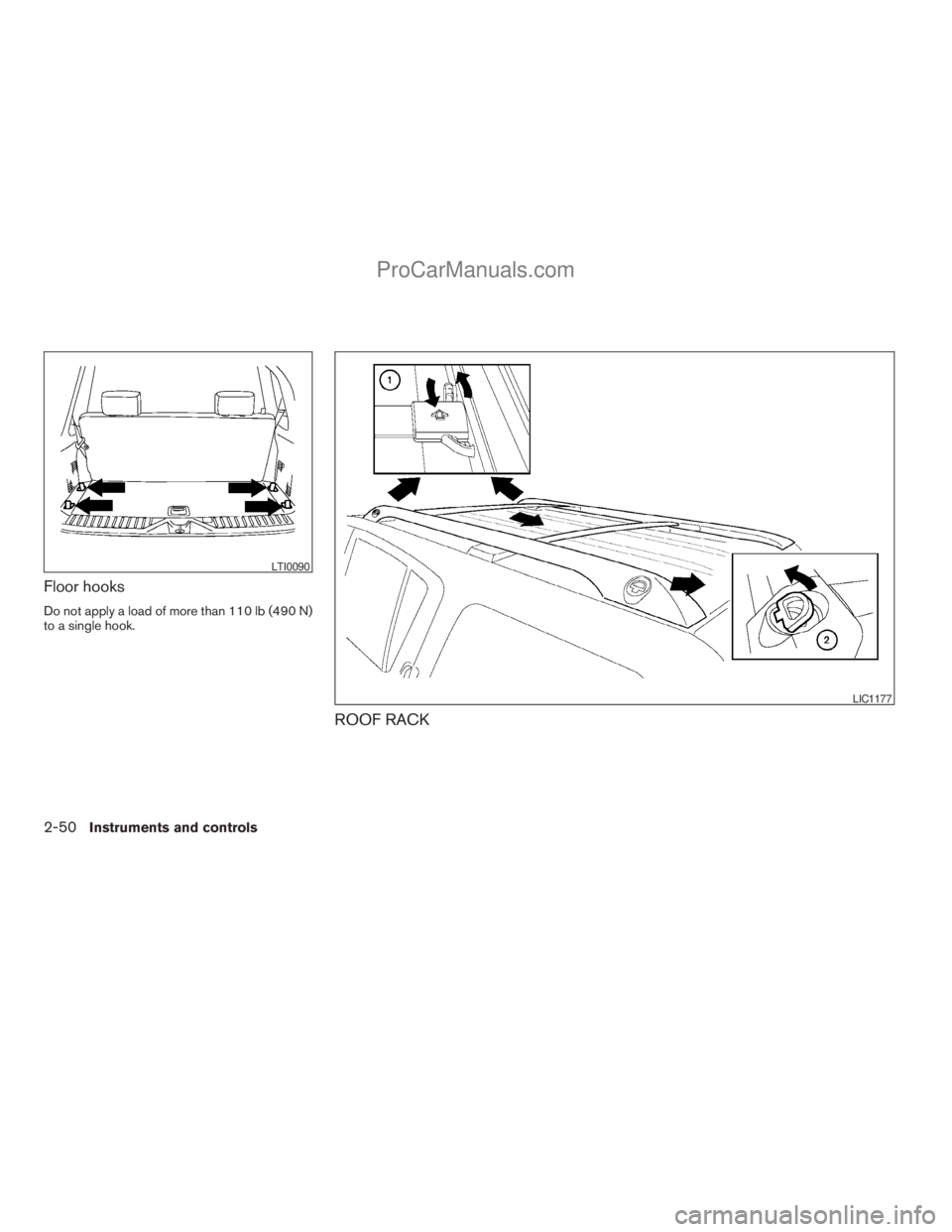
Floor hooks
Do not apply a load of more than 110 lb (490 N)
to a single hook.
ROOF RACK
LTI0090
LIC1177
2-50Instruments and controls
ZREVIEW COPYÐ2009 Armada(wzw)
Owners ManualÐUSA_English(nna)
02/26/08Ðdebbie
X
ProCarManuals.com
Page 133 of 465
WARNING
cDrive extra carefully when the vehicle is
loaded at or near the cargo carrying
capacity, especially if the significant
portion of that load is carried on the
roof rack.
cHeavy loading of the roof rack has the
potential to affect the vehicle stability
and handling during sudden or abnor-
mal handling maneuvers.
cRoof rack load should be evenly
distributed.
cDo not exceed maximum roof rack load
weight capacity.
cProperly secure all cargo with ropes or
straps to help prevent it from sliding or
shifting. In a sudden stop or collision,
unsecured cargo could cause personal
injury.
CAUTION
Use care when placing or removing items
from the roof rack. If you cannot comfort-
ably lift the items onto the roof rack from
the ground, use a ladder or stool.Always distribute the luggage evenly on the roof
rack. Do not load more than 200 lbs (91 kg) on
entire roof rack. Be sure load is evenly distributed
across both crossbars. Be careful that your ve-
hicle does not exceed the Gross Vehicle Weight
Rating (GVWR) or its Gross Axle Weight Rating
(GAWR front and rear) . The GVWR and GAWR
are located on the F.M.V.S.S. label (located on
the driver’s door pillar) . For more information
regarding GVWR and GAWR, refer to “Vehicle
loading information” in the “Technical and con-
sumer information” section later in this manual.
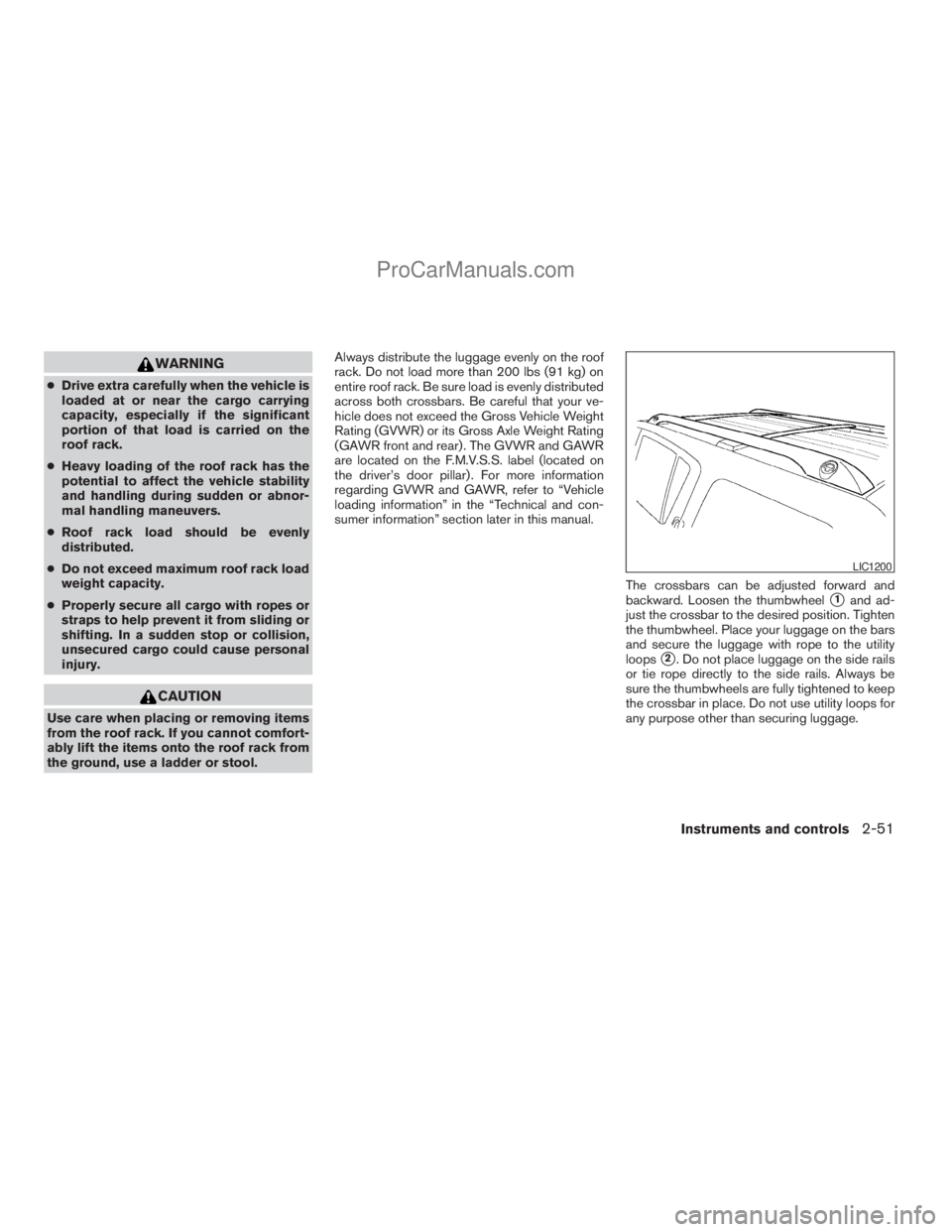
The crossbars can be adjusted forward and
backward. Loosen the thumbwheel
s1and ad-
just the crossbar to the desired position. Tighten
the thumbwheel. Place your luggage on the bars
and secure the luggage with rope to the utility
loops
s2. Do not place luggage on the side rails
or tie rope directly to the side rails. Always be
sure the thumbwheels are fully tightened to keep
the crossbar in place. Do not use utility loops for
any purpose other than securing luggage.
LIC1200
Instruments and controls2-51
ZREVIEW COPYÐ2009 Armada(wzw)
Owners ManualÐUSA_English(nna)
02/26/08Ðdebbie
X
ProCarManuals.com
Page 137 of 465
AUTOMATIC MOONROOF
The moonroof will only operate when the ignition
switch is in the ON position. The automatic
moonroof is operational for about 45 seconds,
even if the ignition switch is turned to the ACC or
OFF position. If the driver’s door or the front
passenger’s door is opened during this period of
about 45 seconds, power to the moonroof is
canceled.
Sliding the moonroof
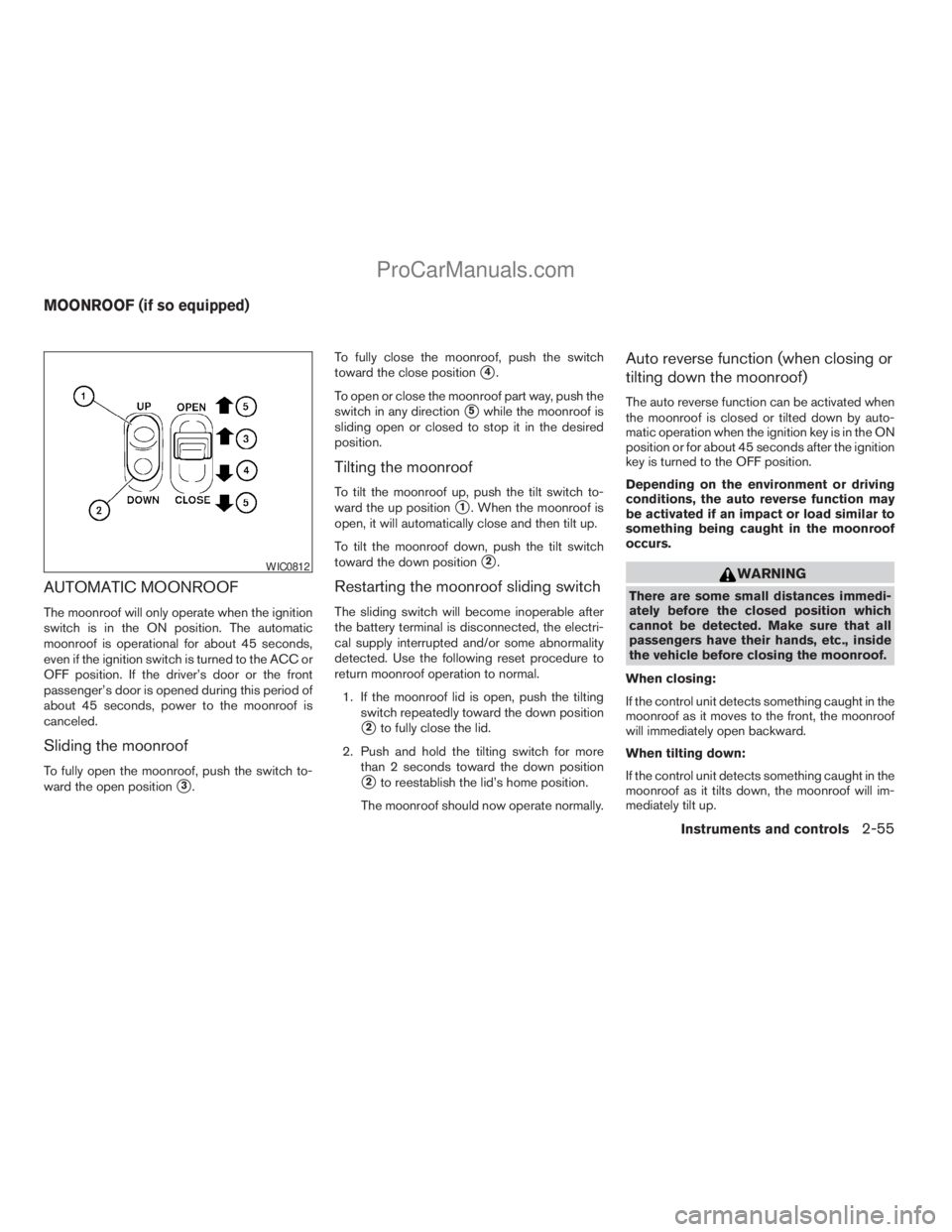
To fully open the moonroof, push the switch to-
ward the open position
s3.To fully close the moonroof, push the switch
toward the close position
s4.
To open or close the moonroof part way, push the
switch in any direction
s5while the moonroof is
sliding open or closed to stop it in the desired
position.
Tilting the moonroof
To tilt the moonroof up, push the tilt switch to-
ward the up position
s1. When the moonroof is
open, it will automatically close and then tilt up.
To tilt the moonroof down, push the tilt switch
toward the down position
s2.
Restarting the moonroof sliding switch
The sliding switch will become inoperable after
the battery terminal is disconnected, the electri-
cal supply interrupted and/or some abnormality
detected. Use the following reset procedure to
return moonroof operation to normal.
1. If the moonroof lid is open, push the tilting
switch repeatedly toward the down position
s2to fully close the lid.
2. Push and hold the tilting switch for more
than 2 seconds toward the down position
s2to reestablish the lid’s home position.
The moonroof should now operate normally.
Auto reverse function (when closing or
tilting down the moonroof)
The auto reverse function can be activated when
the moonroof is closed or tilted down by auto-
matic operation when the ignition key is in the ON
position or for about 45 seconds after the ignition
key is turned to the OFF position.
Depending on the environment or driving
conditions, the auto reverse function may
be activated if an impact or load similar to
something being caught in the moonroof
occurs.
WARNING
There are some small distances immedi-
ately before the closed position which
cannot be detected. Make sure that all
passengers have their hands, etc., inside
the vehicle before closing the moonroof.
When closing:
If the control unit detects something caught in the
moonroof as it moves to the front, the moonroof
will immediately open backward.
When tilting down:
If the control unit detects something caught in the
moonroof as it tilts down, the moonroof will im-
mediately tilt up.
WIC0812
MOONROOF (if so equipped)
Instruments and controls2-55
ZREVIEW COPYÐ2009 Armada(wzw)
Owners ManualÐUSA_English(nna)
02/26/08Ðdebbie
X
ProCarManuals.com
Page 138 of 465
If the auto reverse function malfunctions and re-
peats opening or tilting up the moonroof, keep
pushing the tilt down switch within 5 seconds
after it happens; the moonroof will fully close
gradually. Make sure nothing is caught in the
moonroof.
WARNING
cIn an accident you could be thrown from
the vehicle through an open moonroof.
Always use seat belts and child
restraints.
cDo not allow anyone to stand up or
extend any portion of their body out of
the moonroof opening while the vehicle
is in motion or while the moonroof is
closing.
CAUTION
cRemove water drops, snow, ice or sand
from the moonroof before opening.
cDo not place heavy objects on the
moonroof or surrounding area.
Sunshade
Open and close the sunshade by sliding it for-
ward or backward.
If the moonroof does not close
Have your NISSAN dealer check and repair the
moonroof.
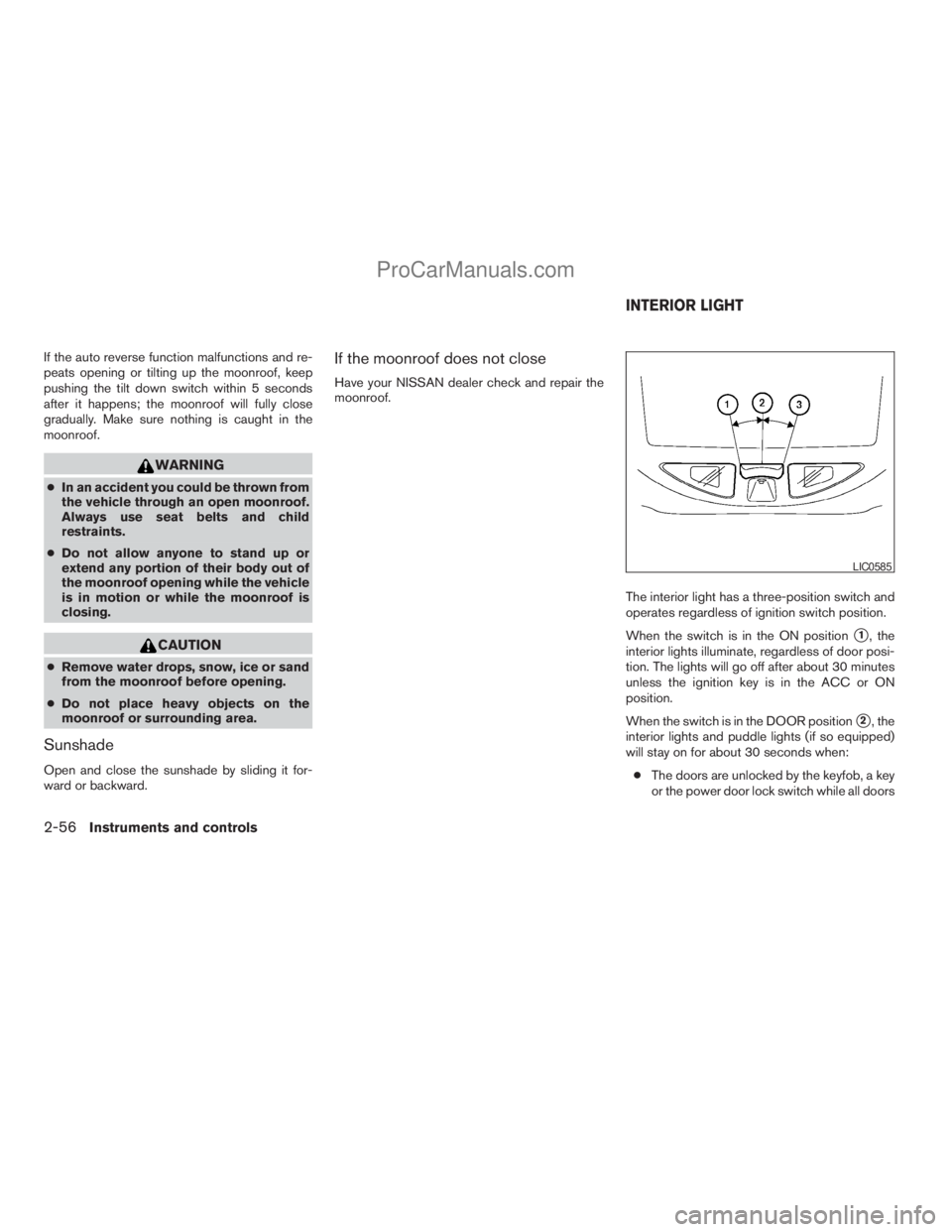
The interior light has a three-position switch and
operates regardless of ignition switch position.
When the switch is in the ON position
s1, the
interior lights illuminate, regardless of door posi-
tion. The lights will go off after about 30 minutes
unless the ignition key is in the ACC or ON
position.
When the switch is in the DOOR position
s2, the
interior lights and puddle lights (if so equipped)
will stay on for about 30 seconds when:
cThe doors are unlocked by the keyfob, a key
or the power door lock switch while all doors
LIC0585
INTERIOR LIGHT
2-56Instruments and controls
ZREVIEW COPYÐ2009 Armada(wzw)
Owners ManualÐUSA_English(nna)
02/26/08Ðdebbie
X
ProCarManuals.com
Page 220 of 465
Reception conditions will constantly change be-
cause of vehicle movement. Buildings, terrain,
signal distance and interference from other ve-
hicles can work against ideal reception. De-
scribed below are some of the factors that can
affect your radio reception.
Some cellular phones or other devices may
cause interference or a buzzing noise to come
from the audio system speakers. Storing the de-
vice in a different location may reduce or elimi-
nate the noise.
FM RADIO RECEPTION
Range: FM range is normally limited to 25 – 30 mi
(40 – 48 km) , with monaural (single channel) FM
having slightly more range than stereo FM. Exter-
nal influences may sometimes interfere with FM
station reception even if the FM station is within
25 mi (40 km) . The strength of the FM signal is
directly related to the distance between the
transmitter and receiver. FM signals follow a line-
of-sight path, exhibiting many of the same char-
acteristics as light. For example, they will reflect
off objects.
Fade and drift: As your vehicle moves away from
a station transmitter, the signals will tend to fade
and/or drift.Static and flutter: During signal interference from
buildings, large hills or due to antenna position
(usually in conjunction with increased distance
from the station transmitter) , static or flutter can
be heard. This can be reduced by adjusting the
treble control to reduce treble response.
Multipath reception: Because of the reflective
characteristics of FM signals, direct and reflected
signals reach the receiver at the same time. The
signals may cancel each other, resulting in mo-
mentary flutter or loss of sound.
AM RADIO RECEPTION
AM signals, because of their low frequency, can
bend around objects and skip along the ground.
In addition, the signals can be bounced off the
ionosphere and bent back to earth. Because of
these characteristics, AM signals are also sub-
ject to interference as they travel from transmitter
to receiver.
Fading: Occurs while the vehicle is passing
through freeway underpasses or in areas with
many tall buildings. It can also occur for several
seconds during ionospheric turbulence even in
areas where no obstacles exist.
Static: Caused by thunderstorms, electrical
power lines, electric signs and even traffic lights.
SATELLITE RADIO RECEPTION (if so
equipped)
When the satellite radio is first installed or the
battery has been replaced, the satellite radio may
not work properly. This is not a malfunction. Wait
more than 10 minutes with satellite radio ON and
the vehicle outside of any metal or large building
for satellite radio to receive all of the necessary
data.
The satellite radio mode will be skipped unless an
optional satellite receiver and antenna are in-
stalled and an XMTsatellite radio service sub-
scription is active. Satellite radio is not available
in Alaska, Hawaii and Guam.
Satellite radio performance may be affected if
cargo carried on the roof blocks the satellite radio
signal.
If possible, do not put cargo over the satellite
antenna.
A build up of ice on the satellite radio antenna can
affect satellite radio performance. Remove the
ice to restore satellite radio reception
4-40Monitor, climate, audio, phone and voice recognition systems
ZREVIEW COPYÐ2009 Armada(wzw)
Owners ManualÐUSA_English(nna)
02/26/08Ðdebbie
X
ProCarManuals.com
Page 330 of 465

cTo avoid raising the center of gravity
excessively, do not exceed the rated
capacity of the roof rack and evenly
distribute the load. Secure heavy loads
in the cargo area as far forward and as
low as possible. Do not equip the ve-
hicle with tires larger than specified in
this manual. This could cause your ve-
hicle to roll over.
cDo not grip the inside or spokes of the
steering wheel when driving off-road.
The steering wheel could move sud-
denly and injure your hands. Instead
drive with your fingers and thumbs on
the outside of the rim.
cBefore operating the vehicle, ensure
that the driver and all passengers have
their seat belts fastened.
cLower your speed when encountering
strong crosswinds. With a higher center
of gravity, your NISSAN is more af-
fected by strong side winds. Slower
speeds ensure better vehicle control.
cDo not drive beyond the performance
capability of the tires, even with 4WD
engaged.cFor 4WD equipped vehicles, do not at-
tempt to raise two wheels off the
ground and shift the transmission to
any drive or reverse position with the
engine running. Doing so may result in
drivetrain damage or unexpected ve-
hicle movement which could result in
serious vehicle damage or personal
injury.
cDo not attempt to test a 4WD equipped
vehicle on a 2-wheel dynamometer
(such as the dynamometers used by
some states for emissions testing) , or
similar equipment even if the other two
wheels are raised off the ground. Make
sure you inform test facility personnel
that your vehicle is equipped with 4WD
before it is placed on a dynamometer.
Using the wrong test equipment may
result in drivetrain damage or unex-
pected vehicle movement which could
result in serious vehicle damage or per-
sonal injury.
cAccelerating quickly, sharp steering
maneuvers or sudden braking may
cause loss of control.cIf at all possible, avoid sharp turning
maneuvers, particularly at high speeds.
Your NISSAN four-wheel drive vehicle
has a higher center of gravity than a
two-wheel drive vehicle. The vehicle is
not designed for cornering at the same
speeds as conventional two-wheel
drive vehicles. Failure to operate this
vehicle correctly could result in loss of
control and/or a rollover accident.
cAlways use tires of the same type, size,
brand, construction (bias, bias-belted,
or radial) , and tread pattern on all four
wheels. Install tire chains on the rear
wheels when driving on slippery roads
and drive carefully.
cBe sure to check the brakes immedi-
ately after driving in mud or water. See
“Brake system” later in this section for
“Wet brakes”.
cAvoid parking your vehicle on steep
hills. If you get out of the vehicle and it
rolls forward, backward or sideways,
you could be injured.
cWhenever you drive off-road through
sand, mud or water as deep as the
wheel hub, more frequent maintenance
may be required. See “Periodic mainte-
nance” in the “NISSAN Service and
Maintenance Guide.”
5-8Starting and driving
ZREVIEW COPYÐ2009 Armada(wzw)
Owners ManualÐUSA_English(nna)
02/26/08Ðdebbie
X
ProCarManuals.com
Page 431 of 465
WHEELS AND TIRES
Wheels
18 x 8.0J
20 x 8.0J
Tires
P265/70R18
P275/60R20
Spare tire Full size
DIMENSIONS AND WEIGHTS
Overall length in (mm) 207.7 (5,275)
Overall width in (mm) 79.5 (2,020)
Overall height
2wd with roof rack in (mm) 77.5 (1,967)
4wd with roof rack in (mm) 78.3 (1,988)
Front Track
18 inch tire in (mm) 67.9 (1,725)
20 inch tire in (mm) 68.1 (1,729)
Rear Track
18 inch tire in (mm) 67.9 (1,725)
20 inch tire in (mm) 68.1 (1,729)
Wheelbase in (mm) 123.2 (3,130)
Gross vehicle weight rating lb (kg) See the “F.M.V.S.S./C.M.
V.S.S. certification label”
on the center pillar be-
tween the driver’s side
front and side doors. Gross axle weight rating
Front lb (kg)
Rear lb (kg)
Technical and consumer information9-9
ZREVIEW COPYÐ2009 Armada(wzw)
Owners ManualÐUSA_English(nna)
02/26/08Ðdebbie
X
ProCarManuals.com
Page 460 of 465
J
Jump starting...................6-8
K
Key ........................3-2
Keyfob battery replacement..........8-25
Keyless entry
With Intelligent Key system
(See Intelligent Key system)........3-16
Keyless entry system
(See remote keyless entry system).......3-7
Keys, For Intelligent Key system.........3-2
L
Labels
Air conditioner specification label.....9-12
C.M.V.S.S. certification label........9-11
Emission control information label.....9-11
Engine serial number............9-11
F.M.V.S.S. certification label........9-11
Tire and Loading Information label.....9-12
Vehicle identification number (VIN)
plate.....................9-10
Warning labels (for SRS)..........1-64
LATCH (Lower Anchors and Tethers
for CHildren) System..............1-29
License plate
Installing the license plate.........9-12
Lift gate.....................3-21
Lift gate release.................3-25Light
Air bag warning light.........1-64, 2-18
Brake light (See stop light).........8-30
Bulb check/instrument panel........2-13
Bulb replacement..............8-30
Charge warning light............2-15
Fog light switch...............2-35
Headlight and turn signal switch......2-32
Headlight control switch..........2-32
Headlights..................8-28
Interior light.................2-56
Light bulbs..................8-28
Low tire pressure warning light......2-16
Low washer fluid warning light.......2-26
Passenger air bag and status light.....1-58
Personal lights...............2-58
Security indicator light...........2-19
Warning/indicator lights and audible
reminders..................2-13
Lights
Map lights..................2-58
Lock
Child safety rear door lock..........3-7
Door locks..................3-4
Glove box lock...............2-43
Lift gate release...............3-25
Power door locks...............3-5
Vehicle speed sensing door lock
mechanism..................3-6
Low fuel warning light......2-16, 2-17, 2-26
Low tire pressure warning light........2-16
Low washer fluid warning light.........2-26
Luggage hook..................2-49
Luggage rack (see roof rack).........2-50
Luggage (See vehicle loading information) . .9-13Luggage storage
(see vehicle loading information)........2-48
M
Maintenance
Changing the maintenance
interval.................4-7, 4-23
Displaying the maintenance notice
reminder................4-8, 4-24
General maintenance............8-2
Inside the vehicle...............8-3
Maintenance precautions..........8-5
Outside the vehicle..............8-2
Resetting the maintenance interval . .4-8, 4-24
Seat belt maintenance...........1-27
Setting.................4-7, 4-23
Under the hood and vehicle.........8-4
Malfunction indicator light...........2-19
Manual front seat adjustment..........1-2
Manual vent windows..............2-54
Map lights....................2-58
Map pocket...................2-44
Meters and gauges................2-4
Instrument brightness control.......2-35
Mirror
Automatic anti-glare inside mirror.....3-29
Outside mirror control...........3-31
Outside mirrors...............3-31
Vanity mirror.................3-29
Music Box hard-disk drive audio system . . .4-62
10-4
ZREVIEW COPYÐ2009 Armada(wzw)
Owners ManualÐUSA_English(nna)
02/26/08Ðdebbie
X
ProCarManuals.com
Page 461 of 465
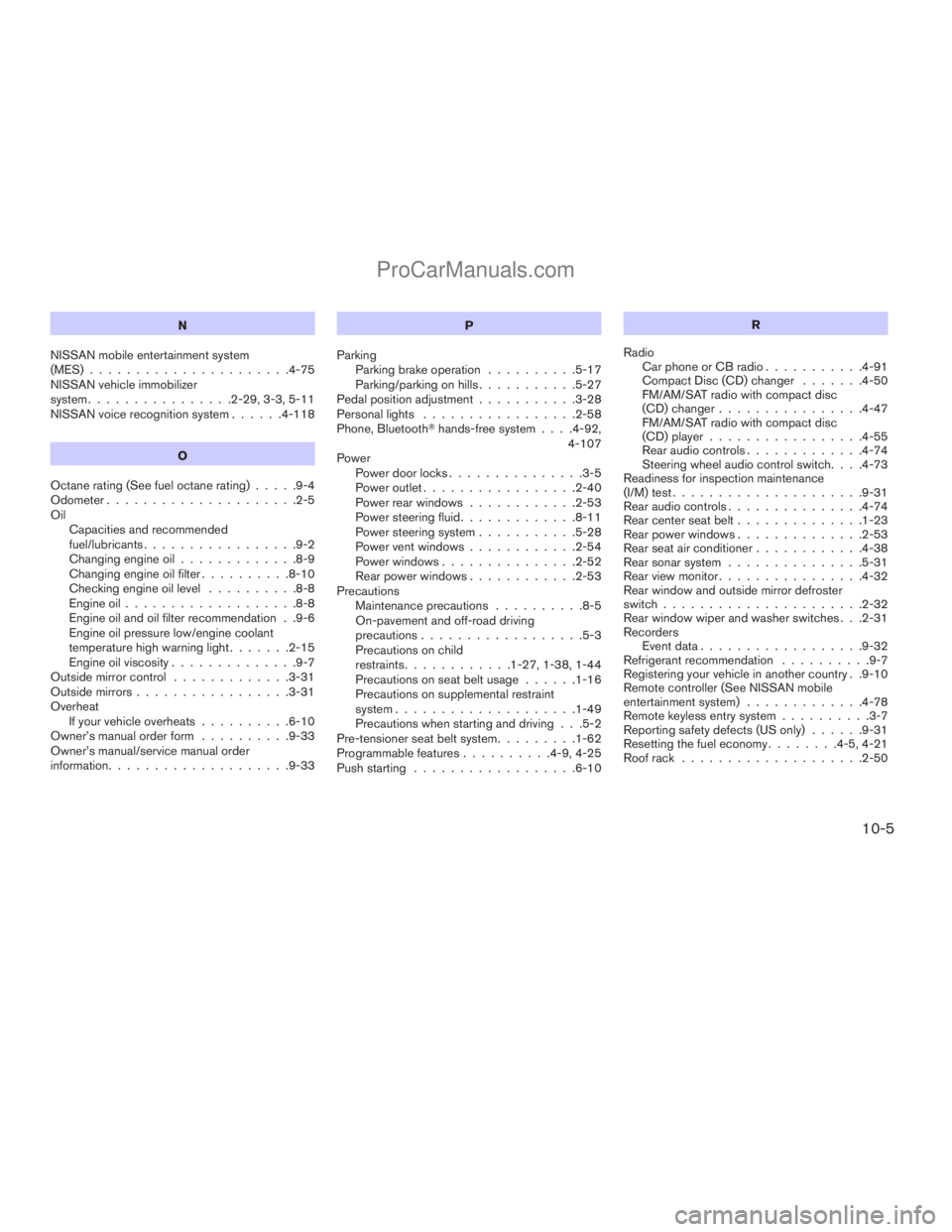
N
NISSAN mobile entertainment system
(MES)......................4-75
NISSAN vehicle immobilizer
system................2-29, 3-3, 5-11
NISSAN voice recognition system......4-118
O
Octane rating (See fuel octane rating).....9-4
Odometer.....................2-5
Oil
Capacities and recommended
fuel/lubricants.................9-2
Changing engine oil.............8-9
Changing engine oil filter..........8-10
Checking engine oil level..........8-8
Engine oil...................8-8
Engine oil and oil filter recommendation . .9-6
Engine oil pressure low/engine coolant
temperature high warning light.......2-15
Engine oil viscosity..............9-7
Outside mirror control.............3-31
Outside mirrors.................3-31
Overheat
If your vehicle overheats..........6-10
Owner’s manual order form..........9-33
Owner’s manual/service manual order
information....................9-33P
Parking
Parking brake operation..........5-17
Parking/parking on hills...........5-27
Pedal position adjustment...........3-28
Personal lights.................2-58
Phone, BluetoothThands-free system. . . .4-92,
4-107
Power
Power door locks...............3-5
Power outlet.................2-40
Power rear windows............2-53
Power steering fluid.............8-11
Power steering system...........5-28
Power vent windows............2-54
Power windows...............2-52
Rear power windows............2-53
Precautions
Maintenance precautions..........8-5
On-pavement and off-road driving
precautions..................5-3
Precautions on child
restraints............1-27, 1-38, 1-44
Precautions on seat belt usage......1-16
Precautions on supplemental restraint
system....................1-49
Precautions when starting and driving . . .5-2
Pre-tensioner seat belt system.........1-62
Programmable features..........4-9, 4-25
Push starting..................6-10R
Radio
Car phone or CB radio...........4-91
Compact Disc (CD) changer.......4-50
FM/AM/SAT radio with compact disc
(CD) changer................4-47
FM/AM/SAT radio with compact disc
(CD) player.................4-55
Rear audio controls.............4-74
Steering wheel audio control switch. . . .4-73
Readiness for inspection maintenance
(I/M) test.....................9-31
Rear audio controls...............4-74
Rear center seat belt..............1-23
Rear power windows..............2-53
Rear seat air conditioner............4-38
Rear sonar system...............5-31
Rear view monitor................4-32
Rear window and outside mirror defroster
switch......................2-32
Rear window wiper and washer switches . . .2-31
Recorders
Event data..................9-32
Refrigerant recommendation..........9-7
Registering your vehicle in another country . .9-10
Remote controller (See NISSAN mobile
entertainment system).............4-78
Remote keyless entry system..........3-7
Reporting safety defects (US only)......9-31
Resetting the fuel economy........4-5, 4-21
Roof rack....................2-50
10-5
ZREVIEW COPYÐ2009 Armada(wzw)
Owners ManualÐUSA_English(nna)
02/26/08Ðdebbie
X
ProCarManuals.com