Center display NISSAN ARMADA 2017 2.G Owner's Guide
[x] Cancel search | Manufacturer: NISSAN, Model Year: 2017, Model line: ARMADA, Model: NISSAN ARMADA 2017 2.GPages: 614, PDF Size: 2.87 MB
Page 375 of 614
5-34Starting and driving
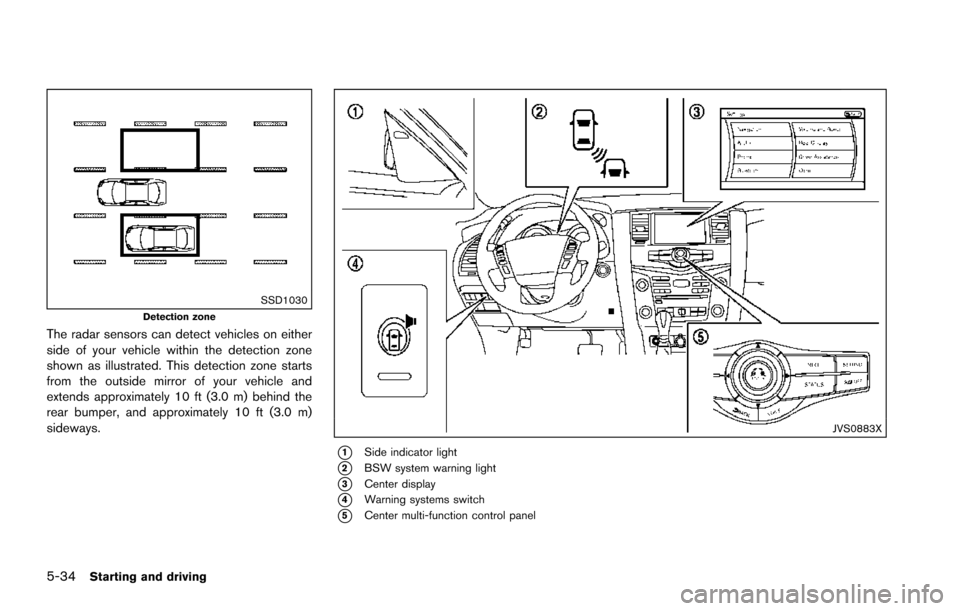
SSD1030Detection zone
The radar sensors can detect vehicles on either
side of your vehicle within the detection zone
shown as illustrated. This detection zone starts
from the outside mirror of your vehicle and
extends approximately 10 ft (3.0 m) behind the
rear bumper, and approximately 10 ft (3.0 m)
sideways.
JVS0883X
*1Side indicator light
*2BSW system warning light
*3Center display
*4Warning systems switch
*5Center multi-function control panel
Page 377 of 614
5-36Starting and driving
TURNING THE BSW SYSTEM ON/OFF
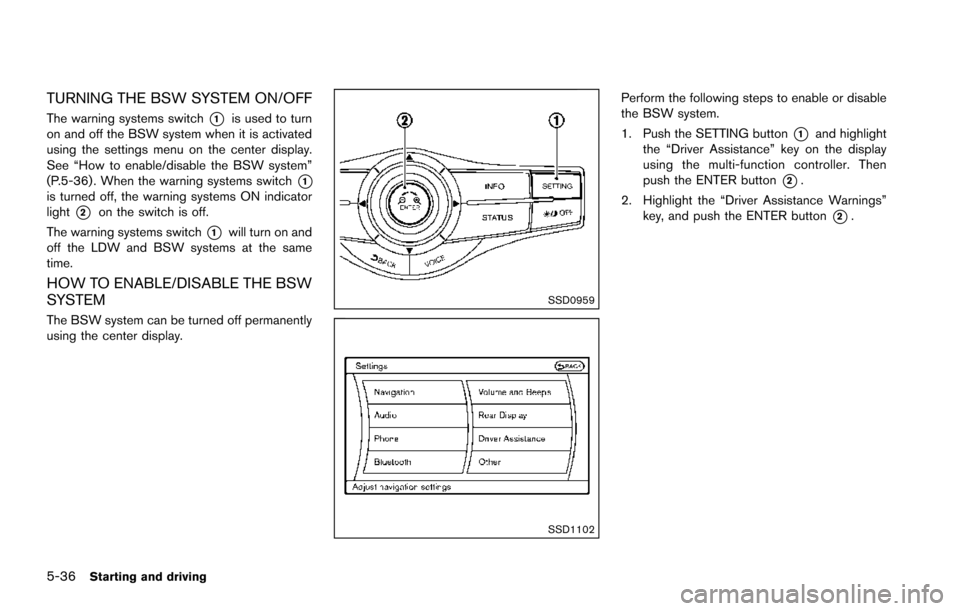
The warning systems switch*1is used to turn
on and off the BSW system when it is activated
using the settings menu on the center display.
See “How to enable/disable the BSW system”
(P.5-36) . When the warning systems switch
*1is turned off, the warning systems ON indicator
light
*2on the switch is off.
The warning systems switch
*1will turn on and
off the LDW and BSW systems at the same
time.
HOW TO ENABLE/DISABLE THE BSW
SYSTEM
The BSW system can be turned off permanently
using the center display.
SSD0959
SSD1102
Perform the following steps to enable or disable
the BSW system.
1. Push the SETTING button
*1and highlight
the “Driver Assistance” key on the display
using the multi-function controller. Then
push the ENTER button
*2.
2. Highlight the “Driver Assistance Warnings” key, and push the ENTER button
*2.
Page 385 of 614
5-44Starting and driving
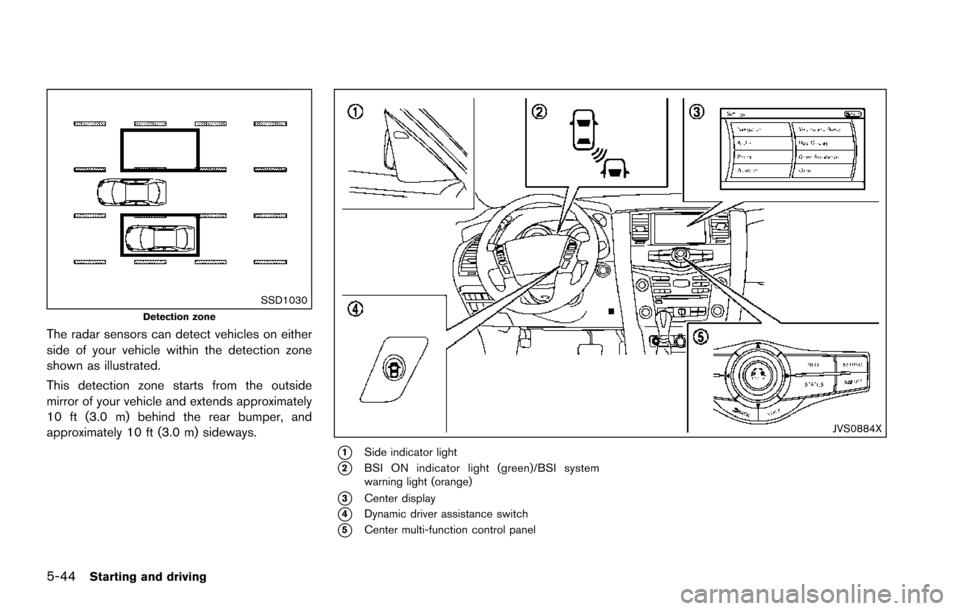
SSD1030Detection zone
The radar sensors can detect vehicles on either
side of your vehicle within the detection zone
shown as illustrated.
This detection zone starts from the outside
mirror of your vehicle and extends approximately
10 ft (3.0 m) behind the rear bumper, and
approximately 10 ft (3.0 m) sideways.
JVS0884X
*1Side indicator light
*2BSI ON indicator light (green)/BSI system
warning light (orange)
*3Center display
*4Dynamic driver assistance switch
*5Center multi-function control panel
Page 387 of 614
5-46Starting and driving
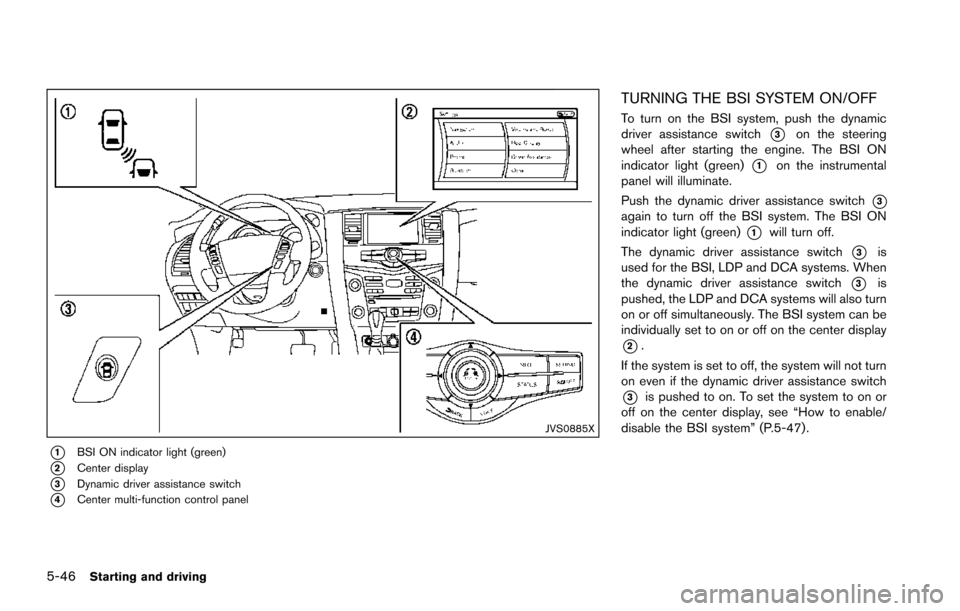
JVS0885X
*1BSI ON indicator light (green)
*2Center display
*3Dynamic driver assistance switch
*4Center multi-function control panel
TURNING THE BSI SYSTEM ON/OFF
To turn on the BSI system, push the dynamic
driver assistance switch
*3on the steering
wheel after starting the engine. The BSI ON
indicator light (green)
*1on the instrumental
panel will illuminate.
Push the dynamic driver assistance switch
*3again to turn off the BSI system. The BSI ON
indicator light (green)
*1will turn off.
The dynamic driver assistance switch
*3is
used for the BSI, LDP and DCA systems. When
the dynamic driver assistance switch
*3is
pushed, the LDP and DCA systems will also turn
on or off simultaneously. The BSI system can be
individually set to on or off on the center display
*2.
If the system is set to off, the system will not turn
on even if the dynamic driver assistance switch
*3is pushed to on. To set the system to on or
off on the center display, see “How to enable/
disable the BSI system” (P.5-47).
Page 399 of 614
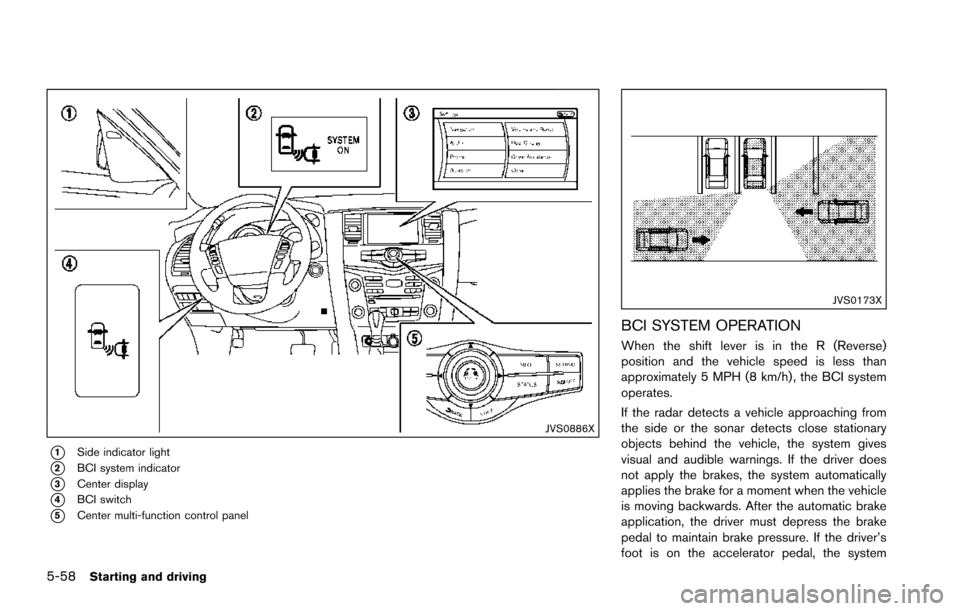
5-58Starting and driving
JVS0886X
*1Side indicator light
*2BCI system indicator
*3Center display
*4BCI switch
*5Center multi-function control panel
JVS0173X
BCI SYSTEM OPERATION
When the shift lever is in the R (Reverse)
position and the vehicle speed is less than
approximately 5 MPH (8 km/h) , the BCI system
operates.
If the radar detects a vehicle approaching from
the side or the sonar detects close stationary
objects behind the vehicle, the system gives
visual and audible warnings. If the driver does
not apply the brakes, the system automatically
applies the brake for a moment when the vehicle
is moving backwards. After the automatic brake
application, the driver must depress the brake
pedal to maintain brake pressure. If the driver’s
foot is on the accelerator pedal, the system
Page 400 of 614
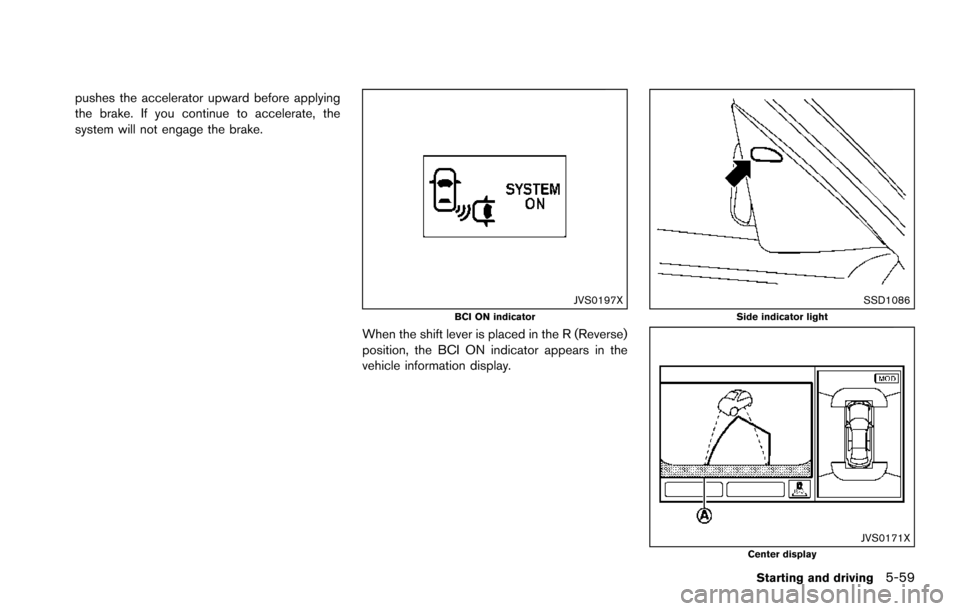
pushes the accelerator upward before applying
the brake. If you continue to accelerate, the
system will not engage the brake.
JVS0197XBCI ON indicator
When the shift lever is placed in the R (Reverse)
position, the BCI ON indicator appears in the
vehicle information display.
SSD1086Side indicator light
JVS0171XCenter display
Starting and driving5-59
Page 401 of 614
5-60Starting and driving
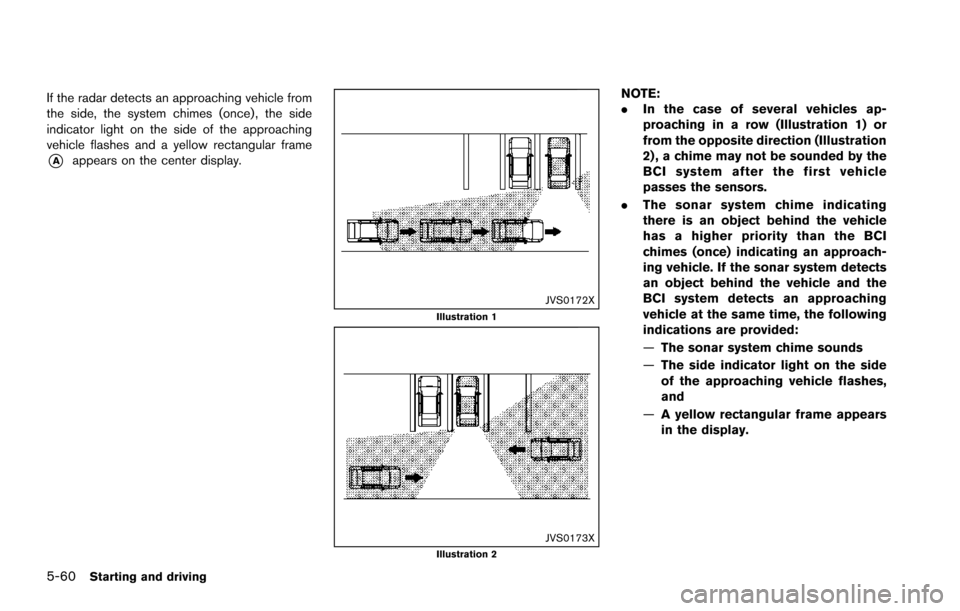
If the radar detects an approaching vehicle from
the side, the system chimes (once) , the side
indicator light on the side of the approaching
vehicle flashes and a yellow rectangular frame
*Aappears on the center display.
JVS0172XIllustration 1
JVS0173XIllustration 2
NOTE:
.In the case of several vehicles ap-
proaching in a row (Illustration 1) or
from the opposite direction (Illustration
2) , a chime may not be sounded by the
BCI system after the first vehicle
passes the sensors.
. The sonar system chime indicating
there is an object behind the vehicle
has a higher priority than the BCI
chimes (once) indicating an approach-
ing vehicle. If the sonar system detects
an object behind the vehicle and the
BCI system detects an approaching
vehicle at the same time, the following
indications are provided:
—The sonar system chime sounds
— The side indicator light on the side
of the approaching vehicle flashes,
and
— A yellow rectangular frame appears
in the display.
Page 402 of 614
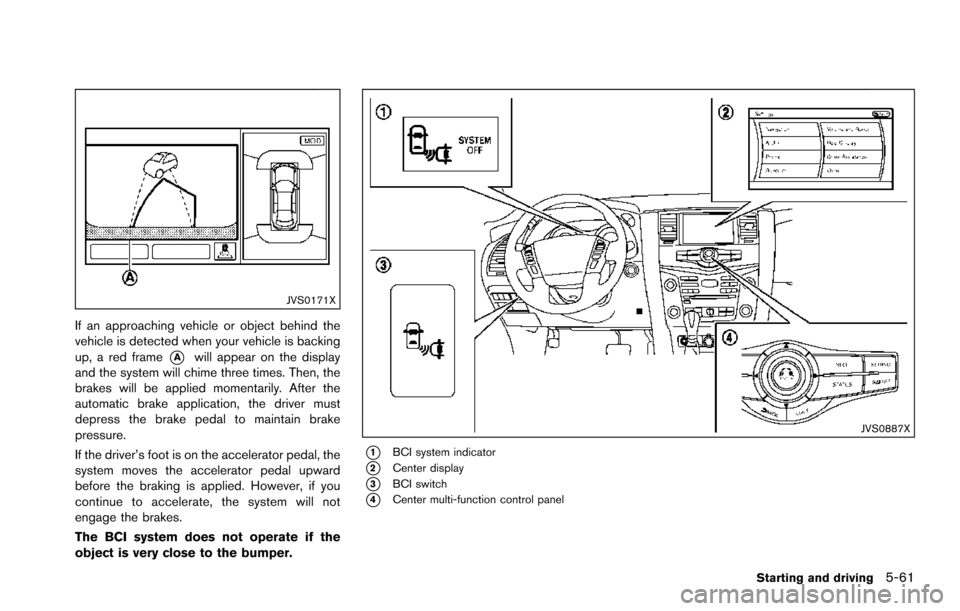
JVS0171X
If an approaching vehicle or object behind the
vehicle is detected when your vehicle is backing
up, a red frame
*Awill appear on the display
and the system will chime three times. Then, the
brakes will be applied momentarily. After the
automatic brake application, the driver must
depress the brake pedal to maintain brake
pressure.
If the driver’s foot is on the accelerator pedal, the
system moves the accelerator pedal upward
before the braking is applied. However, if you
continue to accelerate, the system will not
engage the brakes.
The BCI system does not operate if the
object is very close to the bumper.
JVS0887X
*1BCI system indicator
*2Center display
*3BCI switch
*4Center multi-function control panel
Starting and driving5-61
Page 403 of 614
5-62Starting and driving
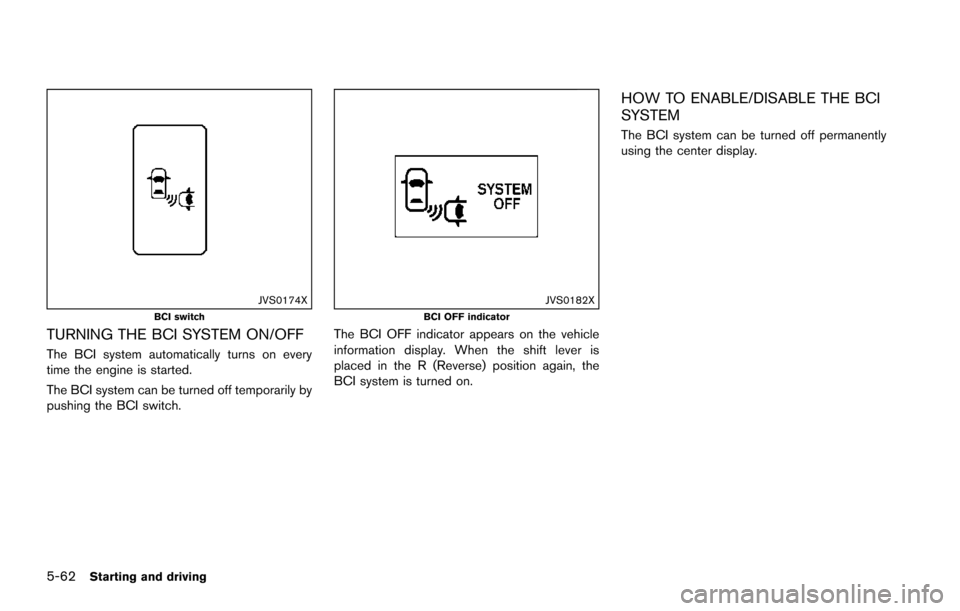
JVS0174XBCI switch
TURNING THE BCI SYSTEM ON/OFF
The BCI system automatically turns on every
time the engine is started.
The BCI system can be turned off temporarily by
pushing the BCI switch.
JVS0182XBCI OFF indicator
The BCI OFF indicator appears on the vehicle
information display. When the shift lever is
placed in the R (Reverse) position again, the
BCI system is turned on.
HOW TO ENABLE/DISABLE THE BCI
SYSTEM
The BCI system can be turned off permanently
using the center display.
Page 434 of 614
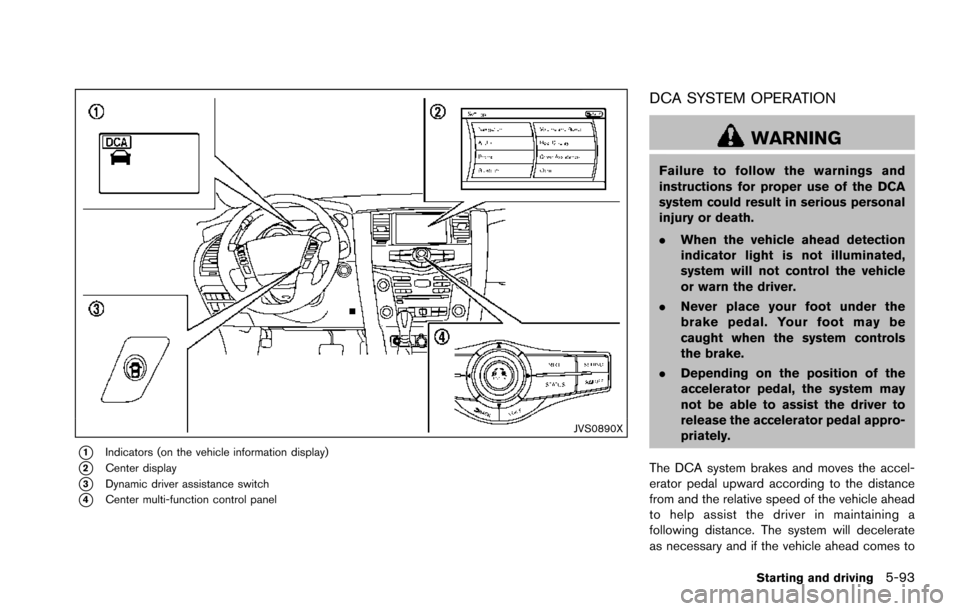
JVS0890X
*1Indicators (on the vehicle information display)
*2Center display
*3Dynamic driver assistance switch
*4Center multi-function control panel
DCA SYSTEM OPERATION
WARNING
Failure to follow the warnings and
instructions for proper use of the DCA
system could result in serious personal
injury or death.
.When the vehicle ahead detection
indicator light is not illuminated,
system will not control the vehicle
or warn the driver.
. Never place your foot under the
brake pedal. Your foot may be
caught when the system controls
the brake.
. Depending on the position of the
accelerator pedal, the system may
not be able to assist the driver to
release the accelerator pedal appro-
priately.
The DCA system brakes and moves the accel-
erator pedal upward according to the distance
from and the relative speed of the vehicle ahead
to help assist the driver in maintaining a
following distance. The system will decelerate
as necessary and if the vehicle ahead comes to
Starting and driving5-93