light NISSAN ARMADA 2017 2.G Workshop Manual
[x] Cancel search | Manufacturer: NISSAN, Model Year: 2017, Model line: ARMADA, Model: NISSAN ARMADA 2017 2.GPages: 614, PDF Size: 2.87 MB
Page 125 of 614
2-36Instruments and controls
SIC4385
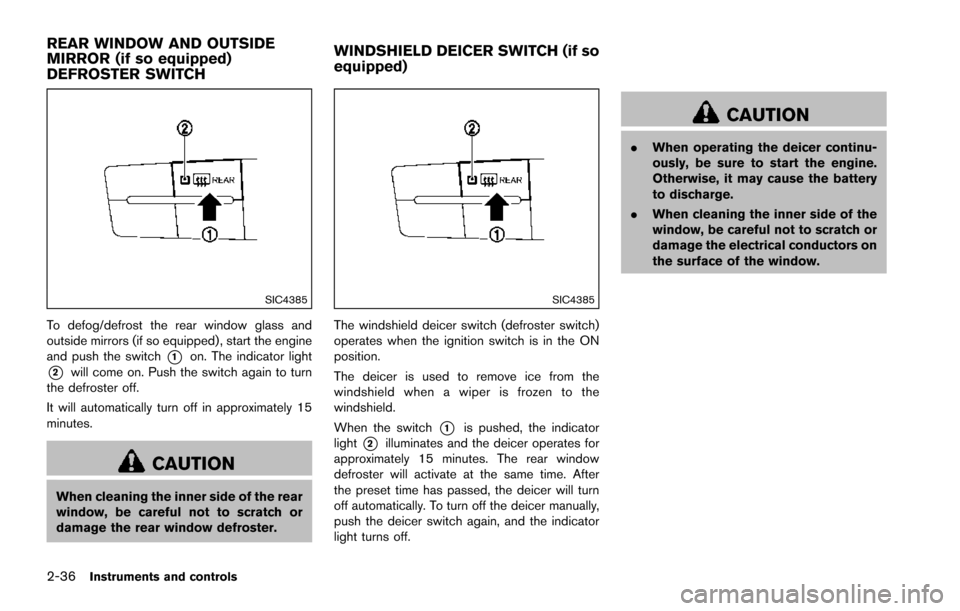
To defog/defrost the rear window glass and
outside mirrors (if so equipped) , start the engine
and push the switch
*1on. The indicator light
*2will come on. Push the switch again to turn
the defroster off.
It will automatically turn off in approximately 15
minutes.
CAUTION
When cleaning the inner side of the rear
window, be careful not to scratch or
damage the rear window defroster.
SIC4385
The windshield deicer switch (defroster switch)
operates when the ignition switch is in the ON
position.
The deicer is used to remove ice from the
windshield when a wiper is frozen to the
windshield.
When the switch
*1is pushed, the indicator
light
*2illuminates and the deicer operates for
approximately 15 minutes. The rear window
defroster will activate at the same time. After
the preset time has passed, the deicer will turn
off automatically. To turn off the deicer manually,
push the deicer switch again, and the indicator
light turns off.
CAUTION
. When operating the deicer continu-
ously, be sure to start the engine.
Otherwise, it may cause the battery
to discharge.
. When cleaning the inner side of the
window, be careful not to scratch or
damage the electrical conductors on
the surface of the window.
REAR WINDOW AND OUTSIDE
MIRROR (if so equipped)
DEFROSTER SWITCH WINDSHIELD DEICER SWITCH (if so
equipped)
Page 126 of 614
SIC3668Type A (if so equipped)
JVI1505XType B (if so equipped)
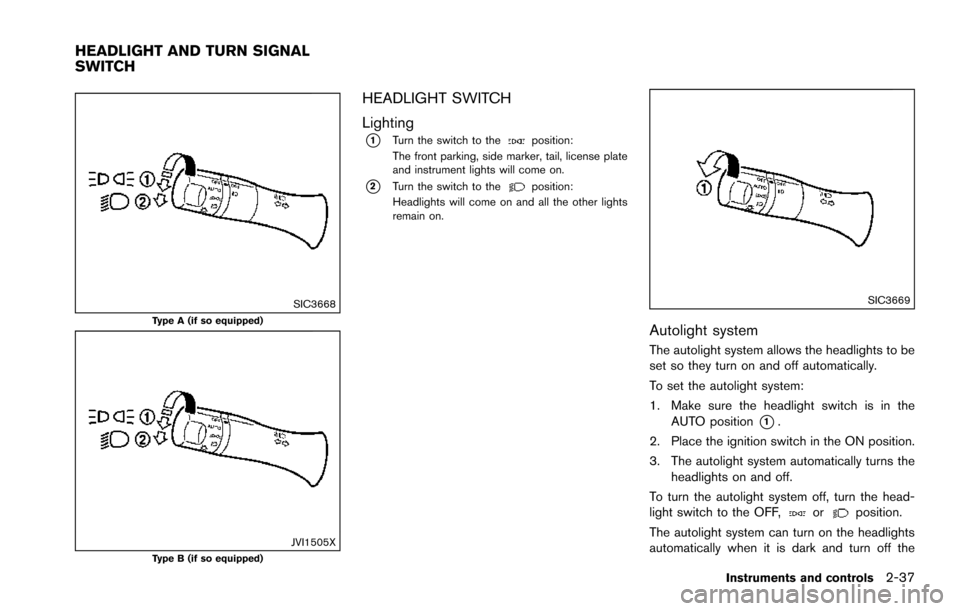
HEADLIGHT SWITCH
Lighting
*1Turn the switch to theposition:
The front parking, side marker, tail, license plate
and instrument lights will come on.
*2Turn the switch to theposition:
Headlights will come on and all the other lights
remain on.
SIC3669
Autolight system
The autolight system allows the headlights to be
set so they turn on and off automatically.
To set the autolight system:
1. Make sure the headlight switch is in the AUTO position
*1.
2. Place the ignition switch in the ON position.
3. The autolight system automatically turns the headlights on and off.
To turn the autolight system off, turn the head-
light switch to the OFF,
orposition.
The autolight system can turn on the headlights
automatically when it is dark and turn off the
Instruments and controls2-37
HEADLIGHT AND TURN SIGNAL
SWITCH
Page 127 of 614
2-38Instruments and controls
headlights when it is light.
The headlights will also be turned on automa-
tically at twilight or in rainy weather (when the
windshield wiper is operated continuously) .
If the ignition switch is placed in the OFF
position and one of the doors is opened and this
condition is continued, the headlights remain on
for 5 minutes.
Automatic headlights off delay:
You can keep the headlights on for up to 180
seconds after you place the ignition switch in the
OFF position and open any door then close all
the doors.
You can adjust the period of the automatic
headlights off delay from 0 seconds (OFF) to
180 seconds. The factory default setting is 45
seconds.
For automatic headlights off delay setting, see
“How to use SETTING button” (P.4-13) .
SIC3784A
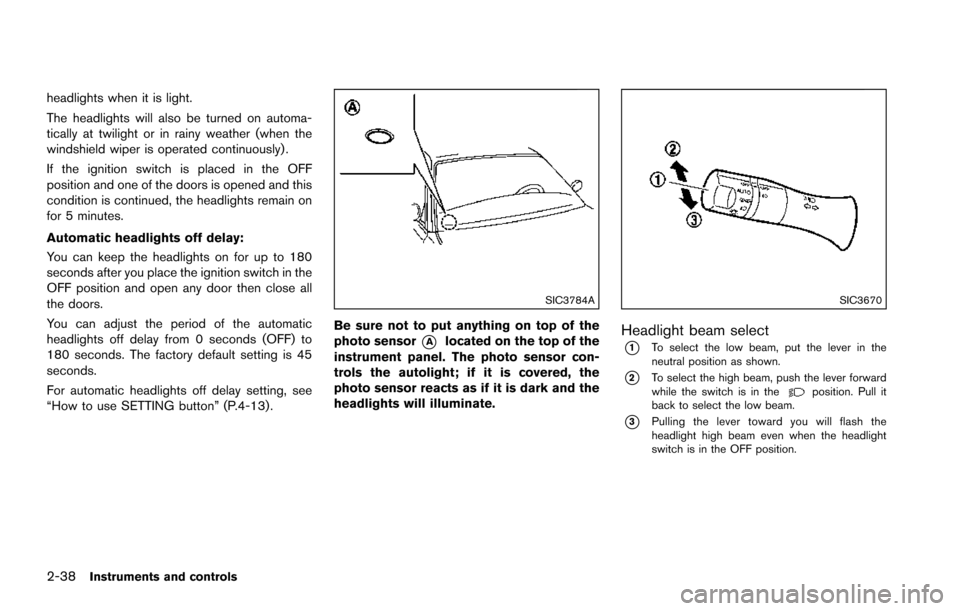
Be sure not to put anything on top of the
photo sensor
*Alocated on the top of the
instrument panel. The photo sensor con-
trols the autolight; if it is covered, the
photo sensor reacts as if it is dark and the
headlights will illuminate.
SIC3670
Headlight beam select
*1To select the low beam, put the lever in the
neutral position as shown.
*2To select the high beam, push the lever forward
while the switch is in theposition. Pull it
back to select the low beam.
*3Pulling the lever toward you will flash the
headlight high beam even when the headlight
switch is in the OFF position.
Page 128 of 614
Battery saver system
A chime will sound when the driver side door is
opened with the light switch in theorposition and the ignition switch in the OFF or
LOCK position.
When the headlight switch is in the
orposition while the ignition switch is in the ON
position, the lights will automatically turn off after
a period of time when the ignition switch has
been pushed to the OFF position.
When the headlight switch remains in the
orposition after the lights automatically turn
off, the lights will turn on when the ignition
switch is pushed to the ON position.
CAUTION
. When you turn on the headlight
switch again after the lights auto-
matically turn off, the lights will not
turn off automatically. Be sure to
turn the light switch to the OFF
position when you leave the vehicle
for extended periods of time, other-
wise the battery will be discharged.
. Never leave the light switch on
when the engine is not running for
extended periods of time even if the headlights turn off automatically.
SIC2275
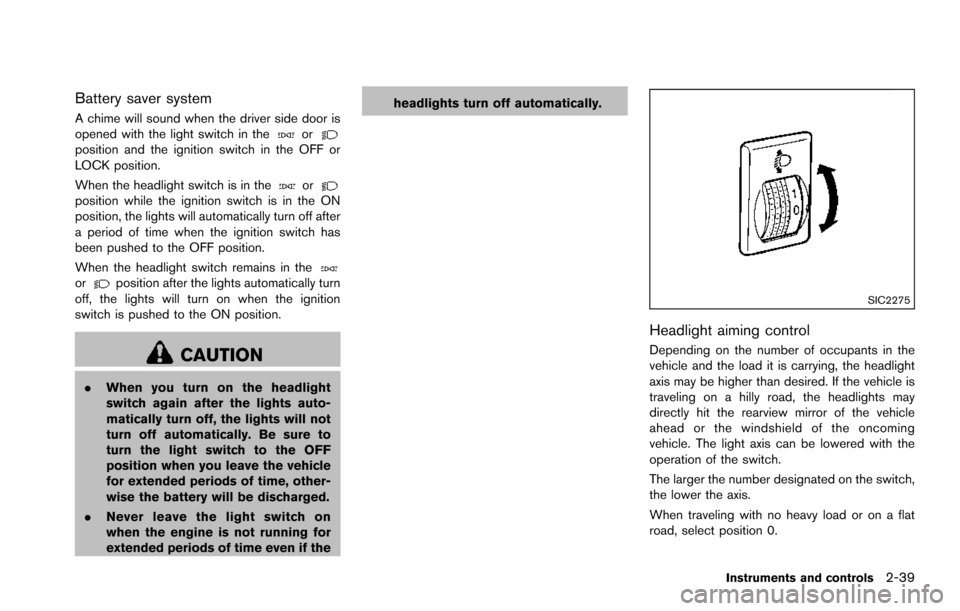
Headlight aiming control
Depending on the number of occupants in the
vehicle and the load it is carrying, the headlight
axis may be higher than desired. If the vehicle is
traveling on a hilly road, the headlights may
directly hit the rearview mirror of the vehicle
ahead or the windshield of the oncoming
vehicle. The light axis can be lowered with the
operation of the switch.
The larger the number designated on the switch,
the lower the axis.
When traveling with no heavy load or on a flat
road, select position 0.
Instruments and controls2-39
Page 129 of 614
2-40Instruments and controls
Daytime running light system
The daytime running lights automatically illumi-
nate when the engine is started with the parking
brake released. The daytime running lights
operate with the headlight switch in the OFF
position or in the
position. Turn the head-
light switch to theposition for full illumina-
tion when driving at night.
If the parking brake is applied before the engine
is started, the daytime running lights do not
illuminate. The daytime running lights illuminate
once the parking brake is released. The daytime
running lights will remain on until the ignition
switch is pushed to the OFF position.
WARNING
When the daytime running light system
is active, tail lights on your vehicle are
not on. It is necessary at dusk to turn on
your headlights. Failure to do so could
cause an accident injuring yourself and
others.
SIC3270
SIC4378
INSTRUMENT BRIGHTNESS CON-
TROL
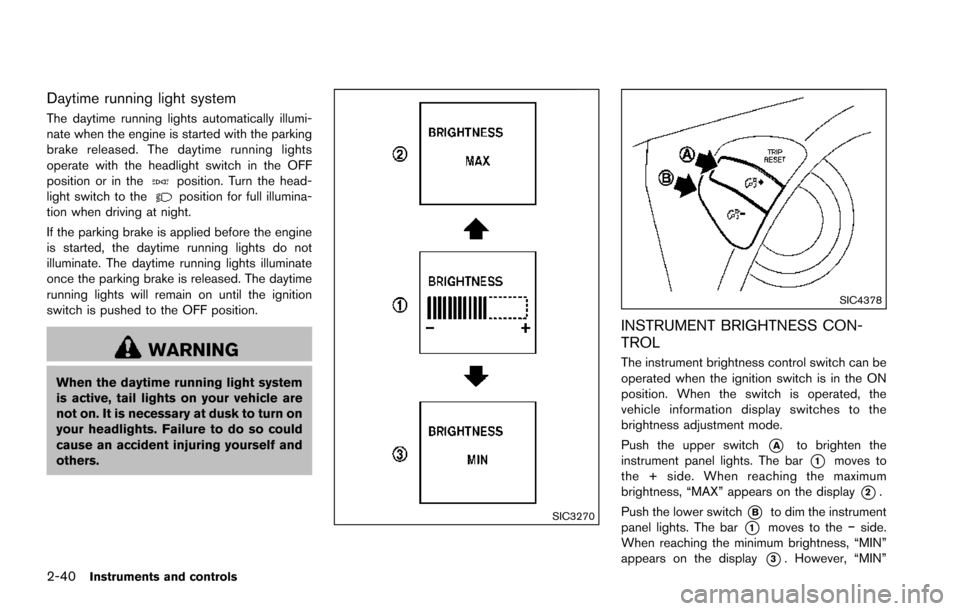
The instrument brightness control switch can be
operated when the ignition switch is in the ON
position. When the switch is operated, the
vehicle information display switches to the
brightness adjustment mode.
Push the upper switch
*Ato brighten the
instrument panel lights. The bar
*1moves to
the + side. When reaching the maximum
brightness, “MAX” appears on the display
*2.
Push the lower switch
*Bto dim the instrument
panel lights. The bar
*1moves to the íside.
When reaching the minimum brightness, “MIN”
appears on the display
*3. However, “MIN”
Page 131 of 614
2-42Instruments and controls
SIC3672
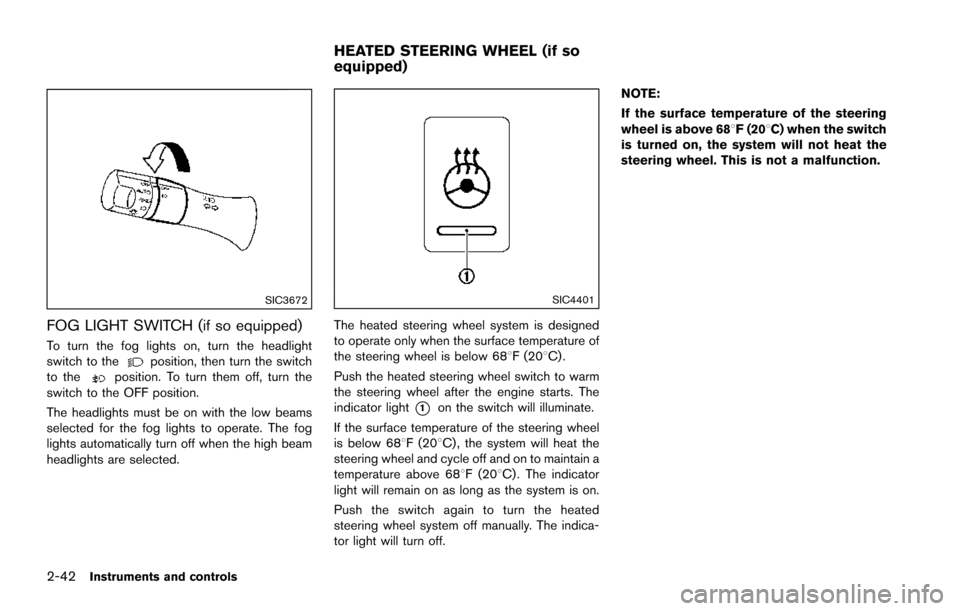
FOG LIGHT SWITCH (if so equipped)
To turn the fog lights on, turn the headlight
switch to theposition, then turn the switch
to theposition. To turn them off, turn the
switch to the OFF position.
The headlights must be on with the low beams
selected for the fog lights to operate. The fog
lights automatically turn off when the high beam
headlights are selected.
SIC4401
The heated steering wheel system is designed
to operate only when the surface temperature of
the steering wheel is below 688F (208C) .
Push the heated steering wheel switch to warm
the steering wheel after the engine starts. The
indicator light
*1on the switch will illuminate.
If the surface temperature of the steering wheel
is below 688F (208C) , the system will heat the
steering wheel and cycle off and on to maintain a
temperature above 688F (208C) . The indicator
light will remain on as long as the system is on.
Push the switch again to turn the heated
steering wheel system off manually. The indica-
tor light will turn off. NOTE:
If the surface temperature of the steering
wheel is above 688F (208C) when the switch
is turned on, the system will not heat the
steering wheel. This is not a malfunction.
HEATED STEERING WHEEL (if so
equipped)
Page 133 of 614
2-44Instruments and controls
SIC2770
FRONT (if so equipped)
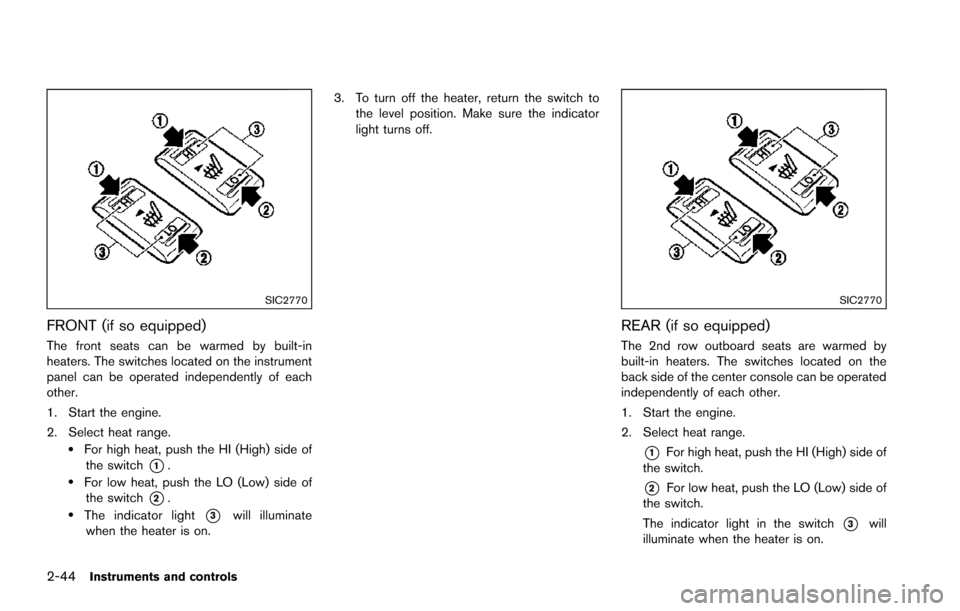
The front seats can be warmed by built-in
heaters. The switches located on the instrument
panel can be operated independently of each
other.
1. Start the engine.
2. Select heat range.
.For high heat, push the HI (High) side ofthe switch
*1..For low heat, push the LO (Low) side ofthe switch
*2..The indicator light*3will illuminate
when the heater is on. 3. To turn off the heater, return the switch to
the level position. Make sure the indicator
light turns off.
SIC2770
REAR (if so equipped)
The 2nd row outboard seats are warmed by
built-in heaters. The switches located on the
back side of the center console can be operated
independently of each other.
1. Start the engine.
2. Select heat range.
*1For high heat, push the HI (High) side of
the switch.
*2For low heat, push the LO (Low) side of
the switch.
The indicator light in the switch
*3will
illuminate when the heater is on.
Page 134 of 614
3. To turn off the heater, return the switch tothe level position. Make sure the indicator
light turns off.
The heater is controlled by a thermostat,
automatically turning the heater on and off.
The indicator light will remain on as long as
the switch is on.
When the vehicle’s interior is warmed, or
before you leave the vehicle, be sure to turn
off the switch.
SIC4334
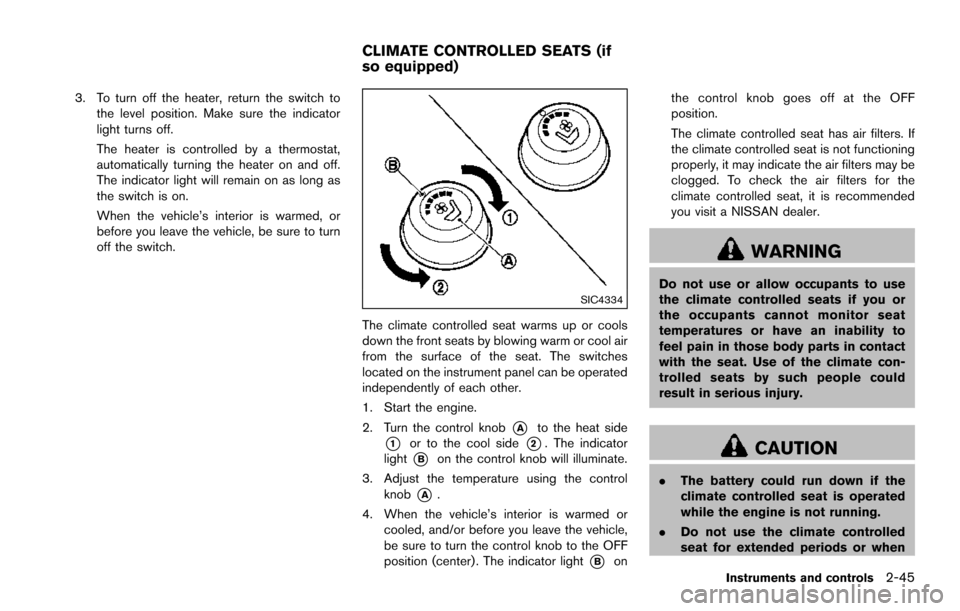
The climate controlled seat warms up or cools
down the front seats by blowing warm or cool air
from the surface of the seat. The switches
located on the instrument panel can be operated
independently of each other.
1. Start the engine.
2. Turn the control knob
*Ato the heat side
*1or to the cool side*2. The indicator
light
*Bon the control knob will illuminate.
3. Adjust the temperature using the control knob
*A.
4. When the vehicle’s interior is warmed or cooled, and/or before you leave the vehicle,
be sure to turn the control knob to the OFF
position (center) . The indicator light
*Bon the control knob goes off at the OFF
position.
The climate controlled seat has air filters. If
the climate controlled seat is not functioning
properly, it may indicate the air filters may be
clogged. To check the air filters for the
climate controlled seat, it is recommended
you visit a NISSAN dealer.
WARNING
Do not use or allow occupants to use
the climate controlled seats if you or
the occupants cannot monitor seat
temperatures or have an inability to
feel pain in those body parts in contact
with the seat. Use of the climate con-
trolled seats by such people could
result in serious injury.
CAUTION
.
The battery could run down if the
climate controlled seat is operated
while the engine is not running.
. Do not use the climate controlled
seat for extended periods or when
Instruments and controls2-45
CLIMATE CONTROLLED SEATS (if
so equipped)
Page 135 of 614
2-46Instruments and controls
no one is using the seat.
. Do not put anything on the seat
which insulates heat, such as a
blanket, cushion, seat cover, etc.
Otherwise, the seat may become
overheated.
. Do not place anything hard or heavy
on the seat or pierce it with a pin or
similar object. This may result in
damage to the climate controlled
seat.
. Any liquid spilled on the seat should
be removed immediately with a dry
cloth.
. The climate controlled seat has an
air filter. Do not operate climate
controlled seat without an air filter.
This may result in damage to the
system.
. When cleaning the seat, never use
gasoline, thinner, or any similar
materials.
. If any malfunctions are found or the
climate controlled seat does not
operate, turn the switch off and
have the system checked. It is
recommended you visit a NISSAN
dealer for this service.
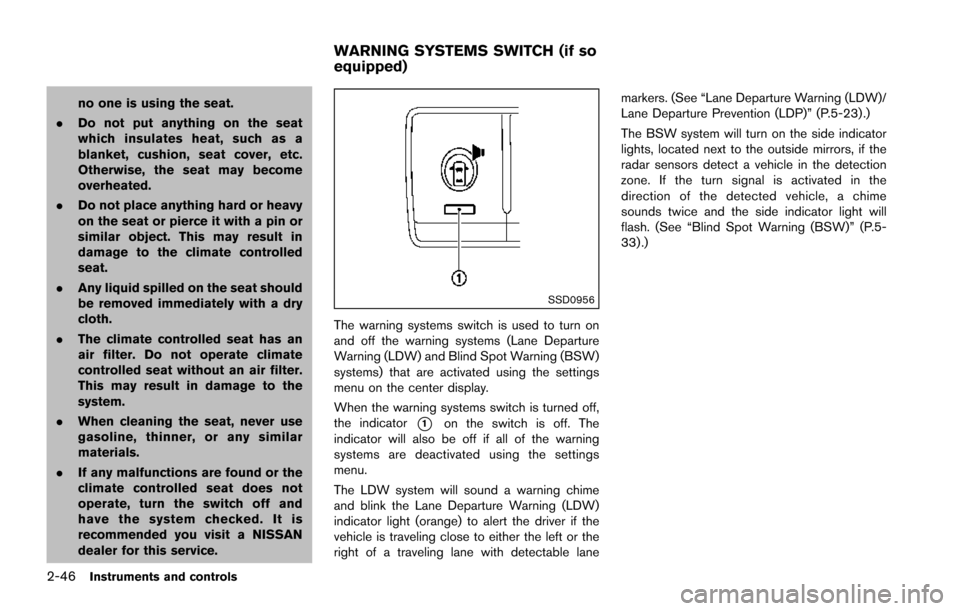
SSD0956
The warning systems switch is used to turn on
and off the warning systems (Lane Departure
Warning (LDW) and Blind Spot Warning (BSW)
systems) that are activated using the settings
menu on the center display.
When the warning systems switch is turned off,
the indicator
*1on the switch is off. The
indicator will also be off if all of the warning
systems are deactivated using the settings
menu.
The LDW system will sound a warning chime
and blink the Lane Departure Warning (LDW)
indicator light (orange) to alert the driver if the
vehicle is traveling close to either the left or the
right of a traveling lane with detectable lane markers. (See “Lane Departure Warning (LDW)/
Lane Departure Prevention (LDP)” (P.5-23).)
The BSW system will turn on the side indicator
lights, located next to the outside mirrors, if the
radar sensors detect a vehicle in the detection
zone. If the turn signal is activated in the
direction of the detected vehicle, a chime
sounds twice and the side indicator light will
flash. (See “Blind Spot Warning (BSW)” (P.5-
33) .)
WARNING SYSTEMS SWITCH (if so
equipped)
Page 136 of 614
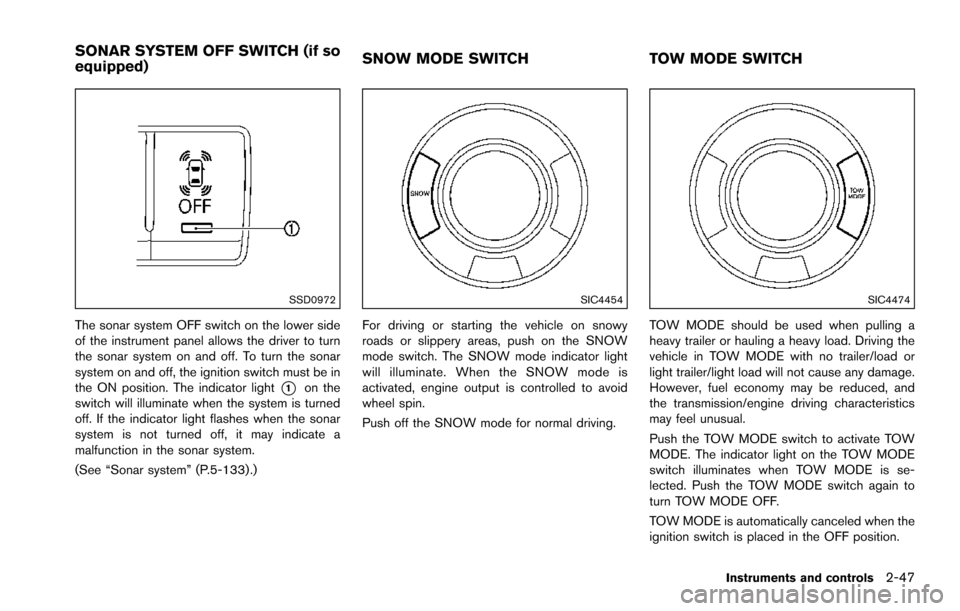
SSD0972
The sonar system OFF switch on the lower side
of the instrument panel allows the driver to turn
the sonar system on and off. To turn the sonar
system on and off, the ignition switch must be in
the ON position. The indicator light
*1on the
switch will illuminate when the system is turned
off. If the indicator light flashes when the sonar
system is not turned off, it may indicate a
malfunction in the sonar system.
(See “Sonar system” (P.5-133) .)
SIC4454
For driving or starting the vehicle on snowy
roads or slippery areas, push on the SNOW
mode switch. The SNOW mode indicator light
will illuminate. When the SNOW mode is
activated, engine output is controlled to avoid
wheel spin.
Push off the SNOW mode for normal driving.
SIC4474
TOW MODE should be used when pulling a
heavy trailer or hauling a heavy load. Driving the
vehicle in TOW MODE with no trailer/load or
light trailer/light load will not cause any damage.
However, fuel economy may be reduced, and
the transmission/engine driving characteristics
may feel unusual.
Push the TOW MODE switch to activate TOW
MODE. The indicator light on the TOW MODE
switch illuminates when TOW MODE is se-
lected. Push the TOW MODE switch again to
turn TOW MODE OFF.
TOW MODE is automatically canceled when the
ignition switch is placed in the OFF position.
Instruments and controls2-47
SONAR SYSTEM OFF SWITCH (if so
equipped) SNOW MODE SWITCH
TOW MODE SWITCH