ECO mode NISSAN ARMADA 2018 Owner´s Manual
[x] Cancel search | Manufacturer: NISSAN, Model Year: 2018, Model line: ARMADA, Model: NISSAN ARMADA 2018Pages: 532, PDF Size: 2.3 MB
Page 327 of 532
5-72Starting and driving
Vehicle-to-vehicle distance control
mode operation
The vehicle-to-vehicle distance control
mode is designed to maintain a selected
distance and reduce the speed to match
the slower vehicle ahead; the system will
decelerate the vehicle as necessary and if
the vehicle ahead comes to a stop, the
vehicle decelerates to a standstill. How-
ever, the ICC system can only apply up to
approximately 40% of the vehicle’s total
braking power. This system should only
be used when traffic conditions allow
vehicle speeds to remain fairly constant
or when vehicle speeds change gradually.
If a vehicle moves into the traveling lane
ahead or if a vehicle traveling ahead
rapidly decelerates, the distance between
vehicles may become closer because the
ICC system cannot decelerate the vehicle
quickly enough. If this occurs, the ICC
system will sound a warning chime and
blink the system display to notify the
driver to take necessary action.
The system will cancel and a warning
chime will sound if the speed is below
approximately 15 MPH (24 km/h) and a
vehicle is not detected ahead. The system
will also disengage when the vehicle goes
above the maximum set speed.
See “Approach warning” (P.5-79).The following items are controlled in the
vehicle-to-vehicle distance control mode:
.
When there are no vehicles traveling
ahead, the vehicle-to-vehicle distance
control mode maintains the speed set
by the driver. The set speed range is
between approximately 20 and 90
MPH (32 and 144 km/h).
. When there is a vehicle traveling
ahead, the vehicle-to-vehicle distance
control mode adjusts the speed to
maintain the distance, selected by
driver, from the vehicle ahead. The
adjusting speed range is up to the set
speed. If the vehicle ahead comes to a
stop, the vehicle decelerates to a
standstill within the limitations of the
system. The system will cancel once it
judges a standstill with a warning
chime.
. When the vehicle traveling ahead has
moved out from its lane of travel, the
vehicle-to-vehicle distance control
mode accelerates and maintains ve-
hicle speed up to the set speed.
The ICC system does not control vehicle
speed or warn you when you approach
stationary and slow moving vehicles. You
must pay attention to vehicle operation
to maintain proper distance from vehicles
ahead when approaching toll gates or
traffic congestion.
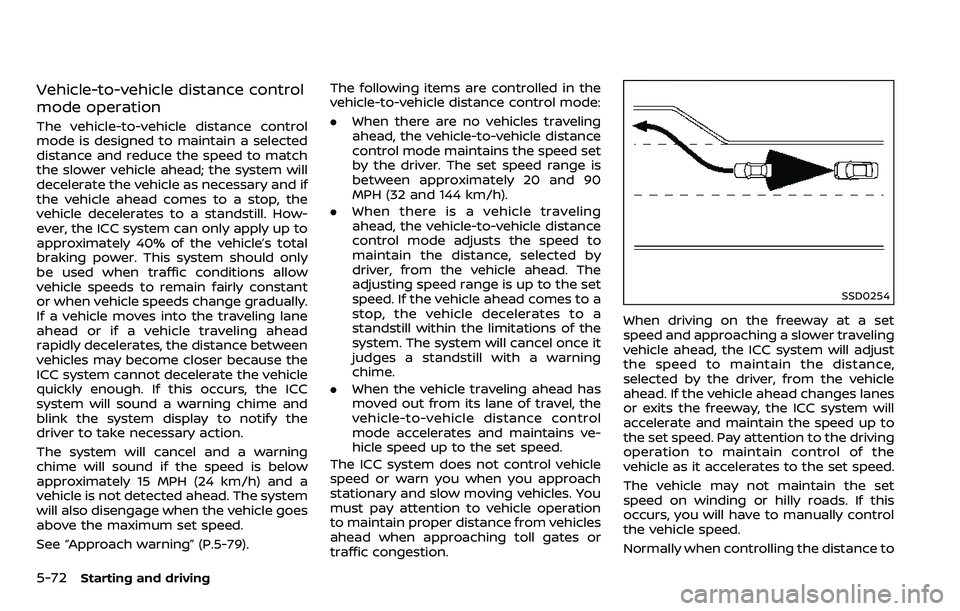
SSD0254
When driving on the freeway at a set
speed and approaching a slower traveling
vehicle ahead, the ICC system will adjust
the speed to maintain the distance,
selected by the driver, from the vehicle
ahead. If the vehicle ahead changes lanes
or exits the freeway, the ICC system will
accelerate and maintain the speed up to
the set speed. Pay attention to the driving
operation to maintain control of the
vehicle as it accelerates to the set speed.
The vehicle may not maintain the set
speed on winding or hilly roads. If this
occurs, you will have to manually control
the vehicle speed.
Normally when controlling the distance to
Page 330 of 532
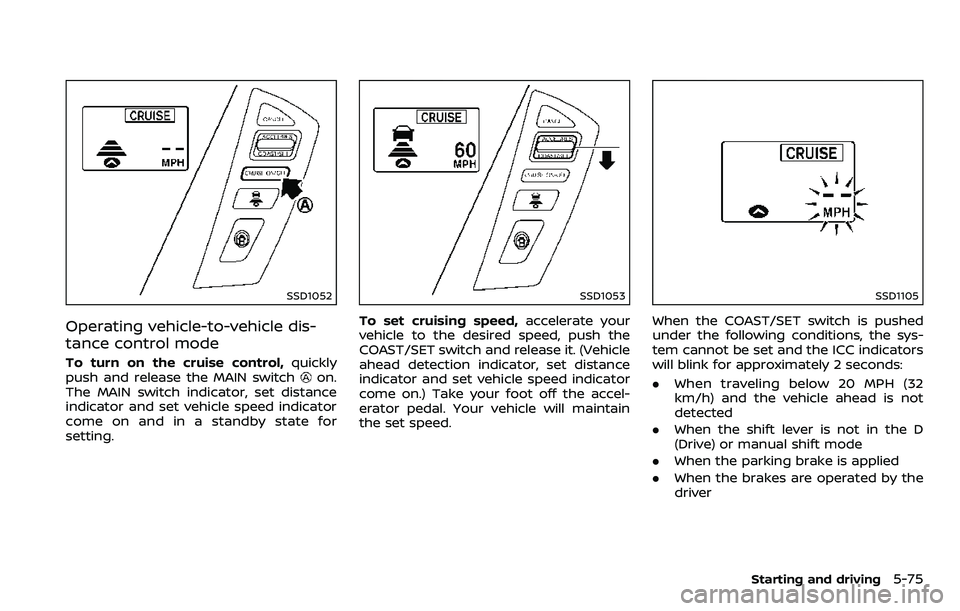
SSD1052
Operating vehicle-to-vehicle dis-
tance control mode
To turn on the cruise control,quickly
push and release the MAIN switchon.
The MAIN switch indicator, set distance
indicator and set vehicle speed indicator
come on and in a standby state for
setting.
SSD1053
To set cruising speed, accelerate your
vehicle to the desired speed, push the
COAST/SET switch and release it. (Vehicle
ahead detection indicator, set distance
indicator and set vehicle speed indicator
come on.) Take your foot off the accel-
erator pedal. Your vehicle will maintain
the set speed.
SSD1105
When the COAST/SET switch is pushed
under the following conditions, the sys-
tem cannot be set and the ICC indicators
will blink for approximately 2 seconds:
. When traveling below 20 MPH (32
km/h) and the vehicle ahead is not
detected
. When the shift lever is not in the D
(Drive) or manual shift mode
. When the parking brake is applied
. When the brakes are operated by the
driver
Starting and driving5-75
Page 336 of 532
.As there is a performance limit to
the distance control function,
never rely solely on the ICC sys-
tem. This system does not correct
careless, inattentive or absent-
minded driving, or overcome
poor visibility in rain, fog, or other
bad weather. Decelerate the ve-
hicle speed by depressing the
brake pedal, depending on the
distance to the vehicle ahead
and the surrounding circum-
stances in order to maintain a
safe distance between vehicles.
. If the vehicle ahead comes to a
stop, the vehicle decelerates to a
standstill within the limitations of
the system. The system will can-
cel once it judges that the vehicle
has come to a standstill and
sound a warning chime. To pre-
vent the vehicle from moving, the
driver must depress the brake
pedal.
. Always pay attention to the op-
eration of the vehicle and be
ready to manually control the
proper following distance. The
vehicle-to-vehicle distance con-
trol mode of the ICC system may
not be able to maintain the se-
lected distance between vehicles (following distance) or selected
vehicle speed under some cir-
cumstances.
. The system may not detect the
vehicle in front of you in certain
road or weather conditions. To
avoid accidents, never use the ICC
system under the following con-
ditions:
— On roads where the traffic is
heavy or there are sharp
curves
— On slippery road surfaces such as on ice or snow, etc.
— During bad weather (rain, fog, snow, etc.)
— When rain, snow or dirt adhere to the system sensor
— On steep downhill roads (the vehicle may go beyond the set
vehicle speed and frequent
braking may result in over-
heating the brakes)
— On repeated uphill and down- hill roads
— When traffic conditions make it difficult to keep a proper
distance between vehicles be-
cause of frequent accelera- tion or deceleration
. Do not use the ICC system if you
are towing a trailer. The system
may not detect a vehicle ahead.
. In some road or traffic conditions,
a vehicle or object can unexpect-
edly come into the sensor detec-
tion zone and cause automatic
braking. You may need to control
the distance from other vehicles
using the accelerator pedal. Al-
ways stay alert and avoid using
the ICC system when it is not
recommended in this section.
The radar sensor will not detect the
following objects:
. Stationary and slow moving vehicles
. Pedestrians or objects in the roadway
. Oncoming vehicles in the same lane
. Motorcycles traveling offset in the
travel lane
The sensor generally detects the signals
returned from the vehicle ahead. There-
fore, if the sensor cannot detect the
reflection from the vehicle ahead, the
ICC system may not maintain the se-
lected distance.
The following are some conditions in
which the sensor cannot detect the
Starting and driving5-81
Page 342 of 532
This could cause failure or malfunc-
tion.
. Do not alter, remove or paint the front
bumper. It is recommended you con-
tact a NISSAN dealer before customiz-
ing or restoring the front bumper.
FCC Notice:
For USA:
This device complies with Part 15 of the
FCC Rules. Operation is subject to the
following two conditions:
1. This device may not cause harmful
interference, and
2. This device must accept any inter-
ference received, including interfer-
ence that may cause undesired
operation.
FCC Warning
Changes or modification not expressly
approved by the party responsible for
compliance could void the user’s
authority to operate the equipment.
For Canada:
This device complies with Industry Ca-
nada licence-exempt RSS standard(s).
Operation is subject to the following
two conditions:
1. This device may not cause interfer-
ence, and 2.
This device must accept any inter-
ference, including interference that
may cause undesired operation of
the device.
CONVENTIONAL (fixed speed)
CRUISE CONTROL MODE
This mode allows driving at a speed
between 25 to 90 MPH (40 to 144 km/h)
without keeping your foot on the accel-
erator pedal.
WARNING
.In the conventional (fixed speed)
cruise control mode, a warning
chime does not sound to warn
you if you are too close to the
vehicle ahead, as neither the pre-
sence of the vehicle ahead nor
the vehicle-to-vehicle distance is
detected.
. Pay special attention to the dis-
tance between your vehicle and
the vehicle ahead of you or a
collision could occur.
. Always confirm the setting in the
ICC system display.
. Do not use the conventional
(fixed speed) cruise control mode
when driving under the following conditions.
— when it is not possible to keep
the vehicle at a set speed
— in heavy traffic or in traffic that varies in speed
— on winding or hilly roads
— on slippery roads (rain, snow, ice, etc.)
— in very windy areas
Doing so could cause a loss of
vehicle control and result in an acci-
dent.
Starting and driving5-87
Page 344 of 532
SSD0969
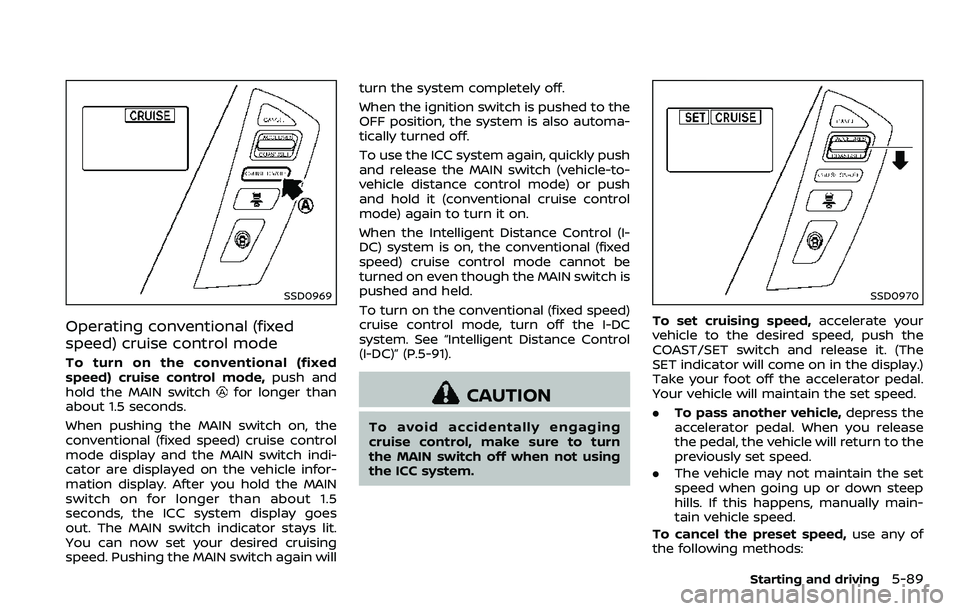
Operating conventional (fixed
speed) cruise control mode
To turn on the conventional (fixed
speed) cruise control mode,push and
hold the MAIN switch
for longer than
about 1.5 seconds.
When pushing the MAIN switch on, the
conventional (fixed speed) cruise control
mode display and the MAIN switch indi-
cator are displayed on the vehicle infor-
mation display. After you hold the MAIN
switch on for longer than about 1.5
seconds, the ICC system display goes
out. The MAIN switch indicator stays lit.
You can now set your desired cruising
speed. Pushing the MAIN switch again will turn the system completely off.
When the ignition switch is pushed to the
OFF position, the system is also automa-
tically turned off.
To use the ICC system again, quickly push
and release the MAIN switch (vehicle-to-
vehicle distance control mode) or push
and hold it (conventional cruise control
mode) again to turn it on.
When the Intelligent Distance Control (I-
DC) system is on, the conventional (fixed
speed) cruise control mode cannot be
turned on even though the MAIN switch is
pushed and held.
To turn on the conventional (fixed speed)
cruise control mode, turn off the I-DC
system. See “Intelligent Distance Control
(I-DC)” (P.5-91).CAUTION
To avoid accidentally engaging
cruise control, make sure to turn
the MAIN switch off when not using
the ICC system.
SSD0970
To set cruising speed,
accelerate your
vehicle to the desired speed, push the
COAST/SET switch and release it. (The
SET indicator will come on in the display.)
Take your foot off the accelerator pedal.
Your vehicle will maintain the set speed.
. To pass another vehicle, depress the
accelerator pedal. When you release
the pedal, the vehicle will return to the
previously set speed.
. The vehicle may not maintain the set
speed when going up or down steep
hills. If this happens, manually main-
tain vehicle speed.
To cancel the preset speed, use any of
the following methods:
Starting and driving5-89
Page 357 of 532
5-102Starting and driving
.When the VDC or ABS (including the
traction control system) operates
. When the SNOW mode switch is ON
(To use the I-DC system, turn off the
SNOW mode switch, then turn on the
dynamic driver assistance switch
.)
For details about the SNOW mode
switch, see “SNOW mode switch” (P.2-
47).
. When the 4WD shift switch is in the 4H
or 4L position (for 4WD models)
. When the radar signal is temporarily
interrupted
Action to take:
When the conditions listed above are no
longer present, turn the system off with
the dynamic driver assistance switch
.
Turn the I-DC system back on to use the
system.
JVS0482X
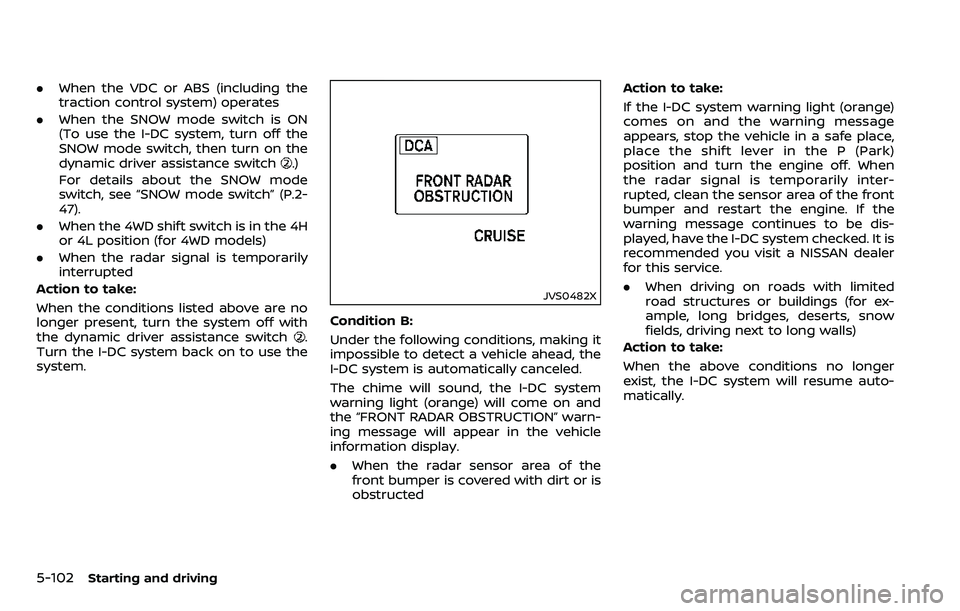
Condition B:
Under the following conditions, making it
impossible to detect a vehicle ahead, the
I-DC system is automatically canceled.
The chime will sound, the I-DC system
warning light (orange) will come on and
the “FRONT RADAR OBSTRUCTION” warn-
ing message will appear in the vehicle
information display.
. When the radar sensor area of the
front bumper is covered with dirt or is
obstructed Action to take:
If the I-DC system warning light (orange)
comes on and the warning message
appears, stop the vehicle in a safe place,
place the shift lever in the P (Park)
position and turn the engine off. When
the radar signal is temporarily inter-
rupted, clean the sensor area of the front
bumper and restart the engine. If the
warning message continues to be dis-
played, have the I-DC system checked. It is
recommended you visit a NISSAN dealer
for this service.
.
When driving on roads with limited
road structures or buildings (for ex-
ample, long bridges, deserts, snow
fields, driving next to long walls)
Action to take:
When the above conditions no longer
exist, the I-DC system will resume auto-
matically.
Page 378 of 532
7. Avoid idling..Shutting off your engine when safefor stops exceeding 30-60 seconds
saves fuel and reduces emissions.
8. Buy an automated pass for toll roads.
.Automated passes permit drivers to use special lanes to maintain cruis-
ing speed through the toll and
avoid stopping and starting.
9. Winter warm up.
.Limit idling time to minimize impact to fuel economy.
.Vehicles typically need no morethan 30 seconds of idling at start-
up to effectively circulate the en-
gine oil before driving.
.Your vehicle will reach its ideal
operating temperature more
quickly while driving versus idling.
10. Keeping your vehicle cool.
.Park your vehicle in a covered parking area or in the shade when-
ever possible.
.When entering a hot vehicle, open- ing the windows will help to reduce
the inside temperature faster, re-
sulting in reduced demand on your
A/C system. .
Keep your engine tuned up.
. Follow the recommended scheduled
maintenance.
. Keep the tires inflated to the correct
pressure. Low tire pressure increases
tire wear and lowers fuel economy.
. Keep the wheels in correct alignment.
Improper alignment increases tire
wear and lowers fuel economy.
. Use the recommended viscosity en-
gine oil. (See “Engine oil and oil filter
recommendation” (P.10-6).)
WARNING
.Do not attempt to raise two
wheels off the ground and shift
the transmission to any drive or
reverse position with the engine
running. Doing so may result in
drivetrain damage or unexpected
vehicle movement which could
result in serious vehicle damage
or personal injury.
. Do not attempt to test a 4WD
equipped vehicle on a 2-wheel
dynamometer or similar equip-
ment even if the other two
wheels are raised off the ground.
Make sure you inform test facility
personnel that your vehicle is
equipped with 4WD before it is
placed on a dynamometer. Using
the wrong test equipment may
result in drivetrain damage or
unexpected vehicle movement
which could result in serious ve-
hicle damage or personal injury.
Starting and driving5-123
INCREASING FUEL ECONOMYNISSAN ALL-MODE 4WD® (if so equipped)
Page 379 of 532
5-124Starting and driving
CAUTION
.Do not drive the vehicle in the 4HI
or 4LO position on dry hard sur-
face roads. Driving on dry, hard
surfaces in 4HI or 4LO may cause
unnecessary noise, tire wear and
increased fuel consumption.
If the Four-Wheel Drive (4WD)
warning light turns on when driv-
ing on dry hard surface roads:
— in the 4HI position, shift the
4WD shift switch to AUTO.
— in the 4LO position, stop the vehicle and shift the transmis-
sion lever to the N (Neutral)
position with the brake pedal
depressed and shift the 4WD
shift switch to AUTO.
If the 4WD warning light is still
on after the above operation,
have your vehicle checked as
soon as possible. It is recom-
mended you visit a NISSAN
dealer for this service.
. The transfer case may be da-
maged if you continue driving
with the 4WD warning light blink-
ing. See “On-pavement and off-road driving
precautions” (P.5-9) for other precautions
for offroad driving.NISSAN ALL-MODE 4WD® SYSTEM
The all mode 4WD system provides 3
positions (AUTO, 4HI and 4LO), so you
can select the desired drive mode accord-
ing to the driving conditions.
4WD shift procedure:
Page 382 of 532
The 4WD shift switch is used to select the
4WD mode depending on the driving
conditions. There are 3 types of drive
modes available, AUTO, 4HI and 4LO.
The 4WD shift switch electronically con-
trols the transfer case operation. Rotate
the switch to move between each mode,
AUTO, 4H and 4L.
You must depress the 4WD shift switch
to select 4L, and the vehicle MUST be
stationary and the shift lever in the N
(Neutral) position when changing into
or out of 4L.
WARNING
.When parking, apply the parking
brake before stopping the engine
and make sure that the 4WD shift
indicator is on and the ATP warn-
ing light turns off. Otherwise, the
vehicle could unexpectedly move
even if the automatic transmis-
sion is in the P (Park) position.
. The 4LO and 4HI indicators must
stop blinking and the 4LO or 4HI
indicator must remain illumi-
nated or turn off before shifting
the transmission into gear. If the
shift lever is shifted from the N
(Neutral) position to any other gear while the 4LO and 4HI in-
dicators are blinking alternately,
the vehicle may move unexpect-
edly.
CAUTION
.
Never shift the 4WD shift switch
between 4L and 4H while driving.
. The 4HI position provides greater
traction. Avoid excessive speed,
as it will cause increased fuel
consumption and higher oil tem-
peratures, and could damage dri-
vetrain component. Speeds over
62 MPH (100 km/h) in 4HI is not
recommended.
. The 4LO position provides max-
imum traction. Avoid raising ve-
hicle speed excessively, as the
maximum speed is approxi-
mately 31 MPH (50 km/h).
. When driving straight, shift the
4WD shift switch to the AUTO or
4H position. Do not move the 4WD
shift switch when making a turn
or reversing.
. Do not shift the 4WD shift switch
(between AUTO and 4H) while
driving on steep downhill grades. Use the engine brake and low
automatic transmission gears
for engine braking.
. Do not operate the 4WD shift
switch (between AUTO and 4H)
with the rear wheels spinning.
. Do not drive on dry hard surface
roads in the 4HI or 4LO position.
Driving on dry hard surfaces in
4HI or 4LO may cause unneces-
sary noise and tire wear. NISSAN
recommends driving in the AUTO
position under these conditions.
. The 4WD transfer case may not
be shifted between 4HI and 4LO
at low ambient temperatures and
the 4LO and 4HI indicators may
blink even when the 4WD shift
switch is shifted. After driving for
a while you can change the 4WD
shift switch between 4H and 4L.
When driving on rough roads,
. Drive carefully according to the road
surface conditions.
When the vehicle is stuck,
. Place stones or wooden blocks under
the tires to free the vehicle.
. Set the 4WD shift switch to 4H or 4L.
Starting and driving5-127
Page 384 of 532
.Never shift the 4WD shift switch
between 4L and 4H while driving.
. Engine idling speed is high while
warming up the engine. Be espe-
cially careful when starting or
driving on slippery surfaces with
the 4WD shift switch in AUTO.
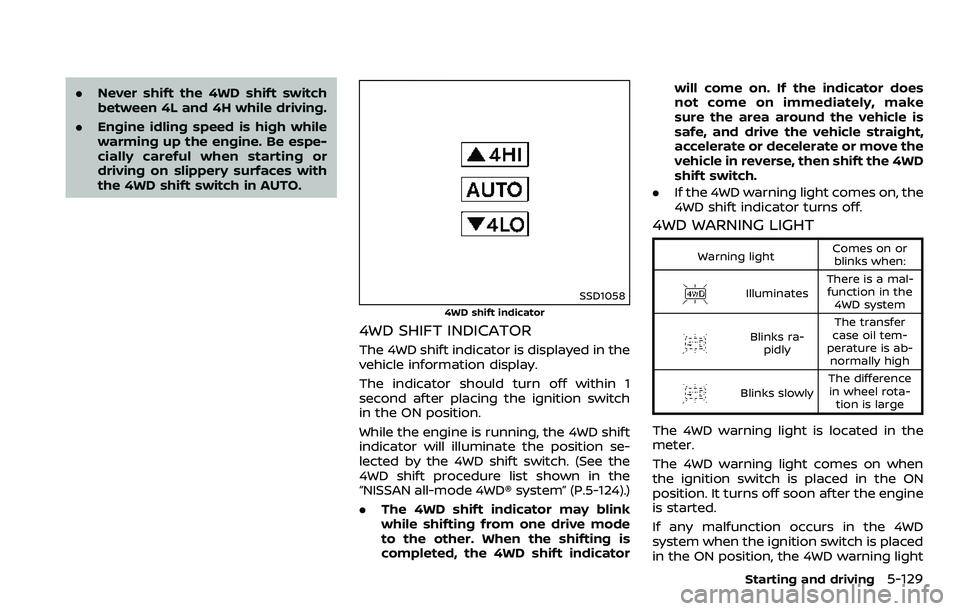
SSD1058
4WD shift indicator
4WD SHIFT INDICATOR
The 4WD shift indicator is displayed in the
vehicle information display.
The indicator should turn off within 1
second after placing the ignition switch
in the ON position.
While the engine is running, the 4WD shift
indicator will illuminate the position se-
lected by the 4WD shift switch. (See the
4WD shift procedure list shown in the
“NISSAN all-mode 4WD® system” (P.5-124).)
.The 4WD shift indicator may blink
while shifting from one drive mode
to the other. When the shifting is
completed, the 4WD shift indicator will come on. If the indicator does
not come on immediately, make
sure the area around the vehicle is
safe, and drive the vehicle straight,
accelerate or decelerate or move the
vehicle in reverse, then shift the 4WD
shift switch.
. If the 4WD warning light comes on, the
4WD shift indicator turns off.
4WD WARNING LIGHT
Warning light Comes on or
blinks when:
Illuminates There is a mal-
function in the 4WD system
Blinks ra- pidly The transfer
case oil tem-
perature is ab- normally high
Blinks slowly The difference
in wheel rota- tion is large
The 4WD warning light is located in the
meter.
The 4WD warning light comes on when
the ignition switch is placed in the ON
position. It turns off soon after the engine
is started.
If any malfunction occurs in the 4WD
system when the ignition switch is placed
in the ON position, the 4WD warning light
Starting and driving5-129